

Daylite
by Marketcircle
What is Daylite?
Get Best Quote for Daylite
Connect with SaaSrat experts to get the best quote for your business.
You're all set!
A specialist for Daylite will reach out within 1 business day.
Daylite Features
Native Mac and iPhone apps (Apple-only)
Contact and account management
Calendar with macOS Calendar sync
Project and opportunity management
Apple Mail integration with email logging
Tasks and appointments
View All 16 Features
Daylite Pricing Plans
Leap
- $25/user/mo USD billed annually (solo plan)
- Apple-native CRM (Mac + iPhone + iPad)
- Contacts, calendar, tasks, notes
- iCloud sync
- Verified at daylite.app on 2026-05-31 (full-page screenshot retained)
Growth
- $39/user/mo USD billed annually
- Full team CRM with pipelines and projects
- Email integration via Apple Mail
- Mac, iPhone, iPad apps
- Verified at daylite.app on 2026-05-31 (full-page screenshot retained)
Scale / Custom
- Scale $55/user/mo annual (advanced reporting, priority support)
- Custom quote-based (10+ users, dedicated CSM)
- All Growth features
- Verified at daylite.app on 2026-05-31 (full-page screenshot retained)
Daylite Resources
Daylite Screenshots
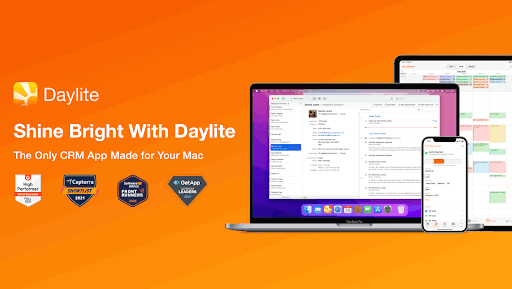
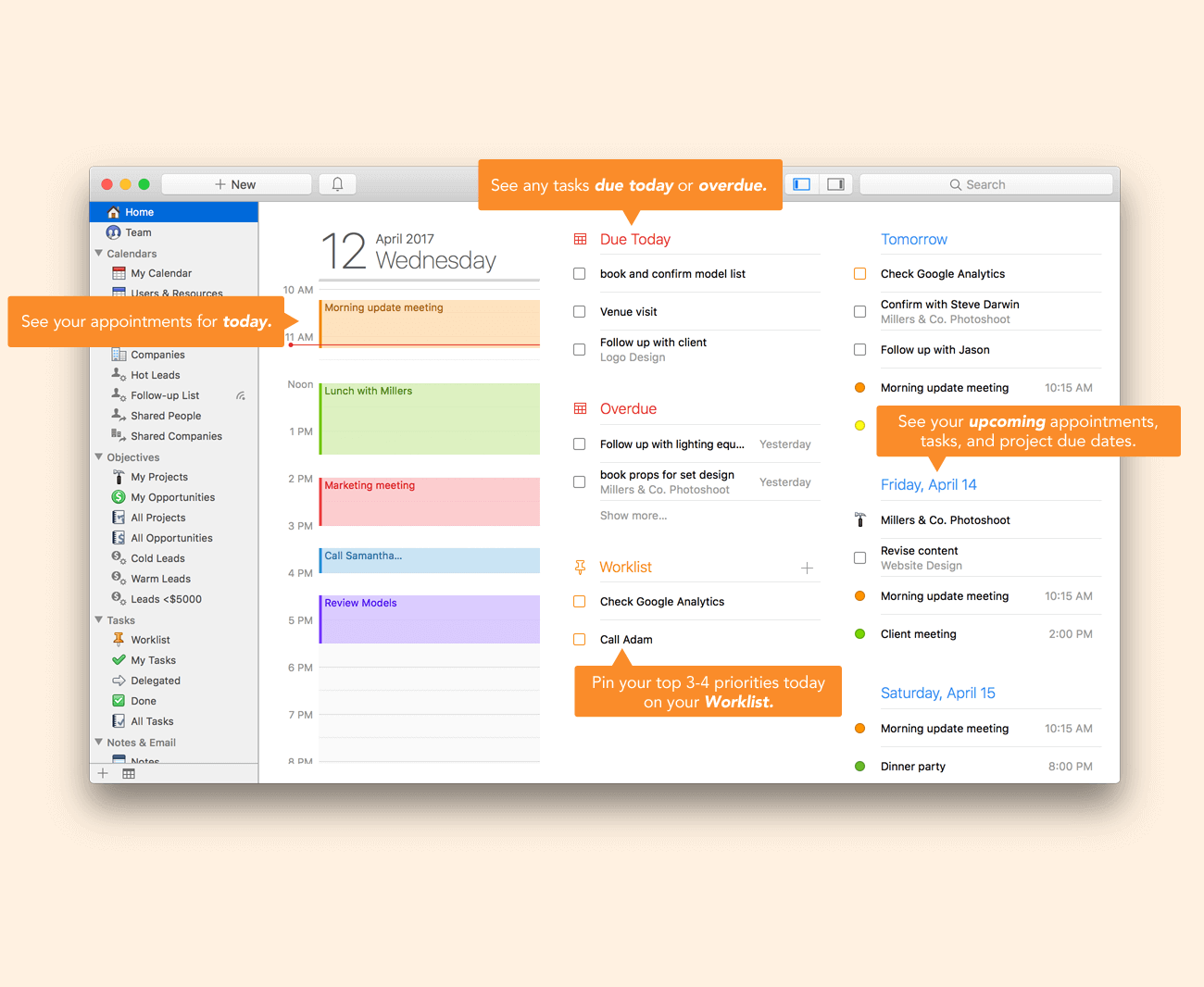
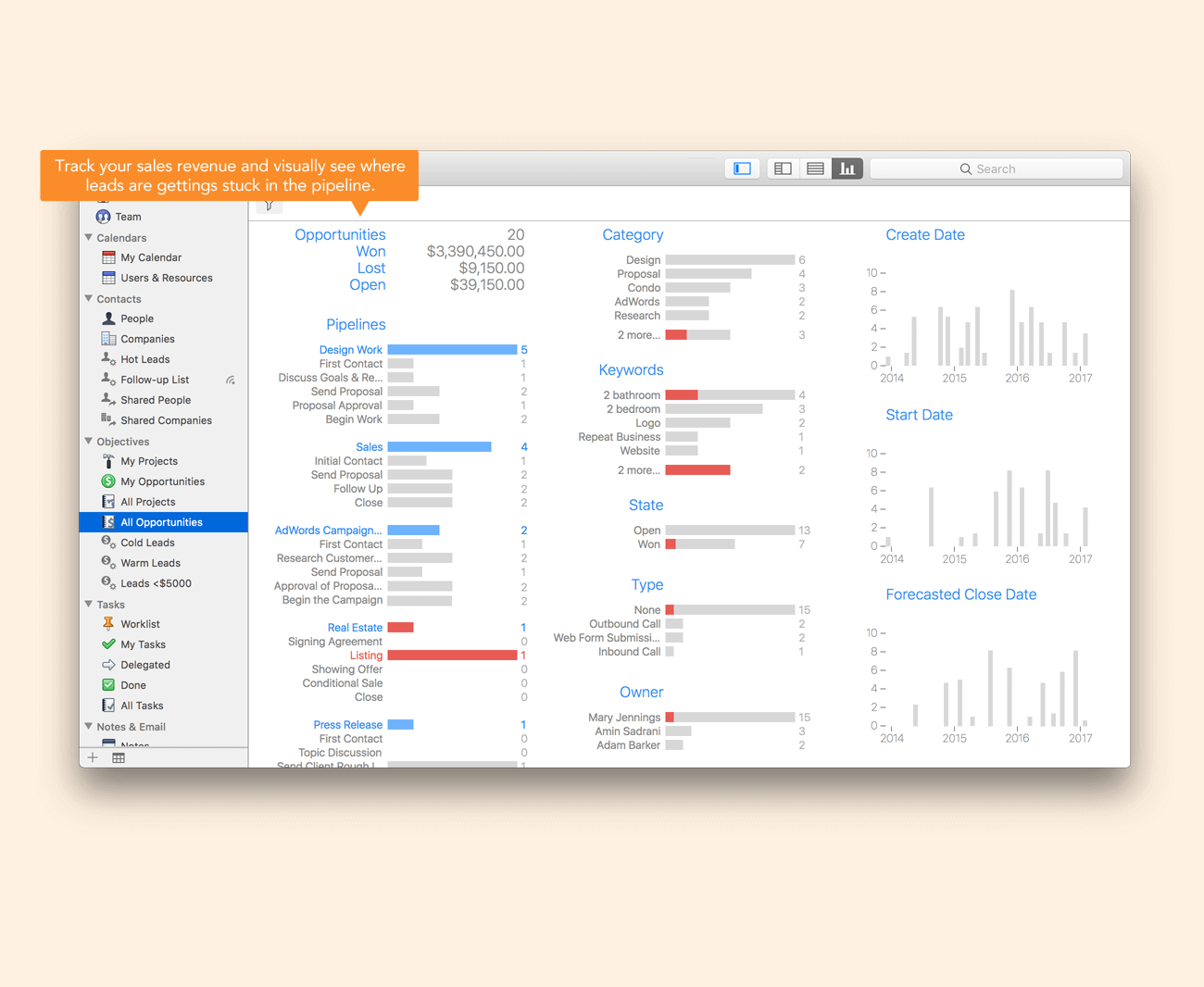
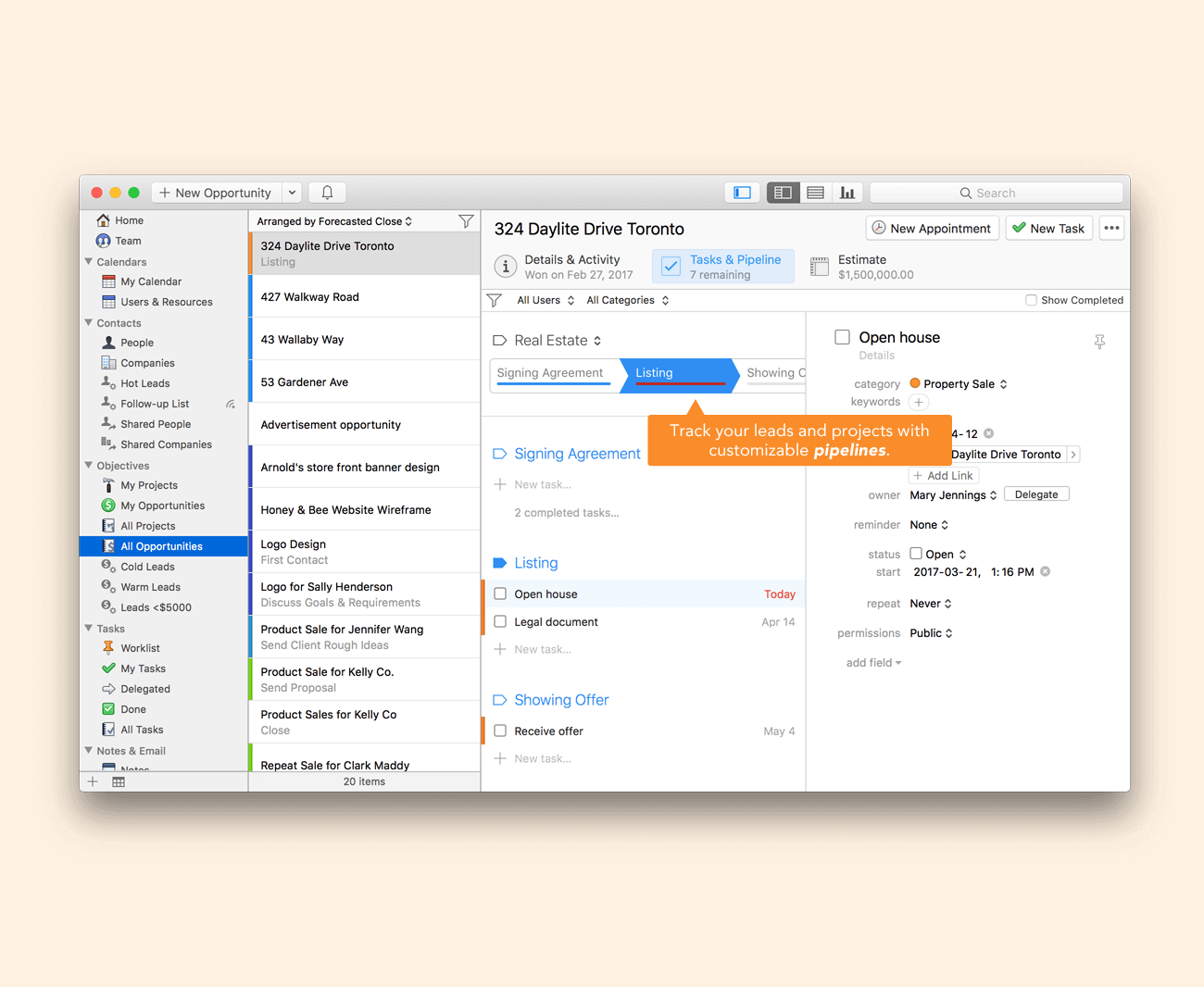
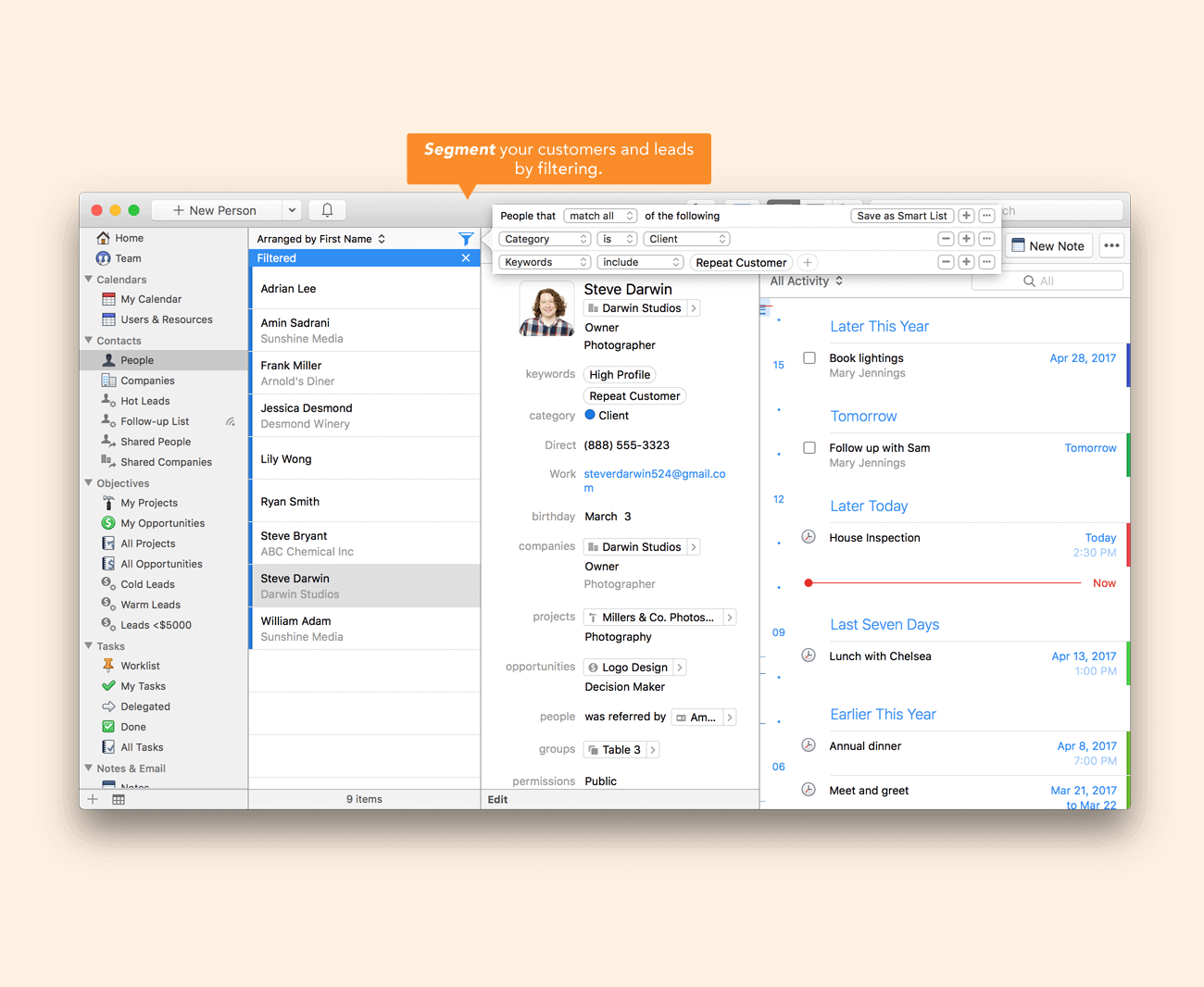
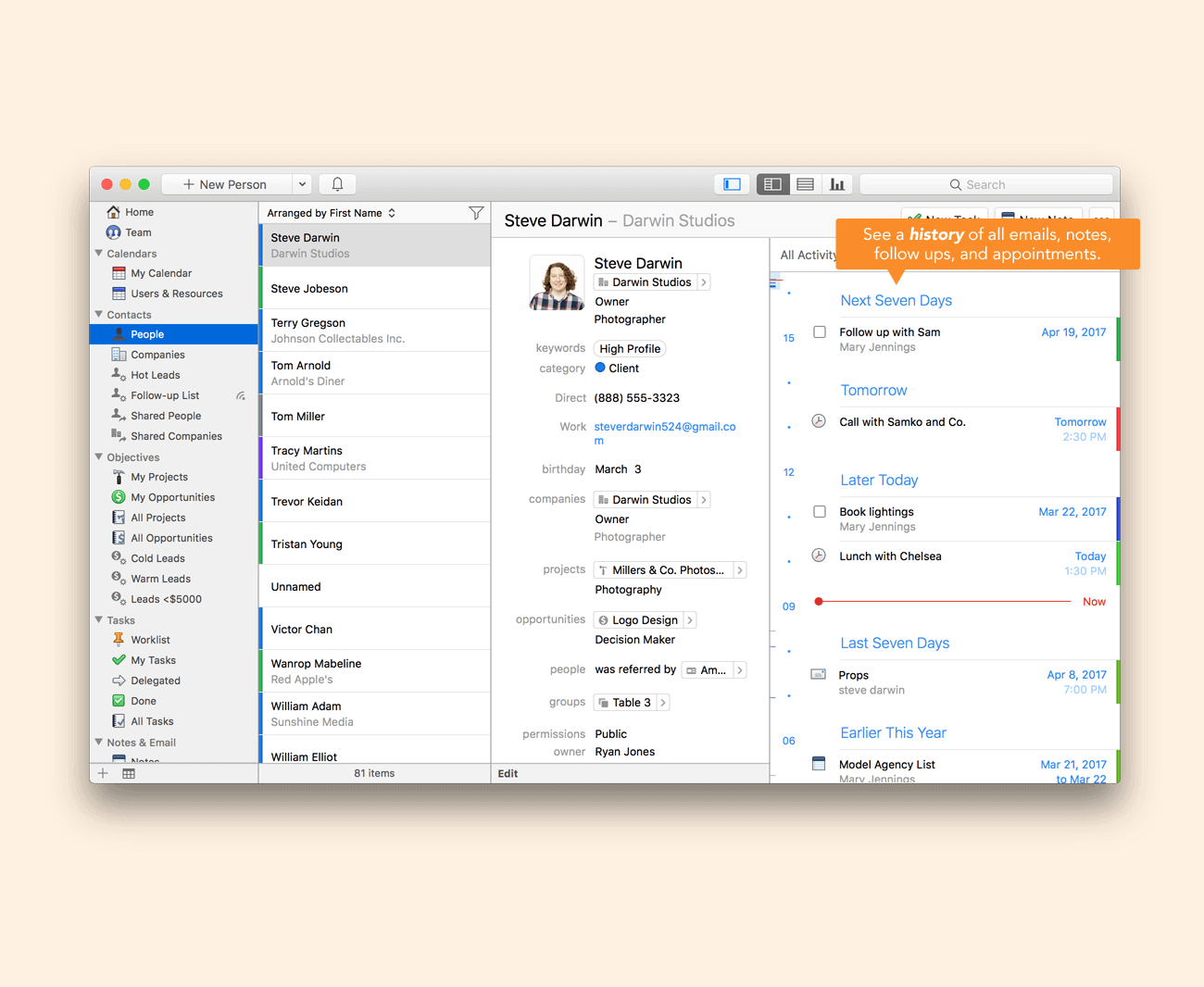
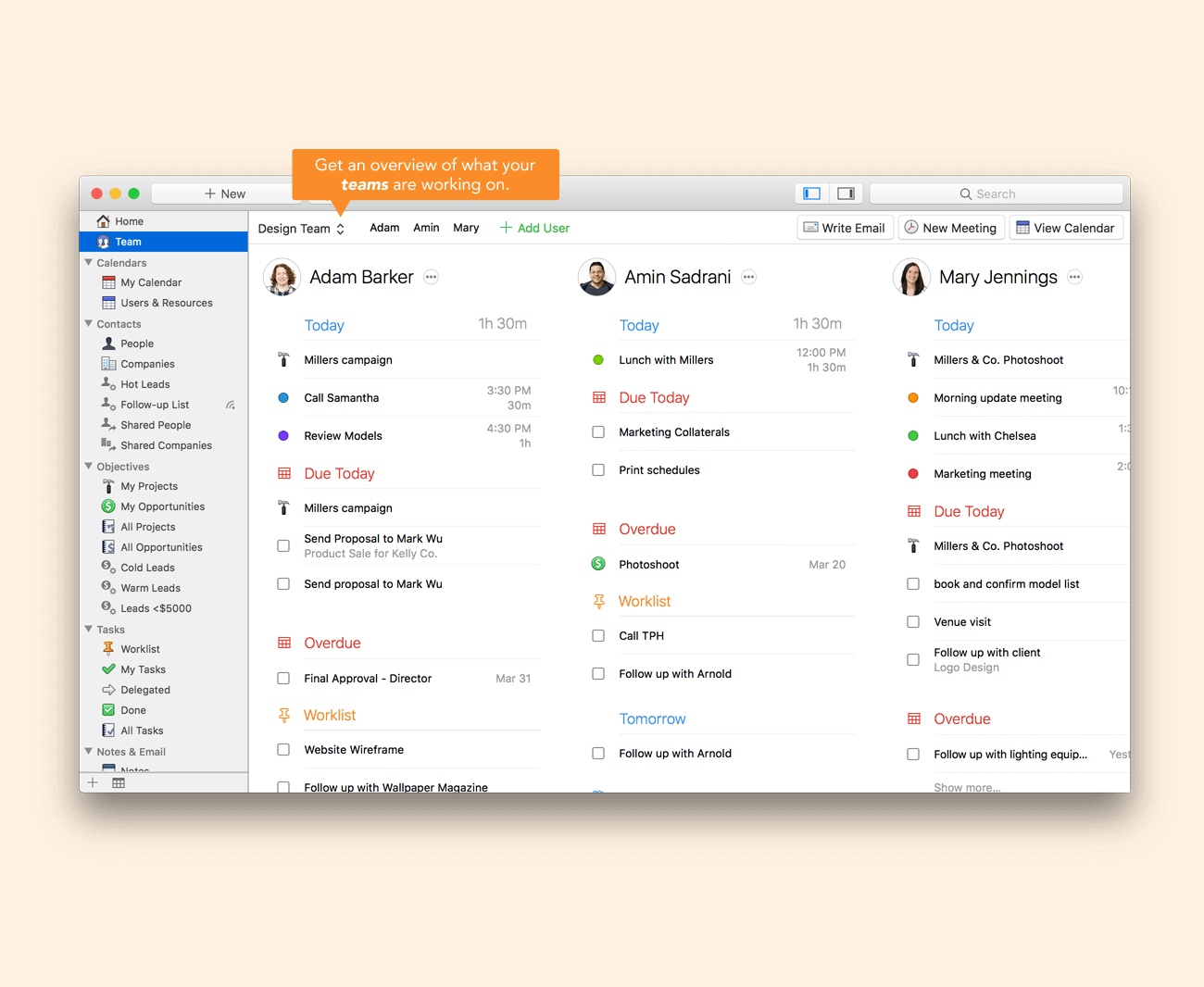
Description
Who Daylite Is Right For
Daylite is built for Apple-only small businesses (1-100 users) that want native macOS and iOS CRM matching the Apple UX. The sweet spot is consultants, agencies, attorneys, financial advisors, and creative professionals who run their business on Mac and iPhone exclusively and prefer offline-first native apps over web-based CRM.
If you have any Windows or Android users on your team, HubSpot CRM, Pipedrive, or Copper work cross-platform. If you want sales-focused pipeline simplicity, Pipedrive fits better. Daylite wins the Apple-only-business-CRM lane decisively.
Daylite Pricing in 2026
| Plan | Annual price | Monthly price | Best for |
|---|---|---|---|
| Daylite Subscription | $24/user/month | $29/user/month | Apple-only small businesses wanting native Mac and iPhone CRM with calendar, contacts, projects, opportunities, email integration |
Pricing verified via vendor-published references on 2026-06-15. Annual billing saves $5/user/month vs monthly. 30-day free trial available on the Marketcircle website. Single subscription plan with all features included.
Daylite Hidden Costs and Negotiation Levers
Single-tier pricing with all features included - no per-feature upcharges. Annual billing saves $5/user/month. Volume discounts available for 10+ user teams via Marketcircle sales. Required Apple hardware (Mac and iPhone/iPad) is a separate consideration if the team is not already Apple-equipped.
Daylite vs HubSpot CRM vs Copper vs Pipedrive
| Dimension | Daylite | HubSpot CRM | Copper | Pipedrive |
|---|---|---|---|---|
| Starting price (annual) | $24/user/mo | Free; paid from $20/user/mo | $23/user/mo Starter | $14/user/mo Essential |
| Best for | Apple-only small business | Marketing-led SMB sales | Google Workspace SMBs | Sales-focused pipeline simplicity |
| Native macOS app | Yes (native) | Web only | Web only | Web only |
| Native iOS app | Yes (designed for iOS) | iOS app | iOS app | iOS app |
| Cross-platform | Apple-only | All platforms | All platforms | All platforms |
Daylite Integrations
Apple ecosystem: native integration with Apple Mail, macOS Calendar, iOS Calendar, macOS Contacts, iCloud, Handoff, AirPlay.
Productivity: Microsoft 365 Outlook (limited - Daylite is Apple-first), Dropbox, Box.
Telephony: Apple Phone, FaceTime.
Open REST API for custom integrations. Zapier connector for 5,000+ no-code integrations bridges Daylite to non-Apple tools.
Daylite Pros and Cons
Pros: Native Mac and iPhone apps with macOS-native UX - unmatched feel vs web CRMs for Apple users. Offline-first with cloud sync - works without internet, syncs when reconnected. Single subscription with all features included. Deep Apple ecosystem integration (Mail, Calendar, Contacts, iCloud). Long product maturity since 2002. Strong loyal user base.
Cons: Apple-only - excludes any Windows or Android users on a team (deal-breaker for mixed-platform teams). No web app - cannot access from a non-Apple device. Brand recognition outside Apple business community lower than HubSpot or Salesforce. Marketing automation lighter than HubSpot Marketing Hub. Integration marketplace narrower than category leaders.
What Real Daylite Buyers Say
On r/mac and r/CRM threads, Mac-only consultants, attorneys, and financial advisors cite Daylite's native macOS UX as deciding feature over web CRMs. Buyers picking Daylite cite Apple ecosystem fit; buyers picking alternatives cite cross-platform requirements.
On LinkedIn Marketcircle posts, themes include Apple-only small business productivity gains and 20+ year customer loyalty stories.
On r/smallbusiness, Daylite surfaces in Mac-led small business tool recommendations alongside Apple-native productivity apps.
Daylite Field Guide
| Best fit for | Apple-only small businesses (1-100 users) wanting native Mac and iPhone CRM |
|---|---|
| Industries | Consultants, attorneys, financial advisors, agencies, creative professionals, architects, designers, real estate solo agents, professional services on Mac |
| Core capability | Native macOS and iOS CRM with contact, calendar, projects, opportunities, Apple Mail integration, offline-first cloud sync |
| Pricing | $24/user/month annual or $29/user/month monthly. Single tier with all features included. 30-day free trial |
| Differentiator | Native Mac and iPhone apps with macOS UX plus offline-first sync plus deep Apple ecosystem integration - unmatched for Apple-only small businesses |
| Deployment | Native macOS app plus native iOS app (iPhone and iPad). No Windows, no Android, no web browser app. Cloud sync optional |
| Headquarters | Markham, Ontario, Canada (Marketcircle Inc., founded 2000) |
| Vendor URL | daylite.app |
Daylite Buyer Action Plan
Step 1: Confirm Apple-only team (any Windows or Android users disqualify Daylite). Step 2: Start 30-day free trial on Marketcircle website. Step 3: Test Mac and iPhone apps with real workflows. Step 4: Validate Apple Mail, Calendar, Contacts integration depth. Step 5: Commit annual billing for $5/user/month savings.
Daylite 2026 Updates
AI features expanded for email drafting and contact suggestions through 2026 release cycles. Native macOS Sonoma and iOS 18 compatibility maintained. Mobile app refresh. Cloud sync reliability improvements. Apple Vision Pro support roadmap considered.
Daylite Security and Compliance
SOC 2 Type II compliant. GDPR (EU customers) and CCPA compliant. Two-factor authentication. AES-256 encryption at rest, TLS 1.3 in transit. Daylite Cloud sync via Marketcircle infrastructure. Data residency in US/Canada data centers. Apple Keychain integration for credentials.
Daylite Customer Support
Email and chat support during business hours included in subscription. Knowledge base, video tutorials, Daylite training resources. Long-tenure user community for peer help. Canadian-headquartered support team operating in US/EU business hours.
Who Can Use Daylite
Daylite serves Apple-only small businesses globally with strongest concentration in North America, EMEA, and APAC. Industries: consultants, attorneys, financial advisors, agencies, creative professionals, architects, designers, real estate solo agents, professional services. Team sizes: 1 to 100 users typical; Apple ecosystem required.
Daylite Mobile App
Native iOS Daylite app for iPhone and iPad designed for Apple ecosystem. Push notifications for calendar, tasks, opportunities. Offline-first with iCloud-style sync when reconnected. App store ratings sit in the 4.4-4.7 range. Apple App Store: Daylite iOS. (No Android - Daylite is Apple-only).
How to Get Started with Daylite
Step 1: Visit daylite.app start 30-day free trial. Step 2: Download Daylite Mac app from Mac App Store or Marketcircle. Step 3: Install iOS Daylite app on iPhone/iPad. Step 4: Configure cloud sync via Marketcircle infrastructure. Step 5: Import contacts from macOS Contacts and Apple Mail. Subscribe at $24/user/month annual or $29/user/month monthly.
Top Daylite Alternatives
HubSpot CRM for cross-platform SMBs wanting free starter tier and broader marketing automation.
Copper for SMBs on Google Workspace wanting native Gmail integration.
Pipedrive for sales-focused SMBs wanting visual pipeline at lower price.
Bento for Business for Mac-focused project management without full CRM.
Dex for solo personal CRM on Mac and iPhone at lower cost.
Cardhop by Flexibits for Mac-native contact management without full CRM.
How to Cancel Daylite
Cancellation self-serve via Account Settings. Monthly cancels at end of current cycle. Annual cancels at end of annual term; mid-term forfeits prepaid. Data export available via CSV or REST API. Local Mac data remains accessible after subscription end (offline-first design). Account data deletion from Marketcircle Cloud per privacy policy.
Bottom Line on Daylite
Daylite is the right call when an Apple-only small business (1-100 users) wants native Mac and iPhone CRM matching the macOS UX with offline-first sync and deep Apple ecosystem integration. The $24/user/month annual single-tier-all-features pricing is competitive with HubSpot Sales Hub Starter and Pipedrive Advanced. Cross-platform teams should pick HubSpot, Pipedrive, or Copper. Marketing-led teams should pick HubSpot. Daylite wins the Apple-only-small-business-CRM lane.
Verified on 2026-06-15 by the SaaSRat Editorial Team. Vendor facts cross-checked against daylite.app/marketcircle.com, Apple App Store, and 2026 vendor public documentation. About our methodology.
Frequently Asked Questions
How much does Daylite cost in 2026?
Is Daylite only for Mac?
Who is Daylite right for?
Does Daylite integrate with Apple Mail and Calendar?
Does Daylite work offline?
Does Daylite have an Android app?
Is Daylite SOC 2 certified?
Where is Marketcircle headquartered?
Daylite vs HubSpot CRM - which should I pick?
Can I cancel Daylite mid-term?
Find Your Perfect Software
See how it can transform your workflow
- Personalized for your needs Tailored recommendations based on your unique requirements.
- Save time & resources Streamline your workflow and boost team productivity.
- Trusted by thousands Join 10,000+ businesses already growing with SaaSrat.
You're all set! 🎉
A specialist for will reach out within 1 business day with tailored recommendations for your needs.