
What is Pipedrive?
Get Best Quote for Pipedrive
Connect with SaaSrat experts to get the best quote for your business.
You're all set!
A specialist for Pipedrive will reach out within 1 business day.
Pipedrive Features
Visual sales pipeline with drag-and-drop stages
Unlimited contacts deals and custom pipelines
Email integration with Gmail Outlook and IMAP
Sales activity tracking and reminders
Workflow automation on Advanced and above
AI Sales Assistant and Smart Docs
View All 15 Features
Pipedrive Pricing Plans
Essential Annual
- $14/user/month annual
- Visual pipeline contact and deal management
- Email integration with Gmail Outlook
- Sales activity tracking
- Unlimited contacts deals and custom pipelines
- Verified on 2026-06-19
Advanced Annual
- $29/user/month annual
- Adds workflow automation and email sequences
- Smart Docs and document templates
- Group emailing and templates
- Verified on 2026-06-19
Professional Annual
- $59/user/month annual
- Adds AI Sales Assistant and team management
- Revenue forecasting and advanced reports
- Smart contact data and signature on emails
- Verified on 2026-06-19
Power Annual
- $69/user/month annual
- Adds phone support and 24/7 live chat
- Project tracking and skill-based call routing
- Verified on 2026-06-19
Enterprise Annual
- $99/user/month annual
- Adds advanced permissions and security
- Unlimited custom permissions and visibility
- Two-step verification dedicated success manager
- Monthly billing adds up to 35% on all tiers
- Verified on 2026-06-19
Pipedrive Resources
Pipedrive Screenshots
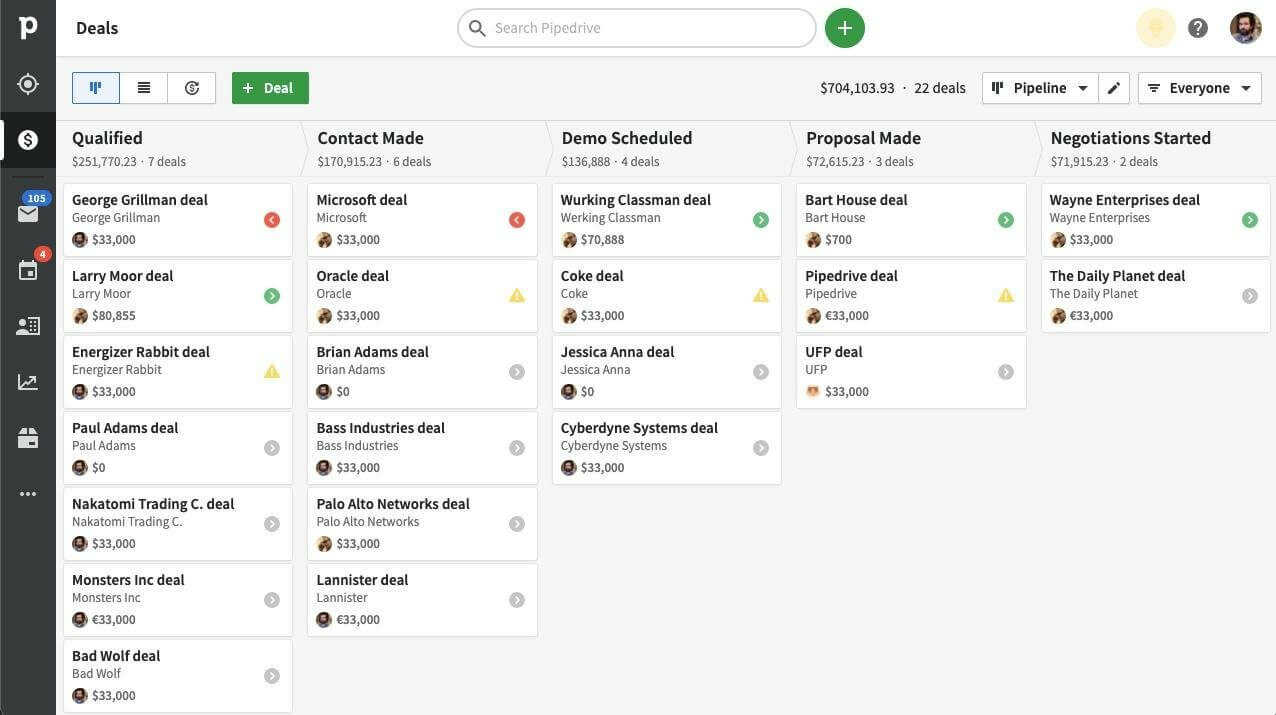
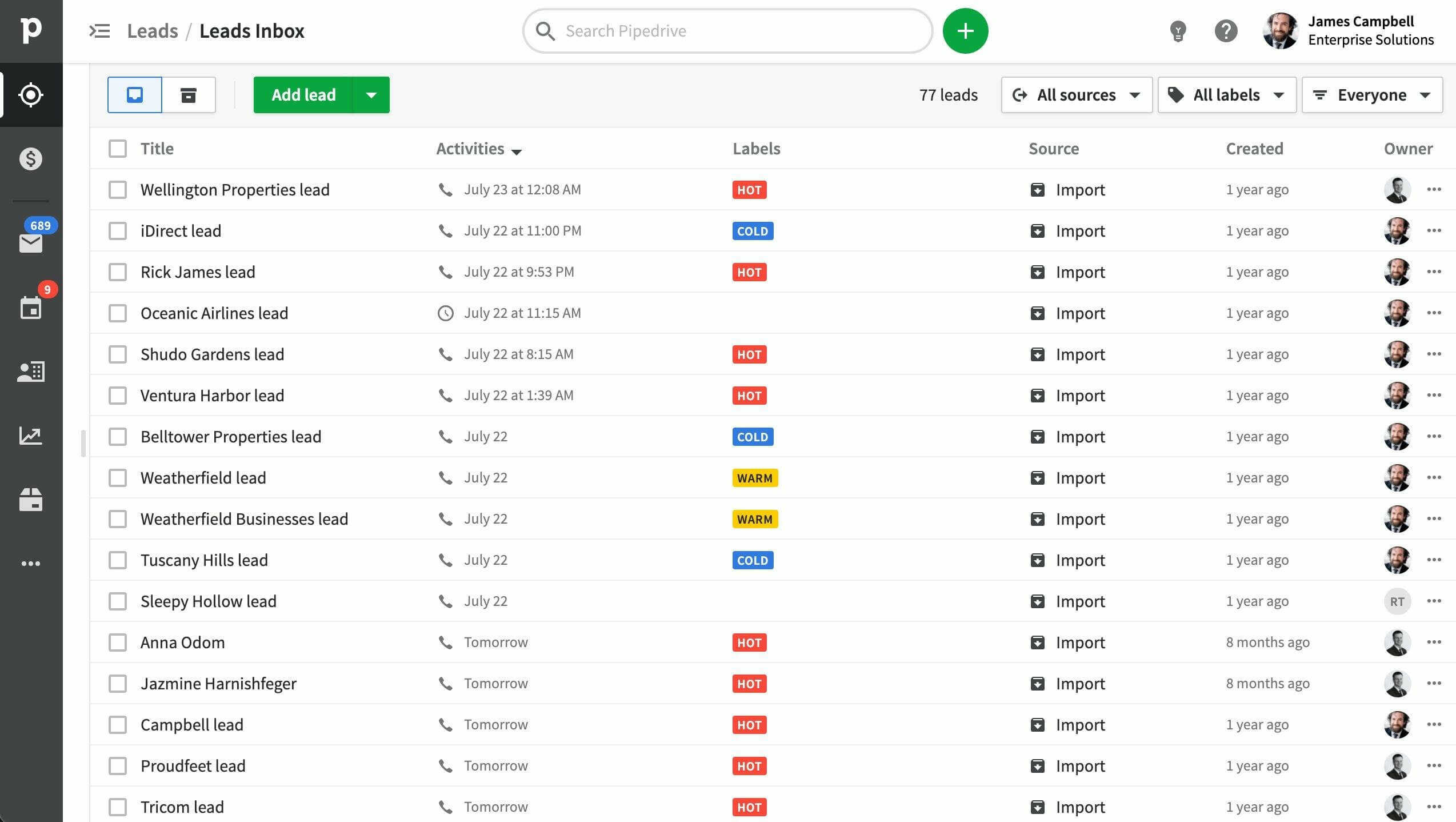
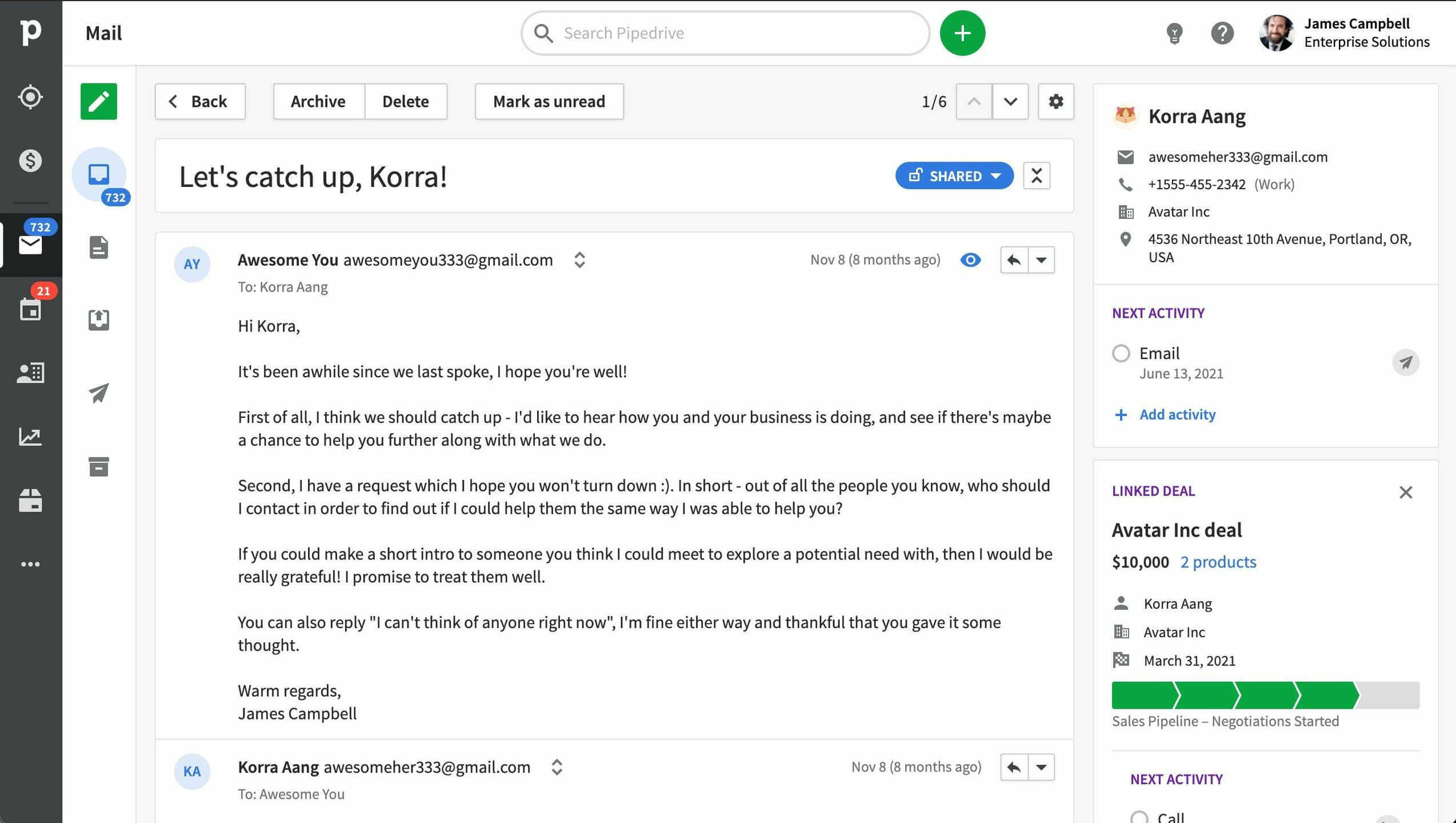
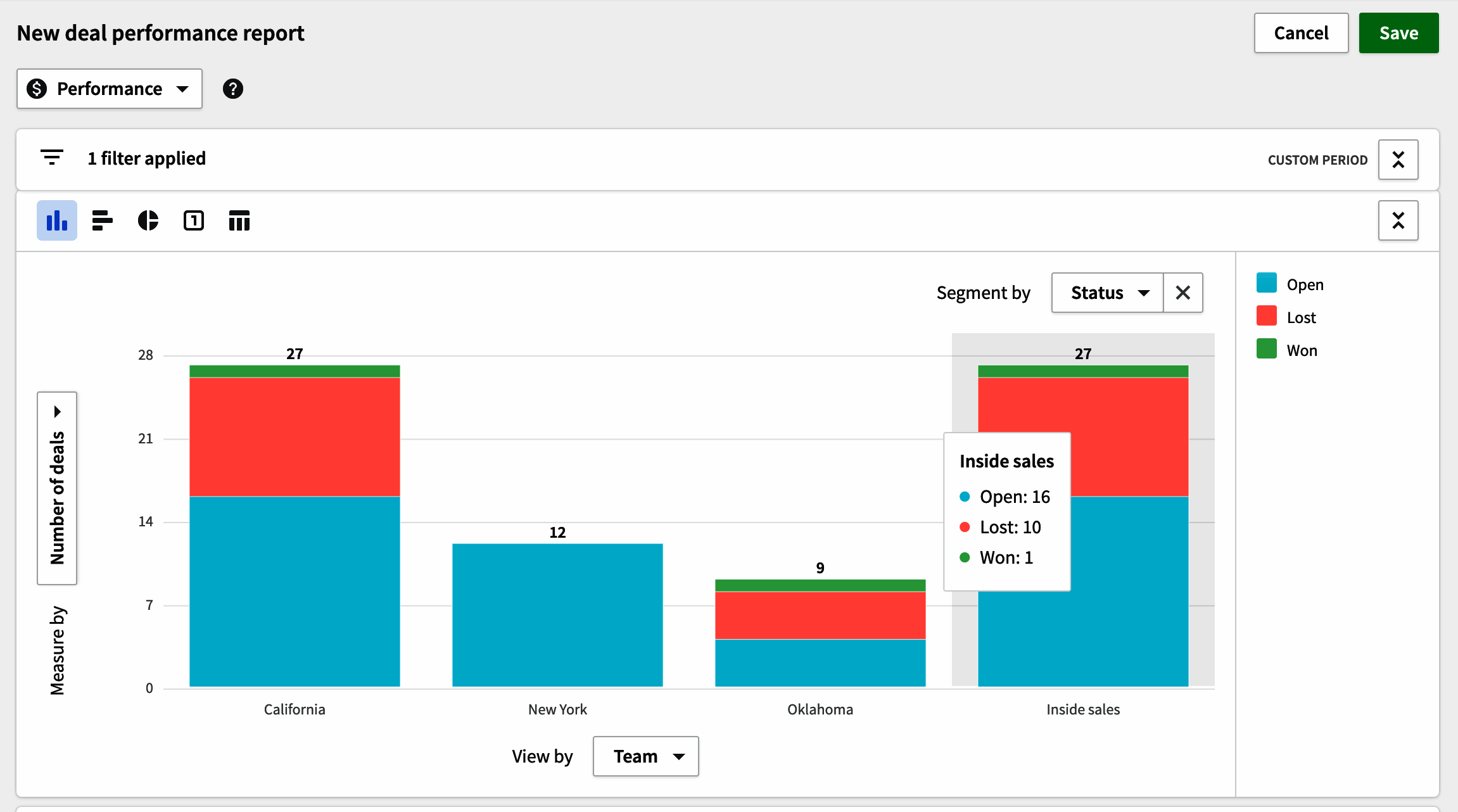
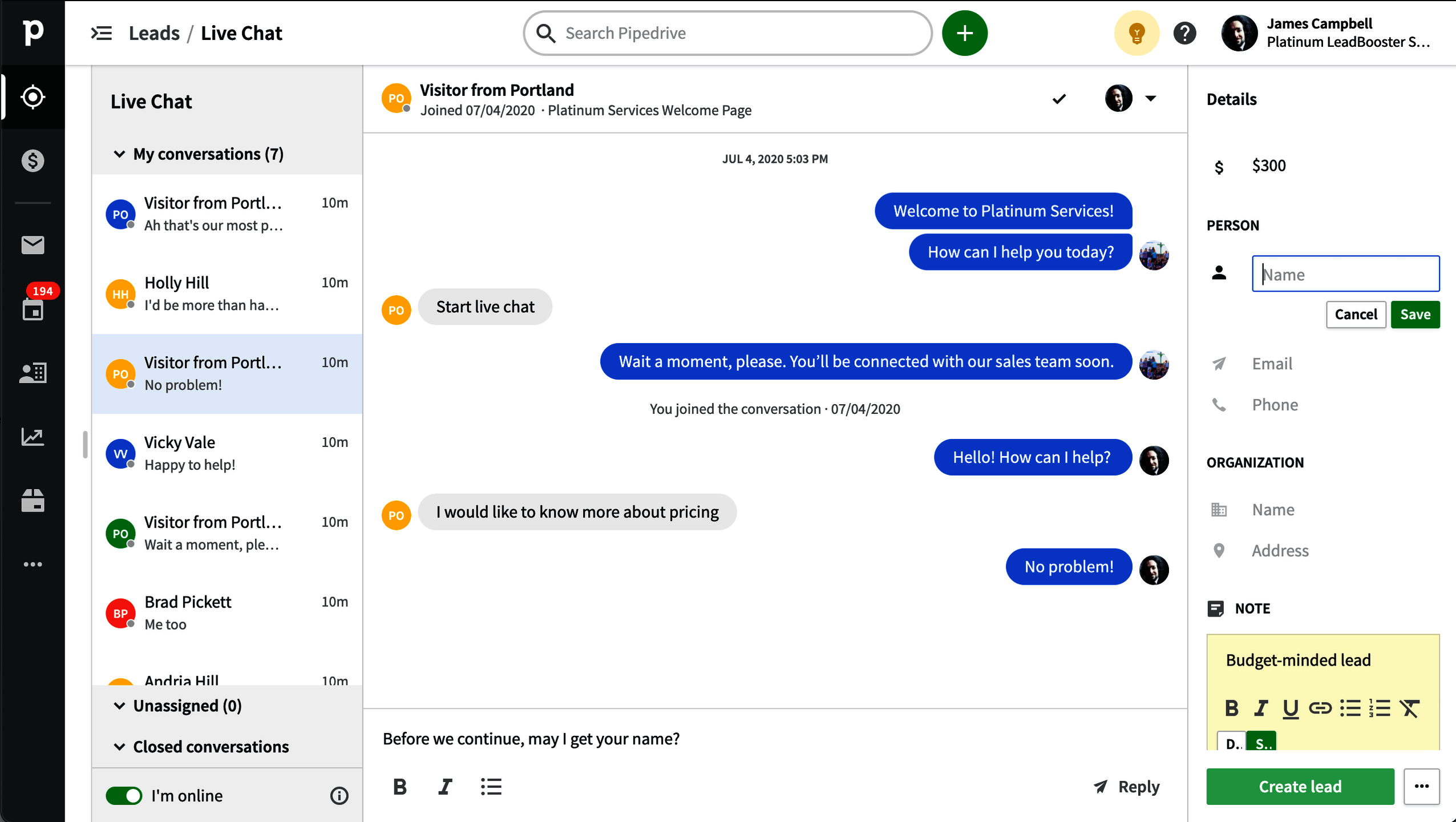
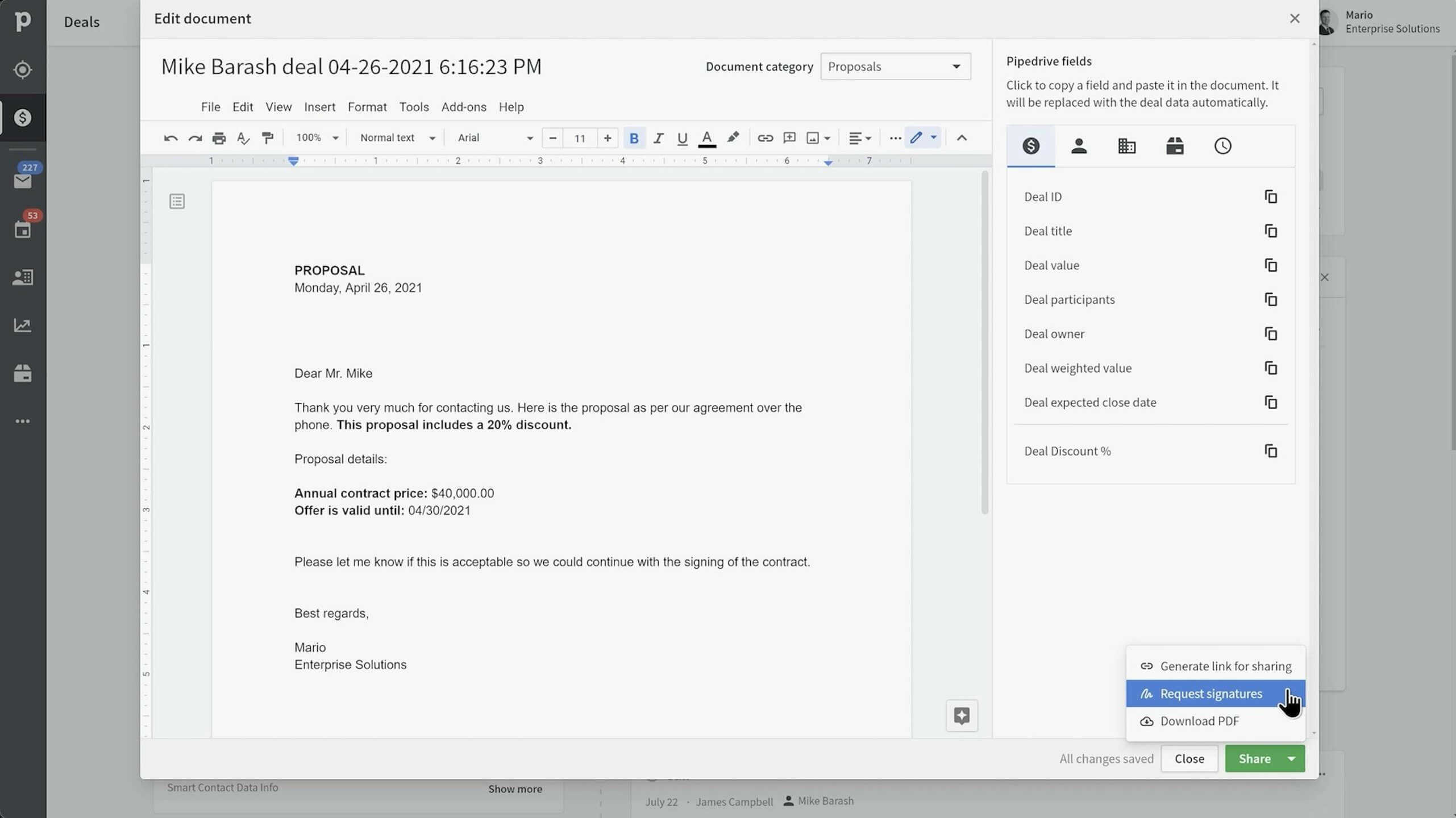
Description
Pipedrive launched in 2010 in Tallinn, Estonia with a clear focus: build the sales CRM that salespeople actually want to use, designed around the visual pipeline rather than the customer record. By 2026 Pipedrive serves hundreds of thousands of sales-led teams across SaaS, agencies, services, and B2B businesses globally, with five tiers spanning solo prospectors through enterprise teams.
Who Pipedrive is right for
This is a vertical product for sales-led teams. The clearest fit in 2026 is B2B sales teams of 2 to 200 reps that prioritize pipeline visibility and deal velocity over marketing-sales-service integration. Strongest fits are B2B SaaS startups, consulting agencies, services firms, and any team where the daily job is moving deals through stages. Pipedrive is the wrong choice for marketing-aligned teams (HubSpot fits), all-in-one small businesses (Keap fits), or enterprises needing the largest third-party CRM ecosystem (Salesforce fits).
Pipedrive pricing in 2026
| Tier | Annual per user | What you get |
|---|---|---|
| Essential | $14 | Visual pipeline, contact and deal management, email integration, unlimited contacts/deals/pipelines |
| Advanced | $29 | + Workflow automation, email sequences, Smart Docs templates, group emailing |
| Professional | $59 | + AI Sales Assistant, team management, revenue forecasting, advanced reports |
| Power | $69 | + Phone support, 24/7 live chat, project tracking, skill-based routing |
| Enterprise | $99 | + Advanced permissions, security, unlimited custom permissions, dedicated success manager |
Verified on 2026-06-19 against the official Pipedrive pricing page. Monthly billing adds approximately 35 percent across all tiers.
Hidden costs to know about
Three watch-outs. First, monthly billing adds 35 percent over annual rates; committed buyers should commit annually. Second, Lead Booster (web forms, chatbot, prospector) is a separate paid add-on. Third, Campaigns (email marketing) is also a separate paid add-on. Total cost can climb beyond the headline per-user figure once Lead Booster, Campaigns, and Power-tier phone support are factored in.
Pipedrive vs alternatives at a glance
| Tool | Best for | Annual starting | Why pick it |
|---|---|---|---|
| Pipedrive | Sales-led B2B teams | $14/user/mo | Pipeline-first, fast setup, clean reporting |
| HubSpot CRM | Marketing-aligned SMB | Free / $15+ | Free CRM, broader marketing ecosystem |
| Salesforce Sales Cloud | Enterprise depth | $80/user/mo | Largest ecosystem, deepest customization |
| Zoho CRM | SMB Zoho ecosystem | $14/user/mo | Broader Zoho suite |
| Freshsales | SMB AI-aware sales | $11/user/mo | Freddy AI + Freshworks suite |
Integrations
Open Marketplace contains 400+ pre-built integrations spanning email (Gmail, Outlook), calendar (Google, Microsoft), accounting (QuickBooks, Xero), e-signature (DocuSign), video (Zoom), customer support (Zendesk, Intercom), marketing automation (Mailchimp, ActiveCampaign), data tools (Zapier, Make), and B2B SaaS. REST API and webhooks for custom destinations.
Pros and cons
What works: Pipeline-first design genuinely drives rep adoption. Setup is fast (30 minutes to first pipeline). 14-day trial with full features and no card. Mobile apps with offline mode work for outside sales. Open Marketplace at 400+ integrations covers most stacks. Pricing is clean and predictable. AI Sales Assistant on Professional tier is useful for forecasting.
Where it strains: No permanent free plan. Marketing automation and lead capture require paid Lead Booster and Campaigns add-ons. Smaller ecosystem than HubSpot or Salesforce. Customization depth lighter than Salesforce. Some advanced features gated to Power and Enterprise tiers.
What real buyers say
Operator reviews on SoftwareAdvice, SelectHub, and the r/CRM subreddit consistently cite three wins: pipeline-first design is the fastest to adoption among sales-led CRMs, mobile apps are reliable for road work, and pricing transparency simplifies budgeting versus HubSpot or Salesforce. Common pushback is on Lead Booster and Campaigns being separate paid add-ons, the absence of a free plan, and AI features gated to Professional and above.
Field guide
| Field | Detail |
|---|---|
| Headquarters | New York, NY (founded in Tallinn, Estonia) |
| Founded | 2010 |
| Target users | Sales-led teams 2 to 200 reps |
| Mobile | Native iOS and Android with offline mode |
| Free trial | 14 days full features, no card |
| Free plan | None |
| Integrations | 400+ in Open Marketplace |
| Annual savings | ~35% vs monthly |
Buyer action plan
Start with the 14-day free trial on Advanced tier (the most common starting point for working sales teams). Import contacts and build one pipeline. Connect Gmail or Outlook. Run real deals for two weeks. Add workflow automation. Decide between Essential, Advanced, Professional, Power, or Enterprise based on automation needs, AI Sales Assistant value, and team management requirements. Plan for annual billing to save 35 percent over monthly.
2026 updates
Pipedrive continued investment in AI Sales Assistant on Professional and above with deal probability scoring, next-best-action recommendations, and email writing assistance. Open Marketplace grew past 400 integrations. Mobile apps received continued offline mode improvements. Power tier with skill-based call routing has matured for sales teams running structured call queues.
Security and compliance
Cloud platform with TLS in transit, encryption at rest, SOC 2 Type II, ISO 27001, GDPR and CCPA support, role-based access controls, audit logging on Enterprise, SSO via SAML on Enterprise. EU data residency. Two-factor authentication across all tiers.
Customer support
Email, in-app live chat, knowledge base, Pipedrive Academy training content. Phone support on Power and Enterprise tiers. 24/7 live chat on Power and above. Response times during global business hours are fast. r/CRM and r/sales subreddits have active Pipedrive peer support discussions.
Who can use Pipedrive
Best fit: sales-led B2B teams 2 to 200 reps prioritizing pipeline visibility. Reasonable fit: any sales-only team wanting fast setup and clean reporting. Not a fit: marketing-aligned teams (HubSpot fits), all-in-one small businesses (Keap fits), or enterprises needing maximum customization and largest ecosystem (Salesforce fits).
Mobile app
Native iOS and Android apps with offline mode support pipeline, contact, deal, and activity workflows from mobile. Sales reps working primarily from cars and customer sites get a polished experience that ranks among the best in the SMB CRM category.
How to get started with Pipedrive
Sign up for the 14-day free trial at the official Pipedrive pricing page. Import contacts via CSV. Build one pipeline. Connect Gmail or Outlook. Run real deals through it. Add workflow automation if you upgrade to Advanced. Decide on Essential, Advanced, Professional, Power, or Enterprise based on automation, AI, and team management needs. Plan annual billing for savings.
Top alternatives to Pipedrive
HubSpot CRM is the marketing-aligned alternative with free unlimited users. Salesforce Sales Cloud is the enterprise alternative with maximum customization. Zoho CRM is the broader Zoho ecosystem alternative. Freshsales is the AI-included SMB alternative. Close is the call-heavy alternative. Folk CRM is the modern design-focused SMB alternative.
How to cancel Pipedrive
Cancellation is self-serve from account settings. Monthly subscriptions cancel at end of billing period. Annual subscriptions cancel at renewal; mid-term cancellation may forfeit remaining annual fee. Data export available via CSV and REST API. No cancellation fee.
Bottom line
Pipedrive is the right pick for a sales-led B2B team that wants a visual pipeline, fast setup, and clean reporting without the marketing automation overhead of broader platforms. Advanced tier at $29/user/mo annual is the standard starting point for working sales teams. Professional ($59) adds the AI Sales Assistant value. For marketing-aligned teams, HubSpot wins. For enterprise depth, Salesforce wins. For most B2B sales teams who want pipeline-first focus, Pipedrive remains the safe choice in 2026.
Verified on 2026-06-19. Pricing verified from the official Pipedrive pricing page.
Frequently Asked Questions
What is Pipedrive used for?
How much does Pipedrive cost in 2026?
Does Pipedrive have a free plan?
Who is Pipedrive best for?
Does Pipedrive have AI features?
How does Pipedrive compare to HubSpot or Salesforce?
Does Pipedrive integrate with email and calendar?
Does Pipedrive have a mobile app?
What are the hidden costs?
Does Pipedrive have an API?
Find Your Perfect Software
See how it can transform your workflow
- Personalized for your needs Tailored recommendations based on your unique requirements.
- Save time & resources Streamline your workflow and boost team productivity.
- Trusted by thousands Join 10,000+ businesses already growing with SaaSrat.
You're all set! 🎉
A specialist for will reach out within 1 business day with tailored recommendations for your needs.