

Copper CRM
by Copper, Inc • Founded 2013
What is Copper CRM?
Get Best Quote for Copper CRM
Connect with SaaSrat experts to get the best quote for your business.
You're all set!
A specialist for Copper CRM will reach out within 1 business day.
Copper CRM Features
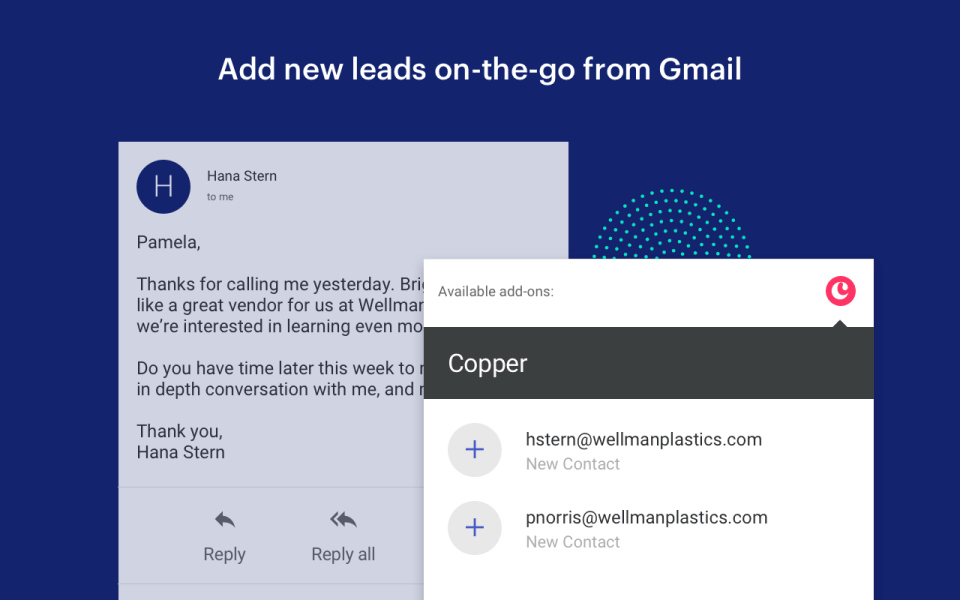
Native Gmail and Google Workspace integration
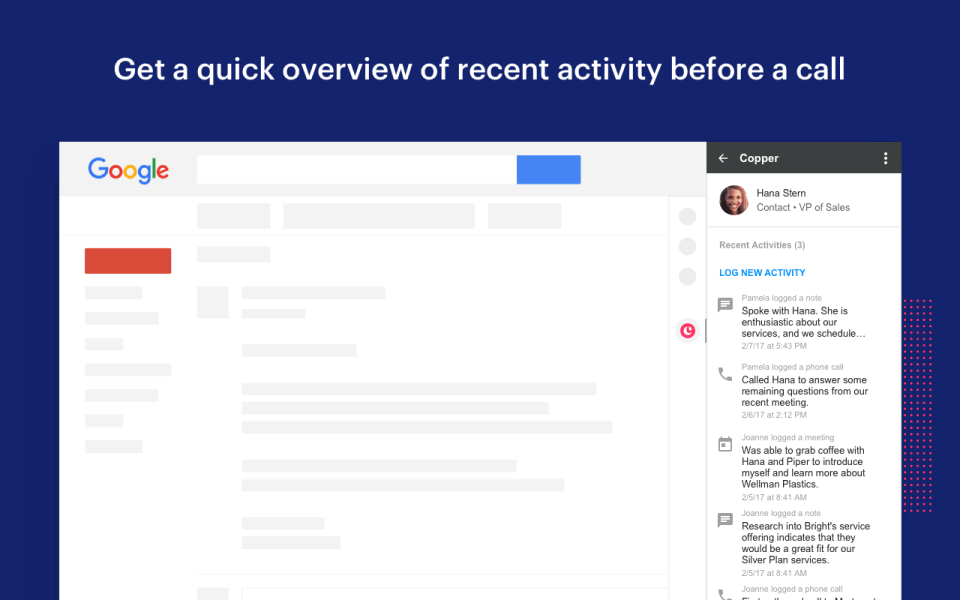
Auto-capture of email and meeting activity
Chrome extension for inbox-side CRM
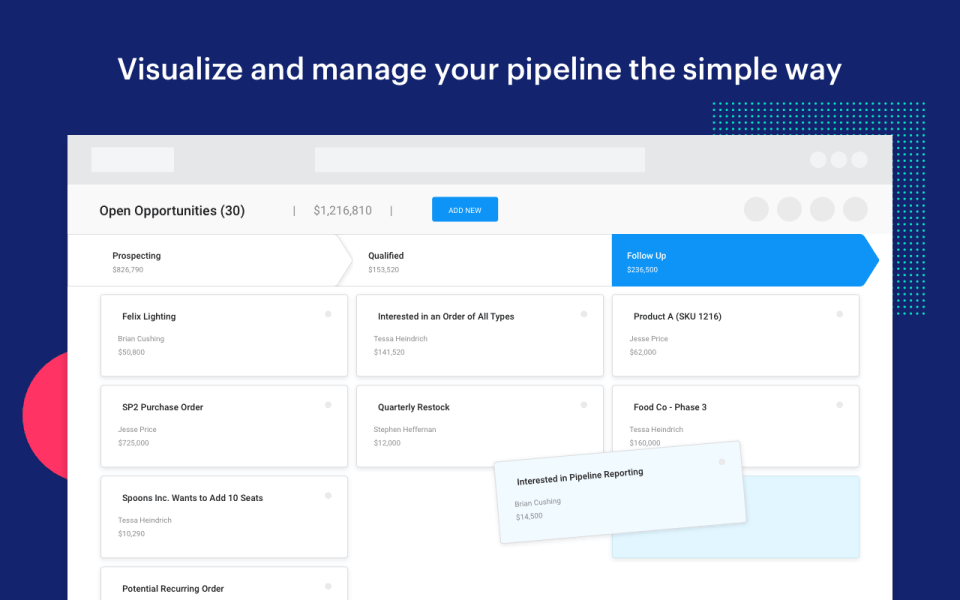
Pipeline and opportunity management
Task automation and reminders
Project management module
View All 15 Features
Copper CRM Pricing Plans
Basic Annual
- $23/seat annual ($29 monthly)
- 2,500 contact limit
- Task automation pipelines project management
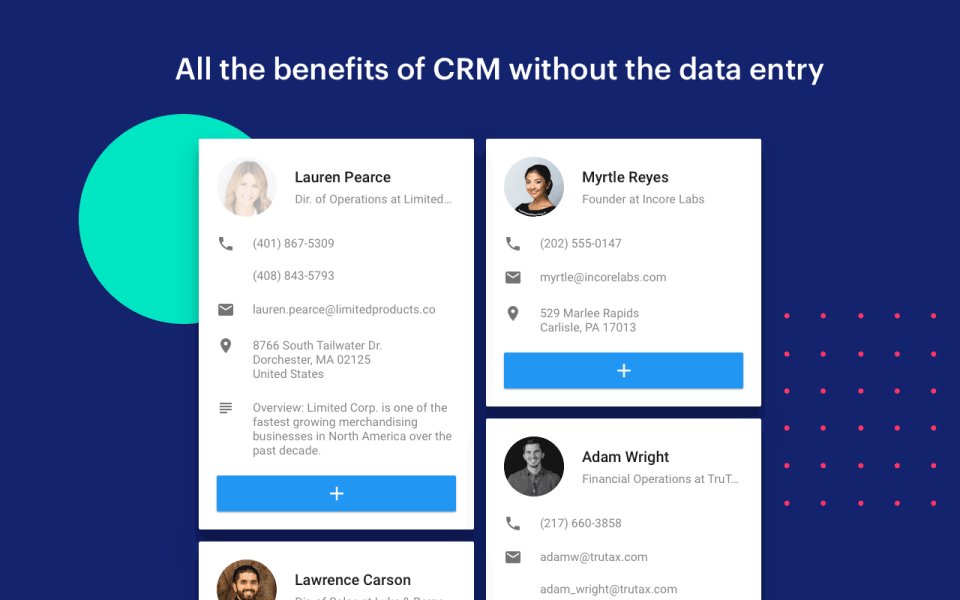
- Contact enrichment
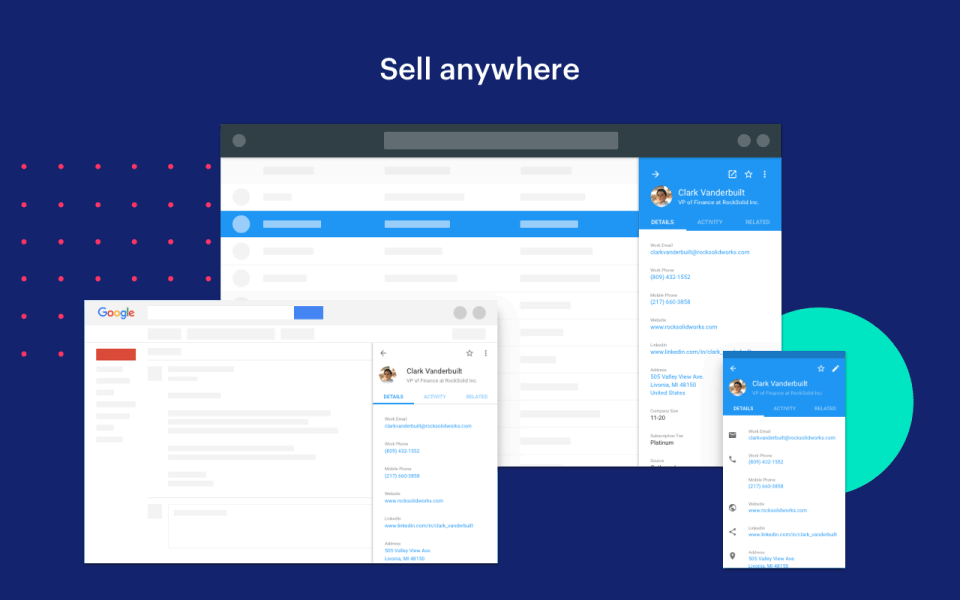
- Mobile apps and Google integration
- Verified on 2026-06-18
Professional Annual
- $59/seat annual ($69 monthly)
- 15,000 contact limit
- 63% of customers start here
- Workflow automation bulk email reporting integrations
- Verified on 2026-06-18
Business Annual
- $99/seat annual ($134 monthly)
- Unlimited contacts
- Email series custom reports multi-currency
- Premium support
- Verified on 2026-06-18
Personal Onboarding
- Optional personal onboarding service
- Requires seat minimums on higher tiers
- Guided implementation and data migration
- Verified on 2026-06-18
Custom Enterprise
- Custom-quoted for larger teams
- Volume discounts
- Custom integrations
- Dedicated CSM
- Verified on 2026-06-18
Copper CRM Resources
Copper CRM Screenshots
Description
Copper launched in 2011 as ProsperWorks with a clear focus: build a CRM that lives inside Gmail rather than yet another standalone platform users have to remember to update. After rebranding to Copper, the company secured Google's official Recommended CRM designation and grew to 12,000+ brands worldwide. By 2026 it is the default CRM consideration for service businesses, agencies, and consultancies that run their work day inside Google Workspace.
Who Copper CRM is right for
This is a vertical product by tool stack, not industry. The clearest fit in 2026 is service businesses, agencies, consultancies, professional services firms, and small B2B teams that use Google Workspace as their primary work environment. Strongest fits are creative agencies, marketing consultancies, law and accounting firms, and any service business where most client communication happens inside Gmail. Copper is the wrong choice for Microsoft 365 shops (where Dynamics 365 or HubSpot fit better), e-commerce brands, or B2B SaaS teams running heavy outbound prospecting (where Apollo fits better).
Copper CRM pricing in 2026
| Tier | Annual | Monthly | User cap | What you get |
|---|---|---|---|---|
| Starter | $12/seat | ~$15/seat | Max 3 users | Light contact and activity management; NO Opportunities or Leads |
| Basic | $29/seat | $29/seat | 2,500 contacts | Task automation, pipelines, project management; still NO Opportunities/Leads |
| Professional | $59/seat | $69/seat | 15,000 contacts | + Opportunities, Leads, workflow automation, bulk email, reporting |
| Business | $134/seat | $134/seat | Unlimited | + Email series, custom reports, multi-currency, premium support |
| Personal Onboarding | Contact Sales | One-time | - | Guided implementation and data migration |
Verified on 2026-06-18 against the official Copper pricing page. Critical gotcha: Starter and Basic tiers exclude the Opportunities and Leads modules, which are core sales functionality. Most sales teams need Professional ($59/seat) as a realistic starting point. Annual billing saves approximately 26 percent compared to monthly. 63 percent of new customers start on Professional, making it the de facto standard tier.
Hidden costs to know about
Three watch-outs. First, contact limits on Basic (2,500) and Professional (15,000) force an upgrade as the database grows; budget honestly based on prospect volume. Second, Personal Onboarding requires seat minimums on higher tiers; smaller teams may not qualify for the included onboarding experience. Third, workflow automation is gated to Professional and above; Basic tier is task automation only, which is significantly less capable.
Copper CRM vs alternatives at a glance
| Tool | Best for | Per-seat starting | Why pick it |
|---|---|---|---|
| Copper CRM | Google Workspace service businesses | $23/mo annual | Tightest Gmail integration in the category |
| HubSpot Sales Hub | Broader marketing-aligned sales | $90/mo | Larger app ecosystem, marketing tools |
| Pipedrive | SMB sales-only | $14/mo | Cheaper pipeline-first CRM |
| Streak | Even tighter Gmail integration | $15/mo | Lives entirely inside Gmail (no separate UI) |
| Salesforce Essentials | SMB wanting Salesforce upgrade path | $25/mo | Entry to Salesforce ecosystem |
Integrations
Native Google Workspace (Gmail, Google Calendar, Google Drive, Google Contacts), Chrome extension for inbox and LinkedIn, Slack, Mailchimp, DocuSign, Zapier and Make for the long tail, REST API for custom destinations. The integration philosophy centers on Google Workspace; non-Google integrations are functional but secondary.
Pros and cons
What works: Tightest Gmail integration in the CRM category. Chrome extension surfaces context inside the inbox without forcing context switching. Auto-capture of email and meeting activity reduces compliance friction. Google-recommended designation is genuinely meaningful for Google-standardized organizations. Projects module is a useful addition for service businesses tracking client delivery.
Where it strains: Microsoft 365 integration is functional but clearly secondary; the product is built for Gmail. Contact limits on Basic and Professional force upgrades. Limited marketing automation compared to HubSpot. Smaller third-party app ecosystem than Salesforce or HubSpot. Onboarding services require seat minimums.
What real buyers say
Operator reviews on SoftwareAdvice and SelectHub consistently cite three wins: the Gmail integration is unmatched in the category, the Chrome extension is the most-used feature, and auto-capture of email and meeting activity dramatically improves data hygiene compared to compliance-only CRMs. Common pushback is on the contact limits, the gap between Basic (lighter automation) and Professional (full features), and the absence of deeper marketing automation.
Field guide
| Field | Detail |
|---|---|
| Headquarters | San Francisco, California, United States |
| Founded | 2011 (as ProsperWorks) |
| Customer base | 12,000+ brands worldwide |
| Designation | Google-recommended CRM |
| Mobile | Native iOS and Android apps |
| Free trial | Yes, 14 days, no card required |
| Free plan | None |
| Most popular tier | Professional (63% of new customers) |
Buyer action plan
Start with the 14-day free trial. Install the Chrome extension and connect Gmail. Add 10 real contacts and one real pipeline. Use it for a real week of client communication. Measure how much manual data entry was eliminated by auto-capture. If the integration feels native (not bolted on), upgrade to Professional. If not, evaluate alternatives like Streak (tighter Gmail) or HubSpot (broader features).
2026 updates
Copper has continued to deepen its Google Workspace integration, refined the Chrome extension UX, expanded the Projects module capabilities for service businesses, and improved its workflow automation builder. The Google-recommended designation continues to drive new customer acquisition through Google's own channels.
Security and compliance
Cloud platform with TLS in transit, encryption at rest, SOC 2 Type II, GDPR and CCPA support, role-based access controls, audit logging, and SAML SSO on Business tier. Google OAuth handles authentication for Workspace integration, which simplifies security review for Google-standardized organizations.
Customer support
Email, in-app live chat, knowledge base, Copper Academy training content, and premium support on Business tier. Response times during US business hours are fast (single-digit hours typical on paid plans). Personal Onboarding service is scoped separately and includes dedicated implementation support.
Who can use Copper CRM
Best fit: Google Workspace service businesses, agencies, consultancies, professional services firms with 3 to 200 employees. Reasonable fit: any Google-stack SMB or mid-market B2B team. Not a fit: Microsoft 365 organizations, e-commerce, B2B SaaS teams doing heavy outbound prospecting, or organizations under the contact limits of the cheaper tiers.
Mobile app
Native iOS and Android apps that handle pipeline visibility, contact management, activity logging, and Gmail-side workflows. The mobile experience is solid for client-facing service businesses but lighter than HubSpot or Salesforce on heavy admin work. The Chrome extension on desktop is the primary interface.
How to get started with Copper CRM
Sign up for the 14-day free trial at the official Copper website. Connect your Google Workspace account via OAuth. Install the Chrome extension. Add real contacts and one pipeline. Use it for a real week. Decide on Basic, Professional, or Business based on contact volume and automation needs. Implementation is typically self-serve; Personal Onboarding is available for larger teams.
Top alternatives to Copper CRM
Streak is the tighter-Gmail alternative that lives entirely inside the Gmail UI without a separate web app. HubSpot Sales Hub is the broader marketing-aligned alternative. Pipedrive is the cheaper pipeline-first SMB option. Salesforce Essentials is the entry point to the Salesforce ecosystem. Insightly is the closest direct competitor at similar pricing without the Google-recommended designation.
How to cancel Copper CRM
Cancellation is self-serve from account settings. Monthly subscriptions cancel at the end of the current billing period. Annual subscriptions cancel at renewal; mid-term cancellation typically forfeits the remaining annual fee. Data export is available via CSV and REST API. No cancellation fee.
Bottom line
Copper is the right pick for a service business, agency, or consultancy standardized on Google Workspace that wants a CRM living inside Gmail rather than yet another platform users must remember to update. The Google-recommended designation is real and meaningful. Pricing sits mid-market at $23 to $99 per seat per month annual. For Microsoft 365 shops, look at Dynamics 365 or HubSpot. For tighter Gmail integration, evaluate Streak. For most Google-stack service businesses, Copper is the safe, productive default with the lowest learning curve.
Verified on 2026-06-18. Pricing verified from the official Copper pricing page.
Frequently Asked Questions
What is Copper CRM used for?
How much does Copper CRM cost in 2026?
Is there a free trial?
Why is Copper called the Google-recommended CRM?
Who is Copper CRM best for?
How does Copper compare to HubSpot Sales Hub?
What was ProsperWorks?
Does Copper have a Chrome extension?
What are Copper's contact limits?
Does Copper have workflow automation?
Find Your Perfect Software
See how it can transform your workflow
- Personalized for your needs Tailored recommendations based on your unique requirements.
- Save time & resources Streamline your workflow and boost team productivity.
- Trusted by thousands Join 10,000+ businesses already growing with SaaSrat.
You're all set! 🎉
A specialist for will reach out within 1 business day with tailored recommendations for your needs.