

Cheqbook Accounting
by Cheqbook LLC
What is Cheqbook Accounting?
Get Best Quote for Cheqbook Accounting
Connect with SaaSrat experts to get the best quote for your business.
You're all set!
A specialist for Cheqbook Accounting will reach out within 1 business day.
Cheqbook Accounting Features
Automated bookkeeping
Bank reconciliation
Expense tracking
Invoicing
Financial reporting
Multi user access
View All 38 Features
Cheqbook Accounting Pricing Plans
Proprietor
- Upto 1 Company
- Create Unlimited Simultaneous Users
- Automatically Download Transactions
- Save time with AccuScore Smart Categorization
- Send Invoices and Accept Payments Online
- Manage Bills and Print Checks
- Make Journal Entries and Split Transactions
- View your books from your iPad or Android tablet
- View 15 Reports including Balance Sheet and P&L
- Export data including contacts and transactions
- Share with your accountant
- Print reports, statements, and 1099s
- Import bulk transactions
- Feel secure with automated offsite daily backup
- Fast Bank Reconciliation
- Lock your Books
- Free Training Videos, Webinars, Certification
- Unlimited Archived Companies
Entrepreneur
- Upto 5 Companies
- All feature in Proprietor
Pro
- Upto 10 Companies
- All feature in Entrepreneur
Cheqbook Accounting Resources
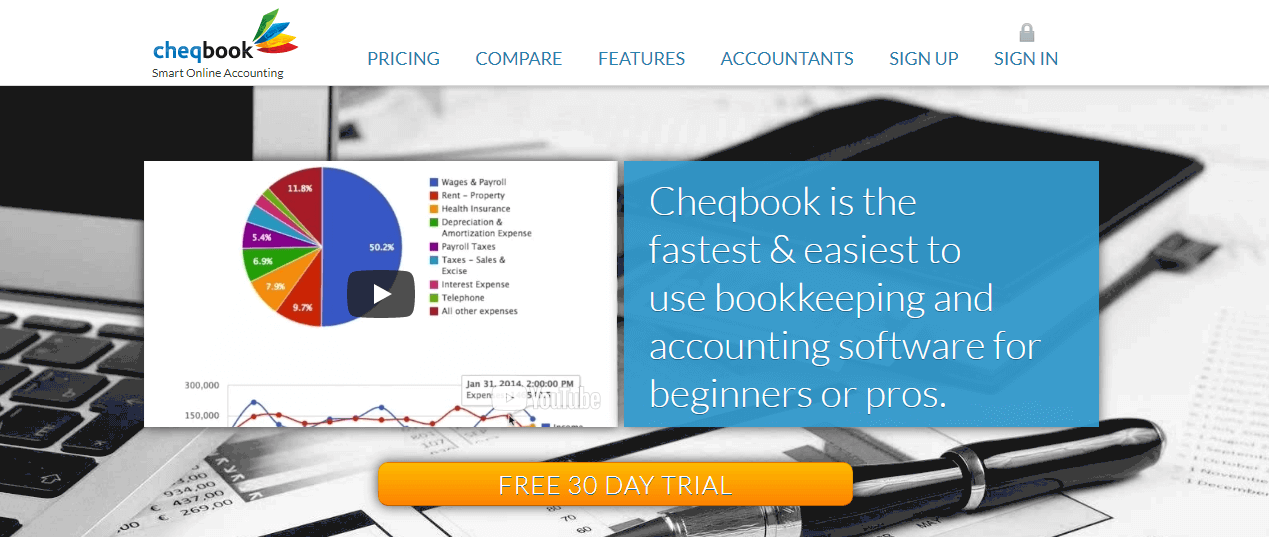
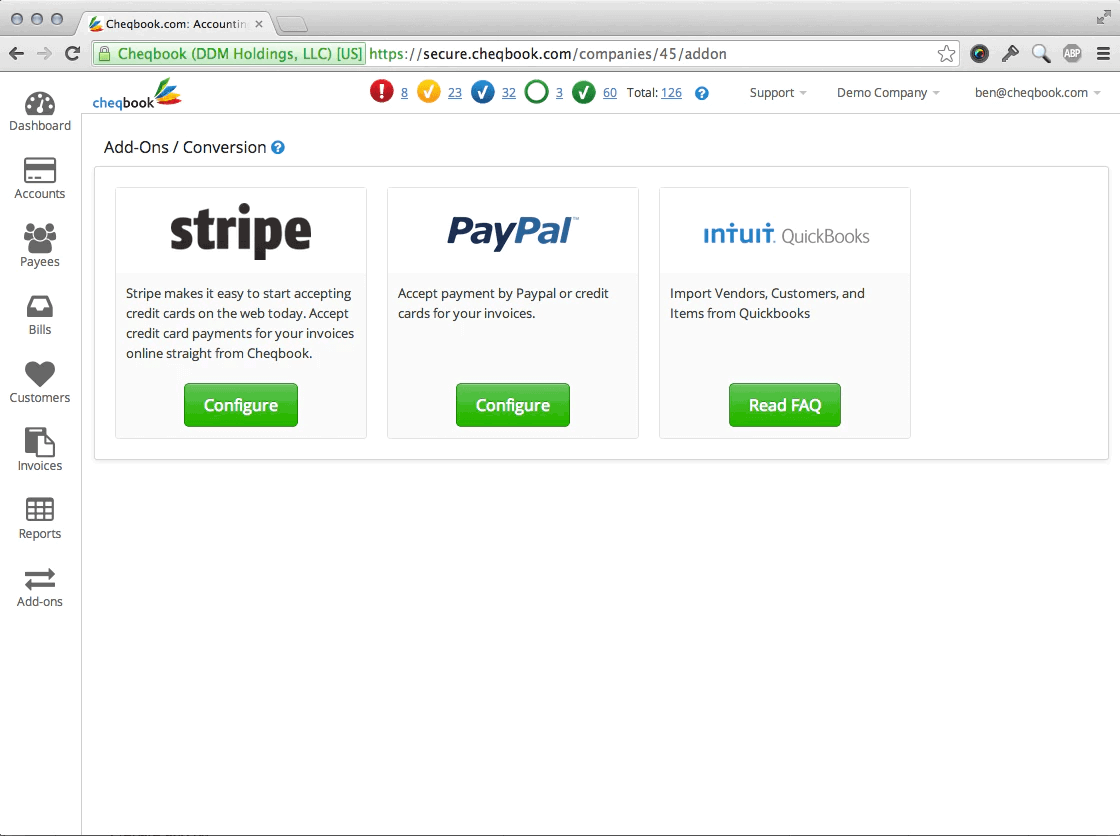
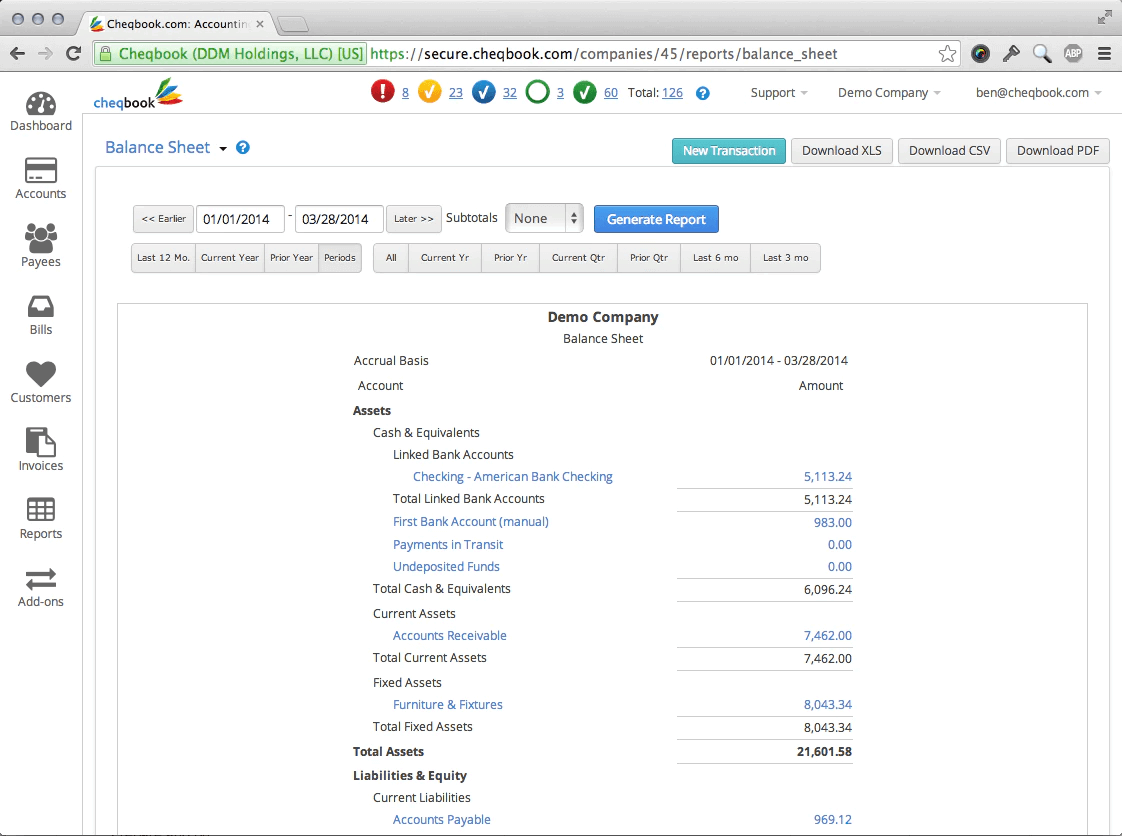
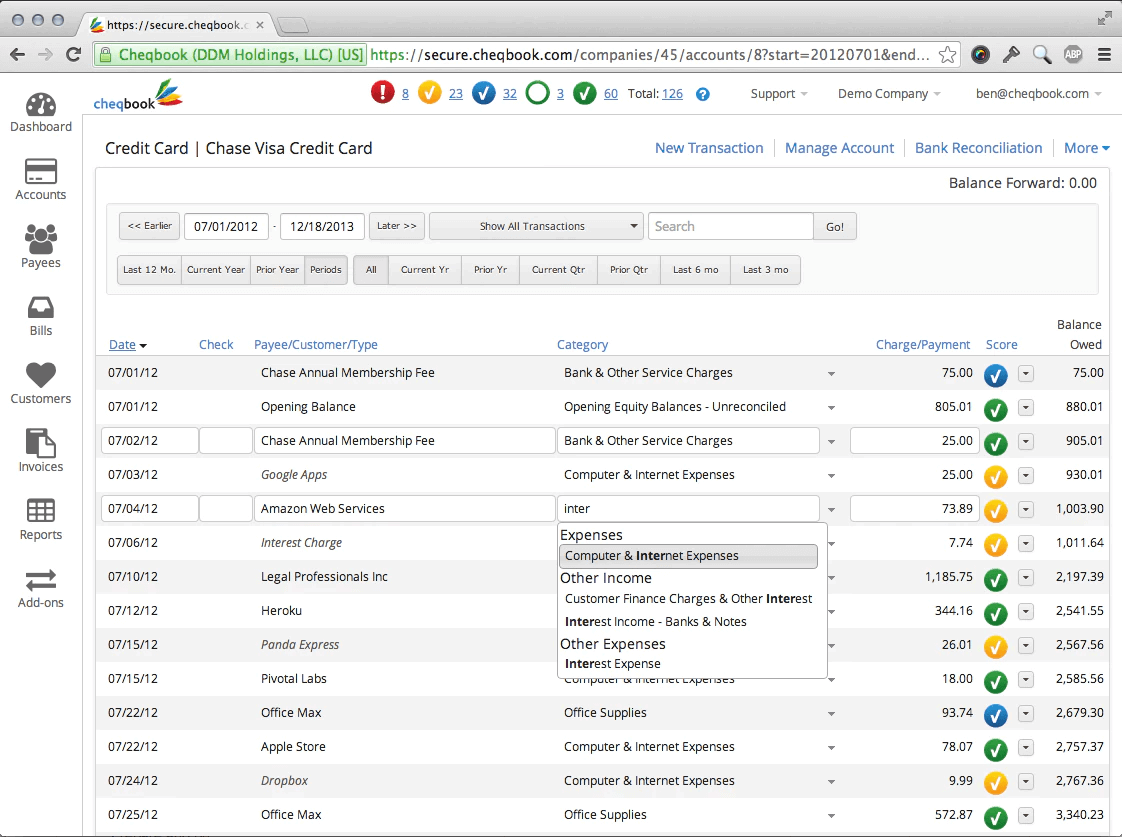
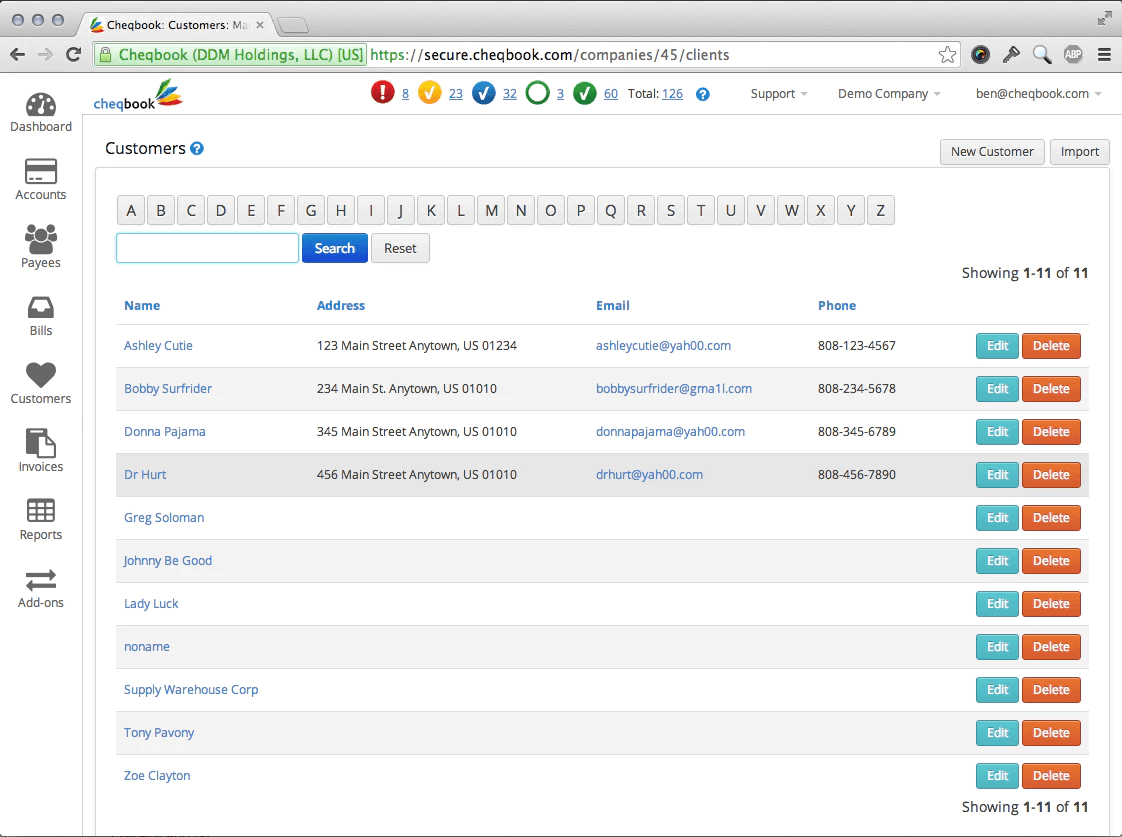
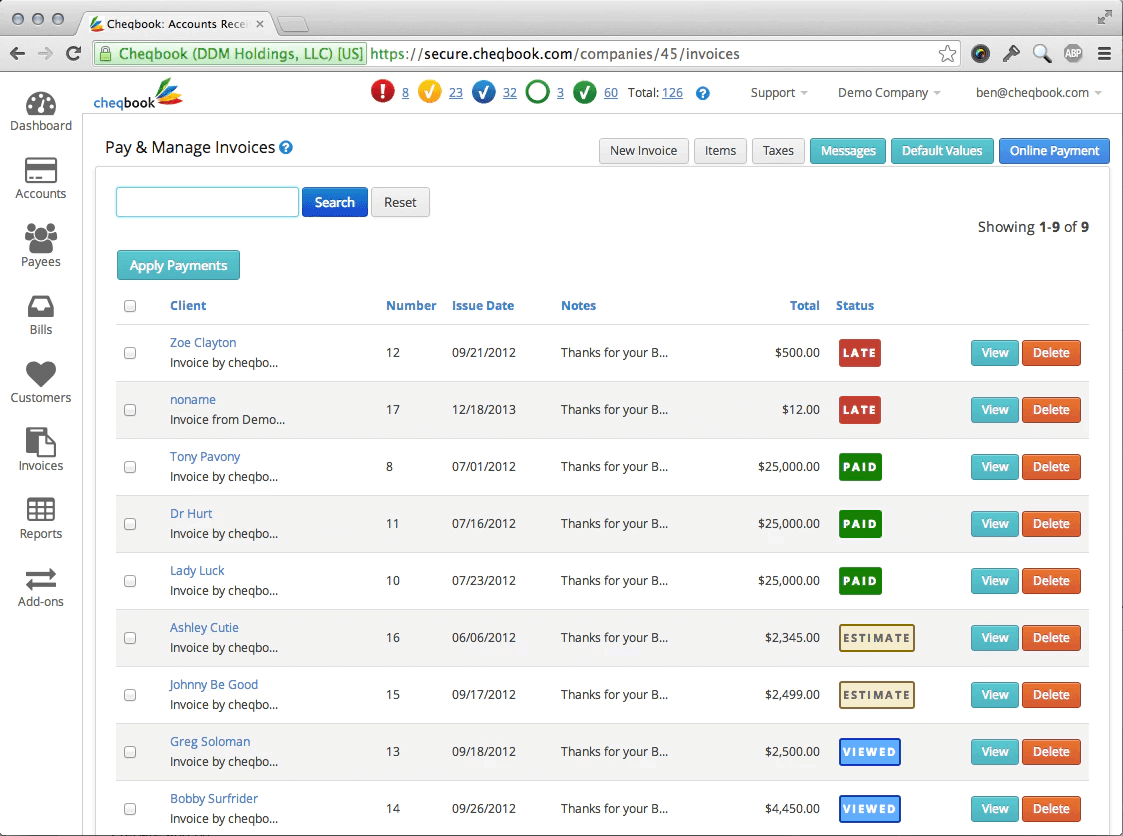
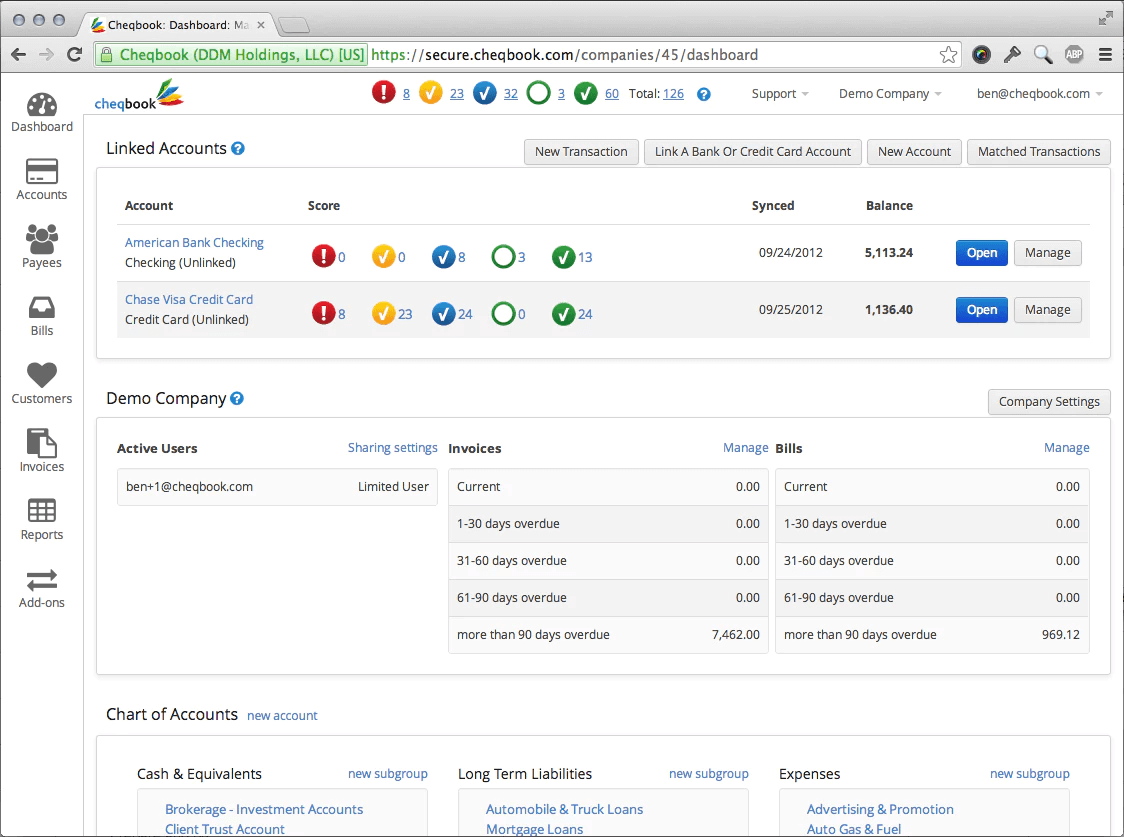
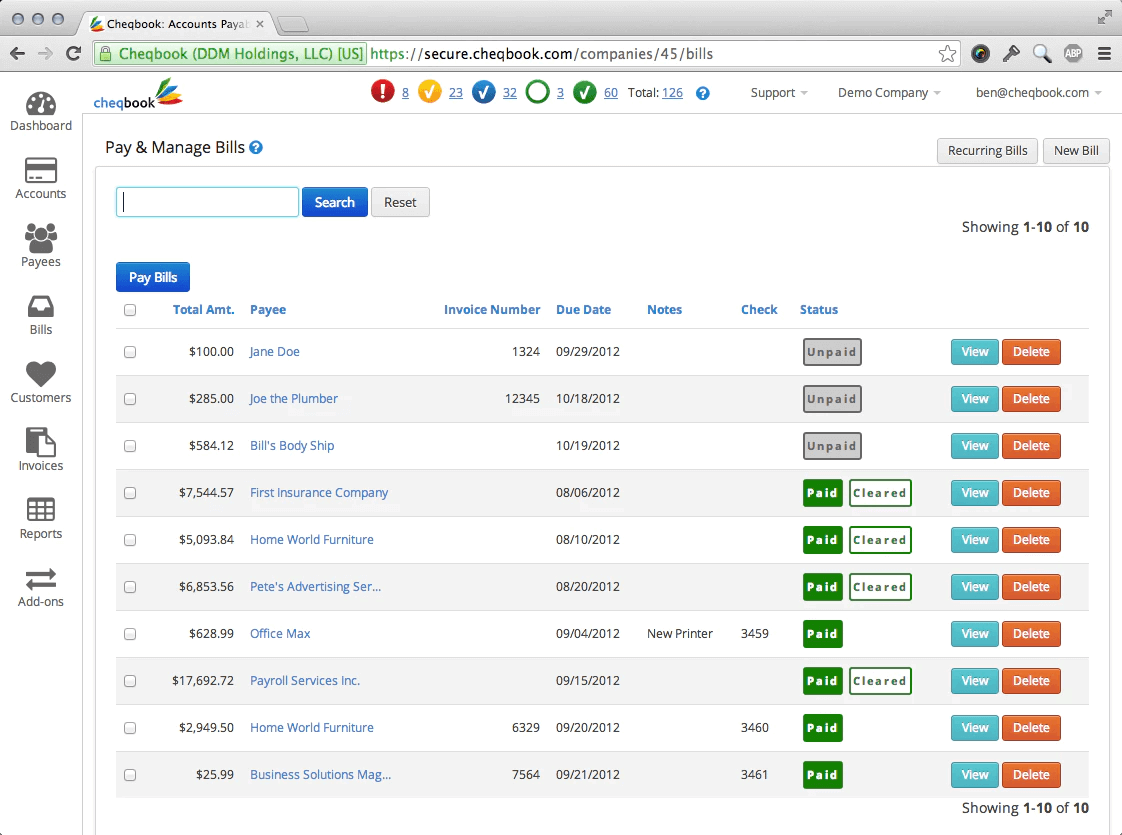
Cheqbook Accounting Screenshots
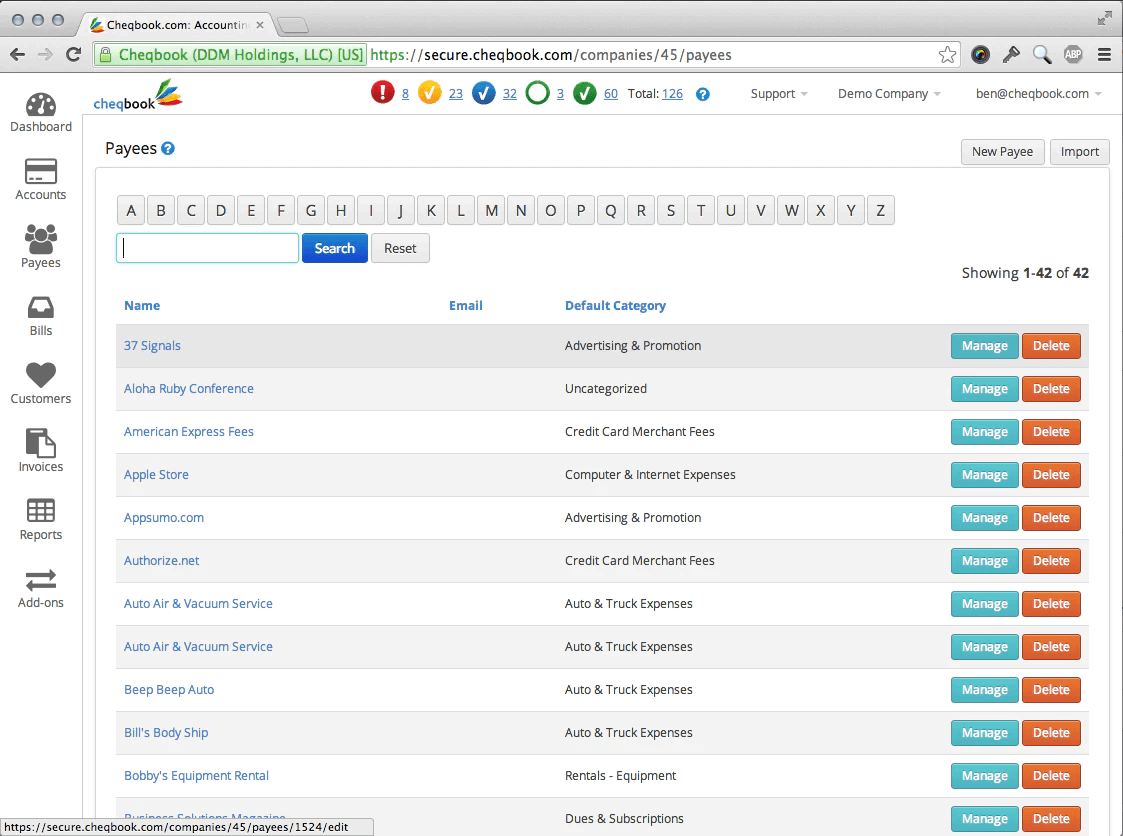
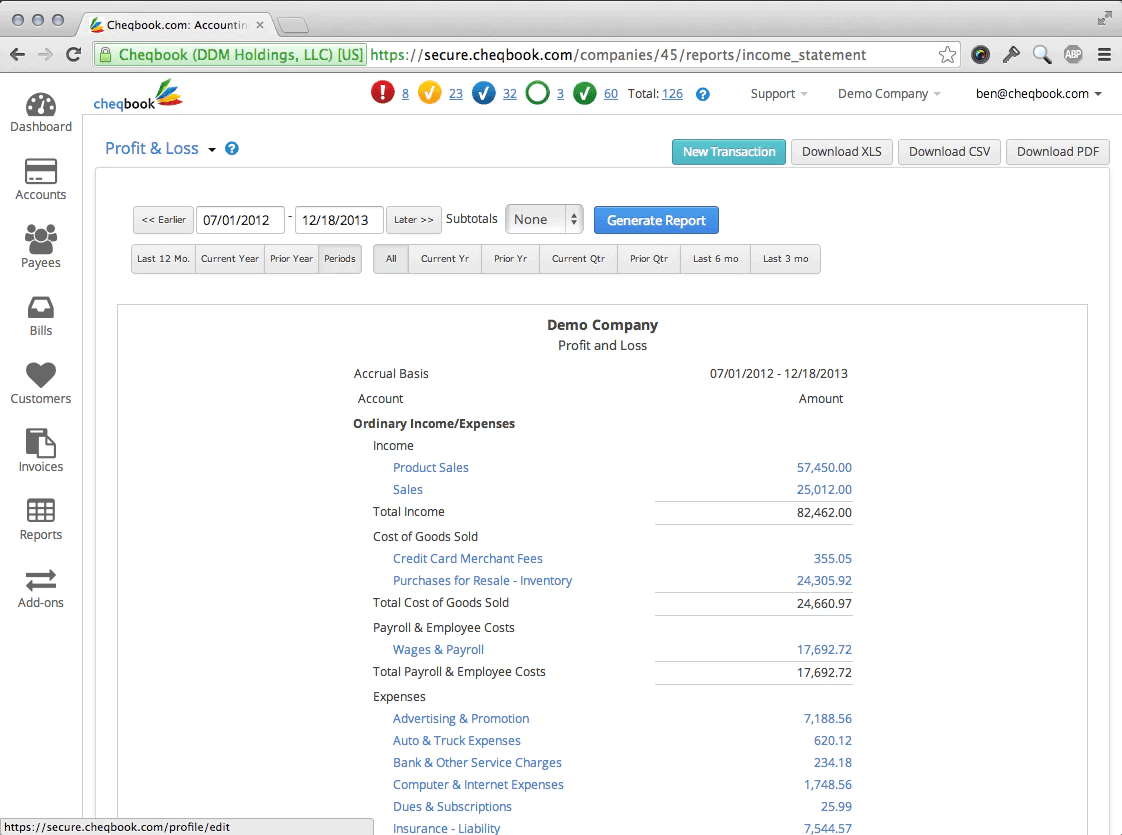
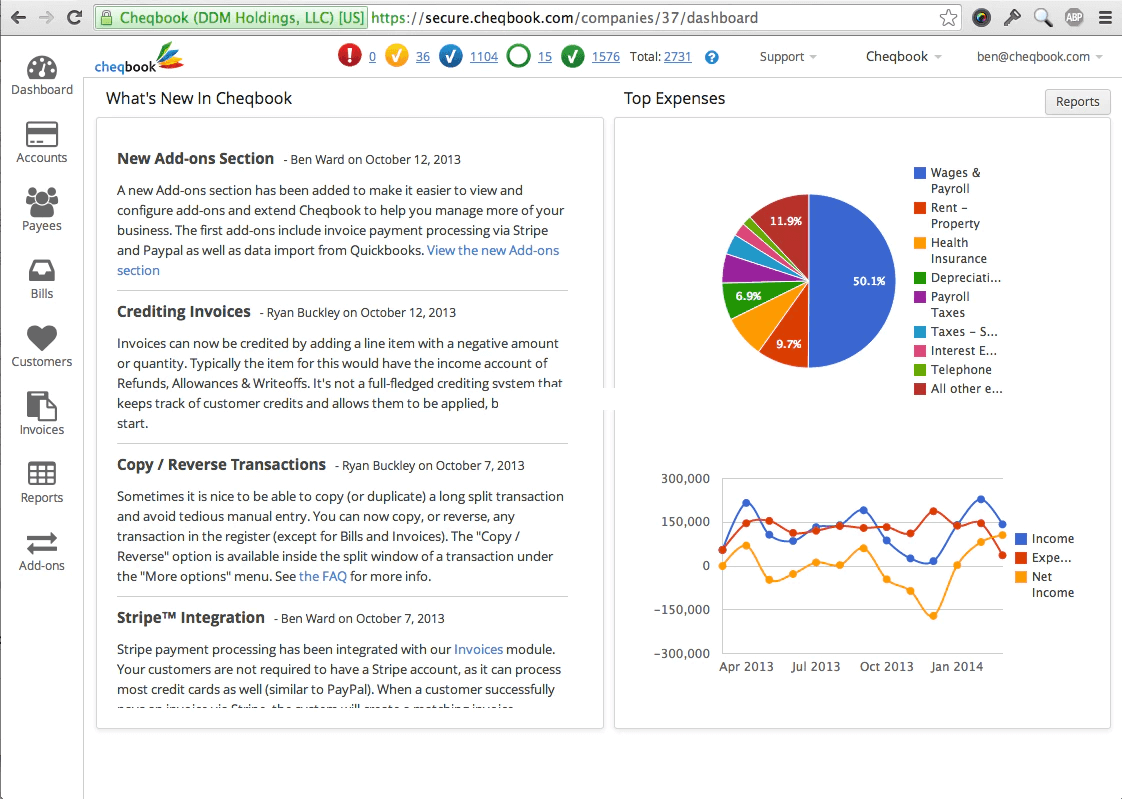
Description
Cheqbook Accounting is a cloud-based financial management platform launched in 2020 to serve small businesses, freelancers, and independent contractors. The software combines invoicing, expense tracking, and payment processing in a single application accessible via web browser and native mobile apps. Founded by financial technology veterans, Cheqbook targets the underserved segment of micro-businesses that find traditional accounting software too complex or expensive.
The platform serves over 15,000 active users primarily across the United States and Canada, with strong adoption among service-based businesses including consultants, creative agencies, contractors, and professional services firms. Cheqbook focuses exclusively on businesses with 1-25 employees who need streamlined financial operations without enterprise-grade complexity.
Core Features of Cheqbook Accounting
Cheqbook's invoicing engine allows users to create professional invoices in under 60 seconds with customizable templates, automated payment reminders, and recurring billing schedules. The platform's standout capability is embedded payment processing that accepts credit cards and ACH transfers directly through invoice links, with funds deposited to the business bank account within 2-3 business days. Clients can pay invoices without creating accounts or downloading apps.
The accounting dashboard provides real-time cash flow visibility with automatic categorization of income and expenses synced from connected bank accounts. Unlike generic bookkeeping tools, Cheqbook uses intelligent receipt matching technology that pairs bank transactions with uploaded receipt photos, reducing manual reconciliation time by up to 70%. Financial reports including profit and loss, balance sheets, and tax summaries generate automatically.
The expense management module enables users to photograph receipts via mobile app, which are automatically extracted using OCR technology and categorized by tax type. Mileage tracking uses GPS to log business trips and calculate IRS-compliant deductions. Cheqbook also offers 1099 contractor management with built-in tax form generation and e-filing for businesses that hire independent workers.
Key Highlights
- Market Position: Serves over 15,000 small businesses with a 4.6-star rating across mobile app stores and a net promoter score above 60.
- Target Users: Designed for freelancers, solo consultants, small service businesses with 1-25 employees, and independent contractors billing clients directly.
- Deployment: Cloud-based with full-featured native iOS and Android apps that support offline invoice creation and expense capture.
- Standout Feature: Integrated payment processing with no third-party merchant account required, accepting cards and ACH at 2.9% + $0.30 per transaction.
- Integrations: Connects with over 12,000 banks via Plaid, plus Stripe, Square, PayPal, Google Calendar, and Zapier for workflow automation.
- Pricing Model: Free plan for unlimited invoices, Pro plan at $15/month with payment processing, Premium at $35/month adds multi-user access and advanced reporting.
- Support: Email and in-app chat support on all plans, phone support for Premium subscribers, comprehensive help center with video tutorials and onboarding guides.
- Compliance & Security: Bank-level 256-bit SSL encryption, PCI-DSS Level 1 compliant payment processing, automated sales tax calculation for US states, and SOC 2 Type II certified infrastructure.
Who Should Use Cheqbook Accounting
Cheqbook is purpose-built for service-based small businesses and independent professionals who bill clients project-by-project rather than selling physical inventory. Ideal users include marketing consultants, graphic designers, software developers, attorneys, accountants, photographers, and home service contractors. The platform fits businesses generating $50K-$500K in annual revenue who need professional invoicing without hiring a bookkeeper.
A typical use case involves a freelance web designer managing 8-12 active client projects simultaneously. She creates invoices on her phone immediately after client meetings, sends them with one tap, and receives payment notifications within hours instead of waiting weeks for checks. At tax time, her accountant receives categorized expense reports and 1099 forms pre-filled from the system, eliminating shoebox receipts and spreadsheet chaos.
Integrations & Ecosystem
Cheqbook connects to over 12,000 financial institutions through Plaid for automatic bank feed synchronization, updating transactions daily without manual CSV imports. The platform integrates with payment processors including Stripe and Square for users who prefer existing merchant accounts. A notable integration is the Google Calendar sync that converts calendar events into billable time entries, allowing consultants to invoice hours worked without separate time tracking apps. The Zapier connection enables automation with 3,000+ business tools.
Pricing & Plans
The Free plan includes unlimited invoicing, expense tracking for up to 50 transactions monthly, and basic financial reports with Cheqbook branding on invoices. The Pro plan costs $15 per month billed annually ($18 monthly) and removes branding, adds integrated payment processing, recurring invoices, and automated late payment reminders. Premium at $35/month ($40 monthly) unlocks multi-user access for up to 5 team members, advanced custom reports, priority support, and unlimited expense transactions. Payment processing fees are separate at 2.9% + $0.30 per credit card transaction and 1% for ACH transfers.
Pros & Cons
Pros
- Built-in Payment Processing: Clients can pay invoices instantly via credit card or bank transfer without leaving the invoice page, accelerating cash collection by an average of 12 days compared to check-based billing. No separate merchant account setup required.
- True Mobile Functionality: The iOS and Android apps provide complete accounting capabilities including invoice creation, payment acceptance, and expense management?not just read-only dashboards like competitors offer. Users can run their entire business from a smartphone.
- Transparent Pricing Model: Fixed monthly subscription with no hidden fees, no per-user charges on lower tiers, and straightforward payment processing rates. The functional free plan allows businesses to test the platform risk-free before upgrading.
Cons
- Limited Inventory Management: Cheqbook lacks robust inventory tracking, SKU management, and COGS calculation features, making it unsuitable for product-based businesses that maintain significant stock levels or require warehouse management capabilities.
- No Built-in Payroll: The platform does not process employee payroll, calculate withholdings, or file payroll taxes, requiring users to subscribe to separate payroll services like Gusto or ADP if they have W-2 employees.
Our Expert Take
Cheqbook is the optimal choice for service professionals and micro-businesses under 10 employees who prioritize fast client payments and mobile accessibility over complex accounting features. If you invoice clients regularly, hate chasing payments, and want to manage finances from your phone, Cheqbook delivers exceptional value at a fraction of QuickBooks' cost. The integrated payment processing alone can improve cash flow enough to justify the subscription.
Product-based businesses selling physical inventory should look elsewhere?Cheqbook's lack of inventory management, purchase orders, and manufacturing cost tracking makes it a poor fit for retail or e-commerce operations. Companies with 5+ W-2 employees needing full payroll processing should consider QuickBooks Online or Xero instead, which offer comprehensive payroll modules despite higher price points. Cheqbook works best when billing clients is your primary financial task.
Frequently Asked Questions
Is there a free plan or free trial for Cheqbook Accounting?
How much does Cheqbook Accounting cost?
What does Cheqbook Accounting integrate with?
Who is Cheqbook Accounting best for?
What are the best alternatives to Cheqbook Accounting?
Is Cheqbook Accounting GDPR / SOC 2 compliant?
Does Cheqbook Accounting have a mobile app?
What do real users say about Cheqbook Accounting?
How does Cheqbook Accounting compare to its top competitor?
Does Cheqbook Accounting offer customer support?
Find Your Perfect Software
See how it can transform your workflow
- Personalized for your needs Tailored recommendations based on your unique requirements.
- Save time & resources Streamline your workflow and boost team productivity.
- Trusted by thousands Join 10,000+ businesses already growing with SaaSrat.
You're all set! 🎉
A specialist for will reach out within 1 business day with tailored recommendations for your needs.