

Canopy
by Canopy Tax, Inc
What is Canopy?
Canopy is a practice management platform built for CPA firms and tax professionals. It covers client management, document management, tax resolution workflows, billing, time tracking, and staff workload management in one system designed for tax and accounting practices.
Get Best Quote for Canopy
Connect with SaaSrat experts to get the best quote for your business.
You're all set!
A specialist for Canopy will reach out within 1 business day.
Canopy Features
Client management
Document management
Task management
Time tracking
Billing and invoicing
Client portal
View All 33 Features
Canopy Pricing Plans
FREE
- IRS Transcript Retrieval
- IRS Transcript Reports
Practice Management
- All feature in Free
- Unlimited Contact Management
- Unlimited Document Management
- Client Portals
- Federal & State Admin Forms
- Custom Workflow
- Client Requests
- Task Tracking
- Letter Generator
- e-Signature
- Communications (Email Integration)
- Calendar & Dates
- Billing & Invoicing
Tax Resolution
- All feature in Practice Management
- Client Intake Survey
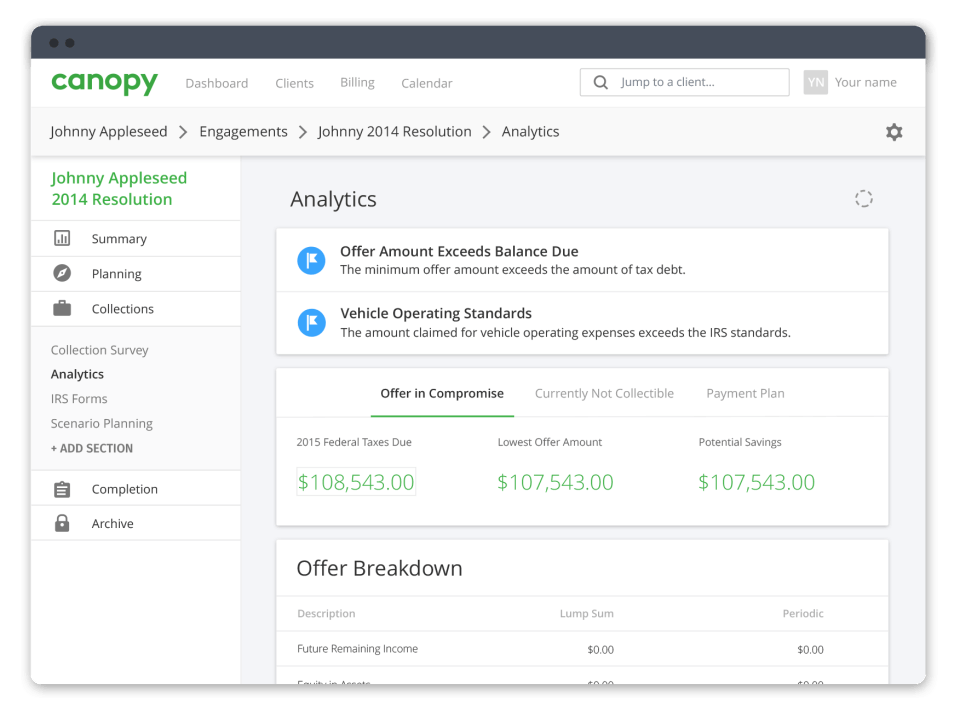
- Collections Analytics
- State & Federal Collections Forms
- Penalty Abatement Assistant
- Innocent Spouse Assistant
- Trust Fund Recovery Assistant
- Levies Assistant
- Liens Assistant
Canopy Resources
Canopy Screenshots

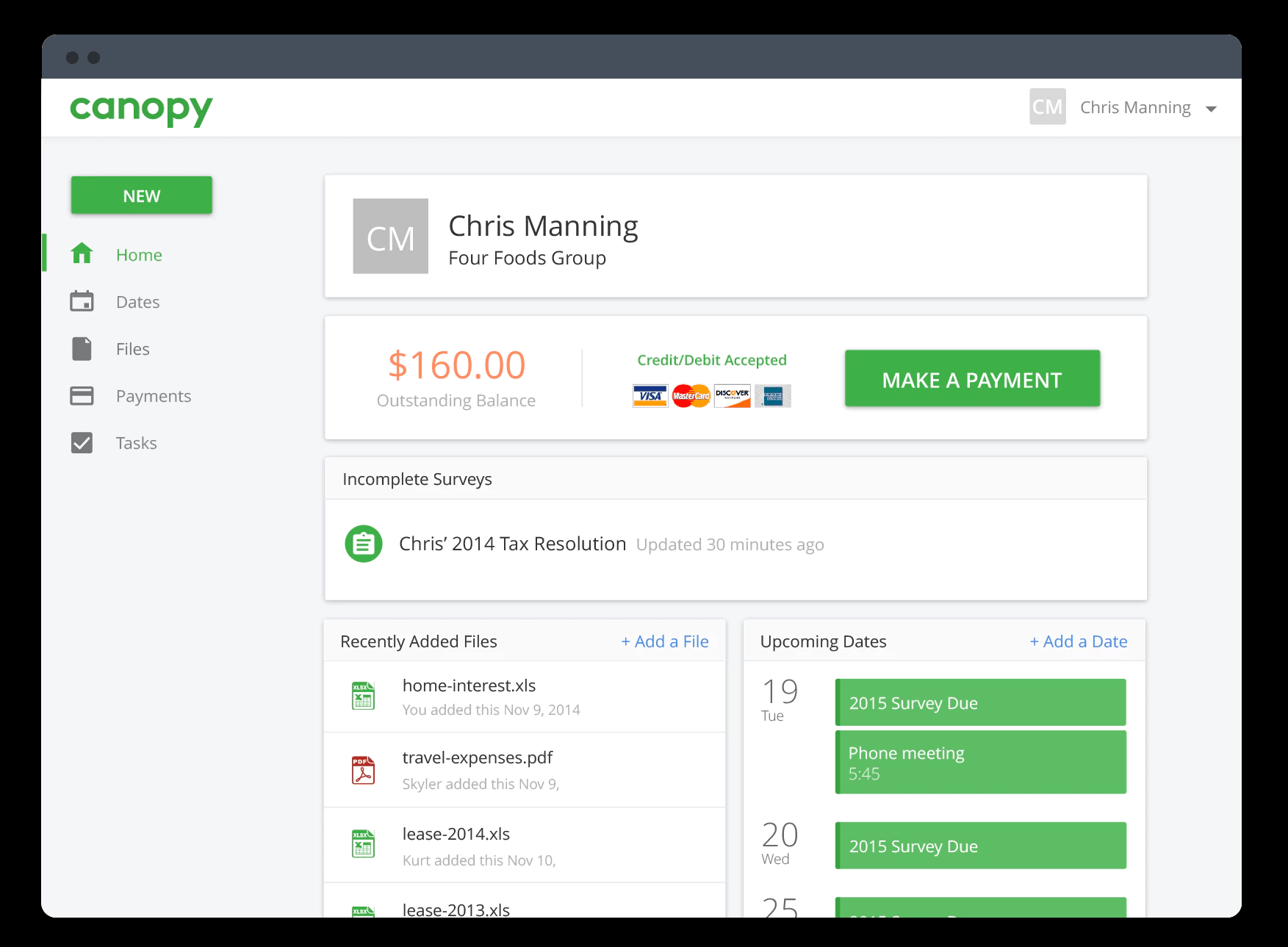
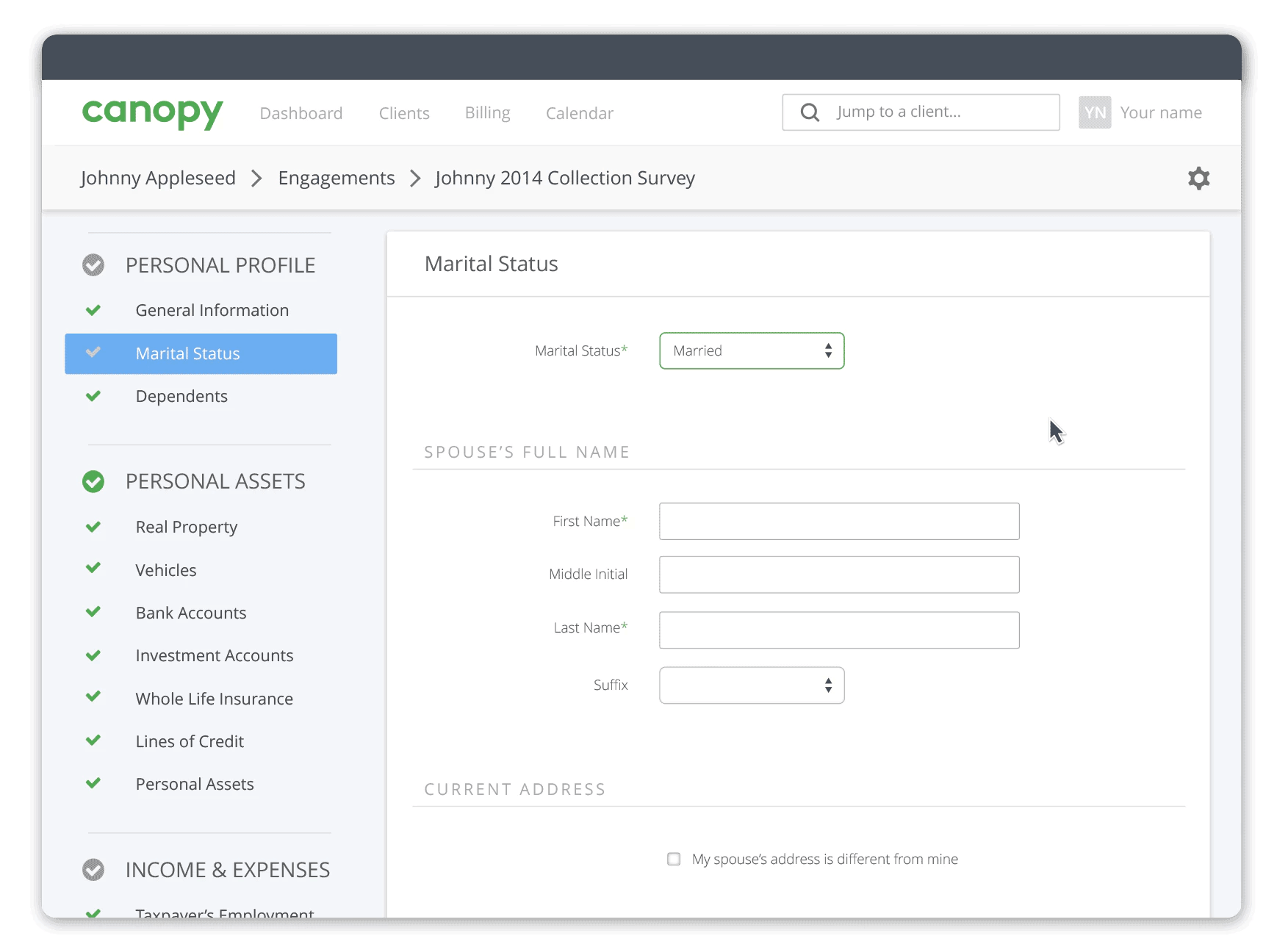
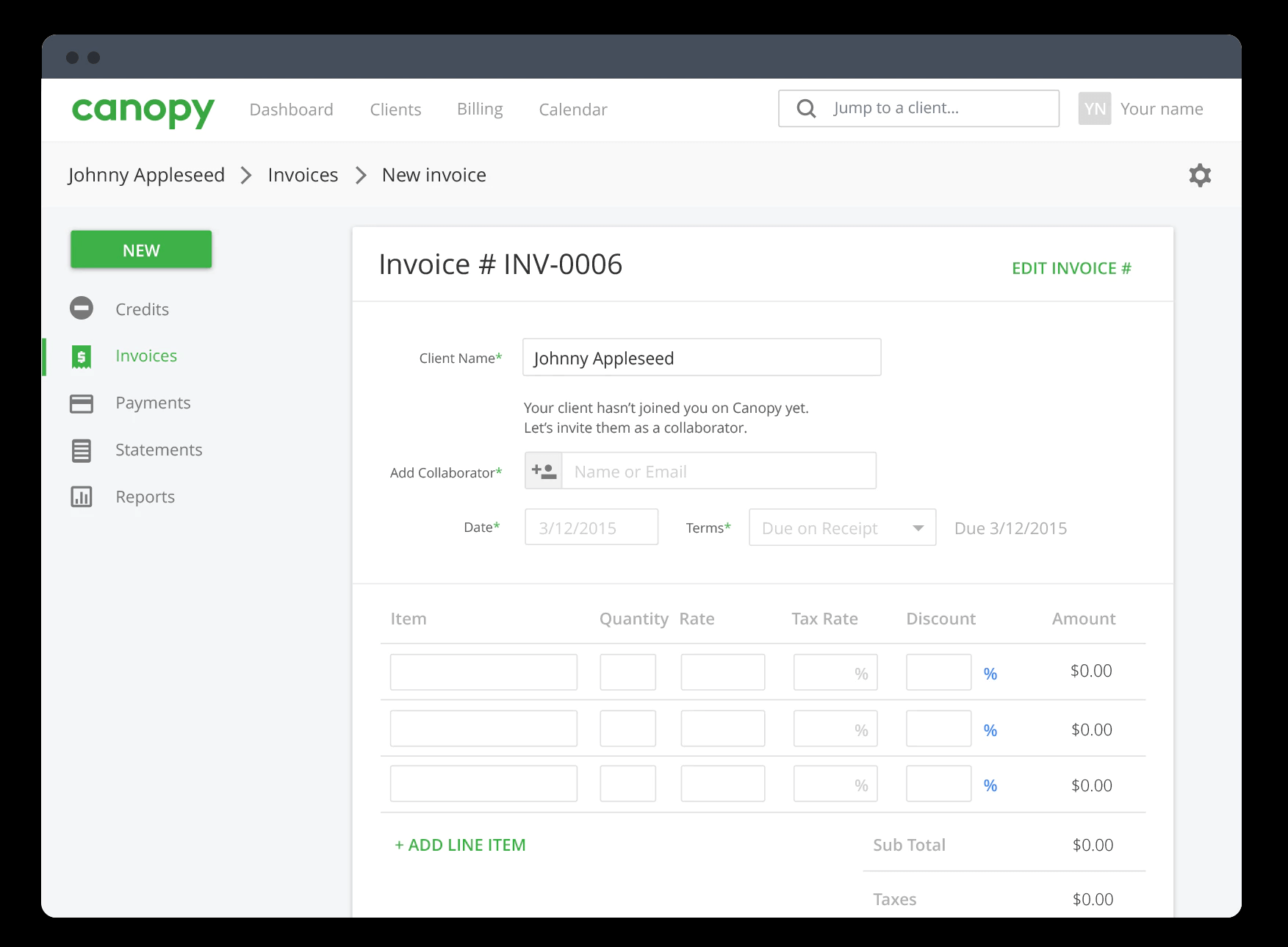
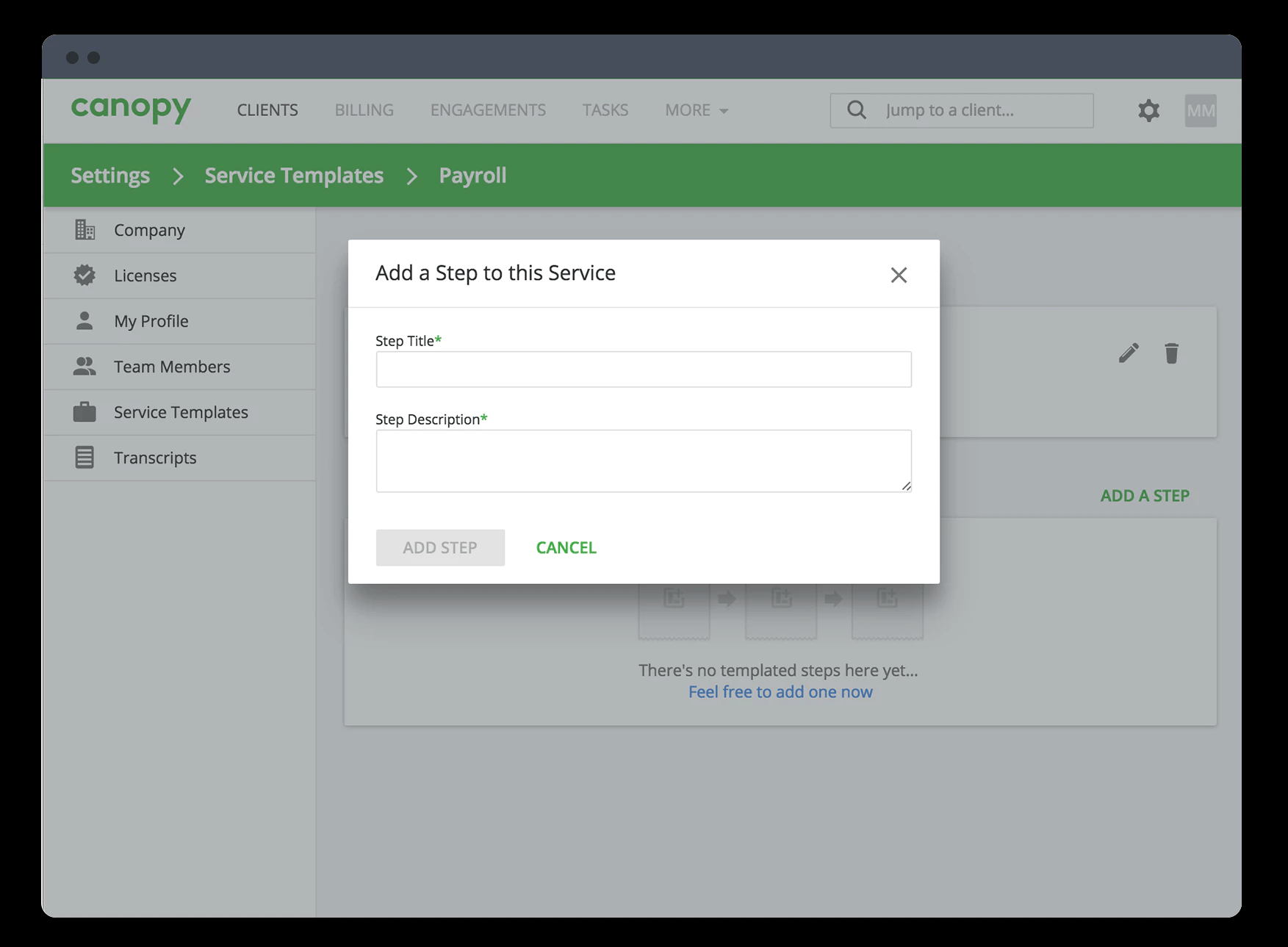
Description
Canopy at a Glance
| Best fit for | CPA firms, enrolled agents, and tax professionals who want one platform for client management, tax resolution, document management, and billing |
|---|---|
| Industries | Public accounting, tax resolution practices, bookkeeping firms, and solo practitioners who manage client relationships and documents |
| Core platform | Client management (CRM for accountants), document management, tax resolution workflow, billing and time tracking, proposal and engagement letter generation, staff management |
| What it is NOT | Canopy is not a tax preparation software (does not replace Drake, ProSeries, or UltraTax) and is not a general ledger for clients. It manages the practice, not the tax work itself. |
| Pricing model | Per-user monthly subscription with module-based add-ons |
| Indicative pricing | Starts at $50 to $75/user/month for core modules; most practices pay $100 to $175/user/month for full platform access |
| Client portal | Branded client portal for document upload, e-signature, messaging, and invoice payment |
| Compliance | SOC 2 Type II, 256-bit encryption, role-based access, IRS integration for transcripts |
Canopy Pros and Cons in 2026
Where Canopy Stands Out
All-in-one practice management for tax professionals. Canopy brings client management, document storage, engagement letters, billing, and time tracking into one platform designed specifically for tax and accounting practices. Most competing tools require separate software for each of these functions. The consolidation reduces the number of systems a small or mid-size CPA firm needs to manage their practice operations.
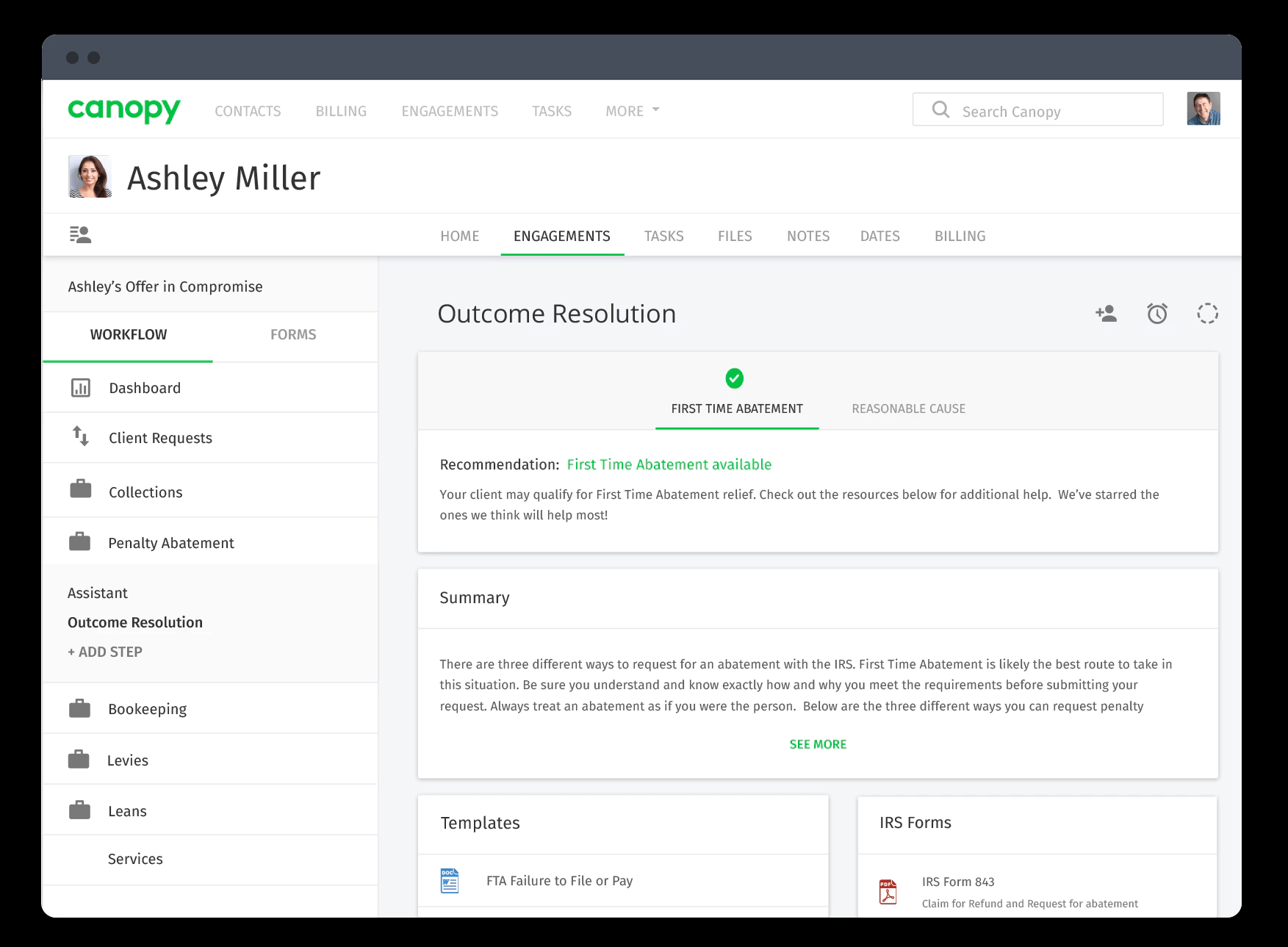
Purpose-built tax resolution workflow. Canopy has a dedicated module for IRS tax resolution cases, including Offer in Compromise, installment agreements, penalty abatement, and lien releases. The tax resolution workflow tracks each case's stage, deadline, and required IRS forms. For enrolled agents and CPAs who do tax resolution work, this purpose-built workflow is not available in any general practice management platform at the same depth.
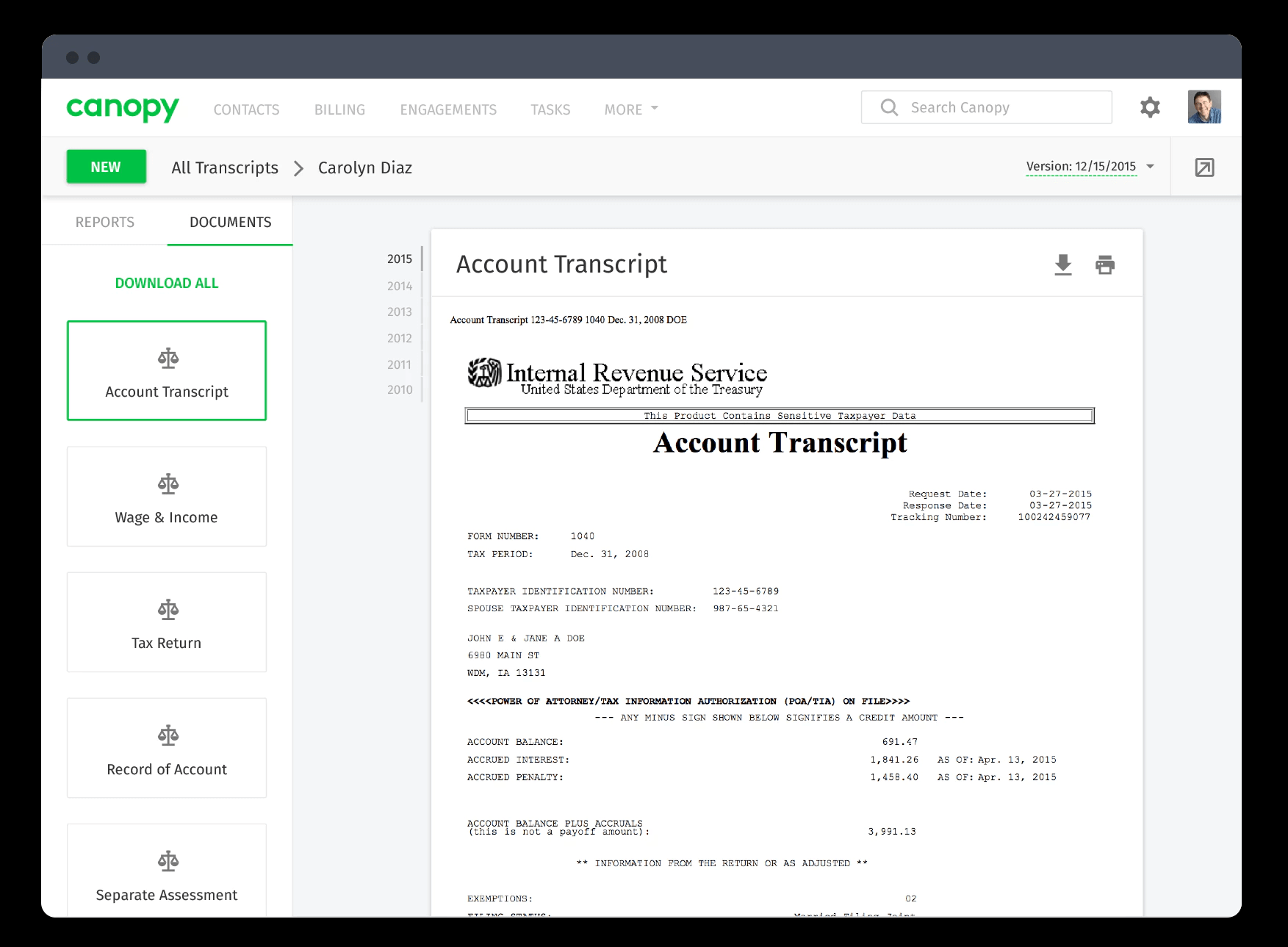
IRS transcript integration. Canopy connects directly to the IRS e-Services Transcript Delivery System and can pull client transcripts automatically. Tax resolution practitioners who previously downloaded transcripts manually for each client report significant time savings. The transcripts link directly to the client's case file in Canopy.
Branded client portal with e-signature. Canopy provides a white-labeled client portal where clients upload documents, sign engagement letters, view invoices, and message their accountant. The portal reduces inbound email and phone calls by giving clients a self-service way to complete the steps the practice needs from them. E-signature is built in, which eliminates the need for a separate DocuSign or HelloSign subscription for most practices.
Proposal and engagement letter generation. Canopy includes templates for proposals and engagement letters that can be sent to clients directly from the platform and signed electronically. This removes the process of preparing documents in Word, emailing them for signature, and filing the signed copies manually.
Where Canopy Falls Short
Not a tax preparation platform. Canopy does not replace Drake, UltraTax, ProSeries, or CCH Axcess for preparing and filing tax returns. It manages the practice workflow around tax preparation but does not do the tax return calculations. Firms must maintain their existing tax prep software alongside Canopy.
Pricing adds up quickly for larger teams. At $100 to $175 per user per month, a firm with 10 staff pays $1,000 to $1,750 per month. For small solo practices or two-person firms, the full platform cost can be difficult to justify relative to simpler alternatives.
Document management has limitations compared to dedicated DMS tools. Canopy's document management is sufficient for most practices, but firms with very large document archives or complex version control needs may find it less capable than dedicated document management systems like ShareFile or NetDocuments.
Learning curve for the full platform. Canopy's breadth means there is a meaningful time investment to configure the platform and train staff on all modules. Practices that only need one or two functions (billing, or document storage only) may find simpler point solutions easier to adopt.
Who Should Use Canopy?
Canopy is the right fit for CPA firms, enrolled agent practices, and tax resolution professionals with 2 to 50 staff who want one platform replacing their current mix of spreadsheets, shared drives, separate billing tools, and email threads for client communication. It works best for practices that do tax resolution work (the IRS transcript and resolution workflow tools are unmatched), for firms looking to give clients a professional self-service portal, and for practices that want to track billing and time alongside client and document management without managing multiple software subscriptions.
Canopy is the wrong fit for solo practitioners with very simple practices where the monthly cost does not match the benefit, for firms looking to replace their tax preparation software (Canopy does not do tax prep), or for large accounting firms with more than 100 staff that need enterprise-grade practice management with deep integrations into major tax platforms. For larger practices, compare Canopy against CCH Axcess Practice and Thomson Reuters Practice CS. For businesses looking for general ledger or accounting software for their own books, see our accounting software guide.
Canopy Product Features
Client Management (CRM for Accountants)
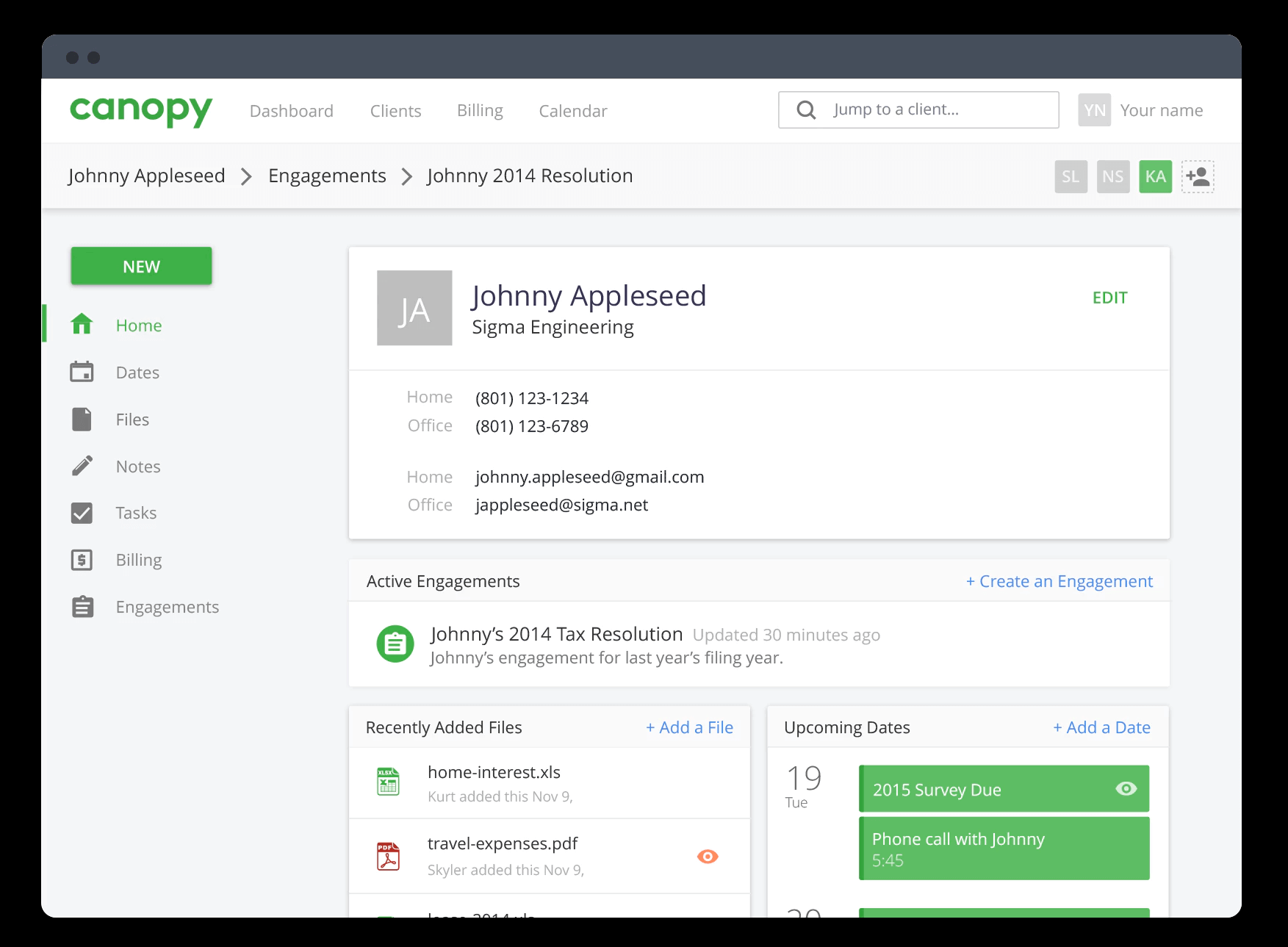
Centralized client records with contact information, entity type, tax IDs, engagement history, and linked documents. Client records connect to all other Canopy modules, so time entries, invoices, tasks, and documents all link back to the relevant client. Custom fields allow practices to track client-specific information like fiscal year ends, state filing requirements, or advisory relationships. Client list views can be filtered and sorted for workflow management across the practice.
Document Management and Client Portal
Secure document storage with folder structure by client and year. Clients upload documents directly through the Canopy client portal rather than emailing sensitive tax documents. Staff can request specific documents from clients through the portal, and clients receive notifications when action is needed. Documents can be annotated and shared with other staff. Storage scales with the practice without per-storage pricing limits on most plans.
Tax Resolution Workflow
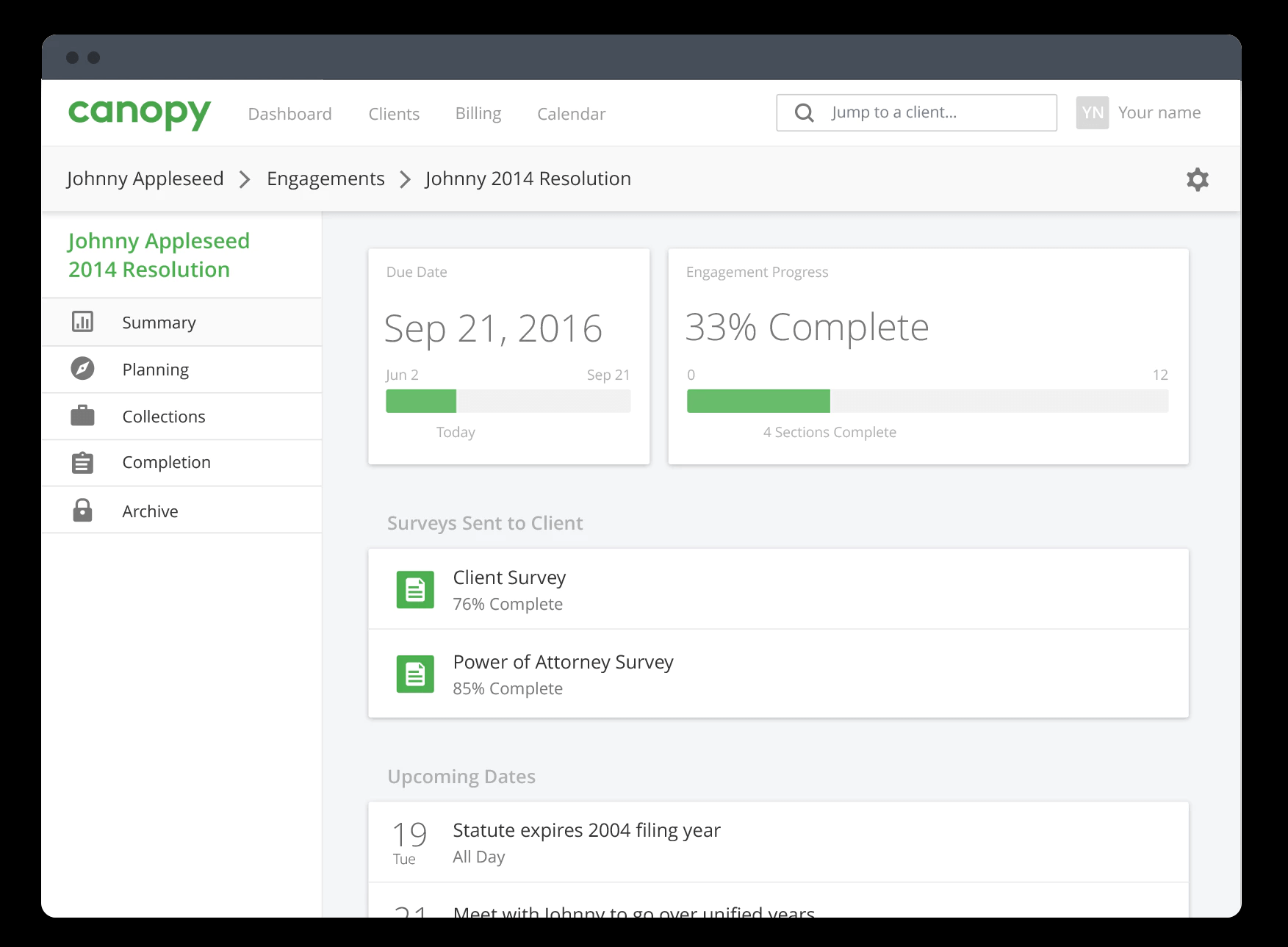
Dedicated workflow management for IRS tax resolution cases including Offer in Compromise, currently not collectible status, installment agreements, penalty abatement requests, lien subordination, and innocent spouse relief. Each case type has a pre-built workflow with stages, required IRS forms, and deadline tracking. IRS transcript retrieval pulls account transcripts and wage and income transcripts directly from the IRS e-Services system, linking them to the case file automatically.
Billing and Time Tracking
Track billable hours by staff member, client, and matter. Time entries link to invoices that are sent directly to clients through the platform. Invoice templates support hourly billing, flat-fee billing, and retainer arrangements. Clients pay invoices through the Canopy client portal via credit card or bank transfer. Billing reports show revenue by staff, by client, and by time period. Write-up and write-down adjustments are supported before finalizing invoices.
Proposals and Engagement Letters
Create proposals and engagement letters from customizable templates and send them to clients for review and e-signature through the client portal. Signed engagement letters link to the client record and are stored in document management automatically. Canopy tracks which clients have signed and which have outstanding engagement letters, so nothing falls through the cracks before work begins.
Staff and Workload Management
Assign tasks and projects to specific staff members with due dates and priority levels. Staff workload views show what each person is working on and what is coming due. Task completion status rolls up to project-level views for managers. Time-off tracking and staff capacity management help managers avoid bottlenecks during peak season. Integrates with email to log client communications to the relevant client record.
How Much Does Canopy Cost in 2026?
| Module / Plan | Price | Key Inclusions |
|---|---|---|
| Client Management only | $50/user/month | Client records, document storage, client portal, basic task management |
| Core Platform | $75 to $99/user/month | Client management + time and billing + proposals + engagement letters |
| Full Platform (with Tax Resolution) | $125 to $175/user/month | All modules including IRS transcript, tax resolution workflows, and staff management |
Annual billing is standard and provides a discount over month-to-month rates. Canopy offers a free trial for most modules. A solo practitioner with full platform access pays $125 to $175/month; a 5-person firm pays $625 to $875/month. Contact Canopy for volume pricing on teams above 15 users.
Hidden Costs to Watch For
- Tax resolution module is an add-on. The IRS transcript integration and tax resolution workflow are not included in the base platform for all plans. Confirm whether tax resolution is included in your quoted plan or priced separately.
- E-signature limits on lower plans. Some Canopy plans limit the number of e-signature requests per month. If your practice sends a high volume of engagement letters and client documents for signature, check the e-signature limits in the plan you are considering.
- Storage limits. While Canopy does not charge per document, storage limits apply at some plan levels. High-volume practices with large document archives should confirm storage capacity before committing.
- Per-user pricing at team scale. At 20 or more users, Canopy's per-user cost should be compared against flat-rate practice management alternatives. Request a volume discount quote if you have more than 10 users.
Canopy vs the Alternatives
Thomson Reuters Practice CS is the primary alternative for established mid-size CPA firms. Practice CS has deeper integration with other Thomson Reuters tax products (UltraTax CS) and is preferred by larger firms. It is generally more expensive and more complex than Canopy. For firms already using Thomson Reuters for tax preparation, the Practice CS integration may justify the cost.
CCH Axcess Practice is the enterprise-grade practice management alternative from Wolters Kluwer. It integrates deeply with CCH Axcess Tax for firms using that platform. Canopy is significantly simpler and less expensive than CCH Axcess for small and mid-size practices.
TaxDome is a direct competitor to Canopy at a similar price point. TaxDome includes a client portal, document management, workflow automation, and billing tools. Canopy differentiates on tax resolution workflow depth and IRS transcript integration. TaxDome differentiates on workflow automation and integration with a broader range of tax prep platforms. Both are worth evaluating for small to mid-size practices.
Karbon is a practice management alternative focused on workflow automation and team collaboration without Canopy's tax resolution specialization. Karbon is preferred by accounting firms that do advisory work beyond tax, where the workflow tools and client communication features are more important than IRS resolution tools.
What Real Buyers Report About Canopy
CPA firms and enrolled agents that adopt Canopy most consistently cite the IRS transcript integration and the client portal as the features that save the most time. Tax resolution practitioners report that pulling transcripts directly from the IRS within Canopy, rather than logging into e-Services separately, saves 30 to 60 minutes per case. The client portal reduces the volume of email attachments from clients, which saves administrative time during busy season and improves document organization.
The most common concerns are about the billing and time tracking module, which some users report is less feature-rich than dedicated billing platforms like Bill4Time or TimeSolv, and about the per-user cost for practices with more than 10 staff. On G2, Canopy holds a 4.5 out of 5.0 average from several hundred reviews, with the client portal, tax resolution tools, and customer support rated highest, and the billing module rated lower than other features.
Canopy Integrations and App Ecosystem
Canopy integrates with the IRS e-Services Transcript Delivery System for direct transcript retrieval. QuickBooks Online integration allows billing data to sync with the firm's own accounting records. Stripe integration supports credit card payment collection through the client portal. For tax preparation platforms, Canopy works alongside Drake, ProSeries, UltraTax, and CCH Axcess but does not have deep data integration with those platforms -- it manages the workflow around them, not the data within them.
Zapier integration connects Canopy with hundreds of other tools for custom workflow automation. For identity management, single sign-on is available with Google Workspace and Microsoft 365. For document management integration, Canopy can connect with Dropbox and Box for firms that store documents outside of Canopy's native document system. Email integration with Gmail and Outlook logs client emails to the relevant client record automatically. See our accounting software guide for tools that complement a Canopy-based practice management setup.
Security and Compliance
Canopy is SOC 2 Type II certified with independent annual audits. All data is encrypted with 256-bit AES at rest and TLS in transit. The client portal uses separate authentication from the staff portal, and clients can only see their own documents and invoices. Role-based access controls for staff allow practice managers to limit which staff members can access which client records or billing information. Multi-factor authentication is supported for both staff and client logins. Canopy's infrastructure is hosted on AWS with geographic redundancy.
Bottom Line: Is Canopy Right for You?
Canopy is the right choice for tax professionals and CPA firms with 2 to 50 staff who want one platform replacing their current mix of spreadsheets, shared drives, separate billing software, and email for client communication. The IRS transcript integration and tax resolution workflow are the strongest features in the market for practices that do tax resolution work. The client portal and e-signature capability together reduce administrative friction meaningfully during tax season.
If you are a solo practitioner with a very simple practice, compare Canopy's monthly cost against simpler alternatives before committing. If you are a large firm with 100+ staff, evaluate Thomson Reuters Practice CS or CCH Axcess Practice for their deeper integration with enterprise tax platforms. For practices deciding between Canopy and TaxDome, get demos of both and ask each to walk through their billing module and integration with your current tax prep software before making a final decision. See our accounting software guide for a broader view of tools used in accounting practice management.
Frequently Asked Questions
Is there a free plan or free trial for Canopy?
How much does Canopy cost?
What does Canopy integrate with?
Who is Canopy best for?
What are the best alternatives to Canopy?
Is Canopy GDPR / SOC 2 compliant?
Does Canopy have a mobile app?
What do real users say about Canopy?
How does Canopy compare to its top competitor?
Does Canopy offer customer support?
Find Your Perfect Software
See how it can transform your workflow
- Personalized for your needs Tailored recommendations based on your unique requirements.
- Save time & resources Streamline your workflow and boost team productivity.
- Trusted by thousands Join 10,000+ businesses already growing with SaaSrat.
You're all set! 🎉
A specialist for will reach out within 1 business day with tailored recommendations for your needs.