

BNA Fixed Assets
by Bloomberg BNA Software
What is BNA Fixed Assets?
Get Best Quote for BNA Fixed Assets
Connect with SaaSrat experts to get the best quote for your business.
You're all set!
A specialist for BNA Fixed Assets will reach out within 1 business day.
BNA Fixed Assets Features
Asset management
Depreciation calculation
Asset tracking
Reporting and analytics
Compliance management
Audit trail
View All 42 Features
BNA Fixed Assets Resources
BNA Fixed Assets Screenshots
Description
Thomson Reuters Fixed Assets is a desktop-based fixed asset management and depreciation software developed by Thomson Reuters, a global leader in professional information services serving tax and accounting practitioners since the company's formation through merger in 2008. The platform focuses exclusively on asset lifecycle tracking, depreciation calculation, and tax compliance reporting for US businesses.
The software serves accounting firms, corporate tax departments, and finance professionals across manufacturing, real estate, healthcare, and professional services industries. Thomson Reuters maintains a dominant position in the professional tax software market, with over 2.5 million tax and accounting professionals using its suite of solutions globally, making Fixed Assets a trusted component within established tax preparation workflows.
Core Features of Thomson Reuters Fixed Assets
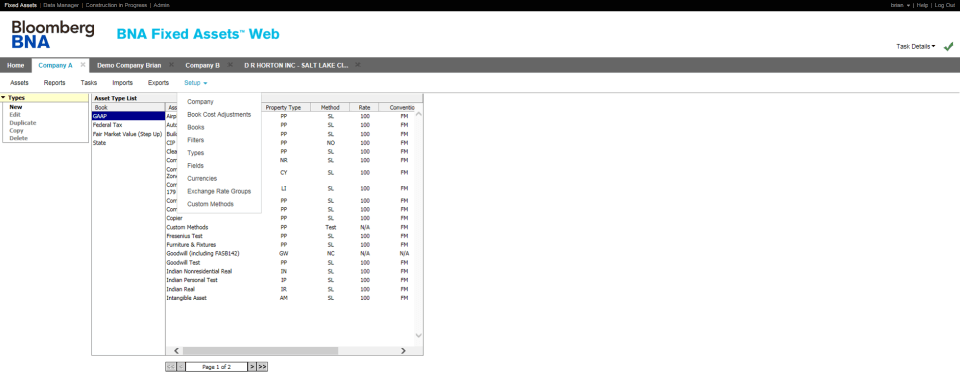
The platform automates depreciation calculations across multiple methods simultaneously, including MACRS, ACRS, straight-line, declining balance, and custom schedules. It handles Section 179 expensing, bonus depreciation, and special depreciation allowances with built-in rules engines that update automatically for tax law changes, eliminating manual formula programming that causes errors in spreadsheet-based systems.
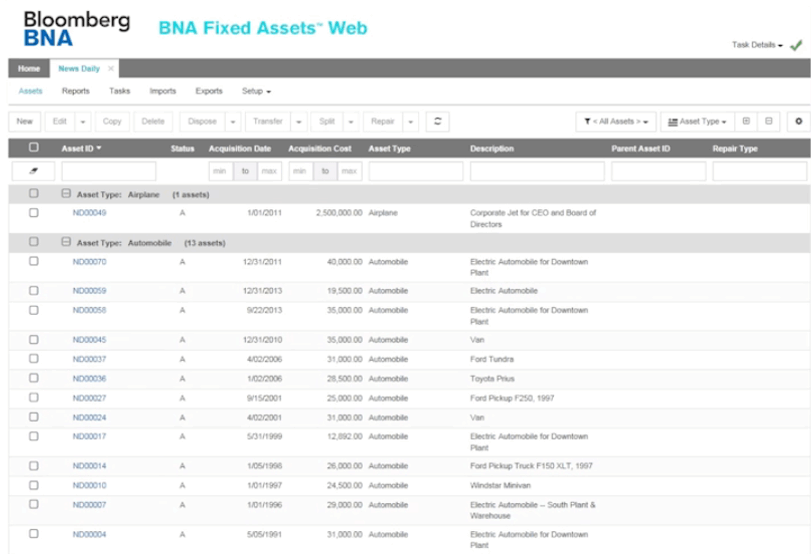
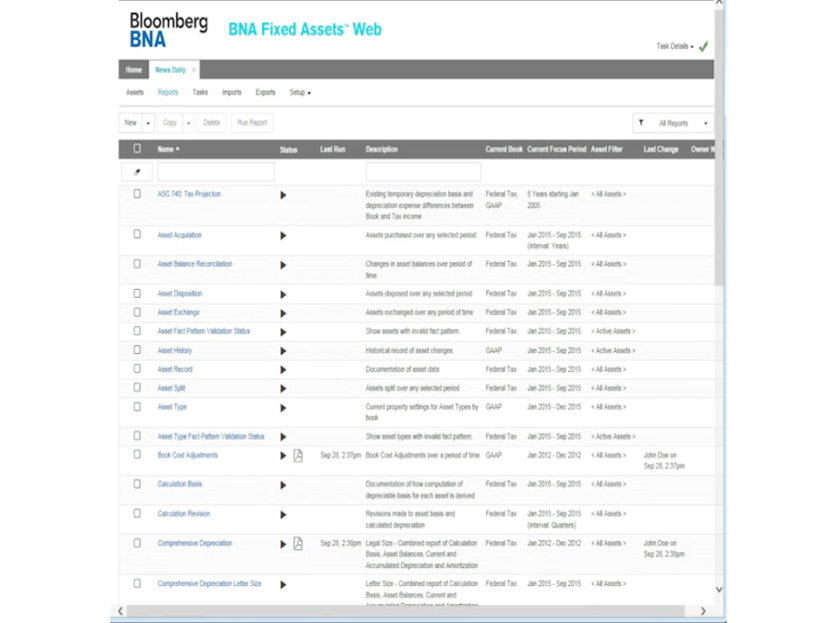
Financial reporting capabilities include detailed asset registers, depreciation expense forecasting, and disposed asset gain/loss calculations with automatic journal entry generation. The system maintains unlimited prior-year comparative reporting and supports both calendar and fiscal year accounting periods, allowing auditors to reconstruct historical depreciation schedules without manual reconciliation.
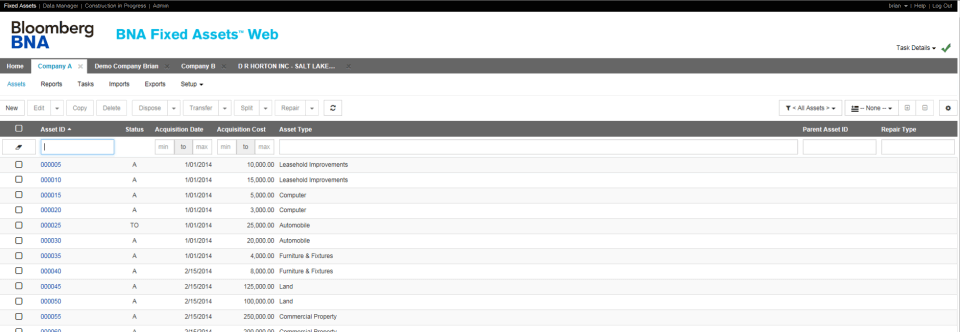
Asset tracking functionality covers complete lifecycle management from acquisition through disposal, including asset transfers between locations or cost centers, partial dispositions, and like-kind exchange calculations. The software supports unlimited asset detail fields and custom classification structures, enabling organizations to segment portfolios by department, project, or any business dimension required for management reporting or cost allocation.
Key Highlights
- Market Position: Part of Thomson Reuters Tax & Accounting division serving over 2.5 million professionals worldwide with market-leading compliance solutions
- Target Users: CPA firms managing multiple client fixed asset portfolios, corporate tax managers, and finance teams requiring multi-method depreciation accuracy
- Deployment: Windows desktop application with annual tax table updates and multi-user network licensing options
- Standout Feature: Native integration with Thomson Reuters UltraTax CS and ProSeries tax preparation software for automated depreciation data transfer
- Integrations: Direct data exchange with UltraTax CS, ProSeries, QuickBooks, Excel import/export, and general ledger export templates
- Pricing Model: Annual subscription licensing with tiered pricing based on asset quantity and user count; contact sales for quotes starting around $800/year for small portfolios
- Support: Phone support during business hours, email ticketing, comprehensive PDF user guides, live webinar training sessions, and online knowledge base
- Compliance & Security: Automatic IRS tax table updates, SOC 2 Type II certified data centers for hosted versions, and audit trail logging for all asset modifications
Who Should Use Thomson Reuters Fixed Assets
The software is purpose-built for accounting firms with 5-500+ business clients requiring professional-grade fixed asset services, corporate tax departments in mid-market and enterprise companies, and finance teams in asset-intensive industries like manufacturing, construction, and commercial real estate. It serves controllers, tax managers, and CPAs who need defensible depreciation calculations that withstand IRS scrutiny rather than simplified small business bookkeeping.
A typical use case involves a regional CPA firm managing fixed assets for 80 business clients across various industries. The firm uses Fixed Assets to calculate client-specific depreciation schedules, then automatically imports the results into UltraTax CS to populate Form 4562 during tax season, eliminating hundreds of hours of manual data entry and reducing amendment risk from calculation errors in client-provided spreadsheets.
Integrations & Ecosystem
Thomson Reuters Fixed Assets integrates natively with the Thomson Reuters tax preparation ecosystem, including UltraTax CS, ProSeries, and Accounting CS platforms, enabling one-click data synchronization that eliminates duplicate entry. Excel import templates allow bulk asset uploads from external systems, while customizable general ledger export formats support integration with ERP systems like SAP, Oracle, and Microsoft Dynamics through file-based data exchange rather than real-time API connections.
Pricing & Plans
Thomson Reuters uses annual subscription licensing with pricing based on asset quantity tiers and concurrent users, starting around $800-$1,200 per year for portfolios under 500 assets with single-user access. Mid-tier plans supporting 500-2,000 assets with multi-user network licensing typically range from $1,500-$3,000 annually, while enterprise arrangements for firms managing 10,000+ assets across multiple client portfolios require custom quotes. All plans include annual tax table updates and basic phone support.
Pros & Cons
Pros
- Tax Code Precision: Built-in depreciation rules engines automatically apply current IRS regulations for MACRS, bonus depreciation, and Section 179, with annual updates ensuring compliance without manual formula maintenance or error-prone spreadsheet logic.
- Seamless Tax Workflow Integration: Direct data export to UltraTax CS and ProSeries eliminates duplicate entry and reduces tax return preparation time by automatically populating Form 4562 depreciation schedules from the fixed asset system.
- Multi-Entity Portfolio Management: Single installation manages unlimited client or subsidiary entities with separate databases, making it ideal for accounting firms serving multiple businesses or corporations with divisional structures requiring consolidated reporting.
Cons
- Desktop-Only Limitation: Windows desktop architecture requires local installation and lacks cloud access, preventing remote work flexibility or real-time collaboration that web-based platforms like Sage Fixed Assets or Asset Panda provide through browser interfaces.
- Steep Learning Curve: Professional-grade complexity and tax-centric interface assume accounting expertise, making the software challenging for non-accountants or small business owners seeking simpler asset tracking without deep depreciation knowledge requirements.
Our Expert Take
Thomson Reuters Fixed Assets is the optimal choice for CPA firms managing fixed asset compliance for multiple business clients and corporate tax departments requiring audit-defensible US tax depreciation calculations integrated with professional tax preparation workflows. Its strength lies in tax code accuracy and Thomson Reuters ecosystem integration, not general asset management or operational tracking features.
Small businesses seeking basic depreciation tracking should avoid this professional-grade tool's complexity and cost, opting instead for QuickBooks Desktop's built-in fixed asset manager or cloud platforms like Depreciation Guru. Companies prioritizing mobile access, barcode scanning, or maintenance scheduling over tax compliance precision will find better fits in operational asset management systems like Asset Panda or EZOfficeInventory.
Frequently Asked Questions
Is there a free plan or free trial for BNA Fixed Assets?
How much does BNA Fixed Assets cost?
What does BNA Fixed Assets integrate with?
Who is BNA Fixed Assets best for?
What are the best alternatives to BNA Fixed Assets?
Is BNA Fixed Assets GDPR / SOC 2 compliant?
Does BNA Fixed Assets have a mobile app?
What do real users say about BNA Fixed Assets?
How does BNA Fixed Assets compare to its top competitor?
Does BNA Fixed Assets offer customer support?
Find Your Perfect Software
See how it can transform your workflow
- Personalized for your needs Tailored recommendations based on your unique requirements.
- Save time & resources Streamline your workflow and boost team productivity.
- Trusted by thousands Join 10,000+ businesses already growing with SaaSrat.
You're all set! 🎉
A specialist for will reach out within 1 business day with tailored recommendations for your needs.