

Awesome Support
by Awesome Support
What is Awesome Support?
Get Best Quote for Awesome Support
Connect with SaaSrat experts to get the best quote for your business.
You're all set!
A specialist for Awesome Support will reach out within 1 business day.
Awesome Support Features
Ticket management
Email piping
Custom fields
Ticket prioritization
Agent collaboration
Canned responses
View All 48 Features
Awesome Support Pricing Plans
Standard
- Unlimited Tickets
- Unlimited Agents
- Unlimited Ticket History
- Unlimited File Attachments
- 1 Year Support & Updates
- Email Support
- Private Notes
- Instant Notifications
- Canned Response
- Mailchimp
- Custom Status & Labels
- Filestack
- FAQ
Pro
- Unlimited Tickets
- Unlimited Agents
- Unlimited Ticket History
- Unlimited File Attachments
- 1 Year Support & Updates
- Email Support
- Private Notes
- Instant Notifications
- Canned Response
- Mailchimp
- Custom Status & Labels
- Filestack
- FAQ
- Automatic Ticket Close
- Guest Tickets
- WooCommerce
- EDD
- Report Widgets
- Envato
Enterprise
- Unlimited Tickets
- Unlimited Agents
- Unlimited Ticket History
- Unlimited File Attachments
- 1 Year Support & Updates
- Email Support
- Private Notes
- Instant Notifications
- Canned Response
- Mailchimp
- Custom Status & Labels
- Filestack
- FAQ
- Automatic Ticket Close
- Guest Tickets
- WooCommerce
- EDD
- Report Widgets
- and Much More
Agency
- All the Enterprise Addons plus
- Envato
- Private Credentials
- Satisfaction Survey
- Documentation
- Smart Agent
- Gravity Forms Bridge
- Custom Fields
- Powerpack & Productivity
- Public Tickets
- Advanced Reporting
- Advanced Time Tracking
- Smart Replies With AI Integration
- Facebook Chat Bot
- Rules Engine with Zapier Integration
- Issue Tracking
- Service Level Agreements
- Company Profiles
- Smart Ticket Submission
Awesome Support Resources
Awesome Support Screenshots
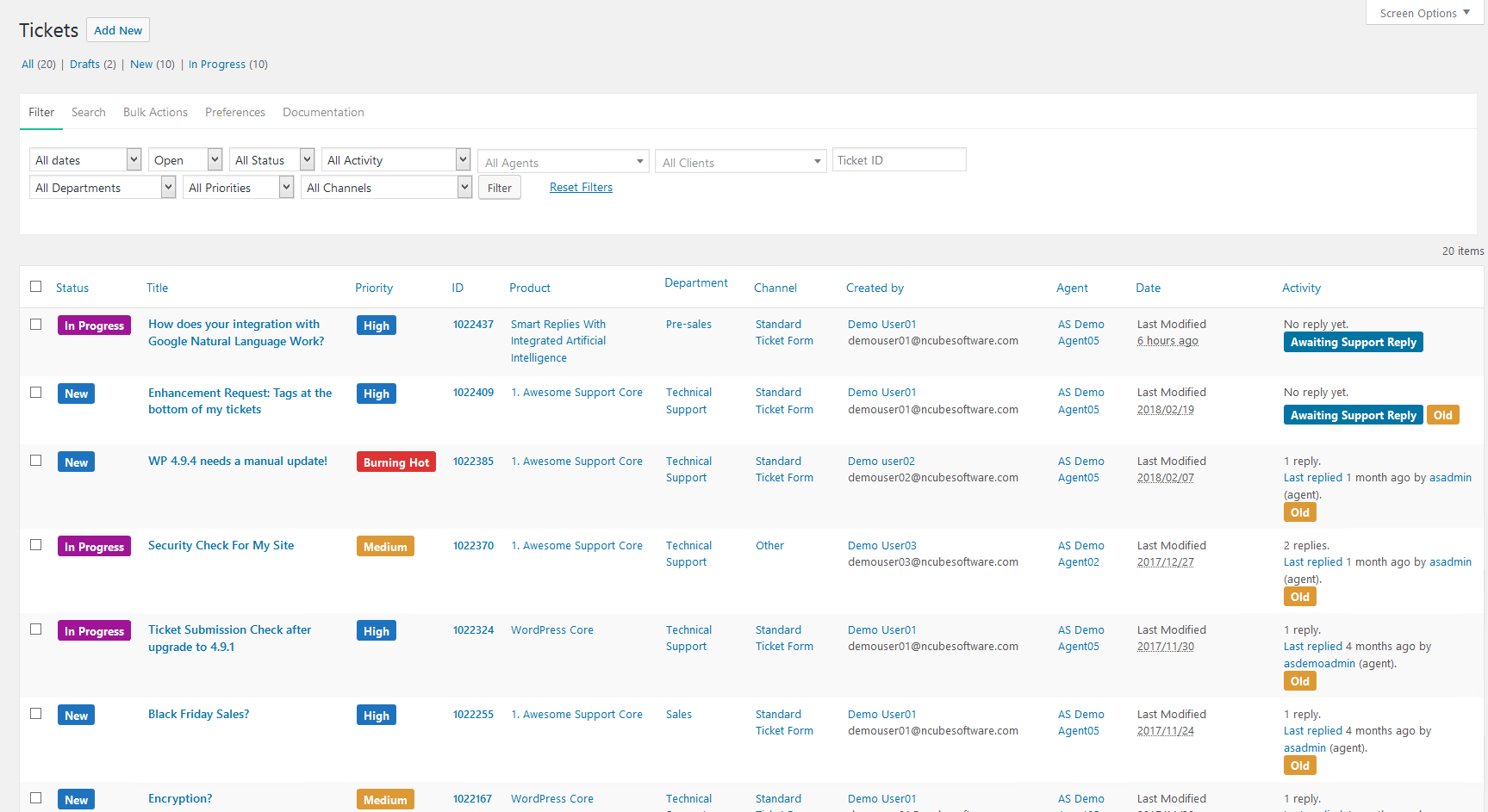
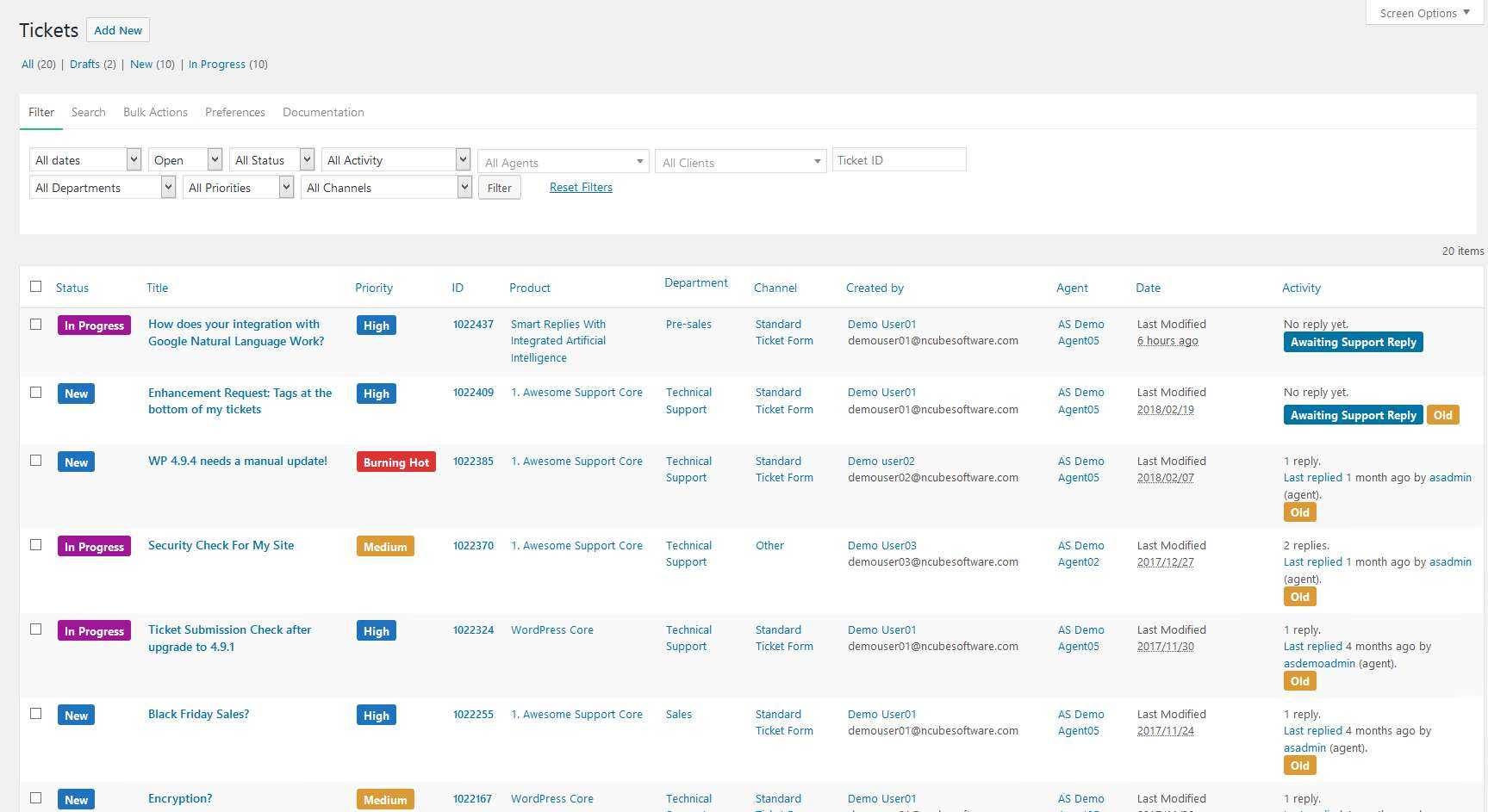
Description
Awesome Support at a Glance
| Company | Awesome Support |
|---|---|
| Headquarters | United States |
| Category | WordPress helpdesk, ticketing, support plugin, customer service software |
| Best for | Small businesses, WordPress site owners, and WooCommerce or EDD sellers running support in-house |
| Model | Free core plugin plus 28+ premium add-ons plus annual bundles |
| Contact | 415-354-4244, [email protected] |
Awesome Support Overview
Awesome Support is a helpdesk and ticketing plugin that runs inside a WordPress site. Instead of paying per-agent SaaS fees to Zendesk or Freshdesk, site owners install the plugin and route customer support inside the same WordPress dashboard where the rest of the site operates. Unlimited agents and unlimited tickets are included in the free version.
The plugin is modular: a free core covers ticket history, custom fields, email notifications, file attachments, and time tracking, and 28+ premium add-ons cover SLAs, workflow automation, AI smart replies, Facebook chat, WooCommerce, EDD, custom fields power-pack, and rules engine with Zapier. Buyers assemble the workflow that matches their support model without paying for capabilities they do not need.
Awesome Support Capabilities and Named Features
The free core plugin ships more than most paid SaaS helpdesks: complete ticket history, custom fields with 13 field types (the most of any WordPress helpdesk plugin), unlimited file attachments, time tracking, unlimited support agents with no per-agent fees, and an importer add-on for Zendesk, HelpScout, and Ticksy.
Automation is where premium add-ons pay back. Auto-assign tickets to the agent with the least open tickets, use the Smart Agent add-on for more sophisticated routing, chain the Rules Engine with Zapier for cross-tool automation, and enable Automatic Ticket Close for stale tickets.
Ecommerce integrations are a real fit for the WordPress buyer. WooCommerce and Easy Digital Downloads (EDD) add-ons connect tickets to orders and license keys, so support agents see purchase history without leaving the ticket.
AI features are add-on tier: Smart Replies With AI Integration writes suggested responses from ticket context. Facebook Chat Bot integration extends the plugin beyond email tickets. Advanced Reporting and Advanced Time Tracking are Enterprise-bundle features for teams that need audit-grade support analytics.
Named feature list
- Complete ticket history with full audit log
- Customizable email notifications on six key events
- Automatic agent assignment (least-open-tickets logic)
- Custom fields with 13 field types (most of any WordPress helpdesk plugin)
- Unlimited file attachments
- Time tracking per ticket
- Unlimited support agents with no per-agent fees
- Importer add-on for Zendesk, HelpScout, and Ticksy
- 28+ premium add-ons
- Private Notes and Instant Notifications
- Canned Response and Custom Status Labels
- MailChimp, Filestack, and Envato integrations
- FAQ and Documentation add-ons
- Automatic Ticket Close for stale tickets
- Guest Tickets
- WooCommerce and EDD integrations
- Report Widgets
- Satisfaction Survey
- Smart Agent for advanced routing
- Gravity Forms Bridge
- Custom Fields Powerpack and Productivity add-on
- Public Tickets
- Advanced Reporting and Advanced Time Tracking
- Smart Replies With AI Integration
- Facebook Chat Bot
- Rules Engine with Zapier Integration
- Issue Tracking
- Service Level Agreements (SLAs)
- Company Profiles
- Smart Ticket Submission
- Multi-language support
- Free core version available for download
Awesome Support Pricing
Awesome Support publishes tiered annual bundles on the vendor pricing page. Every bundle includes unlimited tickets, unlimited agents, unlimited ticket history, unlimited file attachments, and 1 year of support and updates.
The main dials between bundles are the number of premium add-ons included, from Standard (essentials like email support, private notes, canned response) to Agency (full SLA, AI Smart Replies, Rules Engine, and every premium add-on). Individual add-ons can also be purchased separately for buyers who need one or two specific capabilities.
| Tier | Price | What is included |
|---|---|---|
| Free Core | USD 0 | Downloadable core plugin. Unlimited tickets, unlimited agents, unlimited ticket history, custom fields, file attachments, time tracking. Free forever. |
| Standard Bundle | USD 149/yr | Save 30 to 50 percent versus buying individual add-ons. Includes core essentials add-ons: email support, private notes, instant notifications, canned response, MailChimp, custom status labels, Filestack, FAQ, automatic ticket close, guest tickets, WooCommerce, EDD, report widgets, satisfaction survey, documentation, smart agent, Gravity Forms bridge. |
| PRO Bundle | USD 229/yr | Save 50 to 75 percent. Standard bundle plus custom fields, Powerpack and Productivity, Public Tickets, advanced reporting, advanced time tracking, AI Smart Replies, Facebook Chat Bot, Rules Engine with Zapier. |
| Enterprise Bundle | USD 289/yr | Save 55 to 80 percent. PRO bundle plus Issue Tracking, Service Level Agreements, Company Profiles, Smart Ticket Submission. |
| Agency Bundle | USD 409/yr | Save 75 to 85 percent. Enterprise bundle plus every premium add-on. Best for agencies managing multiple client helpdesks. |
| Individual Add-ons | From under USD 50 each | Purchase specific premium add-ons individually. Most are available for under USD 50 per year. |
Awesome Support Pros
- No per-agent fees on both the free core and premium bundles: unlimited agents everywhere.
- Runs inside an existing WordPress install, so buyers do not add a new SaaS to procure or integrate.
- Full data ownership because tickets live on the buyer own WordPress database, not on a vendor cloud.
- Bundle savings of 30 to 85 percent make it economical for teams that adopt multiple add-ons.
- WooCommerce and EDD integrations connect tickets to orders and licenses inside the same platform.
- Free core is a legitimate free version with unlimited agents and tickets, not a marketing trial.
Awesome Support Cons and Trade-offs
- Requires a WordPress site: non-WordPress buyers should look at Zendesk, Freshdesk, or HelpScout instead.
- Add-on model can add up if a team wants many capabilities: buyers should map required add-ons before choosing a bundle.
- Support and updates run on annual renewals; unrenewed licenses stop receiving updates.
- Ownership of the WordPress hosting stack means the buyer is responsible for uptime, backups, and security patching.
- AI Smart Replies is a newer add-on; buyers should validate output quality against the higher-price SaaS competitors.
Awesome Support vs Alternatives
| Capability | Awesome Support | Zendesk Suite | HelpScout |
|---|---|---|---|
| Delivery model | WordPress plugin running on buyer own hosting | Hosted SaaS by Zendesk | Hosted SaaS by HelpScout |
| Pricing model | Annual bundle plus optional individual add-ons | Per-agent per-month SaaS pricing | Per-user per-month SaaS pricing |
| Agent fees | Unlimited agents included on every plan | Priced per agent per month | Priced per user per month |
| Data location | On buyer WordPress database and hosting | On Zendesk cloud | On HelpScout cloud |
| Integration marketplace | 28+ premium add-ons plus Zapier via Rules Engine | Zendesk Marketplace with hundreds of apps | HelpScout integrations plus API |
| Best for | WordPress site owners wanting a full helpdesk without SaaS fees | Mid-market and enterprise teams wanting a full SaaS ITSM path | Small teams that want beautiful SaaS with tight email support workflow |
Who Should Choose Awesome Support
Awesome Support is a fit for a small or mid-sized business that already runs a WordPress site and wants a full helpdesk without paying per-agent SaaS fees. WooCommerce and EDD sellers are the strongest sweet spot because the add-ons connect tickets to orders and license keys.
It is less of a fit for enterprises that need a mature SaaS ITSM path with SOC 2 and enterprise SSO shipped by the vendor, and for teams without a WordPress site who would need to spin one up just to run the plugin. HelpScout and Freshdesk are stronger picks for pure SaaS-first buyers.
Named Alternatives to Awesome Support
- Zendesk Suite. Category-leading SaaS helpdesk for mid-market and enterprise. Chosen when the buyer wants the widest integration marketplace and enterprise controls.
- HelpScout. Email-first SaaS helpdesk with a beautiful UI. A better fit for small teams that want SaaS without the complexity of Zendesk.
- Freshdesk. Freshworks helpdesk suite for SMB and mid-market. Preferred when the buyer wants a full Freshworks stack (CRM, ITSM, ticketing).
- Groove. Simple SaaS helpdesk aimed at small teams. Chosen when the buyer values simplicity over depth of features.
- WPHelpDesk / SupportCandy. Alternative WordPress helpdesk plugins. Preferred when the buyer is comparing multiple WordPress-native helpdesk options.
Awesome Support Implementation and Deployment
Installation is a standard WordPress plugin install. Site owners activate the free core, configure email notification templates, and set up custom fields for the ticket form during the first hour.
Add-on rollout is workflow-driven. WooCommerce or EDD integration is usually first for ecommerce sites so agents see orders inside the ticket. Automatic Ticket Close, canned responses, and MailChimp integration follow. Rules Engine with Zapier is enabled once the base workflow is stable.
Advanced Reporting and SLA add-ons are typically enabled on the Enterprise or Agency bundle in phase two, once the team knows which metrics matter. Support renewals run annually with 1 year of support and updates included per bundle.
What Real Buyers Say About Awesome Support
The vendor publishes a 100-page ebook comparing helpdesks plus articles comparing Awesome Support to named competitors. See the vendor Awesome Support home page for the current comparison assets and free-download link.
Public commentary on WordPress developer forums positions Awesome Support as the go-to WordPress helpdesk plugin for teams that already run WooCommerce or EDD, especially when a per-agent Zendesk contract feels expensive relative to the team support volume.
The trade-off most reviewers name is the add-on assembly model. Buyers who want a fully baked helpdesk out of the box will still lean HelpScout or Freshdesk; buyers comfortable configuring the exact add-ons they need get the deepest capability at the lowest all-in cost.
Sources
- vendor website, Awesome Support Pricing page listing Standard, PRO, Enterprise, and Agency bundles plus individual add-on options
- vendor website, Awesome Support home page describing the free WordPress core, 28+ add-ons, and ticket import support
Frequently Asked Questions about Awesome Support
What is Awesome Support?
A WordPress helpdesk and support ticketing plugin. Ships a free core plus 28+ premium add-ons that cover email support, SLAs, custom fields, WooCommerce and EDD integration, AI smart replies, and rules engine automation.
Do I need a WordPress site to use Awesome Support?
Yes. The plugin runs inside a WordPress install. Non-WordPress buyers should look at Zendesk, Freshdesk, or HelpScout.
Are there per-agent fees?
No. Unlimited agents are included on every plan, including the free core plugin.
Can I import tickets from Zendesk or HelpScout?
Yes. The free Importer add-on migrates tickets from Zendesk, HelpScout, and Ticksy.
What is included in the free core?
Unlimited tickets, unlimited agents, unlimited ticket history, custom fields with 13 field types, unlimited file attachments, time tracking, customizable email notifications, and automatic agent assignment.
How do the bundles compare?
Standard covers essentials. PRO adds custom fields powerpack, advanced reporting, AI Smart Replies, and rules engine. Enterprise adds SLAs and issue tracking. Agency adds every premium add-on.
Is Awesome Support GDPR compliant?
Because tickets live on the buyer own WordPress database and hosting, GDPR responsibility rests with the site owner. The vendor supports common GDPR workflows like data export and deletion.
Where is Awesome Support based?
Awesome Support is a United States WordPress plugin vendor.
The Bottom Line on Awesome Support
Awesome Support is a fit for a small or mid-sized business that already runs a WordPress site and wants a full helpdesk without paying per-agent SaaS fees. WooCommerce and EDD sellers get the biggest lift because tickets connect to orders and license keys inside the same platform.
The tradeoffs are the WordPress dependency and the add-on assembly model. Non-WordPress buyers will need to look at Zendesk or HelpScout, and teams that want a fully baked helpdesk out of the box may prefer SaaS. Buyers comfortable configuring the exact add-ons they need get the deepest capability at the lowest all-in cost.
A useful evaluation is to install the free core on a staging WordPress site, import a sample of existing tickets via the Importer add-on, and add the WooCommerce or EDD integration to see how orders surface inside tickets. That surfaces both the workflow fit and any add-on gaps before committing to an annual bundle.
Verified on 2026-08-01 against vendor website.
Frequently Asked Questions
What is Awesome Support?
Do I need a WordPress site to use Awesome Support?
Are there per-agent fees?
Can I import tickets from Zendesk or HelpScout?
What is included in the free core?
How do the bundles compare?
Is Awesome Support GDPR compliant?
Where is Awesome Support based?
Find Your Perfect Software
See how it can transform your workflow
- Personalized for your needs Tailored recommendations based on your unique requirements.
- Save time & resources Streamline your workflow and boost team productivity.
- Trusted by thousands Join 10,000+ businesses already growing with SaaSrat.
You're all set! 🎉
A specialist for will reach out within 1 business day with tailored recommendations for your needs.