

ActivReporter
by AccountingWare
What is ActivReporter?
Get Best Quote for ActivReporter
Connect with SaaSrat experts to get the best quote for your business.
You're all set!
A specialist for ActivReporter will reach out within 1 business day.
ActivReporter Features
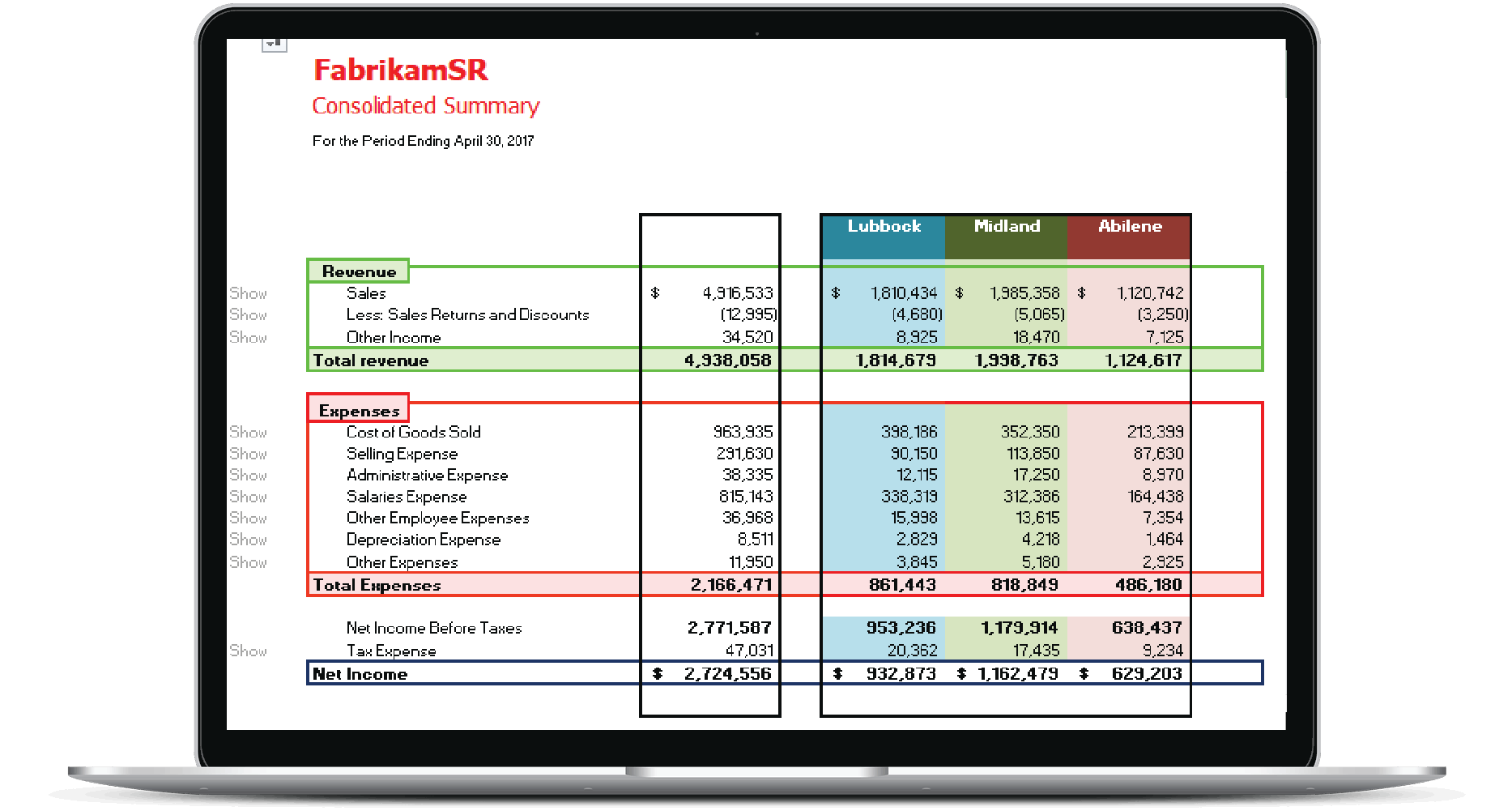
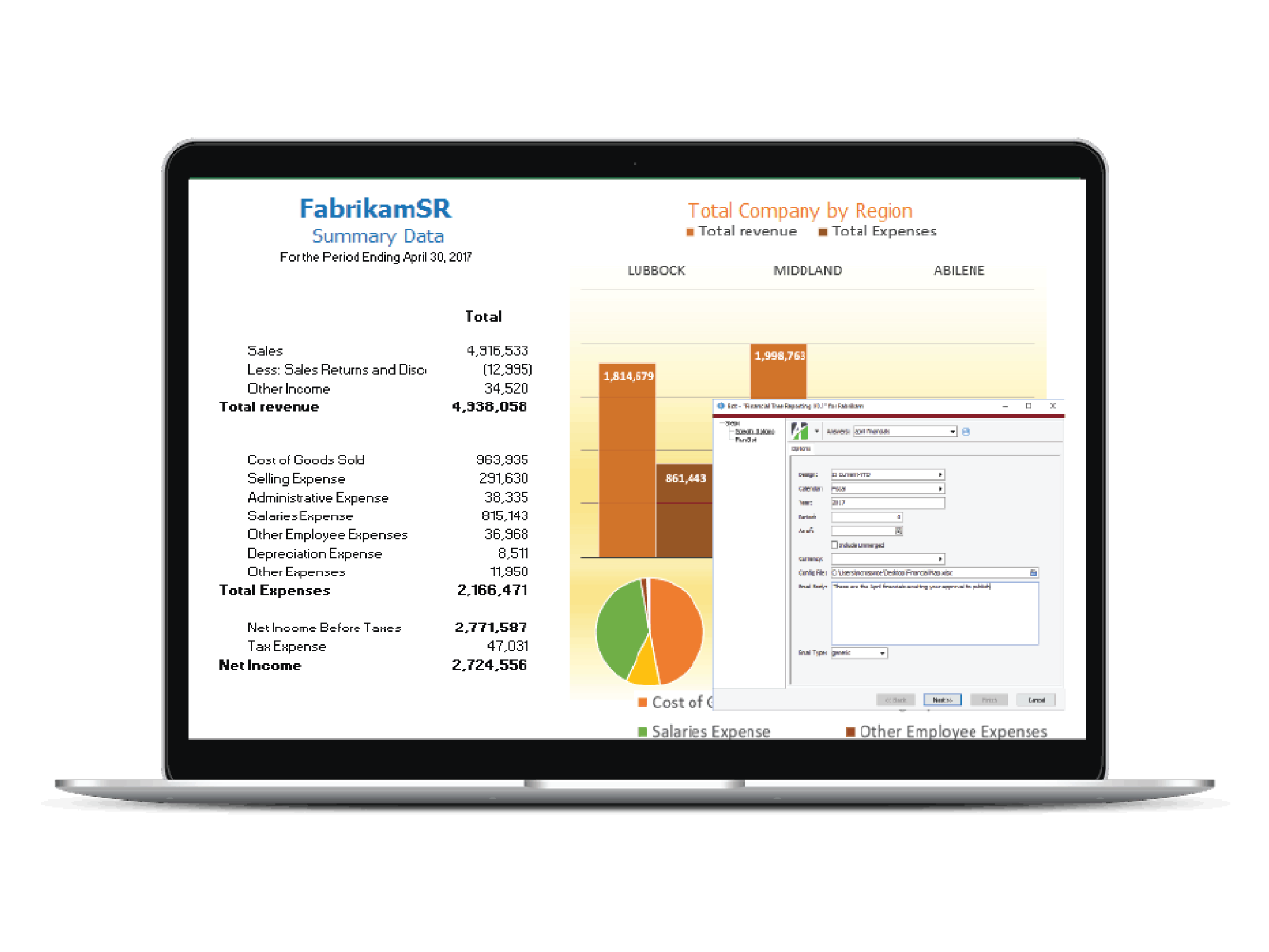
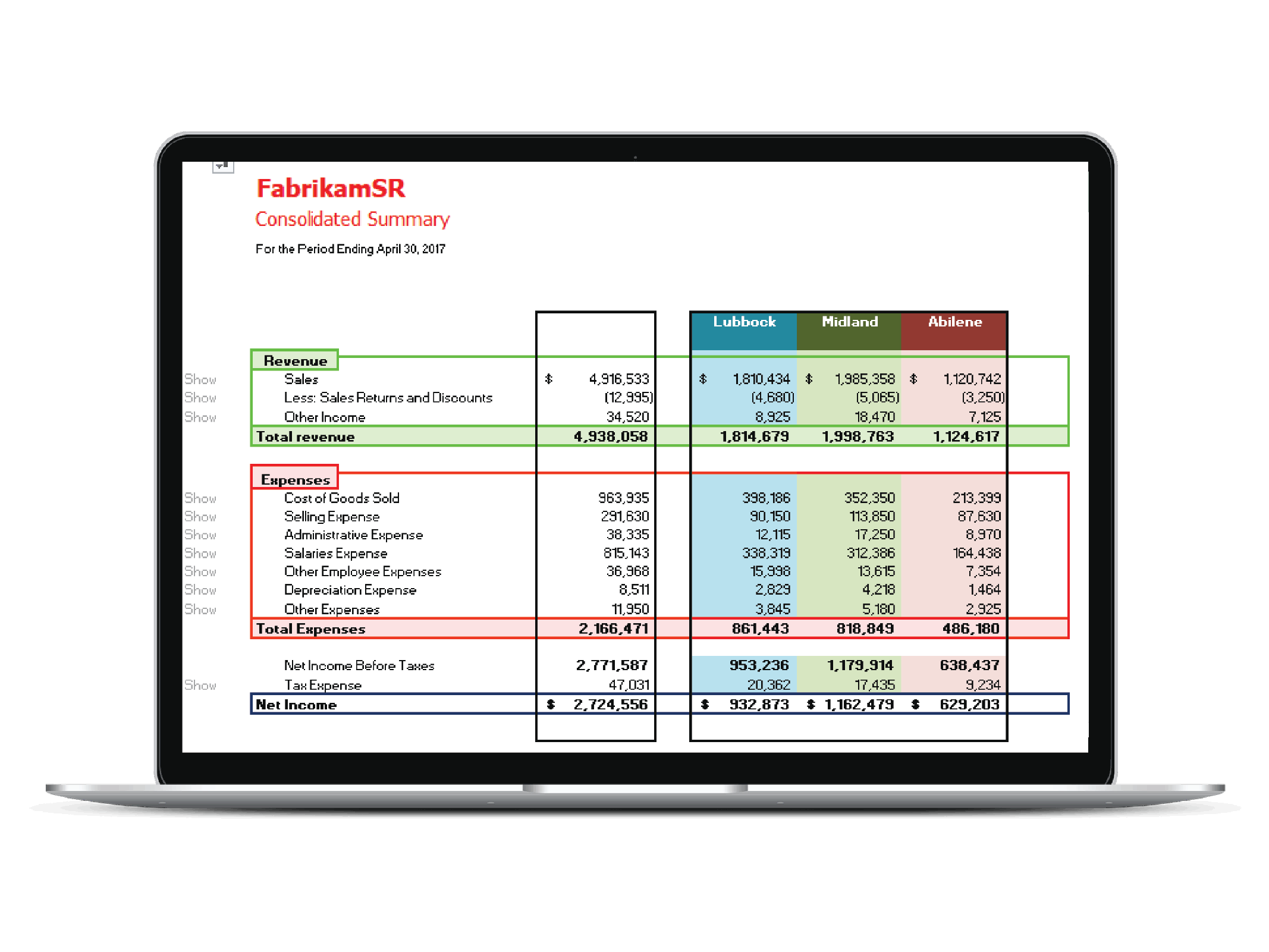
Real time financial reporting
Drill down capabilities
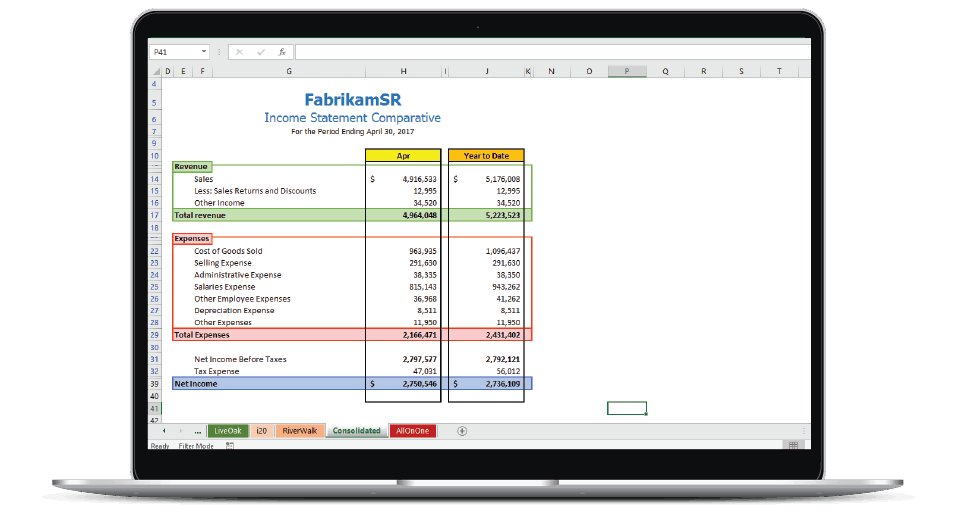
Customizable reports
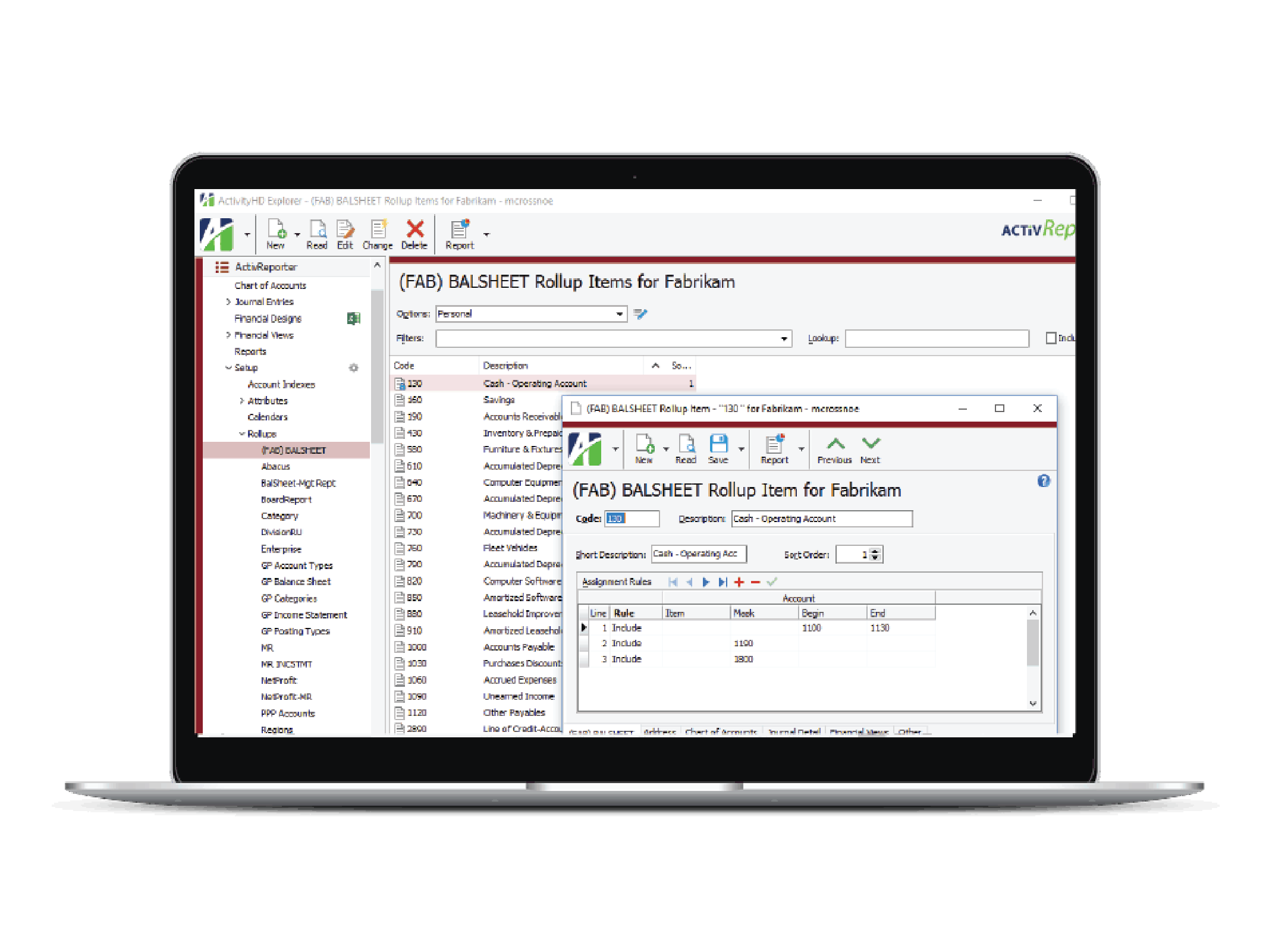
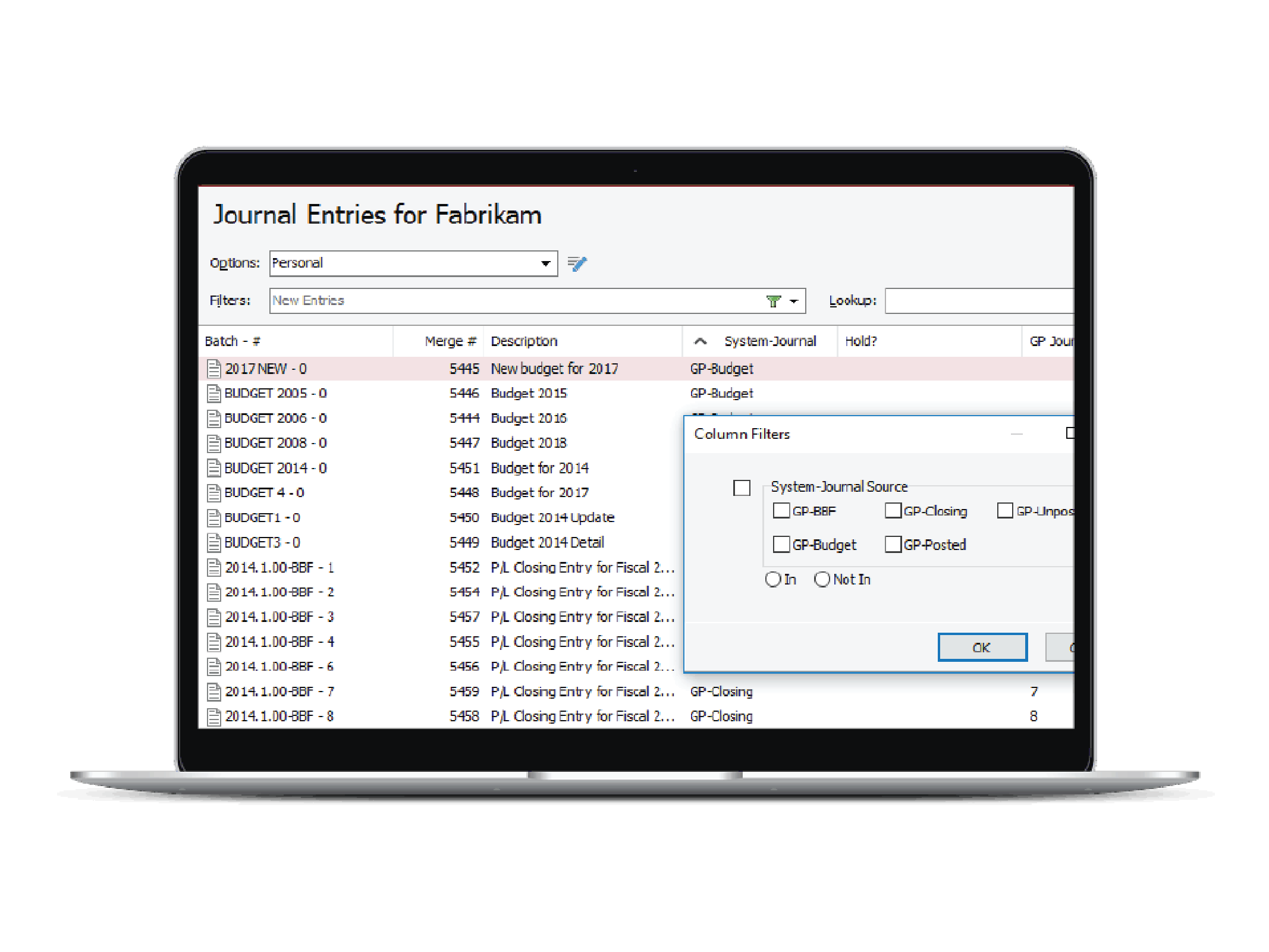
Integration with microsoft dynamics gp
Multi company consolidation
Budgeting and forecasting
View All 56 Features
ActivReporter Resources
ActivReporter Screenshots
Description
ActivReporter is a cloud-based construction accounting platform developed specifically for specialty contractors, home builders, and trade businesses requiring advanced project cost management. The software integrates directly with QuickBooks Online and QuickBooks Desktop, extending accounting functionality with construction-specific modules for job costing, payroll, and compliance reporting. Founded to address gaps in generic accounting software for project-based businesses, ActivReporter serves commercial contractors across the United States and Canada.
The platform has established itself in the construction technology market by focusing on mid-sized specialty contractors with 10-200 employees who need more than basic bookkeeping but less complexity than enterprise ERP systems. Primary users include electrical contractors, HVAC companies, plumbing firms, and general contractors managing multiple concurrent projects with union labor requirements. The software serves businesses primarily in North America where prevailing wage and certified payroll compliance are mandatory for public works projects.
Core Features of ActivReporter
The invoicing and billing module generates AIA-format progress billing automatically from job cost data, eliminating manual invoice preparation for construction draw schedules. Contractors can create change orders, track retention, and manage lien waiver workflows directly within the billing interface. Payment collection integrates with construction-specific payment application processes including G702 and G703 forms required by general contractors and project owners.
Job costing functionality tracks labor, materials, equipment, and subcontractor costs against project budgets in real-time, with variance alerts when costs exceed estimates by customizable thresholds. The accounting engine synchronizes bidirectional with QuickBooks, maintaining chart of accounts consistency while adding construction-specific cost code structures. Financial dashboards display work-in-progress reports, over/under billing analysis, and project profitability metrics updated continuously as field data flows from mobile devices.
The certified payroll module automates prevailing wage compliance for Davis-Bacon Act and state-specific requirements, calculating complex union benefit allocations and generating weekly certified payroll reports in required government formats. Time tracking captures labor hours by cost code and project phase through mobile apps, feeding both payroll processing and job costing simultaneously. Multi-rate payroll handles scenarios where workers perform multiple classifications on different projects within the same pay period, a requirement unique to union construction environments.
Key Highlights
- Market Position: Established provider serving mid-market specialty contractors across North America with focus on union construction compliance requirements.
- Target Users: Commercial contractors with 10-200 employees, including electrical, HVAC, plumbing, and general contractors managing prevailing wage projects.
- Deployment: Cloud-based SaaS platform with mobile apps for iOS and Android field data collection and offline time entry.
- Standout Feature: Automated certified payroll report generation with prevailing wage calculations and fringe benefit allocation across multiple union classifications.
- Integrations: Native bidirectional sync with QuickBooks Online and QuickBooks Desktop, plus connections to Procore, ADP, Paychex, and construction payment platforms.
- Pricing Model: Subscription pricing starts around $200/month per company, scaled by user count and modules, with implementation and training included in setup fees.
- Support: Email and phone support during business hours, online knowledge base, personalized onboarding sessions, and ongoing account management for active subscribers.
- Compliance & Security: SOC 2 Type II certified data centers, 256-bit SSL encryption, role-based access controls, and compliance with Davis-Bacon Act reporting standards.
Who Should Use ActivReporter
The platform targets specialty trade contractors with annual revenues between $2 million and $50 million who bid and execute public works projects requiring certified payroll documentation. Ideal users include project managers tracking multiple concurrent jobs, field supervisors collecting daily labor and material costs, and office administrators managing union payroll and government compliance reporting. This fits construction businesses better than generic small business accounting because it eliminates the manual spreadsheet tracking and duplicate data entry that plague contractors using standard QuickBooks alone.
A concrete example is a 75-person electrical contracting firm working on three simultaneous prevailing wage projects with different union agreements and wage determinations. Foremen use mobile apps to log crew hours by cost code each day, the system automatically calculates prevailing wages and fringe benefits for each classification, generates weekly certified payroll reports for each project, and updates job cost reports showing actual versus estimated costs. This replaces the previous workflow of paper timesheets, Excel calculations, and manual QuickBooks entries that consumed 15+ administrative hours weekly.
Integrations & Ecosystem
ActivReporter maintains over 20 third-party integrations focused on construction technology and payroll providers, including Procore for project management synchronization, ADP and Paychex for payroll processing, and Textura/Oracle for payment management. The platform offers API access for custom integrations with estimating software and equipment tracking systems. A notable uncommon integration is direct connection to state prevailing wage determination databases, automatically updating wage rates when government agencies publish new determinations without manual data entry.
Pricing & Plans
Subscription plans include Essentials, Professional, and Enterprise tiers with monthly pricing starting around $200 for companies with 5-10 users accessing basic job costing and time tracking. The Professional tier adds certified payroll automation and advanced reporting starting near $400/month, while Enterprise includes unlimited users, dedicated account management, and custom report development. Annual contracts receive approximately 15% discount compared to month-to-month billing, and implementation fees ranging from $1,000-$5,000 cover data migration, chart of accounts mapping, and staff training sessions.
Pros & Cons
Pros
- Construction-Specific Workflow: Eliminates the gap between generic accounting software and construction needs with job costing, certified payroll, and AIA billing built into core functionality rather than bolted-on features. This prevents the manual workarounds and duplicate entry that plague contractors using standard small business accounting tools.
- Prevailing Wage Automation: Automatically calculates complex prevailing wage rates, fringe benefits, and union allocation across multiple classifications, generating government-compliant certified payroll reports that save 10+ hours weekly compared to manual Excel-based processes. The system updates wage determinations automatically when agencies publish changes.
- QuickBooks Integration Depth: Bidirectional synchronization maintains chart of accounts integrity while adding construction cost code structures, ensuring financial data flows seamlessly between field operations and office accounting without breaking QuickBooks workflows. This allows contractors to keep their established accounting system while gaining project-level visibility.
Cons
- QuickBooks Dependency: The platform requires an active QuickBooks subscription and relies on QuickBooks as the underlying general ledger, meaning businesses not already using QuickBooks must adopt it or face limitations. This creates additional software costs and learning curves for teams unfamiliar with QuickBooks conventions and workflows.
- Limited Non-Union Features: The heavy focus on prevailing wage compliance and union payroll means residential contractors or service businesses without certified payroll requirements may find the interface overly complex with unused features. Companies in right-to-work states doing primarily private work may prefer simpler construction accounting tools without the union-specific compliance overhead.
Our Expert Take
ActivReporter represents the optimal choice for unionized specialty contractors between $2M-$50M in annual revenue who regularly bid public works projects requiring certified payroll documentation and need real-time job costing integrated with QuickBooks. The automated prevailing wage calculations and government report generation deliver immediate ROI by eliminating manual compliance work that typically consumes 15-20 administrative hours per week. Companies already using QuickBooks for accounting will find the deepest value in ActivReporter's seamless extension of their existing financial system with construction-specific project tracking.
Residential builders, service contractors, and commercial firms working exclusively in private sector without prevailing wage requirements should avoid ActivReporter due to complexity and features they won't utilize. These businesses would benefit more from simpler construction accounting platforms like Buildertrend or Knowify that focus on residential workflows and basic job costing without the union payroll compliance overhead. Companies not currently using QuickBooks should also evaluate standalone construction ERP systems like Foundation or Sage 300 CRE that include built-in general ledger functionality rather than requiring a separate QuickBooks subscription.
Frequently Asked Questions
Is there a free plan or free trial for ActivReporter?
How much does ActivReporter cost?
What does ActivReporter integrate with?
Who is ActivReporter best for?
What are the best alternatives to ActivReporter?
Is ActivReporter GDPR / SOC 2 compliant?
Does ActivReporter have a mobile app?
What do real users say about ActivReporter?
How does ActivReporter compare to its top competitor?
Does ActivReporter offer customer support?
Find Your Perfect Software
See how it can transform your workflow
- Personalized for your needs Tailored recommendations based on your unique requirements.
- Save time & resources Streamline your workflow and boost team productivity.
- Trusted by thousands Join 10,000+ businesses already growing with SaaSrat.
You're all set! 🎉
A specialist for will reach out within 1 business day with tailored recommendations for your needs.