
Saleswah CRM
by Anwesha CRM Pvt Ltd • Founded 2009
What is Saleswah CRM?
Get Best Quote for Saleswah CRM
Connect with SaaSrat experts to get the best quote for your business.
You're all set!
A specialist for Saleswah CRM will reach out within 1 business day.
Saleswah CRM Features
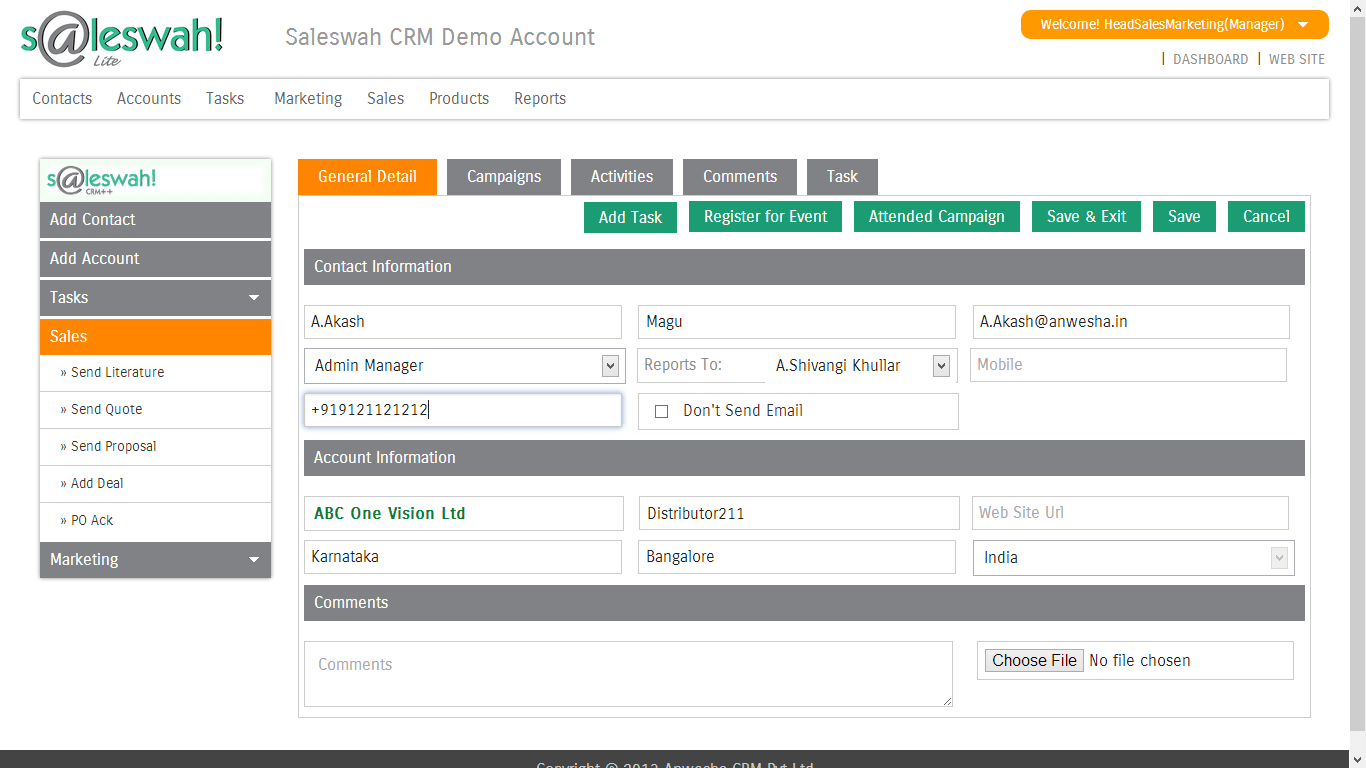
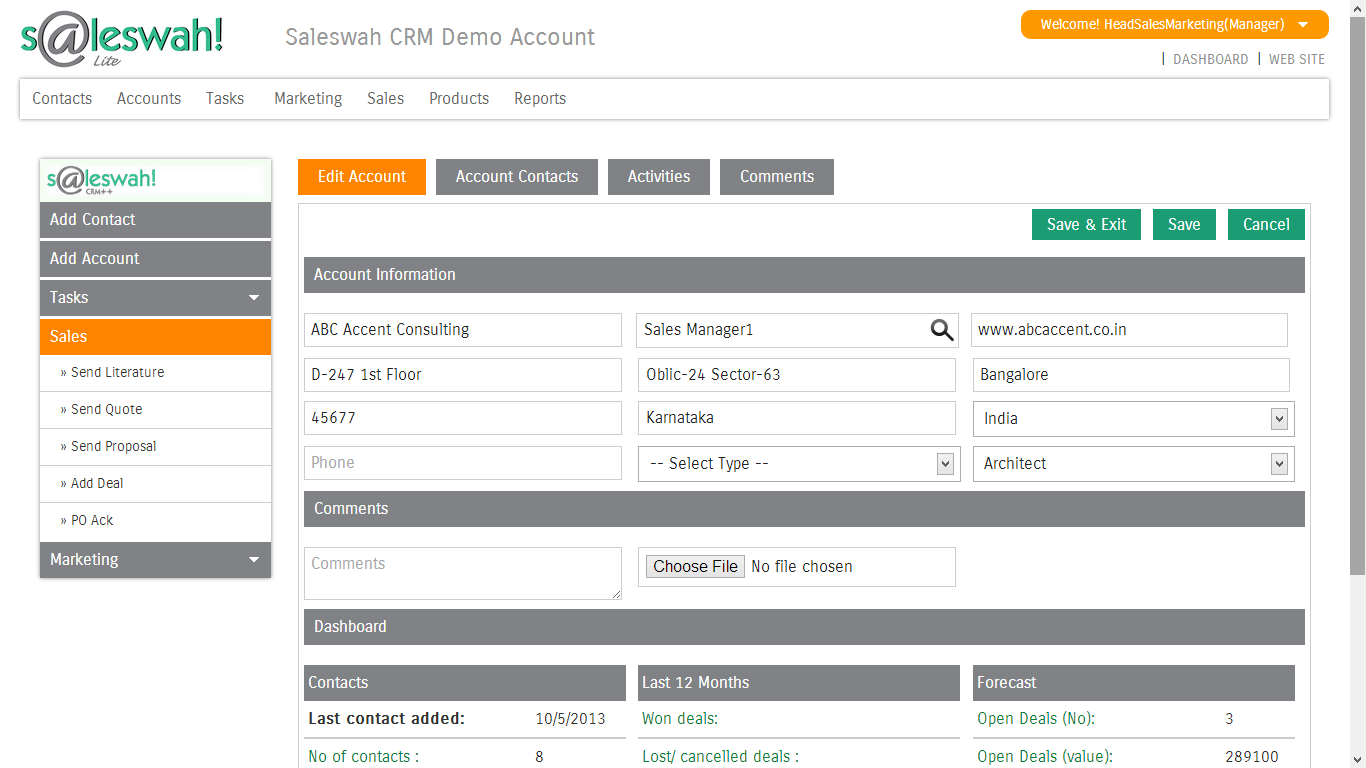
Contact and account management
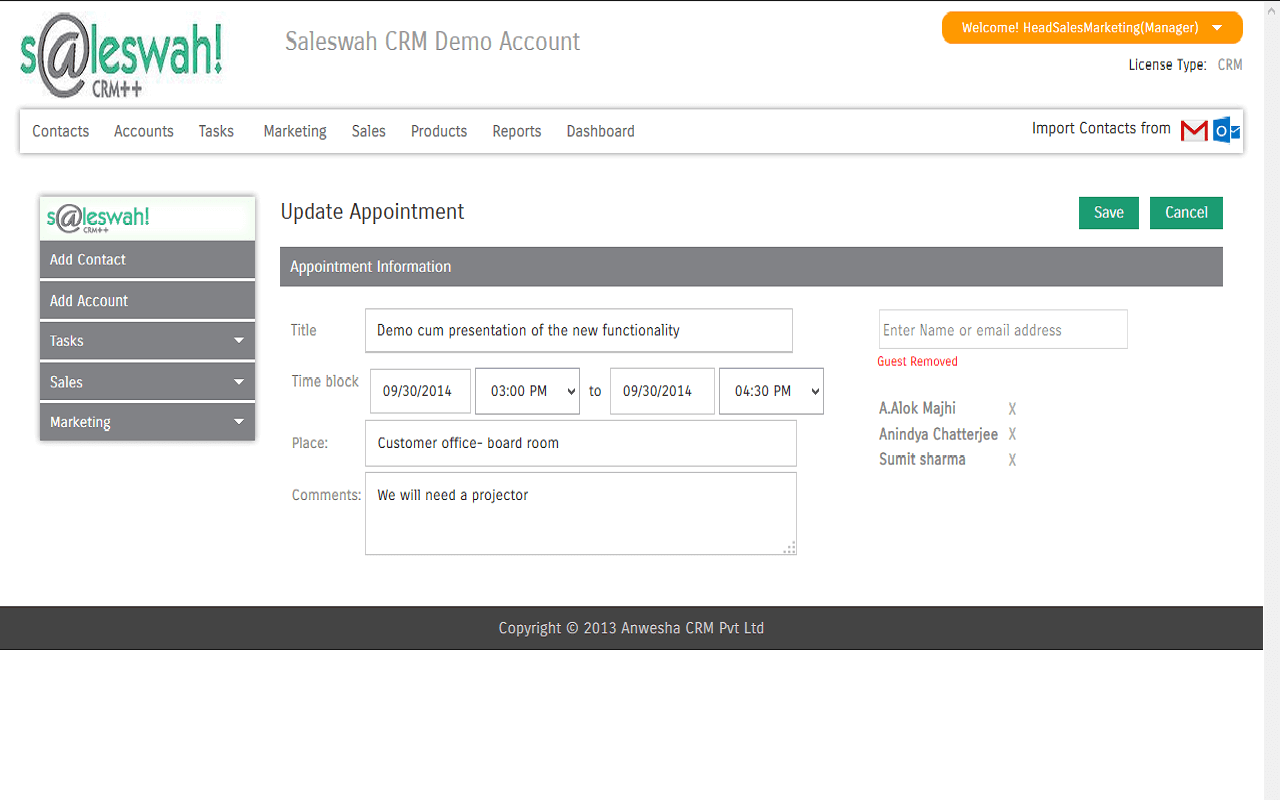
Task management and appointment scheduling
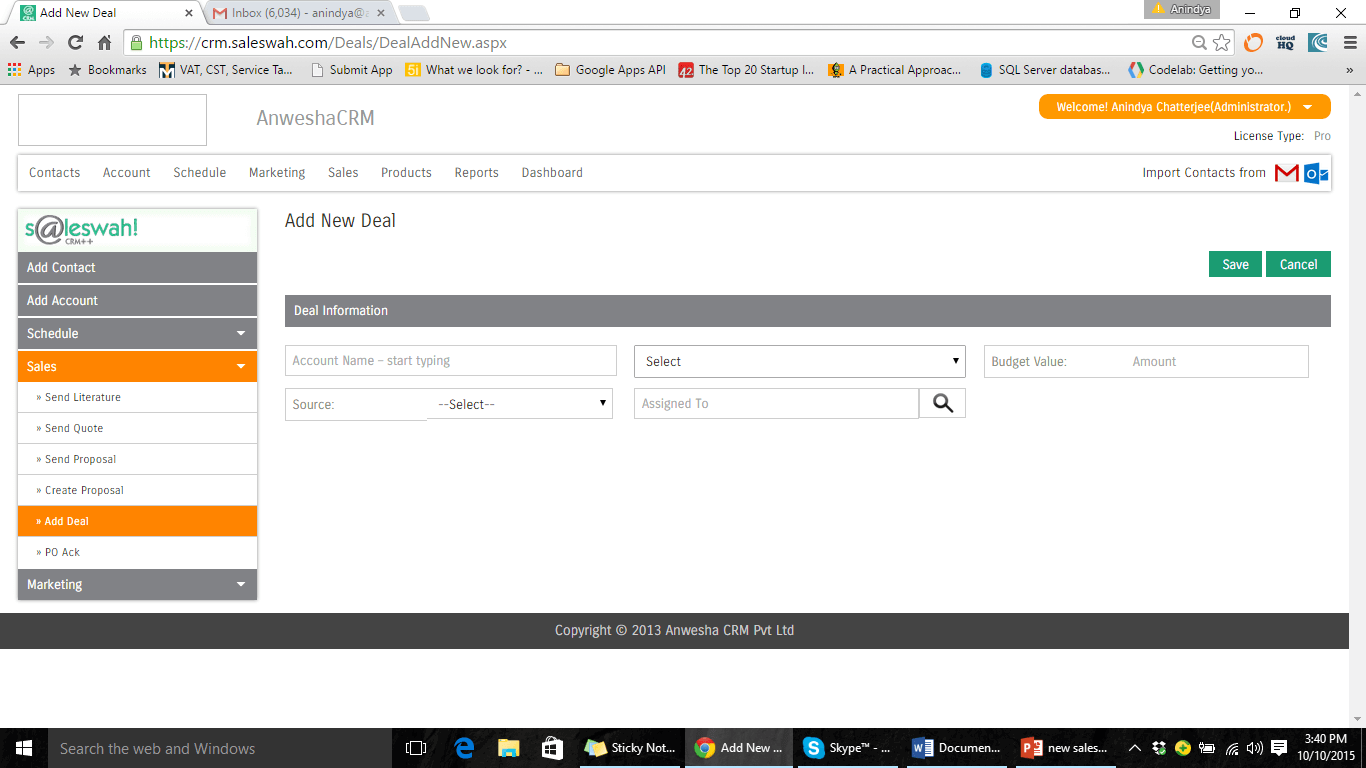
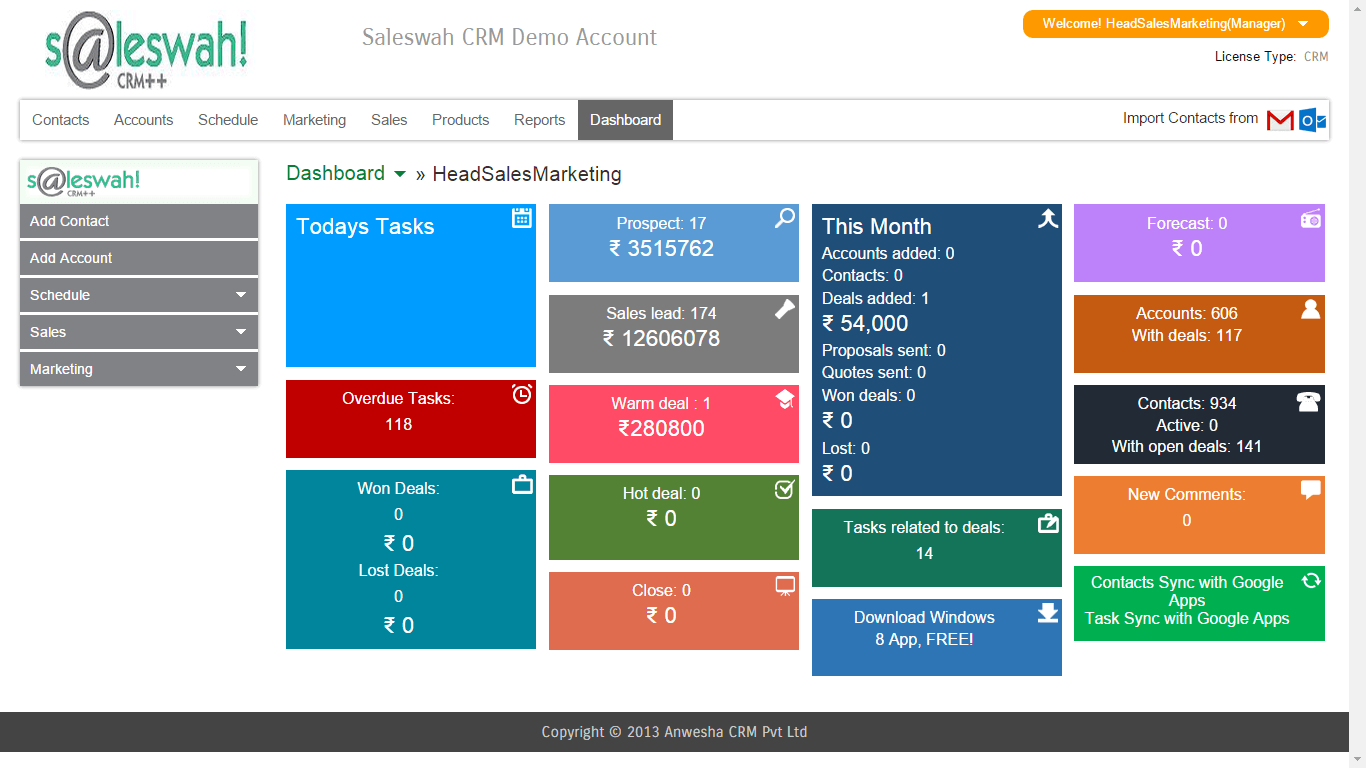
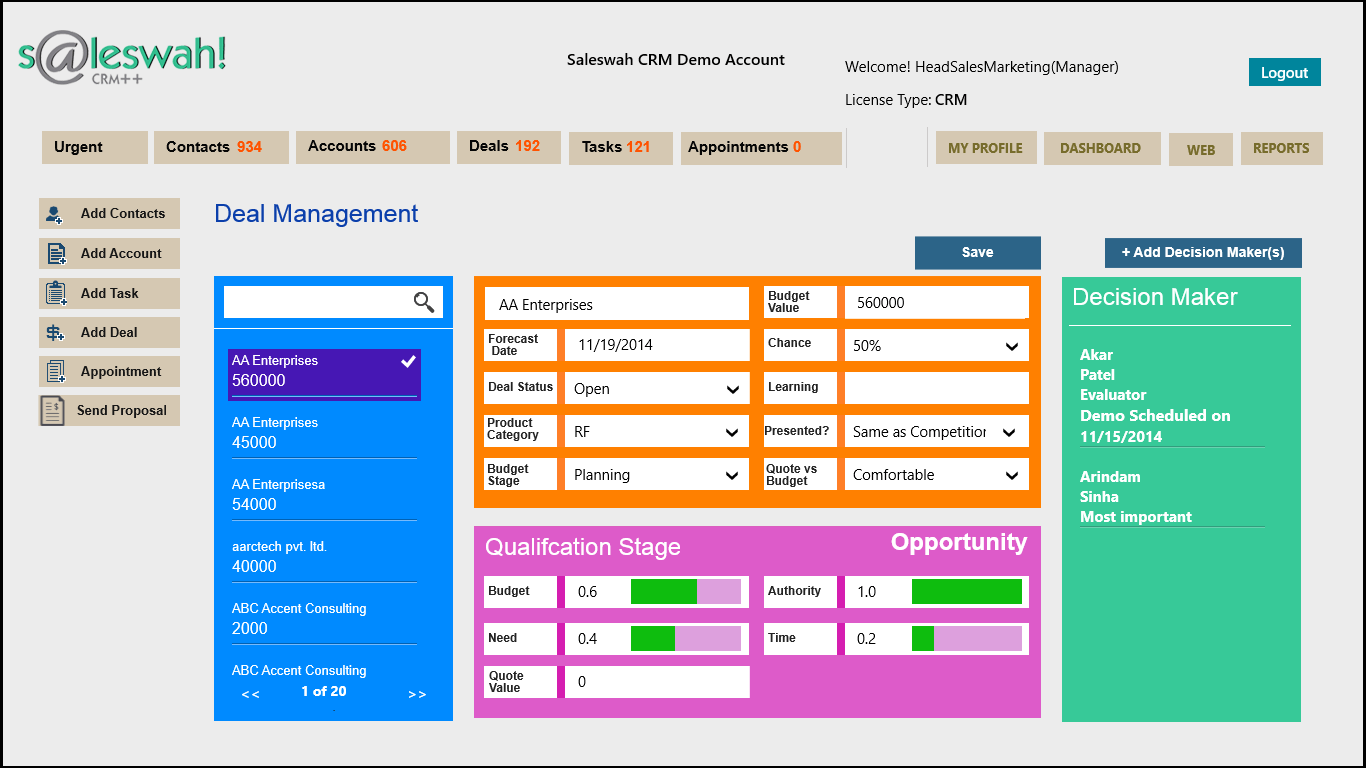
Lead and deal management
Quotations with multi-currency support
Field service management
Service ticket management
View All 20 Features
Saleswah CRM Screenshots
Description
Who Saleswah CRM is Right For
Saleswah CRM is built for small businesses (5 to 250 employees) that need Sales CRM plus Service CRM plus Field Service Management bundled on one customisable platform. The sweet spot is service-heavy businesses, equipment dealers, AMC providers, professional services, and field service organisations needing contact management plus deal tracking plus service ticket management plus warranty tracking with QuickBooks Online and Microsoft 365 integration.
It is not the right fit for marketing-led inbound funnel buyers (use HubSpot CRM) or for enterprise buyers needing Salesforce-grade depth. If you are an SMB with both sales and service teams and want a single CRM covering both, Saleswah earns the shortlist.
Saleswah CRM Pricing in 2026
Saleswah CRM offers a 15-day free trial with no credit card required. Paid plans are quote-based scaled by user count, modules activated (Sales, Service, Field Service), and customisation depth.
Verified at the official Saleswah pricing flow on 2026-06-14.
| Module | Typical scope |
|---|---|
| Sales CRM | Contacts, accounts, leads, deals, quotations |
| Service CRM | Service tickets, warranty, service contracts |
| Field Service Management | Field technician scheduling, work orders |
| Quotations | Multi-currency support, customisable templates |
| 15-day free trial | No credit card required |
Saleswah vs CRM Competitors
| Comparison | When Saleswah wins | When competitor wins |
|---|---|---|
| Saleswah vs Zoho CRM | Sales + Service + Field Service bundled with QuickBooks integration | Larger Zoho ecosystem (Books, Mail, Desk, People); modern UI |
| Saleswah vs SalesBabu CRM | QuickBooks Online + Microsoft 365 integration depth | Indian-specific integrations (Tally, IndiaMART, TradeIndia, JustDial) |
| Saleswah vs noCRM.io | Bundled Service CRM and Field Service Management | Pure sales focus at $8.50 per user (cheaper for sales-only) |
| Saleswah vs Bitrix24 | Field Service Management focus | Free tier for unlimited users; bundled video and project management |
| Saleswah vs HubSpot Service Hub | Multi-currency quotations plus field service technician scheduling | Modern UI plus broader marketing automation ecosystem |
Integrations and Ecosystem
Saleswah integrates with QuickBooks Online for accounting, Google Workspace (G-Suite/Gmail), Microsoft Office 365 Outlook (calendar and email add-in), Google Sheets, and offers an Office 365 Outlook add-in plus a Google Workspace add-in. The Android mobile app and Windows 10 desktop app give field technicians on-the-go access to service tickets and customer records.
Pros and Cons
| Pros | Cons |
|---|---|
| Sales + Service + Field Service Management bundled on one customisable platform | Quote-only paid pricing; no public rate card |
| QuickBooks Online plus Microsoft 365 plus Google Workspace integrations | Smaller customer base than Zoho CRM or HubSpot |
| 15-day free trial with no credit card required | UI less polished than modern CRMs |
| Multi-currency quotations for global SMBs | Limited named customer references publicly |
| Office 365 Outlook add-in for email integration | iOS app not listed (Android only) |
| Windows 10 desktop app for native experience | English UI only |
What Real Buyers Say
SMB sales and service team discussions on r/sales and LinkedIn CRM communities position Saleswah as a credible bundled Sales + Service CRM for SMBs needing field service management alongside sales tracking. Common positive themes: QuickBooks Online integration, Outlook add-in, multi-currency quotations, free trial without credit card. Common cautions: smaller brand than Zoho CRM; UI less polished than modern competitors.
For decision-stage research, run the 15-day free trial with one sales team and one service team, validate QuickBooks Online and Outlook integration depth, and test the field service technician scheduling workflow.
Saleswah CRM Field Guide for Buyers
| Buyer question | Saleswah answer |
|---|---|
| Best fit company size | 5 to 250 employees (small business) |
| Best fit use case | Sales + Service + Field Service Management bundled |
| Best fit industries | Equipment dealers, AMC providers, professional services, field service organisations |
| Free trial | 15 days, no credit card required |
| Integrations | QuickBooks Online, Google Workspace, Microsoft 365 Outlook, Google Sheets |
| Mobile | Android mobile app, Office 365 Outlook add-in |
| Desktop | Windows 10 app, Google Workspace add-in |
| Quotations | Multi-currency support |
| Languages | English |
Buyer Action Plan
- Confirm your business has both Sales and Service team needs (not pure sales-only).
- Start the 15-day free trial without a credit card.
- Validate QuickBooks Online integration depth with your finance team.
- Test the Office 365 Outlook add-in and Google Workspace add-in.
- Run a field service ticket workflow with technicians on the Android app.
- Validate multi-currency quotation generation if you serve global customers.
- Receive a written quote scoped to modules and user count.
2026 Updates and What is New
Saleswah CRM continued to refine its field service management module during 2026 with expanded technician scheduling features, broader QuickBooks Online sync, and refined multi-currency quotation workflows.
Security and Compliance
Saleswah CRM hosts customer data on encrypted cloud infrastructure with role-based access controls. Specific SOC 2 or ISO 27001 audit summaries should be requested during procurement for compliance-sensitive deployments.
Customer Support
Support is delivered through email and in-platform help. Implementation is included with paid plans. Customer success ownership is scoped per contract size.
Who Can Use Saleswah CRM
Small businesses (5 to 250 employees) with both Sales and Service teams across equipment dealers, AMC providers, professional services, field service organisations, and B2B services. Particularly strong fit for SMBs needing bundled Sales + Service + Field Service Management with QuickBooks Online accounting integration.
Mobile App Experience
Saleswah provides an Android mobile app and Windows 10 desktop app. Field technicians can manage service tickets, customer records, and warranty contracts from Android mobile. There is no iOS mobile app listed; iOS users access the web interface via mobile browser.
How to Get Started with Saleswah CRM
- Start the 15-day free trial at the Saleswah website without a credit card.
- Import your existing contacts and accounts via CSV.
- Configure sales pipeline stages and service ticket workflows.
- Install the Office 365 Outlook add-in or Google Workspace add-in for email integration.
- Connect QuickBooks Online for accounting sync.
- Set up multi-currency quotation templates if needed.
- Roll out to sales and service teams after pilot success.
Top Alternatives to Saleswah CRM
| Alternative | When to consider |
|---|---|
| Zoho CRM | Larger Indian CRM ecosystem with broader integrations |
| SalesBabu CRM | Indian-specific integrations (Tally, IndiaMART, TradeIndia) |
| Freshsales | Modern UI plus broader marketing automation |
| noCRM.io | Pure sales focus at $8.50 per user per month |
| Bitrix24 | Free tier for unlimited users; bundled all-in-one |
| HubSpot Service Hub | Modern service desk with broader marketing ecosystem |
| Wider CRM category | Browse other CRM platforms on SaaSRat |
How to Cancel or Switch from Saleswah CRM
Cancellation follows the signed subscription agreement; standard notice is 30 to 60 days before renewal. Before switching, export contacts, accounts, deals, quotations, service tickets, warranty contracts, and field service records via CSV or API. Maintain QuickBooks Online integration mapping for accounting continuity.
Bottom Line on Saleswah CRM
Saleswah CRM is the right shortlist add for SMBs with both Sales and Service team needs that want bundled Sales + Service + Field Service Management on one customisable platform with QuickBooks Online, Microsoft 365 Outlook, and Google Workspace integration. The 15-day free trial without credit card makes evaluation low-risk. For modern UI with broader ecosystem, evaluate Zoho CRM. For Indian-specific integrations (Tally, IndiaMART), look at SalesBabu CRM. For pure sales focus at lower cost, use noCRM.io.
Verified on 2026-06-14. Information drawn from the official Saleswah CRM website.
Frequently Asked Questions
What is Saleswah CRM used for?
How much does Saleswah CRM cost?
Who is Saleswah CRM best for?
Does Saleswah CRM integrate with QuickBooks?
Does Saleswah CRM include Field Service Management?
Does Saleswah CRM support multi-currency quotations?
Does Saleswah CRM have a mobile app?
What is the Saleswah Outlook add-in?
Is there a Saleswah CRM free trial?
How do I cancel Saleswah CRM?
Find Your Perfect Software
See how it can transform your workflow
- Personalized for your needs Tailored recommendations based on your unique requirements.
- Save time & resources Streamline your workflow and boost team productivity.
- Trusted by thousands Join 10,000+ businesses already growing with SaaSrat.
You're all set! 🎉
A specialist for will reach out within 1 business day with tailored recommendations for your needs.