

Bitrix24
by Bitrix Inc.
What is Bitrix24?
Get Best Quote for Bitrix24
Connect with SaaSrat experts to get the best quote for your business.
You're all set!
A specialist for Bitrix24 will reach out within 1 business day.
Bitrix24 Features
Contact and lead management
Sales pipeline and deal stages
Marketing automation
Email marketing
Task and project management
Kanban boards and Gantt charts
View All 22 Features
Bitrix24 Pricing Plans
Free
- Unlimited users
- Core CRM, project management, chat, video
- 5GB cloud storage
- Basic website builder
- No credit card required
- Verified at bitrix24.com/prices on 2026-05-30 (full-page screenshot retained in SaaSRat-Pricing-Evidence)
Basic
- Up to 5 users on annual plan
- Full sales CRM and basic marketing automation
- Cloud storage expanded
- Annual billing roughly 20% less than monthly
- Entry paid tier
- Verified at bitrix24.com/prices on 2026-05-30 (full-page screenshot retained in SaaSRat-Pricing-Evidence)
Standard
- Up to 50 users in one organization
- Full CRM marketing, knowledge base, document automation
- Expanded cloud storage
- Annual billing for best rate
- Popular tier for growing small businesses
- Verified at bitrix24.com/prices on 2026-05-30 (full-page screenshot retained in SaaSRat-Pricing-Evidence)
Bitrix24 Resources
Bitrix24 Screenshots
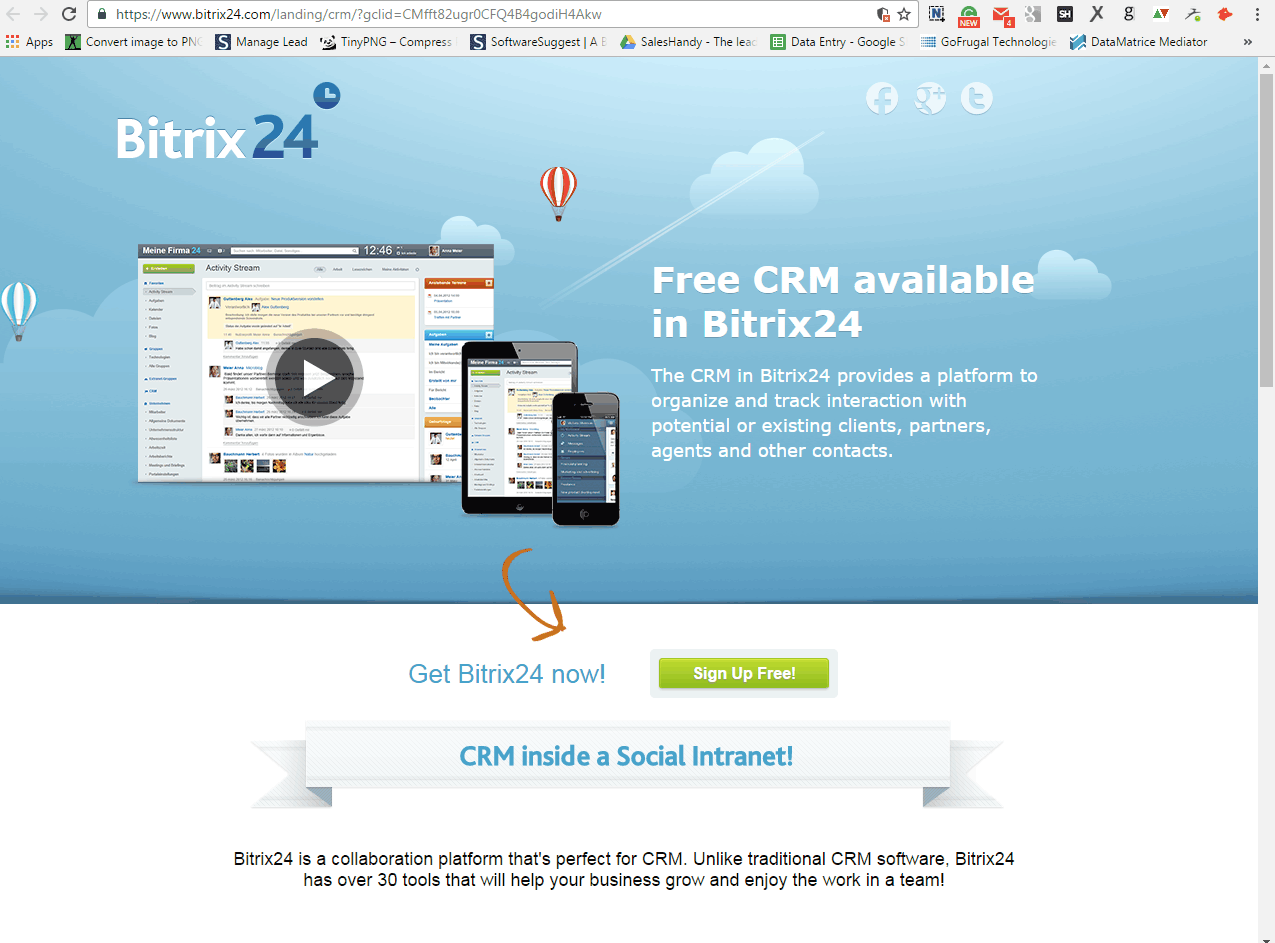
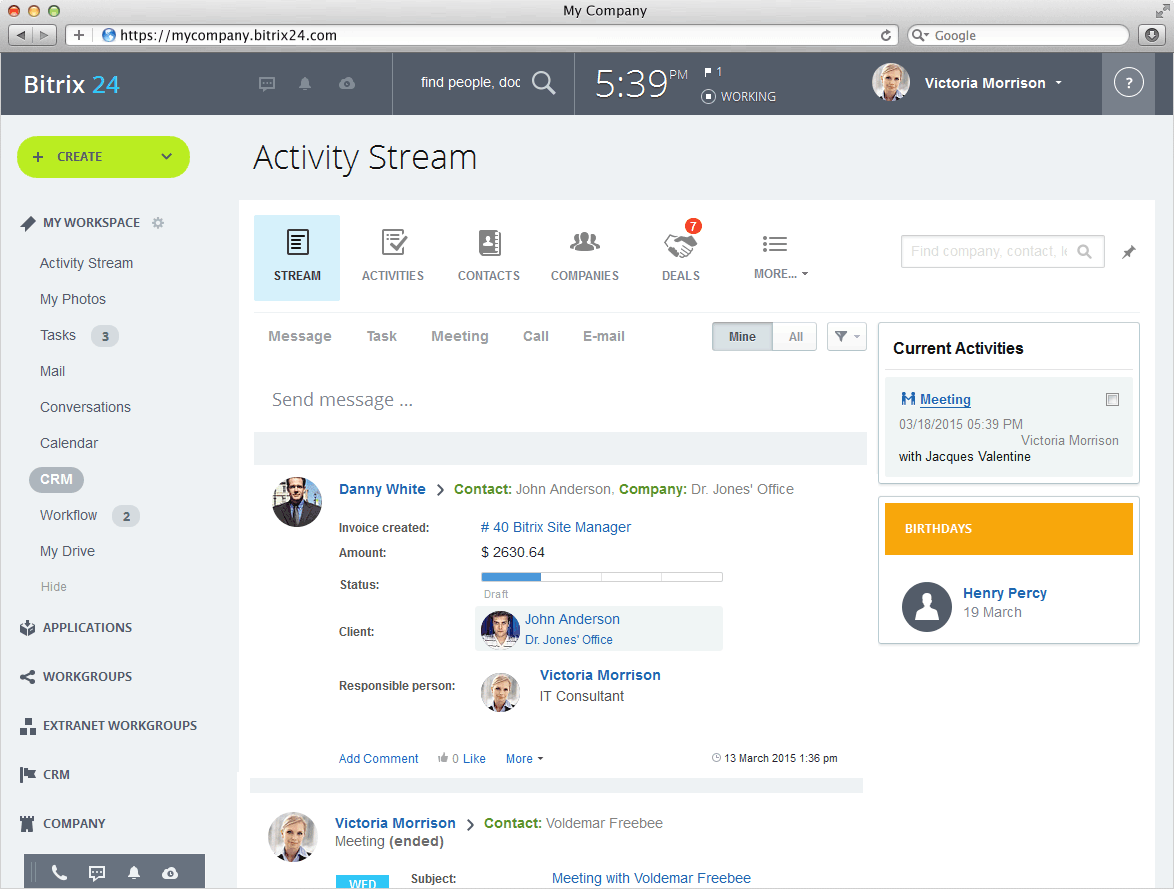
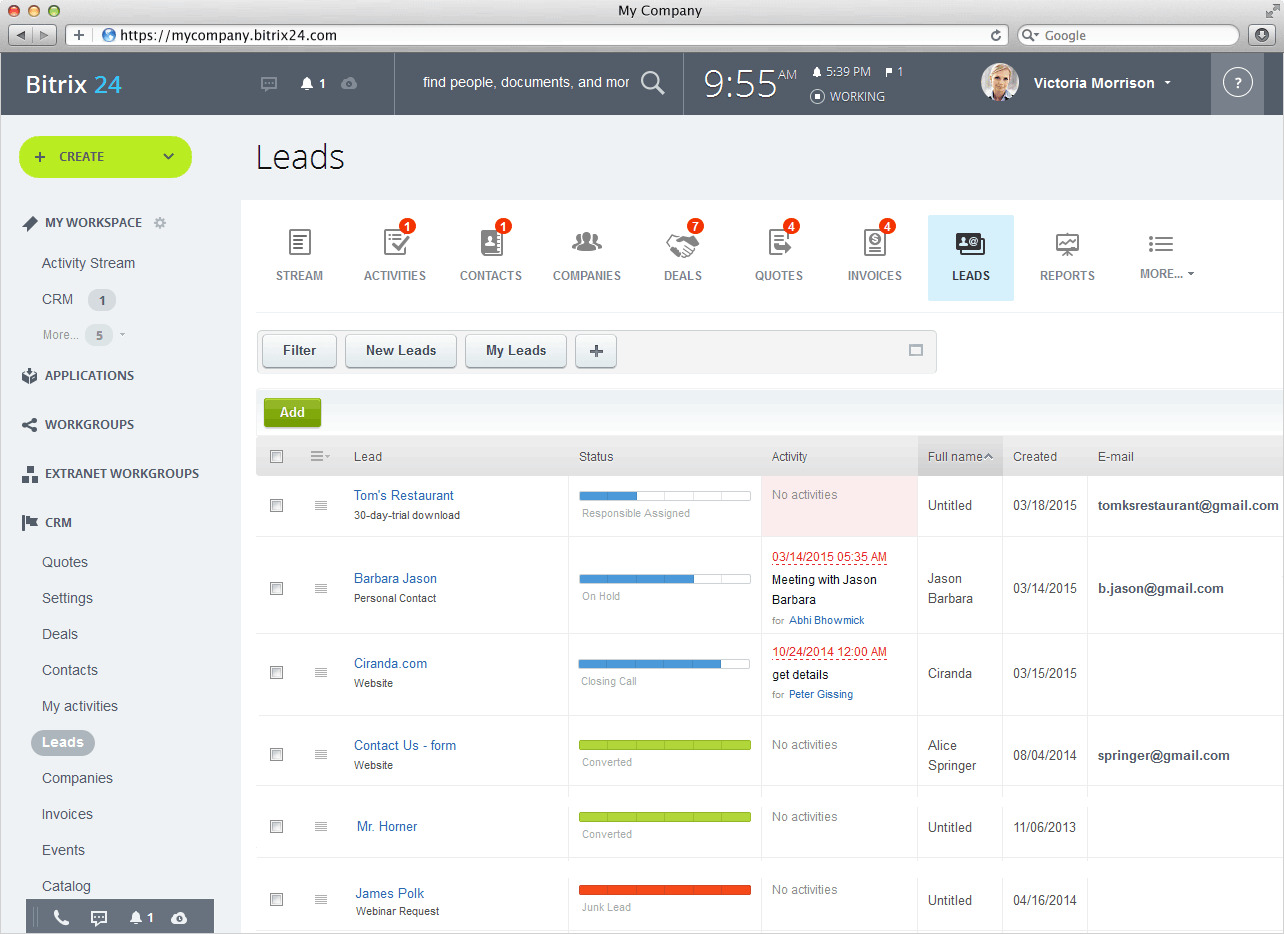
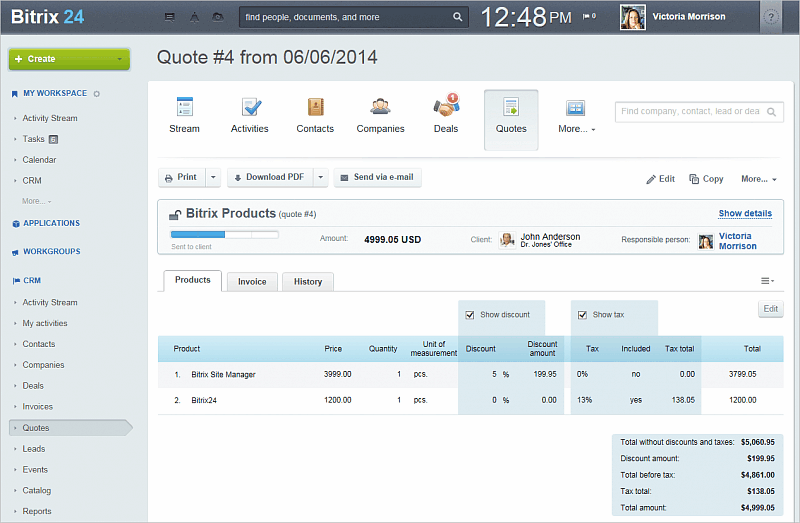
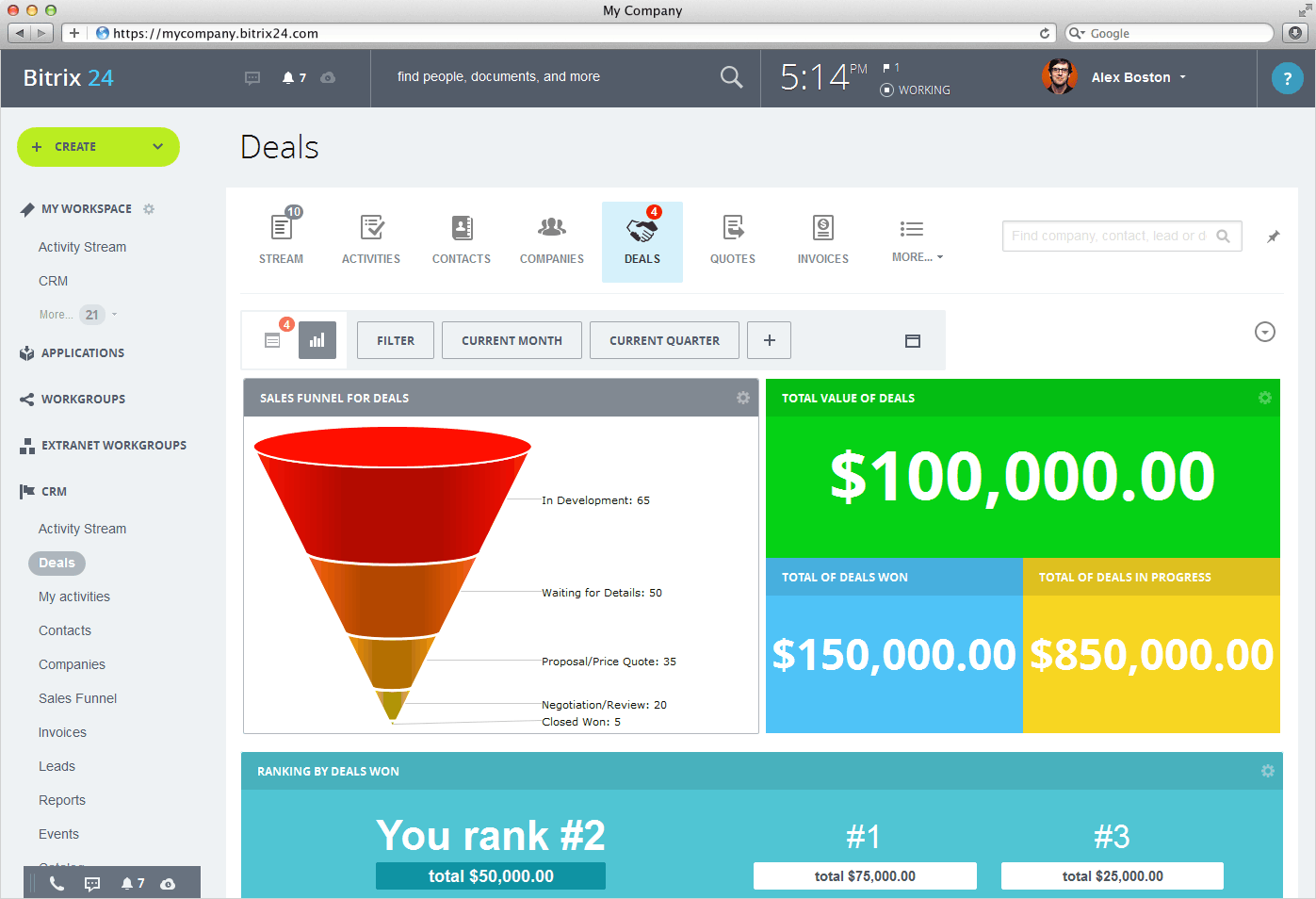
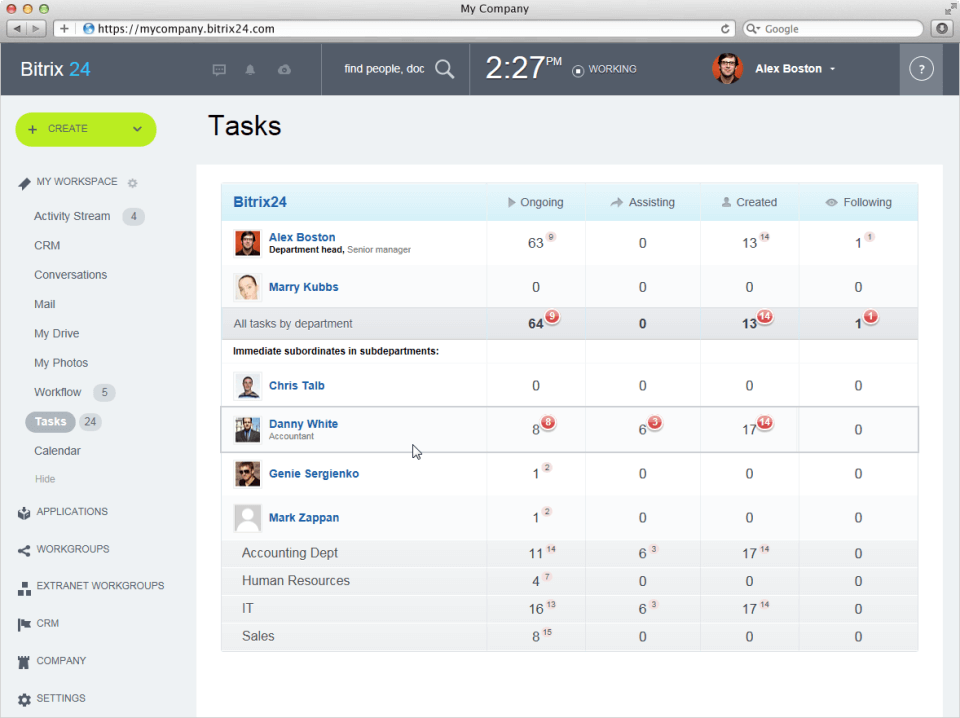
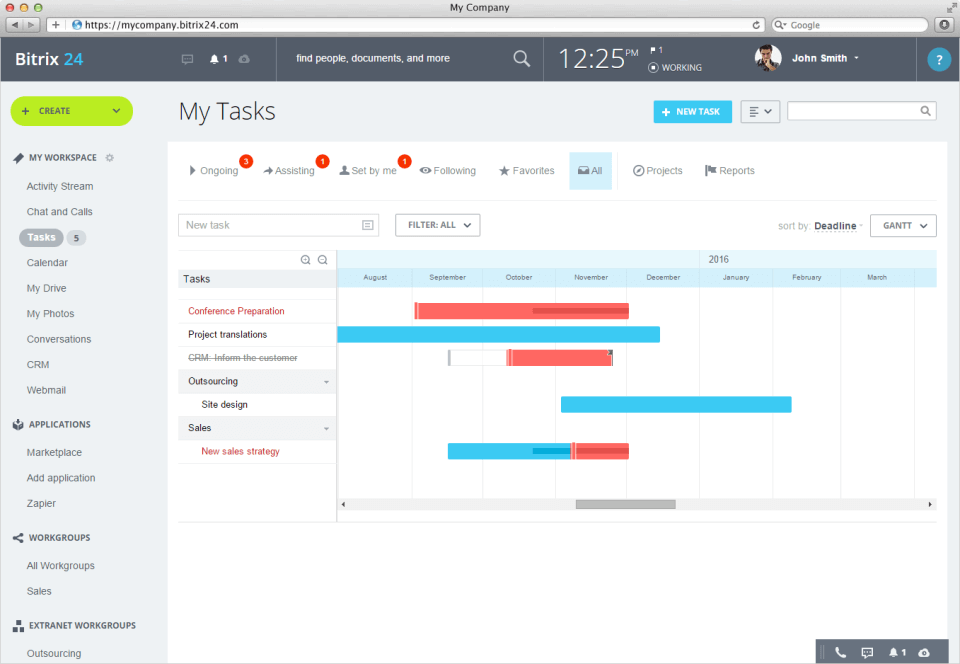
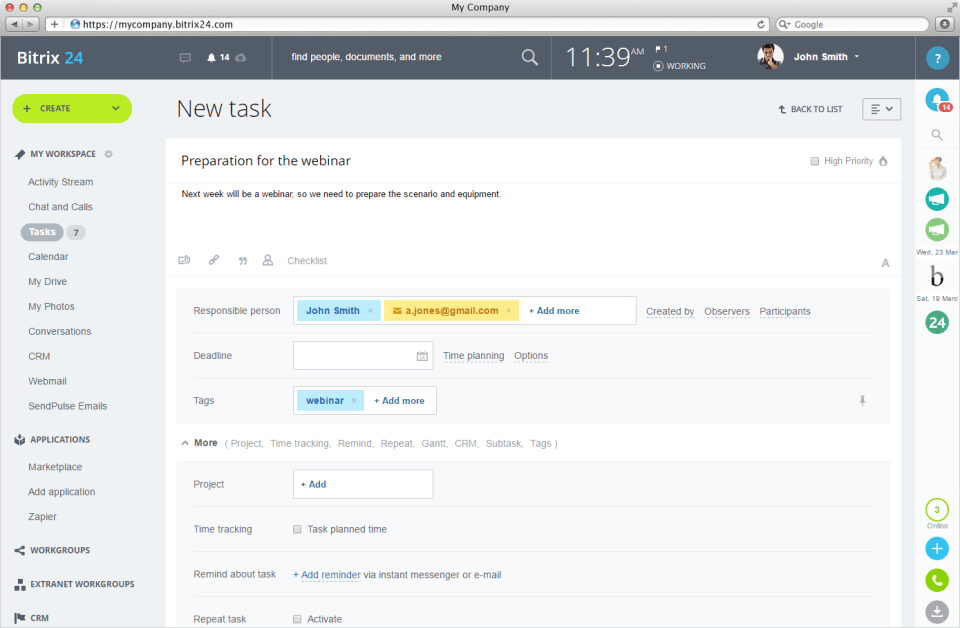
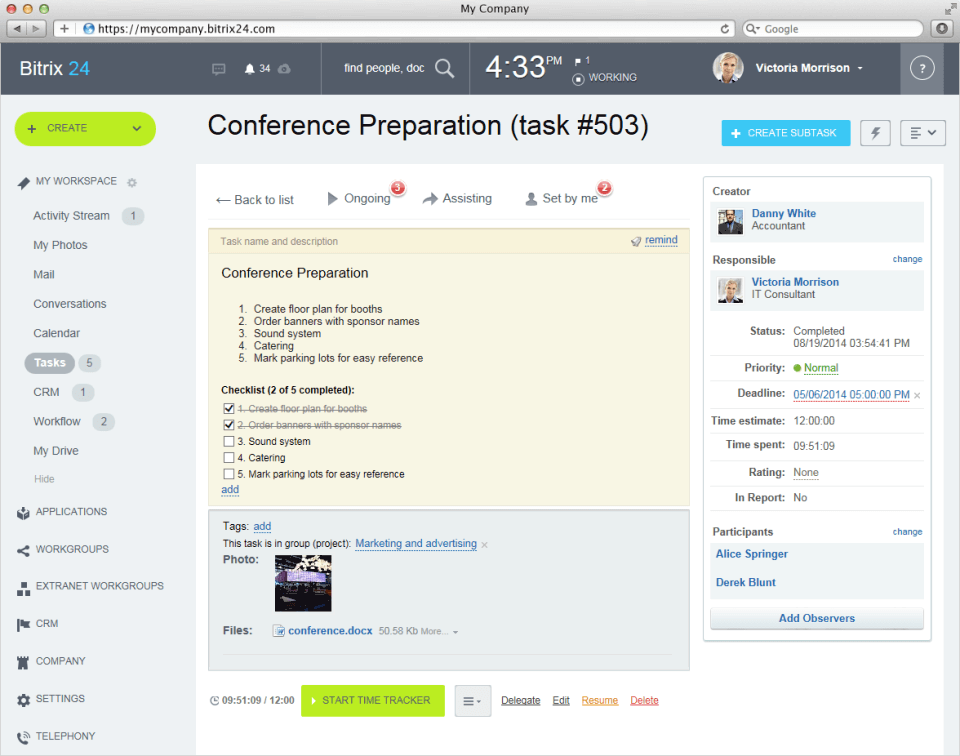
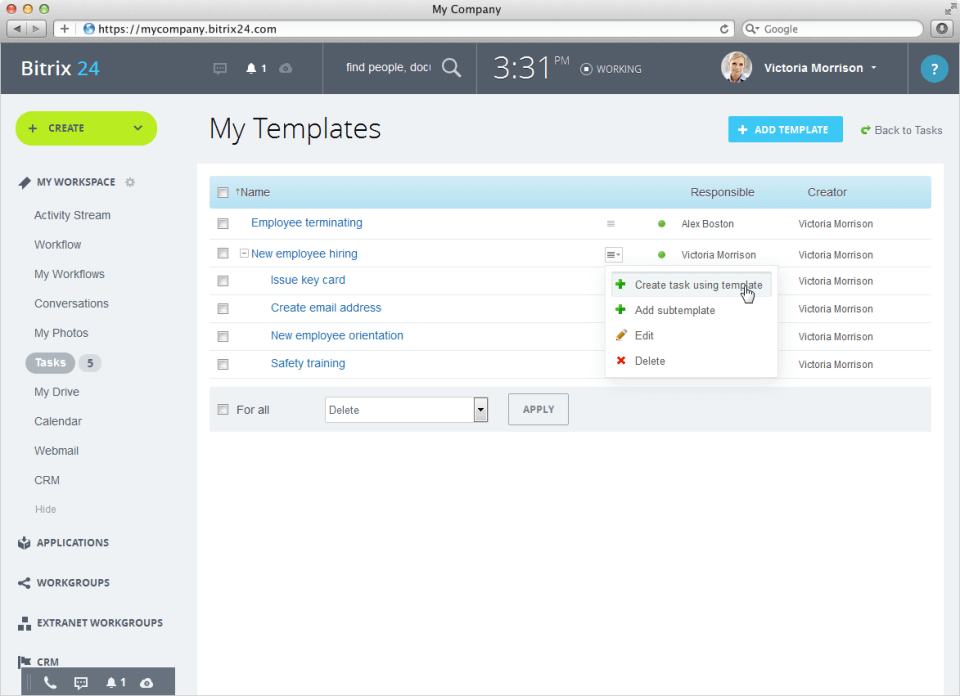
Description
Who Bitrix24 is Right For
Bitrix24 is built for SMBs (5 to 500 employees) that want a unified all-in-one platform combining CRM, project management, video conferencing, document storage, and team collaboration on one bill, ideally without per-user pricing. The sweet spot is service businesses, agencies, consulting firms, and growing startups that need a social intranet plus CRM bundle and value cost efficiency over modern UI polish.
It is not the right fit for buyers wanting the polished UX of HubSpot CRM or the deep sales-pipeline focus of Pipedrive. If you are price-sensitive and want one platform covering CRM + projects + chat + video for a fixed monthly fee, Bitrix24 earns the shortlist.
Bitrix24 Pricing in 2026
Bitrix24's pricing model is unusual in the CRM category: paid plans charge a FIXED monthly fee (not per-user), making total cost of ownership dramatically lower than per-user competitors like Salesforce or Zoho CRM at scale. The Free plan is forever-free for unlimited users with core features.
Verified at the official Bitrix24 pricing page on 2026-06-14.
| Plan | Monthly | Annual | Users |
|---|---|---|---|
| Free | $0 forever | $0 | Unlimited users (full feature set with limits) |
| Basic | $49 per month | $588 per year (flat) | 5 users |
| Standard | $99 per month | $1,188 per year (flat) | 50 users |
| Professional | $199 per month | $2,388 per year (flat) | 100 users |
| Enterprise | From $399 per month | From $4,788 per year (flat) | 250 to 10,000 users |
Annual TCO for the Standard cloud plan (50 users) is approximately $732 to $1,488 for the entire team. This is dramatically lower than per-user CRMs that often exceed $1,200 to $3,000 per user per year at the same headcount.
Bitrix24 vs Direct Competitors (2026 Pricing)
| Vendor | 2026 pricing model | 50-user annual cost |
|---|---|---|
| Bitrix24 Standard | $99 per month flat (50 users included) | $1,188 per year (entire team) |
| HubSpot CRM Free | Free (unlimited users; limited features) | $0 (with feature ceilings) |
| HubSpot Starter | $15 per seat per month | $9,000 per year (50 seats) |
| HubSpot Professional | $90 per seat per month | $54,000 per year (50 seats) |
| Pipedrive Essential | $14 per user per month annual | $8,400 per year (50 seats) |
| Pipedrive Advanced | $29 per user per month annual | $17,400 per year (50 seats) |
| Zoho CRM Standard | $14 per user per month annual | $8,400 per year (50 seats) |
| Zoho CRM Enterprise | $40 per user per month annual | $24,000 per year (50 seats) |
| Salesforce Sales Cloud Pro | $80 per user per month | $48,000 per year (50 seats) |
The Bitrix24 cost advantage at 50 users
At 50 users, Bitrix24 Standard at $1,188/year is approximately:
- $7,212 cheaper per year than Pipedrive Essential
- $7,212 cheaper per year than Zoho CRM Standard
- $7,812 cheaper per year than HubSpot Starter
- $16,212 cheaper per year than Pipedrive Advanced
- $22,812 cheaper per year than Zoho CRM Enterprise
- $46,812 cheaper per year than Salesforce Sales Cloud Pro
- $52,812 cheaper per year than HubSpot Professional
Head-to-head wins
| Comparison | When Bitrix24 wins | When competitor wins |
|---|---|---|
| Bitrix24 vs HubSpot | Flat-fee pricing; bundled CRM + projects + chat + video on one bill; massive cost savings at 50+ users | HubSpot's free tier is more polished UI; better for marketing automation and inbound funnels |
| Bitrix24 vs Pipedrive | Bundled video conferencing, chat, document storage included; flat-fee pricing | Pipedrive has cleaner sales-pipeline UX and feels better to use |
| Bitrix24 vs Zoho CRM | $7,212/year cheaper at 50 users on Standard plans | Zoho has deeper integrations with broader Zoho ecosystem (Books, Mail, Desk, People) |
| Bitrix24 vs Salesforce | $46,812/year cheaper at 50 users; SMB-friendly pricing model | Salesforce remains the enterprise gold standard with broader AppExchange |
| Bitrix24 vs noCRM.io | All-in-one social intranet + CRM | noCRM.io is purely lead-management focused, lighter-weight, $8.50/user/month entry |
Integrations and Ecosystem
Bitrix24 integrates with Gmail, Outlook, Google Workspace, Microsoft 365, Slack, Mailchimp, QuickBooks, Xero, Zapier (3,000+ apps via Zapier), Shopify, WooCommerce, and 1,000+ apps in the Bitrix24 Marketplace. An open REST API supports custom integrations. The self-hosted on-premise option allows custom deployment for compliance-sensitive buyers.
Pros and Cons
| Pros | Cons |
|---|---|
| Flat-fee pricing (not per-user) delivers massive cost advantage at 50+ users | Interface is dense and clunky compared to modern competitors like HubSpot or Pipedrive |
| Free forever plan for unlimited users with full feature set (limits apply) | Learning curve is steeper than focused single-purpose CRMs |
| All-in-one bundle: CRM + projects + video + chat + documents + telephony | Mobile app is functional but less polished than competitors |
| Native self-hosted on-premise deployment option (rare in CRM category) | Customer support tier depends on plan; Free tier support is community-based |
| 1,000+ apps in Bitrix24 Marketplace plus Zapier integration | UI translations across 15+ languages vary in polish |
| Multi-language support (15+ languages) including English, Spanish, German, French, Russian, Chinese, Japanese | Documentation can be dense; community forum is most active resource |
What Real Buyers Say
SMB and agency discussions on r/smallbusiness and LinkedIn CRM communities consistently flag Bitrix24 as the best-value CRM at scale for buyers willing to accept clunkier UI in exchange for massive cost savings versus per-user competitors. The flat-fee pricing model and all-in-one bundling are universally cited strengths. Common cautions: dense interface, longer onboarding ramp, and translation polish across non-English languages.
For decision-stage research, start with the Free plan to test core CRM workflows; calculate exact savings at your user count versus HubSpot, Pipedrive, Zoho, and Salesforce; and ask for two reference customers in your industry running similar headcount.
Bitrix24 Field Guide for Buyers
| Buyer question | Bitrix24 answer |
|---|---|
| Headquarters | Alexandria, Virginia, United States (with R&D in Russia) |
| Best fit company size | 5 to 500 employees (sweet spot 20 to 250 users) |
| Pricing model | Flat fixed monthly fee (NOT per-user) |
| Free tier | Free forever for unlimited users (limits on features) |
| 50-user annual cost | $1,188 (Standard plan vs Salesforce $48,000, HubSpot Pro $54,000) |
| Deployment | Cloud SaaS or self-hosted on-premise |
| Languages | 15+ languages (English, Spanish, German, French, Italian, Portuguese, Russian, Chinese, Japanese, Korean, Vietnamese, Thai, Polish, Turkish, Ukrainian) |
| Mobile | Native iOS and Android apps |
| Integrations | 1,000+ apps via Bitrix24 Marketplace plus Zapier |
Buyer Action Plan
- Start with the Free plan to test core CRM workflows at no cost.
- Calculate annual savings at your user count vs HubSpot, Pipedrive, Zoho, Salesforce per the comparison table above.
- Map your bundle needs: CRM only, or CRM + project management + video + chat + documents?
- Pick the right tier based on user count (Basic 5 users, Standard 50 users, Professional 100 users, Enterprise 250-10,000 users).
- Decide between Cloud SaaS or self-hosted on-premise deployment.
- Pilot with one team for 30 days; measure adoption and workflow completion.
- Roll out company-wide with custom workflow configuration.
2026 Updates and What is New
Bitrix24 continued to expand its AI capabilities during 2026 with new automation templates, deeper Zapier integration, and refined mobile app experience. The Open Channels multi-channel inbox added more messaging platforms (Telegram, WhatsApp Business). Workflow designer gained additional pre-built templates for sales, marketing, and HR.
Security and Compliance
Bitrix24 supports GDPR compliance for European customers. Cloud SaaS data is hosted on encrypted infrastructure with role-based access controls. Self-hosted on-premise deployment allows full data residency control. Enterprise SSO (SAML, OAuth) is available on higher tiers. Specific SOC 2 audit summaries should be requested during procurement.
Customer Support
Support tiers scale with plan: Free plan support is community-based via forums and documentation; paid plans add email and ticket support; Enterprise tier adds named customer success and priority response SLAs. The Bitrix24 community forum is the most active customer support channel for cost-conscious users.
Who Can Use Bitrix24
SMBs and mid-market businesses (5 to 500 employees) across service businesses, agencies, consulting firms, professional services, retail, manufacturing, education, and non-profits. Particularly strong fit for cost-sensitive teams wanting bundled CRM + project management + video conferencing + chat + document storage on one platform with flat-fee pricing. Not designed for buyers needing modern polished UI or enterprise-grade Salesforce-style customisation.
Mobile App Experience
Bitrix24 publishes native iOS and Android apps with full CRM access, task management, chat, video conferencing, document access, and time tracking. The mobile experience is functional but less polished than dedicated mobile-first CRMs like Pipedrive. Desktop apps for Windows and macOS provide native desktop integration.
How to Get Started with Bitrix24
- Sign up for the Free plan at the Bitrix24 website.
- Configure your sales pipeline, deal stages, and contact import.
- Set up team users and assign roles.
- Integrate with email (Gmail, Outlook), calendar, and your existing tools.
- Pilot with one team for 30 days on the Free plan.
- Upgrade to Basic ($49), Standard ($99), Professional ($199), or Enterprise tier based on user count and feature needs.
- For compliance-sensitive deployments, evaluate the self-hosted on-premise option.
Top Alternatives to Bitrix24
| Alternative | 50-user annual cost | When to consider |
|---|---|---|
| HubSpot CRM Free | $0 (free unlimited users, limited features) | Polished UX with inbound marketing automation |
| HubSpot Starter | $9,000 per year | Polished UX with paid CRM workflows and reports |
| Pipedrive Essential | $8,400 per year | Cleaner sales pipeline UX; lighter weight |
| Zoho CRM Standard | $8,400 per year | Already on Zoho ecosystem (Books, Mail, Desk, People) |
| Salesforce Sales Cloud Pro | $48,000 per year | Enterprise gold standard with broadest AppExchange |
| noCRM.io | $5,100 per year ($8.50 yearly) | Purely lead-management focused, lighter-weight |
| Monday CRM | $6,000 to $15,000 per year | Modern UI plus project management bundling |
How to Cancel or Switch from Bitrix24
Cancellation is self-serve from your account billing settings; annual contracts follow the standard renewal cycle. Before switching, export contacts, deals, activities, documents, and workflow configurations via the REST API or CSV export. Migrate users to your new CRM platform via standard import templates. For self-hosted deployments, retain the on-premise instance until full data migration is verified.
Bottom Line on Bitrix24
Bitrix24 is the right shortlist add for SMBs (5 to 500 employees) wanting an all-in-one CRM + project management + video conferencing + chat + document storage bundle at flat-fee pricing. The 50-user Standard plan at $1,188/year is dramatically cheaper than per-user competitors ($7,212 to $52,812 in annual savings). The trade-off is a dense interface and steeper learning curve versus polished competitors like HubSpot or Pipedrive. For polished UX, evaluate HubSpot CRM. For pure sales-pipeline focus, look at noCRM.io or Pipedrive.
Verified on 2026-06-14. Information drawn from the official Bitrix24 website and 2026 CRM pricing benchmarks from crm.org, ITQlick, Findstack, and Softabase.
Frequently Asked Questions
What is Bitrix24 used for?
Is Bitrix24 really free forever?
How much does Bitrix24 cost?
How does Bitrix24 compare to HubSpot, Pipedrive, and Zoho CRM?
Who is Bitrix24 best for?
Where is Bitrix24 headquartered?
Can Bitrix24 be self-hosted?
What integrations does Bitrix24 support?
Does Bitrix24 have a mobile app?
How do I cancel or switch from Bitrix24?
Find Your Perfect Software
See how it can transform your workflow
- Personalized for your needs Tailored recommendations based on your unique requirements.
- Save time & resources Streamline your workflow and boost team productivity.
- Trusted by thousands Join 10,000+ businesses already growing with SaaSrat.
You're all set! 🎉
A specialist for will reach out within 1 business day with tailored recommendations for your needs.