

Hiver
by Hiver • Founded 2006
What is Hiver?
Get Best Quote for Hiver
Connect with SaaSrat experts to get the best quote for your business.
You're all set!
A specialist for Hiver will reach out within 1 business day.
Hiver Features
Native Gmail shared inbox with team mentions
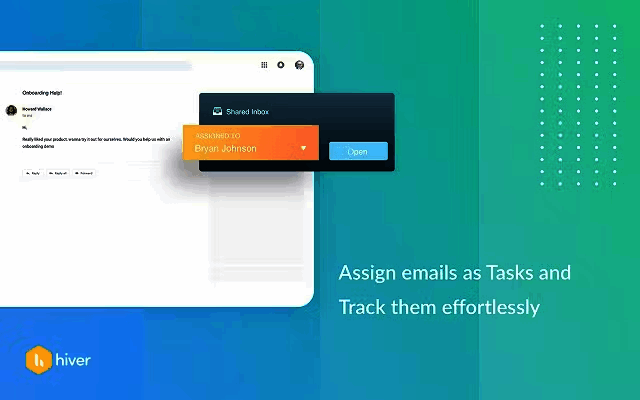
Ticketing with status and assignment inside Gmail
AI Agents and AI Copilot for response drafting
AI QA for quality monitoring on Elite
Round robin and skill-based assignment
Rule-based automations and macros
View All 15 Features
Hiver Pricing Plans
Free
- Shared inbox and ticketing, email/chat/help center channels, 24/7 support. 2-seat minimum. For teams evaluating Gmail-native helpdesk.
Growth (annual)
- $35/user/month annual or $25/user/month monthly. Everything in Free plus AI Agents, AI Copilot, Voice add-on, rule-based automations, round-robin assignment, pre-built analytics, basic integrations.
Pro (annual)
- $65/user/month annual or $55/user/month monthly. Everything in Growth plus customer portal, Slack channel management, SLAs and CSAT surveys, advanced analytics, premium integrations, API access.
Elite (annual)
- $95/user/month annual or $85/user/month monthly. Everything in Pro plus AI QA, AI Insights (coming soon), AI Knowledge Hub (coming soon), Customer Intelligence (coming soon), skill-based routing, Custom Objects, SSO/HIPAA/custom roles.
Hiver Screenshots
Description
What is Hiver?
Hiver is a customer service platform built directly inside Gmail and Google Workspace, founded in 2011 in Bengaluru, India. The product turns a Google Workspace shared inbox into a multi-channel helpdesk with ticketing, assignment, SLA tracking, and AI-powered response drafting, all without leaving the Gmail interface that teams already use.
The strongest positioning is for Google-shop companies (organizations standardized on Google Workspace) that find Zendesk, Freshdesk, and other separate helpdesk tools create friction by pulling agents out of their daily email workflow. Hiver adds helpdesk capabilities to Gmail rather than replacing it.
Who Hiver is built for
Hiver fits Google Workspace organizations across SMB, mid-market, and lower enterprise (10 to 5,000+ users). The strongest fit is customer service teams managing support@, sales@, billing@, and similar shared inboxes that have outgrown Gmail's default sharing (manual forwarding, BCC chains, sticky notes) but want to stay inside Gmail rather than learning a new tool.
Internal IT helpdesks at Google-shop companies use Hiver for ITSM-lite ticketing without ServiceNow complexity. Finance teams use it for vendor inquiries and AP support. Operations teams use it for facilities and HR requests. Multi-team deployments are common with each function running its own shared inbox.
It is less of a fit for Microsoft 365 organizations (the Gmail-native architecture is the core value), for B2C customer service at very large scale (Zendesk and Intercom fit better), or for enterprise IT teams needing full ITIL alignment with CMDB (ServiceNow or Vivantio fit better).
Hiver pricing plans
| Plan | Annual (user/mo) | Monthly (user/mo) | Best for |
|---|---|---|---|
| Free | $0 | $0 | Shared inbox + ticketing basics |
| Growth | $35 | $25 | AI Agents, automations, integrations |
| Pro | $65 | $55 | Customer portal, SLA, API access |
| Elite | $95 | $85 | AI QA, SSO/HIPAA, custom roles |
Note that Hiver lists monthly billing as cheaper than annual on its current pricing page; verify rate alignment during sales conversation. All plans require minimum 2 seats with seat expansion in increments of 5 after that. The Free plan covers shared inbox and basic ticketing with email, chat, and help center channels plus 24/7 support.
Growth adds AI Agents (AI-drafted responses), AI Copilot for agent assistance, rule-based automations, round-robin assignment, pre-built analytics, and basic integrations. Voice channel is an optional paid add-on. Pro adds customer portal, Slack channel management, SLA and CSAT surveys, advanced analytics, premium integrations, and API access. Elite is the AI-heavy tier with AI QA, AI Insights and AI Knowledge Hub (coming soon), Customer Intelligence (coming soon), skill-based routing, Custom Objects, SSO, HIPAA compliance, and custom roles.
Hiver core capabilities
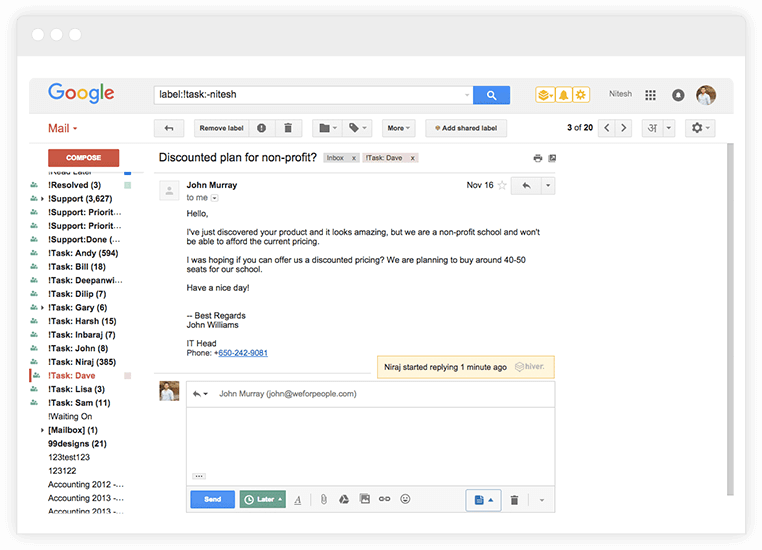
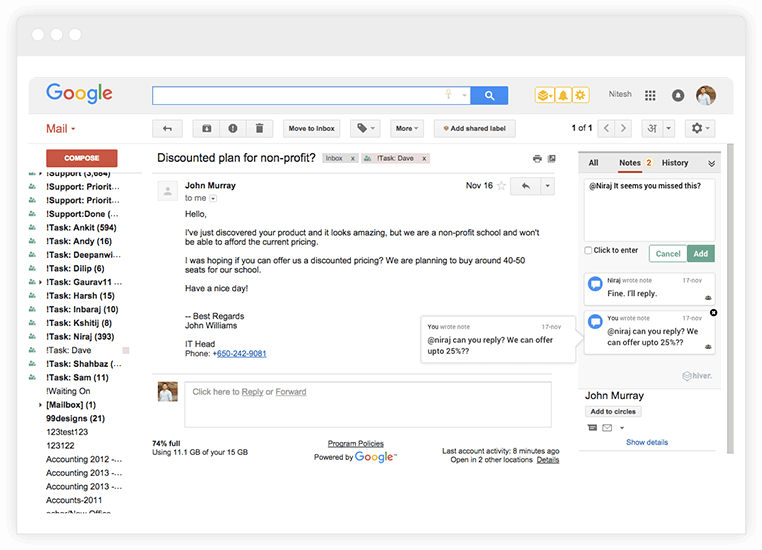
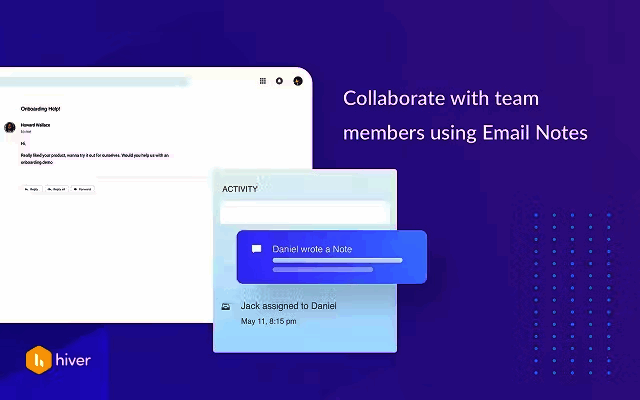
Shared inbox is the spine. A Google Workspace group ([email protected]) becomes a team-managed inbox inside individual users' Gmail. Team members see the same emails, assign tickets to each other, leave internal notes, and track status (open, pending, closed). Each email appears as a ticket with assignment, status, SLA, and conversation history.
The Gmail-native experience means agents work in familiar Gmail keyboard shortcuts, search syntax, and labels. The Hiver overlay adds ticket fields, assignment dropdowns, and team status indicators directly within the Gmail interface. No tool-switching required.
AI Agents and AI Copilot
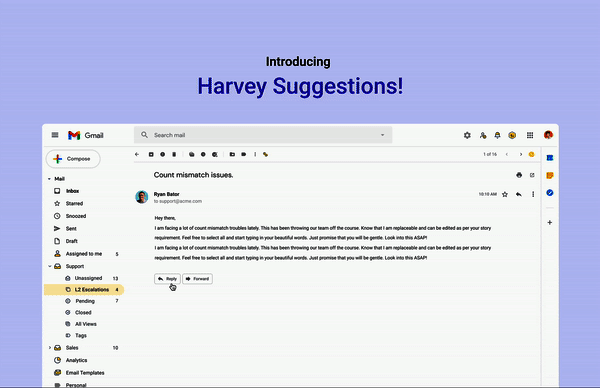
AI Agents (Growth and up) draft replies to incoming emails using context from the ticket history, customer record, and knowledge base. Agents review and edit before sending. For routine inquiries this can cut response drafting time significantly.
AI Copilot assists agents in-real-time during conversations: suggesting next replies, surfacing relevant knowledge base articles, summarizing long email threads, and drafting follow-up summaries. The AI is conservative compared to newer AI-first products but well-integrated into the Gmail workflow.
AI QA on Elite
AI QA (Elite tier) automatically reviews customer interactions against quality scorecards. The AI scores each conversation on factors like response quality, tone, empathy, accuracy, and SLA adherence, flagging conversations that need human QA review. For larger teams (50+ agents), this scales quality monitoring beyond what manual sampling can cover.
Automation and routing
Rule-based automation fires on triggers (email arrives, status changes, SLA at risk) with actions (assign to user, apply tag, escalate, send template reply). Round-robin assignment distributes new tickets evenly across the team. Skill-based routing on Elite assigns tickets to agents with relevant tags (language, product knowledge, customer tier).
Customer portal and self-service
Customer portal (Pro and Elite) gives end-users a branded web portal to submit requests, track ticket status, and search knowledge base articles. Self-service deflection (end-users solving their own issues from KB) reduces agent workload.
SLA and analytics
SLA management (Pro and up) tracks response time and resolution time against targets per ticket category, customer tier, or priority. Breach alerts notify managers before SLAs miss. CSAT surveys collect customer feedback after ticket close. Advanced analytics on Pro show team performance, response time trends, and ticket volume by category.
Channel integrations
Beyond Gmail, Hiver supports live chat (embedded on website), help center (public knowledge base), and voice channel as an add-on. Slack channel management on Pro lets teams convert Slack messages into Hiver tickets, useful for internal helpdesk where employees ask questions in Slack channels.
Integrations
Native integrations cover Salesforce, HubSpot, Jira, Asana, Microsoft Teams, Slack, Zapier, Make, and many CRM and project management tools. API access on Pro and Elite handles custom integrations beyond native connectors.
Mobile and offline
iOS and Android apps cover ticket management, internal notes, and assignment from mobile. Gmail-native integration means the standard Gmail mobile app also shows Hiver context. Offline mode is limited; most workflows require a connection.
Security and compliance
Hiver holds SOC 2 Type II and GDPR compliance. HIPAA-compliant deployment is Elite-tier. SSO via SAML, custom roles, and audit trails are also Elite. Data is hosted on Google Cloud infrastructure with US and EU regions available.
Hiver vs Zendesk
Zendesk is the customer service market leader with deep ticketing, knowledge base, and analytics. Hiver is the Gmail-native alternative for Google Workspace shops. Pick Zendesk for support-driven operations with complex routing and SLAs across multiple channels. Pick Hiver for Gmail-first teams wanting helpdesk capabilities without leaving Gmail.
Hiver vs Freshdesk
Freshdesk is the SMB-to-mid-market helpdesk from Freshworks with strong free tier and broad feature set. Hiver is the Gmail-native specialist with tighter Google Workspace integration. Pick Freshdesk for general SMB helpdesk. Pick Hiver for Google-shop teams wanting Gmail-native ticketing.
Hiver vs Help Scout
Help Scout is the SMB customer support platform with shared inbox positioning similar to Hiver but with its own separate UI rather than Gmail-native. Pick Help Scout for shared inbox in a standalone app. Pick Hiver for shared inbox inside Gmail.
Hiver vs Front
Front is the unified inbox for teams covering email, SMS, chat, and social with strong collaboration features. Hiver is Gmail-native. Pick Front for multi-channel team inbox with deeper collaboration features. Pick Hiver for Gmail-only teams wanting native ticketing.
Hiver vs Missive
Missive is another shared inbox tool with multi-channel support. Hiver has stronger AI features and Gmail-native UI. Missive has broader channel support beyond email. Pick on specific feature gap and Gmail-vs-standalone preference.
Buyer pitfalls to avoid
Three patterns hurt Hiver rollouts. First, deploying to non-Gmail teams: Hiver's value is Gmail-native. Microsoft 365 organizations get nothing from this; pick Freshdesk or Zendesk instead.
Second, treating it as a full ITSM: Hiver is shared-inbox helpdesk, not full ITIL ITSM with CMDB and change management. IT teams needing structured ITIL workflows should look at Vivantio, Freshservice, or ServiceNow.
Third, ignoring AI training: AI Agents draft better replies when trained on the team's knowledge base. Teams that turn on AI without curating KB content get generic responses that customers find unhelpful.
Implementation and time to value
Small teams: 1-2 weeks for Gmail integration setup, automation rules, and team training. Mid-market deployments: 3-6 weeks adding customer portal setup, SLA configuration, integration to CRM, and Voice add-on if applicable. Elite deployments: 6-10 weeks adding SSO, HIPAA configuration, AI QA setup, and custom roles. Hiver provides direct customer success on Pro and Elite.
Customer support
All plans include 24/7 support via email and chat. Pro and Elite add priority response. Documentation is in English with full Help Center coverage. The Hiver Community connects customers across Google Workspace use cases.
The Bottom Line on Hiver
Hiver is the right call for Google Workspace organizations that want shared inbox helpdesk capabilities, AI-powered response drafting, and ticketing inside Gmail rather than learning a separate customer service tool.
Standout strengths: native Gmail integration with no tool-switching, AI Agents for automated response drafting on Growth, AI QA for quality monitoring on Elite, shared inbox ticketing for support sales billing operations, customer portal on Pro, SLA management with CSAT surveys, 24/7 support included on every plan including Free.
Pricing fits Google-shop budgets: Free covers basic shared inbox and ticketing. Growth at $25-$35/user/mo adds AI and automation. Pro at $55-$65/user/mo adds customer portal and SLA. Elite at $85-$95/user/mo adds AI QA, SSO, HIPAA, and custom roles. 2-seat minimum on all plans with expansion in increments of 5.
Trade-offs to weigh: Microsoft 365 organizations get nothing (Gmail-native architecture is the core value). Not the right tool for full ITIL ITSM with CMDB. Voice channel is paid add-on rather than bundled. AI features lighter than newer AI-first products. Brand presence in upper-enterprise is smaller than Zendesk.
Alternatives worth comparing: Zendesk for deep customer service at scale, Freshdesk for SMB-to-mid-market general helpdesk, Help Scout for standalone shared inbox, Front for multi-channel team inbox, Missive for multi-channel shared inbox, Vivantio for structured ITIL ITSM, ServiceNow for enterprise IT service management. Pricing and capabilities verified on hiverhq.com/pricing on 2026-06-27.
Frequently Asked Questions
Is there a free plan or free trial for Hiver?
How much does Hiver cost?
What does Hiver integrate with?
Who is Hiver best for?
What are the best alternatives to Hiver?
Is Hiver GDPR / SOC 2 compliant?
Does Hiver have a mobile app?
What do real users say about Hiver?
How does Hiver compare to its top competitor?
Does Hiver offer customer support?
Find Your Perfect Software
See how it can transform your workflow
- Personalized for your needs Tailored recommendations based on your unique requirements.
- Save time & resources Streamline your workflow and boost team productivity.
- Trusted by thousands Join 10,000+ businesses already growing with SaaSrat.
You're all set! 🎉
A specialist for will reach out within 1 business day with tailored recommendations for your needs.