
Google Docs
by Google Inc. • Founded 1998
What is Google Docs?
Google Docs is a free cloud-based document editor for real-time collaborative writing, editing, and sharing. Part of Google Workspace, it covers commenting, version history, voice typing, offline editing, and Gemini AI integration. Capterra 4.7/5 across 28,986 reviews. Best fit for teams needing collaborative documents without software installation.
Get Best Quote for Google Docs
Connect with SaaSrat experts to get the best quote for your business.
You're all set!
A specialist for Google Docs will reach out within 1 business day.
Google Docs Features
Real-Time Collaborative Editing
Version History
Comments and Suggestions
Offline Editing
Voice Typing
Gemini AI Writing Assistant
View All 17 Features
Google Docs Pricing Plans
Personal
- Google Docs access
- 15GB Google Drive storage
- Gmail included
- Google Sheets and Slides
- Free forever with a Google account
Business Starter
- Custom business email
- 30GB storage per user
- 100-participant video meetings
- Google Docs plus full Workspace suite
- Standard security controls
Business Standard
- 2TB storage per user
- 150-person video meetings with recording
- Gemini AI in Docs/Sheets/Slides
- eSignature
- Most popular business plan
Business Plus
- 5TB storage per user
- 500-person meetings with attendance tracking
- Enhanced security
- eDiscovery and audit
- Maximum 300 users
Enterprise
- Unlimited storage
- 1,000-person meetings
- DLP policies
- Advanced endpoint management
- No user cap
- Contact Google Workspace sales
Google Docs Resources
Google Docs Screenshots
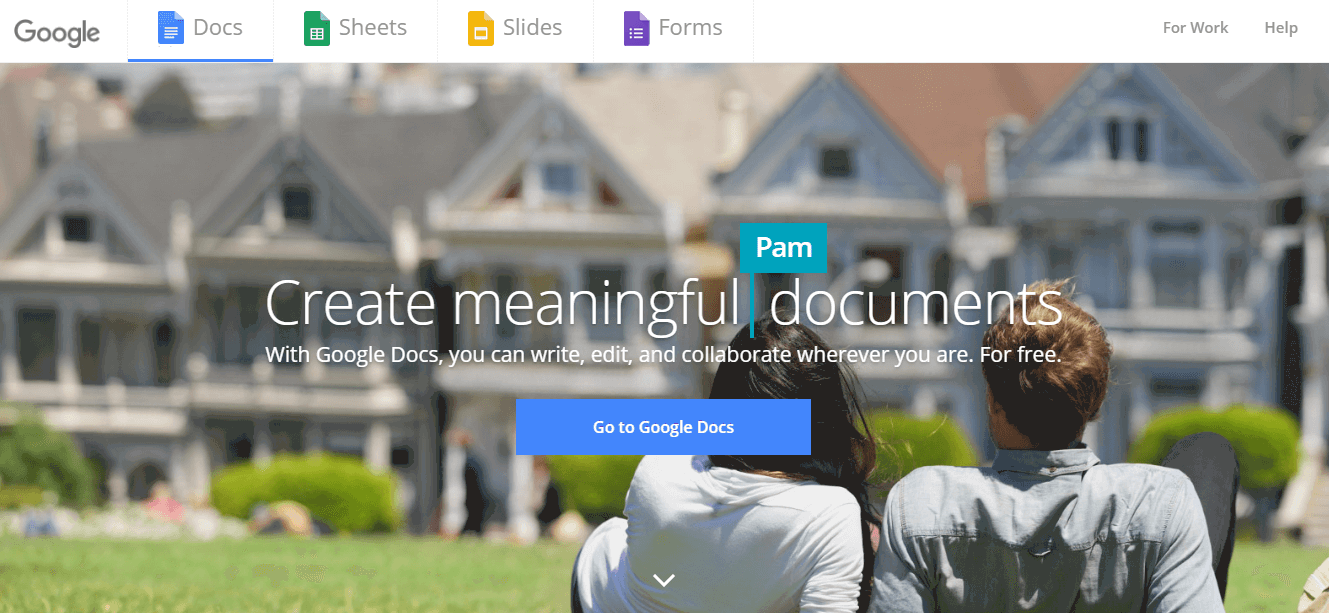
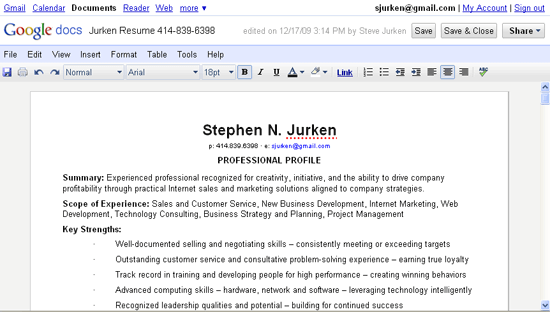
Description
Google Docs at a Glance
| Best fit for | Individuals, students, and business teams needing cloud-based collaborative document creation without installing software, with Gemini AI writing assistance and real-time multi-user editing |
|---|---|
| Core features | Real-time collaborative editing, version history, comments and suggestions, offline editing, voice typing, Gemini AI writing assistance, Document Tabs, 100-plus templates, add-ons, export to Word/PDF/other formats |
| Pricing model | Free for personal Google accounts. Business use via Google Workspace: from $7/user/month (Business Starter) to $22/user/month (Business Plus); Enterprise is custom quote. |
| Capterra rating | 4.7/5 across 28,986 reviews |
| Certifications | ISO 27001, SOC 1/2/3, FedRAMP, HIPAA, GDPR, PCI DSS (Google Workspace) |
| Mobile apps | iOS (App ID: 842842640) and Android (com.google.android.apps.docs.editors.docs) |
| Vendor | Google LLC (Mountain View, California, USA). Google Docs launched 2006 via Writely acquisition. Part of Google Workspace. |
| Version tested | Google Docs via Google Workspace Business Standard (verified June 2026 from workspace.google.com/products/docs/) |
Google Docs Pros and Cons in 2026
Where Google Docs Stands Out
Real-time multi-user collaborative editing with a free tier sets the baseline that all other document management tools are measured against. Google Docs allows multiple users to edit the same document simultaneously with cursor positions and edits visible in real time, with no version conflict management required. The free personal tier (no credit card, no time limit) provides this collaboration capability without a subscription. For teams that need a shared document editing baseline without IT procurement processes, Google Docs at free tier removes all financial friction from document collaboration. Capterra's 4.7/5 across 28,986 reviews is one of the largest peer-validated software ratings across any software category.
Gemini AI writing integration in 2026 adds AI drafting, summarization, and rewriting directly within documents. Google has integrated its Gemini AI model into Google Docs for Workspace subscribers, allowing users to draft from a prompt, summarize long documents, rephrase selected text, and generate tables from descriptive instructions without leaving the document interface. For content teams, writers, and business analysts who need AI writing assistance embedded in the document they are actually working in (rather than switching between a chat interface and a document), the Gemini integration reduces context-switching. Gemini features are tiered by Workspace plan, with stronger AI capabilities on Business Standard and above.
Document Tabs allow structured long-form document organization without a file folder structure. Google's Document Tabs feature (introduced in late 2024, generally available in 2025) allows a single Google Docs document to contain multiple tabbed sections, similar to a Word document with named sections but with the Docs collaboration model. For teams building complex documentation, proposals, or reports where previously they would create multiple linked documents, Tabs reduces the document sprawl and keeps related content in one shareable URL.
Version history with named versions provides a complete audit trail for compliance and approval workflows. Google Docs automatically saves every edit and maintains a full version history. Users can name specific versions (approved draft, legal review v2, final), restore any prior version, and compare versions side by side. For teams managing document approval workflows in legal, HR, or compliance contexts, this built-in version control removes the need for file naming conventions like "contract_final_v3_REVIEWED_USE_THIS_ONE.docx" that create confusion in email-based document management workflows.
Where Google Docs Falls Short
Advanced formatting and layout control is limited compared to Microsoft Word. For documents requiring precise typography control, complex table formatting, custom styles, or advanced mail merge capabilities, Google Docs' formatting toolset is more constrained than Microsoft Word. Marketing teams producing formatted brochures, legal teams producing court-formatted documents with specific margin and numbering requirements, and publishing teams with professional typesetting needs regularly hit the formatting ceiling that makes Word or InDesign more appropriate for the final production step even when using Docs for the collaborative drafting phase.
Offline editing requires deliberate setup and is browser-dependent. Google Docs offline editing works via the Google Docs Offline Chrome extension on Chromebook or Chrome browser on other platforms. For organizations standardized on Firefox, Safari, or Edge as the primary browser, offline access requires either switching to Chrome for offline editing or using the mobile app (which supports offline editing natively). This browser dependency creates friction for offline use in organizations not standardized on Chrome.
Enterprise governance features require Google Workspace Enterprise tier. Data loss prevention (DLP) policies, advanced endpoint management, enterprise-grade audit logs with extended retention, and eDiscovery capabilities are Enterprise-tier features. For regulated industries (financial services, healthcare, legal) that need these controls, the jump from Business Plus ($22/user/month) to Enterprise (custom quote) may be significant in price. Verify Enterprise pricing directly with Google Workspace sales.
Who Should Use Google Docs?
Google Docs serves every segment from individual users to global enterprises, which is simultaneously its greatest advantage and the reason the "who should use it?" answer varies enormously by use case. In the document management software category, it is the right default starting point for any team that does not have a strong reason to use an alternative.
It is the right fit when:
- The team needs real-time collaborative document editing with zero software installation
- The budget is zero (personal Google account) or team is already paying for Google Workspace for Gmail and Drive
- Document sharing via link (view, comment, or edit access) is the primary collaboration model
- AI writing assistance (Gemini) for drafting, summarizing, and rewriting is a priority
- Google Drive is the primary file storage and the team works in the Google ecosystem (Gmail, Sheets, Meet)
- The HR team needs shared policy documents, offer letters, and onboarding materials that multiple reviewers comment on simultaneously
It is the wrong fit when:
- The organization is Microsoft 365-standardized where Word, OneDrive, and SharePoint are the mandated document tools (switching cost outweighs Google Docs benefits)
- Advanced print layout and typographic precision is required (use Word, InDesign, or dedicated DTP tools for final production)
- Regulated industries need on-premise document storage where no document content can be stored in Google's cloud infrastructure
- The team needs deep project management integration where task assignment, deadlines, and approval gates need to be tracked alongside document status
How Much Does Google Docs Cost in 2026?
Google Docs is free for personal use (requires a Google account). Business use falls under Google Workspace pricing, current as of June 2026 from workspace.google.com/pricing:
| Personal (Free) | Free. Google Docs, Sheets, Slides, Forms, Drive (15GB), Gmail. Requires a Google account. No time limit or credit card required. |
|---|---|
| Business Starter | $7/user/month. Custom business email, 30GB cloud storage per user, video meetings up to 100 participants, standard security controls. Annual billing saves approximately 16%. |
| Business Standard | $14/user/month. 2TB storage per user, 150-person video meetings with recording, Gemini AI in Docs/Sheets/Slides, eSignature, advanced security. Most common business tier. |
| Business Plus | $22/user/month. 5TB storage per user, 500-person video meetings with attendance tracking, enhanced security, eDiscovery and audit. For teams with higher storage and compliance needs. Maximum 300 users. |
| Enterprise | Custom quote. Unlimited storage, 1,000-person meetings, DLP, advanced endpoint management, extended audit retention. No user cap. Contact Google Workspace sales. |
A 50% introductory discount (first 3 months) is sometimes offered for new Business Starter, Standard, and Plus subscriptions. Verify current promotional pricing at workspace.google.com/pricing before purchasing.
Google Docs in the Enterprise Stack
For companies already paying for Google Workspace Business Standard or above, Google Docs is included at no additional cost. The incremental cost per additional user covers the entire Workspace suite (Gmail, Drive, Sheets, Slides, Meet, Calendar, Chat, Gemini AI) rather than Docs alone. When evaluating Google Docs for business use against alternative document management platforms, the comparison should be made against the full Workspace bundle cost rather than treating Docs as a standalone line item. For marketing teams producing content at scale, Docs integrates with Google Workspace's shared Drive structure, allowing campaign brief templates, content calendars, and copywriting workflows to be centralized without a separate content management tool.
What Real Buyers Report About Google Docs
On Capterra (4.7/5 across 28,986 reviews), the consistent praise covers the zero-installation collaboration model, the comment and suggestion workflow for document review cycles, the version history that removes fear of overwriting work, and the free tier availability that makes it accessible for any team without a software procurement process. The consistent critiques cover the formatting limitations for print-production documents, the offline editing dependency on Chrome, and the Enterprise governance feature gate that puts compliance controls out of reach for Business Plus subscribers.
Bottom Line: Is Google Docs Right for Your Team?
For collaborative document creation and real-time editing across teams, Google Docs is the default right answer for most organizations that do not have a strong existing commitment to Microsoft 365. The 28,986-review Capterra rating at 4.7/5 represents the largest peer-validated consensus on any document collaboration tool. For business users, the decision is less about Google Docs specifically and more about whether Google Workspace (with Docs included) or Microsoft 365 (with Word included) is the right productivity suite for the organization's broader needs. Evaluate at workspace.google.com for a 14-day Workspace trial that includes full Google Docs business functionality including Gemini AI features.
For teams evaluating Google Docs alongside other collaboration and productivity tools, SaaSRat covers the project management software category for task and deadline tracking alongside documents, and the HR software category for teams needing policy document workflows with approval stages. For businesses also comparing accounting software or email marketing tools, SaaSRat's dedicated buyer guides help narrow the choice before a purchase decision.
Verified on 2026-06-08 by the SaaSRat Editorial Team. Vendor facts cross-checked against the vendor's own website, G2 and Capterra public listings, and current 2025-2026 press cycles. About our methodology.
Frequently Asked Questions
Is Google Docs free?
What is the difference between Google Docs free and Google Workspace?
Does Google Docs have AI writing features?
Can multiple people edit a Google Doc at the same time?
Does Google Docs work offline?
What is Google Workspace pricing in 2026?
Is Google Docs HIPAA compliant?
Can I import and export Microsoft Word files in Google Docs?
What is Document Tabs in Google Docs?
Does Google Docs support eSignature?
Find Your Perfect Software
See how it can transform your workflow
- Personalized for your needs Tailored recommendations based on your unique requirements.
- Save time & resources Streamline your workflow and boost team productivity.
- Trusted by thousands Join 10,000+ businesses already growing with SaaSrat.
You're all set! 🎉
A specialist for will reach out within 1 business day with tailored recommendations for your needs.