

Express Accounts
by NCH Software, Inc • Founded 1993
What is Express Accounts?
Express Accounts is a desktop accounting software by NCH Software, free for businesses with fewer than 5 employees and available as a one-time purchase license for larger teams. It covers accounts payable and receivable, bank reconciliation, invoicing, and financial reporting on Windows and Mac. Best fit for small businesses that want basic accounting without a monthly subscription fee.
Get Best Quote for Express Accounts
Connect with SaaSrat experts to get the best quote for your business.
You're all set!
A specialist for Express Accounts will reach out within 1 business day.
Express Accounts Features
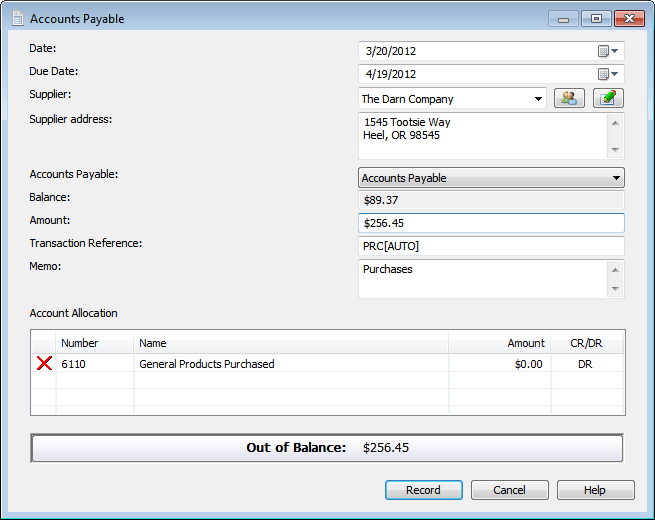
Accounts Payable
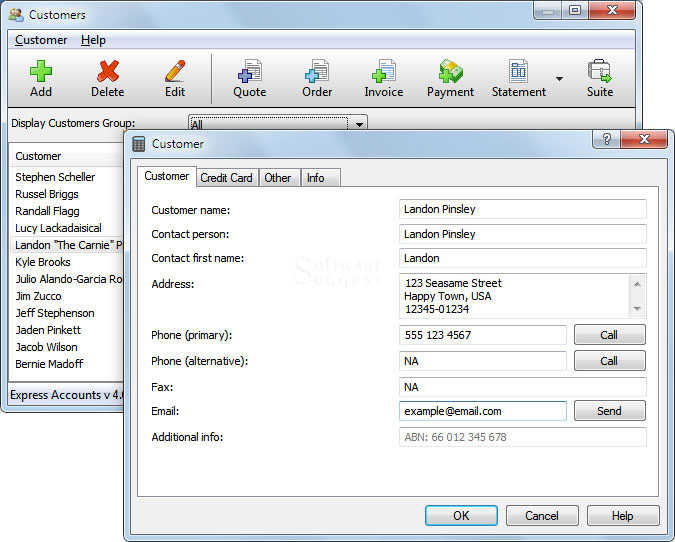
Accounts Receivable
Bank Reconciliation
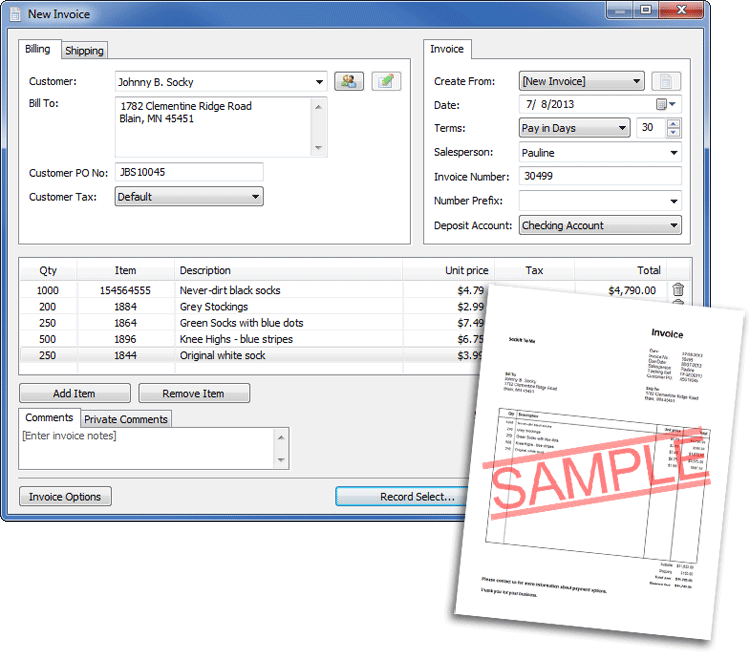
Invoicing
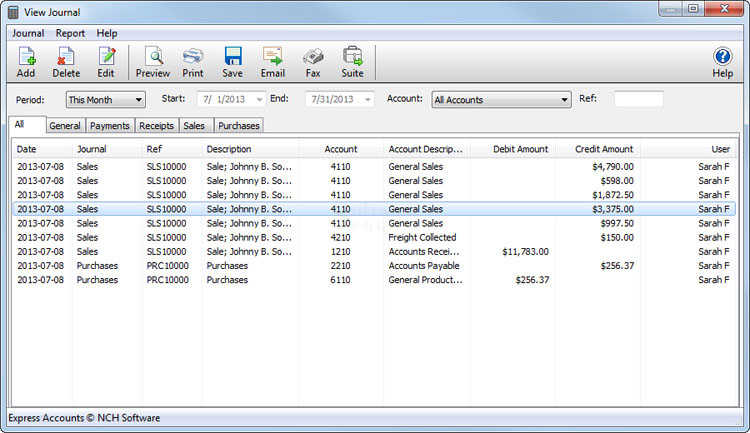
Financial Reporting
Profit and Loss
View All 13 Features
Express Accounts Pricing Plans
Free
- Accounts payable and receivable
- Bank reconciliation
- Invoicing
- Financial reports
- Free forever for businesses with fewer than 5 employees
- Windows and Mac
Paid License
- Everything in Free
- No employee limit
- Perpetual license (no subscription)
- Priority support add-on available
- Windows or Mac
- Verify current price at nchsoftware.com/accounting/
Express Accounts Resources
Express Accounts Screenshots
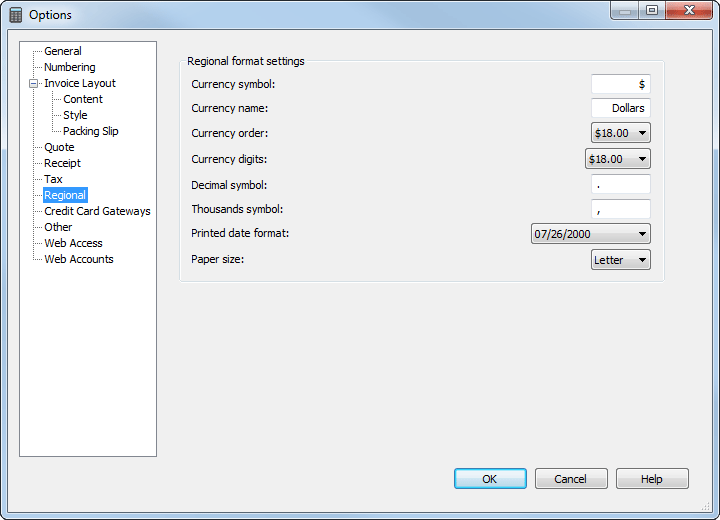
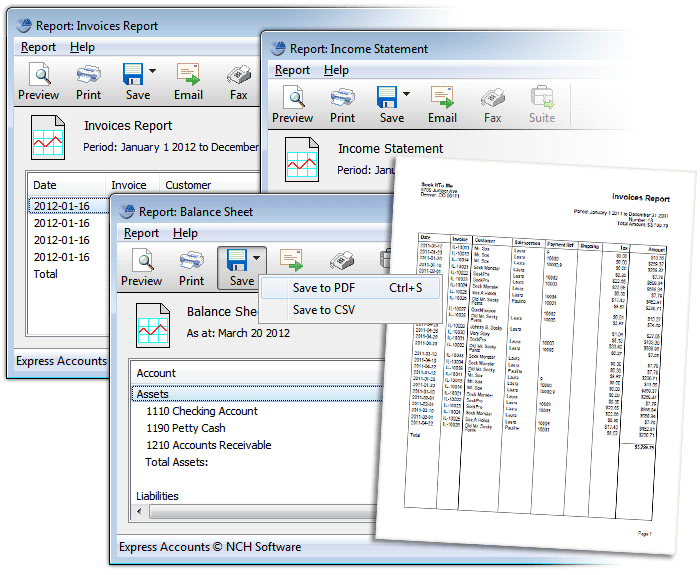
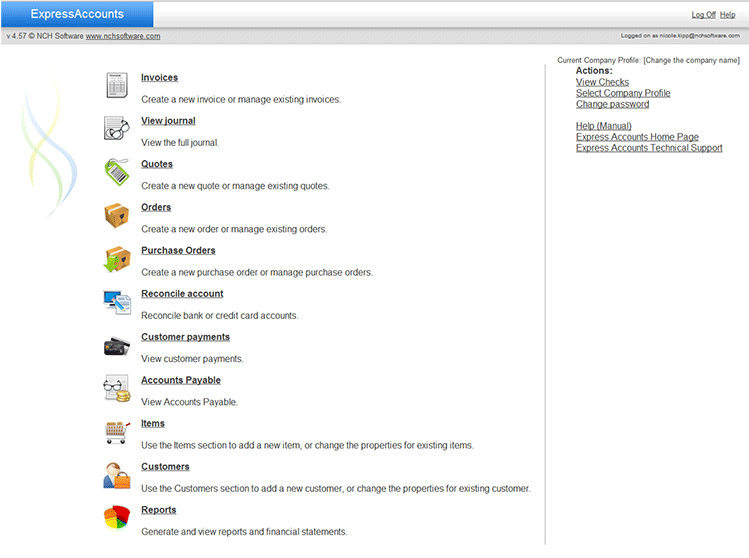
Description
Express Accounts is free accounting software developed by NCH Software for small businesses, freelancers, and non-profits. Available as desktop applications for Windows and Mac plus mobile apps for iOS and Android, it handles core bookkeeping without subscription fees. NCH Software, founded in 1993 in Canberra, Australia, has built a portfolio of over 80 business and consumer software products used globally.
The platform serves thousands of small businesses worldwide across retail, professional services, construction, and non-profit sectors. Primary markets include the United States, United Kingdom, Canada, and Australia, with particular adoption among sole proprietors and companies under 10 employees seeking cost-effective accounting tools. Unlike enterprise solutions, Express Accounts focuses exclusively on essential financial management for resource-constrained organizations.
Core Features of Express Accounts
The invoicing engine generates professional quotes and invoices with customizable templates, automatic payment reminders, and direct integration to payment processors for online collections. Users track invoice status from draft to paid, apply partial payments, and issue credit notes within the same workflow. The system supports recurring invoices for subscription billing without manual re-entry.
Financial reporting includes profit and loss statements, balance sheets, cash flow summaries, and tax-ready reports generated from double-entry accounting ledgers maintained automatically behind the interface. The dashboard displays accounts receivable aging, outstanding payables, and bank reconciliation status in real-time. Unlike simplified bookkeeping apps, Express Accounts maintains full general ledger compliance for audit trails.
Expense tracking captures bills, purchase orders, and vendor payments with category-level budget monitoring and variance alerts. Users photograph receipts via mobile apps for instant expense logging, categorize transactions by project or client, and generate vendor payment histories for tax documentation. The system calculates sales tax automatically based on jurisdiction rules configured during setup.
Key Highlights
- Market Position: Established free accounting solution from NCH Software, serving small businesses globally since the early 2000s with over 30 years of parent company software development experience.
- Target Users: Freelancers, sole proprietors, small businesses under 25 employees, non-profits, and startups requiring professional accounting without recurring software costs.
- Deployment: Desktop applications for Windows 11/10/8/7/Vista/XP and macOS 10.5 or later, plus native iOS and Android mobile apps for on-the-go invoice creation and expense logging.
- Standout Feature: Completely free with unlimited users, transactions, and time?no premium tiers, feature locks, or subscription upsells uncommon in modern accounting software markets.
- Integrations: Limited third-party integrations; focuses on standalone functionality with CSV import/export for bank statements, QuickBooks data migration tools, and email integration for invoice delivery.
- Pricing Model: Permanently free for all features; no trial periods, user caps, or paid upgrades?full functionality available immediately after download without credit card requirements.
- Support: Email support, comprehensive online documentation, video tutorials, and user forums; no live chat or phone support channels available.
- Compliance & Security: Local data storage on user devices with optional password protection; supports tax reporting for US, UK, Canadian, and Australian jurisdictions; no third-party cloud storage or SOC2 certification.
Who Should Use Express Accounts
Express Accounts fits micro-businesses with 1-10 employees in service industries like consulting, photography, home repair, landscaping, and freelance creative work. The software appeals to budget-conscious owners who need professional invoicing and year-end tax reports but cannot justify $20-70 monthly subscriptions. Non-profits managing donations, grants, and program budgets also benefit from the zero-cost model with full financial reporting capabilities.
A freelance graphic designer billing 15-20 clients monthly can generate branded invoices, track project expenses against quoted budgets, and export profit/loss statements directly to their tax preparer at year-end. Similarly, a small plumbing company managing parts inventory, customer payments, and subcontractor bills consolidates all financial data in one offline-accessible system without internet dependency or recurring fees.
Integrations & Ecosystem
Express Accounts offers minimal third-party integrations, focusing instead on standalone desktop functionality with CSV/Excel import capabilities for bank transactions. Users can migrate data from QuickBooks using NCH's conversion utilities, export reports to PDF for client sharing, and integrate email clients for automated invoice delivery. The platform lacks API access, Zapier connections, or native e-commerce platform syncing found in cloud-first competitors like Xero or FreshBooks.
Pricing & Plans
Express Accounts is completely free forever with no tiered pricing, user limits, or feature restrictions?a rarity in modern accounting software. There are no trial periods because full functionality remains unlocked permanently after the initial download. Businesses can install the software on unlimited computers, add unlimited users, and process unlimited transactions without any subscription fees, making it the lowest total cost of ownership in the accounting software category.
Pros & Cons
Pros
- Zero Cost Forever: Unlike competitors with free trials or limited free tiers, Express Accounts provides full professional accounting features with no subscription fees, user caps, or time restrictions?eliminating software expenses entirely for budget-constrained businesses.
- Offline Desktop Control: Data remains stored locally on user devices rather than cloud servers, giving businesses complete control over financial records, offline access without internet dependency, and avoiding recurring cloud storage fees or third-party data security concerns.
- Quick Setup Speed: Non-accountants can start invoicing clients within 15-30 minutes of installation using intuitive templates and guided workflows, avoiding the multi-week implementation timelines and consultant fees required by enterprise accounting systems.
Cons
- Limited Integration Ecosystem: The software lacks native connections to payment processors like Stripe, e-commerce platforms like Shopify, or CRM systems?requiring manual CSV imports and exports that create reconciliation friction for businesses using modern SaaS tool stacks.
- No Multi-User Collaboration: While multiple users can install the software, there's no real-time collaboration, role-based permissions, or cloud syncing?making it unsuitable for distributed teams or businesses requiring accountant access without file sharing workarounds.
Our Expert Take
Express Accounts is the best choice for solopreneurs and micro-businesses under five employees operating on tight budgets who need professional invoicing and tax-ready financial reports without monthly software expenses. The offline-first architecture particularly suits consultants, contractors, and home-based service providers who value data ownership and don't require team collaboration or extensive third-party integrations.
Growing businesses hiring multiple staff, running inventory-heavy operations, or requiring CRM/e-commerce platform syncing should avoid Express Accounts due to collaboration limitations and integration gaps. Consider Wave Accounting for free cloud-based collaboration or QuickBooks Online for comprehensive ecosystem integrations if your business relies on real-time multi-user access and automated bank feeds.
Verified on 2026-06-04 by the SaaSRat Editorial Team. Vendor facts cross-checked against the vendor's own website, G2 and Capterra public listings, and current 2025-2026 press cycles. About our methodology.
Frequently Asked Questions
Is there a free plan or free trial for Express Accounts?
How much does Express Accounts cost?
What does Express Accounts integrate with?
Who is Express Accounts best for?
What are the best alternatives to Express Accounts?
Is Express Accounts GDPR / SOC 2 compliant?
Does Express Accounts have a mobile app?
What do real users say about Express Accounts?
How does Express Accounts compare to QuickBooks?
Does Express Accounts offer customer support?
Find Your Perfect Software
See how it can transform your workflow
- Personalized for your needs Tailored recommendations based on your unique requirements.
- Save time & resources Streamline your workflow and boost team productivity.
- Trusted by thousands Join 10,000+ businesses already growing with SaaSrat.
You're all set! 🎉
A specialist for will reach out within 1 business day with tailored recommendations for your needs.