
DeskRoll
by Tomsk, Inc
What is DeskRoll?
Get Best Quote for DeskRoll
Connect with SaaSrat experts to get the best quote for your business.
You're all set!
A specialist for DeskRoll will reach out within 1 business day.
DeskRoll Features
Remote desktop access
File transfer
Multi monitor support
Session recording
Unattended access
Cross platform compatibility
View All 20 Features
DeskRoll Resources
DeskRoll Screenshots
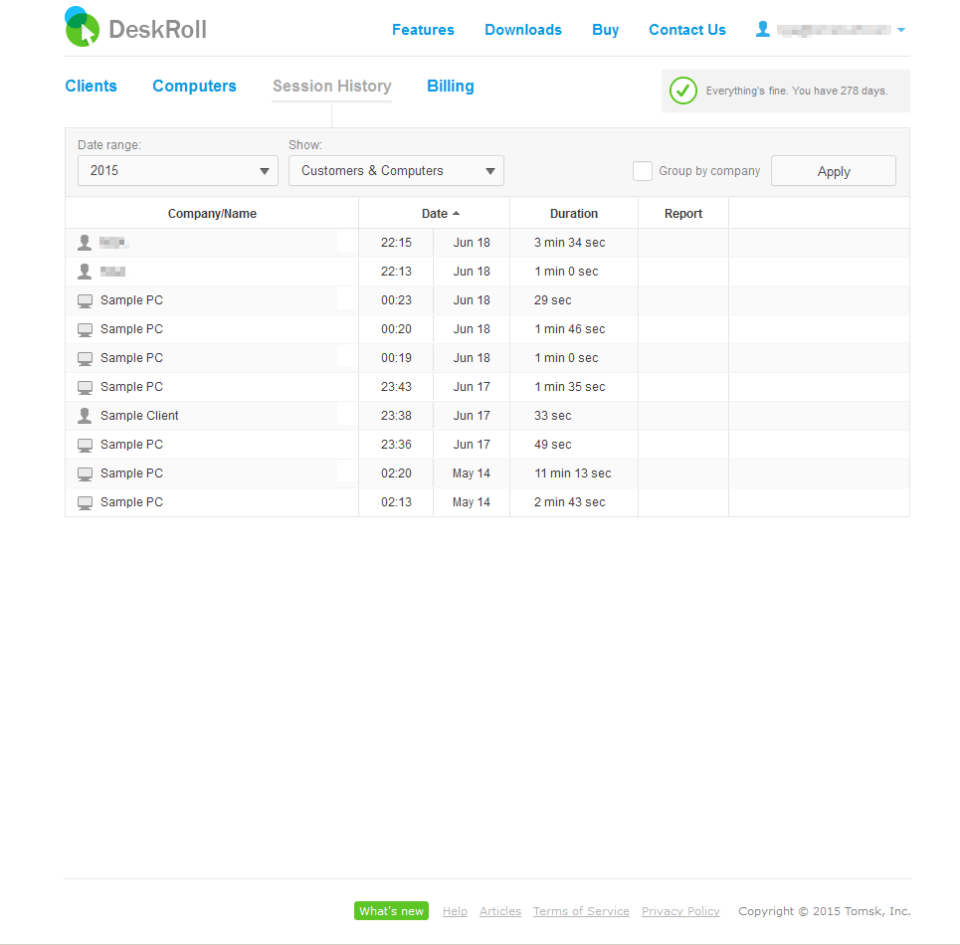
Description
DeskRoll at a Glance
| Best for | IT technicians, MSPs, freelance tech support providers, and family tech-helpers needing zero-friction remote assistance to non-technical end users |
|---|---|
| Deployment | Cloud SaaS with web-based access; DeskRoll application download for end users allowing remote control |
| Starting price | Free tier for tech providers; end-user remote support requires no registration; paid tiers Contact Vendor |
| Key strengths | Zero-registration end-user remote support, free tech-provider tier, web-based (no client software for tech), Google sign-in, simple newbie-friendly workflow |
| Not ideal for | Enterprise IT support teams needing session recording plus ticketing, or teams needing self-hosted on-premise deployment for regulatory compliance |
DeskRoll Overview
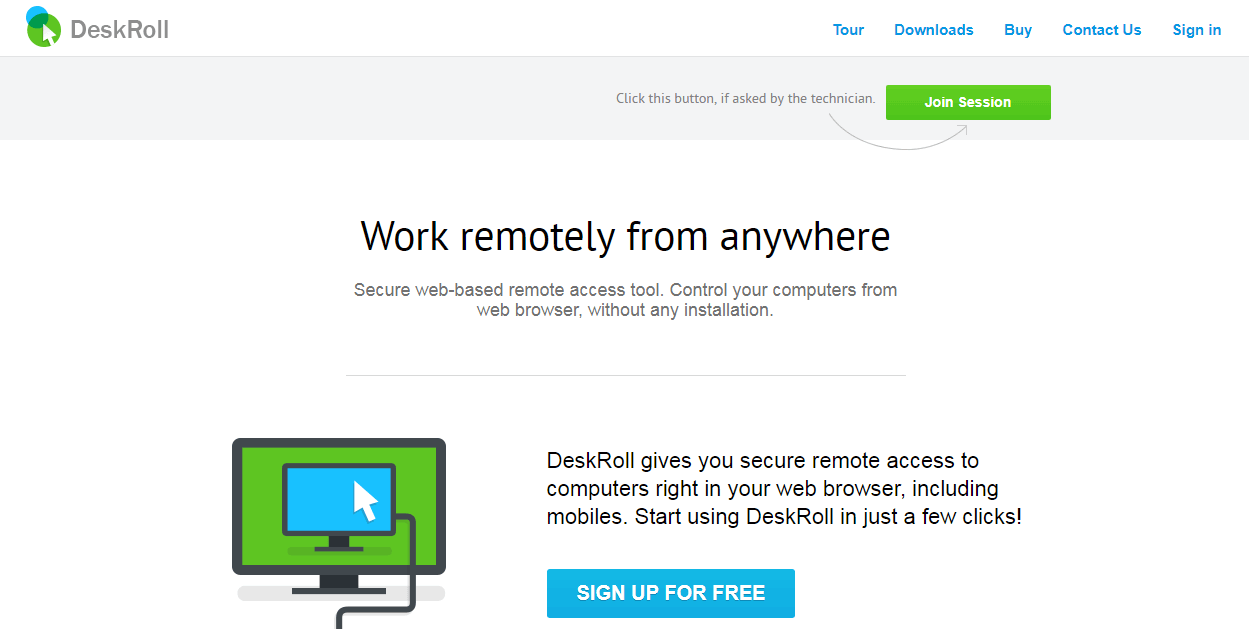
DeskRoll is web-based remote desktop software for remote computer management and remote assistance.
The vendor positioning is "Easy, Fast, Reliable" web-based remote support with a distinctive two-mode entry: end users needing help ("I am a Newbie") allow remote control without registration; tech providers ("I am a Tech Guy") register for free and functional access.
The newbie flow is genuinely zero-friction. When someone needs help with their computer, they click a button to set up the DeskRoll application and allow the technician to join, without creating an account or providing credentials.
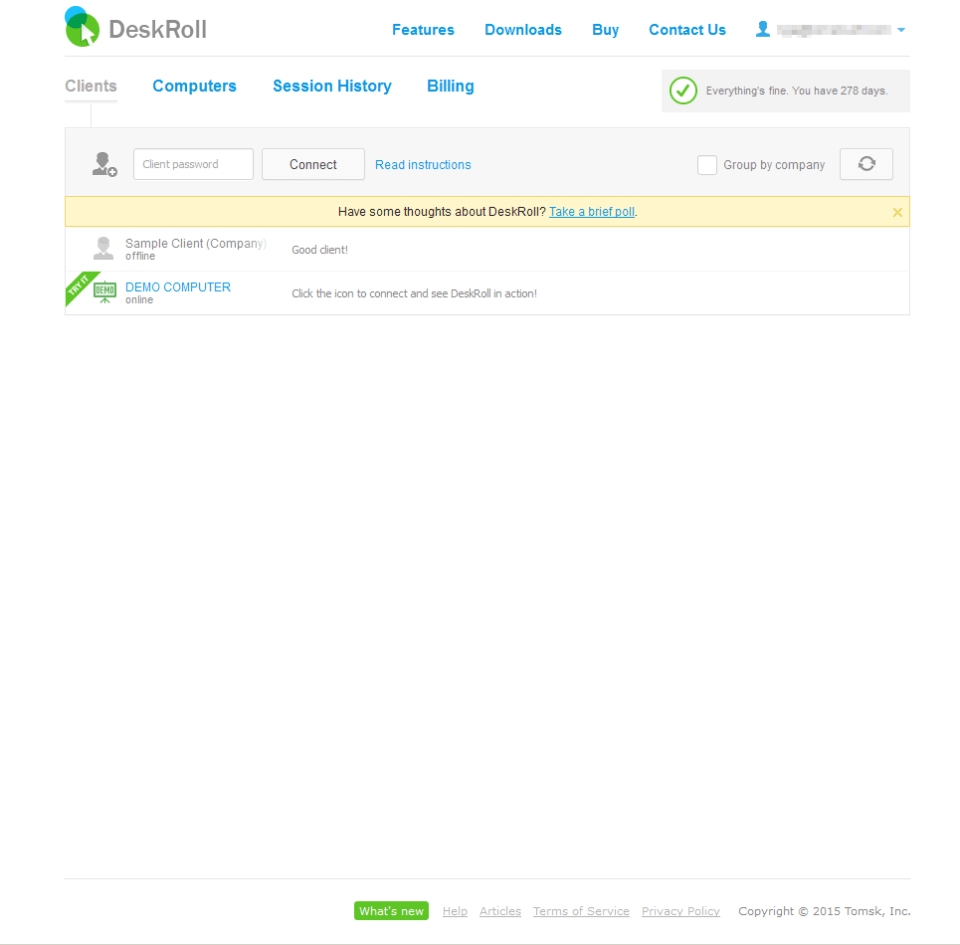
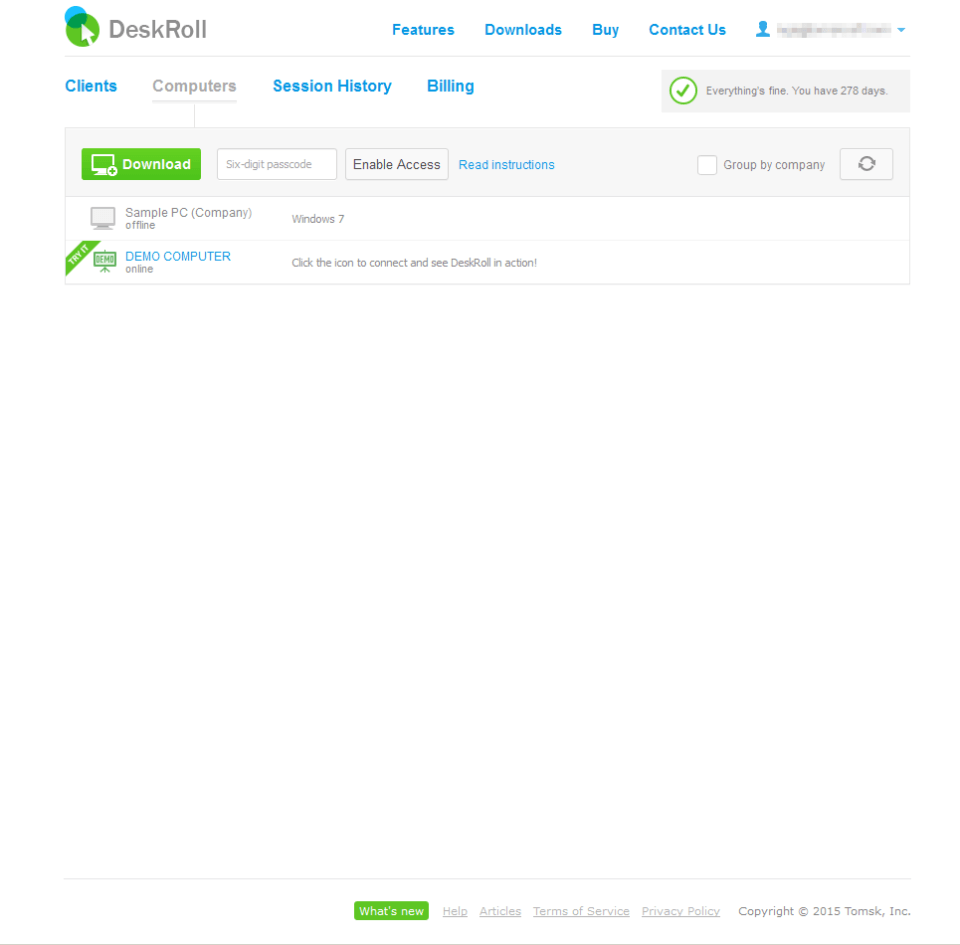
The tech flow provides free and functional access to remote in on their own computers or provide remote assistance to colleagues, clients, or relatives. Sign in with Google is available for zero-password registration.
Capabilities and Named Features
The DeskRoll thesis is that remote assistance often fails at the end-user step. Non-technical users struggle with account creation, software installation, and permission grants when a technician just needs to see their screen.
The two-mode entry point solves this. End users click "I am a Newbie" and get a zero-friction path to allow remote control. Technicians click "I am a Tech Guy" and get free registered access to manage their assistance sessions.
Web-based remote desktop is the technical differentiator. Tech providers do not install client software; the whole session runs through the browser. End users install a small DeskRoll Application to allow the tech to join, but they do not need accounts, passwords, or configuration.
The free tier for tech providers is genuinely functional rather than a trial funnel. Freelance tech support providers, MSPs on tight budgets, and family tech-helpers can operate DeskRoll indefinitely without paying.
Sign in with Google removes the account-creation friction on the tech provider side. Google-account holders get instant access without email verification or password setup.
Customer testimonial on the vendor site describes accessing personal computers at different client organizations to troubleshoot hardware and software issues remotely, with clients appreciating the ability to remote in at night when they are not using their computers. This captures the real-world use case: freelance tech support for small business clients across many locations.
Named feature list
- Web-based remote desktop for tech providers
- No-registration end-user remote support
- DeskRoll Application for end users
- Free tier for tech providers
- Sign in with Google authentication
- Cross-platform remote access
- Remote assistance to colleagues, clients, and relatives
- Personal remote computer access
- Fast, reliable, easy positioning
- No account required for end users being helped
- Cloud SaaS deployment
- Web browser access for technicians
- Small application download for accessed computers
- Freelance tech support use cases
- MSP-friendly workflow
- Family and personal tech help use cases
- Terms of Service and privacy compliance
- Unsubscribe control on user profile
Pricing and Plans
DeskRoll offers a free tier for tech providers as the primary product entry point. End-user remote support requires no registration or subscription.
Paid tiers with expanded features and higher usage limits are quoted separately; the vendor pricing page returns HTTP 404 currently, suggesting pricing may have moved or be quote-only.
Contact the vendor directly for paid tier pricing conversations.
| Tier | Price | What is included |
|---|---|---|
| Newbie (End User) | No cost | No registration required. End users allow remote control by installing the DeskRoll Application and letting a technician join. No account, subscription, or payment |
| Tech Guy (Free) | Free | Free and functional access for tech providers to remote in on their own computers or provide remote assistance to colleagues, clients, or relatives. Sign in with Google for zero-password registration |
| Paid Tiers | Contact Vendor | Higher-usage paid tiers with expanded features. Contact the vendor for current pricing and feature bundle |
Pros
- Zero-registration end-user remote support is a genuine differentiator; non-technical users start receiving help without creating accounts, verifying emails, or configuring anything.
- Free tier for tech providers is functional rather than a trial funnel; freelance tech support providers, MSPs on tight budgets, and family tech-helpers can operate indefinitely without paying.
- Web-based access for technicians means no client software installation on the tech side; browser-based remote assistance is faster to spin up than client-heavy competitors.
Cons and Trade-offs
- Enterprise IT support features (session recording, ticketing integration, workforce management) are lighter than dedicated enterprise remote support platforms like LogMeIn Rescue.
- Self-hosted deployment for regulatory compliance is not available; regulated verticals should evaluate self-hosted alternatives like RustDesk.
- Paid tier pricing is not clearly published (pricing page returned HTTP 404); scoping conversations require contacting the vendor.
DeskRoll vs Alternatives
| Capability | DeskRoll | TeamViewer | AnyDesk |
|---|---|---|---|
| End-user friction | No registration required | Account or session code | Account or session code |
| Tech provider free tier | Yes, functional | Free for personal use | Free for personal use |
| Web-based (no client install for tech) | Yes | No, requires client | No, requires client |
| Enterprise IT support features | Lighter | TeamViewer Remote Support | AnyDesk enterprise |
| Best fit | Freelance tech support, MSPs, family tech help | Enterprise IT support and remote work | Fast remote access and personal use |
Who Should Choose DeskRoll
IT technicians, MSPs, freelance tech support providers, and family tech-helpers needing zero-friction remote assistance to non-technical end users.
Tech providers who want a genuinely free tier for supporting small business clients across many locations benefit directly from the free-and-functional positioning.
Not appropriate for enterprise IT support teams needing session recording plus ticketing, or teams needing self-hosted on-premise deployment for regulatory compliance.
Named Alternatives to DeskRoll
- TeamViewer. Enterprise remote support and access with the largest brand. Chosen when the buyer needs enterprise IT support depth.
- AnyDesk. Fast remote access with free personal tier and paid business plans. A better fit when the buyer wants low-latency remote access.
- LogMeIn Rescue. Enterprise IT remote support with session recording and ticketing. Preferred for enterprise IT teams needing full remote support workflow.
- RustDesk. Open-source self-hosted remote desktop. Chosen when the buyer wants full self-hosted control without vendor lock-in.
- GoToMyPC. Remote desktop for individuals and small businesses on the GoTo product family. A better fit for personal remote access to own computers rather than tech-support workflow.
Implementation and Deployment
DeskRoll deployments are essentially instant on both sides. Tech providers sign in with Google or register for free; end users click a button when they need help and install the small DeskRoll Application to allow the tech to join.
Standard setup takes minutes rather than days. Tech providers configure their account, add clients or computers to remote into, and start providing remote assistance sessions.
MSPs and freelance tech support providers typically scale usage over the first weeks as they onboard client organizations to the two-mode workflow.
What Real Buyers Say About DeskRoll
Operator discussions on Reddit r/sysadmin remote support discussions and Reddit r/msp operator threads surface the following themes.
IT sysadmins and MSP operators on r/msp and r/sysadmin discuss DeskRoll as a candidate when they want zero-registration end-user remote support for non-technical clients.
The free-and-functional tech provider tier is frequently cited as a differentiator over paid-only competitors for freelance tech support.
Named customer testimonial on the vendor site describes real-world use for troubleshooting hardware and software issues remotely across client organizations.
Common critique from enterprise IT teams: session recording plus ticketing integration are lighter than dedicated enterprise remote support platforms; those teams should evaluate LogMeIn Rescue or TeamViewer Enterprise.
Vendor references: DeskRoll web-based remote desktop overview, DeskRoll use cases, DeskRoll help documentation.
Related DeskRoll Comparisons and Categories on SaaSRat
Explore related products and categories on SaaSRat to compare DeskRoll against alternatives.
- Remote Desktop Software on SaaSRat
- Remote Support Software on SaaSRat
- IT Management on SaaSRat
- TeamViewer: enterprise remote support
- AnyDesk: fast remote access
- AnyViewer: free personal remote desktop
- GoToMyPC: remote desktop for small business
- LogMeIn Rescue: enterprise IT support
The Bottom Line on DeskRoll
DeskRoll is a strong fit for IT technicians, MSPs, freelance tech support providers, and family tech-helpers needing zero-friction remote assistance to non-technical end users.
The zero-registration end-user workflow and genuinely free tech-provider tier are the standout differentiators over paid-only or client-heavy competitors.
Web-based access for technicians removes client software install friction that TeamViewer and AnyDesk require.
Enterprise IT support teams needing session recording plus ticketing should look at LogMeIn Rescue or TeamViewer Enterprise.
Regulated verticals needing self-hosted deployment should evaluate RustDesk or self-hosted alternatives.
Verified on 2026-08-04 against vendor website.
Frequently Asked Questions
What is DeskRoll?
Who is DeskRoll best for?
How does DeskRoll pricing work?
Do end users need to create an account?
Is the tech provider tier really free?
How does DeskRoll compare to TeamViewer?
Can DeskRoll be used for personal tech help?
What does the DeskRoll Application do?
Is DeskRoll web-based?
Where is DeskRoll based?
Find Your Perfect Software
See how it can transform your workflow
- Personalized for your needs Tailored recommendations based on your unique requirements.
- Save time & resources Streamline your workflow and boost team productivity.
- Trusted by thousands Join 10,000+ businesses already growing with SaaSrat.
You're all set! 🎉
A specialist for will reach out within 1 business day with tailored recommendations for your needs.