
Odoo
by Odoo • Founded 2005
What is Odoo?
Get Best Quote for Odoo
Connect with SaaSrat experts to get the best quote for your business.
You're all set!
A specialist for Odoo will reach out within 1 business day.
Odoo Features
CRM
Sales
Inventory
Accounting
Manufacturing MRP
HR and Payroll
View All 19 Features
Odoo Pricing Plans
Community
- Open-source (GNU LGPLv3), self-hosted only
- All Odoo apps included (same as Enterprise modules)
- No per-user fees -- unlimited users
- No Odoo Online hosting (self-host on your own server)
- No Odoo Studio, no multi-company, no external API
- Community forum support only (no official Odoo support)
- Full source code access on GitHub
One
- One Odoo app of your choice included
- Hosted on Odoo Online (SaaS)
- Automatic upgrades and platform maintenance
- Official Odoo support included
- Single-app restriction (add more apps at additional cost)
- Annual billing; monthly billing available at higher rate
Standard
- All 80-plus Odoo apps included (accounting, CRM, inventory, manufacturing, HR, ecommerce, etc.)
- Hosted on Odoo Online (SaaS)
- Automatic upgrades and platform maintenance
- Official Odoo support included
- No Odoo Studio, no multi-company support, no external API
- Annual billing; monthly billing available at higher rate
Custom
- All 80-plus Odoo apps included
- Odoo Studio: no-code app builder for custom modules, forms, and reports
- Multi-company support: manage multiple legal entities in one instance
- External API access (JSON-RPC and REST)
- Deploy on Odoo Online (SaaS) or on-premise
- Odoo support included
- Annual billing; monthly billing available at higher rate
Odoo Resources
Odoo Screenshots
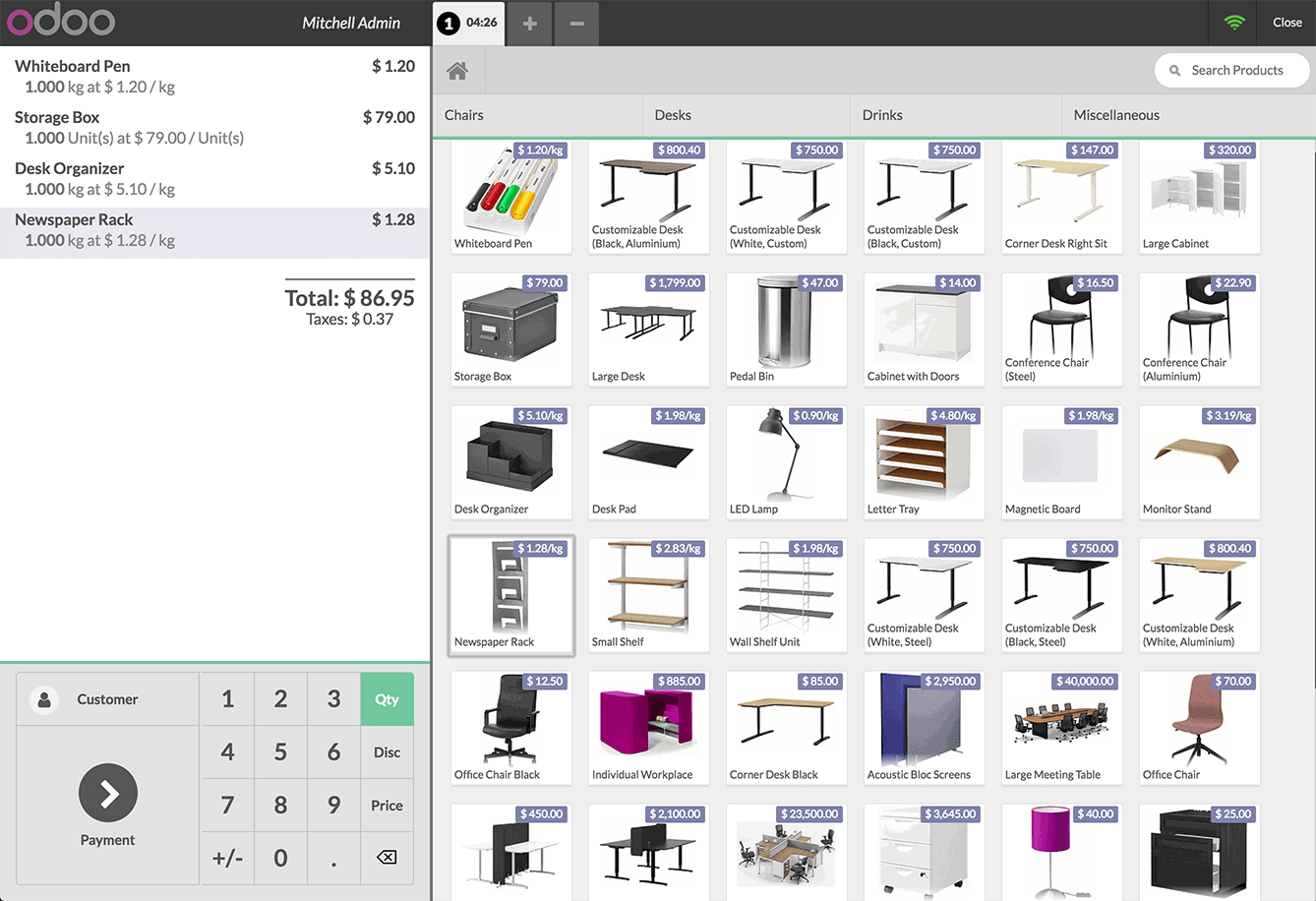
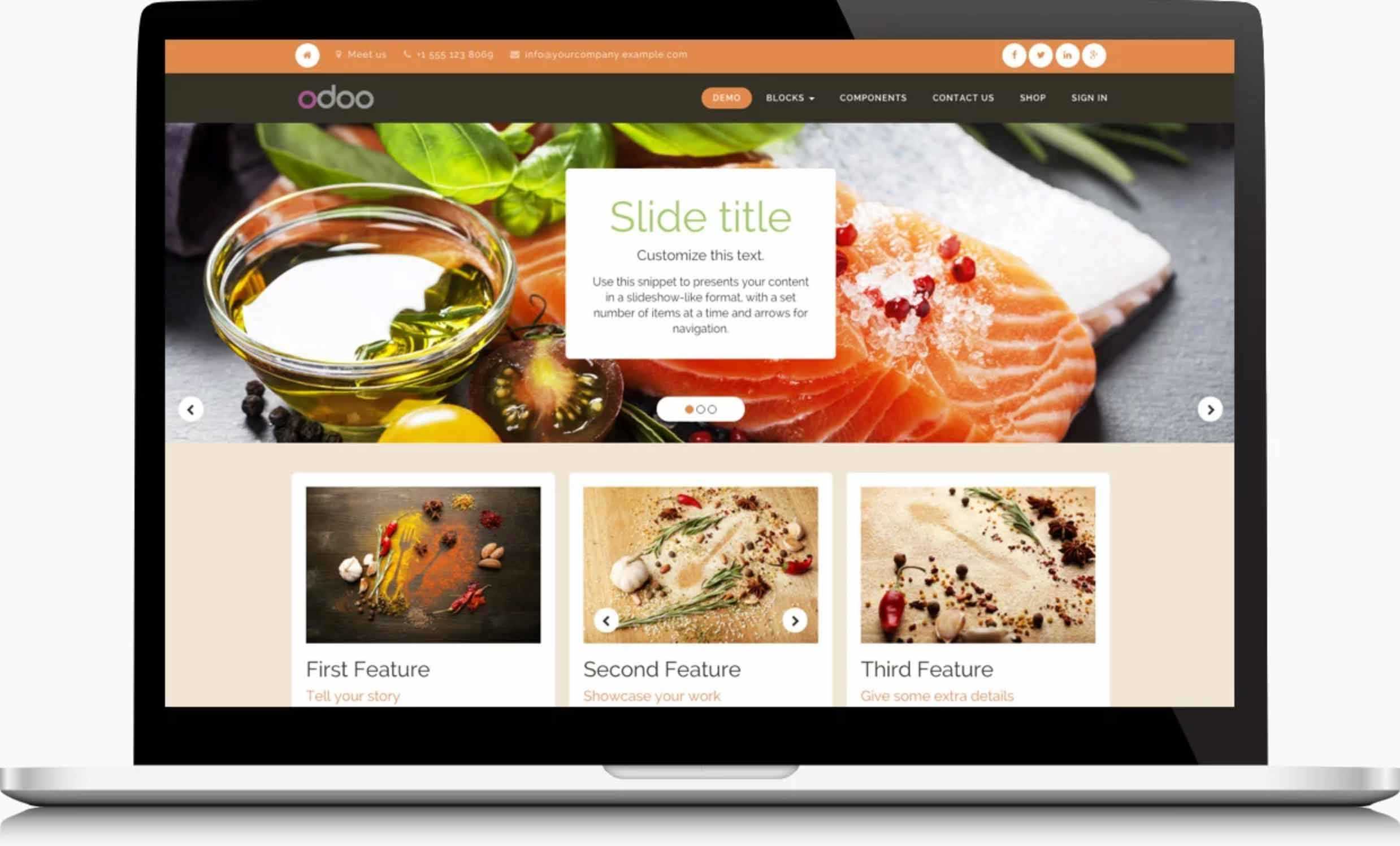
Description
Odoo is a modular open-core business management platform that covers CRM, sales, accounting, inventory, manufacturing, project management, ecommerce, HR, and more than 80 other apps in a single integrated system. Founded in Belgium in 2005, Odoo operates an open-source Community edition and a paid Enterprise version available as SaaS (Odoo Online), on your own server, or on Odoo.sh (a managed cloud environment). The platform serves businesses from solo founders using a single app to mid-market companies running Odoo across finance, operations, and customer management.
How Odoo Works
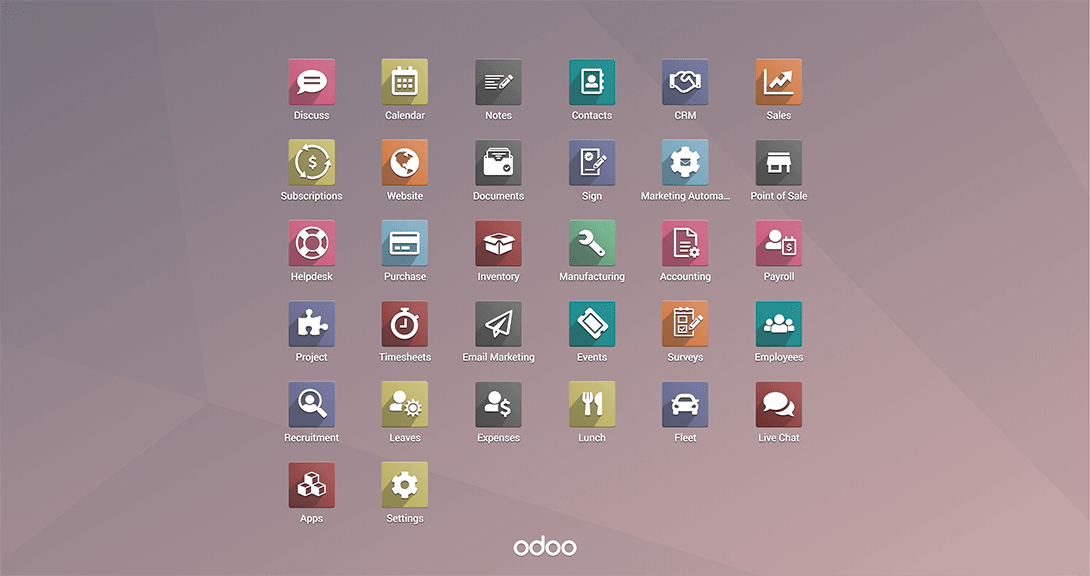
Odoo is built on a modular architecture where each business function is its own app -- Accounting, CRM, Inventory, Manufacturing, HR, Website, eCommerce, Point of Sale, and more. Apps share a common database and user interface, which means data created in CRM (a quote) flows directly into Accounting (an invoice) and Inventory (a delivery order) without manual entry or third-party connectors. This native integration is what distinguishes Odoo from assembling best-of-breed tools around a standalone accounting package.
The Community edition is 100% open-source (GNU LGPLv3) and can be self-hosted at no licensing cost. The Enterprise edition (One, Standard, and Custom plans) adds Odoo Online hosting, automatic upgrades, Odoo support, additional apps, and -- on the Custom plan -- Odoo Studio for no-code app customization, multi-company support, and external API access. Businesses that prefer a managed environment can deploy on Odoo.sh, which gives developer access (SSH, Git branch deployment, staging environments) with Odoo managing the infrastructure.
Odoo Key Features
- 80-plus integrated apps: CRM, Sales, Point of Sale, Inventory, Manufacturing (MRP, BOM, work orders), Accounting, HR, Payroll, Projects, Website builder, eCommerce, Marketing, Field Service, and more -- all on one platform sharing the same data model.
- Odoo Studio: No-code app builder for creating custom modules, modifying existing screens, adding fields, and building custom reports without writing code. Included in the Custom plan only.
- Odoo AI features: AI-generated product descriptions, AI assistant for CRM (lead scoring, next action suggestions), and image generation for products and marketing content.
- Multi-company and multi-currency: Manage multiple legal entities from one database with separate chart of accounts, fiscal positions, and currencies. Available on the Custom plan and above.
- External API: JSON-RPC and REST API for custom integrations. Available on the Custom plan; not available on Community or Standard plans for SaaS deployments.
- Odoo eCommerce: Full-featured online store integrated directly with the inventory and accounting system. No third-party middleware or product sync needed between the website and the back-office.
- Manufacturing MRP: Multi-level bills of materials, production scheduling, work order routing, quality checks, and shop floor management for product-based businesses.
- Accounting automation: Bank statement import, automatic reconciliation rules, multi-currency transactions, deferred revenue, and tax computation for 70-plus country localizations.
- Odoo App Store: Over 40,000 third-party apps and integrations from Odoo partners available for download and installation.
- Global localization: 80-plus languages, country-specific tax configurations, fiscal positions, and IFRS-compatible chart of accounts for operations in 160-plus countries.
Who Should Use Odoo?
Odoo is built for businesses that want one platform to replace a collection of disconnected tools -- separate accounting software, a standalone CRM, an ecommerce plugin, and a project management tool -- at a lower total cost than enterprise ERP systems. The strongest fits are:
- Small to mid-market product businesses (manufacturers, distributors, retailers) that need inventory, sales, and accounting connected without third-party integrations
- Growing companies that started with a single Odoo app and want to expand module by module without switching platforms
- Businesses with ecommerce operations that need the online store directly connected to inventory and accounting without a middleware sync
- Developers and technical teams that want to extend and customize an open-source platform with full access to the source code
- Cost-conscious businesses that want to self-host the Community edition with no per-user licensing fees
- Multi-entity businesses (Custom plan) that need to manage multiple companies in one system with intercompany transactions
Odoo is not the right fit for large enterprise organizations with complex compliance requirements, established ERP footprints, or the need for dedicated implementation services from a large SI partner. For specialized manufacturing ERP, dedicated payroll systems, or complex financial reporting across dozens of entities, purpose-built ERP software options may offer deeper vertical capability. For simpler needs, tools in the accounting software or CRM software categories provide focused functionality without the ERP breadth.
Pros and Cons of Odoo
What works well:- The breadth of native integrated apps is genuinely large -- accounting, CRM, inventory, manufacturing, ecommerce, HR, and projects are all first-party apps on the same platform, which means the integration between them works without setup
- The Community edition provides a fully functional open-source ERP with no per-user licensing fees, which is rare at this breadth of functionality
- The Standard plan pricing ($31.10/user/month billed annually) is well below typical mid-market ERP costs for comparable all-apps access
- Odoo Studio enables substantial no-code customization without a developer -- adding fields, modifying views, creating custom reports, and building simple custom modules without code
- The Odoo App Store has 40,000-plus third-party apps and integrations, providing connectors to payment gateways, shipping carriers, country-specific tax systems, and industry-specific extensions
- Odoo's depth per module varies -- the accounting module is robust, but for businesses with complex manufacturing (high-volume MRP, MES integration, shop floor control) or complex projects (earned value, resource-leveled scheduling), dedicated specialist ERP tools offer more depth
- Community edition users receive no official Odoo support and must rely on community forums and self-diagnosis for issues -- the gap between Community and Enterprise support is significant
- The Custom plan (required for multi-company and API access) is priced at $61/user/month, which positions it above some competing all-in-one ERP platforms for larger teams
- Implementation quality varies significantly by partner -- the Odoo partner network is large and global, but partner expertise varies widely. A poorly scoped implementation adds significant cost beyond the licensing.
Odoo Pricing
Odoo offers four pricing tiers (prices as verified via GetApp from Odoo's own pricing page, annual billing):
- Community: Free forever. Open-source (GNU LGPLv3), self-hosted only. No Odoo Online hosting, no Odoo Studio, no multi-company, no external API, community forum support only.
- One: ~$25/user/month (annual). One app of your choice, hosted on Odoo Online. Includes automatic upgrades and Odoo support.
- Standard: $31.10/user/month (annual). All 80-plus Odoo apps included. Hosted on Odoo Online. Automatic upgrades and Odoo support.
- Custom: $61.00/user/month (annual). All apps plus Odoo Studio, multi-company support, and external API access. Deploy on Odoo Online or on-premise.
For the most current pricing, visit odoo.com/pricing. Note: odoo.com serves pages behind Cloudflare and restricts automated access -- pricing was verified through aggregators that mirror Odoo's current pricing page data. Monthly billing is available at higher per-user rates.
Odoo vs. Alternatives
Odoo's primary differentiation in the ERP software market is the combination of open-source availability, breadth of integrated apps, and relatively accessible per-user pricing. Compared to dedicated open-source alternatives like ERPNext, Odoo offers a more polished user interface and a larger certified partner network. Compared to enterprise ERP platforms, Odoo offers significantly lower per-user cost and faster time-to-value for standard business processes.
The decision between Odoo and purpose-built tools typically comes down to depth versus breadth. Businesses that need very deep capability in one area -- complex manufacturing scheduling, advanced business intelligence, specialized document management, or industry-specific compliance -- often find dedicated tools more capable in that specific area. Businesses that need reasonable capability across many areas at low total cost often find Odoo more practical than assembling and integrating best-of-breed tools.
What Users Say
Finance and operations professionals who discuss Odoo in online communities consistently point to the same tradeoff: the breadth of native integration is the biggest advantage, and the depth of individual modules is the biggest limitation. A company using Odoo for accounting, CRM, inventory, and basic manufacturing will typically find all four modules sufficient for standard use cases. A company with complex needs in just one area (advanced contract manufacturing, complex revenue recognition, or high-volume warehouse operations) often finds they need a specialized tool alongside Odoo for that specific function.
Implementation feedback is strongly bifurcated. Businesses that self-implemented Odoo for straightforward use cases (accounting plus CRM plus a basic ecommerce store) report positive experiences with reasonable go-live timelines. Businesses that attempted to implement complex manufacturing or multi-entity requirements without experienced Odoo partners report longer timelines and higher costs than anticipated. The Odoo partner network quality varies significantly by region and partner size.
Odoo Integrations
Odoo integrates natively between its own apps and through the App Store with third-party systems:
- Ecommerce: Odoo native eCommerce plus connectors for Amazon, eBay, WooCommerce, and Shopify
- Payment gateways: Stripe, PayPal, Authorize.Net, Adyen, and 50-plus regional payment providers via partner apps
- Shipping: FedEx, UPS, DHL, USPS, Australia Post, and other carriers through built-in shipping integrations
- Accounting connectors: Bank statement import via direct bank connections or OFX/CSV import. Billing software integrations for invoicing workflows
- HR and payroll: Built-in Odoo Payroll for supported countries, plus regional payroll provider connectors in the App Store. Connects to expense management natively through Odoo Expenses
- Project management: Odoo Projects connects to billing, timesheets, and HR natively. External integrations with project management tools via Zapier or custom API
- Open API: JSON-RPC API on all plans; REST API on the Custom plan and self-hosted deployments. 40,000-plus apps in the Odoo App Store cover most third-party integration needs
Mobile Access
Odoo provides dedicated iOS and Android apps. The Odoo mobile app (iOS App Store ID: 1272543640, Artist: Odoo S.A., bundle: com.odoo.mobile; Android: com.odoo.mobile) gives employees access to CRM records, purchase approvals, inventory movements, expense reporting, and basic operations from any mobile device. Install links: Odoo on App Store and Odoo on Google Play.
Security and Compliance
Odoo Online (the SaaS platform) is hosted on Odoo's own cloud infrastructure. Security controls include:
- ISO/IEC 27001: Information security management certification for the Odoo Online platform
- GDPR compliance: Data processing controls and data residency options for EU-based customers
- SOC 2 Type II: Security and availability controls audited for the Odoo SaaS platform
- Role-based access controls: Field-level and record-level access control across all Odoo modules
- Two-factor authentication: Available for all Odoo Online users
Self-hosted Community and Enterprise deployments inherit the security of the customer's own hosting environment. Odoo.sh deployments run on Google Cloud Platform.
Implementation and Onboarding
Odoo implementations range from self-service (a single app, standard configuration, Odoo Online) to complex partner-delivered projects (multi-module, multi-company, custom development). For standard use cases, Odoo's onboarding wizards guide new users through initial configuration. The Odoo eLearning platform provides free online courses for functional users and technical developers. For more complex deployments, Odoo's network of 2,000-plus certified partners delivers implementation, customization, and ongoing support services. Implementation timelines vary from weeks (single-module SaaS) to 12-plus months (multi-module, multi-entity Enterprise deployments).
Odoo Support
Odoo is headquartered in Grand-Rosiere, Namur Province, Belgium, with offices in San Francisco, New York, Luxembourg, Hong Kong, Dubai, and other locations. Enterprise plan customers receive Odoo's standard support through the online customer portal. On Community, support is limited to community forums and documentation at odoo.com. Social: linkedin.com/company/odoo, x.com/odoo, facebook.com/odoo. YouTube: youtube.com/@Odoo.
What Real Buyers Report
Nirula Patel reviewed Odoo by examining the odoo.com product pages, the Odoo App Store, the Odoo eLearning platform, Odoo 17 feature release notes, and the official Odoo YouTube channel (@Odoo). The platform's most operationally significant feature is the fully native integration between the 80-plus first-party apps. When an Odoo accounting user opens a customer record, they can see the full sales order history, open invoices, delivery status, and support tickets in one view without any integration to maintain. This breadth of native context is what drives the productivity gains reported by businesses that consolidate from multiple disconnected tools onto Odoo.
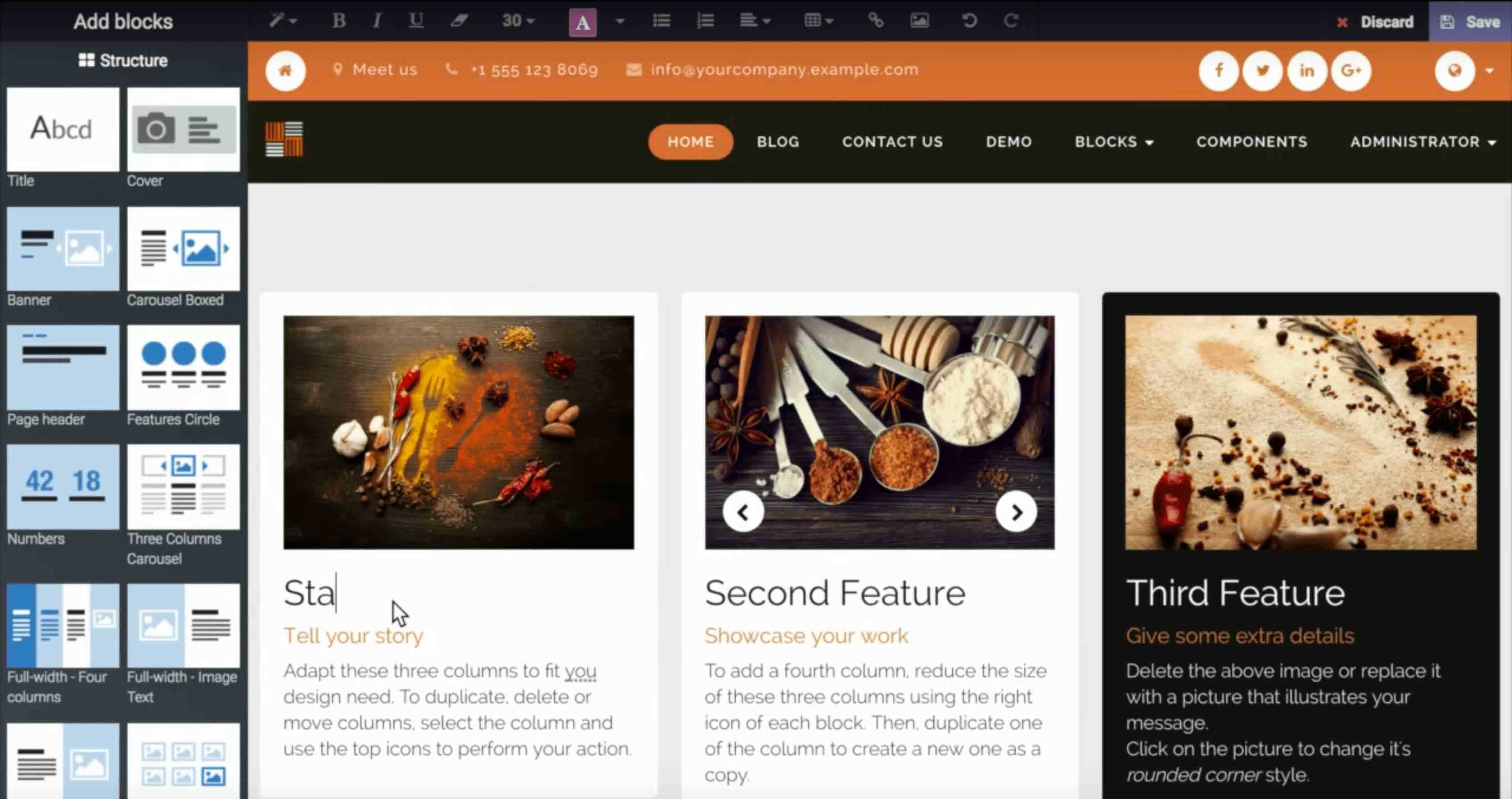
The Odoo Studio tool (Custom plan) deserves specific mention for businesses that need customization without a developer. Creating a custom module to track a specific business process, modifying a standard Odoo view to show business-specific fields, or building a custom report for management review are all achievable in Odoo Studio without writing code. For businesses that previously assumed ERP customization required a developer engagement, this is a meaningful capability to evaluate during a demo.
Is Odoo Right for Your Business?
Odoo is the strongest choice for SMBs and growing mid-market companies that need an all-in-one platform at a lower cost point than enterprise ERP, with the option to start with a single app and expand as the business grows. The Community edition is worth serious consideration for any business with a technical team willing to self-host -- the open-source model eliminates per-user licensing costs entirely while providing access to the full Odoo feature set.
For businesses that need a single focused tool for accounting, CRM, or ecommerce without the broader ERP scope, the SaaSRat category pages for each of those areas cover lighter-weight specialist tools. For businesses with complex industry-specific ERP requirements, the full ERP software category on SaaSRat covers platforms from open-source options through enterprise-grade industry ERP systems. Visit odoo.com to start a free trial of any Odoo module or to request a demo of the full platform.
Verified on 2026-06-09 -- Content sourced from odoo.com product pages, odoo.com/pricing (pricing cross-verified via GetApp aggregator data -- odoo.com serves behind Cloudflare and blocks automated access), and the Odoo YouTube channel (@Odoo). Pricing: Community free; One ~$25/user/month; Standard $31.10/user/month; Custom $61.00/user/month (annual billing). Prices may differ on monthly billing. iOS app (ID 1272543640, Artist: Odoo S.A.) and Android app (com.odoo.mobile) confirmed via iTunes API and Google Play. HQ: Grand-Rosiere, Belgium. Founded 2005 by Fabien Pinckaers.
Frequently Asked Questions
Is there a free plan or free trial for Odoo?
How much does Odoo cost?
What does Odoo integrate with?
Who is Odoo best for?
What are the best alternatives to Odoo?
Is Odoo GDPR / SOC 2 compliant?
Does Odoo have a mobile app?
What do real users say about Odoo?
How does Odoo compare to its top competitor?
Does Odoo offer customer support?
Find Your Perfect Software
See how it can transform your workflow
- Personalized for your needs Tailored recommendations based on your unique requirements.
- Save time & resources Streamline your workflow and boost team productivity.
- Trusted by thousands Join 10,000+ businesses already growing with SaaSrat.
You're all set! 🎉
A specialist for will reach out within 1 business day with tailored recommendations for your needs.