

Usersnap
by Usersnap
What is Usersnap?
Get Best Quote for Usersnap
Connect with SaaSrat experts to get the best quote for your business.
You're all set!
A specialist for Usersnap will reach out within 1 business day.
Usersnap Features
Screen capture widgets with point-and-click annotation
In-app bug reporting with console logs and error tracking
AI sentiment sensor for response analysis
Opportunity board for feature requests
Customer request portal with branded experience
Survey builder with NPS CSAT and custom forms
View All 15 Features
Usersnap Pricing Plans
Free
- First 20 feedback items free, 5 team members, 5 active widgets/surveys, 500 total feedback items storage. Screen capture widgets, basic metadata, opportunity board, announcements.
Starter (annual)
- $39/month annual ($49 monthly). 5 team members, 5 active projects, unlimited feedback items per month. Includes everything in Free plus AI sentiment sensor (500 items/month limit).
Growth (annual)
- $89/month annual ($109 monthly). 10 team members, 10 active widgets/surveys. Adds feedback menu, channels integration, reply follow-ups, expanded AI sentiment sensor.
Professional (annual)
- $159/month annual ($199 monthly). Most popular tier. 20 team members, 20 active widgets/surveys, unlimited storage. Customer request portal, error console logs, behavioral targeting, segment identification.
Premium (annual)
- From $319/month annual. 50 team members, 50 active widgets/surveys, unlimited storage. Adds custom branding, mobile SDK for iOS and Android, multi-lingual translations, roles and permissions.
Enterprise
- Custom and flexible plans with premium security review, dedicated success manager, SSO via SAML, priority support. For large product organizations with custom needs.
Usersnap Screenshots
Description
What is Usersnap?
Usersnap is a customer feedback and bug reporting platform built in Linz, Austria since 2013. The product helps product, engineering, design, and customer experience teams collect feedback, bug reports, and feature requests directly from users inside web and mobile applications, with screenshots, point-and-click annotations, console logs, and behavioral context attached automatically.
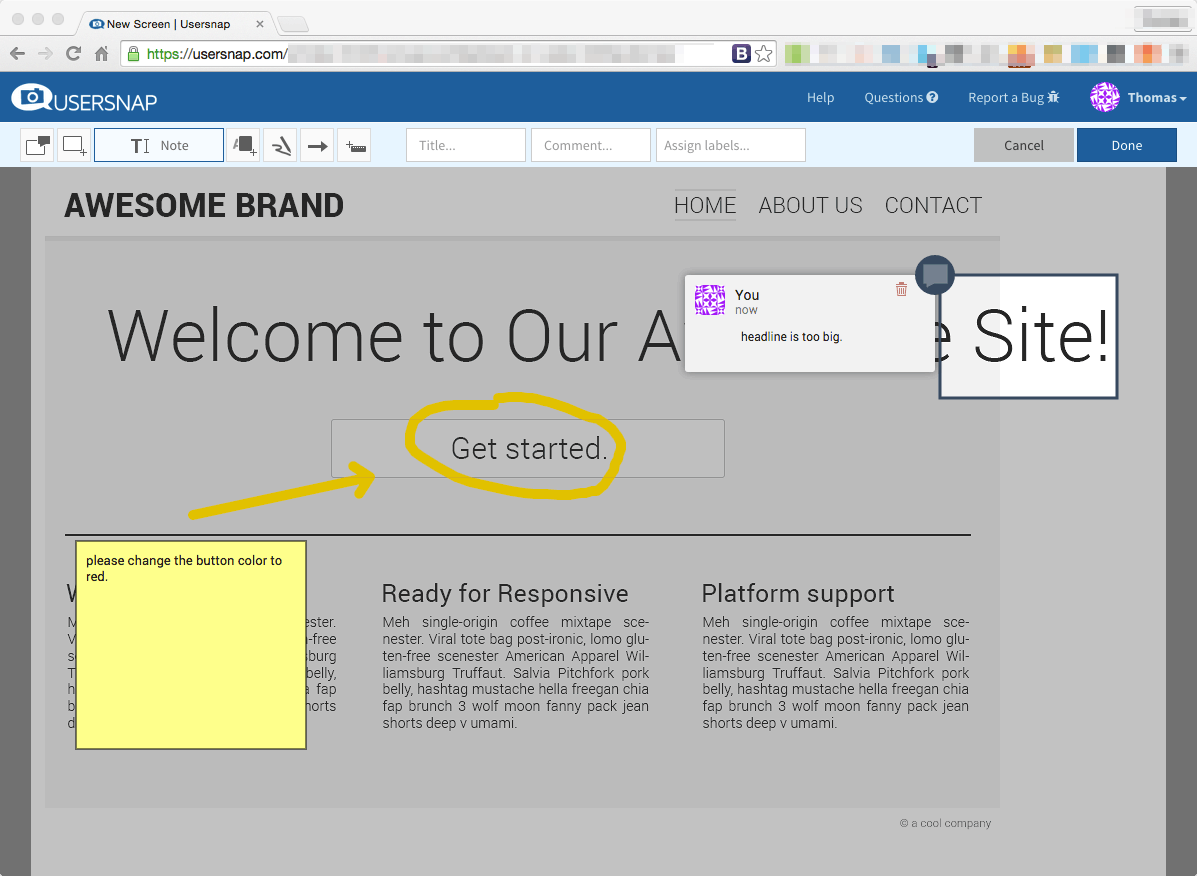
The strongest positioning is in-app feedback capture without context-switching. Rather than asking users to email support or fill out external forms, Usersnap embeds widgets directly in the application that users click to report issues. The widget captures the visible screen, lets the user annotate it with arrows and text, and sends the bug report or feedback with browser console logs, URL, user agent, and custom user attributes.
Who Usersnap is built for
Usersnap fits SaaS product teams (10 to 5,000+ employees) needing user feedback and bug reporting from inside their web and mobile applications. Specific buyer profiles: product managers running user research and feature validation, engineering teams collecting structured bug reports, customer experience teams measuring NPS and CSAT, design teams testing prototypes, and QA teams running user acceptance testing.
The strongest fit is product-led growth SaaS companies where in-app feedback drives roadmap decisions. Mid-market and enterprise software companies pick Usersnap to centralize feedback that would otherwise scatter across email, Intercom, Zendesk tickets, and bug trackers.
It is less of a fit for non-software businesses (where in-app capture has nothing to attach to), for support-driven feedback that already lives in Zendesk or Intercom (those have their own feedback tools), or for very small teams where the Free tier covers everything.
Usersnap pricing plans
| Plan | Monthly | Annual | Seats |
|---|---|---|---|
| Free | $0 | $0 | 5 team members |
| Starter | $49 | $39/mo | 5 team members |
| Growth | $109 | $89/mo | 10 team members |
| Professional | $199 | $159/mo | 20 team members |
| Premium | From $199 | From $319/mo | 50 team members |
| Enterprise | Custom | Custom | Custom |
Free plan covers the first 20 feedback items free with 5 team members, 5 active widgets/surveys, and 500 total feedback items storage. Paid plans scale by team seats, active projects, AI sentiment usage, and storage. Annual billing saves roughly 20% versus monthly.
Starter at $39/month annual ($49 monthly) covers solo product teams with unlimited feedback items per month. Growth at $89/month annual ($109 monthly) adds AI sentiment sensor and channels integration. Professional at $159/month annual ($199 monthly) is the most popular tier with customer request portal, error console logs, behavioral targeting, and segment identification. Premium from $319/month annual adds custom branding, mobile SDK, multi-lingual translations, and roles and permissions. Enterprise is custom with premium security, dedicated success manager, SSO, and priority support.
Usersnap core capabilities
The screen capture widget is the spine. Embedded in the customer's web or mobile app via JavaScript snippet or mobile SDK, the widget appears as a small floating button or menu item that users click to start a feedback session. The widget captures the visible viewport, lets the user annotate it (arrows, text, highlights, blur for sensitive data), and submits the feedback with extensive metadata.
Submitted feedback includes the screenshot, user annotations, URL, browser, OS, viewport size, console logs (errors, warnings), network errors, custom user attributes (plan tier, account ID, role), and submitter identity. This context eliminates the back-and-forth where engineering asks for browser version, console output, and reproduction steps.
AI sentiment sensor
AI sentiment sensor (Starter and up, with monthly limits per tier) automatically analyzes feedback text for sentiment (positive, neutral, negative), categorizes by topic, and surfaces trends. Product teams scan AI-categorized feedback rather than reading every individual item, useful at higher feedback volumes.
Opportunity board and customer request portal
The opportunity board is Usersnap's product feedback aggregation view. Each unique feature request or bug clusters from individual submissions, with vote counts and customer details visible. Product managers prioritize based on what real customers are actually asking for.
Customer request portal (Professional and up) gives end-users a public board to submit feature requests, vote on others' requests, see status (planned, in progress, shipped), and follow updates. This is similar to standalone tools like Canny or Productboard, integrated directly with Usersnap's feedback capture.
Survey builder
Survey builder creates NPS surveys, CSAT surveys, and custom forms triggered by user behavior or events. Surveys can target specific user segments based on attributes (free vs paid, time on product, feature usage). Response data feeds the same feedback aggregation views as widget-captured feedback.
Behavioral targeting and segmentation
Professional and up add behavioral targeting: show a feedback widget after a user clicks a specific button, completes onboarding, or hits a friction point. Segment identification ties feedback to user records (free vs paid, plan tier, signup date, feature usage) so product teams can analyze feedback by customer segment.
Integrations
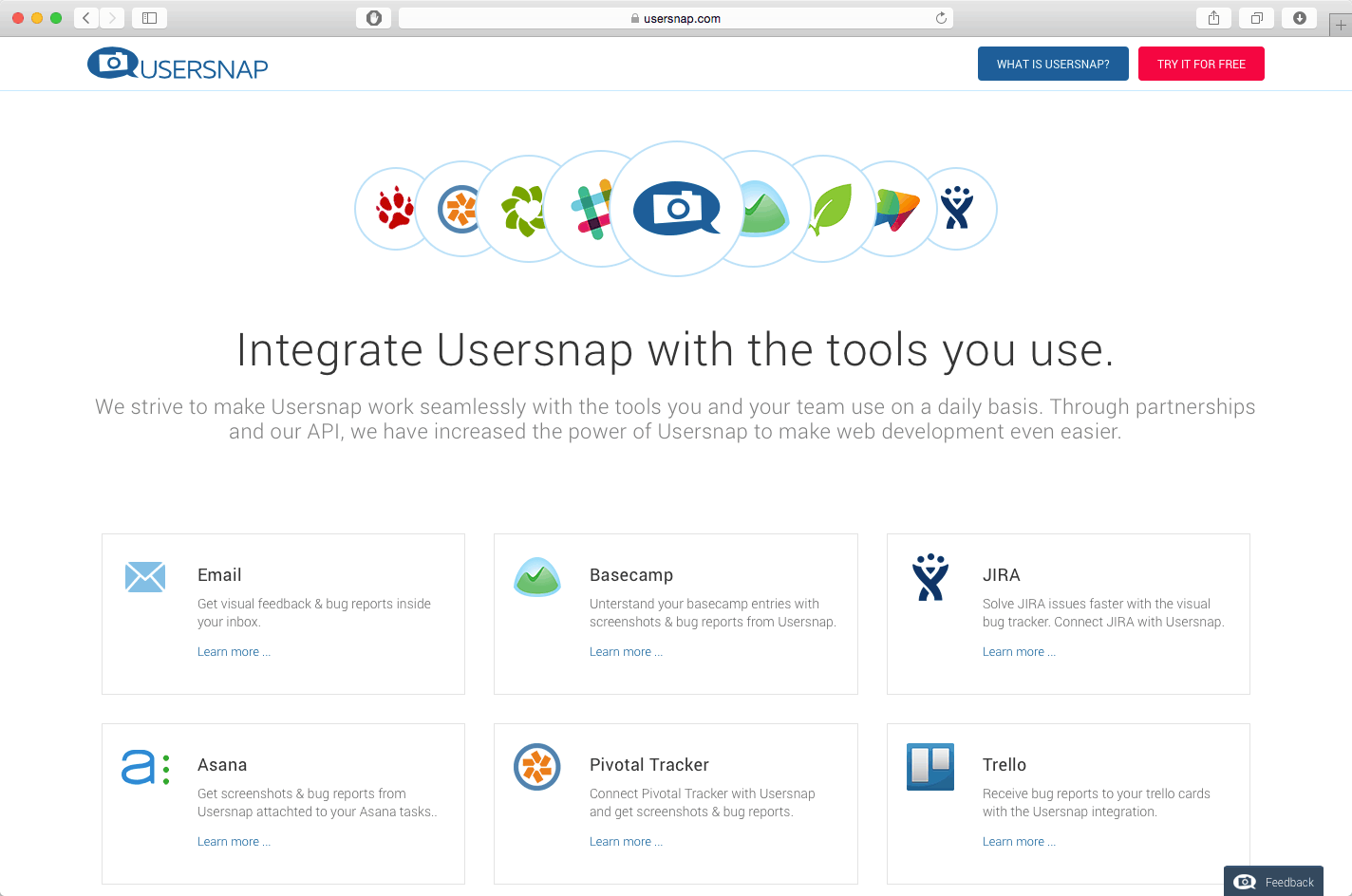
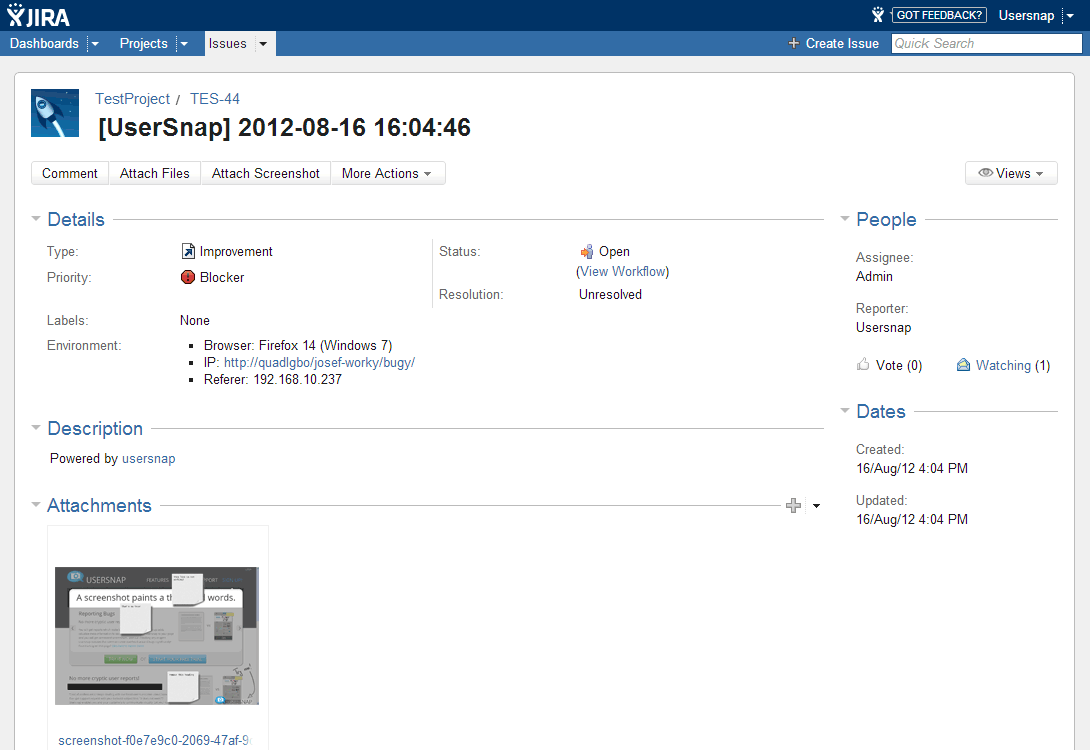
Native integrations cover Jira (the deepest, with two-way sync), Trello, Asana, ClickUp, Linear, GitHub, GitLab, Slack, Microsoft Teams, Zendesk, Intercom, HubSpot, Salesforce, Zapier, and Make. The Jira integration creates issues from feedback automatically with screenshots attached, eliminating manual ticket creation.
Mobile SDK
Mobile SDK (Premium tier) embeds Usersnap natively in iOS and Android apps. Users shake their device or tap a button to initiate feedback. The SDK captures app state, device info, and crash data alongside user annotations.
Multi-lingual support
Multi-lingual translations (Premium) localize the feedback widget into 30+ languages so global product teams collect feedback from non-English users without language barrier. This matters for global SaaS deployments where US-English-only feedback misses entire user populations.
Security and compliance
Usersnap holds SOC 2 Type II and GDPR compliance. EU data hosting is the default for European customers. Premium and Enterprise add roles and permissions for granular team access control. Enterprise adds SSO via SAML, premium security review, dedicated success manager, and priority support.
Usersnap vs Userback
Userback is the closest direct competitor with similar in-app feedback widget approach. Pricing is comparable. Userback has stronger client portal for agencies; Usersnap has stronger AI sentiment analysis and broader integration directory. Pick on specific feature gap.
Usersnap vs BugHerd
BugHerd is the agency-focused web feedback tool with strong design-comment workflow. Usersnap is broader (web, mobile, multiple use cases). Pick BugHerd for agency client review workflows. Pick Usersnap for SaaS product teams needing in-app feedback across web and mobile.
Usersnap vs Canny and Productboard
Canny and Productboard are dedicated product feedback and roadmap tools with strong public boards and product strategy features. Usersnap is in-app feedback capture with lighter roadmap features. Pick Canny or Productboard if roadmap and product strategy are primary needs. Pick Usersnap if in-app capture is the primary need with feedback management bundled.
Usersnap vs Hotjar and FullStory
Hotjar and FullStory are session replay and behavior analytics tools that complement Usersnap rather than competing. Many SaaS teams use both: Hotjar/FullStory to see what users do, Usersnap to capture what users say. Different categories.
Buyer pitfalls to avoid
Three patterns hurt Usersnap rollouts. First, deploying without integration to development workflow: feedback collected without flowing to Jira, Linear, or other engineering tools creates a separate queue that engineering ignores. Configure the integration before launching the widget.
Second, over-targeting: showing the widget on every page to every user creates noise. Use behavioral targeting on Professional and up to show the widget at relevant moments (after onboarding, after feature use, on errors).
Third, picking Starter when AI sentiment matters: AI features start on Growth. Teams that need AI categorization should plan for Growth or Professional upfront.
Implementation and time to value
Free or Starter: 1-2 days for widget install via JavaScript snippet and basic configuration. Growth and Professional: 1-2 weeks for behavioral targeting setup, segment identification, and integration to Jira or Linear. Premium with mobile SDK: 2-4 weeks adding iOS and Android SDK integration. Enterprise: 4-8 weeks adding SSO, custom branding domain, and dedicated success engagement.
Customer support
Free and Starter get email support during EU business hours. Growth and Professional add chat support. Premium adds priority support. Enterprise includes a dedicated success manager. The Usersnap Help Center is well-stocked and the support team is responsive across multiple time zones.
The Bottom Line on Usersnap
Usersnap is the right call for SaaS product teams that need in-app user feedback capture with screenshots, console logs, and user context attached automatically, integrated into the development workflow with Jira, Linear, or other engineering tools.
Standout strengths: screen capture widget for web and mobile, AI sentiment sensor on Growth and up, opportunity board for feedback aggregation, customer request portal on Professional, behavioral targeting and segment identification, deep Jira integration, mobile SDK on Premium, multi-lingual support, EU data hosting by default, free tier with 20 feedback items.
Pricing fits product teams of various sizes: Free covers 20 feedback items with 5 seats. Starter $39/month annual covers solo PMs. Growth $89/month annual adds AI. Professional $159/month annual is most popular with customer portal and behavioral targeting. Premium from $319/month annual adds mobile SDK and custom branding. Enterprise custom. Annual saves 20% versus monthly.
Trade-offs to weigh: AI features require Growth or higher. Mobile SDK is Premium-only ($319+/month). Some features (custom branding, multi-lingual, SSO) gated to Premium and Enterprise pushing serious buyers up the tier ladder. Brand presence in North America is growing but smaller than competitors like Canny or Productboard.
Alternatives worth comparing: Userback for similar SaaS feedback positioning, BugHerd for agency client review, Canny and Productboard for dedicated product feedback and roadmap, Pendo and Heap for product analytics with feedback features, Hotjar and FullStory as complementary behavior analytics, Olvy for modern AI-first product feedback. Pricing data from G2, Capterra, ITQlick 2026 sources, capabilities verified on usersnap.com/pricing on 2026-06-27.
Frequently Asked Questions
Is there a free plan or free trial for Usersnap?
How much does Usersnap cost?
What does Usersnap integrate with?
Who is Usersnap best for?
What are the best alternatives to Usersnap?
Is Usersnap GDPR / SOC 2 compliant?
Does Usersnap have a mobile app?
What do real users say about Usersnap?
How does Usersnap compare to its top competitor?
Does Usersnap offer customer support?
Find Your Perfect Software
See how it can transform your workflow
- Personalized for your needs Tailored recommendations based on your unique requirements.
- Save time & resources Streamline your workflow and boost team productivity.
- Trusted by thousands Join 10,000+ businesses already growing with SaaSrat.
You're all set! 🎉
A specialist for will reach out within 1 business day with tailored recommendations for your needs.