

Userlane
by Userlane
What is Userlane?
Get Best Quote for Userlane
Connect with SaaSrat experts to get the best quote for your business.
You're all set!
A specialist for Userlane will reach out within 1 business day.
Userlane Features
Application Intelligence software usage analytics
Contextual Assistance in-app guidance
Interactive walkthroughs
Smart tips and tooltips
Self-service help
Adoption analytics
View All 30 Features
Userlane Pricing Plans
Application Tier
- Single-application implementations
- Project or training budget
- Fixed annual fee per application with unlimited users
- Verified ranges EUR 15,000 to EUR 50,000 per year
Department Tier
- Multi-application optimization
- Functional tech budget
- Covers 3 to 10 applications
- Verified ranges EUR 50,000 to EUR 150,000 plus per year
Organization Tier
- Portfolio-wide management
- Unlimited applications
- Enterprise-grade governance and reporting
- Verified ranges EUR 150,000 to EUR 750,000 plus per year
Consumption-Based Pricing
- Usage-based pricing across unlimited applications
- Higher unit cost but more flexible for variable workloads
Implementation Services
- EUR 5,000 to EUR 50,000 depending on application count and integration depth
- Content development packages EUR 10,000 to EUR 50,000
Userlane Resources
Userlane Screenshots
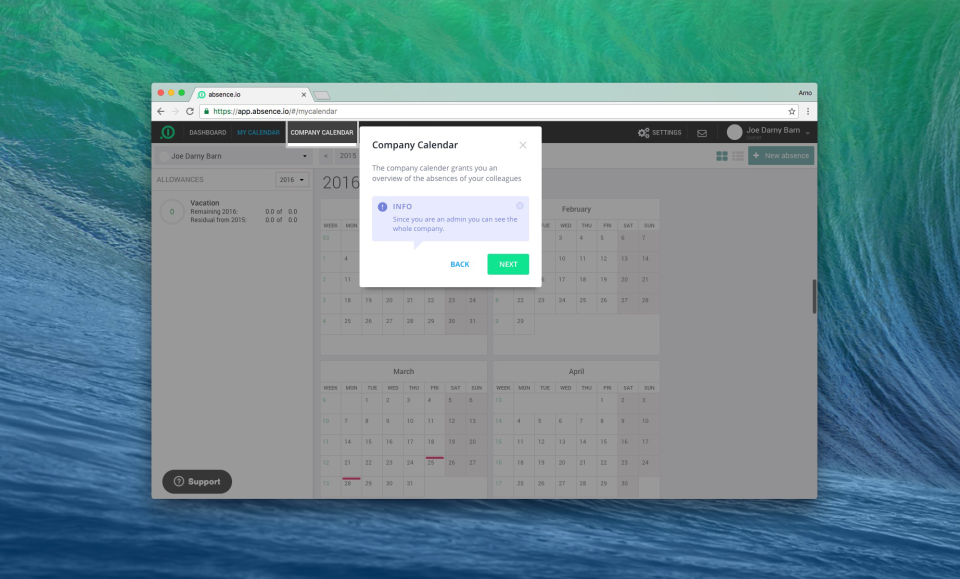
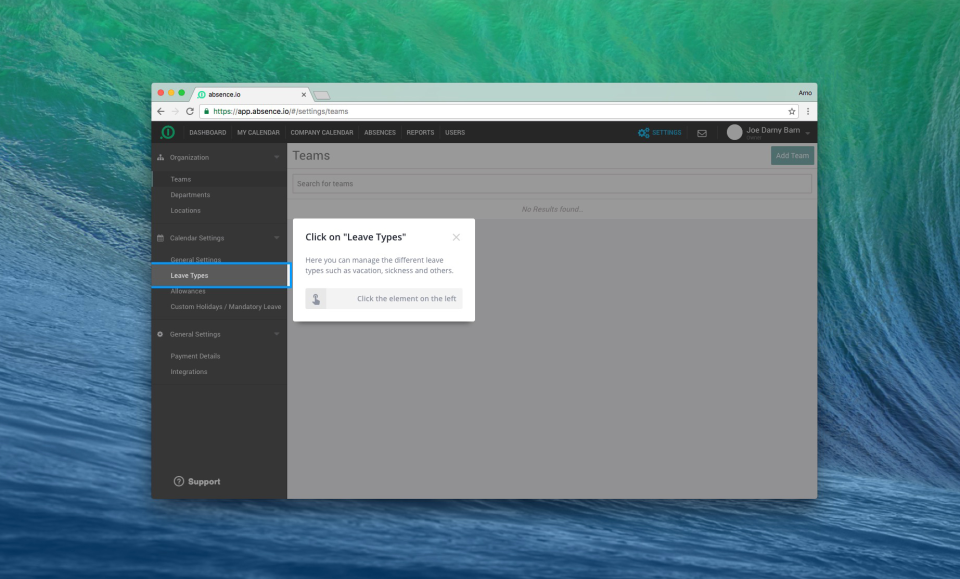
Description
Userlane at a Glance
| Best fit for | Enterprise organizations of 1,000 to 100,000 plus employees that use complex enterprise software (SAP, Salesforce, Workday) and need ongoing employee onboarding plus continuous digital adoption guidance |
|---|---|
| Pricing model | Quote-based across three tiers (Application, Department, Organization) with both per-application annual fees and consumption-based pricing models available |
| Three tiers | Application (single-app implementations), Department (multi-app functional optimization), Organization (portfolio-wide unlimited applications) |
| Core platform | Application Intelligence (measures software usage and adoption) plus Contextual Assistance (in-app guidance, interactive walkthroughs, tooltips) for ongoing employee productivity |
| Free trial | Sales-led demo and proof-of-concept; no self-serve free trial |
| Deployment | Browser extension typically deployed within weeks; no code changes to host applications required |
| Use case scope | Both employee onboarding (new-hire software training) and ongoing digital adoption (continuous workflow guidance) in a unified platform |
| Native integrations | Works with any web application; specific integrations include Salesforce, Workday, SAP, Microsoft Dynamics, ServiceNow, Microsoft 365, Google Workspace |
| Compliance | ISO 27001 certified, GDPR-compliant by design, EU data residency |
| Trust signals | Deployed by Mercedes-Benz, BMW, NHS, Vodafone, Daimler, Zurich Insurance, Celonis, Deutsche Bahn; HQ Munich, Germany; founded 2015 |
Pros and Cons of Userlane
Where Userlane wins:
- Combines onboarding plus ongoing digital adoption in one platform. New hires get software training during the first 90 days; experienced employees keep getting in-app guidance for new features, updated workflows, and rarely-used tasks. Few competitors handle both use cases in one product.
- Browser extension deployment is genuinely zero-touch for host applications. Userlane overlays guidance on top of Salesforce, Workday, SAP, and any web app without code changes or vendor approval.
- Application Intelligence measures actual software usage and adoption. HR and IT teams see which features employees use, where they get stuck, and where guidance content has measurable ROI.
- European enterprise market presence is strong. Customer references include Mercedes-Benz, BMW, NHS, Vodafone, Daimler. Useful trust signals for regulated industries and large enterprise procurement.
- Multi-application pricing options. Start with one app, expand to portfolio-wide deployment as ROI proves out. Lower friction than fixed-tier platforms for risk-averse buyers.
Where Userlane falls short:
- Not a pure employee onboarding platform. Userlane is digital adoption first, onboarding second. Organizations wanting structured 30/60/90 day journeys, preboarding content, and branded mobile apps should evaluate Appical or Talmundo alongside.
- Pricing is opaque. No published rate card, sales-led negotiation only.
- Content creation is on the buyer. HR and IT teams build the in-app walkthroughs and guides; Userlane provides the platform, not the content library.
- Mobile-first onboarding is not the focus. Branded apps and rich mobile content libraries are Appical or Talmundo territory.
- Implementation requires both HR and IT buy-in. Browser extension deployment plus content authoring spans multiple functions; orgs without strong cross-functional alignment struggle.
Who Should Use Userlane
Userlane is built for enterprise organizations running complex enterprise software (SAP, Salesforce, Workday, Microsoft Dynamics, ServiceNow) where ongoing employee productivity on those applications is a material business concern. Best fit for 1,000 to 100,000 plus employee companies in financial services, healthcare, manufacturing, automotive, and large public sector deployments where software adoption gaps directly impact business outcomes.
Skip Userlane if you want a pure structured-onboarding platform (try Appical or Talmundo), if you are SMB under 250 employees (you likely do not have enough enterprise software complexity to justify the platform), if you primarily need US I-9 compliance (try WorkBright), or if you cannot align HR plus IT on a joint deployment.
Userlane Product Suite
Userlane ships as a unified digital adoption and onboarding platform with two core capability layers. Core capabilities buyers care about:
- Application Intelligence measures software usage, adoption patterns, feature utilization, and user-journey friction across enterprise applications. Provides ROI baseline for digital adoption investments.
- Contextual Assistance delivers in-app guidance through interactive walkthroughs, tooltips, smart tips, and self-service help content overlaid on the host application.
- Interactive walkthroughs for new-hire onboarding on enterprise software (Salesforce CRM training, Workday navigation, SAP transaction workflows).
- Smart tips and tooltips for ongoing reminders, feature announcements, and workflow guidance.
- Self-service help with embedded knowledge base, FAQs, and chatbot integration.
- Adoption analytics with feature-usage dashboards, completion-rate tracking, drop-off identification, and ROI measurement.
- Multi-application portfolio management for Organization-tier customers running guidance across 10 plus enterprise applications.
- Browser extension deployment for zero-touch installation across Chrome, Edge, Firefox, and Safari.
- Content authoring tools for HR and IT teams to build walkthroughs without code or vendor support.
- Multi-language support for global enterprise deployments.
- Public REST API for custom integrations and analytics data export.
- SSO and enterprise identity integration with Azure AD, Okta, and other identity providers.
How Much Does Userlane Cost
Userlane does not publish per-tier pricing. Quote-based by sales. Verified buyer-disclosure ranges from public sources and the saasrat HR community:
- Application tier: Roughly EUR 15,000 to EUR 50,000 per year for single-application implementations with project or training budgets. Fixed annual fee per application with unlimited users.
- Department tier: Roughly EUR 50,000 to EUR 150,000 plus per year for multi-application optimization with functional tech budgets. Covers 3 to 10 applications.
- Organization tier: Custom-quoted, typically EUR 150,000 to EUR 750,000 plus per year for portfolio-wide management with unlimited applications. Enterprise-grade governance and reporting.
- Consumption-based alternative: Usage-based pricing across unlimited applications, typically higher unit cost but more flexible for variable workloads.
- Implementation services: Roughly EUR 5,000 to EUR 50,000 depending on application count, content development scope, and integration depth.
All tiers are typically annual or multi-year contracts. Customers commonly start with one application (Application tier) and expand to Department or Organization tiers after demonstrating ROI. There is no self-serve free trial; buyers should expect a 6 to 12 week sales cycle.
Hidden Costs and Contract Gotchas
Userlane contracts have meaningful all-in cost beyond the headline subscription. Buyers should budget for:
- Content development services if your HR and IT teams lack bandwidth to author walkthroughs and guides. Userlane offers content development packages; budget EUR 10,000 to EUR 50,000 for initial content libraries.
- Implementation services for browser extension rollout, SSO integration, and analytics setup. Often EUR 5,000 to EUR 50,000 for enterprise deployments.
- Ongoing content maintenance for updated software releases. Walkthroughs and guides need refresh as host applications change.
- Application count true-up if you expand portfolio mid-contract. Department and Organization tiers cover specific application counts; adding apps adds cost.
- Premium support tier for dedicated success manager access during enterprise rollouts.
- Browser extension deployment requires IT cooperation. Some organizations face change-management friction even with zero-touch deployment.
- Multi-year contract auto-renewal. Calendar a 60 day reminder before renewal to renegotiate.
Implementation Plan: Rolling Out Userlane
Userlane has a notably short setup time relative to peer digital adoption platforms. Buyer-reported benchmarks: 1 to 2 hours for initial setup, versus WalkMe at 2 to 3 months for comparable deployments. Production rollout for enterprise scope typically runs 4 to 8 weeks across:
- Browser plugin distribution and Chrome or Firefox testing across user populations (Userlane supports Chrome and Firefox only; no desktop client or mobile SDK).
- Element-selection authoring using CSS selectors. Custom or heavily themed applications may require technical author skills.
- Integration with confirmed partners: Salesforce, HubSpot, Zendesk, and Google Analytics. SAP and Workday native connectors are absent; verify during scoping if those are your primary integration targets.
- Content build for guidance flows, tooltips, and contextual help.
Native AI authoring assistant is not yet on the Userlane roadmap as of 2026, while Whatfix and WalkMe ship ChatGPT-style copilots. SCORM compliance plus LMS export are not supported; LMS-dependent learning programs need to plan around this gap. WalkMe is now owned by SAP (acquired 2024); buyers in SAP-shop environments should weigh that bundling dynamic against Userlane's vendor independence.
Userlane Alternatives
Userlane competes in the digital adoption plus employee onboarding segments. Common alternatives buyers shortlist:
- WalkMe as the largest market-share competitor in digital adoption with similar enterprise focus.
- Whatfix for digital adoption with stronger pricing flexibility for mid-market.
- Pendo for product-led growth analytics that overlap with digital adoption.
- Appical for pure employee onboarding with branded mobile apps and structured journeys.
- Talmundo for European mid-market onboarding with Nordic market depth.
- WorkBright for US employers needing I-9 compliance specialty.
- BambooHR for SMB and mid-market organizations that want recruiting plus onboarding plus core HRIS.
- ChiefOnboarding for tech-savvy teams that want self-hosted open-source onboarding.
- Workelo for French mid-market teams that prioritize employee journey management.
- SilkRoad Onboarding for US mid-market teams that want a long-established onboarding platform.
Compare prices, features, and reviews across the full employee onboarding software category to see how Userlane lines up against pure onboarding platforms and digital adoption competitors.
What Real Buyers Report
Enterprise HR and IT leaders evaluating Userlane in 2026 most commonly highlight three patterns in customer reviews and Gartner Peer Insights:
- Combined use case pays back. Organizations running Userlane for both onboarding (new-hire software training) and ongoing digital adoption (continuous guidance) report 30 to 50 percent better cost-per-user economics than running separate onboarding and DAP vendors.
- Browser extension deployment is fast. Most enterprise rollouts go from contract to active usage within 4 to 8 weeks. Significantly faster than typical HCM-bundled onboarding deployments.
- Content authoring is the long-term commitment. Building and maintaining walkthroughs and guides takes ongoing HR and IT capacity. Organizations that allocate dedicated content development resources see the strongest ROI; teams that treat Userlane as a set-and-forget tool see weaker results.
Common complaints in 2025 to 2026 reviews: opaque pricing requires sales cycles, content development is a real ongoing lift, not a pure structured-onboarding platform, and IT and HR alignment required for successful deployment.
Userlane Limitations Buyers Should Weigh Before Signing
Userlane runs only in Chrome and Firefox on web SaaS applications. There is no desktop client, no mobile SDK, and no SCORM export for LMS handoff. Element detection still leans on CSS selectors, so non-technical authors hit a wall on custom or heavily themed applications. A native AI authoring assistant (shipping in Whatfix and WalkMe through 2025 to 2026) is not yet on the Userlane roadmap as of 2026. Confirmed connectors stop at Salesforce, HubSpot, Zendesk, and Google Analytics; no native SAP or Workday integration. WalkMe is now owned by SAP (acquired 2024); buyers in SAP-shop environments should weigh that bundling dynamic against Userlane's vendor independence. G2 rating sits at 4.7 of 5; WalkMe sits at 4.5 of 5.
Bottom Line
Userlane is the right pick for enterprise organizations running complex enterprise software (SAP, Salesforce, Workday, ServiceNow) where ongoing employee productivity on those applications is a strategic concern. The combination of onboarding plus continuous digital adoption in one platform plus browser-extension deployment plus Application Intelligence analytics make it a defensible standard for 1,000 plus employee companies in regulated industries. Skip Userlane if you want pure structured-onboarding with branded mobile apps, if you are SMB under 250 employees, if you cannot align HR plus IT on joint deployment, or if you need US I-9 compliance. Take the sales call, start with one application as a pilot, and validate Application Intelligence ROI before expanding to Department or Organization tier.
Frequently Asked Questions
How much does Userlane cost in 2026?
Is Userlane an onboarding platform or digital adoption tool?
How does Userlane compare to WalkMe?
Does Userlane have a free trial?
What applications does Userlane work with?
How long does Userlane take to deploy?
Is Userlane GDPR compliant?
Does Userlane have analytics?
What is Application Intelligence?
Is Userlane good for SMB?
Find Your Perfect Software
See how it can transform your workflow
- Personalized for your needs Tailored recommendations based on your unique requirements.
- Save time & resources Streamline your workflow and boost team productivity.
- Trusted by thousands Join 10,000+ businesses already growing with SaaSrat.
You're all set! 🎉
A specialist for will reach out within 1 business day with tailored recommendations for your needs.