

Tradify
by Tradify • Founded 2013
What is Tradify?
Get Best Quote for Tradify
Connect with SaaSrat experts to get the best quote for your business.
You're all set!
A specialist for Tradify will reach out within 1 business day.
Tradify Features
Mobile-first job management for field crews
Quoting with itemized line items and markups
Online quote acceptance with digital signature
Job scheduling with calendar and Google Calendar sync
Time tracking and timesheets
Invoicing with online and credit card payments
View All 15 Features
Tradify Pricing Plans
Lite
- Job management, notes and tracking, scheduling with Google Calendar sync, quoting and invoicing, pricing and markups, online and credit card payments, email tracking, Xero and QuickBooks Online sync. Optional Instant Website $12/mo.
Pro
- Everything in Lite plus custom branding, inquiry form and email inbox, customer communications history, job photos and files, recurring jobs and custom statuses, job templates, appointment reminders, quote options and online acceptance, progress invoicing, costing and bill tracking, timesheets, subcontractor scheduling.
Plus
- Everything in Pro plus SmartRead AI for bills, SmartWrite AI writing assistance, service reminders, job tasks, purchase orders, bulk invoicing, kit bundles, staff activity history, job service reports, reporting tools.
Custom
- All Plus features plus custom configuration for larger teams. Quote-based by user count and integration needs.
Tradify Screenshots
Description
What is Tradify?
Tradify is a cloud-based job management platform built in Auckland, New Zealand specifically for trades businesses: electricians, plumbers, HVAC technicians, builders, painters, and other contractors. The product covers the full trades workflow from initial customer inquiry through quote, job scheduling, on-site execution, invoicing, and payment.
The company serves more than 20,000 trades businesses across New Zealand, Australia, the UK, Ireland, the US, and Canada. Tradify focuses exclusively on trades and does not try to be a general-purpose project management or field service tool, which is the strongest differentiator from horizontal platforms like Jobber or ServiceM8.
Who Tradify is built for
Tradify fits trades business owners running teams of 1 to 50 technicians. Solo electricians, plumbers running 5-10 vans, HVAC companies with 20+ field technicians, builders managing residential renovation work, and specialty trades like solar installers and pool servicers are typical customers.
The strongest fit is a trades business that bills 50 to 500 jobs per month, uses Xero or QuickBooks Online for accounting, and needs the field team to capture quotes, photos, time, and signatures from a phone. Office staff handle scheduling, invoicing, and customer communication from the desktop.
It is less of a fit for larger commercial contractors needing dedicated construction PM (Procore, Buildertrend fit better), for facility maintenance service providers managing thousands of client sites (ServiceTitan, FieldEdge cover that), or for non-trades service businesses (general-purpose CRM or service software).
Tradify pricing plans
| Plan | Price (user/mo) | Best for |
|---|---|---|
| Lite | $47 USD | Solo trades, core quoting and invoicing |
| Pro | $51 USD | Small teams needing branding, photos, costing |
| Plus | $61 USD | Growing teams needing AI tools and reporting |
| Custom | Quote-based | Larger teams with custom integration needs |
All plans are billed per user per month. Instant Website add-on is +$12 per month across all tiers. 14-day free trial includes all features so buyers can determine the right tier before committing.
Lite covers the core trades workflow: quoting, scheduling, invoicing, online payment, and accounting sync. Pro adds custom branding, customer communications history, job photos and files, recurring jobs, costing and bill tracking, timesheets, and subcontractor scheduling. Plus adds the AI tools (SmartRead for bills, SmartWrite for writing assistance), service reminders, job tasks, purchase orders, bulk invoicing, and reporting tools.
Tradify core capabilities
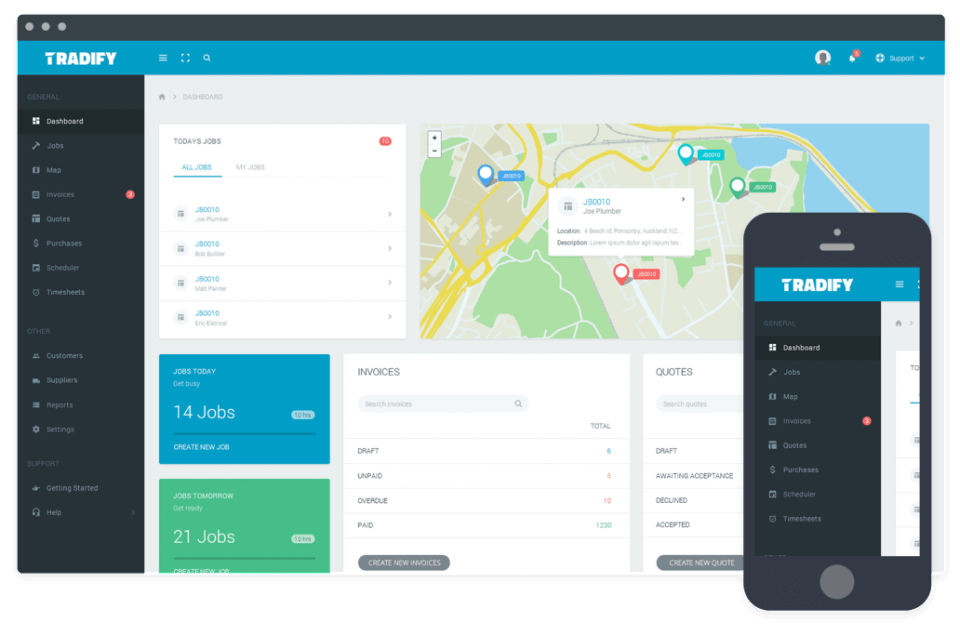
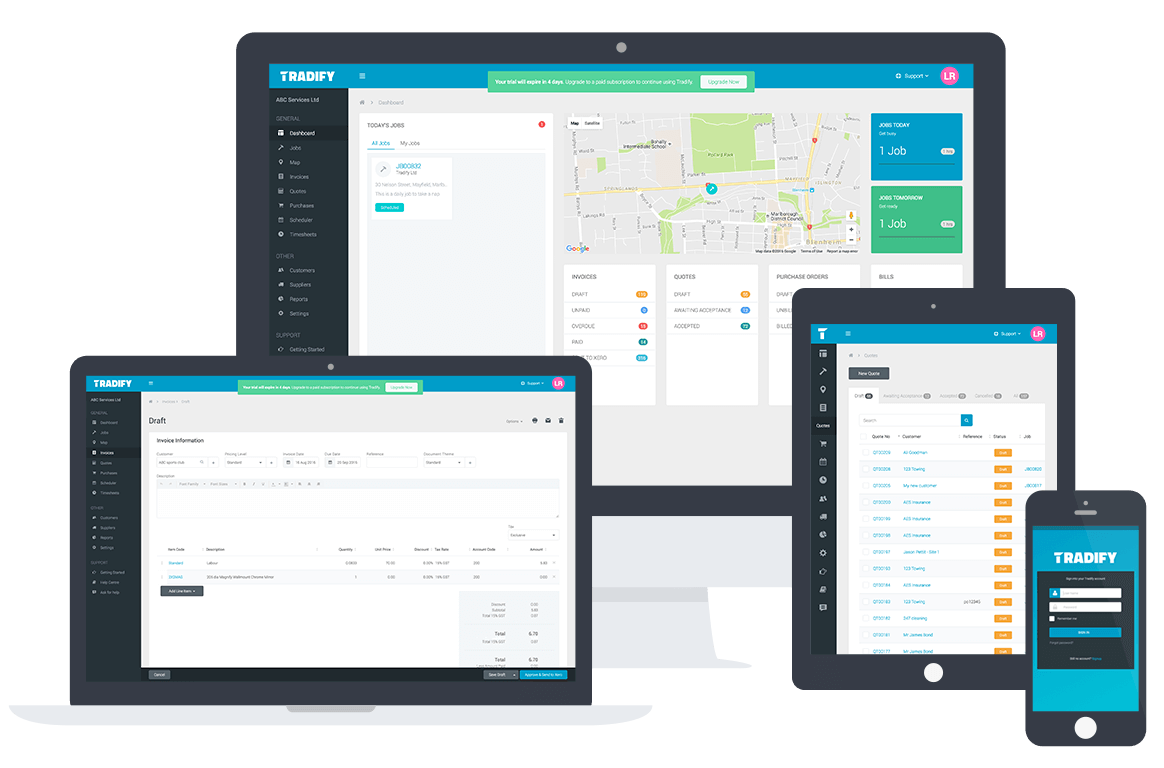
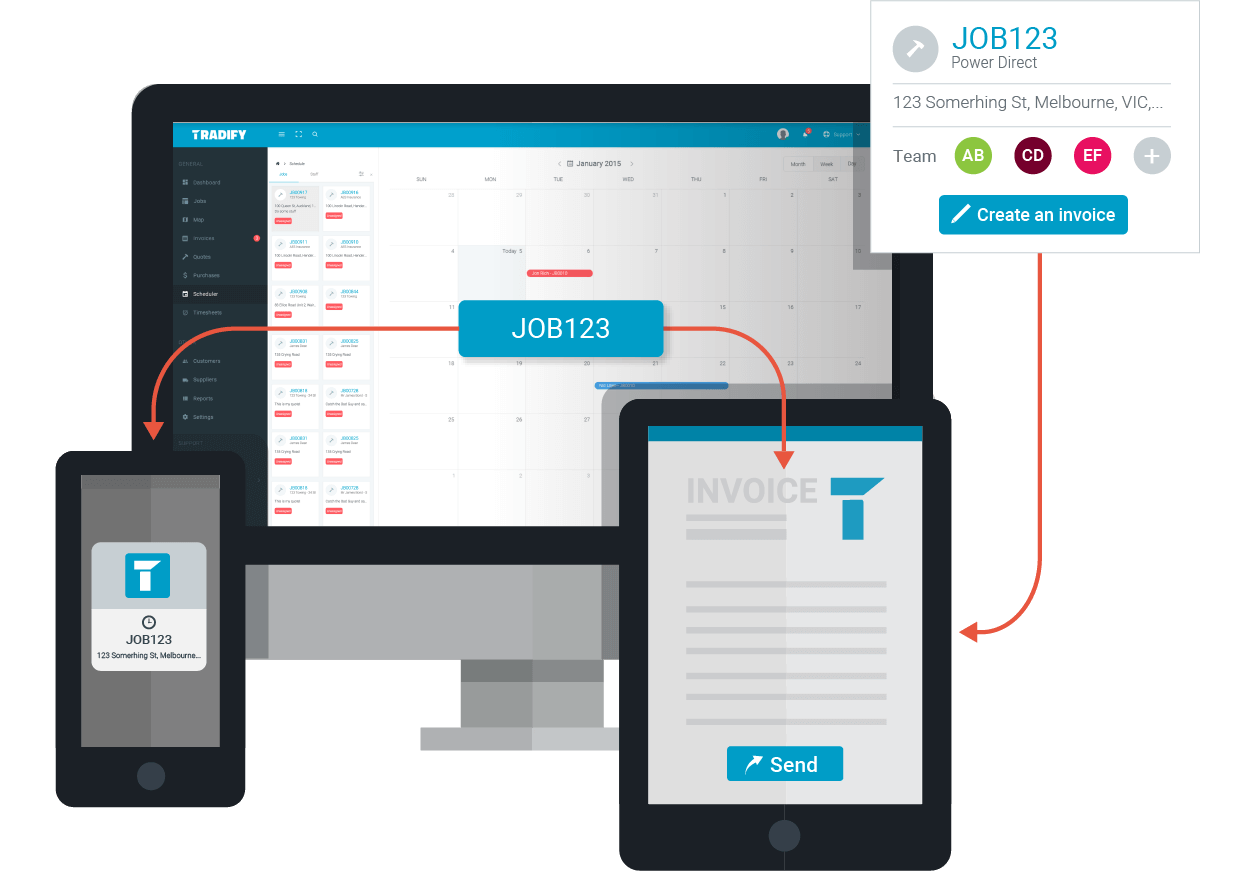
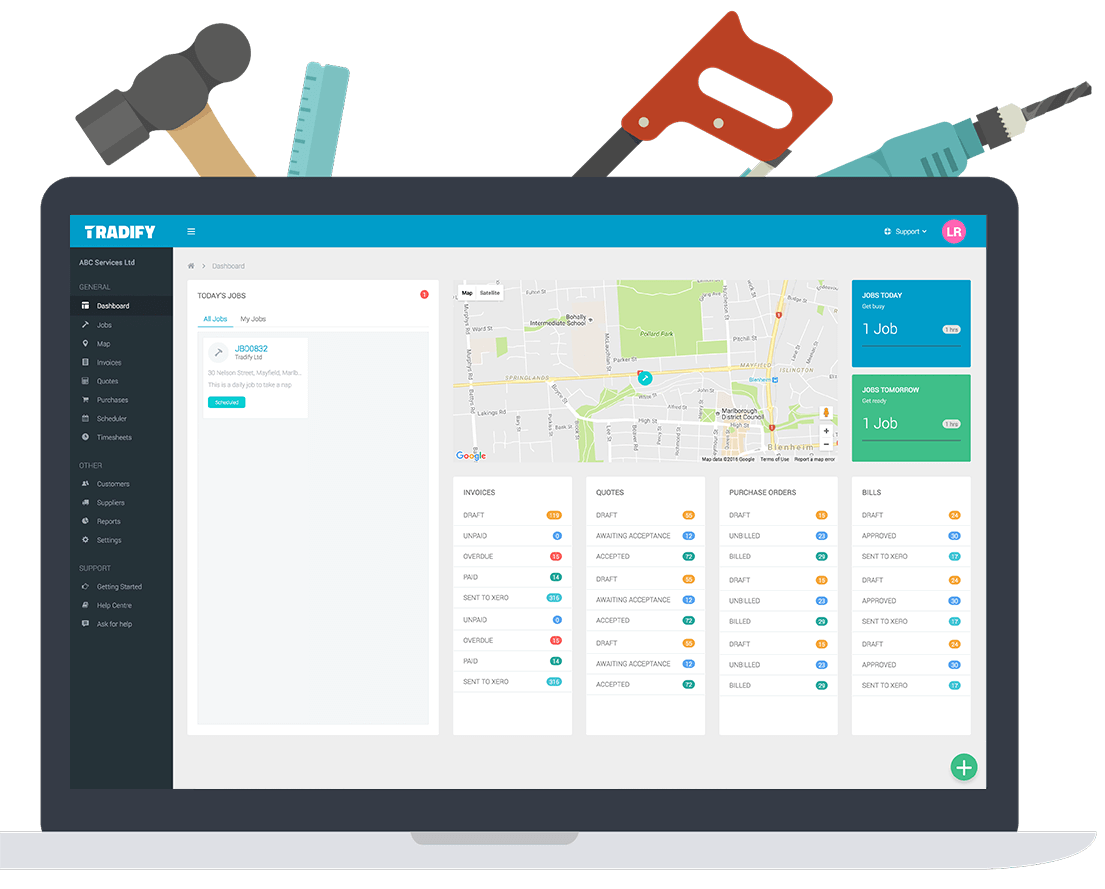
Job management is the spine. Each job has a customer, a site address, scheduled date, assigned technicians, materials, labor entries, photos, files, and a billing status. The mobile app gives field technicians everything they need to execute a job: drive to the site, see the job notes, log time, take photos, capture a signature, and submit for invoicing.
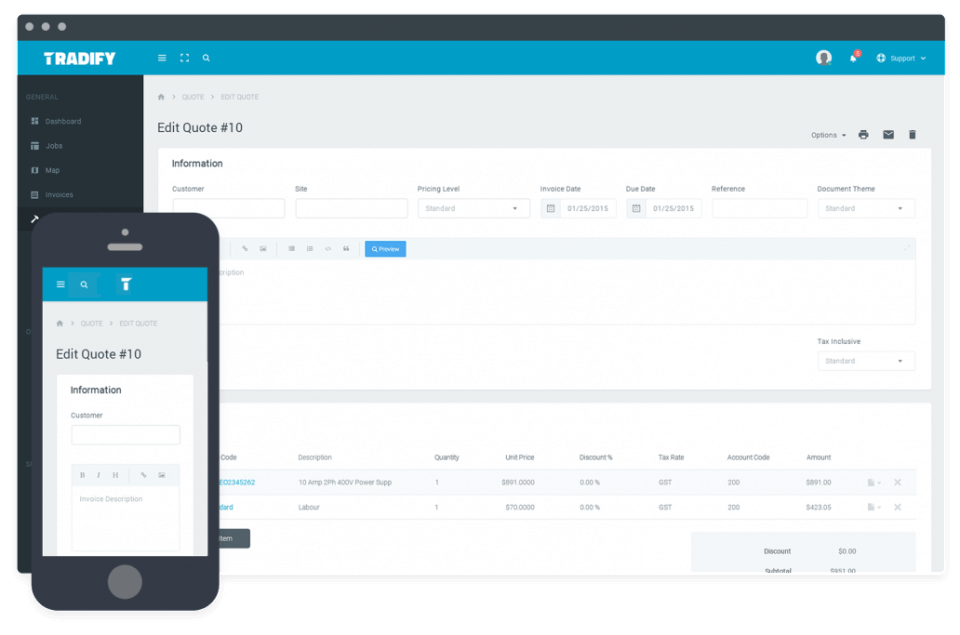
Quoting handles itemized estimates with material costs, labor hours, markups, and totals. Quotes are sent by email with a customer-facing online acceptance link. The customer can review, accept (with digital signature), or request changes without printing or faxing.
Scheduling and field execution
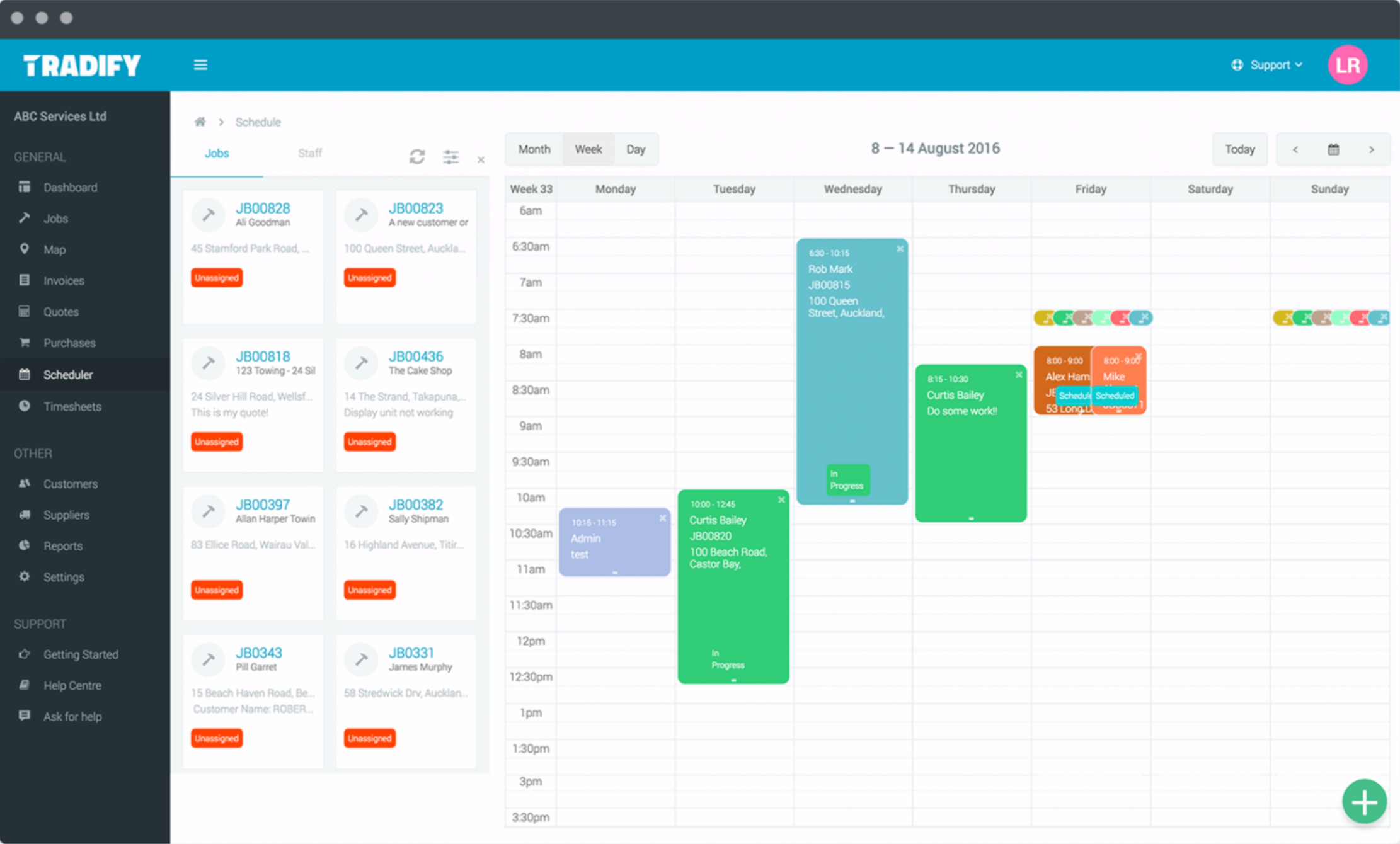
The calendar shows technician schedules by day, week, or month. Drag-and-drop assignment moves jobs between technicians and time slots. Google Calendar sync lets technicians see their assignments in their existing calendar app. Two-way sync means changes in either direction propagate.
The mobile app supports offline work for technicians in basements, on construction sites, or in areas with poor cellular coverage. Photos, time entries, and notes captured offline sync when the device reconnects. GPS tracking shows where each technician is during the workday for dispatchers to optimize routing.
Invoicing and accounting sync
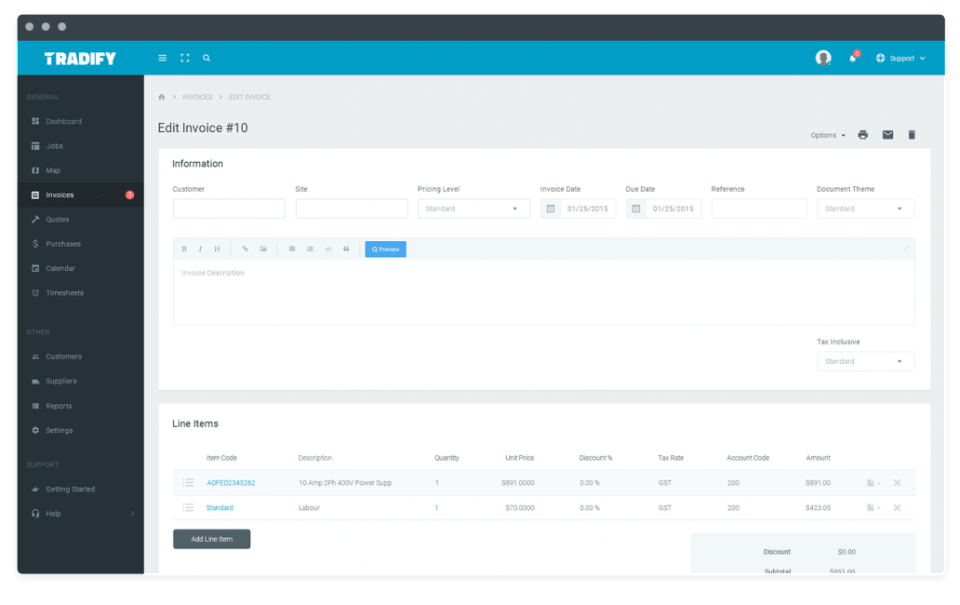
Invoices generate from completed jobs with line items drawn from the quote, plus any added materials and time. Online payment links accept credit card and direct debit. Invoice status (sent, viewed, paid) tracks within Tradify and in the connected accounting system.
Xero and QuickBooks Online integration is two-way: customers, products, tax rates, and chart of accounts sync from accounting; invoices, payments, and bills flow back from Tradify. The integration is one of the deepest in the trades software category and the primary reason Xero and QuickBooks shops standardize on Tradify.
AI tools: SmartRead and SmartWrite
SmartRead (Plus tier) is AI-powered supplier bill processing. Snap a photo of a paper invoice or upload a PDF; SmartRead extracts vendor, line items, GL codes, and totals into a Tradify bill ready for review and posting. This eliminates the manual data entry that trades businesses spend hours on every week.
SmartWrite is AI writing assistance for quotes, job descriptions, follow-up emails, and customer communications. It speeds up the back-office writing work that trades owners often delay because they would rather be on tools.
Purchase orders and supplier bills
Purchase orders (Plus tier) generate from job material requirements and send to suppliers electronically. Supplier bills attach to jobs so material costs feed directly into job profitability reports. This is one of the harder workflows in trades software, and Tradify's coverage on Plus is one of the reasons buyers upgrade from Pro.
Customer database and communications
Each customer has a profile with site addresses, contact details, job history, communications history, and lifetime value. Service reminders (Plus) automatically trigger follow-up jobs (annual heat pump service, quarterly fire equipment check) based on the last service date.
Reporting and analytics
Reporting (Plus) covers job profitability, technician productivity, customer revenue, quote-to-invoice conversion rates, and outstanding receivables. The reports are designed for trades-specific metrics rather than generic dashboards. CSV export and accounting integration cover advanced BI needs.
Instant Website add-on
Tradify Instant Website (+$12/month across all tiers) is a customer-facing website that publishes the trades business's services, contact details, and online inquiry form. Inquiries from the website route directly into Tradify as new customer leads. This is a useful adjunct for solo trades and small shops without a separate web presence.
Mobile and offline
iOS and Android apps are the daily home for field technicians. Offline support covers job notes, time entries, photos, signatures, and material capture. Sync happens automatically when the device reconnects. Battery use is moderate. The web app is the office-staff interface for scheduling, customer management, and invoicing.
Security and compliance
Tradify is hosted on AWS with encryption at rest and in transit, SOC 2 Type II controls, and standard SaaS access management. Multi-factor authentication is supported. The compliance posture matches the SMB trades market and is adequate for non-regulated trades work.
Tradify vs Jobber
Jobber is the North American leader in home service business software, covering lawn care, cleaning, HVAC, and other home services. Tradify is the trades-specific specialist with deeper electrical, plumbing, and construction trades focus. Jobber has the larger NA market share; Tradify has stronger Xero integration and APAC presence. Pick Jobber for home services breadth. Pick Tradify for trades-specific depth with Xero or QuickBooks.
Tradify vs ServiceM8
ServiceM8 is the Australian trades job management tool with similar positioning. Both target small trades businesses. ServiceM8 has historically been stronger in Australia; Tradify has stronger NZ origins and now broader international reach. Pricing is comparable. Pick on the specific feature gap that matters for your trade and accounting system.
Tradify vs simPRO
simPRO is the upmarket Australian trades platform aimed at larger commercial trades companies (50-500+ employees) with formal job management, asset management, and stock control. Tradify is the SMB and lower-mid-market alternative. Pick simPRO for commercial trades at scale. Pick Tradify for solo trades through 50-tech operations.
Tradify vs ServiceTitan
ServiceTitan is the upmarket North American home service platform with strong HVAC, plumbing, and electrical fit, deep call-tracking, and revenue optimization features. ServiceTitan is significantly more expensive (typically $300-$500+ per technician per month). Tradify is the SMB-budget alternative without the enterprise feature load. Pick ServiceTitan for $5M+ revenue home service operations. Pick Tradify for budget-tight trades businesses.
Buyer pitfalls to avoid
Three patterns hurt Tradify rollouts. First, picking Lite when planning to use job photos and timesheets: those features live on Pro, and most trades businesses need them within the first month. Second, ignoring the AI tools on Plus: SmartRead and SmartWrite save real time for owners who would otherwise do manual data entry; teams that buy Plus and skip the AI setup miss the upgrade value.
Third, treating it as a general PM tool: Tradify is trades-specific. Buyers using it for non-trades work (general contracting, project management) fight the tool. Match the right tool to the right work.
Implementation and time to value
Solo trades: productive in 1-2 days. Small teams (3-10 technicians): 1-2 weeks including Xero or QuickBooks integration setup, customer import, and team training. Larger teams (20-50 technicians): 3-6 weeks including custom workflow configuration, subcontractor onboarding, and reporting setup. Tradify provides email and chat support during onboarding; partner accountants familiar with Tradify can also help with accounting integration.
Customer support
All plans include email and live chat support. Phone support is available in NZ, AU, UK, and US time zones. The Tradify Help Center is well-stocked with trades-specific setup guides. The user community is active, particularly on Facebook groups where trades businesses share workflow tips.
The Bottom Line on Tradify
Tradify is the right call for electricians, plumbers, HVAC technicians, builders, and other trades businesses running 1-50 technicians that want job quoting, scheduling, mobile field execution, invoicing, and accounting sync in one trades-specific platform.
Standout strengths: trades-specific design (not general PM), deep Xero and QuickBooks Online integration, mobile-first for field execution with offline support, AI tools (SmartRead, SmartWrite) on Plus, transparent published pricing, 14-day free trial with all features.
Pricing fits SMB trades budgets: Lite at $47/user/mo covers the core workflow. Pro at $51/user/mo unlocks photos, timesheets, and costing. Plus at $61/user/mo adds AI tools, purchase orders, and reporting. Custom is quote-based for larger teams. Instant Website add-on is $12/month across all tiers.
Trade-offs to weigh: not the right tool for commercial contractors at scale (simPRO or ServiceTitan are heavier-lift fits). Smaller user community than Jobber in North America. Reporting depth is solid for trades-specific metrics but less flexible than general BI. AI tools are Plus-only, which can push buyers up a tier just for those features.
Alternatives worth comparing: Jobber for North American home services breadth, ServiceM8 for Australian SMB trades, simPRO for upmarket commercial trades, ServiceTitan for $5M+ home service revenue, FieldEdge for HVAC and refrigeration field service, Housecall Pro for SMB home services with payment processing focus. Pricing and capabilities verified on tradifyhq.com/pricing on 2026-06-27.
Frequently Asked Questions
Is there a free plan or free trial for Tradify?
How much does Tradify cost?
What does Tradify integrate with?
Who is Tradify best for?
What are the best alternatives to Tradify?
Is Tradify GDPR / SOC 2 compliant?
Does Tradify have a mobile app?
What do real users say about Tradify?
How does Tradify compare to its top competitor?
Does Tradify offer customer support?
Find Your Perfect Software
See how it can transform your workflow
- Personalized for your needs Tailored recommendations based on your unique requirements.
- Save time & resources Streamline your workflow and boost team productivity.
- Trusted by thousands Join 10,000+ businesses already growing with SaaSrat.
You're all set! 🎉
A specialist for will reach out within 1 business day with tailored recommendations for your needs.