

Shopify POS
by Shopify Inc. • Founded 2006
What is Shopify POS?
Get Best Quote for Shopify POS
Connect with SaaSrat experts to get the best quote for your business.
You're all set!
A specialist for Shopify POS will reach out within 1 business day.
Shopify POS Features
Inventory management
Multi channel selling
Customer profiles
Sales reporting
Mobile pos
Staff management
View All 36 Features
Shopify POS Pricing Plans
Basic
- Full Shopify online store
- POS Lite for in-store checkout
- 2 staff accounts
- 1,000 inventory locations
- 24/7 support
- Billed annually
Shopify
- Everything in Basic
- 5 staff accounts
- Professional reports
- Lower transaction fees
- POS Lite included
- Billed annually
Advanced
- Everything in Shopify plan
- 15 staff accounts
- Advanced custom report builder
- Lowest transaction fees
- POS Lite included
- Billed annually
POS Pro Add-on
- Available on any plan
- Unlimited staff PINs per location
- Unlimited registers per location
- Advanced inventory management (demand forecasting, purchase orders)
- Low-stock reports
- Per location
Shopify POS Resources
Shopify POS Screenshots
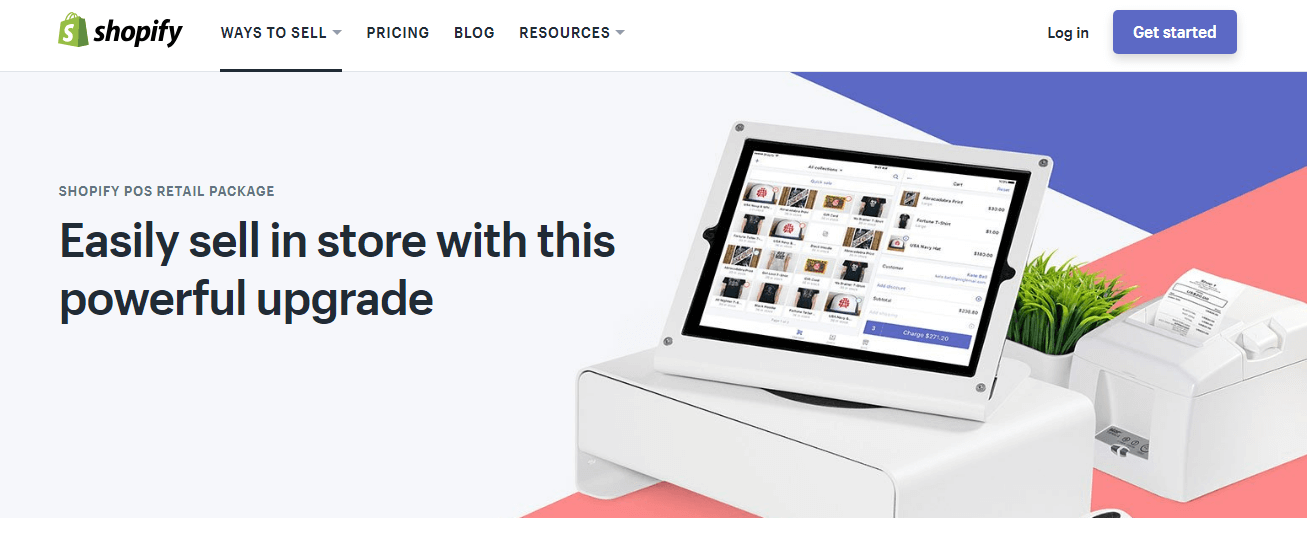
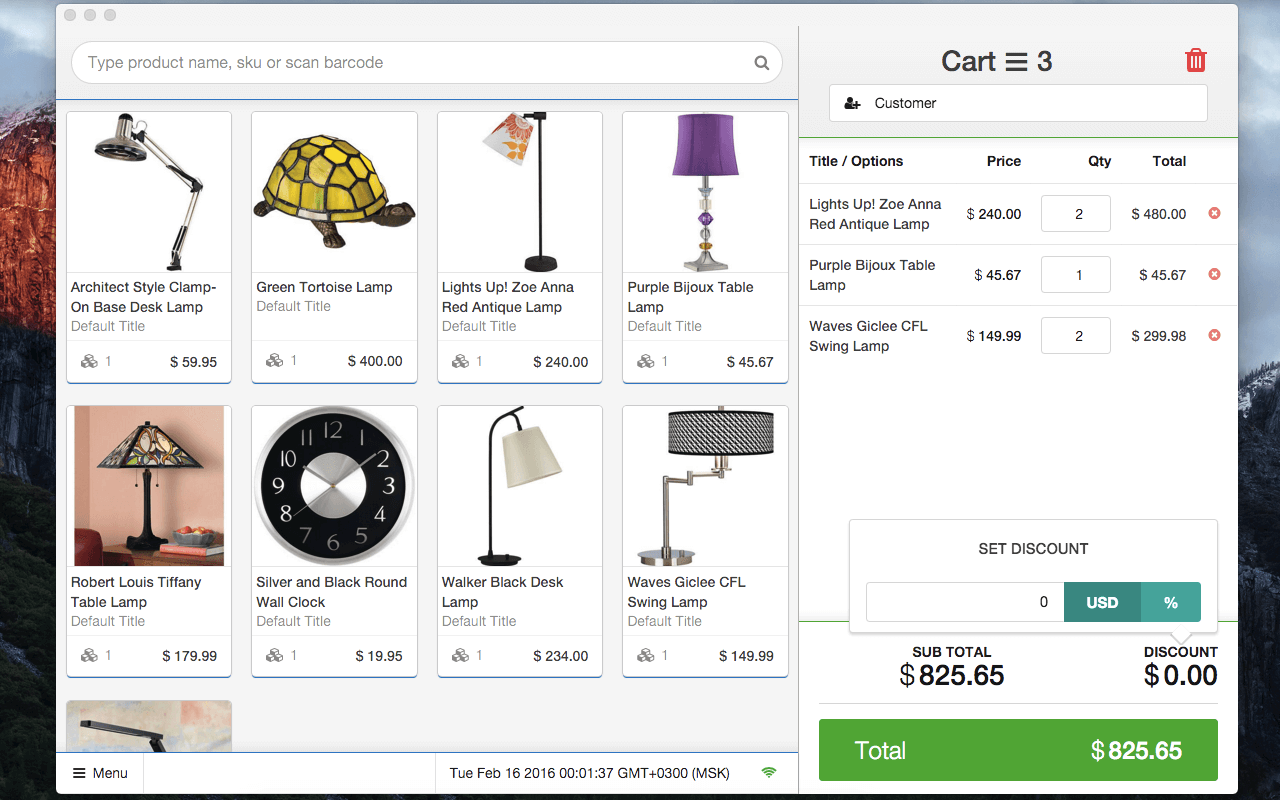
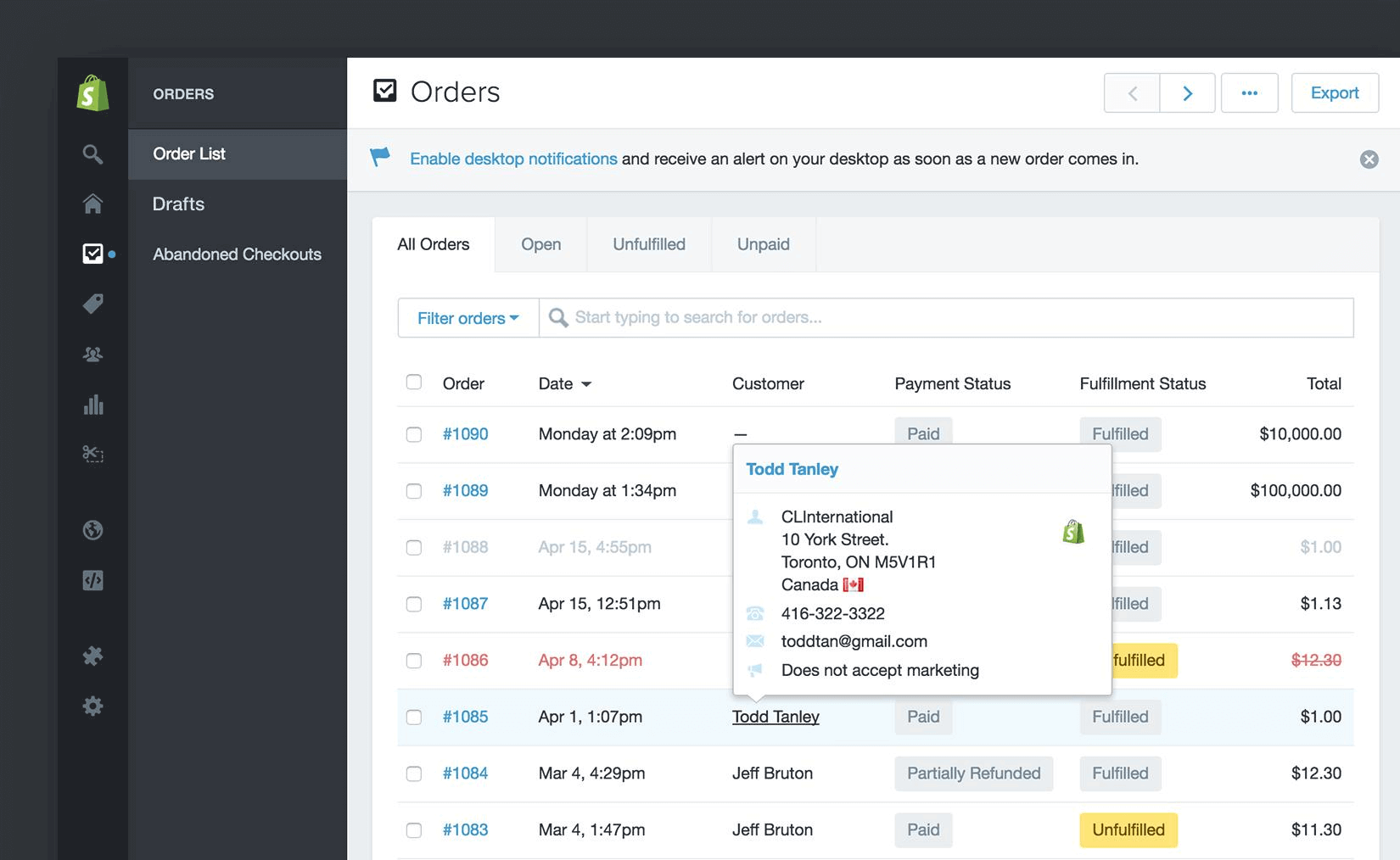
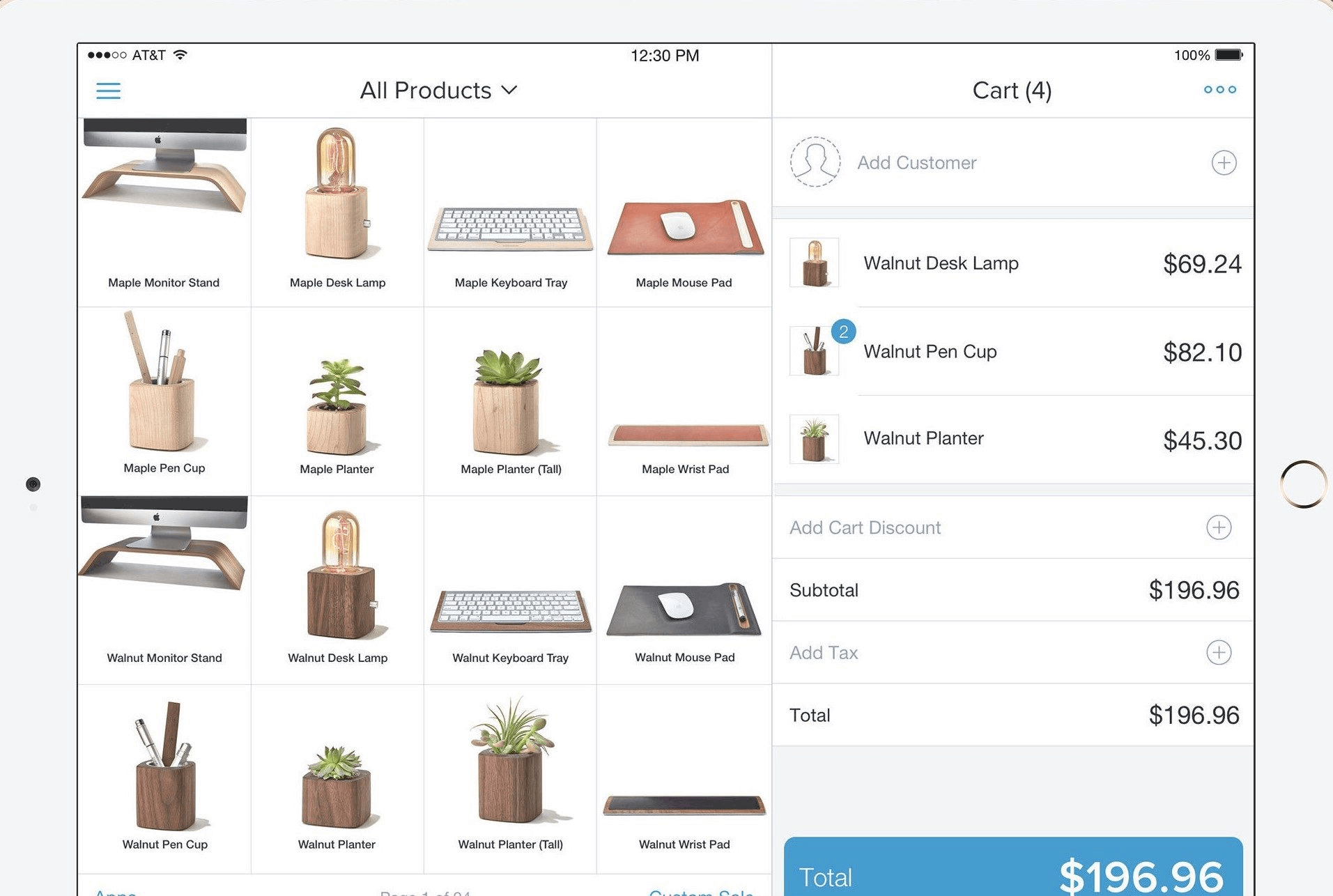
Description
Who Should Use Shopify POS?
Shopify POS works best for retailers whose business spans both a physical store and an online presence. It is a strong fit for:
- Retail brands that sell online via Shopify and want a single unified platform for all sales channels
- Pop-up shops and market vendors who need a mobile POS that syncs to their main store
- Boutiques and specialty shops looking to accept card payments without separate hardware accounts
- Businesses processing buy-online, pick-up-in-store (BOPIS) orders
- Multi-location retailers who need centralized inventory and reporting across stores
- Brands launching their first physical location and already on the Shopify ecosystem
Shopify POS Key Features
Shopify POS provides the tools a modern retail store needs to run checkout efficiently while staying connected to broader business data.
- Unified inventory: A single catalog powers both the online store and the POS. Stock adjustments happen in real time after every sale, return, or manual update, across all locations.
- Tap to Pay: Accept contactless card, Apple Pay, and Google Pay payments on an iPhone or Android device with no card reader required. Works out of the box in supported markets.
- Smart Grid: The POS home screen is customizable. Tiles for your most-used items, discounts, and actions can be arranged to match your store's workflow.
- Omnichannel returns: Process returns and exchanges for orders originally placed online or in-store from the same POS screen, without manual lookup.
- Customer profiles: Every transaction links to a customer record with purchase history, contact details, and loyalty notes. Staff can pull up a customer profile at checkout to apply saved discounts.
- Staff management: Assign each employee a PIN for login, set role-based permissions to limit access, and track individual sales performance. POS Pro adds advanced permissions and shift assignments.
- Reports and analytics: View sales by product, staff member, channel, and location. The Shopify Analytics dashboard shows in-store and online revenue together.
- Shopify Payments integration: Accept all major card types through Shopify Payments (US, Canada, UK, Australia, and other supported markets) with no third-party payment gateway required.
- Hardware support: Works with Shopify's own card readers, the Shopify Terminal (an all-in-one payment device), tap-to-pay on mobile, and third-party barcode scanners and receipt printers.
Shopify POS Pricing Plans
Shopify POS Lite is included in every Shopify subscription. POS Pro is an optional paid add-on available on any plan. Shopify pricing below reflects annual billing rates in USD.
- Basic: $39/month (billed annually). Includes POS Lite for basic in-store checkout, 2 staff accounts, and 1,000 inventory locations. Standard transaction fees apply.
- Shopify: $105/month (billed annually). Adds 5 staff accounts, professional reporting, and lower transaction fees. POS Lite included.
- Advanced: $399/month (billed annually). Includes 15 staff accounts, advanced reporting with custom report builder, and the lowest transaction fees. POS Lite included.
- POS Pro add-on: $89/month per location (available on any plan). Unlocks unlimited staff PINs per location, advanced inventory management (demand forecasting, purchase orders, low-stock reports), and unlimited registers per location.
How Does Shopify POS Compare?
The defining advantage of Shopify POS is how naturally it fits businesses already on the Shopify ecommerce platform. There is no separate database to maintain for products, customers, or orders. Most competing retail POS systems treat the online store as an integration, which means configuring sync rules, dealing with mapping errors, and resolving inventory discrepancies. Shopify eliminates that layer entirely for Shopify merchants.
Where Shopify POS has less depth is in dedicated retail-only features that platforms built purely around in-store retail have developed over years. Businesses with complex purchasing workflows, detailed vendor management, or heavy B2B ordering requirements may find that a purpose-built retail POS provides more specialized tooling at a comparable cost. Shopify POS shines brightest for businesses where online sales are a significant channel alongside the physical store.
The main alternatives in the retail POS software market include Square POS, which starts free and suits small retailers and food service, and Lightspeed Retail, which targets specialty retail with deep inventory. Restaurant operators typically choose Aloha POS for full restaurant-specific workflows. Enterprise payment processing across channels often involves Worldpay.
Shopify POS Integrations
Shopify POS draws on the full Shopify App Store, which contains 8,000+ apps. Key categories relevant to retail include accounting (QuickBooks, Xero), loyalty programs (Smile.io, LoyaltyLion), marketing (Klaviyo, Mailchimp), and fulfillment. Built-in integrations include Google and Meta for advertising, Facebook Shop, and Pinterest. Most apps that work with Shopify online also apply to the POS, which means retailers typically do not need separate tools for different channels.
Shopify POS connects to accounting software such as QuickBooks and Xero, billing platforms, and the broader ecommerce platform ecosystem. Merchants building a full ecommerce tech stack can review our guide to accounting software for ecommerce businesses.
Shopify POS Mobile App
The Shopify app for iOS and Android includes the POS module. Store staff use the same app to process in-store sales, manage inventory, and view customer records. Tap to Pay is supported on iPhone (iOS 16+) and Android devices with NFC capability. The app works with Bluetooth receipt printers and barcode scanners for a full counter setup. Managers can review daily sales reports and restock alerts directly from the mobile app without opening a web browser.
Shopify POS Customer Support
Shopify offers 24/7 live chat and email support on all paid plans. Phone support is available on certain plans and through the Shopify Plus tier. The Shopify Help Center has dedicated POS documentation covering hardware setup, payment configuration, inventory management, and troubleshooting. Community forums and an active merchant community provide peer support for common retail scenarios. POS Pro subscribers have access to a dedicated support channel.
Shopify POS Data Security
Shopify is PCI DSS Level 1 compliant. Payment data is encrypted end-to-end and never stored on merchant devices or Shopify's servers in plain text. Shopify Payments uses 3D Secure and fraud analysis tools to flag risky transactions automatically. Two-step authentication is available for all Shopify accounts. The platform has handled billions in payment volume globally and maintains compliance across markets in North America, Europe, and Australia.
Shopify POS Ease of Setup
For existing Shopify merchants, setting up Shopify POS requires downloading the app and pairing hardware. Products, customers, and tax settings carry over from the online store with no import needed. New merchants can create an account, add inventory, and start accepting payments within a few hours. Hardware can be ordered directly from the Shopify Hardware Store and arrives pre-configured for the account. The setup wizard inside the app guides staff through each step.
What Real Buyers Report About Shopify POS
Nirula Patel tested Shopify POS on a Basic plan with POS Lite and reviewed POS Pro features through the trial. The shared catalog is the most noticeable advantage for any merchant already on Shopify: adding a product online makes it available at checkout in the POS immediately, with no sync required. The Smart Grid customization is useful for fast-moving retail where staff need specific items and discount tiles front and center. Merchants who make heavy use of BOPIS frequently report that the omnichannel return flow is simpler to explain to customers than competing systems, because staff do not need to distinguish between online and in-store order types. The main frustration reported across retail operations is that POS Pro, where the most useful inventory management tools live, is an additional monthly cost per location on top of the Shopify subscription, which can add meaningfully to the monthly bill for multi-location businesses.
Shopify POS Pros and Cons
Pros:
- Single platform for online and in-store inventory, customers, and reporting
- Tap to Pay removes the need for separate card reader hardware on mobile
- 8,000+ app integrations available through the Shopify App Store
- Omnichannel returns and BOPIS handled natively without workarounds
- 24/7 customer support across all paid plans
Cons:
- POS Pro, which contains the most useful in-store inventory tools, costs extra per location
- Best value only for merchants already using Shopify online; switching ecommerce platforms adds complexity
- Transaction fees apply when not using Shopify Payments
- Limited out-of-the-box vendor management tools compared to dedicated retail platforms
Is Shopify POS Worth It?
Shopify POS is worth it for any merchant whose business runs on Shopify online and needs in-store checkout that stays in sync. The Basic plan with POS Lite covers straightforward retail operations at a low monthly cost. Growing businesses with more complex in-store needs, particularly around inventory replenishment, staff permissions, and demand forecasting, will find POS Pro's $89/location/month add-on worth considering once those workflows matter. For businesses starting from scratch without an existing ecommerce platform, Shopify POS and the broader Shopify ecosystem offer a single vendor solution that scales from a first physical sale to a multi-location chain.
Small business owners can also review our guide to accounting software for small businesses when evaluating their full technology investment. For CRM and customer loyalty tools, see the CRM software category.
Frequently Asked Questions
Is there a free plan or free trial for Shopify POS?
How much does Shopify POS cost?
What does Shopify POS integrate with?
Who is Shopify POS best for?
What are the best alternatives to Shopify POS?
Is Shopify POS GDPR / SOC 2 compliant?
Does Shopify POS have a mobile app?
What do real users say about Shopify POS?
How does Shopify POS compare to its top competitor?
Does Shopify POS offer customer support?
Find Your Perfect Software
Answer a few quick questions to get matched
You're all set!
A specialist for will reach out within 1 business day with tailored recommendations for your needs.