

Salesmsg
by Salesmsg • Founded 2017
What is Salesmsg?
Get Best Quote for Salesmsg
Connect with SaaSrat experts to get the best quote for your business.
You're all set!
A specialist for Salesmsg will reach out within 1 business day.
Salesmsg Features
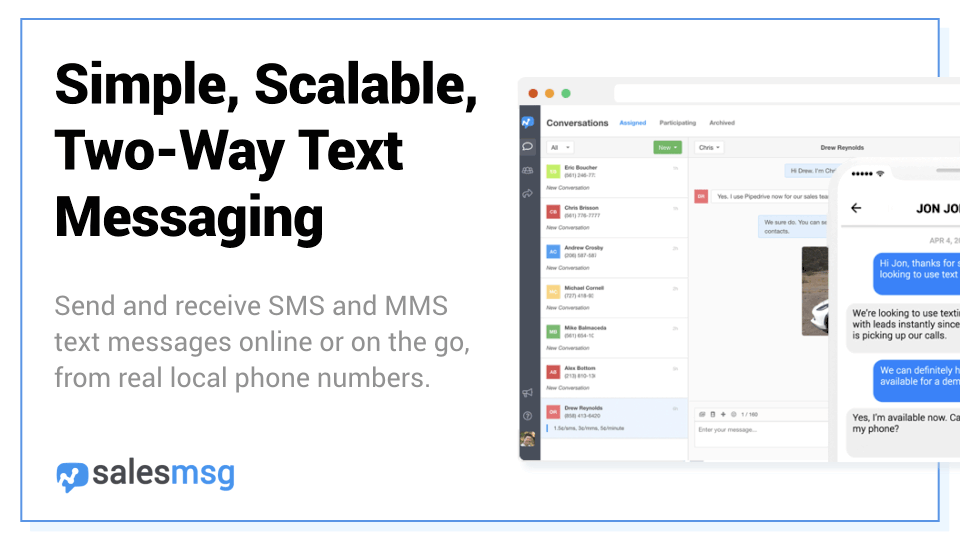
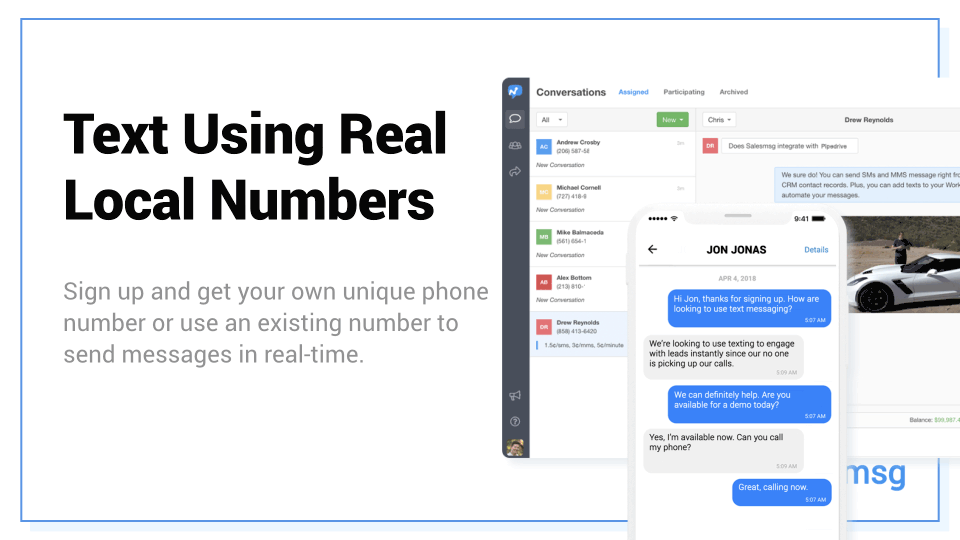
Two way text messaging
Bulk sms
Mms support
Scheduled messaging
Message templates
Contact management
View All 24 Features
Salesmsg Pricing Plans
PRO
- Free Unlimited Contacts
- Free Unlimited Automation Triggers
- One Local Phone Number (US, CA)
- 750 Text Messages
- MMS Picture Text Messaging
- Canned Responses and Templates
- Scheduled Messages
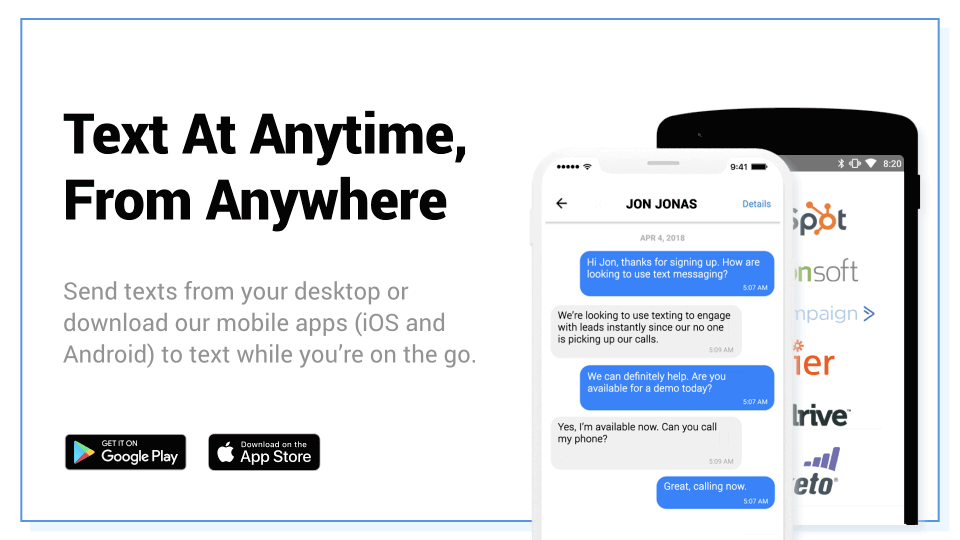
- Mobile App - iOS and Android
- Call Forwarding to Any Phone
- Landline Texting Available
- CRM & Marketing Integrations
- Automation Triggers & Webhooks
Salesmsg Resources
Salesmsg Screenshots
Description
Salesmsg at a Glance
| Best for | Revenue teams (sales, support, marketing) at growing businesses needing business texting and calling with automatic CRM integration, shared inbox, and AI-assisted conversation workflow |
|---|---|
| Deployment | Cloud SaaS with browser access and mobile apps; integrations with major CRM platforms |
| Starting price | Try for free available; paid plans scale by user count and feature bundle |
| Key strengths | Business texting plus calling on one platform, AI conversation automation, shared inbox architecture, CRM integration with automatic logging, four-step conversation-to-customer workflow |
| Not ideal for | Enterprise contact centers needing full CCaaS depth (Five9, Genesys), or organizations wanting only bulk SMS marketing without conversation workflow |
Salesmsg Overview
Salesmsg is a business texting and calling platform designed for revenue teams , sales, support, and marketing , who need SMS and phone conversations working alongside CRM data.
The core value proposition is captured in four steps: Capture (bring in more leads automatically), Connect (business texting for revenue teams), Convert (turn conversations into revenue), and Care (retain customers with ongoing conversation).
"Text leads, make calls, and let AI handle the rest , all inside your CRM" describes the workflow. Business text messages and phone calls happen through Salesmsg with automatic CRM logging.
The Capture step collects inbound leads from web widgets, QR codes, keywords, and click-to-text directly into the SMS inbox, with auto-response to new inquiries within seconds so prospects feel heard before moving on to competitors.
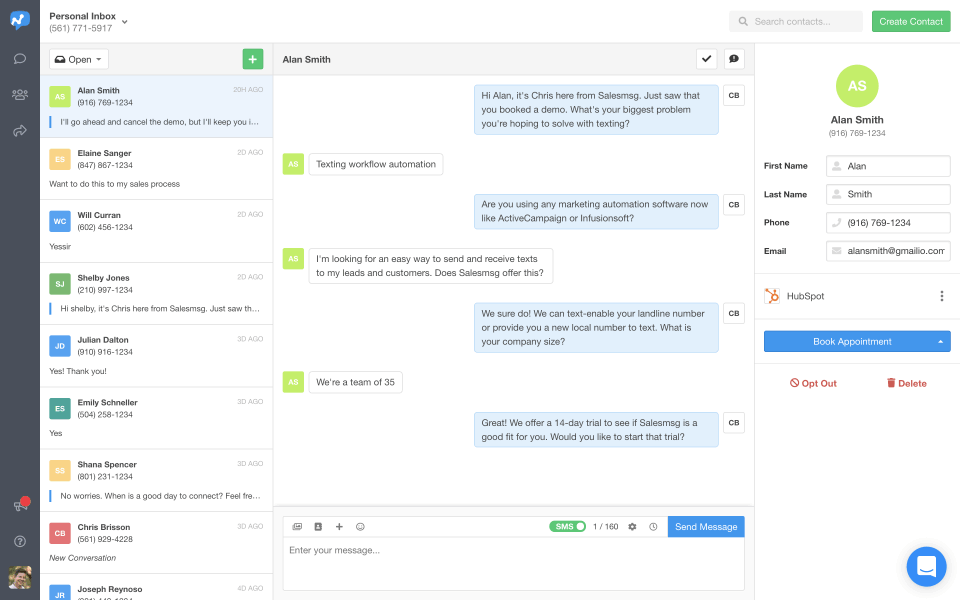
The shared inbox architecture keeps every team conversation in one place so no lead gets lost between team members handling different aspects of the customer relationship.
Capabilities and Named Features
The Salesmsg thesis is that revenue teams live in the CRM, and business texting plus calling should feel like a natural extension of CRM workflow rather than requiring team members to switch between separate messaging and calling tools.
Business texting for revenue teams matters because SMS delivers messaging where prospects actually read (open rates around 90%+ for SMS versus around 20-30% for email).
Text leads plus make calls on the same platform means team members do not have to jump between separate messaging and calling tools during customer conversations that naturally span both channels.
Let AI handle the rest captures the automation win. Repetitive interactions (initial responses, appointment reminders, follow-up nudges) run through AI while team members handle judgment calls.
Automatic CRM logging removes the interaction data quality problem that hurts revenue team productivity. Every conversation logs to the right customer record without requiring team members to manually update the CRM after every interaction.
The shared inbox architecture prevents leads from getting lost between team members. Sales teams especially struggle when the same lead touches multiple team members through different channels; shared inbox keeps context unified.
Web widget, QR code, keywords, and click-to-text lead capture channels reach prospects where they actually engage: on the website, on printed marketing, and on inbound communication touchpoints.
Named feature list
- Business texting platform
- Business calling platform
- AI conversation automation
- CRM integration with automatic logging
- Shared inbox architecture
- Web widget lead capture
- QR code lead capture
- Keyword-based lead capture
- Click-to-text lead capture
- Auto-response to inquiries
- SMS from computer or phone
- Team conversation coordination
- Four-step Capture Connect Convert Care workflow
- Free trial for evaluation
- Cloud SaaS platform
- Mobile apps
- Sales team configuration
- Support team configuration
- Marketing team configuration
- Revenue team focus
Pricing and Plans
Salesmsg offers Try for free as the primary evaluation entry point.
Paid plans scale by user count and feature bundle for growing revenue teams.
Enterprise pricing is available for larger teams needing custom integrations and dedicated support.
| Tier | Price | What is included |
|---|---|---|
| Try for Free | Free | Free trial for teams evaluating business texting and calling with AI-assisted CRM workflow before committing to a paid plan |
| Standard | Vendor Published | Paid plan for growing revenue teams with core texting, calling, CRM integration, and shared inbox |
| Growth | Vendor Published | Higher tier adding AI conversation automation, expanded lead capture channels, and multi-team collaboration |
| Business | Vendor Published | Full four-step Capture Connect Convert Care workflow with advanced automation and reporting |
| Enterprise | Contact Vendor | Enterprise plan for larger revenue teams with custom integrations, priority support, and dedicated account management |
Pros
- Business texting plus calling on one platform removes the tool-switching friction that hurts revenue team productivity during customer conversations that naturally span both channels.
- Automatic CRM logging of every conversation solves the interaction data quality problem that historically forced team members to manually update the CRM after every call or text.
- AI conversation automation handles repetitive interactions (initial responses, appointment reminders, follow-up nudges) freeing team members for judgment calls.
Cons and Trade-offs
- Not designed for enterprise contact centers needing full CCaaS depth like Five9, Genesys, or NICE CXone.
- Organizations wanting only bulk SMS marketing without conversation workflow should evaluate SimpleTexting or similar SMS marketing tools.
- AI automation effectiveness depends on ongoing configuration; teams should scope which interaction types AI handles well before relying on it for high-value customer conversations.
Salesmsg vs Alternatives
| Capability | Salesmsg | OpenPhone | Aircall |
|---|---|---|---|
| Core focus | Business texting plus calling for revenue teams | Modern virtual phone for teams | Modern cloud phone for growing teams |
| Text plus call | Native both | Native both | Native calling focus |
| CRM integration with auto-logging | Native automatic | OpenPhone integrations | Native CRM integrations |
| AI conversation automation | Native | OpenPhone AI features | Aircall AI features |
| Best fit | Revenue teams wanting text plus call plus CRM | Growth teams wanting modern virtual phone | Growing sales teams wanting Aircall ecosystem |
Who Should Choose Salesmsg
Revenue teams (sales, support, marketing) at growing businesses needing business texting and calling with automatic CRM integration, shared inbox, and AI-assisted conversation workflow.
Businesses using SMS for lead capture and prospect engagement benefit directly from the multi-channel lead capture (web widget, QR code, keywords, click-to-text).
Not appropriate for enterprise contact centers needing full CCaaS depth, or organizations wanting only bulk SMS marketing without conversation workflow.
Named Alternatives to Salesmsg
- OpenPhone. Modern virtual phone for teams with strong app design. Chosen when the buyer wants OpenPhone ecosystem depth.
- Aircall. Modern cloud phone for growing teams with strong integrations. A better fit for calling-focused teams wanting Aircall ecosystem.
- Heymarket. Agentic shared inboxes for business messaging. Preferred when the buyer wants multichannel shared inbox with AI agents.
- Toky. Modern phone system with CRM integration. Chosen for sales and support teams wanting Toky ecosystem.
- SimpleTexting. SMS marketing platform with strong SMB focus. A better fit for teams wanting SMS marketing without conversation workflow.
Implementation and Deployment
Salesmsg deployments are designed to be fast for revenue teams. Sign up, connect the CRM, configure business number, and start texting and calling within the same session.
Standard setup runs 1-3 weeks for revenue teams doing a full rollout: user account setup, business number provisioning, CRM integration configuration, shared inbox setup, lead capture channel configuration (web widget, QR code, keywords, click-to-text), AI automation rule design, team member onboarding, and pilot with a few live customer conversations.
Larger cross-team deployments add expanded user access, additional CRM integrations, and multi-team routing rules.
Enterprise deployments layer on custom integrations, dedicated account management, and expanded compliance controls.
What Real Buyers Say About Salesmsg
Operator discussions on Reddit r/sales SMS discussions and LinkedIn Revenue Operations community surface the following themes.
Sales and revenue operations leaders on LinkedIn revenue tech communities discuss Salesmsg as a distinctive choice when they want business texting plus calling plus AI plus CRM integration in one platform rather than assembling separate messaging, calling, and CRM logging tools.
The four-step Capture Connect Convert Care workflow is frequently cited as decisive; it maps to how revenue teams actually think about the customer conversation lifecycle rather than being generic messaging functionality.
Operator discussions in revenue team communities highlight the automatic CRM logging as the specific feature that lifts data quality; team members stop manually updating the CRM after every text or call.
Common critique from enterprise contact centers: Salesmsg is positioned for revenue teams; enterprise contact center operations typically prefer Five9, Genesys, or NICE CXone for full CCaaS depth.
Lead capture from web widget, QR code, keywords, and click-to-text is repeatedly praised as reaching prospects where they actually engage rather than requiring prospects to visit specific web forms.
AI conversation automation is discussed as directly addressing the repetitive interaction problem that consumed disproportionate revenue team time before AI adoption.
Vendor references: Salesmsg business texting and calling overview, Salesmsg platform capabilities, Salesmsg pricing plans.
Related Salesmsg Comparisons and Categories on SaaSRat
Explore related products and categories on SaaSRat to compare Salesmsg against alternatives.
- Business Phone System on SaaSRat
- SMS Marketing on SaaSRat
- Sales Engagement on SaaSRat
- OpenPhone: modern virtual phone
- Aircall: modern cloud phone
- Heymarket: agentic shared inboxes
- Toky: modern phone with CRM
- SimpleTexting: SMB SMS marketing
The Bottom Line on Salesmsg
Salesmsg is a strong fit for revenue teams (sales, support, marketing) at growing businesses needing business texting and calling with automatic CRM integration, shared inbox, and AI-assisted conversation workflow.
Business texting plus calling on one platform plus AI automation plus automatic CRM logging remove the tool-switching friction and data quality problems that hurt revenue team productivity.
The four-step Capture Connect Convert Care workflow maps to how revenue teams actually think about the customer conversation lifecycle.
Enterprise contact centers should evaluate Five9, Genesys, or NICE CXone for full CCaaS depth.
Organizations wanting only bulk SMS marketing should evaluate SimpleTexting or similar SMS marketing tools.
Verified on 2026-08-04 against vendor website.
Frequently Asked Questions
What is Salesmsg?
Who is Salesmsg best for?
How does Salesmsg pricing work?
Does Salesmsg integrate with CRMs?
Can I capture leads with Salesmsg?
Does Salesmsg do both texting and calling?
What is the shared inbox?
How does Salesmsg compare to OpenPhone?
Where is Salesmsg based?
Does Salesmsg offer AI automation?
Find Your Perfect Software
See how it can transform your workflow
- Personalized for your needs Tailored recommendations based on your unique requirements.
- Save time & resources Streamline your workflow and boost team productivity.
- Trusted by thousands Join 10,000+ businesses already growing with SaaSrat.
You're all set! 🎉
A specialist for will reach out within 1 business day with tailored recommendations for your needs.