

PDFTables
by The Sensible Code Company
What is PDFTables?
Get Best Quote for PDFTables
Connect with SaaSrat experts to get the best quote for your business.
You're all set!
A specialist for PDFTables will reach out within 1 business day.
PDFTables Features
Automatic PDF table recognition
PDF to Excel (XLSX)
PDF to CSV
PDF to XML
PDF to HTML
Full API automation
View All 12 Features
PDFTables Pricing Plans
1,000 credits
- 1,000 credits per pdftables.com/pricing
- 1 credit = 1 page conversion
- XLSX + CSV + XML + HTML export
- Full API automation
- Verified via Playwright screenshot at pdftables.com/pricing on 2026-07-05
5,000 credits
- 5,000 credits per pdftables.com/pricing
- Best value for regular users
- Full API automation
- Verified via Playwright screenshot at pdftables.com/pricing on 2026-07-05
10,000 credits
- 10,000 credits per pdftables.com/pricing
- Volume discount at 10K credits
- Verified via Playwright screenshot at pdftables.com/pricing on 2026-07-05
20,000+ credits (Custom)
- Custom pricing for 20,000+ credits per pdftables.com/pricing
- Enterprise volume
- 100,000+ credits contact us to discuss
- Invoicing available
- Verified via Playwright screenshot at pdftables.com/pricing on 2026-07-05
1,000 credits
- 1,000 credits per pdftables.com/pricing
- 1 credit = 1 page conversion
- XLSX + CSV + XML + HTML export
- Full API automation
5,000 credits
- 5,000 credits per pdftables.com/pricing
- Best value for regular users
- Full API automation
10,000 credits
- 10,000 credits per pdftables.com/pricing
- Volume discount at 10K credits
20,000+ credits (Custom)
- Custom pricing for 20,000+ credits per pdftables.com/pricing
- Enterprise volume
- 100,000+ credits contact us to discuss
- Invoicing available
PDFTables Screenshots
Description
What Is PDFTables and How Does It Work?
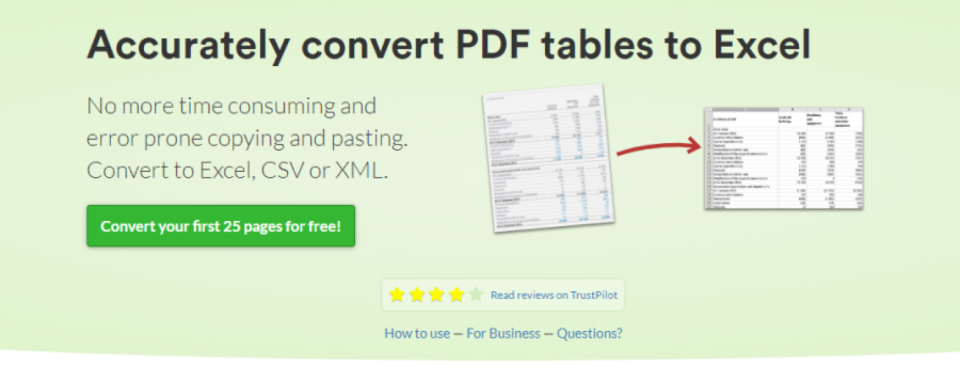
PDFTables is a specialized PDF to Excel converter used by finance, research, healthcare, and data analysis teams to extract tables from PDF documents into structured spreadsheets. Buyers use PDFTables when other PDF converters fail to preserve table structure.
The typical PDFTables deployment uses credit-based pricing: 1 credit = 1 page conversion. Users buy credits ($50 for 1,000, $150 for 5,000, $250 for 10,000, custom pricing for 20,000+) that expire 1 year from purchase.
PDFTables competes against Tabula (free open source), Adobe Acrobat Pro Export to Excel, and other PDF conversion tools.
PDFTables at a Glance
| Best for | Finance, research, healthcare, data analysis teams |
|---|---|
| Deployment | Web-based tool + API |
| Pricing model | Credit-based: $50 (1K credits) -> $400+ (20K+ credits) |
| Free trial | Free credits at signup |
| Signature capability | Automatic PDF table recognition to Excel + CSV + XML + HTML |
| Compliance | Standard |
| HQ | Cantabular Ltd |
PDFTables Pros and Cons in 2026
Where PDFTables Stands Out
- Automatic table recognition preserves table structure where other PDF converters fail.
- Credit-based pricing scales with usage; $50 for 1,000 credits ($0.05/page conversion).
- Full API automation for programmatic conversion workflows.
- Export to XLSX, CSV, XML, and HTML formats.
Where PDFTables Falls Short
- Credit-only pricing may be less predictable than fixed subscription.
- Credits expire 1 year from purchase.
- No permanent free tier beyond initial signup credits.
- Specialized use case; not a full PDF editor.
Who Should Use PDFTables?
Finance, research, healthcare, and data analysis teams that regularly convert PDF documents with tables into Excel spreadsheets should evaluate PDFTables when other PDF converters fail to preserve table structure.
Users with occasional PDF conversion needs may find Adobe Acrobat Pro Export to Excel sufficient.
PDFTables Product Suite in 2026
PDF to Excel conversion
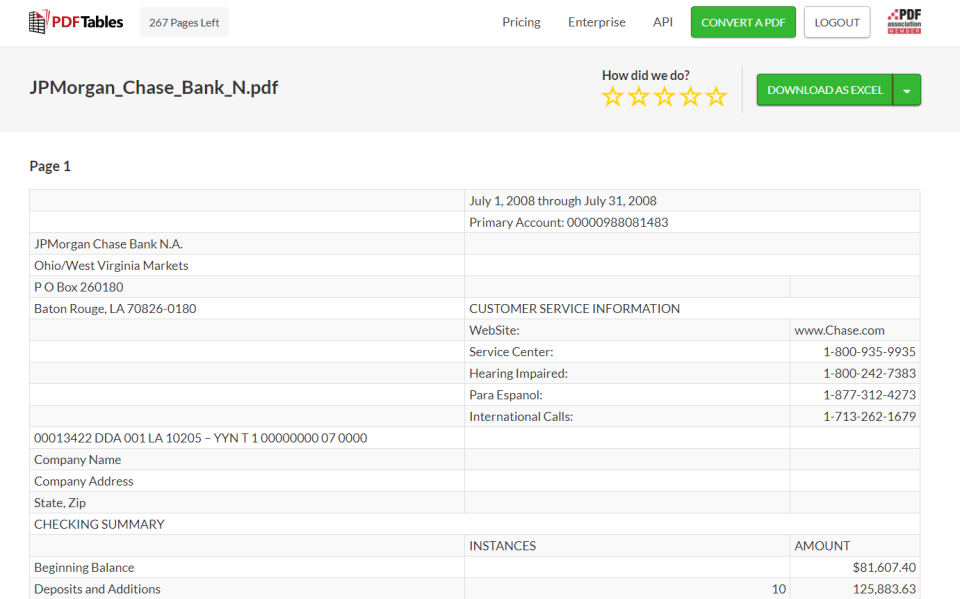
Extract tables from PDFs into structured Excel files.
Automatic table recognition
Detect and preserve table structure.
Multi-format export
XLSX, CSV, XML, HTML export formats.
Full API automation
Programmatic conversion via API.
Credit-based pricing
Pay only for what you convert.
PDFTables Deep Dive: Credit-Based PDF to Excel Deep Dive
Table recognition depth
PDFTables' automatic table recognition preserves table structure where general-purpose PDF converters (Adobe, Preview, browser) often fail. Finance analysts, researchers, and data teams save hours per PDF versus manual data entry.
Credit-based pricing
$50 buys 1,000 credits (1 credit per page), $150 buys 5,000 credits, $250 buys 10,000 credits, custom pricing for 20,000+ credits. Credits valid 1 year from purchase.
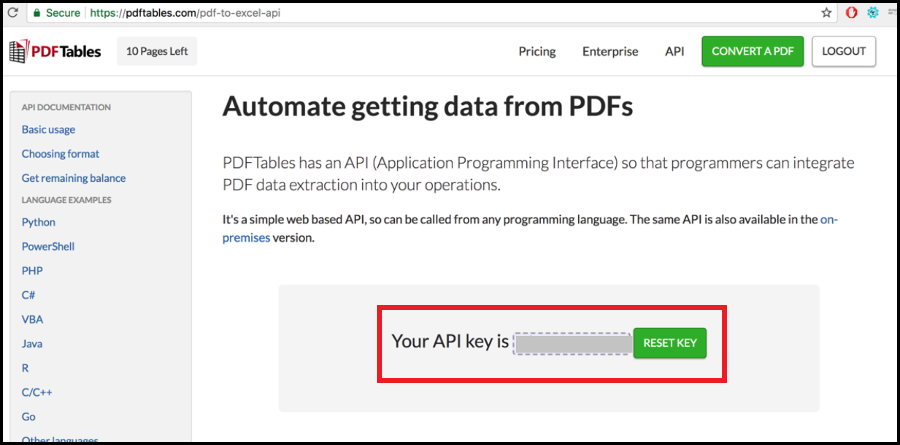
Full API automation
API access enables programmatic PDF conversion for automated data pipelines. Finance and research teams integrate PDFTables into ETL workflows.
Multi-format export
Export to XLSX (Excel), CSV, XML, and HTML formats supports different downstream data pipelines.
How Much Does PDFTables Cost in 2026?
PDFTables publishes credit-based pricing on pdftables.com/pricing. $50 for 1,000 credits, $150 for 5,000 credits, $250 for 10,000 credits, $400+ for 20,000+ credits (custom). Credits valid 1 year from purchase. Invoicing options available for enterprise. Free credits at signup.
Hidden Costs and Contract Notes to Watch
- Credits expire 1 year from purchase.
- Custom pricing only available for 20,000+ credits.
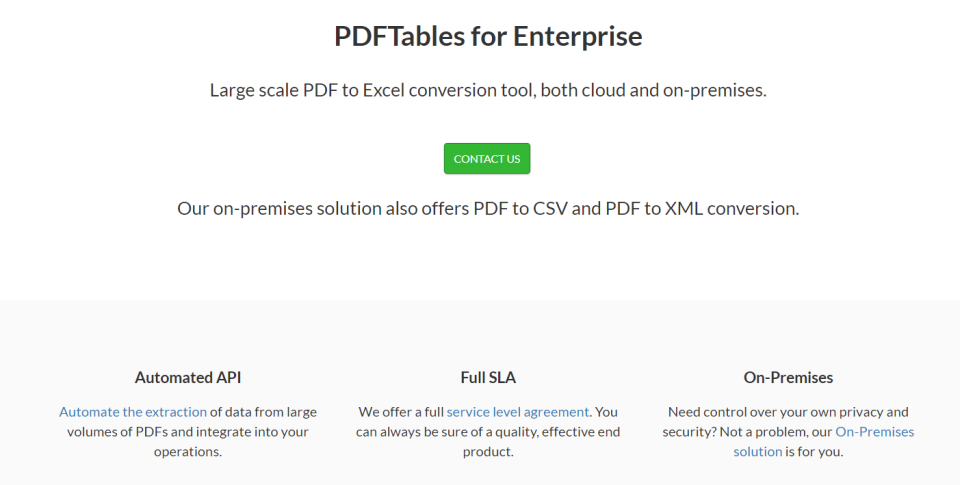
- Enterprise contact required for 100,000+ credits.
PDFTables Alternatives Worth Comparing
Tabula. Free open-source PDF table extractor.
Adobe Acrobat Pro Export to Excel. Adobe-native PDF to Excel conversion.
Camelot. Python library for PDF table extraction.
Who Uses PDFTables?
PDFTables supports finance analysts, researchers, healthcare data teams, and business intelligence analysts. Vendor testimonial: "PDFTables is fantastic - it gets the structure of the tables when other products don't. It just works without a lot of configuration or trial and error." - Derek, Senior Performance & Risk Analyst. Customer references live on pdftables.com. Cantabular Ltd is the operating company.
How PDFTables Compares to Adobe Acrobat Pro Export to Excel
| Dimension | PDFTables | Adobe Acrobat Pro Export to Excel |
|---|---|---|
| Specialized use case | PDF table extraction + Excel | General-purpose PDF editor |
| Pricing model | Credit-based ($50-$400+) | Subscription-only |
| API access | Full API automation | Limited |
| Table recognition quality | Automatic + preserves structure | Depends on PDF quality |
| Best-fit buyer | Finance + research + data teams | Adobe ecosystem professionals |
Buyers evaluating PDFTables versus Adobe Acrobat Pro Export to Excel typically weigh these dimensions during procurement. Neither is universally better; the fit depends on document volume, industry regulatory requirements, existing enterprise stack, and whether the primary constraint is capture speed, retrieval accuracy, records-retention compliance, or workflow automation.
Points to Verify Before Buying PDFTables
Independent software review threads consistently flag a similar set of due-diligence questions buyers wish they had asked earlier. Cover these during your evaluation.
- Confirm expected page volume matches credit tier (Solo, 1K, 5K, 10K, 20K+).
- Ask about API integration for programmatic workflows.
- Verify export format needs (XLSX, CSV, XML, HTML).
- Test table recognition quality on your typical PDF documents.
- Ask about invoicing options for enterprise procurement.
What Real Buyers Report About PDFTables
Finance analysts and data scientists on r/datascience and r/excel credit PDFTables for automatic table recognition that preserves structure where other converters fail. Trade-offs include credit-based pricing less predictable than subscription.
Bottom Line: Is PDFTables Right for You?
PDFTables is a strong pick for finance, research, healthcare, and data analysis teams that regularly convert PDF documents with tables into Excel.
Credit-based pricing ($50 for 1,000 credits scaling to $400+ for 20,000+) plus automatic table recognition plus API automation cover data-conversion-heavy workflows cleanly.
Trade-off: credit-only pricing may be less predictable than subscription; credits expire 1 year from purchase.
Alternatives worth pricing: Tabula for free open-source and Adobe Acrobat Pro Export to Excel for Adobe ecosystem professionals.
Verified on 2026-07-05 by the SaaSRat Editorial Team (Chirantan). Vendor facts cross-checked against the pdf-tables vendor website, LinkedIn showcase pages, and community discussions on Reddit and industry LinkedIn groups. About our methodology.
Frequently Asked Questions
How much does PDFTables cost?
How are credits counted?
How long do credits last?
Which formats does PDFTables export?
Does PDFTables have an API?
Is a free trial available?
What payment methods are supported?
Does PDFTables store credit card details?
Who uses PDFTables?
How does PDFTables compare to Tabula?
Find Your Perfect Software
See how it can transform your workflow
- Personalized for your needs Tailored recommendations based on your unique requirements.
- Save time & resources Streamline your workflow and boost team productivity.
- Trusted by thousands Join 10,000+ businesses already growing with SaaSrat.
You're all set! 🎉
A specialist for will reach out within 1 business day with tailored recommendations for your needs.