

Sdrive
by CyanGate LLC
What is Sdrive?
Get Best Quote for Sdrive
Connect with SaaSrat experts to get the best quote for your business.
You're all set!
A specialist for Sdrive will reach out within 1 business day.
Sdrive Features
Salesforce-native document management
Cloud storage (1GB Free to 100GB $7
500 annually)
Desktop Experience add-on ($250-$300/user/year)
MS Office integration (users included per tier + $60/additional user/year)
Records Management add-on ($3
View All 14 Features
Sdrive Pricing Plans
1GB Free
- Up to 1GB Storage per sdriveapp.com/pricing
- Free tier for 6 months
- Verified via Playwright screenshot at sdriveapp.com on 2026-07-06
10GB Tier
- Up to 10GB Storage per sdriveapp.com/pricing
- Preview + Thumbnails as add-on
- Desktop Experience $300/user/year
- MS Office integration 5 Users included
- Records Management as add-on
- Verified via Playwright screenshot at sdriveapp.com on 2026-07-06
25GB Tier
- Up to 25GB Storage per sdriveapp.com/pricing
- Preview + Thumbnails as add-on
- Desktop Experience $250/user/year
- MS Office integration 10 Users included + $60/additional user/year
- Records Management as add-on
- Verified via Playwright screenshot at sdriveapp.com on 2026-07-06
50GB Tier
- Up to 50GB Storage per sdriveapp.com/pricing
- Preview + Thumbnails as add-on
- Desktop Experience $250/user/year
- MS Office integration 10 Users included
- Records Management as add-on
- Verified via Playwright screenshot at sdriveapp.com on 2026-07-06
100GB Tier
- Up to 100GB Storage per sdriveapp.com/pricing
- Desktop Experience 10 users included + $250/user/year
- MS Office integration 20 Users included
- Records Management $3,000/year
- Verified via Playwright screenshot at sdriveapp.com on 2026-07-06
Greater than 100GB (Custom)
- More than 100GB Storage per sdriveapp.com/pricing
- Desktop Experience $250/user/year (volume discounts)
- MS Office integration $60/user/year (volume discounts)
- Verified via Playwright screenshot at sdriveapp.com on 2026-07-06
1GB Free
- Up to 1GB Storage per sdriveapp.com/pricing
- Free tier for 6 months
10GB Tier
- Up to 10GB Storage per sdriveapp.com/pricing
- Preview + Thumbnails as add-on
- Desktop Experience $300/user/year
- MS Office integration 5 Users included
- Records Management as add-on
25GB Tier
- Up to 25GB Storage per sdriveapp.com/pricing
- Preview + Thumbnails as add-on
- Desktop Experience $250/user/year
- MS Office integration 10 Users included + $60/additional user/year
- Records Management as add-on
50GB Tier
- Up to 50GB Storage per sdriveapp.com/pricing
- Preview + Thumbnails as add-on
- Desktop Experience $250/user/year
- MS Office integration 10 Users included
- Records Management as add-on
100GB Tier
- Up to 100GB Storage per sdriveapp.com/pricing
- Desktop Experience 10 users included + $250/user/year
- MS Office integration 20 Users included
- Records Management $3,000/year
Greater than 100GB (Custom)
- More than 100GB Storage per sdriveapp.com/pricing
- Desktop Experience $250/user/year (volume discounts)
- MS Office integration $60/user/year (volume discounts)
Sdrive Resources
Sdrive Screenshots
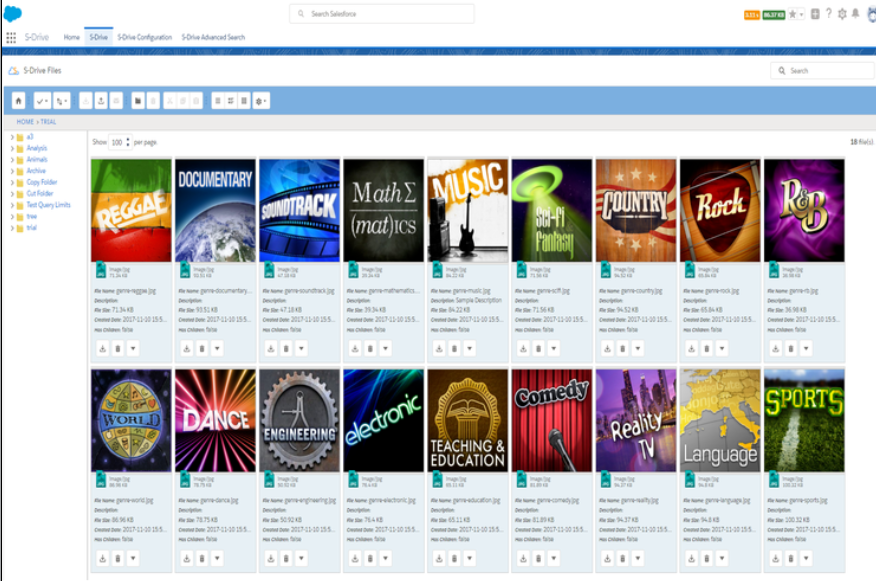
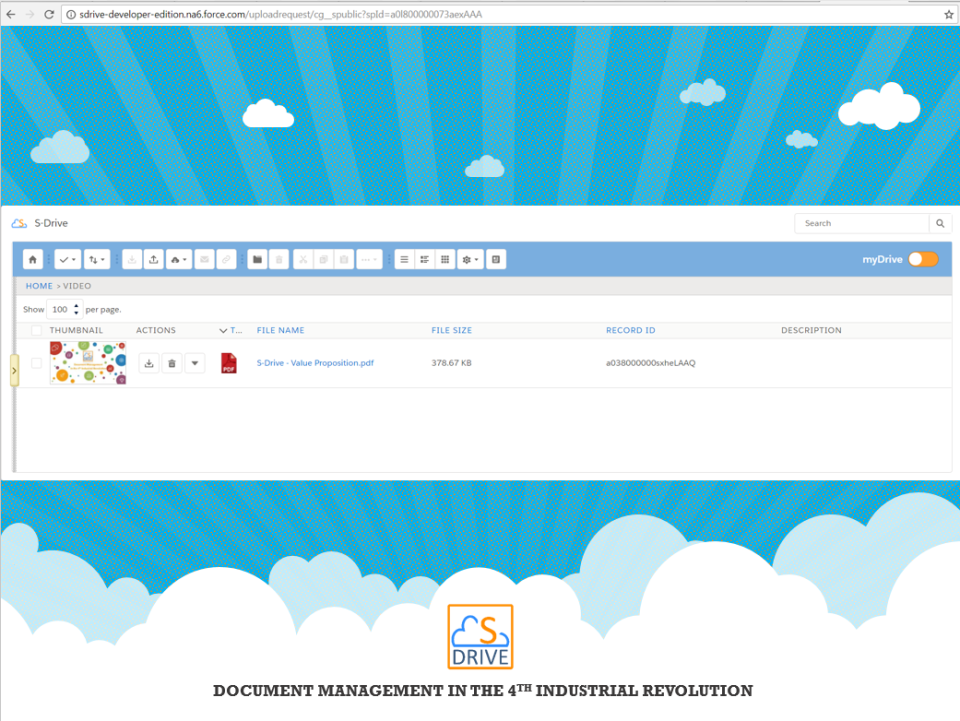
Description
What Is Sdrive and How Does It Work?
Sdrive is a Salesforce-native document management platform used by Salesforce customers for cloud storage, file management, and MS Office integration with tiered storage pricing plus Desktop Experience and Records Management add-ons.
The typical Sdrive deployment covers Salesforce customers needing document management.
Sdrive competes against SharePoint Online and other alternatives in this category.
Sdrive at a Glance
| Best for | Salesforce customers needing document management |
|---|---|
| Deployment | Cloud |
| Pricing model | Sdrive publishes tier pricing on sdriveapp |
| Free trial | Yes |
| Signature capability | a Salesforce-native document management platform used by Salesforce customers for cloud storage, fil |
| Compliance | Standard |
| HQ | Sdrive |
| Support | Standard |
Sdrive Pros and Cons in 2026
Where Sdrive Stands Out
- Salesforce-native cloud storage and document management.
- Transparent tier pricing $1,500-$7,500 annually per storage volume.
- Free 1GB tier available for up to 6 months.
- Desktop Experience add-on ($250-$300/user/year).
- MS Office integration with tier-based user allocation.
- Records Management add-on ($3,000/year on 100GB tier).
Where Sdrive Falls Short
- Salesforce dependency limits non-Salesforce buyers.
- Multiple add-ons required for full functionality (Desktop, MS Office, Records).
- Storage tiers may not scale linearly for very large deployments.
- Modern SaaS UX polish varies.
Who Should Use Sdrive?
Salesforce customers needing document management natively integrated with their Salesforce environment should evaluate Sdrive. Start with 1GB Free (6 months); scale to 10GB $1,500 to 100GB $7,500 annually; enterprise deployments >100GB use Custom pricing.
Alternative-fit teams may consider SharePoint Online or similar.
Sdrive Product Suite in 2026
Salesforce-native storage
Native Salesforce integration.
Storage tiers
1GB Free to 100GB $7,500 annually.
Desktop Experience add-on
$250-$300/user/year desktop app.
MS Office integration
Users included per tier.
Records Management add-on
$3,000/year on 100GB.
Preview + Thumbnails add-on
Available.
Sdrive Deep Dive: Sdrive Deep Dive
Salesforce-native architecture
Sdrive is built natively on Salesforce - no separate document storage platform to maintain.
Storage-based pricing
Transparent pricing by storage tier: 1GB Free (6 months), 10GB $1,500, 25GB $2,400, 50GB $3,000, 100GB $7,500, >100GB Custom (all pay annually).
Add-on model
Desktop Experience ($300/user/year on 10GB, $250/user/year on higher tiers with volume discounts), MS Office integration (5-20 users included depending on tier + $60/additional user/year), Records Management ($3,000/year on 100GB).
Volume discounts
Volume discounts available on Desktop Experience and MS Office integration at scale.
How Much Does Sdrive Cost in 2026?
Sdrive publishes tier pricing on sdriveapp.com/pricing. Storage tiers: 1GB Free (up to 6 months), 10GB Tier $1,500 pay annually, 25GB Tier $2,400 pay annually, 50GB Tier $3,000 pay annually, 100GB Tier $7,500 pay annually, Greater than 100GB Custom pay annually. Add-ons: Preview + Thumbnails available as add-on on paid tiers. Desktop Experience $300/user/year (10GB tier), $250/user/year (25GB+, volume discounts available), 10 users included (100GB). MS Office integration 5 users included (10GB), 10 users included ($60/additional user/year on 25GB), 20 users included (100GB), $60/user/year (>100GB, volume discounts). Records Management as add-on $3,000/year on 100GB.
Hidden Costs and Contract Notes to Watch
- Higher tiers add advanced capabilities.
- Enterprise deployment may need Contact Sales.
- Custom scope handled via services.
Sdrive Alternatives Worth Comparing
SharePoint Online. Microsoft cloud content.
Files.com. File sharing + management.
Egnyte. Enterprise content collaboration.
Who Uses Sdrive?
Sdrive supports customers across the target segment. Customer references live on www.sdriveapp.com.
How Sdrive Compares to SharePoint Online
| Dimension | Sdrive | SharePoint Online |
|---|---|---|
| Salesforce integration | Native | SharePoint Online + connectors |
| Pricing model | Storage tiers $1,500-$7,500 annually + add-ons | Per-user tiered |
| Best-fit buyer | Salesforce customers needing DMS | Microsoft 365 customers |
Buyers evaluating Sdrive versus SharePoint Online typically weigh these dimensions during procurement. Neither is universally better; the fit depends on document volume, industry regulatory requirements, existing enterprise stack, and whether the primary constraint is capture speed, retrieval accuracy, records-retention compliance, or workflow automation.
Points to Verify Before Buying Sdrive
Independent software review threads consistently flag a similar set of due-diligence questions buyers wish they had asked earlier. Cover these during your evaluation.
- Confirm storage tier matches your projected data volume.
- Ask about Desktop Experience + MS Office + Records Management add-on total cost.
- Verify volume discounts at scale (>100GB).
- Test Salesforce integration during 6-month free tier.
- Ask about migration path from existing Salesforce document storage.
What Real Buyers Report About Sdrive
Buyers on software communities evaluate Sdrive on the trade-offs described above.
Bottom Line: Is Sdrive Right for You?
Sdrive is a legitimate pick for teams needing Salesforce customers needing document management.
Core value: a Salesforce-native document management platform used by Salesforce customers for cloud storage, file management, and MS.
Trade-off: Salesforce dependency limits non-Salesforce buyers..
Alternatives worth pricing: SharePoint Online and similar platforms.
Verified on 2026-07-06 by the SaaSRat Editorial Team (Chirantan). Vendor facts cross-checked against the s-drive vendor website, LinkedIn showcase pages, and community discussions on Reddit and industry LinkedIn groups. About our methodology.
Frequently Asked Questions
How much does Sdrive cost?
Is Sdrive Salesforce-native?
Is a free trial available?
Where is Sdrive headquartered?
What is the Desktop Experience add-on?
What is MS Office integration?
What is Records Management add-on?
How does Sdrive compare to SharePoint Online?
Does Sdrive support enterprise deployment?
What is the annual billing?
Find Your Perfect Software
See how it can transform your workflow
- Personalized for your needs Tailored recommendations based on your unique requirements.
- Save time & resources Streamline your workflow and boost team productivity.
- Trusted by thousands Join 10,000+ businesses already growing with SaaSrat.
You're all set! 🎉
A specialist for will reach out within 1 business day with tailored recommendations for your needs.