

PandaDoc
by Pandadoc
What is PandaDoc?
Get Best Quote for PandaDoc
Connect with SaaSrat experts to get the best quote for your business.
You're all set!
A specialist for PandaDoc will reach out within 1 business day.
PandaDoc Features
Free e-signature tier with 60 documents per year
Drag-and-drop document editor
Custom quotes and proposal templates
CRM integrations (Salesforce HubSpot Pipedrive Zoho)
Content library and reusable blocks
Deal rooms for buyer-seller collaboration
View All 13 Features
PandaDoc Pricing Plans
Free
- 60 documents per year
- Drag-and-drop document editor
- Document tracking
- 24/7 chat and email support
- Forever free no card required
Starter
- $19/seat/month
- Unlimited document uploads and e-signatures
- Rich document editor and tracking
- 24/7 chat and email support
- 14-day free trial no card
- Annual plans save up to 46 percent
Business (Most Popular)
- $49/seat/month
- All Starter features
- Custom quotes and proposal templates
- CRM integrations (Salesforce HubSpot Pipedrive Zoho)
- Content library and deal rooms
- Approval workflows web forms bulk send
Enterprise (Custom Quote)
- Custom-quoted per-seat or per-document
- All Business features
- Configure-price-quote (CPQ)
- Workflow automation and smart content
- SSO team workspaces
- Notary and API access
- Dedicated customer success
PandaDoc Screenshots
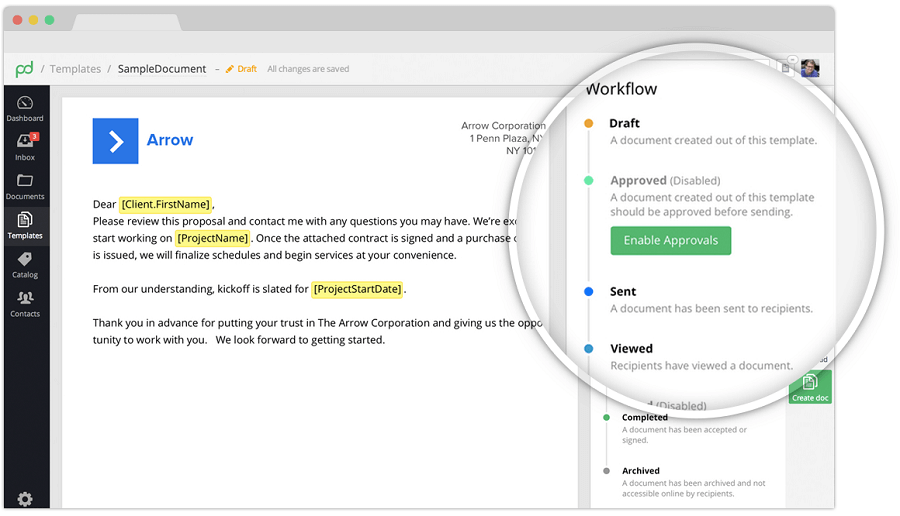
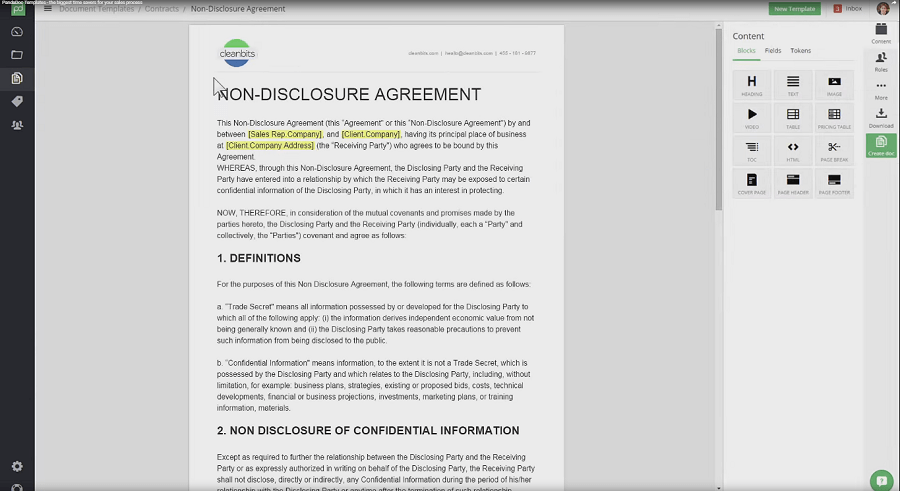
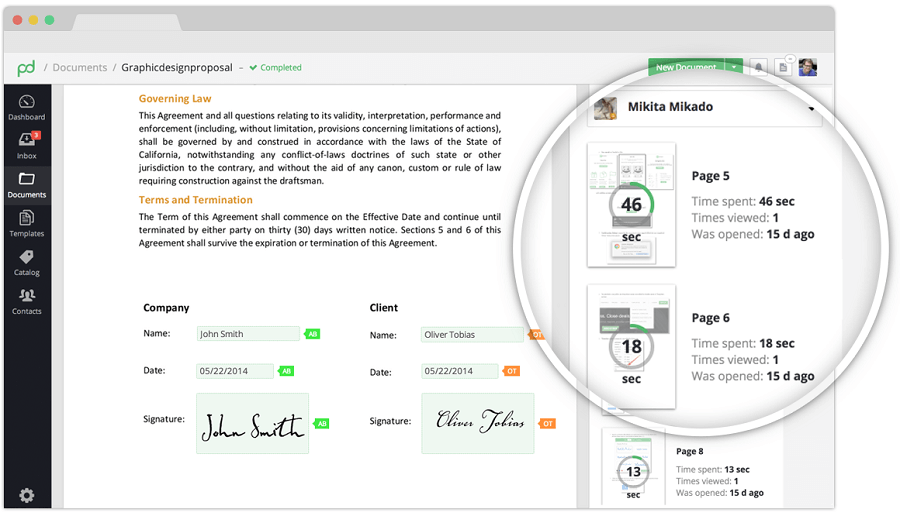
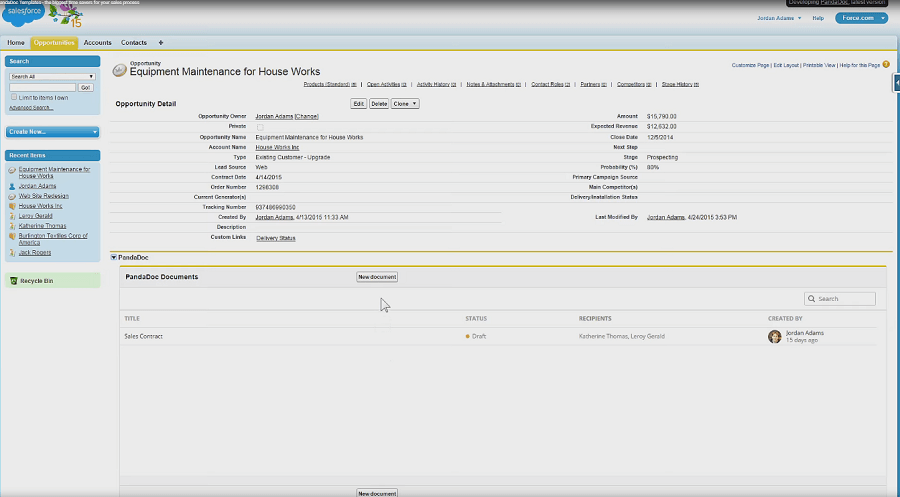
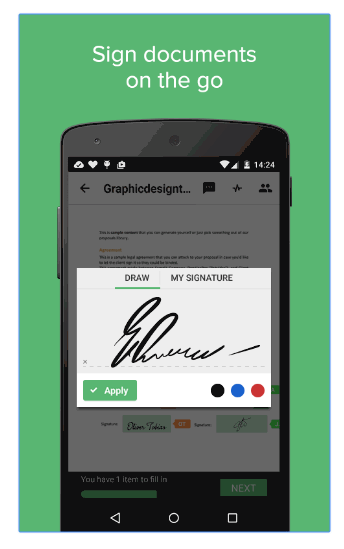
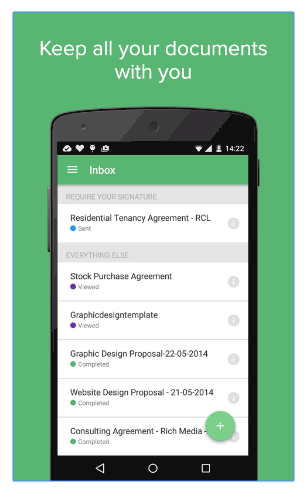
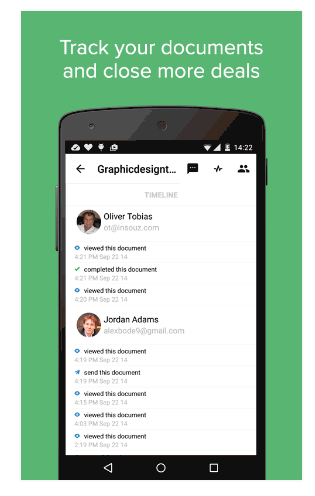
Description
Who PandaDoc Is Right For
PandaDoc suits sales teams, revenue operations, legal, procurement, and customer-success teams that want document automation plus electronic signatures plus CRM-native generation on one platform.
The ideal buyer is a 5-500 person sales or operations team running proposals, quotes, contracts, NDAs, and statements of work at predictable volume. Core flow covers drag-and-drop editing, content library blocks, deal rooms, approval workflows, and Salesforce/HubSpot/Pipedrive sync.
It is overkill for solo founders signing fewer than 10 documents a year (use DocuSign Personal or PandaDoc Free) and underbuilt-by-comparison for legal-first contract lifecycle management with deep redlining and obligation tracking (look at Ironclad, ContractWorks, or Conga CLM).
PandaDoc vs DocuSign, Dropbox Sign, and Proposify
DocuSign wins on e-signature brand recognition and enterprise compliance depth. Dropbox Sign (formerly HelloSign) wins on Dropbox ecosystem and developer API. Proposify wins on proposal-first design and content-block libraries.
PandaDoc wins on sales-led workflow consolidation: e-signature plus CRM-native generation plus CPQ plus deal rooms plus approval workflows on one subscription. Starter at $19/seat/month and Business at $49/seat/month undercut DocuSign eSignature Business Pro on raw value-for-feature.
PandaDoc 2026 Pricing
| Plan | Monthly USD | What's Included |
|---|---|---|
| Free | $0 | 60 documents per year, drag-and-drop editor, tracking, 24/7 support |
| Starter | $19/seat/month | Unlimited document uploads and e-signatures, rich editor, tracking, 24/7 support, 14-day free trial |
| Business (Most Popular) | $49/seat/month | Everything in Starter + custom quotes, CRM integrations, content library, deal rooms, approval workflows, web forms, bulk send |
| Enterprise | Custom quote (per-seat or per-document) | Everything in Business + CPQ, workflow automation, smart content, SSO, team workspaces, Notary, API access |
14-day free trial on Starter with no credit card required. Annual plans offer up to 46% savings vs monthly billing. Free tier documents do not roll over between billing periods.
Fees and Limits to Watch For
- Free tier cap: 60 documents per year on Free; upgrade required beyond.
- CRM integrations gated to Business: Salesforce, HubSpot, Pipedrive, Zoho require Business at $49/seat/month or above.
- CPQ and API gated to Enterprise: configure-price-quote, workflow automation, and API access require Enterprise.
- Annual savings: up to 46% off when committing annually.
- Per-seat or per-document Enterprise: pricing model varies by deployment.
Integrations
- CRM: Salesforce, HubSpot, Pipedrive, Zoho CRM, Microsoft Dynamics 365.
- Productivity: Google Workspace, Microsoft 365, Slack, Microsoft Teams.
- Payment: Stripe, Square, PayPal, Authorize.net for in-document payment.
- Cloud storage: Google Drive, OneDrive, Dropbox, Box.
- Accounting: QuickBooks, Xero, FreshBooks via Zapier.
- Developer: REST API and webhooks (Enterprise).
- Zapier and Make: 5,000+ apps via Zapier connector.
Security and Compliance Posture
PandaDoc ships SSL/TLS encryption in transit, AES-256 at rest, role-based access control, GDPR-compliant data handling, SOC 2 Type II attestation, HIPAA-compliant tier for healthcare, two-factor authentication, SAML SSO (Enterprise), audit logs, eIDAS-qualified e-signatures (EU), and US data hosting with EU residency options on Enterprise.
Customer Support and SLA
24/7 chat and email support across Free and paid tiers. Business adds priority response. Enterprise includes dedicated customer success manager and onboarding.
Knowledge base, video tutorials, and certified PandaDoc partners for implementation. San Francisco-headquartered with global support across US, EU, and APAC.
Eligibility and Sign-up
PandaDoc is available globally. Sign-up via Free plan or 14-day trial on Starter with no credit card required.
Monthly or annual billing via credit card or invoice. No minimum seat count on Starter and Business; Enterprise via sales consultation.
Mobile App and Customer Portal
iOS and Android apps cover document viewing, e-signing, tracking, and notifications. Web admin fully responsive. Buyer-facing document and signing flow mobile-responsive.
Pros and Cons
- Pros: free e-signature tier with 60 documents per year, Starter at $19/seat/month with unlimited e-signatures, CRM-native generation on Business (Salesforce, HubSpot, Pipedrive, Zoho), content library and deal rooms, approval workflows and bulk send, SOC 2 Type II + HIPAA tier + eIDAS-qualified e-signatures, 24/7 chat and email support across all tiers, 14-day free trial no card.
- Cons: CRM integrations gated to Business at $49/seat/month, CPQ and API gated to Enterprise (custom quote), Free tier 60-document cap restrictive for active deal teams, per-seat pricing scales for larger sales teams, learning curve for CPQ and smart content features on Enterprise.
2026 Updates
The 2026 roadmap deepened CPQ on Enterprise, refreshed deal rooms and approval workflows on Business, expanded smart content and workflow automation, added more CRM-native generation depth (Salesforce, HubSpot, Pipedrive, Zoho), and improved annual-plan savings (up to 46% off).
What Real Buyers Say
Sales operations leaders on the r/sales subreddit describe PandaDoc as the credible sales-led document automation default when the buyer wants e-signature plus CRM-native generation plus deal rooms on one subscription without DocuSign Business Pro pricing.
Praised: unified workflow and content library. Friction: CRM integrations gated to Business and CPQ gated to Enterprise.
PandaDoc Alternatives
| Product | Best Fit | Starting Price |
|---|---|---|
| DocuSign eSignature | Enterprise e-signature with broad compliance | Personal $15/month; Business Pro $65/user/month |
| Dropbox Sign (HelloSign) | Dropbox ecosystem and developer API | Essentials $20/month; Standard $30/month |
| Proposify | Proposal-first design with content libraries | Team Plan $49/user/month annual |
| Adobe Acrobat Sign | Adobe ecosystem with PDF-native flow | Standard $19.99/user/month annual |
| HubSpot Sales Hub Quotes | HubSpot CRM ecosystem buyers | Starter $20/seat/month |
Field Guide
| Vendor | PandaDoc Inc. |
| Headquarters | San Francisco, California, United States |
| Certifications | SOC 2 Type II, HIPAA tier, eIDAS-qualified e-signatures, GDPR-compliant |
| Data hosting | US primary; EU residency on Enterprise |
| Integrations | Salesforce, HubSpot, Pipedrive, Zoho CRM, Microsoft Dynamics 365 |
| Free tier | 60 documents per year, drag-and-drop editor |
How to Get Started With PandaDoc
- Open the official PandaDoc website and sign up for Free or start 14-day Starter trial.
- Upload your first document or use a template from the content library.
- Configure e-signature flow, recipient roles, and tracking.
- Connect Salesforce, HubSpot, or Pipedrive (Business tier) for CRM-native generation.
- Upgrade to Business ($49/seat) for content library, deal rooms, and approval workflows, or Enterprise for CPQ and API access.
How to Cancel or Pause
Cancel any time on monthly billing; annual prepay non-refundable but unused months credit forward. Drop to Free plan to retain account without payment. Data export covers documents, contacts, templates, and audit trails.
Eligibility Checklist
- You operate a 5-500 person sales, revenue operations, legal, procurement, or customer-success team.
- You send 60+ documents per year for proposals, quotes, contracts, NDAs, or SOWs.
- You want e-signature plus CRM-native generation plus deal rooms on one subscription.
- You can accept per-seat tier pricing with CRM integrations gated to Business.
- You do not need Ironclad-scale legal CLM with deep redlining and obligation tracking.
Pricing FAQ
- What does PandaDoc cost? Free at $0 for 60 documents/year. Starter at $19/seat/month with unlimited e-signatures. Business at $49/seat/month with CRM integrations and deal rooms. Enterprise custom-quoted.
- Is there a free trial? Yes, 14-day free trial on Starter with no credit card required.
- What's the annual savings? Up to 46% off annual plans vs monthly billing.
- When do CPQ and API enable? Enterprise tier with custom-quoted pricing.
Bottom Line
PandaDoc is a credible 2026 shortlist option for sales teams, revenue operations, legal, procurement, and customer-success teams that want document automation plus electronic signatures plus CRM-native generation plus deal rooms plus approval workflows on one subscription.
Highlights: Free e-signature tier with 60 documents per year. Starter at $19/seat/month with unlimited e-signatures and 14-day trial. Business at $49/seat/month with Salesforce, HubSpot, Pipedrive, Zoho CRM-native generation and deal rooms. Enterprise adds CPQ, workflow automation, SSO, team workspaces, Notary, and API access.
Compliance: SOC 2 Type II, HIPAA tier, eIDAS-qualified e-signatures, GDPR-compliant data handling. US primary data hosting with EU residency on Enterprise.
Trade-offs: CRM integrations gated to Business at $49/seat/month. CPQ and API gated to Enterprise (custom quote). Free tier 60-document cap restrictive for active deal teams. Per-seat pricing scales for larger sales teams.
Shortlist alternatives: DocuSign eSignature for enterprise e-signature, Dropbox Sign for Dropbox ecosystem, Proposify for proposal-first design, Adobe Acrobat Sign for Adobe ecosystem, and HubSpot Sales Hub Quotes for HubSpot CRM ecosystem. For broader market context, see the related SaaSRat blog guide.
Verified on 2026-06-26. Vendor information verified from the official PandaDoc website.
Frequently Asked Questions
Is there a free plan or free trial for PandaDoc?
How much does PandaDoc cost?
What does PandaDoc integrate with?
Who is PandaDoc best for?
What are the best alternatives to PandaDoc?
Is PandaDoc GDPR / SOC 2 compliant?
Does PandaDoc have a mobile app?
What do real users say about PandaDoc?
How does PandaDoc compare to its top competitor?
Does PandaDoc offer customer support?
Find Your Perfect Software
See how it can transform your workflow
- Personalized for your needs Tailored recommendations based on your unique requirements.
- Save time & resources Streamline your workflow and boost team productivity.
- Trusted by thousands Join 10,000+ businesses already growing with SaaSrat.
You're all set! 🎉
A specialist for will reach out within 1 business day with tailored recommendations for your needs.