

MeisterTask
by MeisterLabs
What is MeisterTask?
Get Best Quote for MeisterTask
Connect with SaaSrat experts to get the best quote for your business.
You're all set!
A specialist for MeisterTask will reach out within 1 business day.
MeisterTask Features
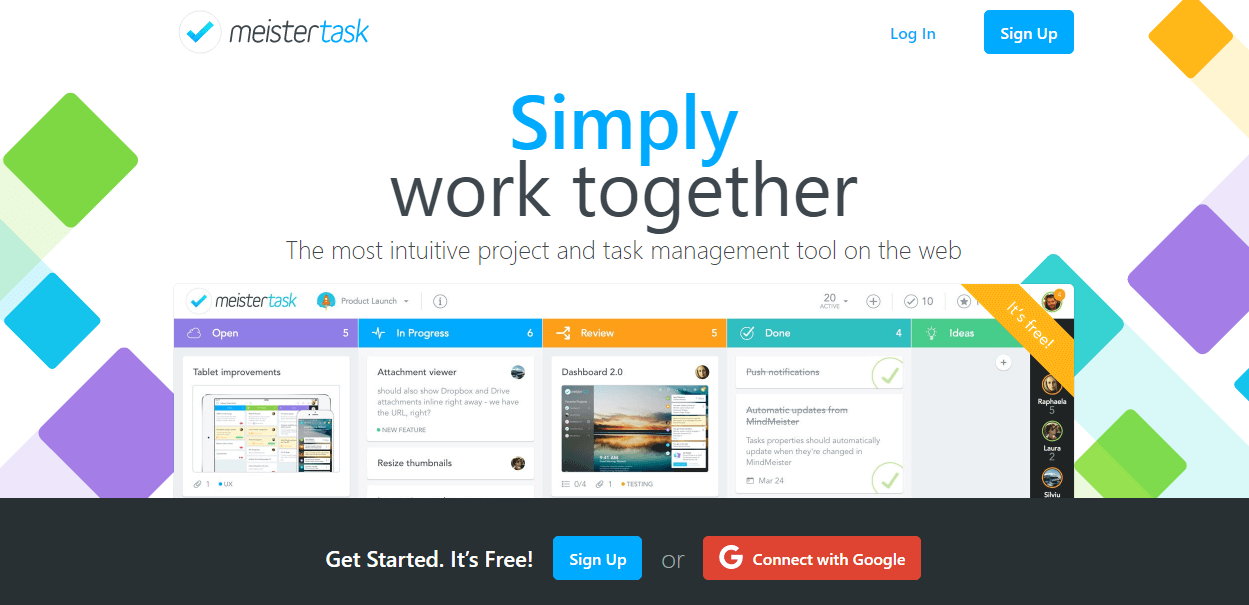
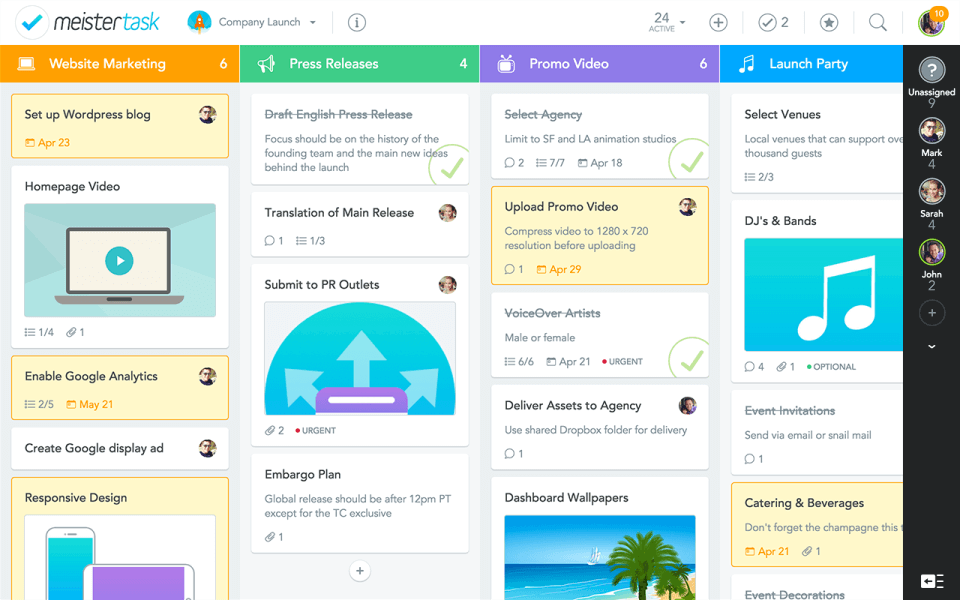
Kanban boards with sections and tasks
Timeline view for project scheduling
Subtasks and checklists
Custom fields including text number date dropdown
Recurring tasks and automation rules
Built-in time tracking and reporting
View All 15 Features
MeisterTask Pricing Plans
Free
- Up to 3 projects and 5 notes, 5 Content Manager seats, unlimited team members, 20 AI prompts per month, mobile apps
Pro (annual)
- Unlimited projects and notes, external sharing, advanced search, 75 AI prompts per month, personal dashboard, integrations, private projects, recurring tasks and automations
Business (annual)
- Timeline views, subtasks, roles and permissions, custom reports, 350 AI prompts per month, custom fields, group sharing, multiple admins, unlimited version history, priority support
Enterprise
- All Business features plus SSO, compliance exports, dedicated customer success manager, personalized onboarding from certified scrum experts, custom payment terms
MeisterTask Screenshots
Description
What is MeisterTask?
MeisterTask is a Kanban task management tool from Meister, a Munich-based software company that also builds MindMeister (mind mapping) and MeisterNote (collaborative docs). The three products share a single account and a clean visual aesthetic, and they integrate tightly with each other.
MeisterTask is most often picked by creative teams, agencies, and small business operations groups that want a Kanban board with better visual polish than Trello and less complexity than Jira. The brand emphasizes design and ease of use over feature breadth.
Who MeisterTask is built for
MeisterTask fits teams of 5 to 100 that run visual project work: marketing campaigns, editorial calendars, design queues, event planning, and product backlogs. It is particularly popular in Germany, Austria, Switzerland, and other European markets where Meister has stronger brand presence.
Teams that already use MindMeister for brainstorming get the most value because a mind-map node can be promoted into a MeisterTask task with one click, carrying context across. Solo users adopt the Free plan for personal task tracking. Enterprise IT teams pick Meister when they want a German-hosted alternative to US PM tools for data residency reasons.
MeisterTask pricing plans
| Plan | Price (annual) | Best for |
|---|---|---|
| Free | $0 | Up to 3 projects, 20 AI prompts/month |
| Pro | $7 user/month | Unlimited projects, automations, integrations |
| Business | $12.50 user/month | Timeline, roles, custom fields, group sharing |
| Enterprise | Quote-based | SSO, compliance exports, dedicated CSM |
Monthly billing is roughly 28% higher than the annual rates above. All paid plans include unlimited team members at no extra seat cost beyond the per-user price.
Free covers 3 projects with 5 notes and 20 AI prompts per month. Pro removes the project limit and adds external sharing, advanced search, and 75 AI prompts. Business adds Timeline view, subtasks, roles, custom fields, group sharing, 350 AI prompts, and unlimited version history. Enterprise adds SSO, compliance exports, and a dedicated customer success manager.
MeisterTask core capabilities
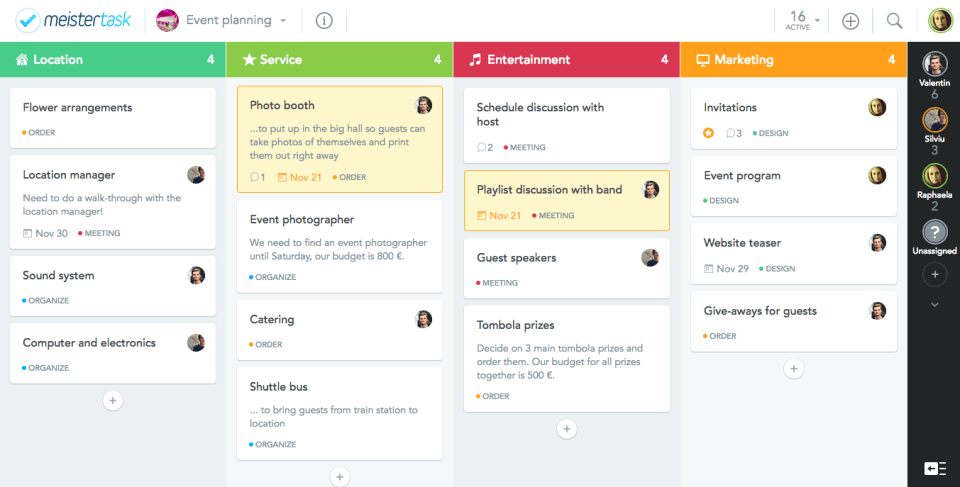
The Kanban board is the primary view. Sections (lists) run left to right; tasks are cards inside sections. Drag a task between sections to move it. Each task carries a name, description, due date, assignee, time tracking, checklists, attachments, comments, and tags.
Recurring tasks (Pro and up) auto-create copies on a schedule. Automations (called Section Actions) fire when a task moves into a section: assign to user, set due date, add tags, post to Slack. The automation builder is simpler than Trello's Butler but covers the common cases.
Custom fields (Business) handle structured data on tasks: project codes, budget amounts, dates, dropdowns. Combined with the Table view this works as a lightweight project database.
Timeline and project planning
Timeline view is the Business-tier upgrade most paying customers care about. It renders tasks as bars on a Gantt-like horizontal timeline by assignee or by section. Dependencies (finish-to-start) connect tasks so a delay propagates. The Timeline is not as deep as a dedicated PM tool's Gantt but covers the planning needs of marketing and creative teams.
MindMeister and MeisterNote integration
The Meister suite cross-links. A MindMeister mind map can promote any node into a MeisterTask task. A MeisterNote document can embed a MeisterTask board live so notes and work stay in sync. Tasks link back to source mind maps or notes, so the planning artifact is one click away from the execution artifact.
For teams that brainstorm-then-execute (campaign planning, strategy work, product discovery), this round-trip is one of the strongest reasons to pick the Meister stack over Trello-plus-Notion or Asana-plus-Miro.
AI in MeisterTask
MeisterAI runs on Anthropic and OpenAI models. AI prompts inside a task can summarize long descriptions, draft checklist items from a brief, suggest task names, and rewrite text. Prompt allowances scale by tier: Free 20, Pro 75, Business 350. Enterprise gets custom AI volume.
Integrations
MeisterTask connects to Slack, Microsoft Teams, Google Workspace (Drive, Calendar), Microsoft 365 (Outlook, Teams), GitHub, GitLab, BitBucket, Zendesk, Freshdesk, HubSpot, Pipedrive, Zapier, Make, and Webhooks. The integration count is smaller than Trello's Power-Ups directory but covers the essentials.
Mobile and offline
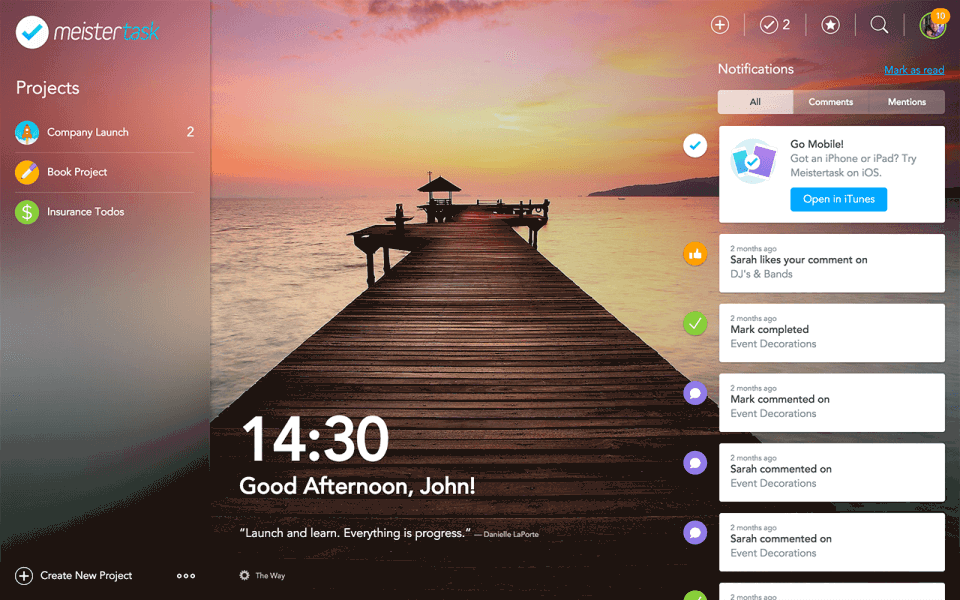
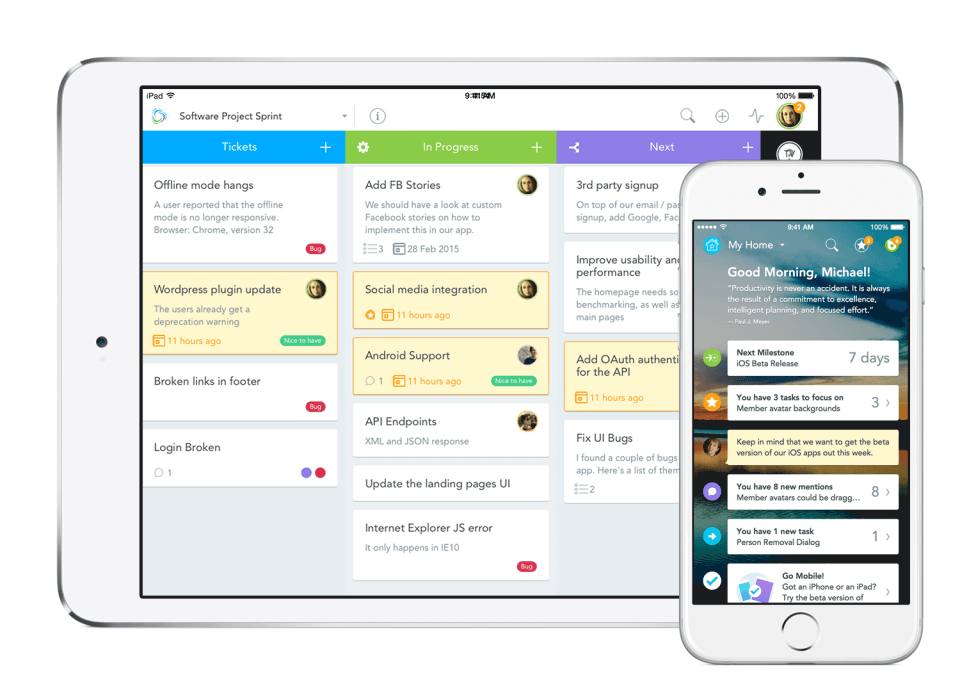
iOS and Android apps cover the full task experience: boards, tasks, comments, attachments, time tracking, and Focus mode. Offline edits queue and sync when reconnected. Apple Watch app for quick task creation.
Security and data residency
Meister is hosted in Germany on Frankfurt-based infrastructure with ISO 27001 and GDPR compliance built in by default. Data residency is in the EU for all customers without a per-plan upcharge, which is a differentiator vs US-hosted competitors. SOC 2 Type II is held as well. Enterprise adds SSO with SAML, audit logs, and compliance export reports.
MeisterTask vs Trello
Both are Kanban-first. MeisterTask has a more polished default look, native Timeline view on Business, and tighter integration with MindMeister for brainstorming. Trello has the larger Power-Up directory, the Atlassian ecosystem behind it, and a more mature automation engine (Butler vs Section Actions).
Pricing is similar at the Pro tier ($7 vs $5). At the Business/Premium tier MeisterTask is $12.50 vs Trello's $10. Pick MeisterTask for cleaner UX, EU hosting by default, and Meister suite integration. Pick Trello for Atlassian ecosystem and bigger third-party integration market.
MeisterTask vs Asana
Asana is task-first with deeper portfolio and goal layers. MeisterTask is Kanban-first with timeline as the secondary view. Asana wins on reporting, OKR alignment, and cross-functional coordination. MeisterTask wins on visual polish, EU data residency, and lower total cost for teams under 50.
MeisterTask vs ClickUp
ClickUp packs more features (docs, whiteboards, time tracking, goals) at a lower per-user cost. MeisterTask is leaner and easier to learn. Teams that want one tool that does almost everything lean ClickUp. Teams that want a clean Kanban with EU hosting lean MeisterTask.
Buyer pitfalls to avoid
Three patterns hurt MeisterTask rollouts. First, picking Pro when Business is the right tier: Timeline view and custom fields live on Business, and most paying customers need them. Second, ignoring the MindMeister and MeisterNote integration: the suite value is real but only if teams use all three products. Third, treating it as a PM tool: MeisterTask is task management, not full project management. For programme-level work step up to a dedicated PM tool.
Implementation and time to value
A small team is productive on MeisterTask the same day. Meister publishes onboarding templates for marketing, events, software dev, and creative work. The learning curve is low. Enterprise rollouts of 100+ users use the dedicated CSM for change management and SSO configuration.
Customer support
Free gets community support. Pro and Business get email support during business hours. Enterprise adds priority support with a dedicated customer success manager and personalized onboarding from certified scrum experts. The Meister Help Center covers most setup questions and is published in English, German, French, and Spanish.
The Bottom Line on MeisterTask
MeisterTask is the right call for creative and operations teams that want a clean Kanban board, native EU hosting, and a tight link to mind mapping for the planning-to-execution workflow.
Standout strengths: polished UI that teams adopt without training, EU data residency at no upcharge, Timeline view on Business, MindMeister and MeisterNote suite integration, transparent per-user pricing.
Pricing is mid-market friendly: Pro at $7/user/mo annual sits between Trello Standard and Asana Starter. Business at $12.50/user/mo unlocks the planning features most teams need. Enterprise is quote-based and lands in the $20-30 range for typical deals.
Trade-offs to weigh: smaller integration directory than Trello's Power-Ups marketplace. Reporting is lighter than Asana or ClickUp. The brand is less known outside DACH (Germany, Austria, Switzerland) and parts of the EU, which can affect IT procurement preferences in North America.
Alternatives worth comparing: Trello for Atlassian ecosystem, Asana for task-first depth and reporting, ClickUp for all-in-one breadth, Monday for visually configurable work-OS, Notion for docs-plus-tasks. Pricing and capabilities verified on meistertask.com/pricing on 2026-06-27.
Frequently Asked Questions
Is there a free plan or free trial for MeisterTask?
How much does MeisterTask cost?
What does MeisterTask integrate with?
Who is MeisterTask best for?
What are the best alternatives to MeisterTask?
Is MeisterTask GDPR / SOC 2 compliant?
Does MeisterTask have a mobile app?
What do real users say about MeisterTask?
How does MeisterTask compare to its top competitor?
Does MeisterTask offer customer support?
Find Your Perfect Software
See how it can transform your workflow
- Personalized for your needs Tailored recommendations based on your unique requirements.
- Save time & resources Streamline your workflow and boost team productivity.
- Trusted by thousands Join 10,000+ businesses already growing with SaaSrat.
You're all set! 🎉
A specialist for will reach out within 1 business day with tailored recommendations for your needs.