

LinkedIn Sales Navigator
by LinkedIn • Founded 2002
What is LinkedIn Sales Navigator?
Get Best Quote for LinkedIn Sales Navigator
Connect with SaaSrat experts to get the best quote for your business.
You're all set!
A specialist for LinkedIn Sales Navigator will reach out within 1 business day.
LinkedIn Sales Navigator Features
Advanced search filters across LinkedIn's 1B+ member graph
Lead and account recommendations
InMail credits (50/month on Core
More on higher tiers)
Buyer intent signals (Advanced+)
CRM sync (Salesforce
View All 20 Features
LinkedIn Sales Navigator Pricing Plans
Core
- Approximately $99/user/mo USD billed annually
- Advanced LinkedIn search with 50+ filters
- Lead and Account Lists
- ~50 InMails per month
- Verified at business.linkedin.com/sales-solutions/sales-navigator/sales-navigator-pricing on 2026-05-31 (verification screenshot retained)
Advanced
- Approximately $149/user/mo USD billed annually
- Includes Core features plus TeamLink (warm intros)
- Deeper CRM integration (Salesforce, HubSpot, Dynamics)
- ~150 InMails per month
- Verified at business.linkedin.com/sales-solutions/sales-navigator/sales-navigator-pricing on 2026-05-31 (verification screenshot retained)
Advanced Plus (Enterprise)
- Quote-only via LinkedIn enterprise sales
- CRM Embedded experiences inside Salesforce/Dynamics
- Unified profile data across CRM + LinkedIn
- SSO and admin governance
- Verified at business.linkedin.com/sales-solutions/sales-navigator/sales-navigator-pricing on 2026-05-31 (verification screenshot retained)
LinkedIn Sales Navigator Resources
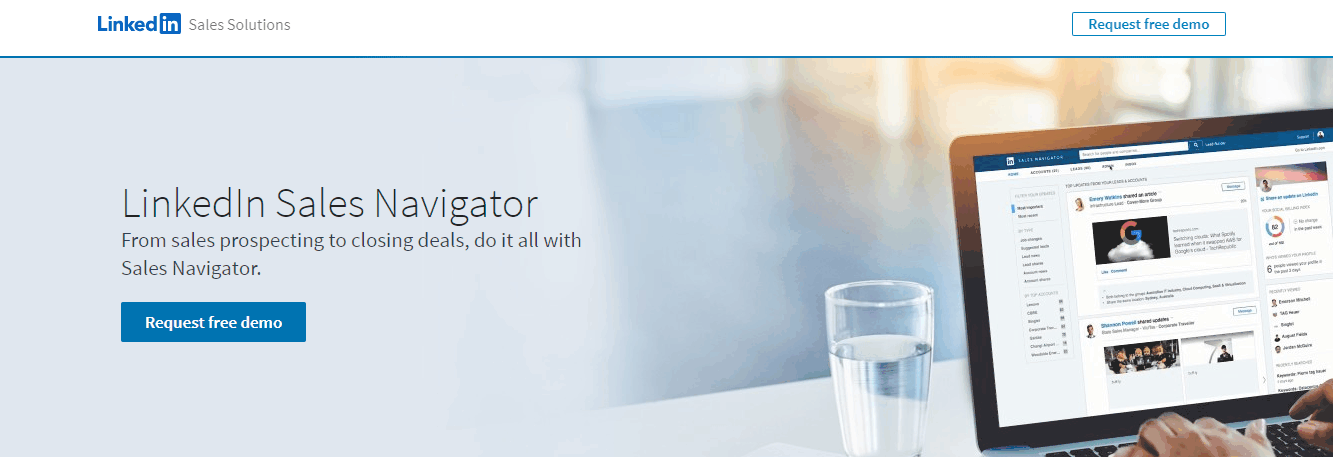
LinkedIn Sales Navigator Screenshots
Description
Who LinkedIn Sales Navigator Is Right For
LinkedIn Sales Navigator is built for B2B sales teams (1-50,000+ users) that prospect on LinkedIn as a primary sourcing channel. The sweet spot is sales development reps, account executives, partnerships teams, and recruiters at B2B SaaS, technology, professional services, and financial services who source 30%+ of pipeline from LinkedIn and want native search depth plus InMail outreach.
If you are inside sales sourcing primarily from purchased B2B databases, Apollo.io, ZoomInfo, or Clay fit better. If you want LinkedIn-CRM layer for already-connected contacts, LeadDelta or folk work. Sales Navigator is the LinkedIn-native prospecting source.
LinkedIn Sales Navigator Pricing in 2026
| Plan | Monthly price | Annual price | Best for |
|---|---|---|---|
| Core | $119.99/license/month | $1,079.88/year (25% savings) | Solo sellers and small teams with advanced search, lead recommendations, 50 InMail credits/month |
| Advanced | $159.99/license/month | $1,799.88/year (6% savings) | Growing teams adding buyer intent signals, Smart Links, team-based selling, Account IQ |
| Advanced Plus | Custom enterprise pricing | From $1,600/seat/year typical | Enterprise teams adding CRM sync (Salesforce, HubSpot, Dynamics), admin reporting, SSO |
Pricing verified via vendor-published references on 2026-06-15. 30-day free trial available. Prices exclude VAT/GST added at checkout based on region.
LinkedIn Sales Navigator Hidden Costs and Negotiation Levers
InMail credit consumption varies by tier (50 Core, more on Advanced). Bulk seat purchasing (10+ seats) typically unlocks 10-20% off list via LinkedIn enterprise sales. Advanced Plus CRM sync is the key enterprise differentiator - negotiate hard for inclusion. Multi-year commitments unlock additional discounts. Bundle with LinkedIn Recruiter or LinkedIn Learning for enterprise stack consolidation.
LinkedIn Sales Navigator vs Apollo.io vs ZoomInfo vs LeadDelta
| Dimension | LinkedIn Sales Navigator | Apollo.io | ZoomInfo | LeadDelta |
|---|---|---|---|---|
| Starting price (annual) | $1,079.88/seat/year Core | Free; paid from $49/user/mo | $15K+/year SalesOS Professional | $17.50/user/mo annual Starter |
| Best for | LinkedIn-native prospecting | SMB-mid market all-in-one outbound | Enterprise B2B data and intent | LinkedIn CRM layer for connections |
| Data source | LinkedIn 1B+ member graph (native) | Apollo database with LinkedIn enrichment | ZoomInfo proprietary B2B database | LinkedIn connection enrichment |
| InMail | 50/month Core, more on Advanced | Email-only outreach | Sales engagement via Engage add-on | LinkedIn message templates |
| CRM sync | Advanced Plus only | All paid tiers | Native enterprise | HubSpot on Pro |
LinkedIn Sales Navigator Integrations
CRM (Advanced Plus tier): Salesforce, HubSpot CRM, Microsoft Dynamics 365, Pipedrive.
Sales engagement: Outreach, Salesloft, Apollo.io via Smart Links and CRM sync.
Productivity: native to LinkedIn ecosystem; Microsoft 365 Outlook calendar sync.
Enrichment third-party tools: many connect via LinkedIn Sales Navigator API (Advanced Plus) - includes Clay, LeadIQ, Surfe.
Limited public REST API; data export via approved partner connectors only.
LinkedIn Sales Navigator Pros and Cons
Pros: Native LinkedIn 1B+ member graph - unmatched data source for B2B prospecting. InMail credits provide guaranteed reach to non-connections. Buyer intent signals (Advanced+) surface accounts researching solutions. Smart Links for content tracking. Account IQ AI insights. CRM sync with Salesforce, HubSpot, Dynamics on Advanced Plus. Multi-year ROI for LinkedIn-led pipeline.
Cons: Highest entry cost among prospecting tools ($1,079.88/seat/year Core). CRM sync locked to Advanced Plus enterprise tier. Data export restricted - cannot bulk-export contact data (LinkedIn policy). API access limited vs Apollo or ZoomInfo. Best for teams where LinkedIn is primary prospecting source; non-LinkedIn prospecting teams should pick Apollo or ZoomInfo.
What Real LinkedIn Sales Navigator Buyers Say
On r/sales and r/RevenueOps threads, B2B sales reps consistently cite Sales Navigator as essential for LinkedIn-led prospecting. Buyers picking Sales Navigator over Apollo cite data source quality (native LinkedIn); buyers picking Apollo cite lower cost and all-in-one bundle.
On LinkedIn Sales Solutions posts, themes include B2B SaaS adoption stories and pipeline-from-LinkedIn ROI data.
On r/saas, Sales Navigator surfaces as the typical prospecting tool for Series A+ B2B SaaS sales teams alongside Apollo and ZoomInfo.
LinkedIn Sales Navigator Field Guide
| Best fit for | B2B sales teams (1-50,000+ users) prospecting LinkedIn as primary sourcing channel |
|---|---|
| Industries | B2B SaaS, technology, professional services, financial services, recruiting, partnerships, consulting, healthcare technology |
| Core capability | LinkedIn-native sales prospecting with advanced search, lead recommendations, InMail, buyer intent signals, CRM sync (Advanced Plus) |
| Pricing | Core $119.99/license/mo or $1,079.88/year, Advanced $159.99/mo or $1,799.88/year, Advanced Plus custom from $1,600/seat/year |
| Differentiator | Native LinkedIn 1B+ member graph as data source plus InMail credits plus buyer intent signals plus Account IQ AI - unmatched for LinkedIn-led B2B prospecting |
| Deployment | Cloud SaaS only; web browser plus iOS and Android mobile apps |
| Headquarters | Sunnyvale, California, United States (LinkedIn Corporation, subsidiary of Microsoft) |
| Vendor URL | business.linkedin.com/sales-solutions |
LinkedIn Sales Navigator Buyer Action Plan
Step 1: Confirm LinkedIn-led B2B prospecting fit. Step 2: Start 30-day free trial. Step 3: Test advanced search and lead recommendations on real ICP. Step 4: Evaluate Advanced Plus CRM sync (key enterprise differentiator). Step 5: Negotiate bulk seat purchase (10+ seats) for 10-20% off list and multi-year commitment discounts.
LinkedIn Sales Navigator 2026 Updates
Sales Navigator Coach AI deepened with Microsoft Copilot integration through 2026. Account IQ AI insights improved with deeper buying committee mapping. Smart Links engagement tracking enhanced. Mobile app refresh. Real-time alerts expanded with job change and content-engagement signals.
LinkedIn Sales Navigator Security and Compliance
Microsoft enterprise security infrastructure. SOC 1, SOC 2 Type II, ISO 27001, FedRAMP. GDPR and CCPA compliant. SSO via SAML (Advanced Plus). Two-factor authentication. AES-256 encryption at rest, TLS 1.3 in transit. Audit logs (Advanced Plus). Data residency across Microsoft Azure regions globally.
LinkedIn Sales Navigator Customer Support
Support tiers vary by plan. Core: knowledge base, community support. Advanced: priority support with faster response. Advanced Plus: dedicated customer success manager. LinkedIn Sales Solutions Learning Center training. Active LinkedIn community for peer learning. Microsoft enterprise support resources on Advanced Plus.
Who Can Use LinkedIn Sales Navigator
LinkedIn Sales Navigator serves B2B sales teams globally. Industries: B2B SaaS, technology, professional services, financial services, recruiting, partnerships, consulting, healthcare technology, manufacturing B2B, education B2B. Team sizes: solos through 50,000+ user enterprises.
LinkedIn Sales Navigator Mobile App
Native iOS and Android Sales Navigator apps with full search, lead recommendations, InMail composer, and saved searches. Push notifications for lead activity and account alerts. App store ratings sit in the 4.4-4.7 range across both platforms as of 2026-06-15. Apple App Store: Sales Navigator iOS. Google Play: Sales Navigator Android.
How to Get Started with LinkedIn Sales Navigator
Step 1: Visit business.linkedin.com/sales-solutions and start 30-day free trial. Step 2: Configure ICP filters in advanced search. Step 3: Save 3-5 lead and account searches with alerts. Step 4: Send first InMails using credits. Step 5: Upgrade to Core ($1,079.88/year), Advanced ($1,799.88/year), or Advanced Plus (custom) based on team size and CRM sync need.
Top LinkedIn Sales Navigator Alternatives
Apollo.io for SMB-mid market wanting all-in-one outbound bundled at lower cost.
ZoomInfo for enterprise B2B data with native intent signals.
Clay for GTM teams orchestrating multi-provider enrichment.
Lusha for SMB LinkedIn-prospecting at lower cost.
LeadDelta for LinkedIn-CRM layer for already-connected contacts.
Cognism for EU GDPR-compliant B2B data and mobile numbers.
How to Cancel LinkedIn Sales Navigator
Self-serve cancellation via Account Settings. Monthly cancels end of current cycle. Annual cancels end of term; mid-term forfeits prepaid. Data export restricted per LinkedIn policy. Engage LinkedIn Sales Solutions account team 30-60 days before annual renewal to plan transition or negotiate renewal.
Bottom Line on LinkedIn Sales Navigator
LinkedIn Sales Navigator is the right call when a B2B sales team (1-50,000+ users) prospects LinkedIn as a primary sourcing channel. Pricing $119.99-$159.99/license/month annual (or custom Advanced Plus from $1,600/seat/year) suits teams with sufficient LinkedIn-sourced pipeline ROI to justify cost. SMB-mid market all-in-one outbound buyers should pick Apollo.io. Enterprise B2B data buyers should compare ZoomInfo. GTM enrichment orchestration buyers should pick Clay. LinkedIn-CRM layer buyers should pick LeadDelta. Sales Navigator wins the LinkedIn-native-B2B-prospecting lane.
Verified on 2026-06-15 by the SaaSRat Editorial Team. Vendor facts cross-checked against business.linkedin.com/sales-solutions, Apple App Store, Google Play, and 2026 vendor-published references. About our methodology.
Frequently Asked Questions
How much does LinkedIn Sales Navigator cost in 2026?
What is the difference between Sales Navigator Core, Advanced, and Advanced Plus?
Who is LinkedIn Sales Navigator right for?
Can Sales Navigator sync with Salesforce or HubSpot?
What are InMail credits?
Does Sales Navigator have a mobile app?
Is LinkedIn Sales Navigator SOC 2 certified?
Where is LinkedIn Sales Navigator headquartered?
Sales Navigator vs Apollo.io - which should I pick?
Can I cancel LinkedIn Sales Navigator mid-term?
Find Your Perfect Software
See how it can transform your workflow
- Personalized for your needs Tailored recommendations based on your unique requirements.
- Save time & resources Streamline your workflow and boost team productivity.
- Trusted by thousands Join 10,000+ businesses already growing with SaaSrat.
You're all set! 🎉
A specialist for will reach out within 1 business day with tailored recommendations for your needs.