

InvoiceBerry
by InvoiceBerry • Founded 2009
What is InvoiceBerry?
Get Best Quote for InvoiceBerry
Connect with SaaSrat experts to get the best quote for your business.
You're all set!
A specialist for InvoiceBerry will reach out within 1 business day.
InvoiceBerry Features
Unlimited invoices on every paid plan
Tiered pricing by client and user count
Solo plan for under 35 clients
Pro plan for unlimited clients and 5 users
Ultra plan adds SMS invoice sending and 25 users
PDF download and email delivery
View All 15 Features
InvoiceBerry Pricing Plans
Solo
- $15/month
- Perfect for businesses with less than 35 clients
- Unlimited invoices
- 35 clients
- 2 users
- 14-day free trial no card required
- Verified on 2026-06-19
Pro
- $30/month
- For businesses with more than 35 clients wanting unlimited invoices
- Unlimited invoices
- Unlimited clients
- 5 users
- Verified on 2026-06-19
Ultra
- $45/month
- For teams wanting SMS invoice sending
- Unlimited invoices
- Unlimited clients
- 25 users
- SMS invoice sending capability
- Verified on 2026-06-19
14-Day Free Trial
- All plans include 14-day free trial
- No credit card required at signup
- Full plan feature access during trial
- Verified on 2026-06-19
Features Across All Plans
- PDF downloads email delivery recurring invoicing customization options
- Payment tracking multi-currency
- Quotes and estimates
- Client management
- Verified on 2026-06-19
InvoiceBerry Resources
InvoiceBerry Screenshots
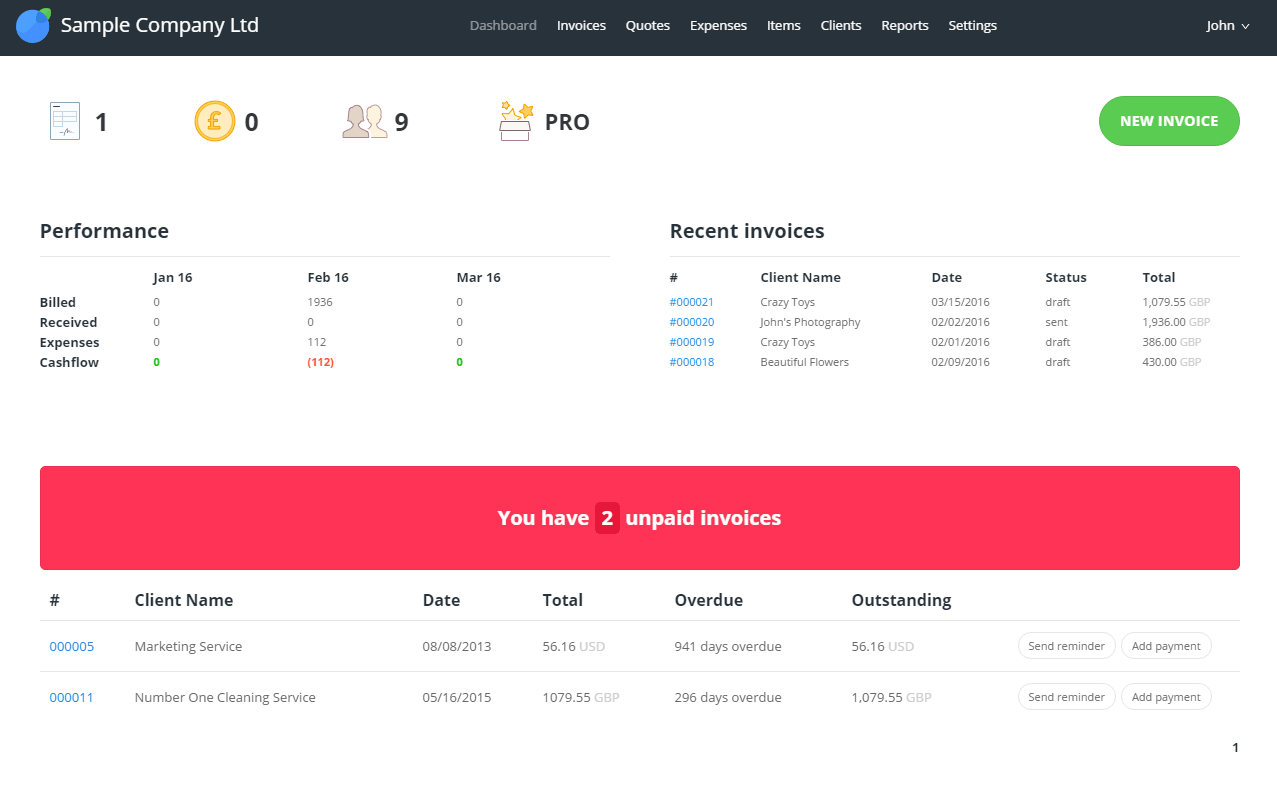
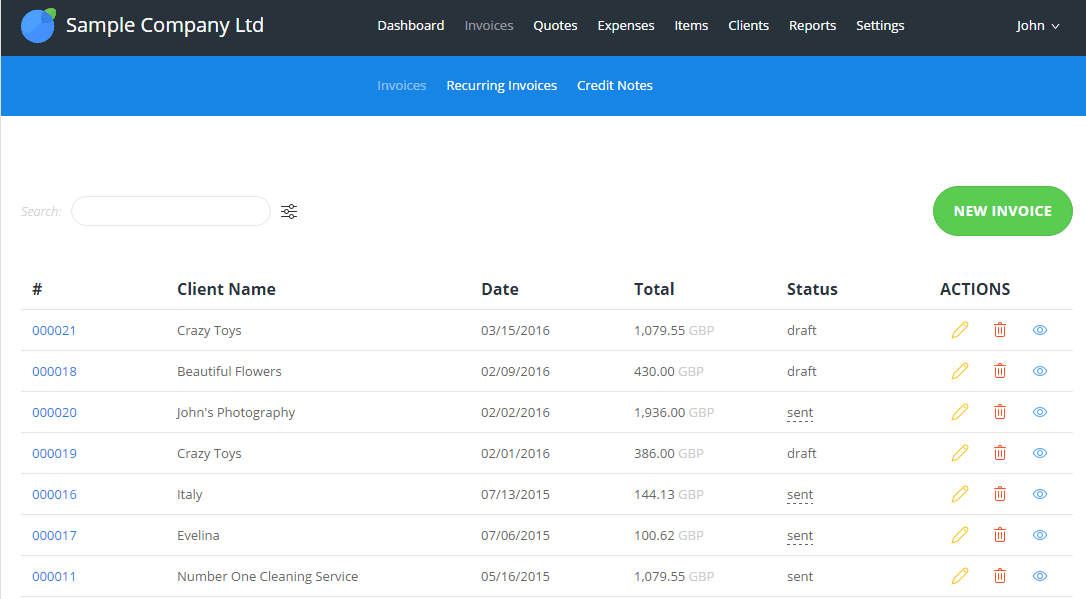
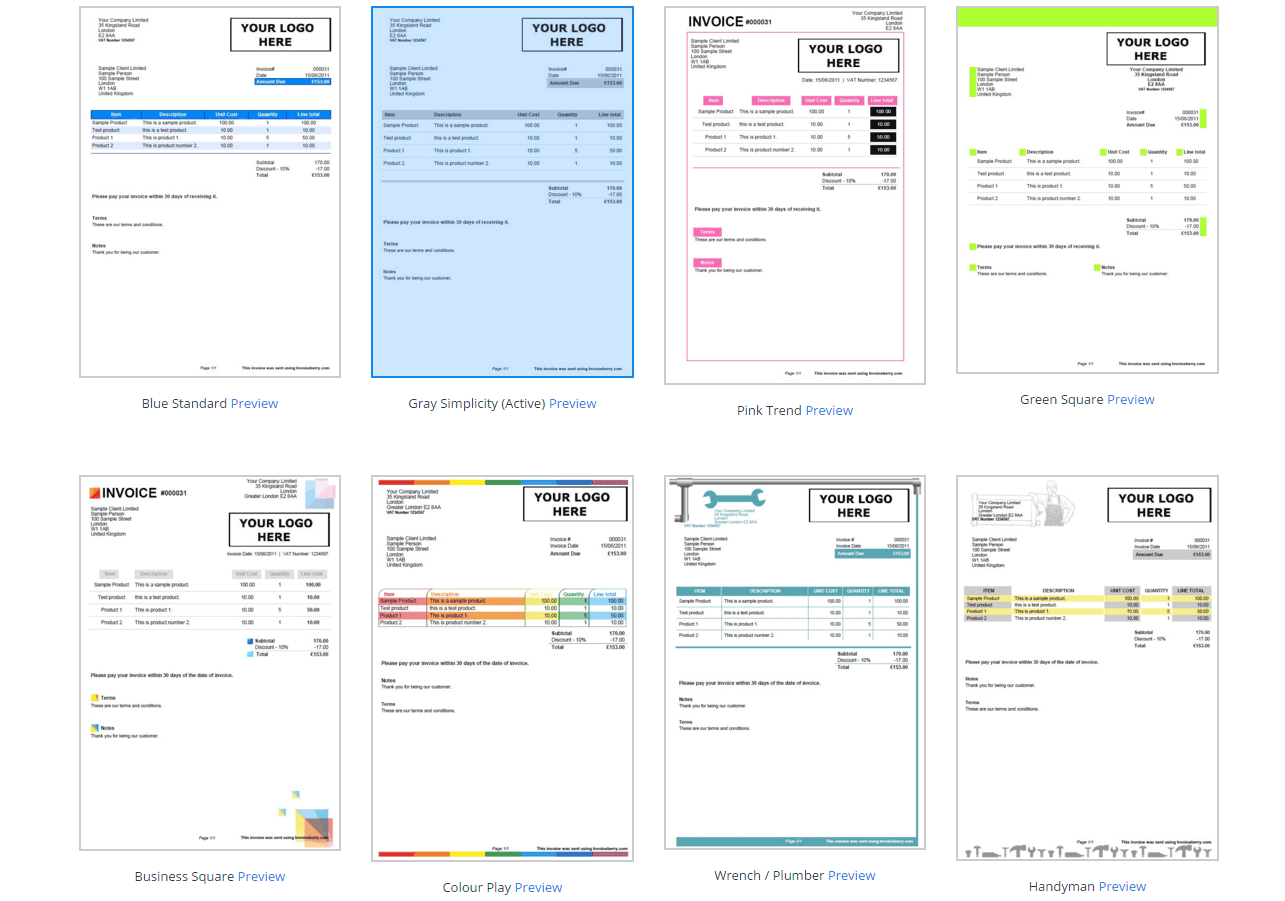
Description
InvoiceBerry launched in 2013 in London with a simple-and-clean focus: build the straightforward online invoicing platform for freelancers and small businesses that want professional invoicing without the complexity of full accounting platforms. By 2026 InvoiceBerry serves freelancers and small businesses globally with three tiers scaling by client and user count, plus the unique SMS invoice sending capability on the Ultra plan.
Who InvoiceBerry is right for
This is a vertical product for freelancers and small businesses wanting simple invoicing. The clearest fit in 2026 is solo service providers with under 35 clients (Solo plan), small businesses managing unlimited clients (Pro plan), and teams wanting SMS invoice delivery for customer markets where SMS engagement is higher than email (Ultra plan). InvoiceBerry is the wrong choice for businesses needing free invoicing (Wave at $0 Starter or Zoho Invoice permanently free fit better), deep accounting beyond invoicing (QuickBooks or FreshBooks fit), or teams needing native mobile apps for daily invoice management (Wave and Zoho Invoice ship native apps).
InvoiceBerry pricing in 2026
| Tier | Monthly | Clients | Users |
|---|---|---|---|
| Solo | $15 | 35 | 2 |
| Pro | $30 | Unlimited | 5 |
| Ultra | $45 | Unlimited | 25 + SMS sending |
Verified on 2026-06-19 against the official InvoiceBerry pricing page. All plans include unlimited invoices and a 14-day free trial with no credit card required.
Hidden costs to know about
Two watch-outs. First, tier upgrade pressure as your business grows: Solo to Pro is a $15 to $30 jump when client count passes 35, and Pro to Ultra is $30 to $45 when team passes 5 users. Second, payment processing fees through integrated gateways are separate from InvoiceBerry subscription and apply at standard gateway rates. There is no permanently free tier, so all users pay a monthly subscription regardless of actual invoice volume.
InvoiceBerry vs alternatives at a glance
| Tool | Best for | Starting price | Why pick it |
|---|---|---|---|
| InvoiceBerry | Simple SMB invoicing with SMS option | $15/month | Tier flexibility plus SMS invoice sending on Ultra |
| Zoho Invoice | Free invoicing with Zoho integration | Free forever | Permanently free, Zoho ecosystem |
| Wave | Free invoicing plus bookkeeping | Free / $19 Pro | Free with integrated bookkeeping |
| FreshBooks | Time tracking plus invoicing | $17+/month | Broader feature set |
| Invoicera | Global businesses with payment gateway needs | INR 299/month | 15+ payment gateways, rupee pricing |
Integrations
Integrated payment processing through standard gateways (PayPal, Stripe). Email delivery through email provider integration. SMS delivery through the Ultra plan SMS integration. Limited third-party app ecosystem; Zapier handles some long-tail integrations. The integration approach is focused on the core invoicing workflow rather than ecosystem breadth.
Pros and cons
What works: Simple-and-clean UI is fast to learn for non-technical freelancers. SMS invoice sending on Ultra plan is genuinely unique versus competitors. Unlimited invoices on every paid plan. 14-day free trial with no credit card. Tier flexibility scales by both client count and user count. UK-headquartered with EU data residency.
Where it strains: No free tier, even Solo is $15/month. No native iOS or Android mobile app (web-responsive only). Limited API access compared to competitors. Smaller third-party app ecosystem than Wave or QuickBooks. Less suitable for businesses needing accounting beyond invoicing. Pro to Ultra price jump primarily justified by SMS sending feature.
What real buyers say
Operator reviews on SoftwareAdvice, SelectHub, and the r/freelance subreddit cluster around three wins: simple-and-clean UI works for non-technical freelancers without learning curve, SMS invoice sending on Ultra delivers measurable engagement in SMS-preferred markets, and 14-day free trial without credit card removes evaluation friction. Common pushback is on the lack of free tier, absence of native mobile apps, and limited API for custom integrations.
Field guide
| Field | Detail |
|---|---|
| Headquarters | London, United Kingdom |
| Founded | 2013 |
| Target users | Freelancers and small businesses |
| Pricing model | Tiered by client count and user count |
| Mobile | Mobile-responsive web (no native app) |
| Free trial | 14 days, no card required |
| Free plan | None |
| Unique feature | SMS invoice sending on Ultra tier |
Buyer action plan
Start with the 14-day free trial on the tier matching your client count. Add real customers. Create one professional invoice. Test recurring invoicing. If you need SMS invoice delivery, start the trial on Ultra. Decide between Solo, Pro, or Ultra based on client count, team size, and whether SMS sending is essential to your customer engagement workflow. Plan tier upgrades as client count grows past 35 (Solo to Pro) or team grows past 5 users (Pro to Ultra).
2026 updates
InvoiceBerry continued refinement of the simple invoicing experience with minor UI polish and recurring invoice enhancement. The SMS invoice sending capability on the Ultra plan has matured. The product strategy remains focused on simple straightforward invoicing rather than expanding into broader accounting or marketing categories.
Security and compliance
Cloud platform with TLS in transit, encryption at rest, GDPR-native (UK-headquartered), role-based access controls. UK and EU data residency. PCI-compliant payment processing through integrated gateways. Two-factor authentication available.
Customer support
Email support, knowledge base, InvoiceBerry Help Center. Response times during UK business hours are typically fast. Support is email-based rather than live chat or phone, which suits the simple-and-clean positioning. r/freelance and small business communities provide peer support discussions.
Who can use InvoiceBerry
Best fit: freelancers and small businesses 1 to 25 employees wanting simple professional invoicing. Reasonable fit: any solo operator or small team that values UI simplicity over feature breadth. Not a fit: businesses needing free invoicing (Wave or Zoho Invoice fit better), deep accounting (QuickBooks or FreshBooks fit), or native mobile apps for daily invoice management.
Mobile app
InvoiceBerry does not publish a dedicated native iOS or Android mobile app in 2026. The web app is mobile-responsive and usable from mobile browsers for invoice creation and management. For freelancers wanting native mobile apps for daily invoice tasks, alternatives like Wave or Zoho Invoice with their iOS and Android apps fit better.
How to get started with InvoiceBerry
Sign up for the 14-day free trial at the official InvoiceBerry pricing page. Add real customers. Create one professional invoice. Test recurring invoicing. If you need SMS invoice delivery, trial on the Ultra plan. Decide between Solo, Pro, or Ultra based on client count, team size, and SMS sending requirements.
Top alternatives to InvoiceBerry
Zoho Invoice is the permanently free alternative with Zoho ecosystem integration. Wave is the free alternative with integrated bookkeeping for US and Canada. FreshBooks is the paid alternative with time tracking plus broader features. QuickBooks Online is the dominant US small business accounting platform. Invoicera is the alternative for businesses needing 15+ payment gateway support. Invoice Ninja is the open-source self-hosted alternative.
How to cancel InvoiceBerry
Cancellation is self-serve from account settings. Monthly subscriptions cancel at end of billing period. Data export available via standard format export. No cancellation fee.
Bottom line
InvoiceBerry is the right pick for a freelancer or small business that wants simple straightforward invoicing without complexity, with the unique option of SMS invoice sending on the Ultra plan. Solo at $15/month for under 35 clients or Pro at $30/month for unlimited clients are the typical starting points. For permanently free invoicing, Wave or Zoho Invoice fit better. For deep accounting, QuickBooks or FreshBooks fit. For SMS-driven invoice delivery in markets where SMS engagement exceeds email, InvoiceBerry's Ultra plan is genuinely unique in 2026.
Verified on 2026-06-19. Pricing verified from the official InvoiceBerry pricing page.
Frequently Asked Questions
What is InvoiceBerry used for?
How much does InvoiceBerry cost in 2026?
Is there a free trial?
Who is InvoiceBerry best for?
What is SMS invoice sending?
How does InvoiceBerry compare to Wave or Zoho Invoice?
Does InvoiceBerry have a mobile app?
Does InvoiceBerry support recurring invoices?
Does InvoiceBerry have an API?
What are the hidden costs?
Find Your Perfect Software
See how it can transform your workflow
- Personalized for your needs Tailored recommendations based on your unique requirements.
- Save time & resources Streamline your workflow and boost team productivity.
- Trusted by thousands Join 10,000+ businesses already growing with SaaSrat.
You're all set! 🎉
A specialist for will reach out within 1 business day with tailored recommendations for your needs.