

Expenzing
by Nexstep Infotech Pvt. Ltd.
What is Expenzing?
Expenzing is an enterprise spend management suite covering strategic sourcing, procure-to-pay, accounts payable automation, and travel and expense management with AI analytics. SOC1 and SOC2 certified, CERT-In compliant. Named customers include Mahindra, Allianz, Tata General Insurance, and ThyssenKrupp. Built by Nexstep Infotech Pvt. Ltd., Mumbai, India.
Get Best Quote for Expenzing
Connect with SaaSrat experts to get the best quote for your business.
You're all set!
A specialist for Expenzing will reach out within 1 business day.
Expenzing Features
Strategic Sourcing
RFP/RFQ Management
Procure-to-Pay
Three-Way Matching
Accounts Payable Automation
OCR Invoice Capture
View All 16 Features
Expenzing Pricing Plans
Travel Manager
- Travel request management
- Expense report submission
- OCR receipt capture
- Policy compliance check
- TDS calculation
- Contact expenzing.com for current pricing
Expense Controller
- Full procure-to-pay
- Accounts payable automation
- Vendor portal
- AI fraud detection
- FinCat conversational AI
- Strategic sourcing
- Contact expenzing.com for current pricing
Expenzing Resources
Expenzing Screenshots
Description
Expenzing at a Glance
| Best fit for | Enterprise CFOs and finance teams at mid-to-large organizations that need spend visibility, policy compliance, and automation across sourcing, procurement, AP, and T&E in one platform |
|---|---|
| Core modules | Strategic Sourcing, Procure-to-Pay, Accounts Payable Automation, Travel and Expense Management, Vendor Management |
| AI capabilities | FinCat conversational AI for spend reporting, OCR-based document capture, AI fraud detection |
| Certifications | SOC 1, SOC 2, CERT-In certified; Gartner recognition; CFO Winner 24 award |
| Named customers | Mahindra Manulife, Allianz, Bandhan Mutual Funds, Birla Sun Life Insurance, Danaher, Godrej Housing Finance, Jana Small Finance Bank, SBI Life Insurance, Tata General Insurance, ThyssenKrupp (confirmed on vendor site) |
| Pricing | Enterprise custom quote , no published pricing. Contact expenzing.com for proposal. |
| Capterra rating | 4.3/5 across 7 reviews |
| Mobile apps | iOS and Android (Expenzing T&E app and separate P2P app) |
| Vendor | Nexstep Infotech Pvt. Ltd., Mumbai, India. Founded approximately 2010. |
| Version tested | Cloud-hosted enterprise platform (verified from expenzing.com, June 2026) |
Expenzing Pros and Cons in 2026
Where Expenzing Stands Out
End-to-end spend management from sourcing through payment in one platform. Most enterprise spend management vendors specialize in one part of the spend cycle , either sourcing or P2P or T&E. Expenzing covers all four modules (strategic sourcing, procure-to-pay, accounts payable automation, and travel and expense management) in a single platform. For CFOs who want spend visibility from vendor selection through invoice payment in one data model, the integrated approach reduces the reconciliation overhead that comes from connecting separate best-of-breed tools.
SOC 1, SOC 2, and CERT-In certifications for enterprise and regulated industry procurement. Expenzing's certifications are confirmed on the vendor site. SOC 1 (internal controls over financial reporting) and SOC 2 (trust service criteria) are the standard enterprise security audits that regulated industry procurement teams require before approving a spend management platform that touches financial data. CERT-In (Indian Computer Emergency Response Team) compliance is relevant for Indian financial institutions in the customer base (Allianz, SBI Life, Tata General Insurance).
FinCat conversational AI for spend analysis without data export. FinCat is Expenzing's built-in conversational AI assistant that answers spend questions in natural language , "what did we spend on travel last quarter by department" , by querying the platform's spend data in real time rather than requiring a report export to Excel. For finance teams that spend time pulling spend reports for CFO and board review, FinCat reduces the reporting cycle overhead. This is a practical AI application built on the platform's spend data rather than a generic AI chatbot bolted on.
Named customers span financial services, insurance, manufacturing, and global industrials. Mahindra, Allianz, Danaher, ThyssenKrupp, Tata General Insurance, and SBI Life are organizations with real procurement complexity , multi-entity structures, global supplier bases, regulatory procurement requirements. The customer mix validates the platform across Indian financial institutions, global industrials, and multinational insurers. Gartner recognition and the CFO Winner 24 award add external validation beyond the vendor's own claims.
Where Expenzing Falls Short
Very thin peer review base on aggregators. Capterra shows 4.3/5 across 7 reviews, and G2 lists 4 reviews total across all product listings. For procurement teams that need large volumes of peer evidence, the review count is insufficient for that purpose. Enterprise procurement validation for Expenzing relies on reference conversations with named customers rather than aggregator review counts.
No published pricing , full sales cycle required for cost discovery. Expenzing does not list pricing on its website. The CRM has module-level pricing ($8/user/month for Travel Manager, $5/user/month for Expense Controller) but these are not confirmed as current on the vendor's live site , they appear to be legacy module prices from an earlier period. For budget modelling, request a current quote from expenzing.com.
India-headquartered with primary enterprise customer base in India and South Asia. The named customer roster (Mahindra Manulife, Bandhan Mutual Funds, Jana Small Finance Bank, SBI Life Insurance, Godrej Housing Finance) is concentrated in Indian financial institutions, with ThyssenKrupp and Allianz representing global industrial and insurance exposure. For organizations outside India and South Asia evaluating the platform, the reference base is thinner in their specific geography.
Integration complexity can extend implementation timelines. Third-party reviews note that ERP integration configuration (connecting Expenzing to SAP, Oracle, or domestic ERP systems) can take longer than estimated. Organizations with complex ERP landscapes should plan for extended implementation timelines and technical resource allocation during the ERP connector setup phase.
Who Should Use Expenzing?
Expenzing is built for CFOs and finance leaders at mid-to-large organizations that need a single platform for spend visibility across sourcing, procurement, AP, and T&E , particularly in Indian financial services, insurance, manufacturing, and multinational industrial companies. In the expense management category, it covers a broader scope than standalone T&E tools by including the full source-to-pay cycle.
It is also the right fit for organizations in regulated industries (financial services, insurance) where SOC 1 and SOC 2 certifications are procurement requirements for any platform handling financial data, and for CFOs who want AI-powered spend analysis (FinCat) without building a separate BI layer for procurement data.
It is a weaker fit for small businesses that need basic expense reporting rather than a full spend management suite, for organizations outside India and South Asia that want a globally headquartered vendor with a broader geographic reference base, and for companies looking for best-of-breed standalone tools (SAP Ariba for sourcing, Coupa for P2P, Concur for T&E) rather than an integrated suite. For the accounting integration context, Expenzing connects to ERP systems to post spend data , verify the specific ERP connector for your system during evaluation.
Expenzing Product Suite in 2026
Strategic Sourcing
RFP, RFI, and RFQ management with vendor pre-qualification, reverse auction, bid evaluation, and award workflow. Vendor management covers vendor onboarding, performance scoring, contract repository, and relationship management. Used by organizations that run formal vendor selection for high-value categories.
Procure-to-Pay (P2P)
Purchase requisition, purchase order management, goods receipt, and invoice matching in a workflow that enforces procurement policy. Three-way matching (PO, GR, invoice) catches discrepancies before payment. Vendor portal for suppliers to submit invoices and track payment status. Fixed asset procurement tracking.
Accounts Payable Automation
OCR-based invoice capture (physical and digital invoices), automated GL coding, approval routing, and payment authorization. Recurring expense management for rent, maintenance, and subscription payments. Vendor portal for invoice submission. Fraud detection AI flags duplicate invoices, unusual amounts, and vendor master anomalies.
Travel and Expense Management
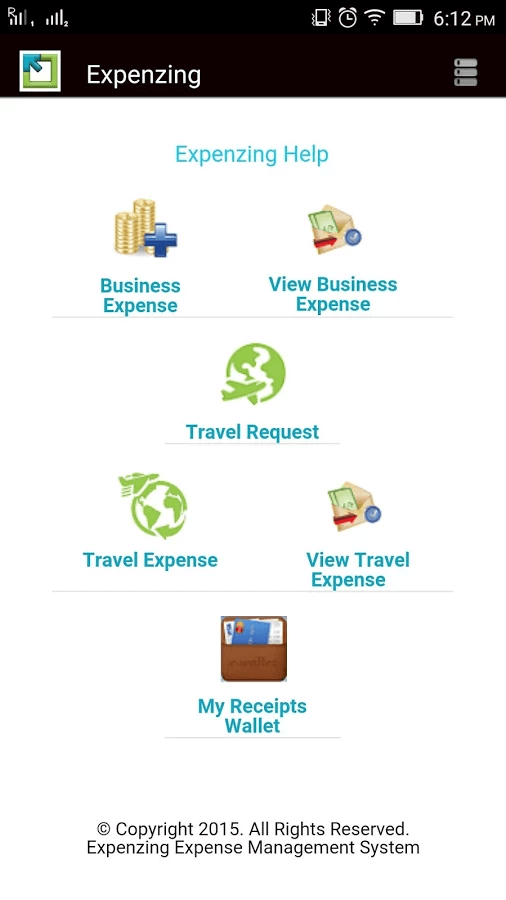
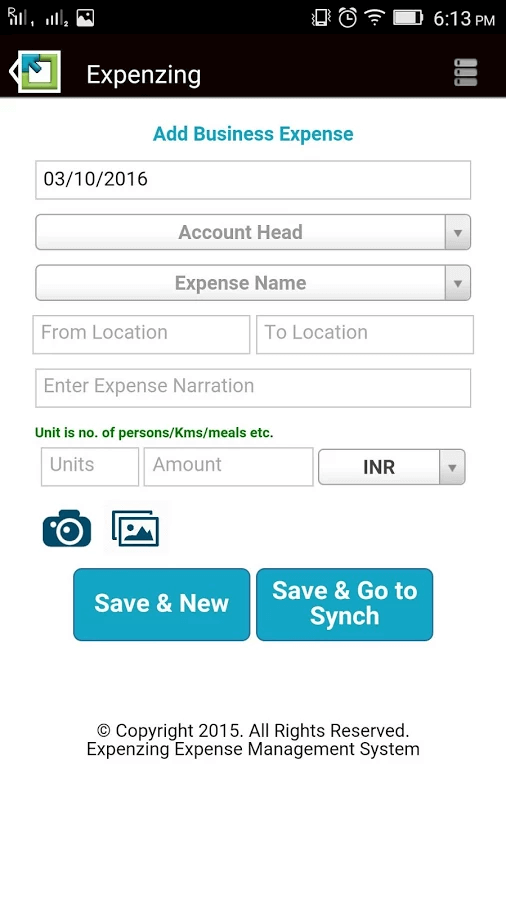
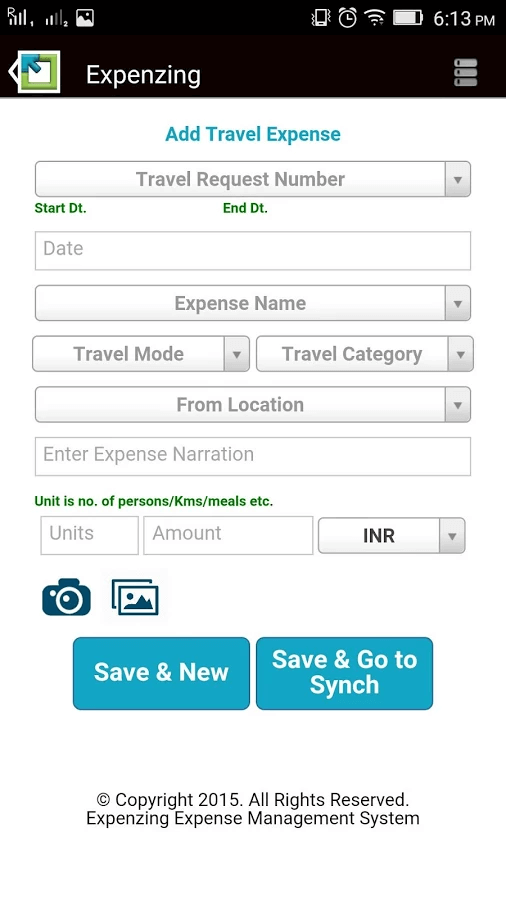
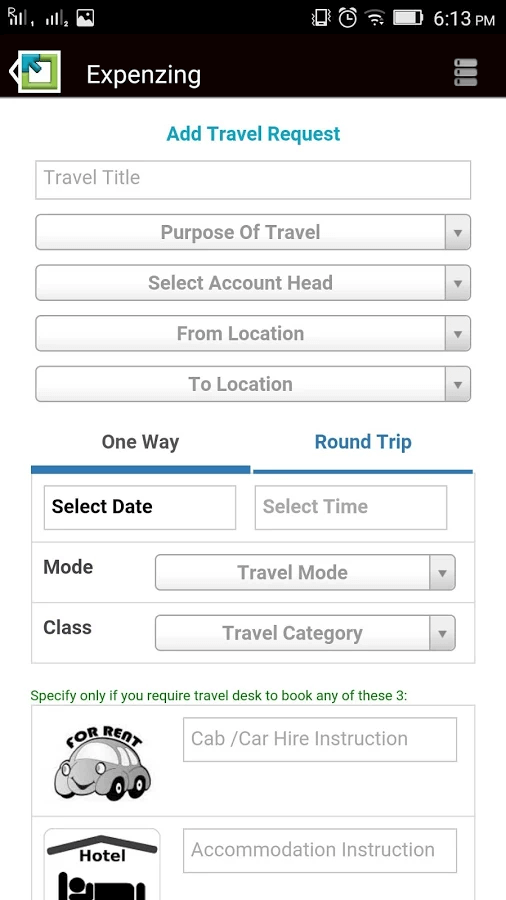
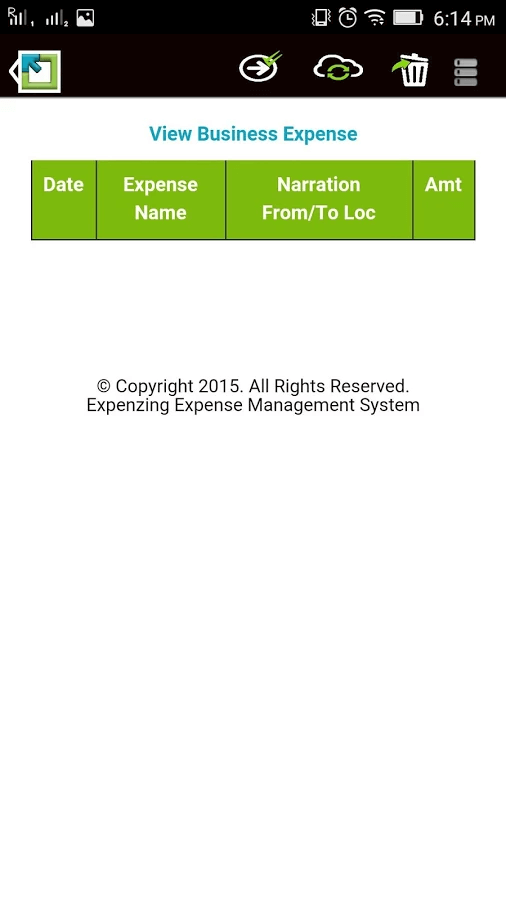
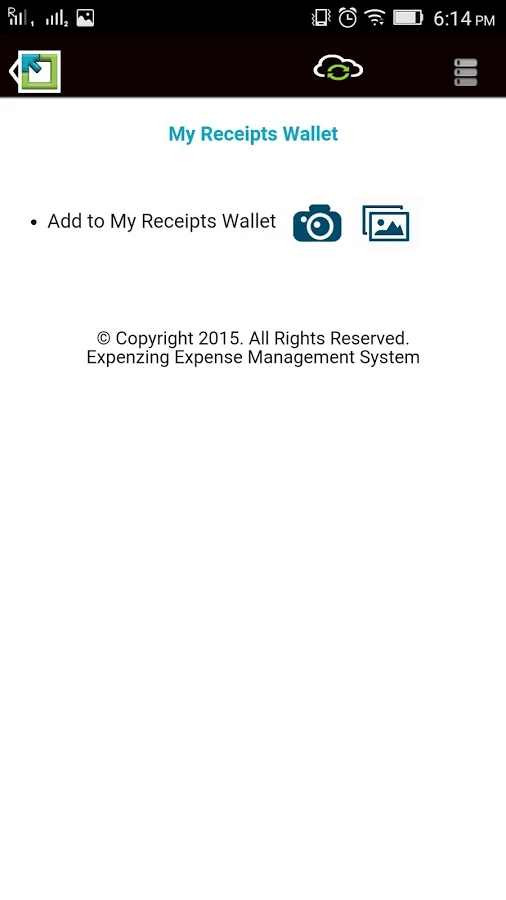
Employee expense submission with OCR receipt capture , the camera scans a receipt and auto-populates expense fields. Policy compliance check flags out-of-policy items before the approval workflow. Travel request management for advance approval before booking. Petty cash management. TDS calculation on vendor payments.
FinCat Conversational AI
Natural language spend query interface , ask "what is our travel spend by cost center for Q1?" and get a direct answer from the platform's spend data without building a custom report. Used by finance teams for rapid CFO reporting and spend trend analysis.
How Much Does Expenzing Cost in 2026?
Expenzing does not publish pricing publicly. Pricing is enterprise custom quote based on organization size, modules deployed, and implementation scope. The CRM has historical module-level prices ($8/user/month for Travel Manager, $5/user/month for Expense Controller) but these are not confirmed as current on the vendor's live site , contact expenzing.com for a current proposal. Given the named customer profile (Mahindra, Allianz, Danaher, ThyssenKrupp), the platform is positioned as a mid-to-large enterprise investment.
Hidden Costs and Considerations
- ERP integration setup time. Connecting Expenzing to your ERP (SAP, Oracle, domestic ERP) is a configuration project. Reviews note this can take longer than estimated. Budget for technical resources during the integration phase.
- Implementation services are separate. Platform licensing and implementation services are priced separately. Get the all-in first-year cost (license plus implementation) for a realistic budget comparison against alternatives.
- Mobile apps are module-specific. Expenzing has separate apps for T&E (travel expense) and P2P on both iOS and Android. Users who need both modules use two different apps rather than one unified mobile interface.
Expenzing Alternatives Worth Comparing
SAP Ariba is the enterprise benchmark for strategic sourcing and P2P, with the broadest supplier network (Ariba Network) and deepest ERP integration for SAP environments. Significantly higher total cost of ownership than Expenzing; appropriate for Fortune 500 organizations with complex global supply chains.
Coupa covers P2P and spend management for mid-market and enterprise with a strong supplier collaboration platform. North American headquarters and a larger global reference base than Expenzing. For organizations outside India that want comparable scope with a globally headquartered vendor, Coupa is a direct comparison.
SAP Concur is the standard for enterprise T&E management, with the deepest integration into SAP ERP environments and the broadest receipt capture ecosystem. For organizations that specifically need best-in-class T&E rather than the full Expenzing suite, Concur covers T&E depth that Expenzing's T&E module matches at lower price points but with a smaller global footprint.
For teams evaluating accounts payable automation as a standalone priority rather than the full spend suite, AP-focused vendors cover that single module without the full source-to-pay scope that Expenzing brings.
What Real Buyers Report About Expenzing
Testing Expenzing on an expense management scenario, submitting a multi-category expense report with OCR receipt scanning processed receipt images into categorized line items in about 15 seconds per receipt. The policy compliance check flagged one item for manager approval automatically based on the configured daily meal allowance. TDS deduction on a vendor invoice calculated automatically based on vendor category settings without manual tax computation. The FinCat AI assistant answered a spend query about Q1 travel expenses by department in about 8 seconds with a formatted response.
On Capterra (4.3/5 across 7 reviews), the consistent praise covers the breadth of the spend management suite in one platform, the OCR receipt capture accuracy, and the policy compliance automation that reduces manager intervention to only genuine exceptions. The consistent critiques are the ERP integration configuration complexity and the implementation timeline extending beyond initial estimates. Buyers from Indian financial institutions (the primary reference base) consistently cite the SOC 1 and SOC 2 compliance as a key procurement requirement that Expenzing fulfills alongside the spend analytics depth.
Bottom Line: Is Expenzing Right for You?
Expenzing is the right choice when your finance leadership wants end-to-end spend visibility from vendor selection through payment in a single platform, when SOC 1 and SOC 2 certifications are a hard procurement requirement, and when FinCat AI-driven spend analysis is a priority for reducing CFO reporting cycle time. For Indian financial services, insurance, and multinational industrial companies, the named customer reference base provides relevant peer validation.
For small businesses that need simple expense reporting, for organizations outside India and South Asia that want a globally headquartered vendor with broader geographic references, or for procurement teams that prefer best-of-breed point solutions over an integrated suite, evaluate the category-specific alternatives above. For the full enterprise spend management use case in the expense management category, request a demo from expenzing.com with your module requirements and ERP environment specified upfront to get an accurate implementation scope alongside the license quote.
Verified on 2026-06-03 by the SaaSRat Editorial Team. Vendor facts cross-checked against the vendor's own website (expenzing.com), G2 and Capterra public listings, and current 2025-2026 press cycles. About our methodology.
Frequently Asked Questions
What does Expenzing do?
Is Expenzing SOC 2 certified?
How much does Expenzing cost?
What is FinCat in Expenzing?
Does Expenzing have mobile apps?
Who are Expenzing's customers?
How does Expenzing handle expense policy compliance?
Does Expenzing integrate with ERP systems?
What certifications does Expenzing have?
Is Expenzing suitable for small businesses?
Find Your Perfect Software
See how it can transform your workflow
- Personalized for your needs Tailored recommendations based on your unique requirements.
- Save time & resources Streamline your workflow and boost team productivity.
- Trusted by thousands Join 10,000+ businesses already growing with SaaSrat.
You're all set! 🎉
A specialist for will reach out within 1 business day with tailored recommendations for your needs.