

Docxpresso
by Docxpresso
What is Docxpresso?
Get Best Quote for Docxpresso
Connect with SaaSrat experts to get the best quote for your business.
You're all set!
A specialist for Docxpresso will reach out within 1 business day.
Docxpresso Features
Template designer with ODT/DOCX support
Variable substitution and conditional logic
Output formats ODT DOCX PDF
EIDAS-compliant e-signature
Multi-party sequential and parallel signing
Form filling workflows for end users
View All 12 Features
Docxpresso Pricing Plans
Cloud SaaS
- Cloud-hosted template engine
- Variable substitution and conditional logic
- ODT DOCX PDF output
- GDPR and LOPD compliance
- Industry-typical $20-40 per user/month
- Verified at docxpresso.com on 2026-06-30
On-Premise License
- Self-hosted deployment
- Perpetual license plus annual maintenance
- Full data control
- Custom integrations supported
- Infrastructure capacity required
- Verified at docxpresso.com on 2026-06-30
e-Signature Module
- eIDAS-compliant e-signature
- Multi-party sequential and parallel signing
- Audit trails and timestamp authority
- Add-on to Cloud SaaS or On-Premise
- Per-document or unlimited pricing options
- Verified at docxpresso.com on 2026-06-30
Docxpresso Resources
Docxpresso Screenshots
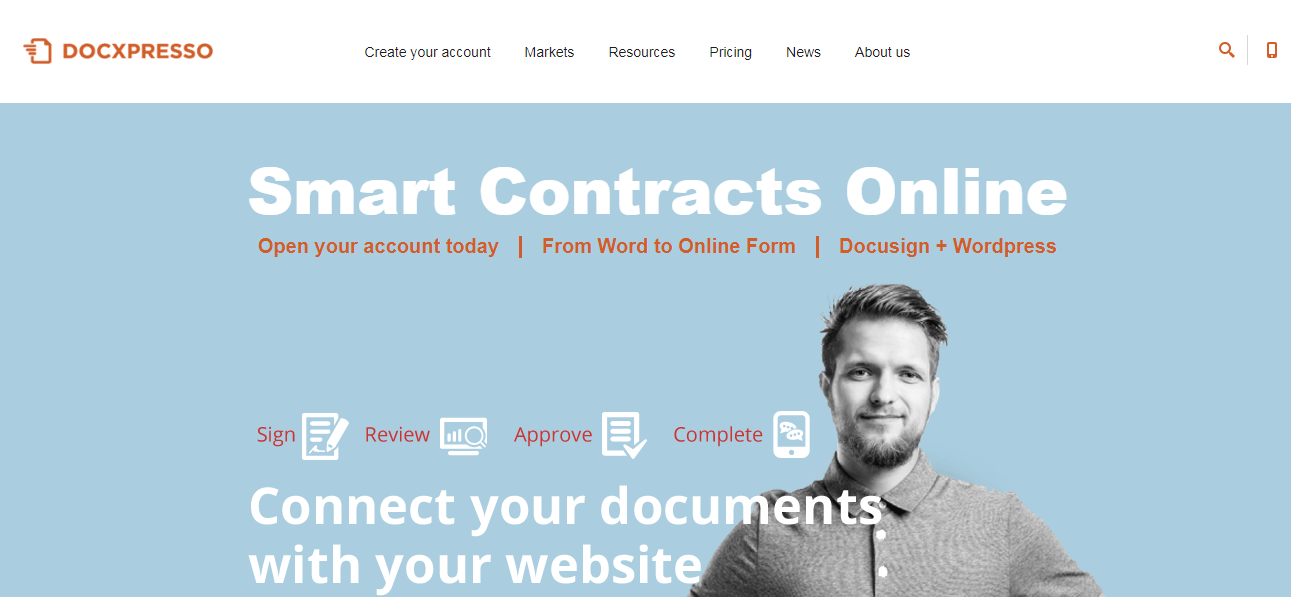
Description
Docxpresso at a Glance
| Best fit for | Legal teams, HR departments, procurement, contract generation, multi-language document automation in Spanish-speaking markets |
|---|---|
| Industries | Legal, HR, professional services, public sector, real estate, financial services |
| Core platform | Template designer, Variable substitution, Conditional logic, ODT/DOCX/PDF output, e-Signature, Form filling |
| Pricing model | Quote-based per user/month and on-premise license options |
| Mobile apps | Web-responsive; no native mobile apps |
| Compliance | GDPR, eIDAS e-signature, LOPD (Spanish data protection) |
| Named customers | Spanish public sector, law firms, HR consultancies (shown on docxpresso.com) |
| Parent company | NoNonsense Labs (independently held) |
| Headquarters | Madrid, Spain |
Docxpresso Pros and Cons in 2026
Where Docxpresso Stands Out
Native LibreOffice and OpenOffice compatibility. Templates use the ODT format and work cleanly in LibreOffice, OpenOffice, and Microsoft Word, which fits public-sector and EU buyers that prefer ODT over DOCX.
Spanish-language documentation and support. Most document automation tools default to English; Docxpresso ships Spanish-first docs, support, and product UI, which fits Spanish-speaking markets directly.
Template-driven approach removes coding. Variable substitution and conditional logic embedded in standard ODT/DOCX templates, which non-developers can build without scripting.
eIDAS e-signature compliance. EU-grade e-signature support meets eIDAS regulation, which matters for cross-border contracts in EU markets.
Where Docxpresso Falls Short
Pricing opacity until quote. No public pricing; buyers contact sales for every quote.
Brand recognition lighter than PandaDoc or DocuSign. Smaller community, smaller integration ecosystem, lighter resources outside Spanish-speaking markets.
UI lighter than modern cloud-first competitors. Functional and capable but feels older than PandaDoc, Oneflow, or Conga.
Mobile experience web-only. No native iOS or Android apps; mobile via responsive web only.
Who Should Use Docxpresso?
Docxpresso is the right pick for Spanish-speaking legal, HR, and procurement teams, EU public-sector buyers preferring ODT format, multi-language document automation needs, and template-heavy contract generation use cases. In the document automation and contract management categories, Docxpresso lands as the best fit for Spanish-market template-driven document workflows.
It is the wrong fit for English-first buyers needing modern cloud UX, enterprise contract lifecycle management at scale (Icertis fits), and integration-heavy workflows across the modern SaaS stack. Those buyers should compare PandaDoc, Oneflow, or Icertis.
Docxpresso Product Suite in 2026
Template Designer
Visual template designer working in standard ODT or DOCX files. Variable substitution syntax embedded in templates. Conditional logic for show/hide content sections.
Variable Substitution and Logic
Form fields, dropdowns, and conditional blocks supported in templates. Pre-fill from external data sources (CSV, database, API). Branching logic for multi-scenario contracts.
Output Formats
Native ODT, DOCX, and PDF output. Format preservation across platforms. Multi-language output from single template.
e-Signature
eIDAS-compliant e-signature workflows. Multi-party signing, sequential or parallel signing flows, audit trails, timestamp authority support.
Form Filling
Public-facing form workflows where end users fill in template variables. Conditional fields and validation. Output as completed document.
Integrations
REST API for custom integrations. Native plugins for WordPress, Joomla, and Drupal. Limited native SaaS integrations compared to horizontal alternatives.
How Much Does Docxpresso Cost in 2026?
Docxpresso is quote-based. Two primary deployment models: cloud SaaS per-user monthly subscription, and on-premise perpetual license with annual maintenance. Pricing scales by user count, deployment model, modules (e-signature, form filling), and term length. Industry-typical mid-market document automation runs $20 to $80 per user per month for cloud SaaS.
What Drives the Cost
- Deployment model: Cloud SaaS vs on-premise. On-prem shifts cost to infrastructure.
- User count: Per-user pricing scales linearly.
- Module selection: Core template engine + e-signature + form filling each have separate licensing.
- Document volume: Some plans cap monthly document generation; high-volume tiers cost more.
How to Get a Useful Quote
Inventory user count, document volume per month, deployment preference, and module needs (templates only vs full e-signature). Benchmark Docxpresso against PandaDoc, Oneflow, and Conga before signing.
Hidden Costs and Contract Gotchas to Watch For
- On-premise infrastructure cost. Self-hosted deployment requires server hardware and IT capacity.
- Module licensing stacks. Template engine + e-signature + form filling can each add to base.
- Custom plugin development bills as services. Native plugins limited; custom integration work is project-based.
- Document volume tiers. Mid-market plans may cap monthly generation; high-volume teams budget for next tier.
- Annual contract for headline rates. Multi-year commitments unlock discount.
Docxpresso Alternatives Worth Comparing
PandaDoc wins on modern UX and broad SaaS integrations. Lighter LibreOffice/ODT support than Docxpresso.
Oneflow wins on European-market e-signature and CLM. Lighter Spanish-language support than Docxpresso.
Conga wins on enterprise contract management with Salesforce integration. Heavier and pricier than Docxpresso for mid-market.
HotDocs wins on legal-focused template automation. English-first; lighter Spanish support.
DocuSign Gen wins on integration with DocuSign signature. Heavier than standalone Docxpresso.
Icertis wins for enterprise CLM at Fortune 500 scale. Different scope than template-driven document automation.
What Real Buyers Report About Docxpresso
Reviewers on independent platforms (SoftwareAdvice, SelectHub) and Spanish-speaking communities consistently call out three patterns. LibreOffice/ODT support is the lock-in factor for EU public-sector buyers. Spanish-language documentation and support remove the friction that English-first tools create. Template-driven approach lets non-developers build complex documents without scripting.
The common critiques cluster around three points. Brand recognition lighter outside Spanish-speaking markets. UI lighter than modern cloud-first competitors. Integration ecosystem narrower than PandaDoc or Conga. For Spanish-speaking legal, HR, and procurement teams needing template-driven automation with LibreOffice compatibility, Docxpresso consistently rates as the architectural default.
Bottom Line: Is Docxpresso Right for You?
Docxpresso is the right call for Spanish-speaking legal, HR, and procurement teams that want template-driven document automation with LibreOffice and OpenOffice compatibility plus eIDAS e-signature. The Spanish-first product and ODT-native templates are durable differentiators in EU markets.
For English-first buyers with modern cloud UX, PandaDoc or Oneflow fit better. For enterprise CLM at scale, Icertis is the safer pick. For Salesforce-integrated contract management, Conga is the lower-friction alternative.
Verified on 2026-06-30 by the SaaSRat Editorial Team. Vendor facts cross-checked against docxpresso.com (features, pricing, deployment pages), independent review aggregators, Spanish-language community threads, and current 2025-2026 press cycles. About our methodology.
Frequently Asked Questions
What is Docxpresso used for?
How much does Docxpresso cost?
Does Docxpresso support LibreOffice?
Is Docxpresso eIDAS compliant?
Is Docxpresso better than PandaDoc?
Can Docxpresso be deployed on-premise?
Does Docxpresso integrate with WordPress?
Is Docxpresso GDPR compliant?
Does Docxpresso have an API?
What support does Docxpresso offer?
Find Your Perfect Software
See how it can transform your workflow
- Personalized for your needs Tailored recommendations based on your unique requirements.
- Save time & resources Streamline your workflow and boost team productivity.
- Trusted by thousands Join 10,000+ businesses already growing with SaaSrat.
You're all set! 🎉
A specialist for will reach out within 1 business day with tailored recommendations for your needs.