

Databox
by Databox, Inc • Founded 2012
What is Databox?
Get Best Quote for Databox
Connect with SaaSrat experts to get the best quote for your business.
You're all set!
A specialist for Databox will reach out within 1 business day.
Databox Features
Data source integrations with 130+ cloud tools
Drag-and-drop dashboard and report builder
Pre-built dashboard templates by tool and role
Mobile apps for iOS and Android with notification alerts
Goal tracking with metric targets
Datasets for custom SQL-like queries
View All 15 Features
Databox Pricing Plans
Free
- 1 user, 3 data sources included, 50 AI credits/month. Limited BI (1 dashboard, 10 metrics), cloud integrations, datasets, API access. For solo evaluation.
Analyst (annual)
- $64/month annual. 1 user, 5 data sources included, 500 AI credits/month. All 130+ cloud tool integrations, unlimited dashboards and reports, datasets, MCP server.
Pro (annual)
- $159/month annual. Unlimited users, 3 data sources included ($5.60/month per additional), 1,500 AI credits. All integrations, unlimited dashboards/reports, limited datasets, hourly sync, goals tracking.
Growth (annual)
- Most popular tier. $399/month annual. Unlimited users, 3 data sources included ($5.60 per additional), 4,000 AI credits. Everything in Pro plus full datasets, 15-min sync on up to 5 sources, forecasting, sub-accounts for agency multi-client, dedicated CSM.
Custom
- Custom data source limit, unlimited users, flexible AI credits. Everything in Growth plus white-labeling, SSO with SAML, advanced security review, priority support with SLAs.
Databox Screenshots
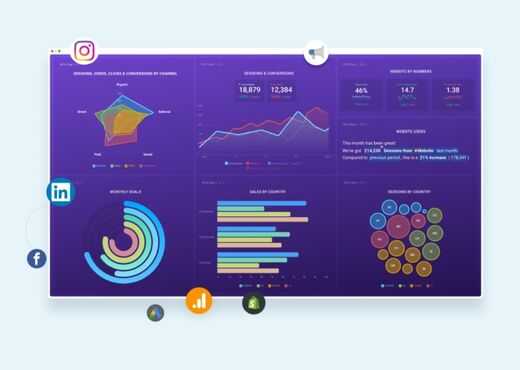
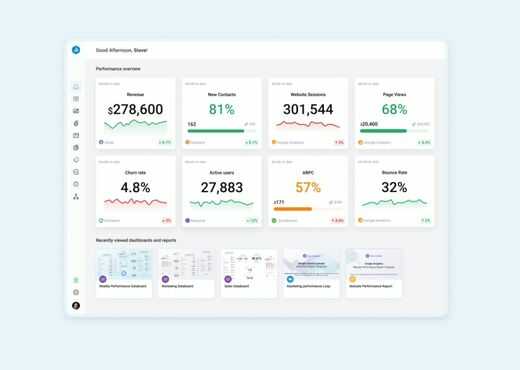
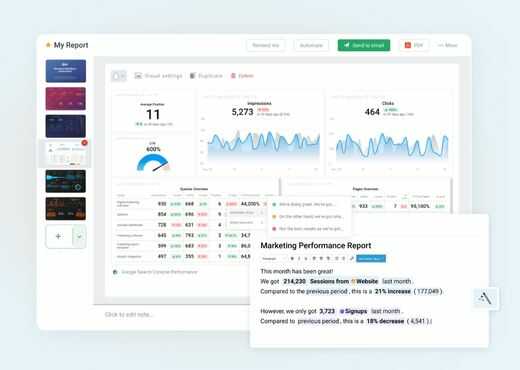
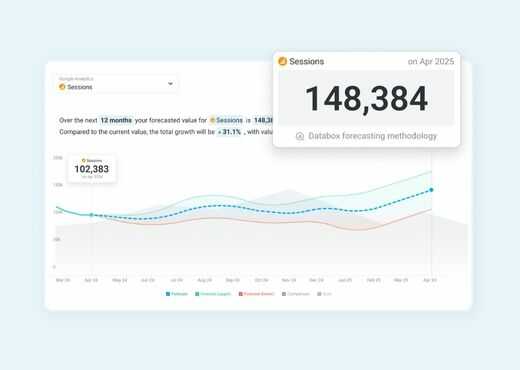
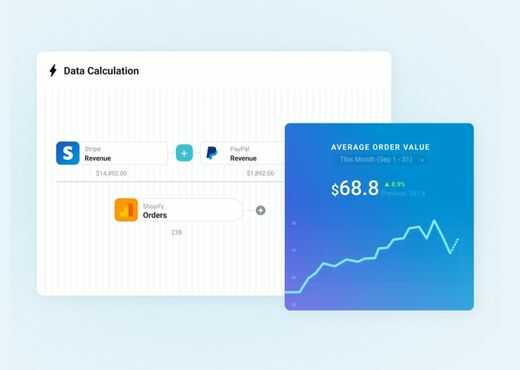
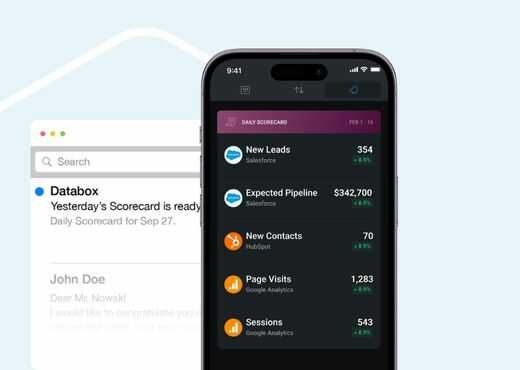
Description
What is Databox?
Databox is a cloud business intelligence platform founded in 2016 in Boston, Massachusetts. The product connects to 130+ marketing, sales, finance, and operations tools (HubSpot, Google Analytics, Salesforce, Stripe, Shopify, Mailchimp, Facebook Ads, Google Ads, etc.) and pulls metrics into unified dashboards without requiring SQL knowledge or data warehouse setup.
The strongest positioning is for SMB and mid-market marketing teams, agencies, and RevOps that need cross-tool KPI tracking but lack the budget or skills for enterprise BI tools like Tableau, Power BI, or Looker. Databox sits between basic native reports inside individual tools (Google Analytics's own dashboard, HubSpot's reporting) and full enterprise BI.
Who Databox is built for
Databox fits three buyer profiles. First, SMB and mid-market in-house marketing teams (5 to 200 employees) tracking metrics from HubSpot, Google Analytics, Facebook Ads, and other marketing tools without a data team. Second, marketing agencies serving multiple clients with monthly reporting (Pro and Growth tiers include sub-accounts for multi-client management). Third, RevOps and revenue teams tracking SaaS metrics from Stripe, Salesforce, HubSpot, and other tools.
The strongest fit is teams using HubSpot or Google Analytics as primary tools that want to layer Stripe, Facebook Ads, and other data sources into one dashboard. Mobile-first executives also use Databox to monitor KPIs on phone apps with push notification alerts when metrics cross thresholds.
It is less of a fit for enterprise BI at scale (Tableau, Power BI, Looker fit better), for data engineering teams needing complex transformations (Tableau, dbt, Hex fit better), or for SaaS in-product analytics (Mixpanel, Heap, Amplitude fit better).
Databox pricing plans
| Plan | Price (annual) | Users | Best for |
|---|---|---|---|
| Free | $0 | 1 | Solo evaluation, 3 data sources |
| Analyst | $64/mo | 1 | Solo analyst, 5 data sources |
| Pro | $159/mo | Unlimited | Small teams, 3 sources included |
| Growth | $399/mo | Unlimited | Most popular, datasets and forecasting |
| Custom | Quote-based | Unlimited | Enterprise with white-labeling |
Databox pricing scales by data sources, users, AI credits, and feature tier. Annual billing saves 20% versus monthly. Free covers 3 data sources, 1 user, 50 AI credits/month, limited BI (1 dashboard, 10 metrics). Analyst at $64/month annual covers 5 data sources, 1 user, 500 AI credits, and 130+ integrations with unlimited dashboards and reports.
Pro at $159/month annual moves to unlimited users with 3 data sources included ($5.60/month per additional), 1,500 AI credits, hourly sync, and goals. Growth at $399/month annual is the most-popular team tier with 4,000 AI credits, datasets for custom SQL-like queries, 15-minute sync on up to 5 sources, forecasting, sub-accounts for agency multi-client management, and dedicated CSM. Custom is quote-based with white-labeling, SSO, advanced security, and priority support.
Databox core capabilities
Data integrations are the spine. Databox connects to 130+ cloud tools across marketing, sales, finance, customer service, and operations: HubSpot, Salesforce, Google Analytics 4, Google Ads, Facebook Ads, LinkedIn Ads, TikTok Ads, Mailchimp, Stripe, Shopify, WooCommerce, BigCommerce, Pipedrive, ActiveCampaign, Intercom, Zendesk, Mixpanel, Amplitude, Snowflake, BigQuery, MySQL, PostgreSQL, MongoDB, and many more.
Pre-built dashboard templates by tool and role accelerate setup. A HubSpot marketing template includes the standard funnel metrics (visitors, leads, MQLs, SQLs, deals) without manual configuration. A SaaS revenue template combines Stripe MRR with HubSpot CRM data.
Drag-and-drop dashboard builder
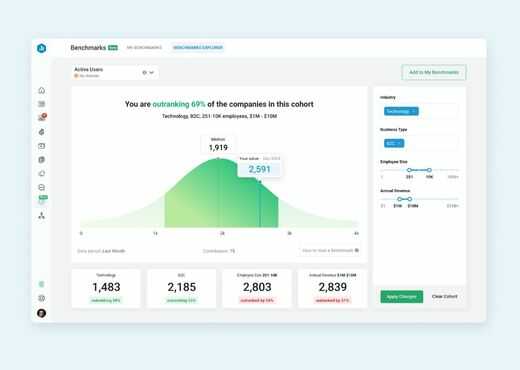
Custom dashboards drag-and-drop from a library of chart types: KPI scorecards, line charts, bar charts, funnels, tables, leaderboards, and goal progress. Datablocks (visual building blocks) snap together to compose dashboards in minutes rather than hours.
Dashboards can be private (team-only), shared via link (read-only public), or embedded in third-party tools via iframe. Scheduled report delivery sends dashboard PDFs to email recipients on configurable cadence (daily, weekly, monthly).
Mobile apps and alerts
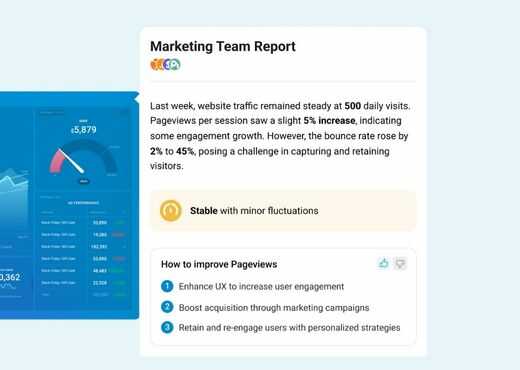
iOS and Android apps are unusually capable for a BI product: dashboards render full-fidelity on phone, push notification alerts trigger when metrics cross defined thresholds, and Apple Watch widgets show top-line KPIs. For executives who want morning metric check-ins, the mobile experience is the daily home.
Goals and forecasting
Goals (Pro and up) set targets for any metric with progress tracking against the goal. Goal status updates automatically as underlying data refreshes. Forecasting (Growth and up) projects metrics forward based on historical trends, useful for revenue forecasting, traffic projections, and budget planning.
Datasets and custom queries
Datasets (Growth and up) let users build SQL-like queries that join data across multiple sources (e.g., HubSpot deals joined with Stripe revenue to calculate CAC by acquisition channel). Datasets create derived metrics that flow into dashboards alongside native source metrics.
For teams that have hit the limits of pre-built source metrics and need custom calculations, datasets are the most-used Growth tier feature.
AI features and MCP server
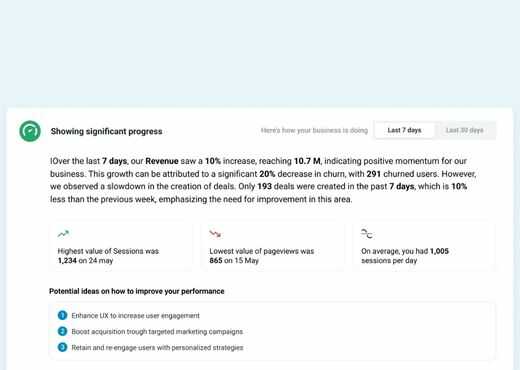
AI credits across plans (50 Free, 500 Analyst, 1,500 Pro, 4,000 Growth, custom Custom) cover AI-powered metric explanations, anomaly detection, and natural language queries. The MCP (Model Context Protocol) server integration lets Anthropic Claude and other LLMs query Databox data directly via natural language.
This positions Databox at the intersection of BI and conversational AI, useful for teams that want to ask data questions in plain English rather than building dashboards for every possible question.
Sub-accounts for agencies
Sub-accounts (Growth and up) let marketing agencies manage multiple client accounts from one Databox account. Each client has isolated data, dashboards, and reports. Agency users see all clients in one console while clients see only their own data. This collapses the manual monthly client reporting workflow most agencies struggle with.
White-labeling and embedding
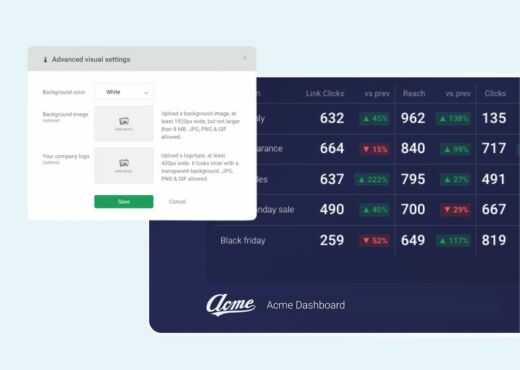
White-labeling (Custom tier) removes Databox branding from dashboards and reports, applies custom branding (agency logo, colors, custom domain), and supports embedded analytics inside third-party products. SaaS companies use this to offer in-product analytics to their customers without building dashboards from scratch.
Integrations beyond data sources
Beyond cloud data sources, Databox integrates with Slack (post metrics and alerts to channels), Microsoft Teams, email (scheduled report delivery), Zapier (1,000+ apps), and a REST API for custom integrations. Spreadsheet imports (CSV, Google Sheets, Excel) handle data sources not covered by native connectors.
Security and compliance
Databox is hosted on AWS US infrastructure with SOC 2 Type II controls and GDPR compliance. Custom tier adds SSO via SAML, advanced security review, and priority support. Public certifications cover the most common SaaS compliance requirements.
Databox vs Looker Studio
Looker Studio (formerly Google Data Studio) is Google's free BI tool with strong Google data source integration. Databox is paid but offers broader data source coverage (130+ vs Looker Studio's Google-centric set), mobile apps with push notifications, and agency sub-accounts. Pick Looker Studio for free Google-data-centric reporting. Pick Databox when broader integrations, mobile apps, or agency workflow features matter.
Databox vs Tableau and Power BI
Tableau and Power BI are enterprise BI category leaders with deep customization and analyst-driven workflow. Databox is the SMB and agency alternative with pre-built integrations and simpler workflow. Pick Tableau or Power BI for enterprise BI with dedicated analysts. Pick Databox for marketing teams and agencies without BI engineering resources.
Databox vs AgencyAnalytics and DashThis
AgencyAnalytics and DashThis are dedicated agency client reporting tools with strong SEO and marketing tool focus. Databox has broader use cases (not agency-only), better mobile experience, and AI features. Pick AgencyAnalytics for SEO-heavy agency reporting. Pick Databox for broader marketing reporting beyond agencies.
Databox vs Klipfolio
Klipfolio is another SMB BI tool with similar dashboard positioning. Databox has stronger mobile experience, broader native integrations, and AI features. Klipfolio has stronger custom SQL capability. Pick on specific use case priorities after trial.
Buyer pitfalls to avoid
Three patterns hurt Databox rollouts. First, picking Analyst when team collaboration matters: Analyst is single-user; Pro and up are unlimited users. Multi-user teams should start on Pro.
Second, ignoring AI credit consumption: AI credits run out fast when teams use natural language queries heavily. Plan AI usage against tier credit allowance.
Third, treating it as data warehouse: Databox connects to source tools and pulls data on schedule but does not transform or model data at warehouse scale. For complex transformations, pair with dbt and Snowflake or build native SQL.
Implementation and time to value
Free or Analyst: 1-2 hours for data source connection and template-based dashboard build. Pro: 1-2 days for team onboarding, custom dashboard creation, and Slack integration. Growth: 1-2 weeks adding datasets, forecasting, sub-account setup for agencies, and team training. Custom: 4-8 weeks adding white-labeling, SSO, embedded analytics, and dedicated success engagement.
Customer support
Free and Analyst get email support during US business hours. Pro adds priority email response. Growth includes dedicated Customer Success Manager. Custom adds priority support with SLAs. The Databox Help Center is well-stocked with tool-specific setup guides.
The Bottom Line on Databox
Databox is the right call for SMB and mid-market marketing teams, agencies serving multiple clients, RevOps, and SMB executives that want unified KPI dashboards across HubSpot, Google Analytics, Stripe, Salesforce, and 130+ other tools without enterprise BI complexity.
Standout strengths: 130+ pre-built data source integrations, mobile-first design with push notification alerts, pre-built dashboard templates by tool and role, AI-powered explanations and natural language queries, MCP server for Claude integration, sub-accounts for agency multi-client management on Growth, white-labeling on Custom, free tier with 3 data sources for evaluation.
Pricing fits SMB and mid-market budgets: Free for solo evaluation. Analyst $64/month annual for solo analyst. Pro $159/month annual for small teams. Growth $399/month annual (most popular) with datasets, forecasting, and sub-accounts. Custom quote-based with white-labeling. Annual saves 20% versus monthly.
Trade-offs to weigh: data sources beyond included counts cost $5.60/month each on Pro and Growth, escalating cost for data-heavy teams. Datasets require Growth tier ($399). White-labeling requires Custom tier. Not a data warehouse replacement; transformations are lighter than Tableau or Power BI. Brand presence is strong in marketing but smaller than enterprise BI leaders in finance and operations.
Alternatives worth comparing: Looker Studio for free Google-data reporting, Tableau and Power BI for enterprise BI with dedicated analysts, AgencyAnalytics and DashThis for SEO-heavy agency client reporting, Slemma for similar SMB BI positioning, Klipfolio for similar SMB dashboards, Whatagraph for marketing-tool-integration depth, Cyfe for budget-tight SMB dashboards. Pricing and capabilities verified on databox.com/pricing on 2026-06-27.
Frequently Asked Questions
Is there a free plan or free trial for Databox?
How much does Databox cost?
What does Databox integrate with?
Who is Databox best for?
What are the best alternatives to Databox?
Is Databox GDPR / SOC 2 compliant?
Does Databox have a mobile app?
What do real users say about Databox?
How does Databox compare to its top competitor?
Does Databox offer customer support?
Find Your Perfect Software
See how it can transform your workflow
- Personalized for your needs Tailored recommendations based on your unique requirements.
- Save time & resources Streamline your workflow and boost team productivity.
- Trusted by thousands Join 10,000+ businesses already growing with SaaSrat.
You're all set! 🎉
A specialist for will reach out within 1 business day with tailored recommendations for your needs.