
Workiz
by Workiz
What is Workiz?
Get Best Quote for Workiz
Connect with SaaSrat experts to get the best quote for your business.
You're all set!
A specialist for Workiz will reach out within 1 business day.
Workiz Features
Job scheduling and dispatch with map view
AI Genius Answering for inbound call handling
Mobile apps for iOS and Android
GPS tracking and route optimization
Payment processing via Workiz Pay
Online booking widget for website
View All 15 Features
Workiz Pricing Plans
Lite
- Free plan for up to 2 users. Core scheduling and basic job management. Lacks the inbound call features that make Workiz valuable for call-heavy businesses , Lite is for solo operators evaluating the platform before committing.
Kickstart
- Per-account base fee covering up to a certain user count. Additional members approximately $40/user/month on annual billing ($45-$47/user/month on monthly). For small home service teams getting started with inbound call workflow.
Standard
- Per-account base fee with expanded user limits. Adds advanced scheduling, broader integrations, marketing automation basics. 5-user team annual: $229/mo + 3 additional users at $40/mo = $349/mo × 12 = $4,188/year subscription.
Pro
- Per-account base fee with full feature access including AI add-on compatibility. Additional members up to $65/user/month. For established home services needing marketing automation, advanced reporting, and Genius Answering AI Dispatcher.
Ultimate
- Custom pricing for larger home services operations (typically 25+ technicians). Custom workflow design, multi-location support, dedicated success engagement, custom integration development.
Genius Answering AI (add-on)
- Approximately $200/month add-on. AI Dispatcher answering inbound calls during business hours when human dispatchers are busy, or 24/7 for after-hours coverage. Workiz reports customers seeing 15-25% lift in job booking from AI-handled after-hours calls.
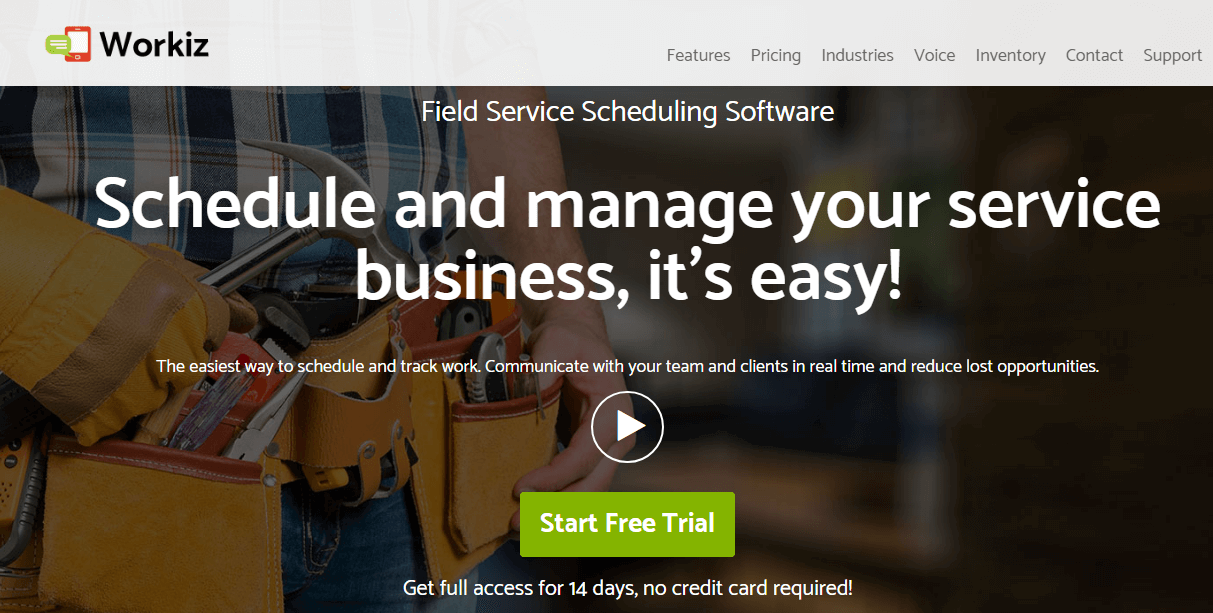
Workiz Screenshots
Description
What Workiz actually is
Workiz is a US-built field service management (FSM) platform from Workiz Inc., founded in 2015 in San Diego, California with development offices in Israel. The product targets home services trades businesses that handle inbound calls heavily , locksmiths, garage door, junk removal, appliance repair, HVAC, plumbing, electrical, and similar service businesses where calls drive jobs.
The positioning is call-driven home services workflow. While Tradify, Jobber, and Housecall Pro cover broad home services, Workiz invests deeper in inbound call handling: dispatcher-friendly call queues, call tracking with source attribution (which marketing channel drove this call), AI Genius answering for after-hours, and integration with Workiz Phone for unified call-and-job workflow.
Who actually picks Workiz
Workiz fits home services trades businesses (1-100 technicians) where 70-90% of jobs come from inbound phone calls rather than scheduled appointments or online booking. Specific verticals: locksmiths (highly call-driven), garage door services, appliance repair, junk removal, water damage restoration, after-hours emergency services (24/7 plumbing, electrical), and any home service where customer urgency drives same-day or next-day job dispatch.
The strongest fit is owner-operator businesses (under 25 technicians) where the owner answers phones, dispatches jobs, and runs operations from a phone-and-laptop combination. Workiz's mobile and call integration matches this owner workflow.
Not for you if: your business is appointment-based with 90%+ scheduled work (Tradify or Jobber's appointment-first design fits better), you're in trades requiring deep MEP estimating (Buildertrend or Procore handle construction better), or you don't have heavy inbound call volume (cheaper alternatives like ServiceM8 fit better for low-call operations).
Workiz pricing
| Plan | Monthly | Best for |
|---|---|---|
| Lite | $0 (up to 2 users) | Solo operators evaluating |
| Kickstart | $187/mo | Small home service teams |
| Standard | $229/mo | Growing operations with extra users |
| Pro | $270/mo | Established teams needing AI add-ons |
| Ultimate | Contact Sales | Larger operations with custom needs |
Workiz pricing is per-account-plus-per-user, unusual versus pure per-user models. The base account fee covers up to a certain user count; additional members are roughly $40/user/month on annual billing and around $45-$47/month on monthly billing across Kickstart and Standard tiers. Pro tier adds up to $65/user/month for additional members.
Annual billing saves $400+ per year versus monthly across all paid tiers. The Lite free plan covers 2 users with core scheduling but lacks the inbound call features that make Workiz valuable for call-heavy businesses.
Annual TCO benchmarks
A 5-user small home service team on Standard annual: $229/mo base + 3 additional users at $40/mo = $349/mo × 12 = $4,188/year subscription. Plus Workiz Phone usage fees (per-minute calling and SMS), payment processing through Workiz Pay (2.7%-2.9% + 30¢ per credit card transaction), and optional AI add-ons.
A 15-user mid-size home service company on Pro annual: $270/mo base + 13 additional users at $65/mo = $1,115/mo × 12 = $13,380/year subscription. Plus phone, payments, and add-ons.
Notable add-on: AI Dispatcher (Genius Answering) is roughly $200/month additional. For 24/7 services without a dedicated dispatcher, this can pay back through after-hours job capture that would otherwise go to voicemail. For 9-5 services with a human dispatcher, AI Dispatcher is often redundant overhead.
For a $1M-$3M annual revenue home service business, Workiz's total platform TCO is typically $5,000-$20,000/year combining subscription, phone, payments, and add-ons , meaningful overhead but commonly recovered through better job booking rates and fewer missed inbound calls.
Genius Answering and AI features
Genius Answering is Workiz's AI dispatcher add-on. It answers inbound calls during business hours when human dispatchers are busy, or 24/7 for after-hours coverage. The AI understands service type, customer urgency, address, and contact information, then either books the job directly into Workiz scheduling or escalates urgent matters to on-call human staff.
For locksmiths and garage door services where 30-50% of inbound calls happen after business hours, Genius Answering captures jobs that previously went to competitors. Workiz reports customers seeing 15-25% lift in job booking from AI-handled after-hours calls.
The trade-off: $200/month add-on cost, AI accuracy varies on accents and non-standard service requests, and customers occasionally prefer human contact during emergencies (water damage, lockouts, broken HVAC in winter). Most successful deployments use AI for screening and booking with human escalation for emergencies.
Inbound call handling
Workiz Phone (the native VoIP service) routes inbound calls with caller ID showing customer's existing job history and account status. Dispatchers see `this caller has 3 prior jobs, last service 6 months ago, last invoice paid 30 days late.` Context drives faster, more accurate job booking versus generic VoIP without CRM integration.
Call recording stores recordings against the customer record. Call tracking with source attribution tags inbound calls to marketing campaigns: `this call came from Google Ads keyword emergency locksmith, converted to $185 job.` For owners spending on Google Ads, Facebook Ads, or local SEO, this attribution matters for ad spend optimization.
Job scheduling and dispatch
Schedule view shows technician schedules by day, week, or month with drag-and-drop assignment. Map view shows technician locations and remaining job stops, optimizing dispatch decisions for proximity. Real-time GPS tracking lets dispatchers reassign urgent jobs to the nearest available technician.
For locksmiths and after-hours emergency services where dispatch speed matters, the map-plus-GPS view collapses 5-10 minutes of dispatcher calculation into a single visual decision. The faster the dispatch, the higher the on-time arrival rate and customer satisfaction.
Payment processing via Workiz Pay
Workiz Pay integrates payment processing into the platform with tap-to-pay on iPhone, card reader hardware, online payment links, and ACH. Standard processing fees apply (typically 2.7%-2.9% + 30¢ per credit card transaction). For home services where techs collect payment in the field, integrated payment processing eliminates the workflow gap between completing a job and getting paid.
Customer database and marketing
Each customer record holds contacts, site addresses, equipment installed, full job history, communications, and lifetime value. Marketing automation (Pro and up) sends targeted campaigns to customer segments: `service reminder to AC customers in May`, `Black Friday promotion to recent customers`, `post-service review request 2 days after job completion`
For repeat-customer-driven businesses (HVAC seasonal service, garage door annual maintenance, appliance repair), marketing automation drives recurring revenue that owner-operators previously left on the table.
Online booking widget
The online booking widget embeds on the company website to let customers self-schedule appointments without calling. For home services with appointment-able work (HVAC seasonal tune-ups, appliance installations, garage door annual maintenance), the widget converts website visitors to booked jobs.
Emergency services (locksmith, water damage) typically don't use online booking because customers want immediate phone contact, not next-week scheduling. Workiz handles both: online booking for scheduled work, inbound calls with AI/human dispatch for urgent work.
Accounting integrations
Native two-way integrations cover QuickBooks Online and Xero with vendor sync, customer sync, invoice sync, and payment sync. For home services already on QuickBooks Online or Xero for accounting, the integration eliminates manual journal entry of jobs and payments. Sage and other accounting systems integrate via Zapier or custom API.
What real owners say
From G2 reviews and r/locksmith and r/Plumbing forums, the consistent praise: inbound call handling is meaningfully better than Tradify, Jobber, or Housecall Pro for call-driven trades; Genius Answering captures real after-hours revenue; dispatch map view speeds same-day job routing; and Workiz Phone integration eliminates the call-vs-CRM context switching that hurt productivity in previous setups.
The consistent complaints: pricing escalates faster than competitors as the team grows (base account fee plus per-user additions plus add-ons stack up), AI Dispatcher accuracy needs training for accents and service-specific terminology, mobile app crashes occasionally during heavy use, and integration depth with QuickBooks Online sometimes has edge case issues with specific invoice types.
A specific recurring observation from locksmith forum threads: Workiz is the closest to a purpose-built locksmith tool in the FSM category. Locksmiths who tried Jobber, Housecall Pro, or generic FSM tools and switched to Workiz consistently report better call-handling fit. The trade-off is Workiz pricing skews higher than competitors at small team sizes.
Workiz vs Jobber
Jobber is the North American home services leader with the broadest feature set, polished UI, and strong marketing presence at $35-$210/month tiers. Workiz has deeper inbound call handling and AI dispatcher capabilities. Choose Jobber for general home services breadth with appointment-driven work. Choose Workiz for call-driven home services where inbound phones drive 70%+ of jobs.
Workiz vs Housecall Pro
Housecall Pro is the SMB home services platform with strong payment processing and customer financing focus. Workiz has deeper call-handling and AI features. Both serve similar buyer segments. Choose Housecall Pro for plumbing/HVAC focused on customer financing and credit applications. Choose Workiz for locksmith/garage door focused on inbound call optimization.
Workiz vs ServiceTitan
ServiceTitan is the upmarket home services platform for HVAC, plumbing, electrical companies at $5M+ revenue with deep revenue optimization. Workiz is the SMB and lower-mid-market alternative at meaningfully lower cost. Choose ServiceTitan for established home services at scale with dedicated dispatch teams. Choose Workiz for owner-operator and small-team operations.
Workiz vs Tradify
Tradify is the NZ-built trades platform with deep Xero integration and AI tools for general trades work. Workiz is US-focused with stronger inbound call handling. Choose Tradify for trades with Xero accounting and scheduled appointment work. Choose Workiz for US home services with heavy inbound call volume.
Common rollout mistakes
The first common Workiz rollout mistake is buying Kickstart when Standard's additional users would be needed within months. Growing home service businesses hit the Kickstart user limit fast; the upgrade to Standard mid-cycle creates billing complexity. Pick Standard upfront for any business expecting growth past 2-3 technicians within 12 months.
The second common mistake is adding Genius Answering before training the AI. The AI needs 2-4 weeks of conversation data from actual calls to perform well. Deploying AI Dispatcher in week 1 without training produces inconsistent results that frustrate customers and damage the deployment perception.
The third common mistake is treating Workiz as Jobber-with-phones. The platforms have meaningfully different workflow assumptions. Workiz-style deployments succeed when the team commits to phone-first dispatch workflow; teams trying to use Workiz as appointment-driven scheduling tool underuse the platform.
Implementation timeline
Solo operator (1-2 users): 1-2 days for setup, customer import, and basic job workflow. Small team (3-10 technicians): 2-4 weeks adding Workiz Phone setup, payment processing integration, marketing automation, and team training. Mid-size operation (15-50 technicians): 6-10 weeks adding Genius Answering AI training, custom workflow design, multi-location setup, and dispatcher-vs-tech role training. Ultimate tier deployments are custom-implemented.
Customer support
All paid plans include email and chat support during US business hours. Pro and Ultimate add priority response and dedicated success engagement. The Workiz Community and Facebook groups for trade-specific operators (locksmith, garage door, junk removal) are active with practitioner-led discussions on platform usage.
Worth it?
Workiz is the right call for home services trades businesses (1-100 technicians) where inbound calls drive 70%+ of jobs , locksmiths, garage door, junk removal, appliance repair, after-hours emergency services, and similar call-heavy verticals.
What Workiz does well: inbound call handling with caller-ID-plus-customer-history context, Genius Answering AI for after-hours and overflow call capture (15-25% job booking lift reported), dispatch map view for same-day job routing, Workiz Phone for unified call-and-job workflow, marketing automation for repeat-customer revenue, payment processing integrated via Workiz Pay.
Pricing reality: Lite Free (2 users), Kickstart $187/mo, Standard $229/mo, Pro $270/mo, Ultimate quote. Additional users $40/mo annual ($45-$65/mo monthly). 5-user team on Standard annual: $4,188/year subscription. 15-user team on Pro annual: $13,380/year. AI Dispatcher add-on $200/mo. Plus phone usage and payment processing fees.
Where it falls short: pricing escalates faster than competitors as team grows (base fee plus per-user plus add-ons stack up), AI Dispatcher needs 2-4 weeks training for non-English accents and service-specific terminology, mobile app crashes occasionally during heavy use, QuickBooks Online integration has edge cases on specific invoice types, not a fit for appointment-driven services where inbound calls are minimal.
Worth comparing: Jobber for general home services breadth at lower price, Housecall Pro for plumbing/HVAC with customer financing focus, ServiceTitan for upmarket home services at $5M+ revenue, Tradify for trades with Xero accounting and scheduled appointments, ServiceM8 for low-call operations at smaller scale, FieldEdge for HVAC and refrigeration specialist, mHelpDesk for similar SMB FSM positioning. Pricing verified on workiz.com pricing page and ServiceAgent 2026 analysis on 2026-06-27.
Frequently Asked Questions
Is there a free plan or free trial for Workiz?
How much does Workiz cost?
What does Workiz integrate with?
Who is Workiz best for?
What are the best alternatives to Workiz?
Is Workiz GDPR / SOC 2 compliant?
Does Workiz have a mobile app?
What do real users say about Workiz?
How does Workiz compare to its top competitor?
Does Workiz offer customer support?
Find Your Perfect Software
See how it can transform your workflow
- Personalized for your needs Tailored recommendations based on your unique requirements.
- Save time & resources Streamline your workflow and boost team productivity.
- Trusted by thousands Join 10,000+ businesses already growing with SaaSrat.
You're all set! 🎉
A specialist for will reach out within 1 business day with tailored recommendations for your needs.