

WiseStamp
by WiseStamp
What is WiseStamp?
Get Best Quote for WiseStamp
Connect with SaaSrat experts to get the best quote for your business.
You're all set!
A specialist for WiseStamp will reach out within 1 business day.
WiseStamp Features
Email signature template design
AI Signature Designer
Google Workspace integration
Microsoft 365 integration
Auto-sync employee details
Auto-install signatures
View All 20 Features
WiseStamp Pricing Plans
Pro+
- For individuals and micro-teams. Up to 10 team members at $2/mo each. 3 templates, AI Signature Designer.
Basic
- Base plus $1/employee. Foundational management. 5 templates, 1 admin, Google Workspace and Microsoft 365 integration. Auto-sync employee details.
Grow
- Base plus $1/employee. Marketing-focused. 20 templates, 5 admins. Campaigns, analytics, automation rules.
Platform
- Base plus $1/employee. Advanced control and automation. Unlimited templates, 10 admins, 3 organizations. SSO, role-based permissions, server-side integration, dedicated onboarding.
Enterprise
- Custom pricing. Full governance and security. Unlimited admins, organizations, templates. 99.9% uptime SLA, audit logs, dedicated customer success manager.
WiseStamp Resources
WiseStamp Screenshots
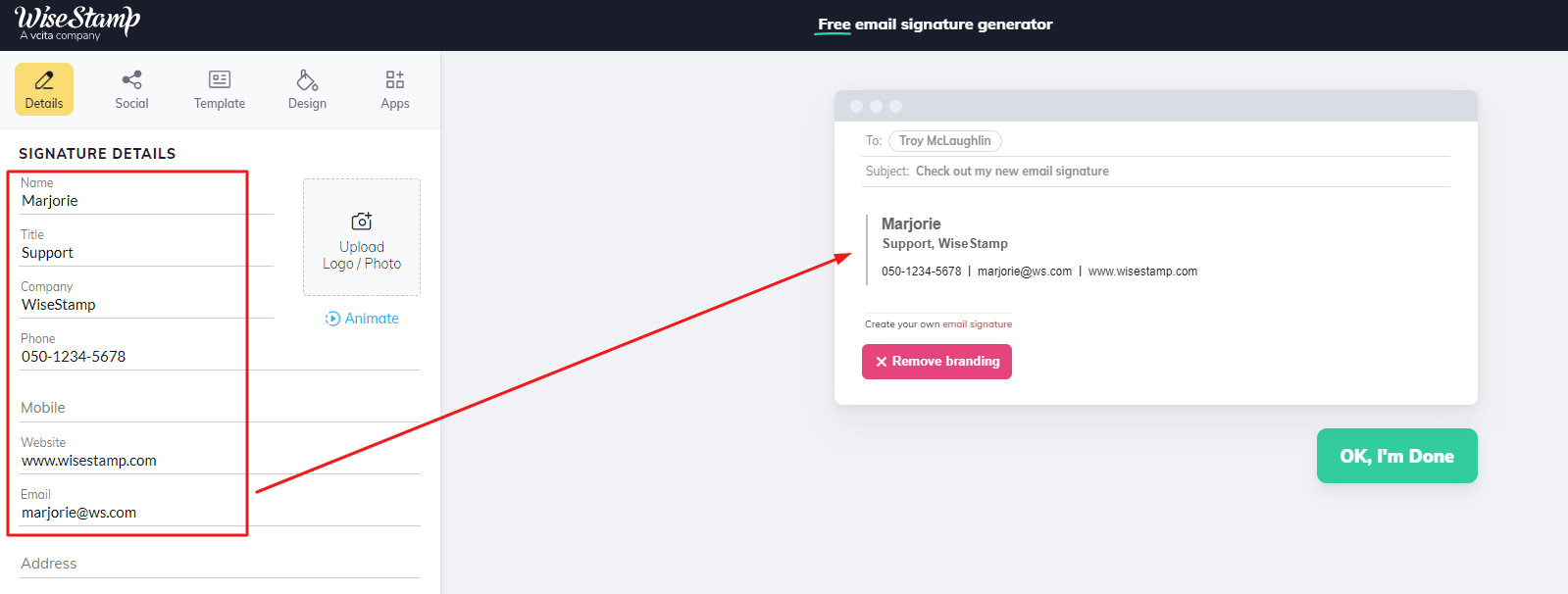
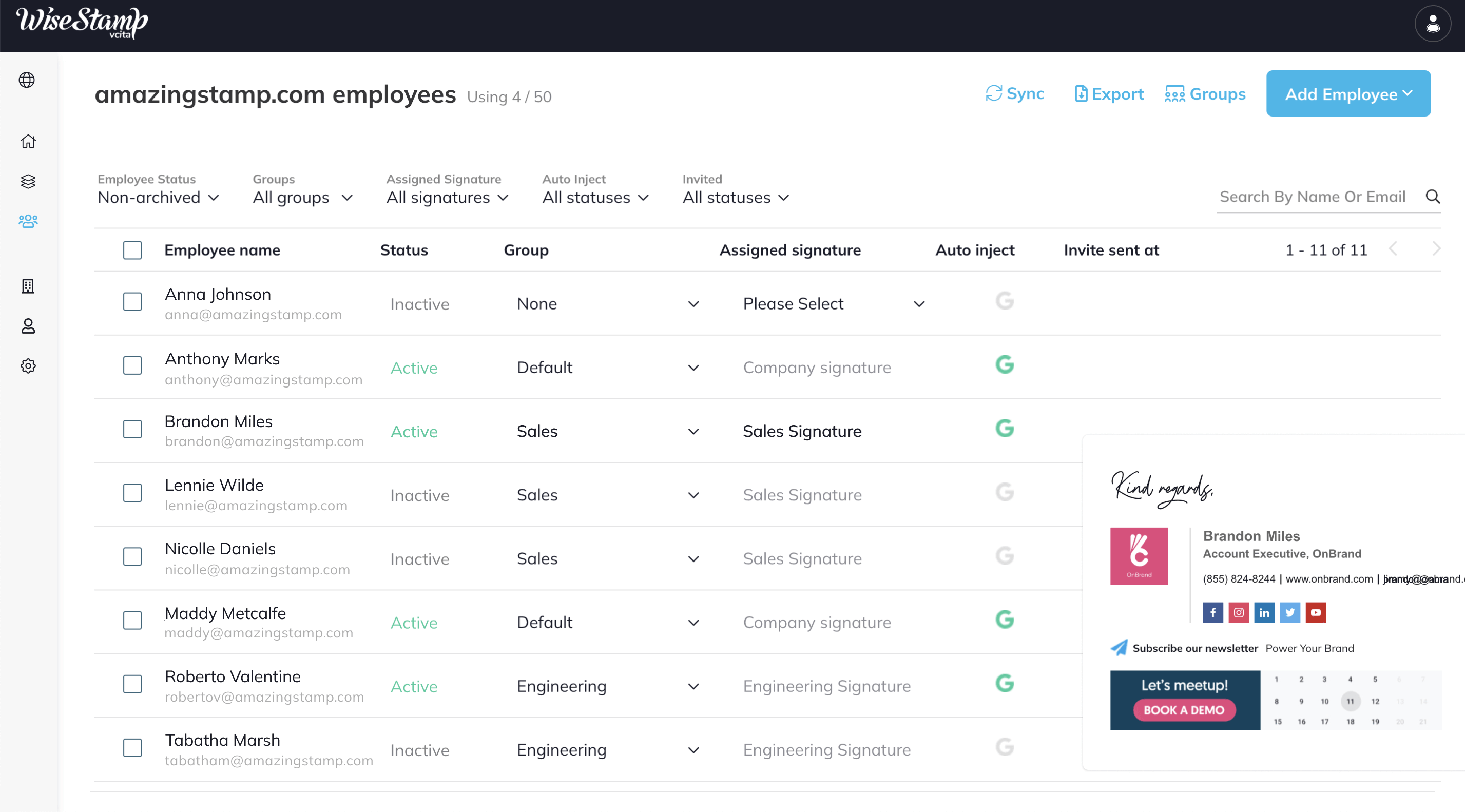

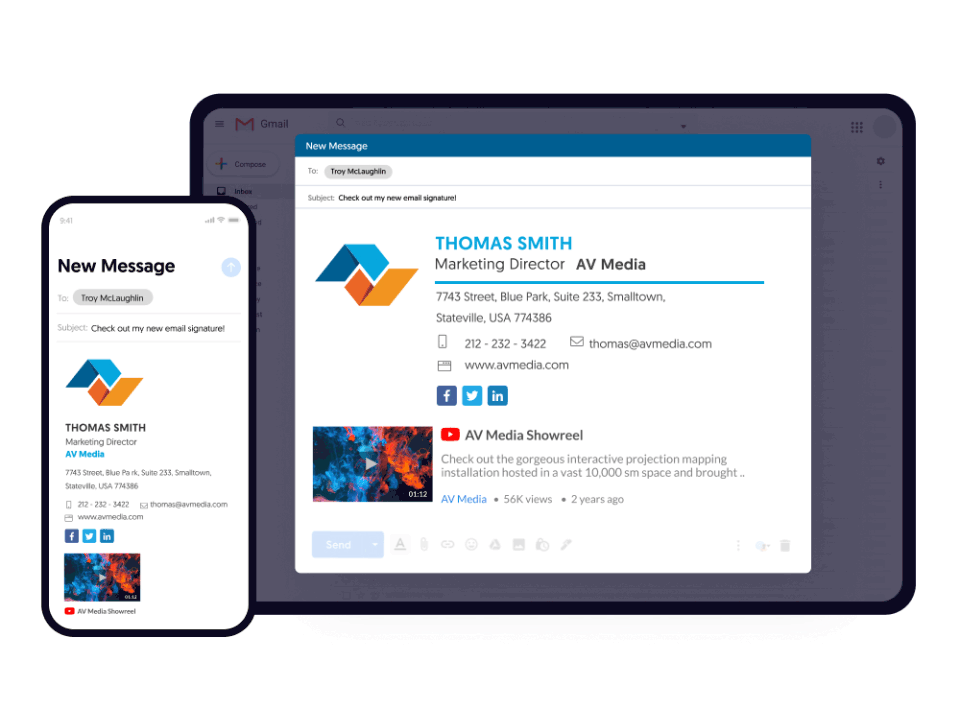
Description
What Is WiseStamp and How Does It Work?
WiseStamp gives individuals, teams, and enterprises an email signature management platform combining signature template design, AI Signature Designer, Google Workspace and Microsoft 365 integration, and enterprise governance features.
The typical WiseStamp deployment covers a business with 10 to 5,000+ employees needing consistent branded email signatures across Google Workspace or Microsoft 365 with campaign banners for marketing. Enterprise deployments add SSO, role-based permissions, and server-side integration.
WiseStamp competes against Exclaimer, Rocketseed, and CodeTwo in the email signature management category with a differentiator on AI Signature Designer and 5-tier pricing scaling from individuals to enterprise.
WiseStamp at a Glance
| Best for | Individuals, teams, and enterprises needing branded email signature management |
|---|---|
| Deployment | Client-side (Basic, Grow), Client and server-side (Platform, Enterprise) |
| Pricing model | 5 tiers: Pro+, Basic, Grow, Platform, Enterprise |
| Free trial | Contact WiseStamp for evaluation |
| Integrations | Google Workspace, Microsoft 365, campaign analytics, automation rules |
| HQ | 17 State Street, Suite 4000, New York, NY 10004, United States |
WiseStamp Pros and Cons in 2026
Where WiseStamp Stands Out
- 5 tiers scale from individual Pro+ through Enterprise custom pricing.
- AI Signature Designer creates templates from prompts.
- Google Workspace and Microsoft 365 auto-sync employee details and auto-install signatures.
- Campaign banners with analytics for marketing signature usage.
- Enterprise tier includes 99.9% uptime SLA, audit logs, and dedicated customer success manager.
Where WiseStamp Falls Short
- Multiple pricing components (base + per-employee) require budget calculation.
- Client-side vs server-side deployment split between Basic/Grow and Platform/Enterprise.
- SSO and role-based permissions require Platform tier.
- Learning curve for teams migrating from other signature managers.
- Feature depth for template design may vary at lower tiers.
Who Should Use WiseStamp?
WiseStamp fits individuals wanting personal branded signatures, teams (10-50 employees) needing consistent branding, and enterprises (100-5,000+ employees) needing centralized governance with SSO and audit logs.
Solo users start on Pro+ ($9/month, 10 team members max). Small teams use Basic with 5 templates and admin. Growth-stage marketers use Grow for campaign features. Larger operations use Platform for SSO and server-side integration. Enterprise scales unlimited with SLA.
Not the right fit for individuals wanting free personal signatures (try HTML email signature tools), teams already invested in Exclaimer or CodeTwo ecosystems, or organizations without email signature branding requirements.
WiseStamp Product Suite in 2026
Pro+ (Pro tier)
For individuals and micro-teams. Up to 10 team members. 3 templates, AI Signature Designer.
Basic
Foundational management. 5 templates, 1 admin, Google Workspace and Microsoft 365 integration.
Grow
Marketing-focused. 20 templates, 5 admins. Campaigns, analytics, automation rules.
Platform
Advanced control and automation. Unlimited templates, 10 admins, 3 organizations. SSO, role-based permissions, server-side integration.
Enterprise
Full governance and security suite. Unlimited admins, organizations, templates. 99.9% uptime SLA, audit logs, dedicated customer success manager.
How Much Does WiseStamp Cost in 2026?
WiseStamp publishes 5 tiers on wisestamp.com/pricing. Pro+ starts at $9/month for individuals and micro-teams with up to 10 team members at $2/mo each. Basic starts at $19/month plus $1/employee with foundational management. Grow starts at $49/month plus $1/employee with marketing capabilities. Platform starts at $189/month plus $1/employee with SSO and server-side integration. Enterprise custom pricing for full governance and security.
Client-side deployment on Basic and Grow. Client and server-side on Platform and Enterprise.
Hidden Costs and Contract Notes to Watch
- Per-employee pricing adds to base subscription cost.
- SSO requires Platform tier.
- Server-side integration requires Platform or Enterprise.
- Enterprise custom pricing conversation for SLA and audit logs.
- Additional admin seats may require tier upgrade.
WiseStamp Alternatives Worth Comparing
Exclaimer. Enterprise email signature management with strong Microsoft 365 focus.
Rocketseed. Enterprise email signature and email marketing combined platform.
CodeTwo. Microsoft 365 email signatures with server-side deployment.
Xink. Email signature management with campaign banner features.
Who Uses WiseStamp?
WiseStamp serves individuals, teams, and enterprises globally. Specific named enterprise customers are not disclosed on the pricing page.
Points to Verify Before Buying WiseStamp
Independent software review threads consistently flag a similar set of due-diligence questions buyers wish they had asked earlier. Cover these during your evaluation.
- Confirm employee count for per-employee cost budget.
- Verify Google Workspace or Microsoft 365 integration path with IT.
- Test AI Signature Designer template output.
- Ask about client-side vs server-side deployment for your infrastructure.
- Confirm SSO requirements if considering Platform tier.
What Top-Ranking WiseStamp Reviews Cover
Independent reviewers ranking on Google USA for WiseStamp consistently surface these evaluation points buyers should verify during procurement.
- trustpilot.com: Started with a free plan that went from $46 to $69 to $90 with no apparent added value and no notification of the changes.
- wisestamp.com: It was easy to use and easy to set up.
- reddit.com: I created an email signature with this company and have been doing outreach.
- youtube.com: Why Stamp is a professional email signature generator that works in your browser..
- information-age.com: WiseStamp allows organisations to easily create and manage email signatures that can be to their brand..
What Real Buyers Report About WiseStamp
IT operations forums and marketing operations LinkedIn groups describe WiseStamp as a strong email signature platform with AI Signature Designer and 5-tier structure scaling from individuals to enterprise.
Common friction points center on multiple pricing components (base plus per-employee) requiring budget calculation and SSO being locked to Platform tier.
Long-term users on IT admin forums praise the Google Workspace and Microsoft 365 auto-sync as reducing manual signature updates and the AI Signature Designer for rapid template creation.
Bottom Line: Is WiseStamp Right for You?
WiseStamp is a strong pick for individuals, teams, and enterprises that need branded email signature management with Google Workspace or Microsoft 365 auto-sync, AI Signature Designer, campaign banners, and enterprise governance.
Highlights: 5 tiers scaling from individual Pro+ through Enterprise, AI Signature Designer, Google Workspace and Microsoft 365 integration, campaign analytics, and Enterprise 99.9% SLA plus audit logs.
Trade-offs to weigh: multiple pricing components (base plus per-employee), SSO requires Platform tier, and server-side integration requires Platform or Enterprise.
Consider Exclaimer for enterprise email signature with Microsoft 365 focus, Rocketseed for combined signature plus email marketing, CodeTwo for Microsoft 365 server-side signatures, or Xink for signature management with campaign banner features.
Verified on 2026-07-09 by the SaaSRat Editorial Team (Chirantan Patel, Senior SaaS Research Editor). Vendor facts cross-checked against the wisestamp vendor website, LinkedIn showcase pages, and community discussions on Reddit and industry LinkedIn groups. About our methodology.
Frequently Asked Questions
What is WiseStamp used for?
How much does WiseStamp cost in 2026?
Does WiseStamp offer a free trial?
Does WiseStamp integrate with Google Workspace?
What is the AI Signature Designer?
Does WiseStamp support SSO?
What is the WiseStamp Grow tier?
Does WiseStamp have client-side or server-side deployment?
Where is WiseStamp headquartered?
How does WiseStamp compare to Exclaimer and CodeTwo?
Find Your Perfect Software
See how it can transform your workflow
- Personalized for your needs Tailored recommendations based on your unique requirements.
- Save time & resources Streamline your workflow and boost team productivity.
- Trusted by thousands Join 10,000+ businesses already growing with SaaSrat.
You're all set! 🎉
A specialist for will reach out within 1 business day with tailored recommendations for your needs.