

Vyapin Office 365 Manager
by Vyapin Software Systems Private Limited • Founded 2001
What is Vyapin Office 365 Manager?
Get Best Quote for Vyapin Office 365 Manager
Connect with SaaSrat experts to get the best quote for your business.
You're all set!
A specialist for Vyapin Office 365 Manager will reach out within 1 business day.
Vyapin Office 365 Manager Features
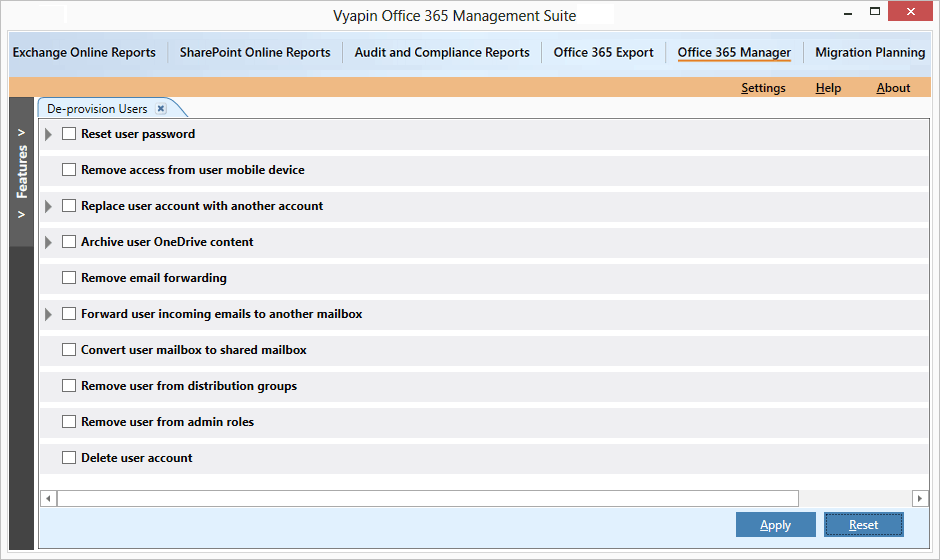
Bulk M365 user provisioning
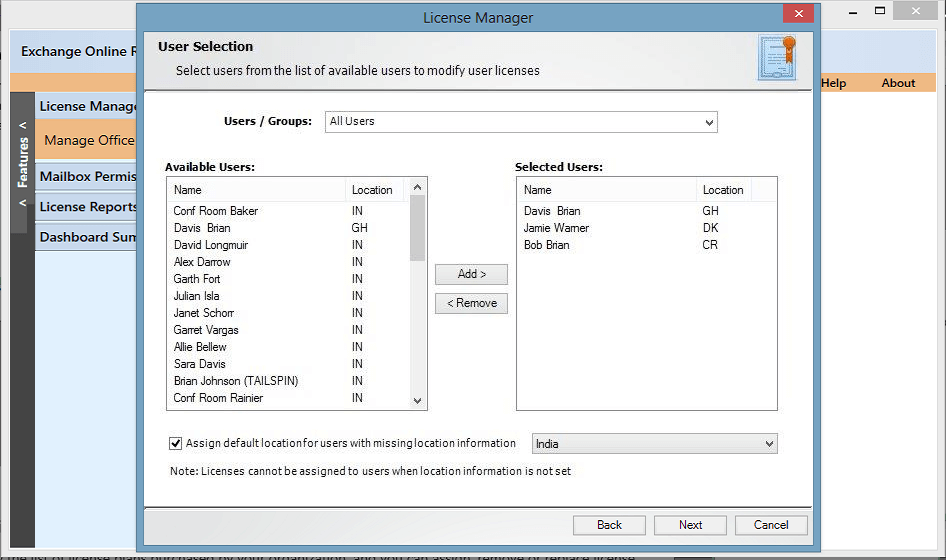
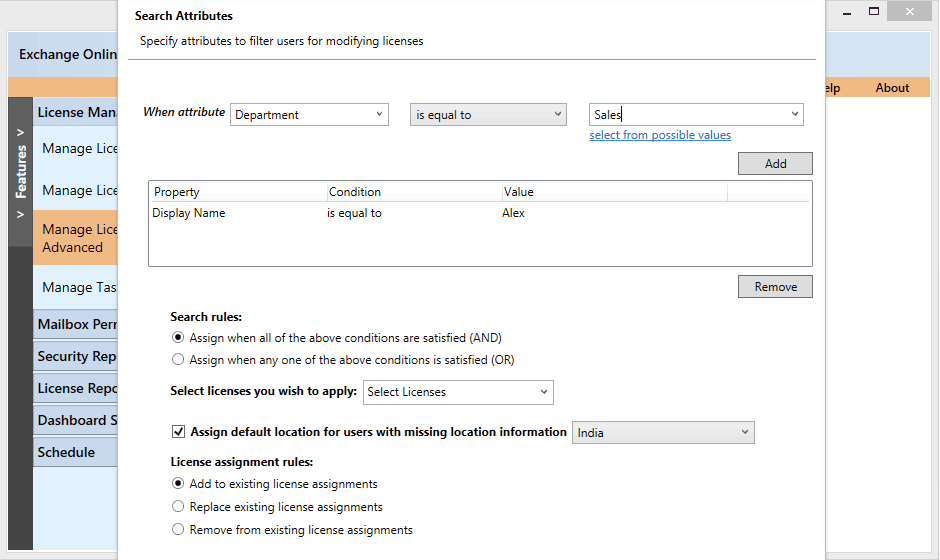
License assignment and optimization
SharePoint migration with metadata preservation
Security auditing reports
GDPR HIPAA compliance reports
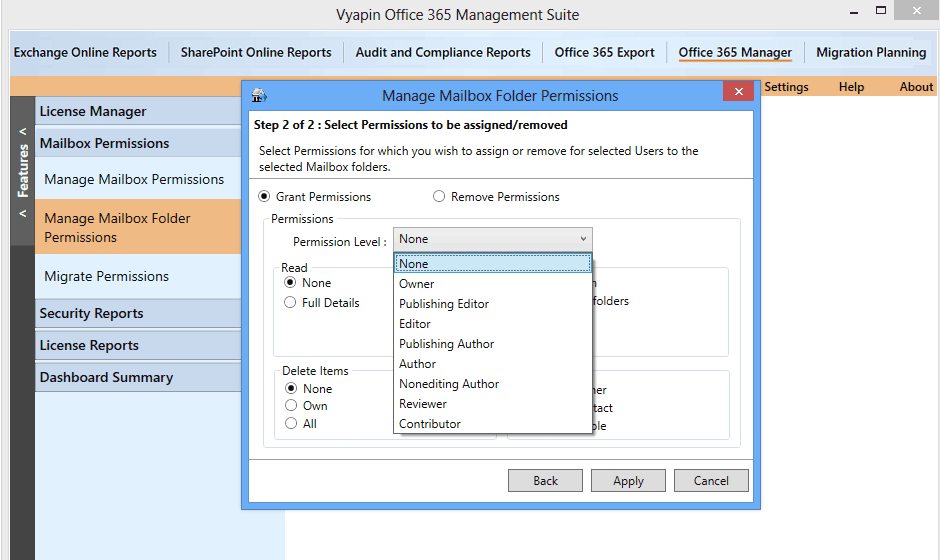
Mailbox management and retention
View All 12 Features
Vyapin Office 365 Manager Pricing Plans
Tenant Management
- Bulk user provisioning and license assignment
- Group management and policy enforcement
- Pre-built compliance reports
- Mailbox management and retention
- Industry-typical $1-3 per user/month
- Verified at vyapinsoftware.com on 2026-06-30
SharePoint Migration
- Migrate from SharePoint on-prem file shares Box Dropbox
- Metadata permissions and version history preservation
- Multi-source consolidation
- Pre and post-migration validation
- One-time or subscription licensing
- Verified at vyapinsoftware.com on 2026-06-30
Enterprise Bundle
- Tenant management + migration + security auditing
- License optimization recommendations
- Multi-tenant MSP licensing
- Priority support with named technical contact
- Annual or multi-year contracts
- Verified at vyapinsoftware.com on 2026-06-30
Vyapin Office 365 Manager Screenshots
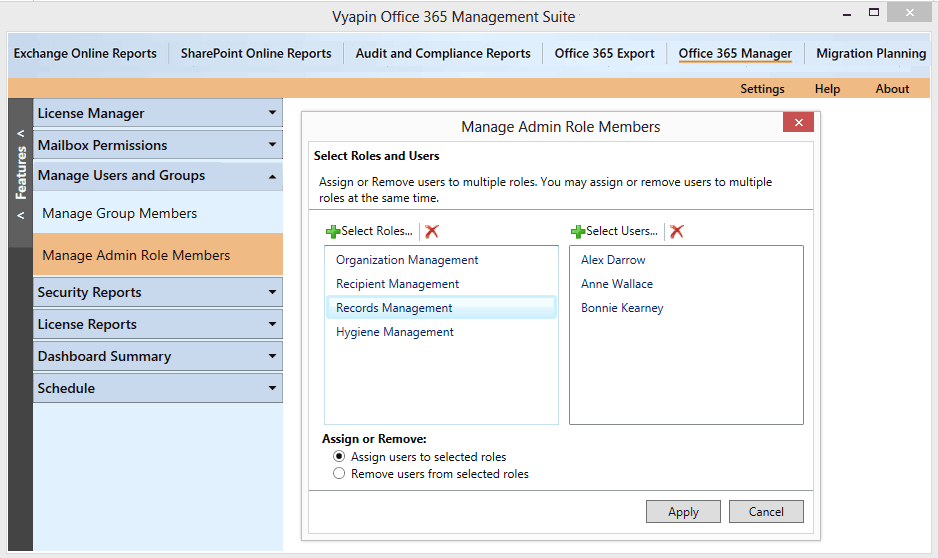
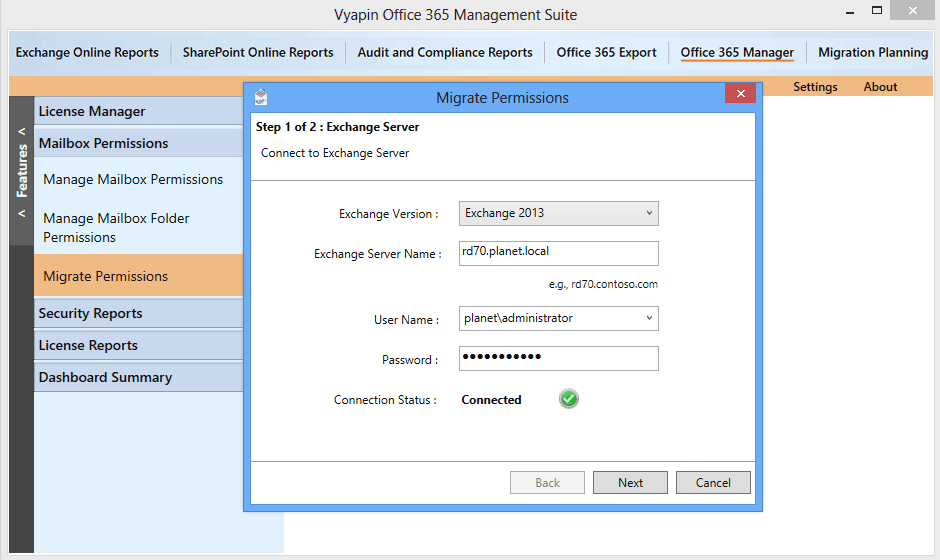
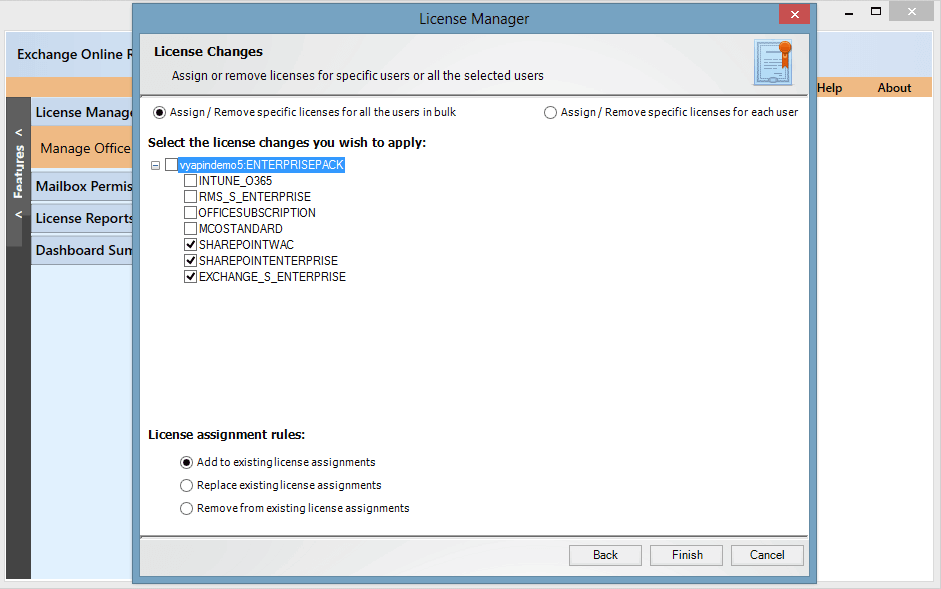
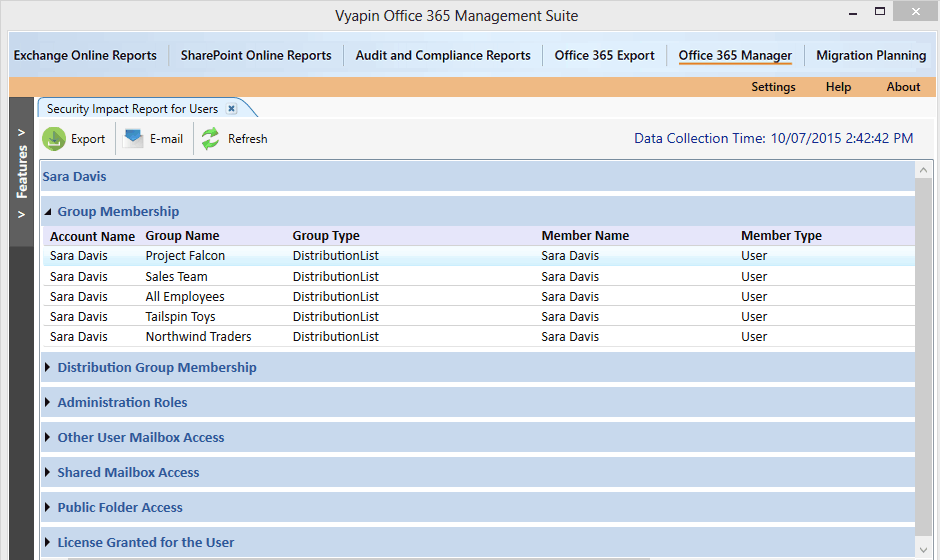
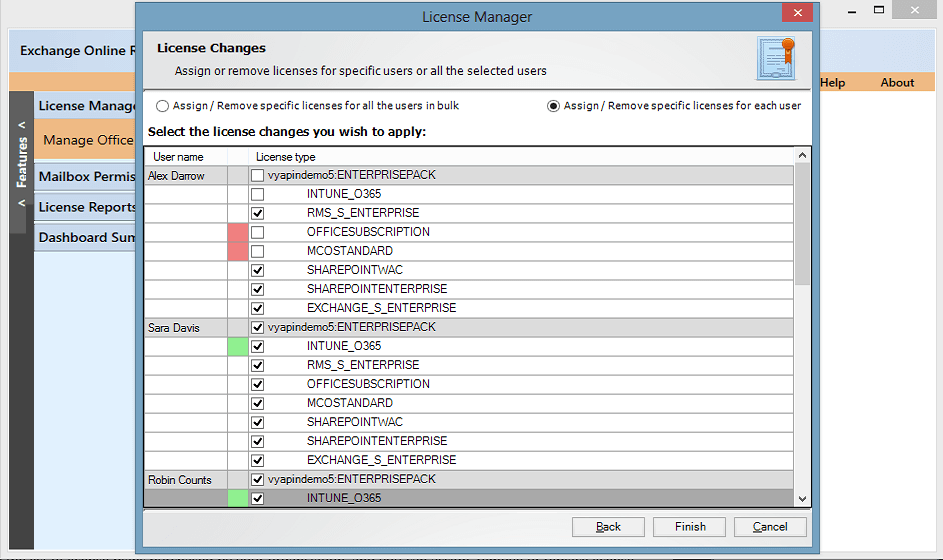
Description
Vyapin Office 365 Manager at a Glance
| Best fit for | IT admins, MSPs, regulated industries needing M365 governance, SharePoint migration teams, security and compliance teams |
|---|---|
| Industries | Healthcare, financial services, government, education, manufacturing, professional services, legal |
| Core platform | Tenant management, SharePoint migration, Security auditing, License optimization, Mailbox management, Reports and analytics |
| Pricing model | Quote-based per user or per tenant, scaled by user count, modules, and term |
| Mobile apps | Web-responsive admin; no native mobile apps |
| Compliance | SOC 2, GDPR, HIPAA, supports Microsoft compliance attestations |
| Named customers | Microsoft 365 deployments across healthcare, financial services, government, education (shown on vyapinsoftware.com) |
| Parent company | Vyapin Software Systems (independently held) |
| Headquarters | Chennai, India |
Vyapin Office 365 Manager Pros and Cons in 2026
Where Vyapin Stands Out
Granular M365 tenant management lighter than native admin. Bulk user provisioning, license assignment, group management, and policy enforcement at finer detail than native M365 admin center provides for large tenants.
SharePoint migration tools are mature. Migrate from legacy SharePoint on-prem, file shares, Box, Dropbox, and other sources into SharePoint Online with metadata preservation.
Security auditing and compliance reporting. Pre-built reports cover GDPR, HIPAA, and audit requirements that native M365 reporting requires custom queries to produce.
License optimization identifies underutilized licenses. Reclaim unused E3/E5 licenses, downgrade to F3 where appropriate, and reduce M365 spend at scale.
Where Vyapin Falls Short
UI dated versus modern cloud admin tools. Functional but feels older than ShareGate or AvePoint admin interfaces.
Brand recognition narrower than ShareGate or AvePoint. Smaller community than horizontal M365 governance leaders.
Pricing opacity until quote. No public per-user rates; buyers contact sales for every quote.
Microsoft-native features evolve faster than third-party tools. Microsoft Entra ID Governance and Purview gain capabilities that Vyapin then adapts to support.
Who Should Use Vyapin Office 365 Manager?
Vyapin is the right pick for IT admins managing large M365 tenants, MSPs serving multiple M365 customers, regulated industries needing GDPR/HIPAA reporting, SharePoint migration teams moving from legacy sources, and security teams auditing M365 access and policies. In the M365 management category, Vyapin lands as the best fit for mid-market M365 governance without enterprise pricing.
It is the wrong fit for small M365 tenants under 100 users, organizations already paying for E5 Compliance features, and Microsoft-native-first IT teams. Those buyers should compare ShareGate, AvePoint, or native Microsoft Entra ID Governance.
Vyapin Office 365 Manager Product Suite in 2026
Tenant Management
Bulk user provisioning, license assignment, group management, and policy enforcement. CSV import for mass operations across users and groups.
SharePoint Migration
Migrate from SharePoint on-prem, file shares, Box, Dropbox, and Google Drive into SharePoint Online. Metadata, permissions, and version history preservation.
Security Auditing
Pre-built reports on user access, sharing, external collaborators, MFA enforcement, and conditional access policy violations.
License Optimization
Identify underutilized E3/E5 licenses, recommend downgrades to F3, track license trends over time, and reduce M365 spend.
Mailbox Management
Exchange mailbox provisioning, retention policy enforcement, archiving, and litigation hold management.
Reports and Analytics
Compliance reports for GDPR, HIPAA, and audit requirements. Custom reports across users, groups, sites, mailboxes, and licenses.
How Much Does Vyapin Cost in 2026?
Vyapin is quote-based. Pricing scales by user count (per-user or per-tenant), module selection (tenant management vs migration vs security auditing), and term length. Industry-typical M365 management tools run $1 to $5 per user per month depending on features. Vyapin does not publish per-user rates publicly.
What Drives the Cost
- User count and tenant size: Per-user pricing scales with M365 tenant.
- Module selection: Tenant management, SharePoint migration, security auditing each have separate licensing.
- One-time migration vs ongoing management: Migration tools may be one-time licensed; management is ongoing subscription.
- MSP licensing: Multi-tenant MSP pricing differs from single-tenant enterprise.
How to Get a Useful Quote
Inventory M365 tenant size, current management approach, migration requirements, and compliance reporting needs. Benchmark Vyapin against ShareGate, AvePoint, and Quest On Demand before signing.
Hidden Costs and Contract Gotchas to Watch For
- Module licensing stacks. Tenant management + SharePoint migration + security auditing can each add to base.
- Annual contract minimum. Most management subscriptions commit 1 year.
- SharePoint migration may be one-time vs ongoing. Confirm whether migration license expires after project completion.
- MSP multi-tenant pricing differs. Single-tenant enterprises and MSPs receive different quotes.
- Microsoft license changes may require Vyapin contract adjustments. Moving from E3 to E5 affects Vyapin licensing scope.
Vyapin Alternatives Worth Comparing
ShareGate wins on modern SharePoint migration UX and broader community. Pricier than Vyapin at small scale.
AvePoint wins on enterprise M365 governance and broader feature set. Heavier and pricier than Vyapin for mid-market.
Quest On Demand wins on multi-tenant MSP capabilities. Comparable price to Vyapin at scale.
CoreView wins on M365 monitoring and reporting depth. Heavier than Vyapin for migration-focused use cases.
Microsoft Entra ID Governance wins for Microsoft-native first IT teams. Different scope; pure identity governance.
BitTitan wins on cross-platform migration (Google Workspace, Slack to Teams). Different focus than Vyapin.
What Real Buyers Report About Vyapin
Reviewers on independent platforms (SoftwareAdvice, SelectHub) and IT admin communities (Reddit r/sysadmin, Microsoft 365 forums) consistently call out three patterns. SharePoint migration tools handle metadata and permissions preservation reliably. License optimization reports identify M365 license waste that pays back the Vyapin subscription. Security auditing closes compliance reporting gaps in native M365 admin center.
The common critiques cluster around three points. UI dated versus modern cloud admin tools. Pricing opacity until quote slows comparison shopping. Microsoft-native features evolve faster than third-party tools can adapt. For IT admins managing mid-market M365 tenants without enterprise-tier native features, Vyapin consistently rates as a reliable governance choice.
Bottom Line: Is Vyapin Office 365 Manager Right for You?
Vyapin is the right call for IT admins, MSPs, and regulated industries that need granular Microsoft 365 governance, SharePoint migration, security auditing, and license optimization without enterprise-tier native M365 pricing. The mature SharePoint migration tools and license optimization reports are durable value drivers.
For modern SharePoint migration UX, ShareGate fits better. For enterprise M365 governance breadth, AvePoint is the heavier alternative. For Microsoft-native identity governance, Entra ID Governance is the alternative for IT teams that resist third-party admin tools.
Verified on 2026-06-30 by the SaaSRat Editorial Team. Vendor facts cross-checked against vyapinsoftware.com (products, features, compliance pages), independent review aggregators, M365 admin community threads, and current 2025-2026 press cycles. About our methodology.
Frequently Asked Questions
What is Vyapin Office 365 Manager used for?
How much does Vyapin cost?
Does Vyapin help with SharePoint migration?
Is Vyapin better than ShareGate?
Does Vyapin work with healthcare compliance?
Can Vyapin reduce Microsoft 365 license costs?
Is Vyapin suitable for MSPs?
Does Vyapin replace Microsoft Entra ID Governance?
How long does Vyapin implementation take?
What support does Vyapin offer?
Find Your Perfect Software
See how it can transform your workflow
- Personalized for your needs Tailored recommendations based on your unique requirements.
- Save time & resources Streamline your workflow and boost team productivity.
- Trusted by thousands Join 10,000+ businesses already growing with SaaSrat.
You're all set! 🎉
A specialist for will reach out within 1 business day with tailored recommendations for your needs.