
Smallpdf
by Smallpdf • Founded 2013
What is Smallpdf?
Get Best Quote for Smallpdf
Connect with SaaSrat experts to get the best quote for your business.
You're all set!
A specialist for Smallpdf will reach out within 1 business day.
Smallpdf Features
21 PDF tools including compress merge split convert sign edit
Web app with no install for occasional use
Desktop apps for Windows and macOS
IOS and Android mobile apps with offline capability
ESign and digital signatures with audit trail
PDF to Word Excel PowerPoint JPG conversion
View All 15 Features
Smallpdf Pricing Plans
Free
- Access to all 21 PDF tools (compress, merge, split, convert, sign, edit, OCR, etc.). Limited to 2 conversions per day. Daily reset. For occasional users.
Pro Individual (annual)
- $10/month with annual billing ($15 monthly). Unlimited use of all 21 PDF tools, desktop apps for Windows and macOS, mobile apps with offline capability, eSign with audit trail, priority support over Free.
Pro for Teams (annual)
- From $8/user/month annual ($12 monthly). Everything in Pro Individual plus centralized billing through one account, member access management, priority customer support. Per-user price decreases at higher team sizes.
10-person team annual TCO
- 10 users × $8 × 12 months = $960/year. Compare to 10 Acrobat Pro DC seats at $19.99/user/month = $2,398.80/year. Annual savings ~$1,440 at the cost of some advanced Acrobat-specific features (prepress, accessibility, complex forms).
50-person team annual TCO
- 50 users × $8 × 12 months = $4,800/year. Compare to 50 Acrobat Pro DC seats at $11,994/year. Annual savings ~$7,194. Hybrid deployments often keep 2-5 Acrobat licenses for power users and put the rest on Smallpdf Pro for Teams.
Smallpdf Screenshots
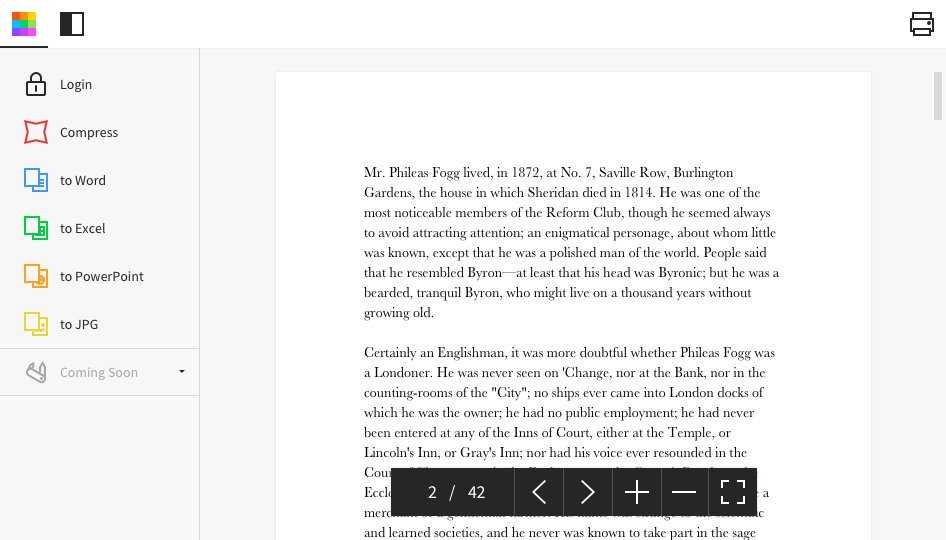
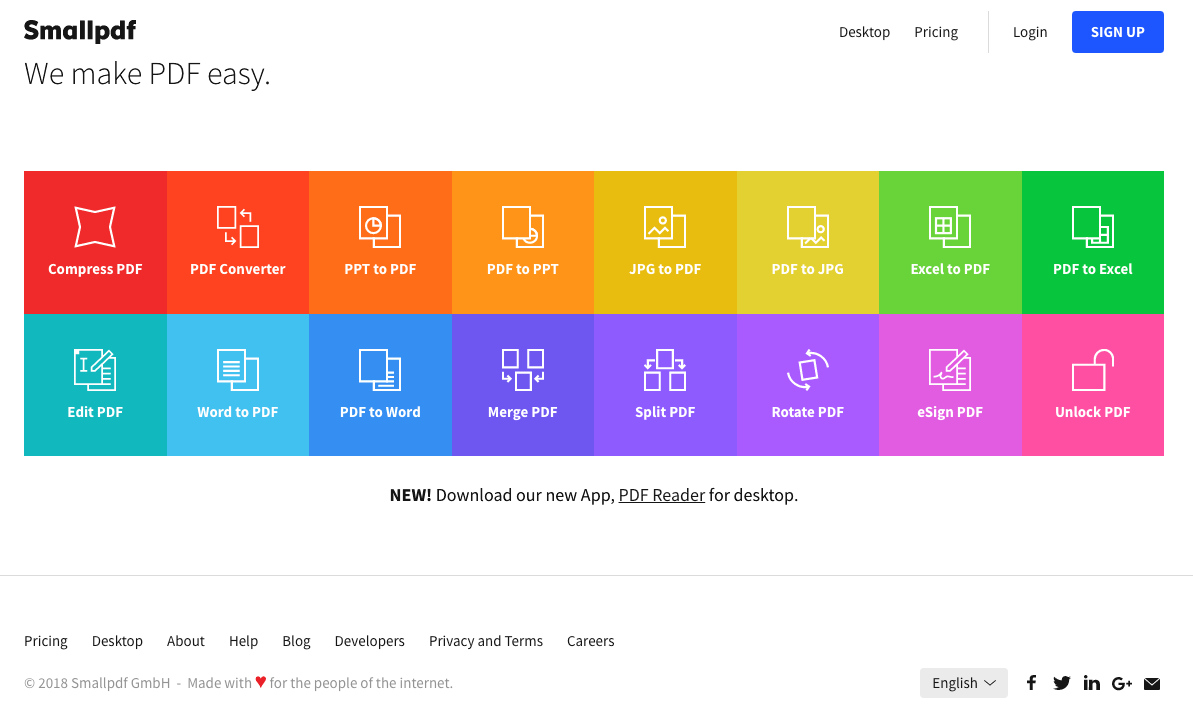
Description
What Smallpdf actually is
Smallpdf is a PDF tool suite built by Smallpdf AG, founded in 2013 in Zurich, Switzerland. The product offers 21 PDF tools (compress, merge, split, convert to and from Office formats, sign, edit, OCR, watermark, protect, and more) through a clean web interface, desktop apps, and mobile apps. Smallpdf is owned by parent company TeamViewer following a 2021 acquisition.
The positioning is as the lightweight Adobe Acrobat alternative. Acrobat Pro DC costs roughly $20/user/month for the most feature-rich tier. Smallpdf Pro is $10/user/month at half that price, and the Free plan covers all 21 tools with a usage cap (2 conversions per day) rather than a feature gate.
Who actually uses Smallpdf
Smallpdf fits three buyer profiles. First, individual professionals (consultants, freelancers, lawyers, real estate agents) needing occasional PDF work without the Acrobat price tag. Second, small business teams (5-50 employees) where PDF work is frequent but not central to anyone's job. Third, students and educators using the Free tier for occasional academic PDF work.
The strongest fit is buyers whose primary PDF need is converting, compressing, signing, and editing without needing Acrobat's deep prepress, accessibility, or forms capabilities. Mid-market and enterprise legal departments running complex redaction or accessibility-compliance workflows still need Acrobat Pro DC.
Not for you if: you need advanced PDF forms with calculations and database integration (Acrobat Pro DC is the standard), you handle highly sensitive documents requiring on-premise deployment (Smallpdf is cloud-only), or you're already deeply embedded in Adobe Creative Cloud workflows.
Smallpdf pricing
| Plan | Annual (user/mo) | Monthly (user/mo) |
|---|---|---|
| Free | $0 | $0 |
| Pro Individual | $10 | $15 |
| Pro for Teams | $8 | $12 |
Pro Individual is $10/month with annual billing or $15/month billed monthly. Pro for Teams starts at $8/user/month annual, with the per-user price decreasing slightly at higher team sizes. Annual billing saves 33% versus monthly across both plans.
The Free plan is genuinely useful for evaluation and light use. Access to all 21 PDF tools but limited to 2 conversions per day. The conversions cap resets daily, so users doing infrequent PDF work can stay on Free indefinitely.
Annual TCO for teams
A 10-person small business team on Pro for Teams annual: 10 × $8 × 12 = $960/year subscription. Centralized billing through one account, member access management, and priority customer support included. Compare to 10 Acrobat Pro DC seats at $19.99/user/month = $2,398.80/year. The savings of ~$1,400/year/team scales meaningfully at larger team sizes.
A 50-person team on Pro for Teams annual: 50 × $8 × 12 = $4,800/year. Same team on Acrobat Pro DC: $11,994/year. Annual savings ~$7,200 at the cost of some advanced Acrobat-specific features (prepress, accessibility checker, deep forms).
The 21 PDF tools
The full tool list covers: compress PDF, merge PDF, split PDF, PDF to Word, PDF to Excel, PDF to PowerPoint, PDF to JPG, Word to PDF, Excel to PDF, PowerPoint to PDF, JPG to PDF, eSign PDF, edit PDF, OCR PDF, open PDF, protect PDF, rotate PDF, delete PDF pages, extract PDF pages, number PDF pages, watermark PDF.
Coverage is broad enough to handle 95% of everyday PDF needs. The compression tool is particularly strong , Smallpdf's compression aggressively reduces file size while preserving readable text and image quality, often achieving 50-70% size reduction on document-heavy PDFs. Users in industries with strict email attachment size limits (legal, healthcare, government) use Smallpdf compression specifically for this.
eSign and digital signatures
eSign supports single-signer (user signs a document) and multi-signer (multiple parties sign in sequence) workflows. Audit trail records signature timestamp, IP address, and signer identity. The signature capabilities are sufficient for most B2B contracts and SMB document workflows; legal departments handling deals with stricter signature requirements typically use DocuSign or Adobe Sign.
OCR for scanned documents
OCR (Optical Character Recognition) converts scanned PDF images into searchable, selectable text. Accuracy is in the 90-95% range for clean scans, dropping to 70-85% for handwritten or low-quality scans. Languages supported include English, Spanish, French, German, Italian, Portuguese, Dutch, and 30+ others.
Mobile and offline
iOS and Android apps cover most desktop functionality including compression, conversion, eSign, and edit. Offline mode handles a subset of tools (compression, basic edits) without needing connection; full functionality requires a connection because complex operations process on Smallpdf's servers.
Swiss data hosting and compliance
Smallpdf is hosted in Switzerland under ISO 27001 certification with GDPR compliance built in. Swiss data hosting is a meaningful differentiator for European customers and businesses with strict data sovereignty requirements; documents process in Swiss data centers and delete from servers within 1 hour of completion (configurable to longer retention if needed).
For US healthcare and finance customers requiring HIPAA or SOC 2-specific deployment, Smallpdf's standard cloud may not meet all requirements. Verify deployment options during evaluation.
What real users say
From G2 reviews and Reddit r/productivity discussions, the consistent praise: web app speed (under 5 seconds for most operations), clean UI without Acrobat's interface complexity, mobile app quality, and the compression tool specifically. The consistent complaints: 2-conversion daily limit on Free is too restrictive for many users, no on-premise deployment option for sensitive industries, and TeamViewer's 2021 acquisition raised concerns about future product direction (though product roadmap has continued steadily).
One specific recurring Reddit observation: users in regulated industries note that Smallpdf's `files delete within 1 hour` policy is good for general business use but insufficient for HIPAA workflows requiring zero-touch processing of PHI documents.
Smallpdf vs Adobe Acrobat Pro DC
Acrobat Pro DC is the industry standard for advanced PDF work with deep forms, prepress, accessibility, and Adobe Creative Cloud integration at $19.99/user/month. Smallpdf is the lightweight alternative at half that price covering everyday PDF needs. Choose Acrobat for prepress workflow, advanced forms with calculations, accessibility compliance, and Adobe Creative Cloud users. Choose Smallpdf for everyday PDF compression, conversion, signing, and editing without paying for Acrobat's full feature depth.
Smallpdf vs PDFelement
PDFelement (Wondershare) is the closest direct Acrobat alternative with more Acrobat-style features at lower cost ($79/user/year perpetual or $99/year subscription). Smallpdf is web-first with subscription only. Choose PDFelement for one-time-purchase preference with Acrobat-like features. Choose Smallpdf for cloud-first workflow with team management.
Smallpdf vs iLovePDF
iLovePDF is the direct cloud PDF tool competitor with similar 25+ tool coverage and similar pricing tiers. Smallpdf has stronger desktop apps and team management; iLovePDF has slightly more aggressive free-tier limits. Both are credible at SMB pricing; the choice often comes down to UI preference after free trial.
Smallpdf vs DocuSign and Adobe Sign
DocuSign and Adobe Sign are e-signature specialists with deeper signing workflow, advanced sender controls, and stronger compliance posture. Smallpdf eSign is included in Pro and handles standard signing needs. Choose DocuSign or Adobe Sign when signing is the primary daily workflow. Choose Smallpdf when signing is one of many PDF tasks bundled in one tool.
Common rollout patterns
The most common Smallpdf rollout pattern is bottom-up adoption: an individual user buys Pro Individual, demonstrates value, and the team buys Pro for Teams. The 50-person company that paid $20K/year for Acrobat licenses cuts to $4,800 with Smallpdf and reallocates the savings.
The second common pattern is hybrid: keep 2-5 Acrobat Pro DC licenses for power users needing advanced features (prepress, accessibility, complex forms), put the other 95% of the company on Smallpdf Pro for Teams. This optimizes spend while maintaining Acrobat capability where genuinely needed.
The third common mistake is treating Free as a permanent solution for active business use. The 2-conversion daily limit hits paying-job-frequency users by week 1 of any month with real PDF work. Pro Individual at $10/month annual is the right starting point for any business user.
Implementation timeline
Individual user: productive same-day with Pro Individual subscription. Small team (5-25 users): 1 week for centralized billing setup, member onboarding, and template configuration. Mid-market (100-500 users): 2-4 weeks adding SSO via SAML if available on contract, member access policy design, and team-wide rollout communication.
Support model
Free gets community support and documentation. Pro Individual gets standard email support during European business hours. Pro for Teams adds priority customer support with faster response. Documentation is in English, German, French, Spanish, Italian, Portuguese, Dutch, and other languages.
Final take on Smallpdf
Smallpdf is the right call for individual professionals, small business teams, and mid-market organizations wanting an Adobe Acrobat alternative for everyday PDF compression, conversion, signing, and editing at half the price.
Where Smallpdf wins: 21 PDF tools covering 95% of everyday needs, half the cost of Acrobat Pro DC, Swiss data hosting with ISO 27001 and GDPR compliance, mobile apps with offline capability, Free plan with all tools (2 conversions/day cap), aggressive PDF compression achieving 50-70% size reduction.
Pricing: Free with all 21 tools (2 conversions per day), Pro Individual $10/month annual ($15 monthly), Pro for Teams $8/user/month annual ($12 monthly). 10-person team annual: $960/year subscription vs $2,398.80/year for equivalent Acrobat Pro DC seats. 50-person team annual: $4,800/year vs Acrobat's $11,994/year.
Where Smallpdf falls short: not for advanced PDF forms with calculations and database integration (Acrobat Pro DC is the standard there), no on-premise deployment for highly sensitive industries, eSign is sufficient for standard needs but DocuSign goes deeper, 2-conversion Free daily limit too restrictive for any business use, TeamViewer acquisition (2021) raises some long-term direction questions for power users.
Worth comparing: Adobe Acrobat Pro DC for full-featured industry standard, PDFelement (Wondershare) for one-time-purchase Acrobat alternative, iLovePDF for similar cloud PDF tools, DocuSign and Adobe Sign for e-signature specialists, Foxit PDF Editor for budget Acrobat alternative, Nitro PDF Pro for desktop-first PDF editor. Pricing verified on smallpdf.com/pricing on 2026-06-27.
Frequently Asked Questions
Is there a free plan or free trial for Smallpdf?
How much does Smallpdf cost?
What does Smallpdf integrate with?
Who is Smallpdf best for?
What are the best alternatives to Smallpdf?
Is Smallpdf GDPR / SOC 2 compliant?
Does Smallpdf have a mobile app?
What do real users say about Smallpdf?
How does Smallpdf compare to its top competitor?
Does Smallpdf offer customer support?
Find Your Perfect Software
See how it can transform your workflow
- Personalized for your needs Tailored recommendations based on your unique requirements.
- Save time & resources Streamline your workflow and boost team productivity.
- Trusted by thousands Join 10,000+ businesses already growing with SaaSrat.
You're all set! 🎉
A specialist for will reach out within 1 business day with tailored recommendations for your needs.