

RealOffice360
by Home Investment Advisors
What is RealOffice360?
Get Best Quote for RealOffice360
Connect with SaaSrat experts to get the best quote for your business.
You're all set!
A specialist for RealOffice360 will reach out within 1 business day.
RealOffice360 Features
Contact management
Lead tracking
Task management
Calendar integration
Email marketing
Document storage
View All 26 Features
RealOffice360 Pricing Plans
Essentials Solo
- Billed annually (or $15/month monthly)
- 1 user
- Core contact management
- Task reminders
- Mobile app (iOS and Android)
- 14-day free trial
Premium Solo
- Billed annually (or $30/month monthly)
- 1 user
- Gmail and Outlook email integration
- Unlimited contacts
- Advanced reporting
- 14-day free trial
Premium Team
- Billed annually (or $60/month monthly)
- 2 users included
- +$30/month per additional agent
- Shared team database
- All Premium features
- 14-day free trial
Brokerage
- Up to 20 agents
- Flat brokerage licence
- Shared contact database
- Agent activity monitoring
- Contact assignment
- 14-day free trial
RealOffice360 Resources
RealOffice360 Screenshots

Description
How RealOffice360 Works
RealOffice360 is a contact-first CRM built for solo real estate agents who want a simple, visual way to manage relationships without the learning curve of enterprise platforms. Rather than building around deals and pipeline stages, RealOffice360 centers the entire workflow on the client record: every interaction, property note, and follow-up reminder is attached to the contact, not to a transaction. Agents see their relationship map at a glance and know exactly who to call next based on their contact stage and last touch.
The platform is available on web, iOS, and Android, so agents can log calls, update contacts, and send emails from their phone while on the go. The goal is to keep agents consistently touching their sphere rather than managing a complex deal pipeline.
Who Should Use RealOffice360?
RealOffice360 is designed for real estate agents who operate as solo practitioners or in small teams and want a CRM that matches how they actually work, not how enterprise software assumes they work. It is a strong fit for:
- Solo agents who generate business primarily from their sphere of influence and referral network
- Agents moving away from spreadsheet-based contact management who want a structured but simple system
- Teams of 2 to 5 agents that share a client database without needing complex access controls
- Brokerages with 20 or fewer agents that want a shared CRM without per-seat pricing at scale
Agents running high-volume paid lead generation campaigns who need automated follow-up sequences and lead scoring should consider tools like CallAction or a full-featured real estate CRM platform. RealOffice360 is contact management and relationship tracking, not an automated lead funnel.
Core Features of RealOffice360
Visual Contact Database
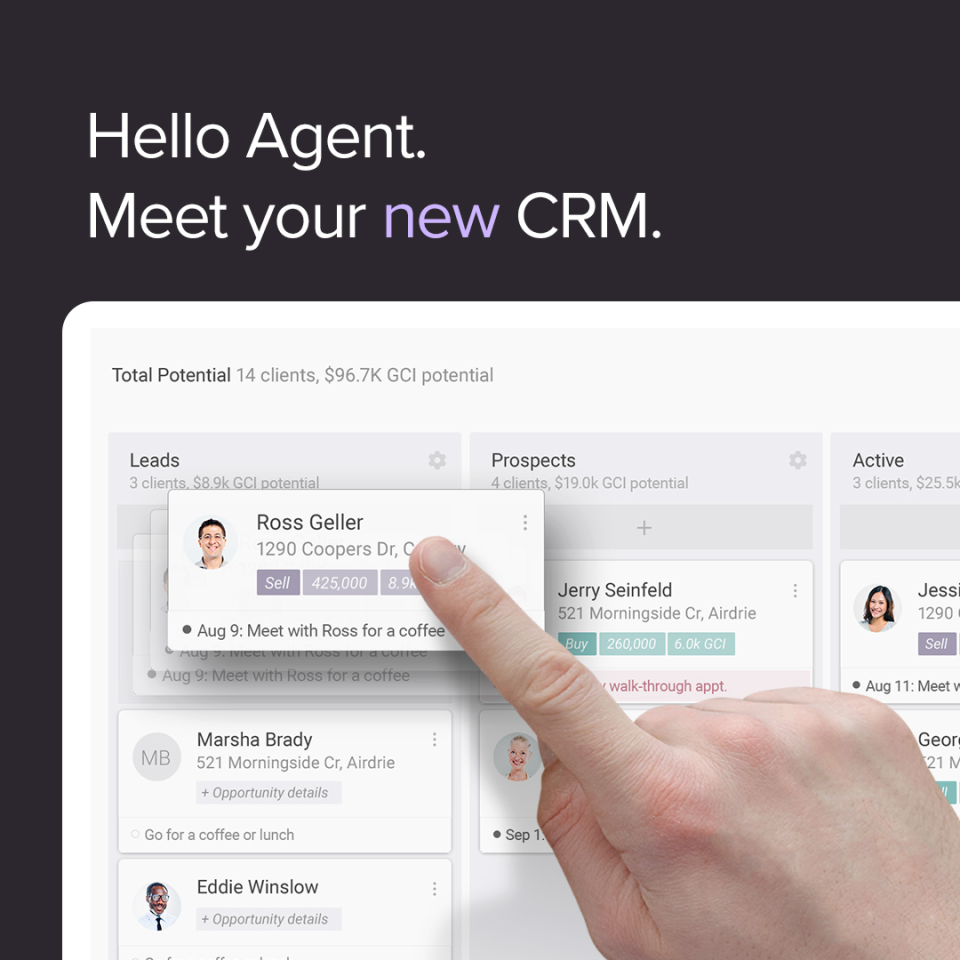
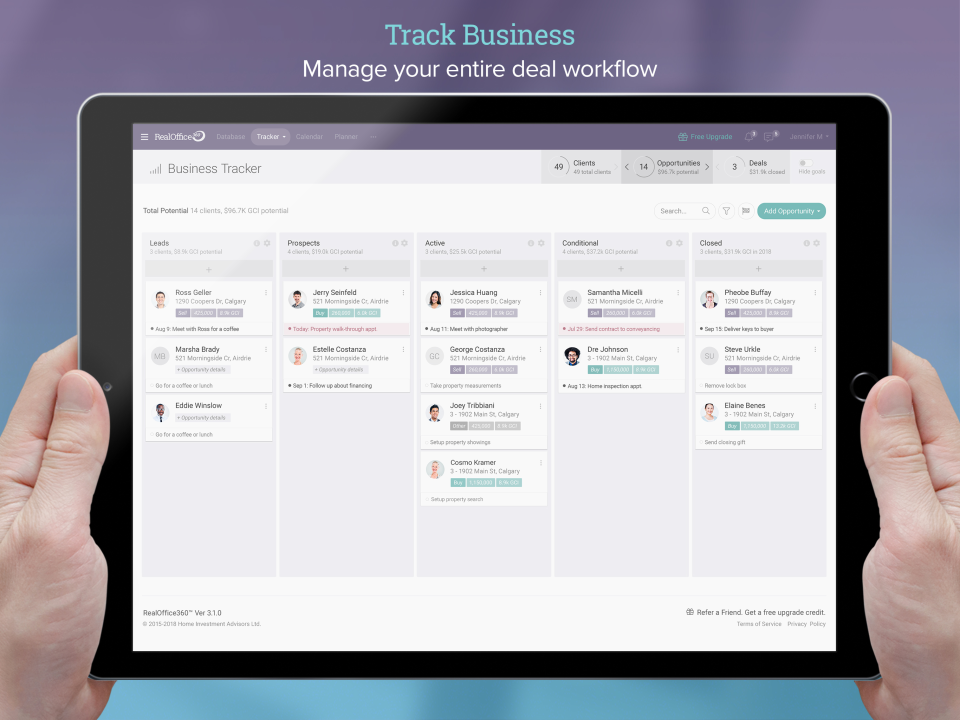
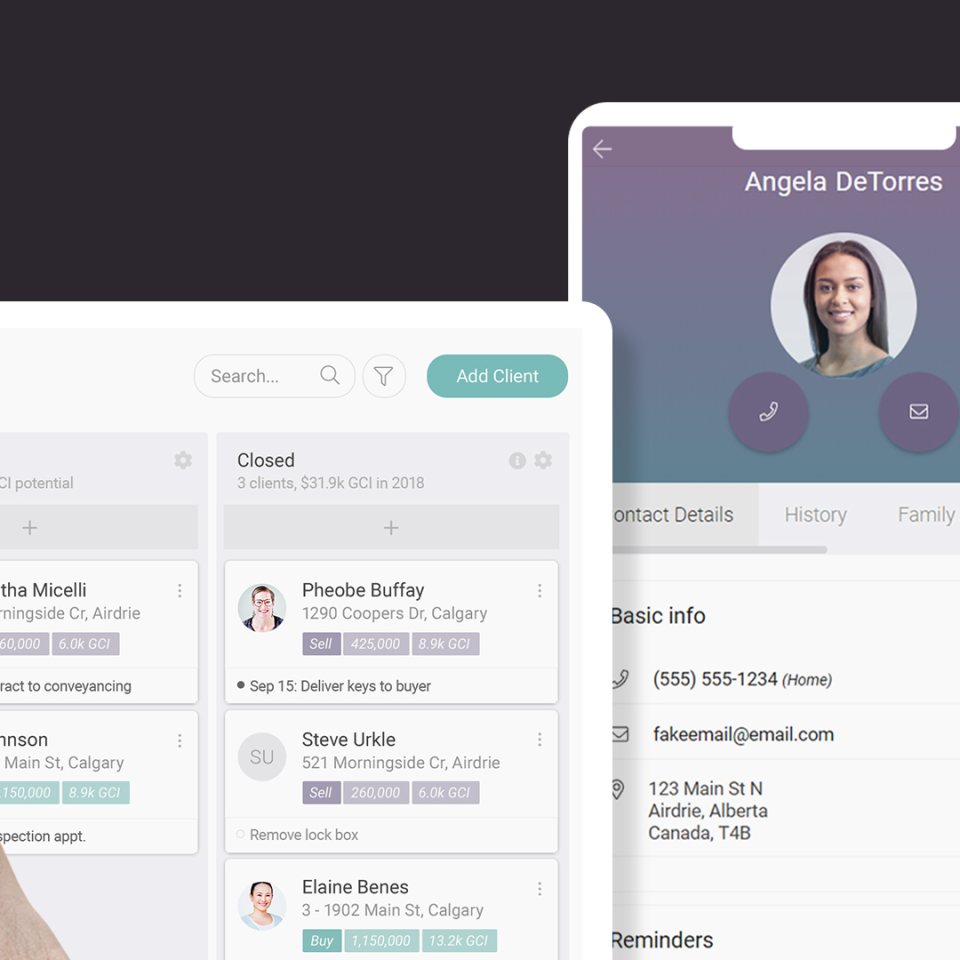
RealOffice360 organizes contacts by relationship stage using a visual layout that shows agents exactly where each person sits in their sphere. Color-coded contact cards make it easy to identify who is actively looking to buy or sell versus who needs a check-in to stay warm.
Property and Deal Tracking
Agents can attach properties to contacts, log showing notes, and track offer status against each deal without leaving the contact record. All property information stays connected to the client rather than floating in a standalone transaction pipeline.
Task and Reminder System
Follow-up reminders are set directly on contact records. Agents see a daily task list on their dashboard showing exactly who needs a call, text, or email that day. Missed reminders are flagged rather than buried, so nothing slips past without notice.
Email Integration
RealOffice360 integrates with Gmail and Outlook, logging emails sent from either client directly to the contact record. Agents can see the full email history inside the CRM without manually copying notes over from their inbox.
Mobile App
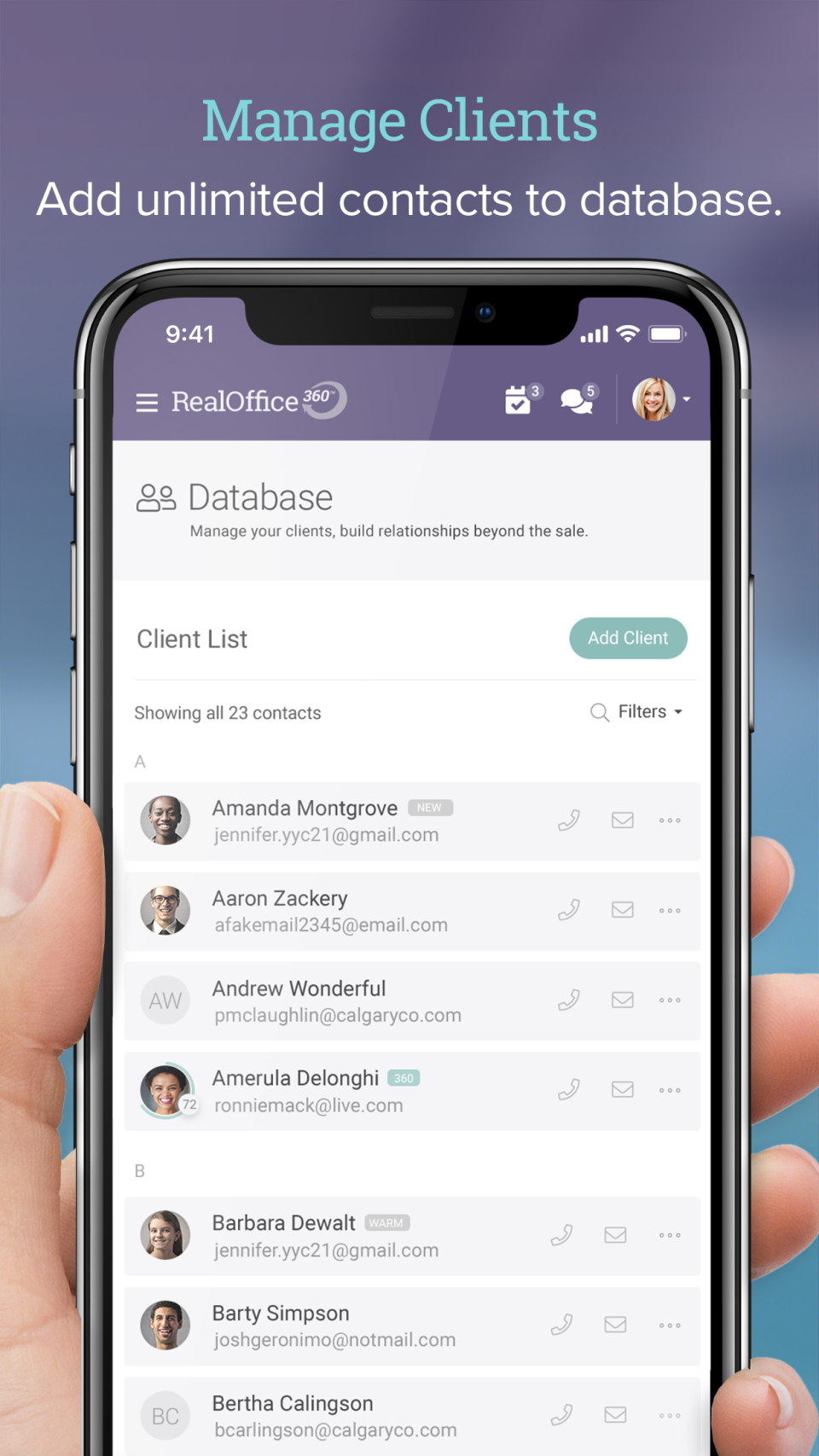
Both the iOS and Android apps mirror the full web interface. Agents can add contacts after an open house, set follow-up reminders from their phone, and view their entire sphere while on the road. The app is a core part of the workflow, not a stripped-down companion.
Team Collaboration (Premium Team and Brokerage)
Higher-tier plans allow shared contact databases across agents and teams. Brokers can see team-wide activity, assign contacts to agents, and monitor who is actively working their sphere versus going quiet.
RealOffice360 Pricing and Plans
RealOffice360 offers four plans with annual billing discounts and a 14-day free trial on all plans. Monthly billing is also available at a slightly higher rate.
| Plan | Annual Price | Monthly Billing | Users |
|---|---|---|---|
| Essentials Solo | $12/mo | $15/mo | 1 user |
| Premium Solo | $25/mo | $30/mo | 1 user |
| Premium Team | $50/mo | $60/mo | 2 users, +$30/mo per additional agent |
| Brokerage | $125/mo | $125/mo | Up to 20 agents |
All plans include a 14-day free trial with no credit card required. The Essentials Solo plan covers core contact management and task tracking. Premium plans add email integration, unlimited contacts, and advanced reporting. The Brokerage plan is priced as a flat rate for up to 20 agents, making it cost-effective for small brokerages compared to per-seat pricing.
Getting Started with RealOffice360
New users can sign up for a 14-day free trial directly from the vendor website with no credit card required. The onboarding flow guides agents through importing their existing contact list (CSV or from Google Contacts), setting up their sphere stages, and adding their first follow-up tasks. Most agents have their initial sphere loaded within a day of signing up.
Email integration is set up through the settings panel by connecting a Google or Microsoft account. Once connected, emails sync automatically and new contacts encountered via email can be added to the CRM directly from the integration.
RealOffice360 vs. the Competition
RealOffice360 competes primarily with other solo-agent CRMs like Usherpa and lightweight contact tools. Its main differentiator is the visual, contact-first layout that puts relationship stages front and center rather than burying them inside a pipeline board. Agents who prioritize sphere of influence selling over inbound lead volume find the layout more intuitive than traditional Kanban-style CRMs.
Compared to enterprise-class real estate CRM software, RealOffice360 is intentionally simpler. It does not offer built-in automated drip campaigns, lead scoring, or MLS integration. Agents who need those features should evaluate broader platforms. RealOffice360's advantage is speed to value: agents can be productive within hours, not days.
Integrations
RealOffice360 integrates with Gmail and Outlook for email logging. Contact import is available via CSV and Google Contacts. The vendor's API documentation is not publicly listed, and there are no marketplace integrations with real estate lead portals mentioned on the vendor's website. The platform is designed as a self-contained CRM rather than a hub in a broader tech stack.
What Real Buyers Report
The vendor markets RealOffice360 as the CRM agents actually use rather than the one they signed up for and abandoned. Customer references on the vendor website and app store reviews emphasize the simple layout and the mobile experience as the primary reasons agents stick with it after trying more complex alternatives. Buyers who want enterprise-level automation or deep portal integrations consistently report needing to supplement the platform with additional tools.
Customer Support
RealOffice360 provides support through in-app chat, email, and a knowledge base on the vendor website. The vendor hosts periodic webinars for new users, including the "Getting Started with RealOffice360 CRM Webinar" available on their YouTube channel. Response times for support inquiries are not published, but solo plans include standard support and higher-tier plans typically include priority access.
What RealOffice360 Does Well
- Contact-first layout makes sphere management intuitive for relationship-based agents
- Full iOS and Android apps, not scaled-down companions
- 14-day free trial with no credit card means agents can test with a real import before committing
- Brokerage plan at $125/month flat for up to 20 agents is competitive against per-seat alternatives
- Gmail and Outlook email logging removes the manual step of copying correspondence into the CRM
Limitations Worth Knowing
- No built-in automated drip campaigns or text messaging automation
- No MLS or real estate portal integration directly from the platform
- The Premium Team plan starts at 2 users and adds $30/month per additional agent, which can become expensive for teams over 5
- No built-in lead routing or lead source tracking for paid campaign management
- Reporting is basic compared to enterprise platforms; advanced analytics require export to external tools
Is RealOffice360 Worth It?
For solo agents and small teams whose business comes primarily from referrals and sphere relationships, RealOffice360 delivers strong value at an accessible price. At $12 to $25 per month for a solo licence, it costs less than most alternatives while covering the core workflow: contact tracking, follow-up reminders, property notes, and email logging.
The platform's strongest argument is adoption. Many agents pay for CRM tools they rarely use. RealOffice360's simplified layout and mobile app mean agents are more likely to log contacts consistently, which is where CRM value actually comes from. The 14-day free trial is the right way to evaluate it: import your sphere, set 10 follow-up tasks, and see if the daily workflow fits how you operate.
Also Compare: Real Estate CRM Software
Solo agents evaluating RealOffice360 should also consider these platforms depending on their workflow and scale:
- Lofty, AI-powered CRM with IDX and lead scoring for teams ready to scale beyond solo production
- kvCORE, full-featured team CRM with IDX website and paid lead management for high-volume operators
- CINC, managed Google and Meta advertising plus CRM for agents who want lead generation included
- Wise Agent, affordable all-in-one CRM with drip campaigns and transaction tracking
- MoxiEngage, sphere-of-influence CRM for enterprise brokerages
- Zurple, behavioral email automation for agents converting internet buyer leads
- PropStream, property data and skip tracing for agents pursuing off-market listings
See the full real estate CRM software category for more options.
Frequently Asked Questions
Does RealOffice360 have a free trial?
What is the difference between the Essentials and Premium Solo plans?
Does RealOffice360 integrate with MLS or real estate portals?
Is RealOffice360 good for a real estate team?
Does RealOffice360 have automated follow-up sequences?
Can I import my existing contacts into RealOffice360?
What mobile platforms does RealOffice360 support?
How does RealOffice360 handle email tracking?
What is the Brokerage plan?
Is RealOffice360 suitable for high-volume lead generation?
Find Your Perfect Software
See how it can transform your workflow
- Personalized for your needs Tailored recommendations based on your unique requirements.
- Save time & resources Streamline your workflow and boost team productivity.
- Trusted by thousands Join 10,000+ businesses already growing with SaaSrat.
You're all set! 🎉
A specialist for will reach out within 1 business day with tailored recommendations for your needs.