

PlanSwift
by PlanSwift
What is PlanSwift?
Get Best Quote for PlanSwift
Connect with SaaSrat experts to get the best quote for your business.
You're all set!
A specialist for PlanSwift will reach out within 1 business day.
PlanSwift Features
Digital takeoff from PDFs
TIFs
JPGs
CAD (DWG
DXF)
Area
View All 20 Features
PlanSwift Pricing Plans
PlanSwift Professional
- Annual subscription per user with updates, support, and 2 hours training.
Trade Plugins
- Add-on plugins for electrical, plumbing, mechanical, drywall, and other trades.
Personalized + Classroom Training
- Beyond the 2 hours training included in the annual subscription.
PlanSwift Resources
PlanSwift Screenshots
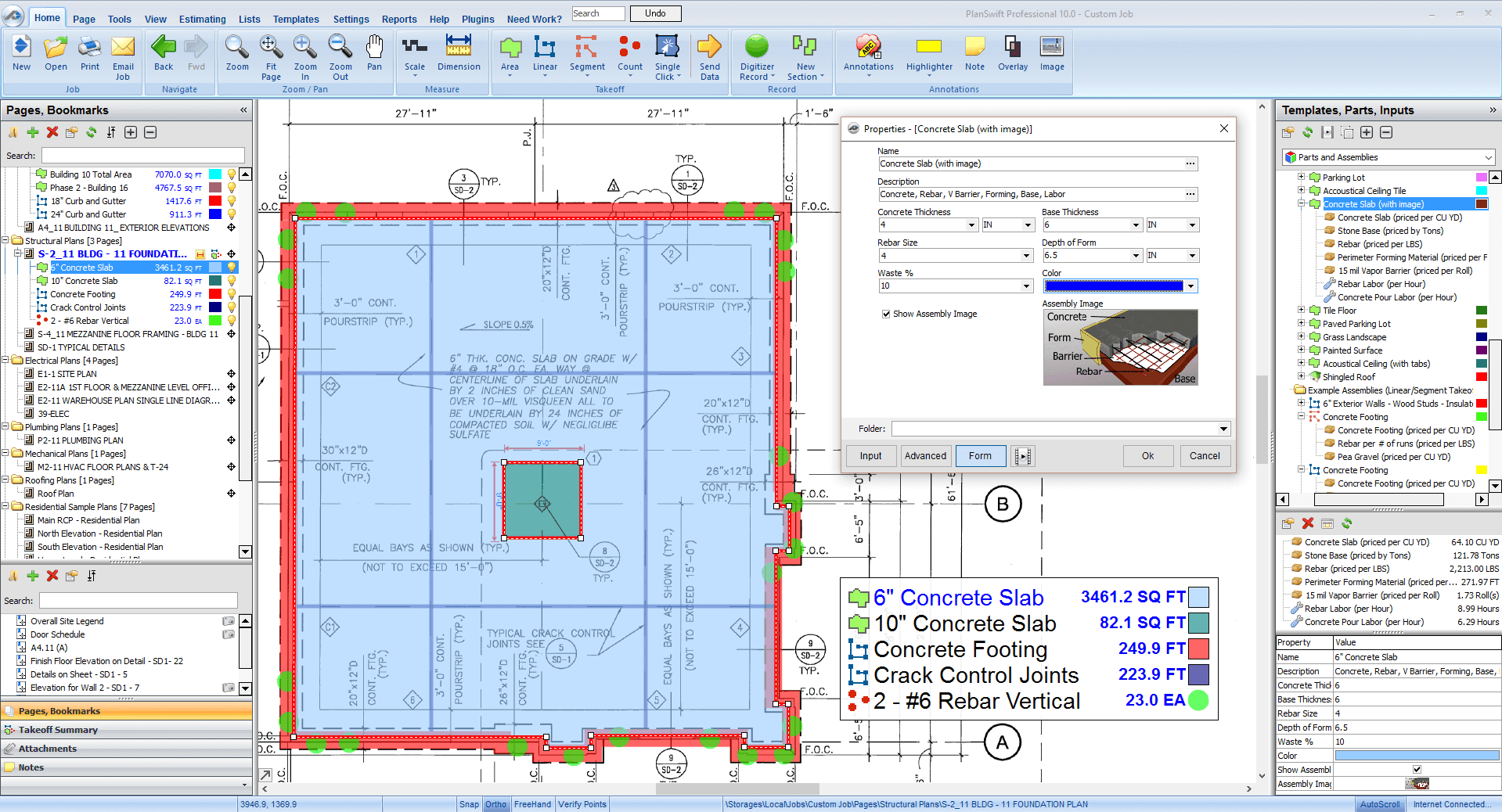
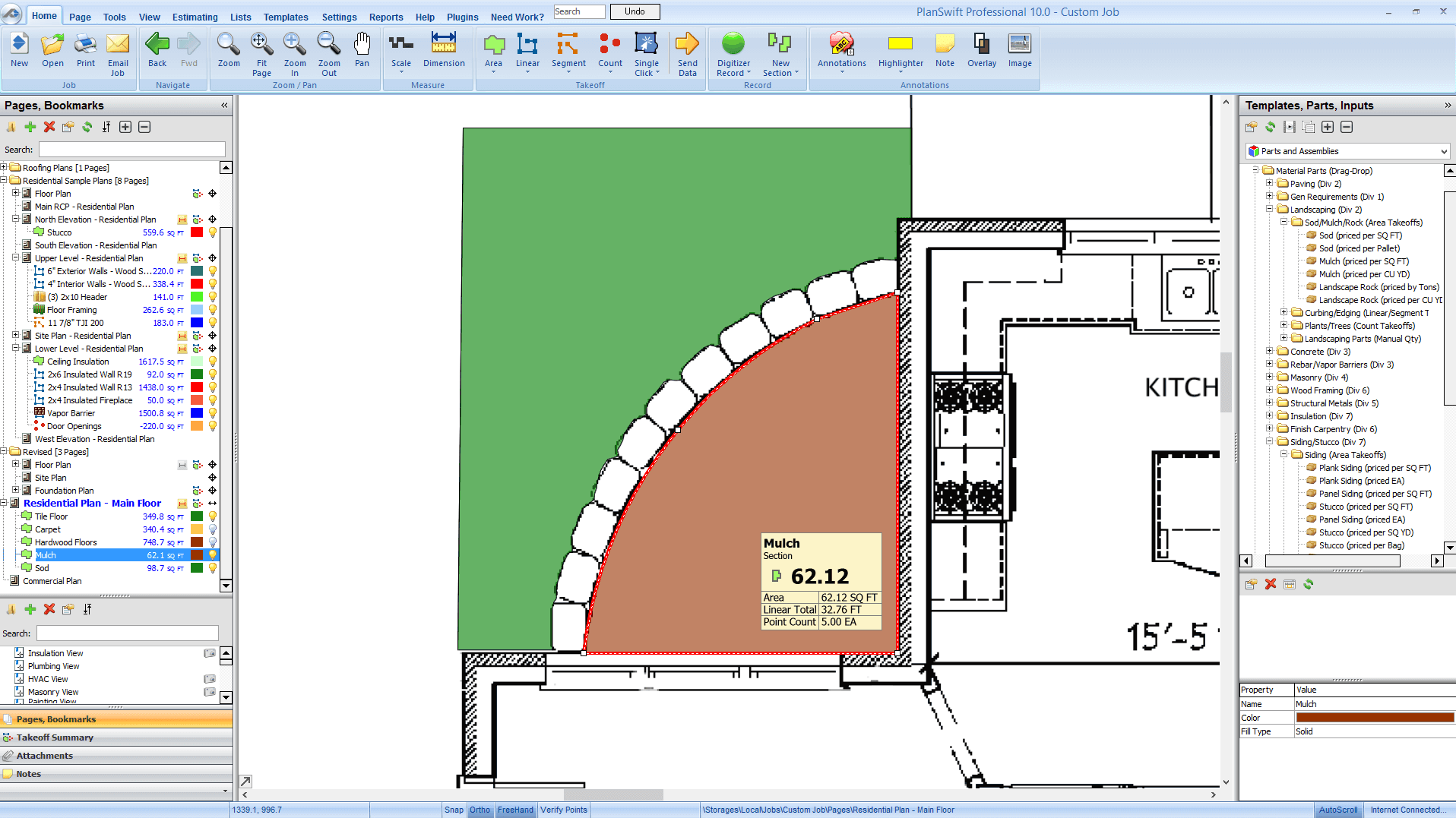
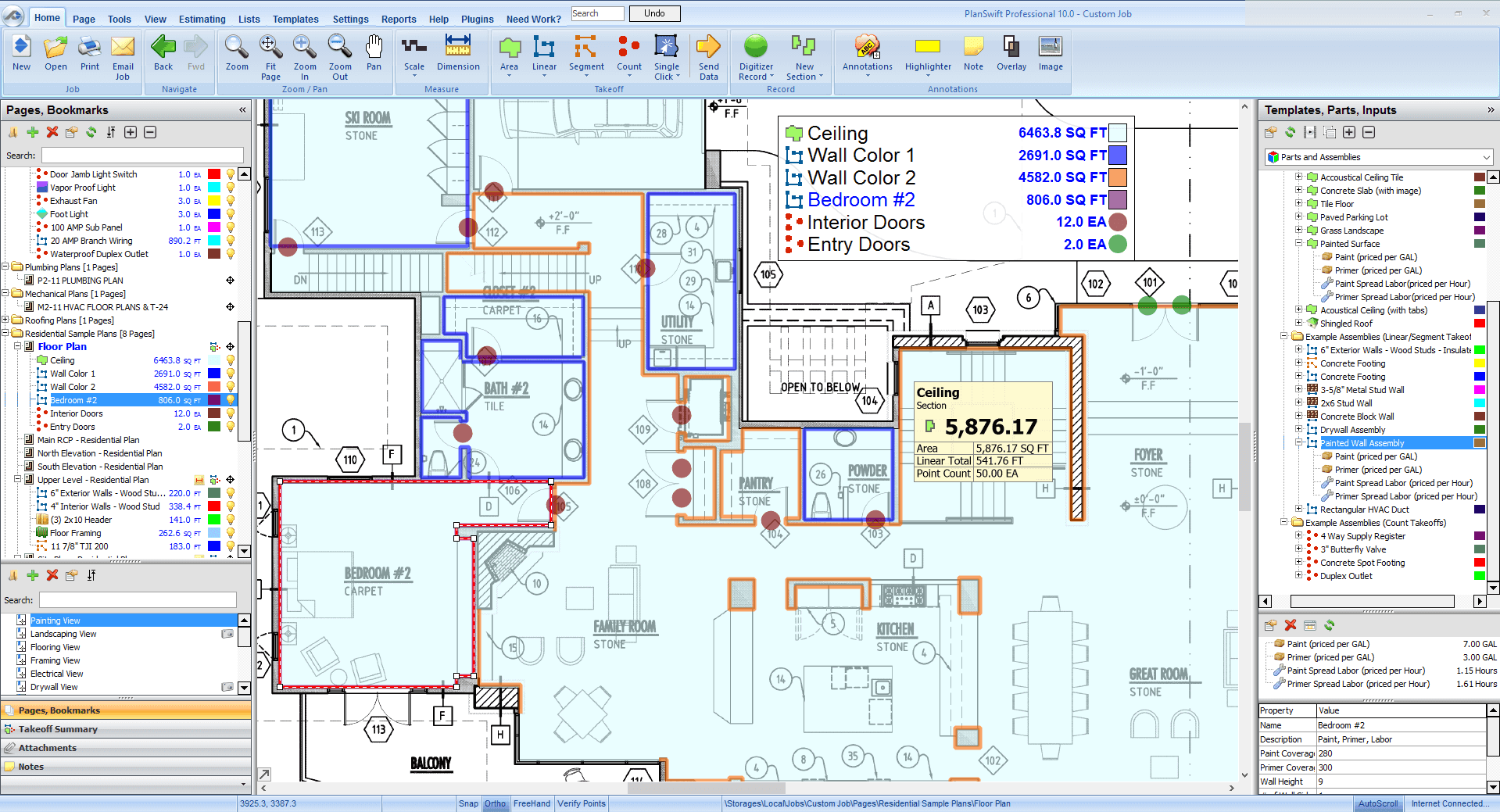
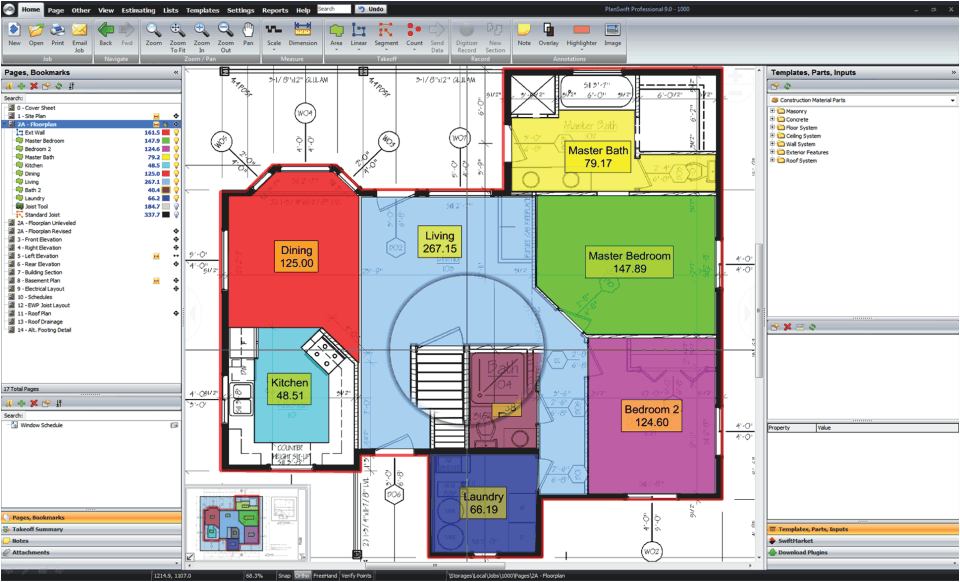
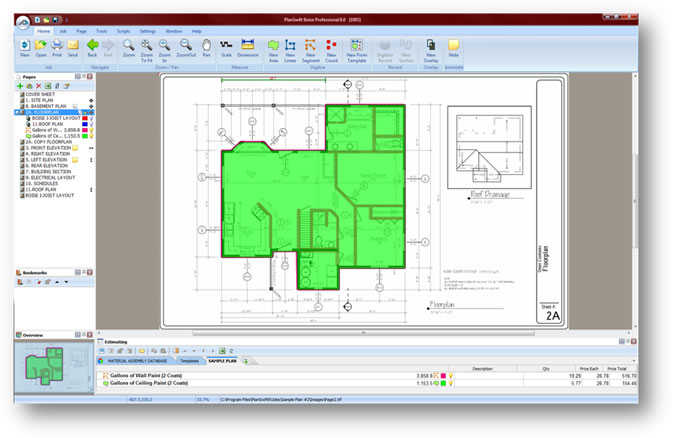
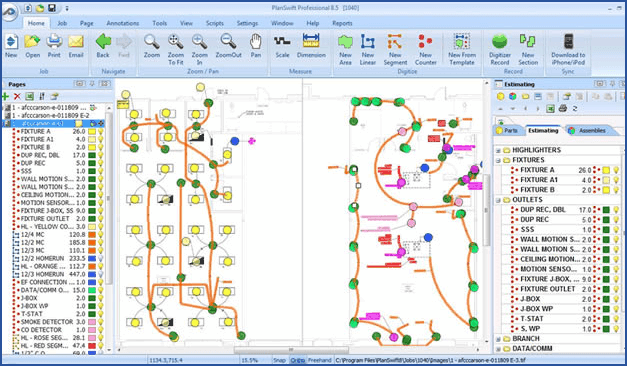
Description
What Is PlanSwift and How Does It Work?
PlanSwift is takeoff and estimating software for commercial construction contractors bidding jobs from digital plans. It measures area, length, count, and volume from PDFs and CAD files with annotation tools, plugin-based trade libraries, and estimating output for general contractors, electrical, plumbing, mechanical, and specialty subcontractors.
The platform runs on Windows desktop with annual subscription pricing. PlanSwift ships trade-specific plugin libraries for common construction trades and is designed to work standalone or in combination with third-party accounting and estimating tools.
PlanSwift at a Glance
| Best fit for | Commercial construction general contractors and specialty subcontractors |
|---|---|
| Deployment | Windows desktop |
| Pricing model | $2,000 per year (annual subscription including updates + support + 2 hours training) |
| Free trial | Free trial available |
| Support | US-based support + onboarding training |
| Headquarters | 3825 Edwards Road, Suite 800, Cincinnati, OH 45209, United States |
| Phone | 1-888-PLANSWIFT |
| Publisher | PlanSwift Software |
PlanSwift Key Features and Capabilities
PlanSwift performs digital takeoff from PDFs, TIFs, JPGs, CAD files (DWG, DXF), and other plan formats. Estimators measure area (square feet), length (linear feet), count (each), and volume (cubic yards) directly on the digital plan with color-coded annotations. Plans can be organized by trade, phase, or bid section.
Trade-specific plugins extend PlanSwift for common construction trades: electrical takeoff with device counts and conduit runs, plumbing takeoff with fixture counts and pipe runs, mechanical takeoff with ductwork and equipment schedules, drywall takeoff with wall square footage and stud counts, and general contractor takeoff with overall project quantities.
Estimating output includes quantity summaries by trade and phase, cost estimates with material and labor rates, and bid summaries formatted for submission. PlanSwift integrates with QuickBooks, Sage 100 Contractor, Sage 300 CRE, and other construction accounting systems for bid-to-billing workflows.
- Digital takeoff from PDFs, TIFs, JPGs, CAD (DWG, DXF)
- Area, length, count, and volume measurement
- Color-coded annotation tools
- Trade-specific plugin libraries (electrical, plumbing, mechanical, drywall)
- Quantity summaries by trade and phase
- Cost estimating with material and labor rates
- Bid summary output
- QuickBooks integration
- Sage 100 Contractor + Sage 300 CRE integration
- Windows desktop with annual subscription
How Much Does PlanSwift Cost in 2026?
PlanSwift is priced at $2,000 per user per year for PlanSwift Professional. This annual subscription includes software updates, technical support, and 2 hours of training. Multi-user discounts scale with quantity (visible on the vendor pricing page with a quantity selector).
The $2,000 annual price is publicly listed at planswift.com/pricing and applies to the standard Professional edition. Additional trade plugins (electrical, plumbing, mechanical, drywall) are add-ons priced separately. Personalized and classroom training options are available beyond the included 2 hours.
| Plan | Price | Includes |
|---|---|---|
| PlanSwift Professional | $2,000 | Annual subscription per user with updates, support, and 2 hours training. |
| Trade Plugins | Contact PlanSwift | Add-on plugins for electrical, plumbing, mechanical, drywall, and other trades. |
| Personalized + Classroom Training | Contact PlanSwift | Beyond the 2 hours of training included in the annual subscription. |
PlanSwift Pros and Cons in 2026
Where PlanSwift Stands Out
- Public pricing at $2,000 per user per year (rare in construction estimating).
- Broad trade plugin library (electrical, plumbing, mechanical, drywall, GC).
- Digital takeoff from PDFs, TIFs, JPGs, CAD.
- Integration with QuickBooks, Sage 100 Contractor, Sage 300 CRE.
- Cincinnati, Ohio US-based headquarters.
- US-based support + onboarding training included.
- Annual subscription includes updates and 2 hours training.
- Alternative to more expensive commercial takeoff platforms.
- Windows desktop stability for offline site work.
- Trade-specific plugin approach lets contractors buy only what they need.
Where PlanSwift Falls Short
- Windows desktop only (no macOS or native cloud).
- Trade plugins are add-ons priced separately (adds to $2,000 base).
- Annual subscription (no perpetual license option).
- Learning curve for estimators new to digital takeoff.
- Multi-user pricing scales with quantity (needs volume conversation).
- Best fit for commercial (residential may find Clear Estimates or BuilderTREND simpler).
PlanSwift vs Top Competitors: Side-by-Side Comparison
Buyers evaluating PlanSwift typically shortlist 2 to 3 alternatives before signing. Here is how PlanSwift stacks up against direct competitors on the criteria that matter most for procurement decisions.
| Feature | PlanSwift | STACK Construction | Bluebeam Revu | On-Screen Takeoff |
|---|---|---|---|---|
| Public pricing | $2,000/year | Contact vendor | $300-$700/year | Contact vendor |
| Deployment | Windows desktop | Cloud SaaS | Windows + iPad | Windows desktop |
| Trade plugins | Yes (add-on) | Trades included | Bluebeam Revu general | Trades included |
| CAD import | Yes | Yes | Yes | Yes |
| Best fit | Commercial GCs + subs | Cloud commercial | Bluebeam PDF users | Commercial subs |
| Since | 2003 | 2013 | 2002 (Bluebeam) | 1998 |
Who Should Use PlanSwift?
PlanSwift fits US commercial construction general contractors and specialty subcontractors (electrical, plumbing, mechanical, drywall) bidding jobs from digital plans who want public transparent pricing and broad trade plugin support. Contractors with 1 to 20 estimators get the most value at the $2,000 per user per year subscription.
The right buyer bids from digital plans (PDFs, CAD), wants public pricing without contact-vendor gatekeeping, and values trade-specific plugins for electrical, plumbing, mechanical, or drywall. Skip PlanSwift if you are heavy civil (SharpeSoft or HCSS HeavyBid fit), if you are residential-only (Clear Estimates or BuilderTREND fit), or if you need cloud-first (STACK Construction fits).
PlanSwift Alternatives Worth Comparing
STACK Construction. Cloud takeoff and estimating for commercial construction.
Bluebeam Revu. Construction PDF markup with takeoff.
On-Screen Takeoff (OST). Commercial construction takeoff.
Autodesk BIM 360. BIM-based takeoff and coordination.
zzTakeoff. Cloud takeoff for commercial construction.
PlanSwift Implementation and Onboarding
PlanSwift implementation is relatively fast: install on Windows desktop takes under 1 hour. Initial estimator training runs 2 hours (included in the $2,000 annual subscription) covering plan import, takeoff measurement tools, and trade-specific workflows.
Trade plugin setup adds 4 to 8 hours per plugin (electrical, plumbing, mechanical) for library configuration and estimator familiarization. Data migration from prior takeoff tools (Bluebeam Revu, OST, spreadsheets) takes 1 to 2 weeks depending on historical bid volume. Integration with QuickBooks, Sage 100, or Sage 300 CRE runs another 2 to 4 hours per system.
What Real Buyers Report About PlanSwift
Community discussions on Reddit r/estimators, Reddit r/Construction, and construction LinkedIn groups report PlanSwift as a top pick for commercial contractors valuing public transparent pricing ($2,000/year) and broad trade plugin support. Users cite the annual subscription including training as a key win over contact-vendor pricing competitors.
Trade-offs mentioned include Windows desktop only, trade plugins as separate add-ons increasing effective cost, and learning curve for estimators new to digital takeoff. Users transitioning from Bluebeam Revu note PlanSwift is more takeoff-focused; users transitioning from OST note PlanSwift covers similar workflows at lower total cost.
- Reddit r/estimators PlanSwift discussions
- Reddit r/Construction takeoff threads
- Reddit r/ElectricalContractors PlanSwift discussions
Frequently Asked Questions About PlanSwift
How much does PlanSwift cost in 2026?
PlanSwift Professional is $2,000 per user per year including software updates, technical support, and 2 hours of training. Trade plugins are add-ons priced separately. Multi-user discounts scale with quantity.
What is included in the PlanSwift $2,000 annual subscription?
Software license, monthly updates, technical support, and 2 hours of training. Trade plugins (electrical, plumbing, mechanical, drywall) are add-ons priced separately.
Is PlanSwift cloud-based?
No. PlanSwift is Windows desktop only. STACK Construction and zzTakeoff are cloud alternatives.
Which file formats does PlanSwift import?
PDFs, TIFs, JPGs, and CAD files (DWG, DXF). Estimators can measure directly on any digital plan format.
Does PlanSwift integrate with QuickBooks?
Yes. PlanSwift integrates with QuickBooks, Sage 100 Contractor, and Sage 300 CRE for bid-to-billing workflows.
Which trades does PlanSwift support?
Trade-specific plugins cover electrical, plumbing, mechanical, drywall, and general contractor takeoff. General takeoff (area, length, count, volume) works across all trades.
Where is PlanSwift headquartered?
3825 Edwards Road, Suite 800, Cincinnati, OH 45209, United States. Phone: 1-888-PLANSWIFT.
Does PlanSwift offer a free trial?
Yes. A free trial is available via planswift.com.
What Top-Ranking PlanSwift Reviews Cover
- Contractor Management category
- Print Estimating category
- Construction Management category
- Construction Bidding category
- Construction Estimating category
Related PlanSwift Comparisons and Categories on SaaSRat
- Construction Drawing Management category
- Construction Project Management category
- Construction Crm category
- Construction Scheduling category
- Costos Estimating
- Carlson Takeoff
- Sage Estimating
- Gocontractor
- Contractor Foreman
- Drc Construction Erp
Bottom Line: Is PlanSwift Right for You?
PlanSwift is a fit for US commercial construction general contractors and specialty subcontractors (electrical, plumbing, mechanical, drywall) bidding from digital plans who want public transparent pricing at $2,000 per user per year and broad trade plugin support.
Highlights: public pricing ($2,000/year), broad trade plugin library, digital takeoff from PDFs and CAD, integration with QuickBooks and Sage 100/300, Cincinnati US-based headquarters, and annual subscription including updates + 2 hours training.
Trade-offs: Windows desktop only, trade plugins as separate add-ons, annual subscription only (no perpetual license), and best fit for commercial (not residential-only or heavy civil).
Consider STACK Construction for cloud commercial takeoff, Bluebeam Revu for PDF markup + takeoff, On-Screen Takeoff for commercial subcontractor takeoff, Autodesk BIM 360 for BIM-based takeoff, or zzTakeoff for cloud takeoff.
Verified on 2026-07-21 by the SaaSRat Editorial Team (Chirantan Patel, Senior SaaS Research Editor). Vendor facts cross-checked against the PlanSwift vendor website, product documentation, and construction industry community discussions on Reddit and LinkedIn. About our methodology.
Frequently Asked Questions
Is there a free plan or free trial for PlanSwift?
How much does PlanSwift cost?
What does PlanSwift integrate with?
Who is PlanSwift best for?
What are the best alternatives to PlanSwift?
Is PlanSwift GDPR / SOC 2 compliant?
Does PlanSwift have a mobile app?
What do real users say about PlanSwift?
How does PlanSwift compare to its top competitor?
Does PlanSwift offer customer support?
Find Your Perfect Software
See how it can transform your workflow
- Personalized for your needs Tailored recommendations based on your unique requirements.
- Save time & resources Streamline your workflow and boost team productivity.
- Trusted by thousands Join 10,000+ businesses already growing with SaaSrat.
You're all set! 🎉
A specialist for will reach out within 1 business day with tailored recommendations for your needs.