

PDF Studio by Qoppa
by Qoppa Software
What is PDF Studio by Qoppa?
Get Best Quote for PDF Studio by Qoppa
Connect with SaaSrat experts to get the best quote for your business.
You're all set!
A specialist for PDF Studio by Qoppa will reach out within 1 business day.
PDF Studio by Qoppa Features
Cross-platform PDF editor (Mac
Windows
Linux)
PDF viewing and editing
Annotation and markup
Form fields
View All 16 Features
PDF Studio by Qoppa Pricing Plans
PDF Studio Standard
- Standard edition per qoppa.com
- Core PDF editor functionality
- Perpetual license alternative to subscription
- Cross-platform Mac, Windows, Linux
- Verified via Playwright screenshot at qoppa.com on 2026-07-05 (redirected to pricing-request page)
PDF Studio Pro
- Pro edition per qoppa.com
- Advanced PDF features + OCR + Redaction + Digital Signatures
- Perpetual license alternative to subscription
- Cross-platform Mac, Windows, Linux
- Verified via Playwright screenshot at qoppa.com on 2026-07-05
PDF Studio Standard
- Standard edition per qoppa.com
- Core PDF editor functionality
- Perpetual license alternative to subscription
- Cross-platform Mac, Windows, Linux
PDF Studio Pro
- Pro edition per qoppa.com
- Advanced PDF features + OCR + Redaction + Digital Signatures
- Perpetual license alternative to subscription
- Cross-platform Mac, Windows, Linux
PDF Studio by Qoppa Resources
PDF Studio by Qoppa Screenshots
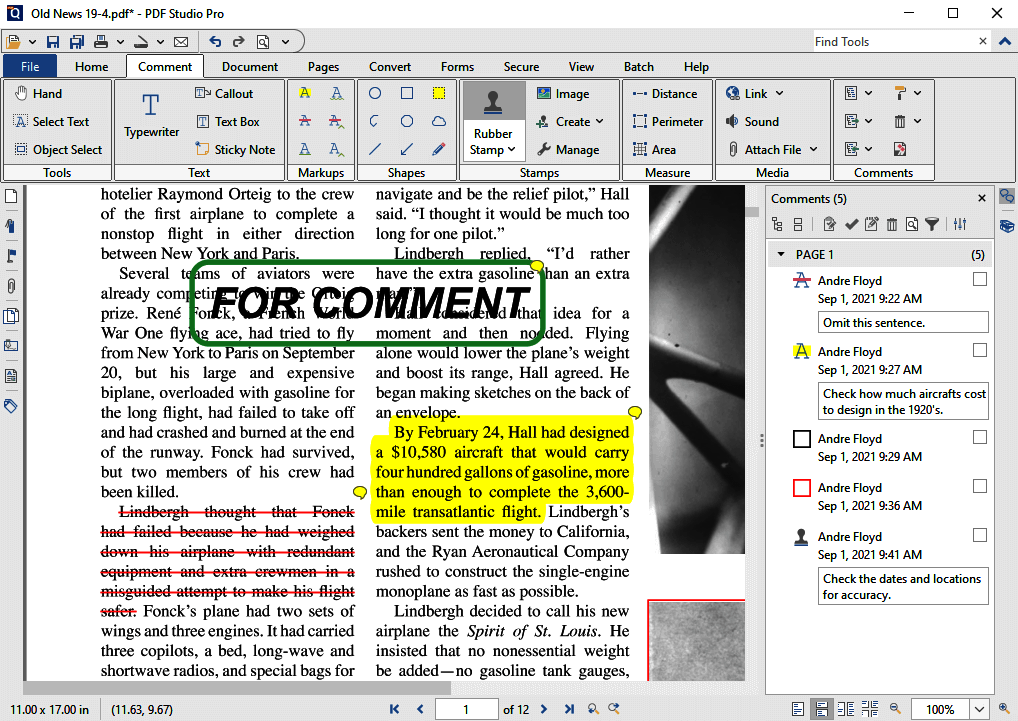
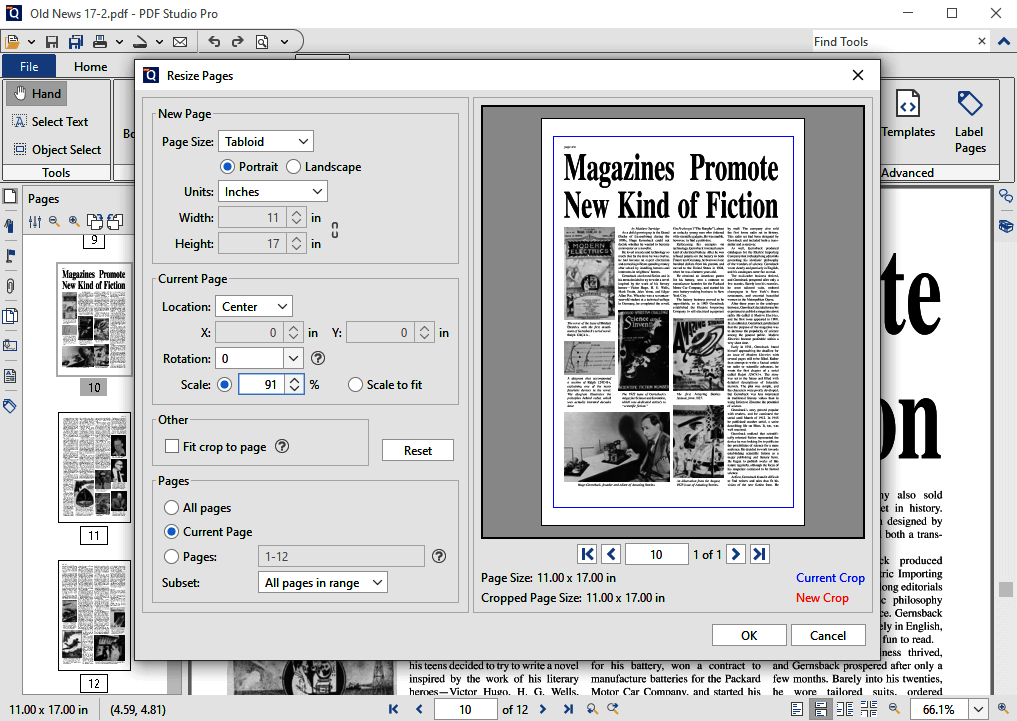
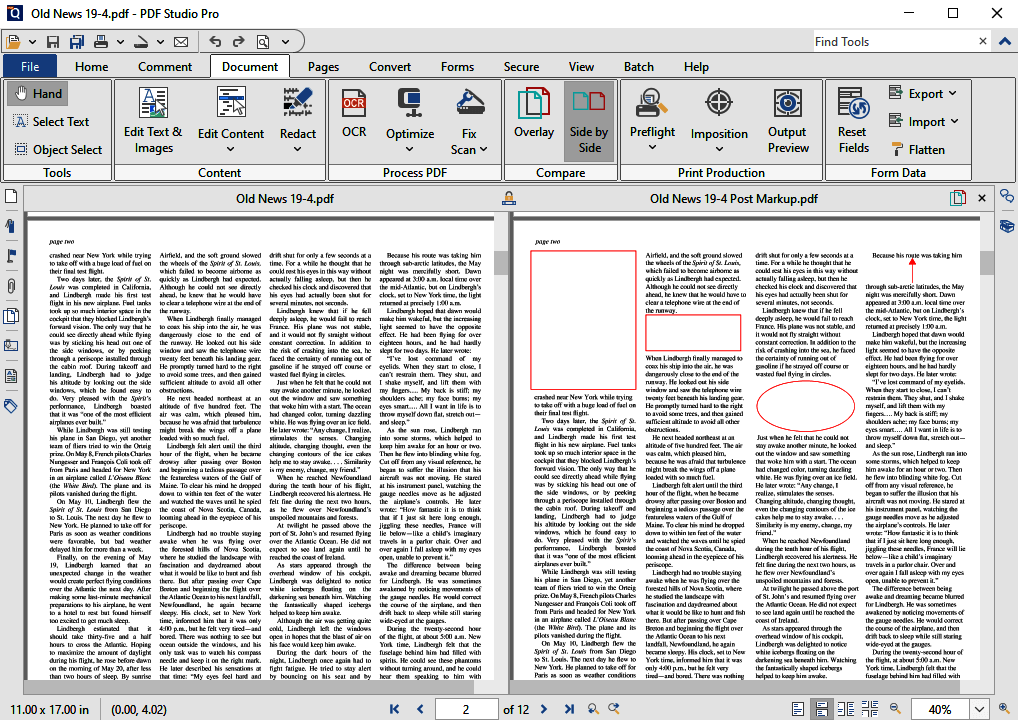
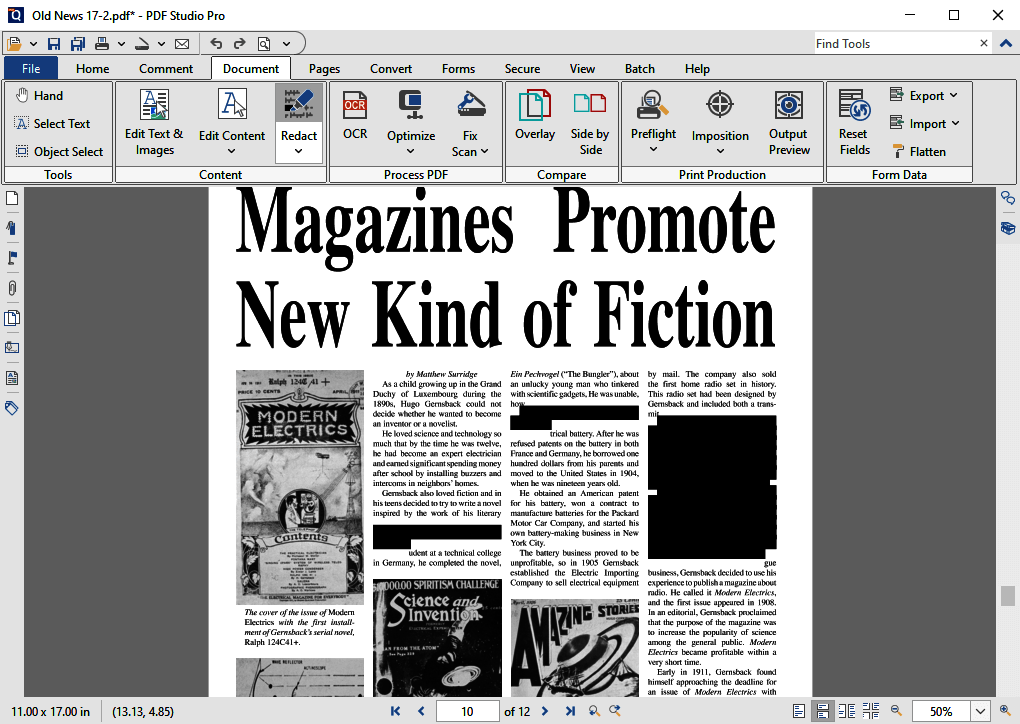
Description
What Is PDF Studio by Qoppa and How Does It Work?
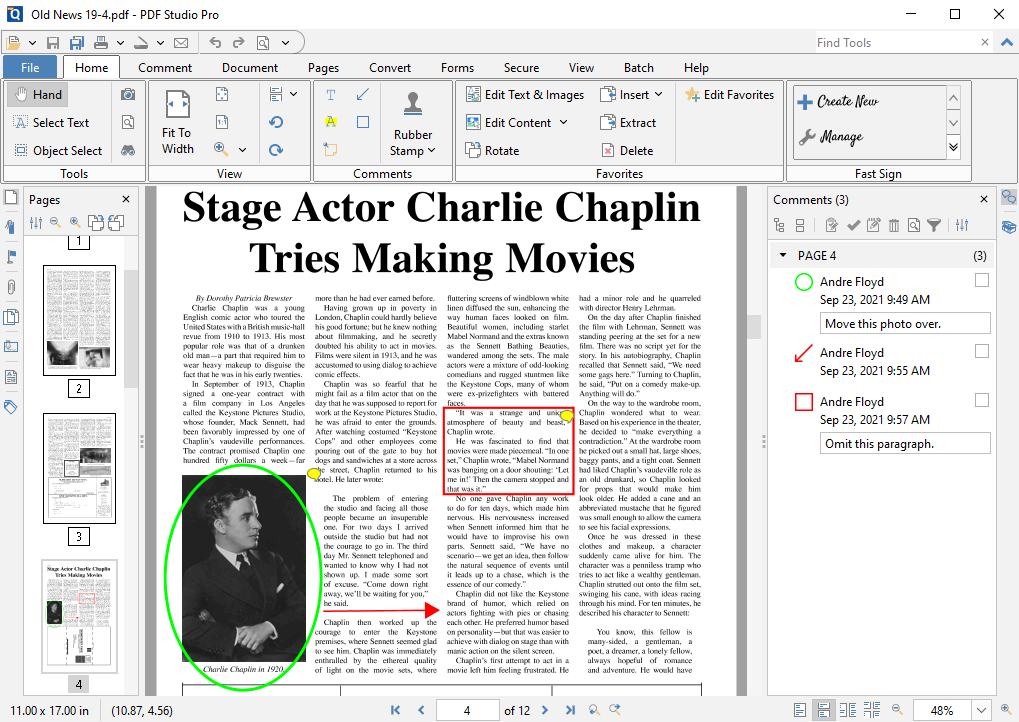
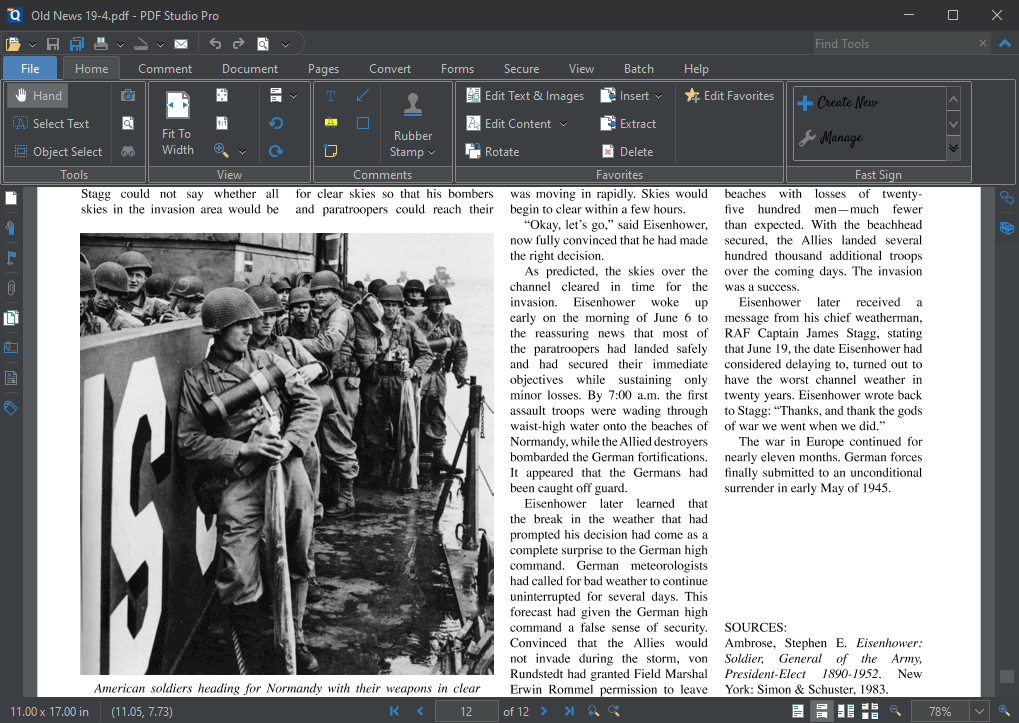
PDF Studio is a cross-platform PDF editor by Qoppa Software serving individuals and businesses on Mac, Windows, and Linux. Buyers use PDF Studio to edit PDF documents, annotate and mark up files, complete PDF forms, redact sensitive content, and OCR scanned documents with a perpetual license alternative to Adobe Acrobat Pro.
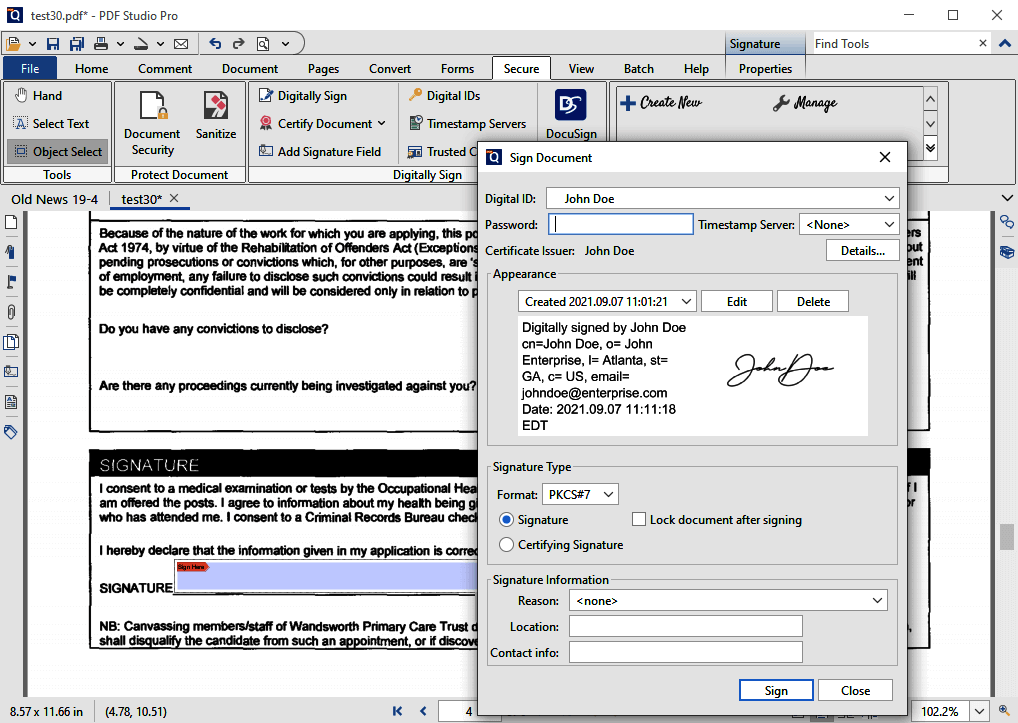
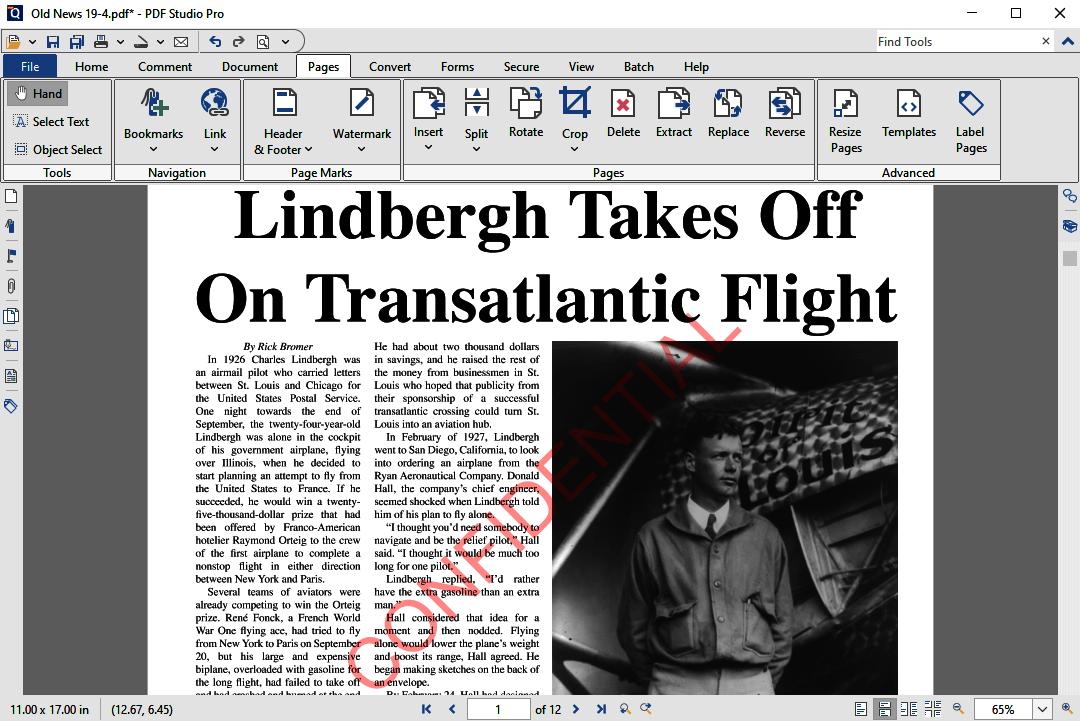
The typical PDF Studio deployment covers document viewing, page manipulation, text editing, annotation, form fields, digital signatures, redaction, and OCR. Cross-platform support including Linux differentiates PDF Studio from most PDF editor competitors that focus on Windows and Mac only.
PDF Studio competes against Adobe Acrobat Pro, PDFElement by Wondershare, Foxit PDF Editor, and Nitro PDF Pro. Its differentiator is Linux support plus perpetual license option versus Adobe subscription-only model.
PDF Studio by Qoppa at a Glance
| Best for | Individuals and businesses needing cross-platform PDF editing |
|---|---|
| Deployment | Desktop (Mac, Windows, Linux) |
| Pricing model | Perpetual license + subscription options |
| Free trial | Free trial available |
| Signature capability | Cross-platform PDF editor with Mac, Windows, Linux support |
| Compliance | Standard PDF/A archival support |
| HQ | Delray Beach, Florida (Qoppa Software) |
| Support | US business hours |
PDF Studio by Qoppa Pros and Cons in 2026
Where PDF Studio by Qoppa Stands Out
- Cross-platform support including Linux where most PDF editors are Windows/Mac only.
- Perpetual license option as alternative to Adobe Acrobat Pro subscription model.
- Full PDF editing capabilities including redaction, OCR, digital signatures, and form fields.
- Free trial available for evaluation.
Where PDF Studio by Qoppa Falls Short
- Modern SaaS UX polish trails newer cloud-first PDF editors.
- Cloud collaboration features lighter than Adobe Acrobat DC.
- Enterprise deployment and volume licensing require Contact Sales.
- International brand recognition lighter than Adobe or PDFElement.
Who Should Use PDF Studio by Qoppa?
Individuals and businesses needing cross-platform PDF editing on Mac, Windows, and Linux should evaluate PDF Studio. Linux-first shops and buyers preferring perpetual license over Adobe subscription model get the strongest fit.
Buyers deeply committed to Adobe Creative Cloud may prefer Adobe Acrobat Pro. Enterprise organizations needing cloud collaboration may find Adobe Acrobat DC or PDFElement more feature-complete.
PDF Studio by Qoppa Product Suite in 2026
PDF viewing and editing
Cross-platform PDF viewing plus text editing, page manipulation, and content editing.
Annotation and markup
Highlights, comments, stamps, and drawing tools.
Form fields
Create and fill PDF form fields.
Redaction
Systematic redaction of sensitive content before external distribution.
OCR
Optical character recognition to convert scanned documents to searchable PDFs.
PDF Studio by Qoppa Deep Dive: Cross-Platform Support, Perpetual License Alternative, PDF Feature Depth
Cross-platform including Linux
PDF Studio runs on Mac, Windows, and Linux. Linux-first developer teams and Linux enterprise deployments have limited PDF editor options - PDF Studio is one of the few full-featured PDF editors with native Linux support.
Perpetual license alternative to Adobe
Adobe Acrobat Pro migrated to subscription-only model with Adobe Creative Cloud. PDF Studio maintains perpetual license option for buyers preferring one-time purchase over annual subscription.
Full PDF feature coverage
PDF Studio covers the full PDF editor capability set including viewing, editing, annotation, form fields, digital signatures, redaction, and OCR. Feature parity with Adobe Acrobat Pro is a positioning strength.
Standard and Pro editions
PDF Studio Standard covers core PDF editor functionality. Pro adds advanced features including OCR, redaction, and digital signature workflows for professional and enterprise buyers.
How Much Does PDF Studio by Qoppa Cost in 2026?
PDF Studio publishes pricing on qoppa.com. Historical pricing has been around $129 for Standard edition perpetual and $299 for Pro edition perpetual with maintenance for updates. Current pricing may vary; the qoppa.com store page redirects to a pricing-request page for latest pricing. Buyers should visit qoppa.com to see current Standard and Pro edition pricing.
Buyers should model PDF Studio against Adobe Acrobat Pro (subscription), PDFElement (perpetual or subscription), Foxit PDF Editor, and Nitro PDF Pro. The economic case turns on perpetual license option plus Linux support versus subscription-only alternatives.
Hidden Costs and Contract Notes to Watch
- Annual maintenance may be required for major version updates on perpetual licenses.
- Enterprise volume licensing requires Contact Sales.
- Additional platform installs may require additional licenses depending on tier.
PDF Studio by Qoppa Alternatives Worth Comparing
Adobe Acrobat Pro. Industry-standard PDF editor with subscription-only pricing under Adobe Creative Cloud.
PDFElement (Wondershare). Mid-market PDF editor alternative with perpetual + subscription options.
Foxit PDF Editor. PDF editor alternative popular with enterprise Windows shops.
Who Uses PDF Studio by Qoppa?
PDF Studio by Qoppa Software supports individuals and businesses across Mac, Windows, and Linux deployments globally. Customer references live on qoppa.com/pdfstudio. Linux-first developer teams and buyers preferring perpetual license make up a significant portion of the customer base.
How PDF Studio by Qoppa Compares to Adobe Acrobat Pro
| Dimension | PDF Studio by Qoppa | Adobe Acrobat Pro |
|---|---|---|
| Platform coverage | Mac + Windows + Linux | Mac + Windows |
| Pricing model | Perpetual license + subscription options | Subscription-only |
| Adobe ecosystem integration | Standalone | Deep Creative Cloud + Document Cloud |
| Free trial | Yes | Yes |
| Best-fit buyer | Linux users + perpetual license preference | Adobe ecosystem committed buyers |
Buyers evaluating PDF Studio by Qoppa versus Adobe Acrobat Pro typically weigh these dimensions during procurement. Neither is universally better; the fit depends on document volume, industry regulatory requirements, existing enterprise stack, and whether the primary constraint is capture speed, retrieval accuracy, records-retention compliance, or workflow automation.
Points to Verify Before Buying PDF Studio by Qoppa
Independent software review threads consistently flag a similar set of due-diligence questions buyers wish they had asked earlier. Cover these during your evaluation.
- Confirm platform (Mac, Windows, Linux) compatibility with your specific OS versions.
- Ask about annual maintenance requirements for perpetual license updates.
- Verify OCR quality on your typical scanned documents during pilot.
- Test redaction workflow if you need sensitive data removal.
- Ask about enterprise volume licensing for team deployments.
What Real Buyers Report About PDF Studio by Qoppa
PDF editor users on r/linux and r/pdf highlight PDF Studio as one of the few full-featured PDF editors with native Linux support. Trade-offs mentioned include cloud collaboration features lighter than Adobe Acrobat DC and international brand recognition lighter than Adobe.
Bottom Line: Is PDF Studio by Qoppa Right for You?
PDF Studio by Qoppa is a strong pick for Linux users and buyers preferring perpetual license over Adobe subscription model.
Cross-platform support (Mac, Windows, Linux) plus perpetual license option plus full PDF feature coverage cover PDF editor needs cleanly.
Trade-off: cloud collaboration lighter than Adobe Acrobat DC; brand recognition lighter than Adobe.
Alternatives worth pricing against PDF Studio: Adobe Acrobat Pro for Adobe ecosystem and PDFElement for mid-market perpetual + subscription alternative.
Verified on 2026-07-05 by the SaaSRat Editorial Team (Chirantan). Vendor facts cross-checked against the pdf-studio vendor website, LinkedIn showcase pages, and community discussions on Reddit and industry LinkedIn groups. About our methodology.
Frequently Asked Questions
What platforms does PDF Studio support?
Does PDF Studio have a perpetual license option?
How much does PDF Studio cost?
Is a free trial available?
Does PDF Studio include OCR?
Does PDF Studio support redaction?
How does PDF Studio compare to Adobe Acrobat Pro?
Where is Qoppa Software headquartered?
Does PDF Studio support digital signatures?
Can I fill PDF forms?
Find Your Perfect Software
See how it can transform your workflow
- Personalized for your needs Tailored recommendations based on your unique requirements.
- Save time & resources Streamline your workflow and boost team productivity.
- Trusted by thousands Join 10,000+ businesses already growing with SaaSrat.
You're all set! 🎉
A specialist for will reach out within 1 business day with tailored recommendations for your needs.