

PaperOffice
by PaperOffice
What is PaperOffice?
PaperOffice is an AI-powered document management system for businesses needing OCR, automatic document classification, workflow automation, and audit-proof archiving on-premises or via Synology and QNAP NAS devices. Available as a one-time lifetime license. GDPR-compliant. Best fit for SMBs and regulated industries wanting on-premise document control without recurring SaaS fees.
Get Best Quote for PaperOffice
Connect with SaaSrat experts to get the best quote for your business.
You're all set!
A specialist for PaperOffice will reach out within 1 business day.
PaperOffice Features
AI Document Classification
OCR (Optical Character Recognition)
Automatic Indexing
Workflow Automation
Audit-Proof Archiving
Version Control
View All 13 Features
PaperOffice Pricing Plans
Home
- Single user/home office
- AI document classification
- OCR
- Workflow automation
- Audit-proof archiving
- Approximately €124.50 EUR
Team
- Multi-user for small teams
- Full NAS integration
- Shared document library
- Team workflows
- Email archiving
- Approximately €349.30 EUR
Custom
- Unlimited pages and users
- Full custom configuration
- Enterprise deployment
- Contact paperoffice.com for pricing
Home
- Single user/home office
- AI document classification
- OCR
- Workflow automation
- Audit-proof archiving
- Approximately €124.50 EUR (verify at en.paperoffice.com)
Team
- Multi-user for small teams
- Full NAS integration
- Shared document library
- Team workflows
- Email archiving
- Approximately €349.30 EUR (verify at en.paperoffice.com)
Custom
- Unlimited pages and users
- Full custom configuration
- Enterprise deployment
- Contact paperoffice.com for pricing
PaperOffice Resources
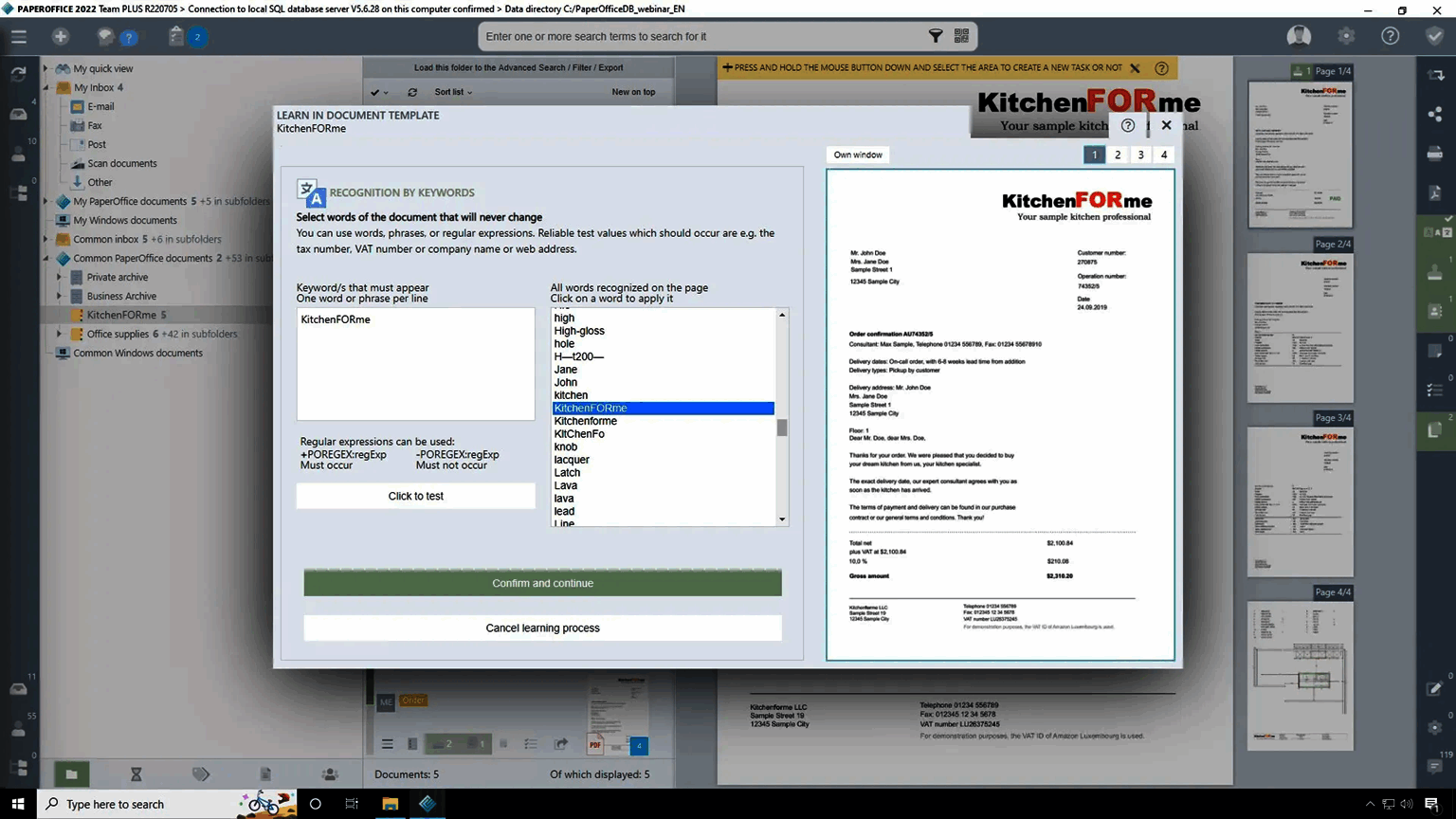
PaperOffice Screenshots
Description
PaperOffice at a Glance
| Best fit for | SMBs, law firms, clinics, local government, and regulated industries that need on-premise or NAS-based document management with AI classification, OCR, and audit-proof archiving , without recurring SaaS fees |
|---|---|
| Core features | AI document classification and OCR, automatic indexing, workflow automation, version control, email archiving, audit-proof storage, NAS integration (Synology, QNAP, ASUSTOR) |
| Deployment | On-premises (Windows) or NAS-based (Synology, QNAP, ASUSTOR). Not cloud-only. Files stored on the company's own infrastructure. |
| Pricing model | One-time lifetime license (perpetual). Home: €124.50 (~$133). Team: €349.30 (~$374). Custom: contact sales. |
| Certifications | GDPR-compliant. Audit-proof archiving (GoBD-compliant for German tax law). German-origin software with EU data architecture. |
| Capterra rating | 4.3/5 across 9 reviews |
| Mobile apps | No dedicated app. Browser-based mobile access and DropPage for mobile document capture. |
| Vendor | PaperOffice Europe GmbH. Germany-headquartered with offices in Switzerland, Spain, UK, and USA. |
| Version tested | On-premises platform (verified from en.paperoffice.com, June 2026) |
PaperOffice Pros and Cons in 2026
Where PaperOffice Stands Out
One-time lifetime license removes the recurring SaaS subscription from the cost equation. PaperOffice's perpetual license model means organizations pay once (€124.50 for Home, €349.30 for Team) and own the software. For SMBs and public sector organizations with tight IT budgets that want document management without committing to a recurring monthly fee that compounds over years, the lifetime license provides significantly lower total cost of ownership for long-duration deployments. The "PaperOffice PLUS" add-on (optional) can extend included update and support periods after the standard included duration. In the document management category, the lifetime license model is rare among modern DMS vendors.
NAS integration means documents stay on the company's own hardware , not a third-party cloud. PaperOffice integrates directly with Synology, QNAP, and ASUSTOR NAS devices. Documents processed and archived by PaperOffice are stored on the organization's NAS , not uploaded to PaperOffice's servers or any third-party cloud. For law firms, clinics, financial advisors, and government bodies where regulatory or client confidentiality requirements restrict data leaving premises, this on-premise-first architecture is a structural advantage over cloud-only document management tools.
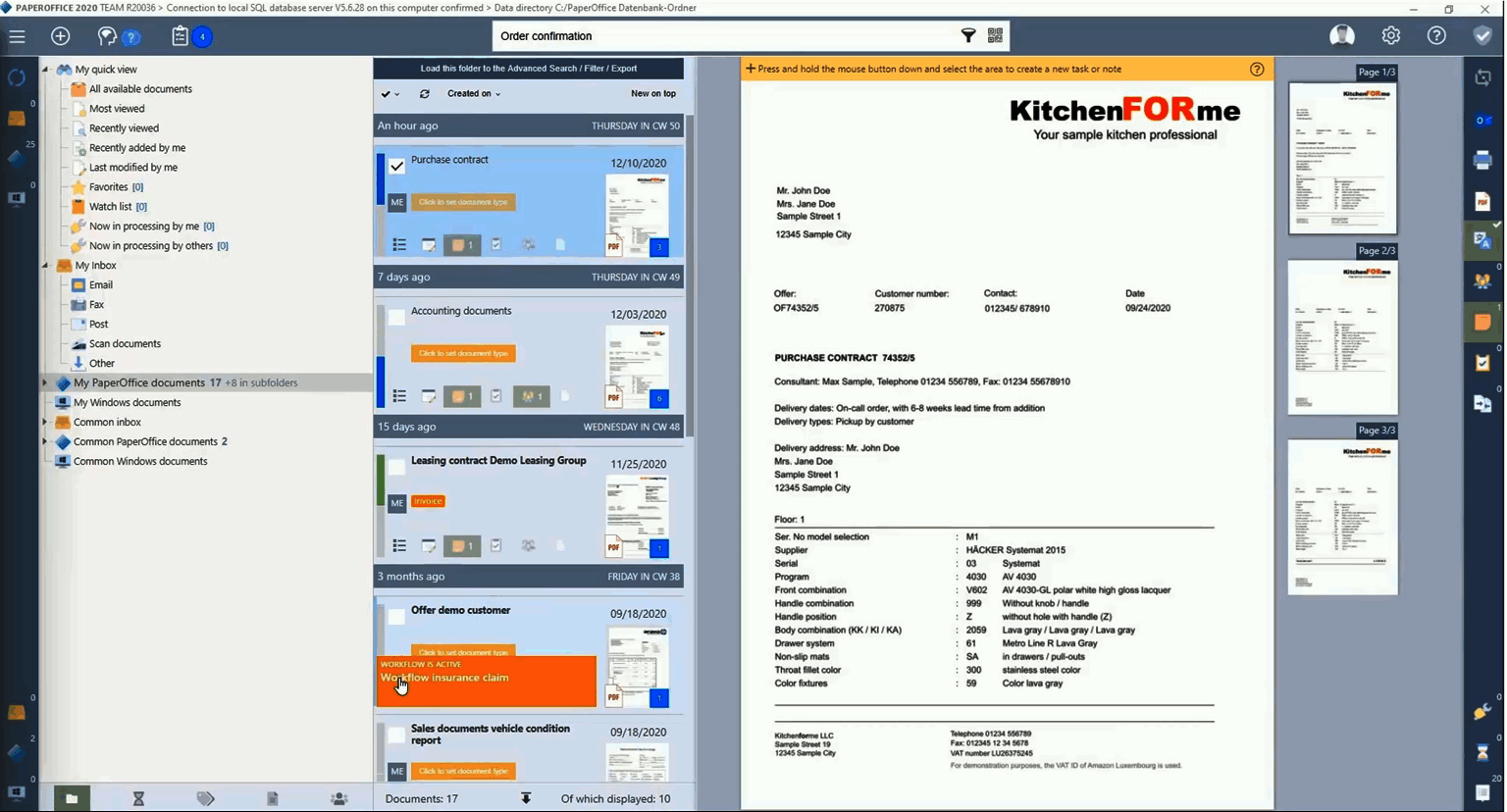
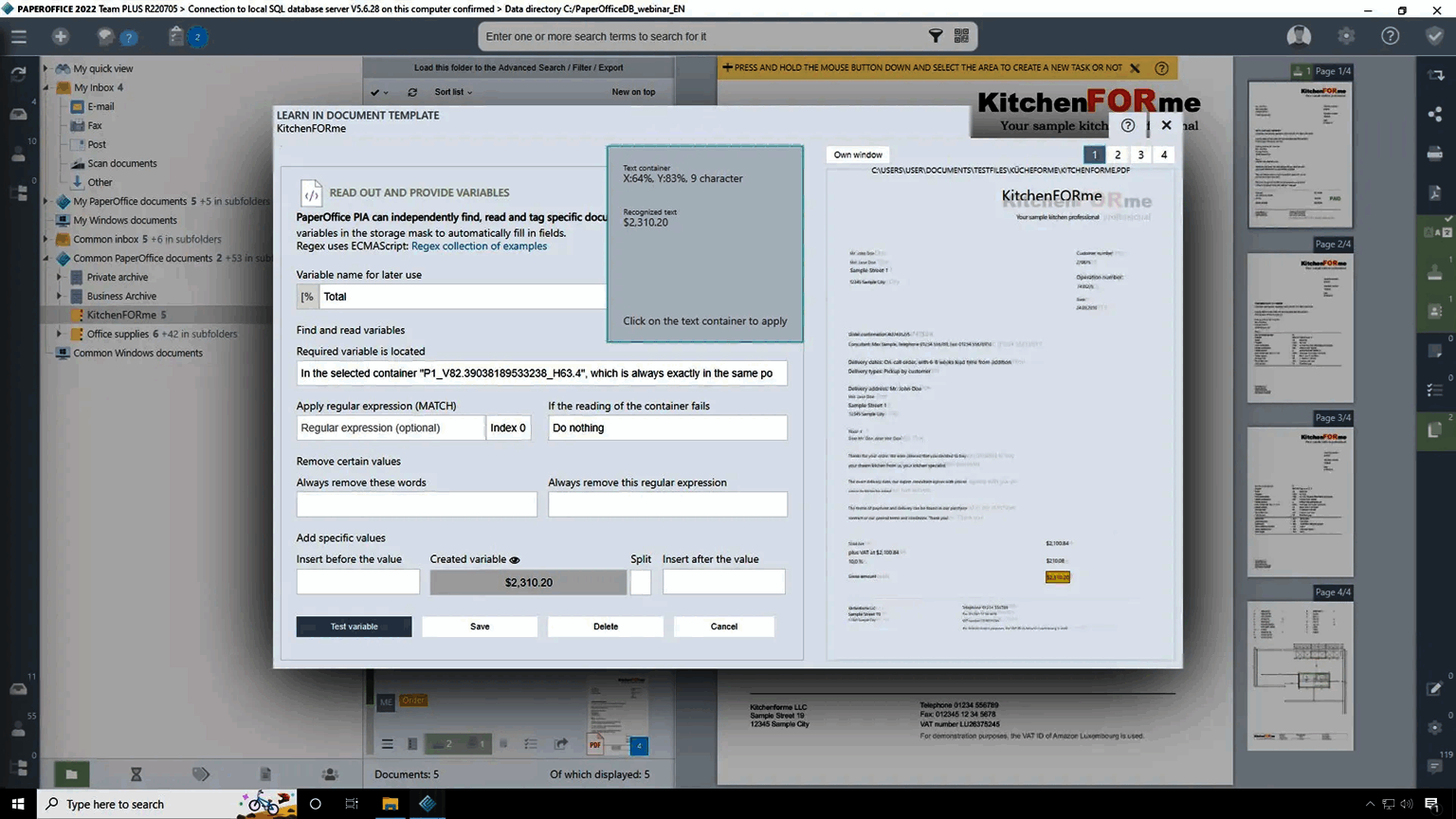
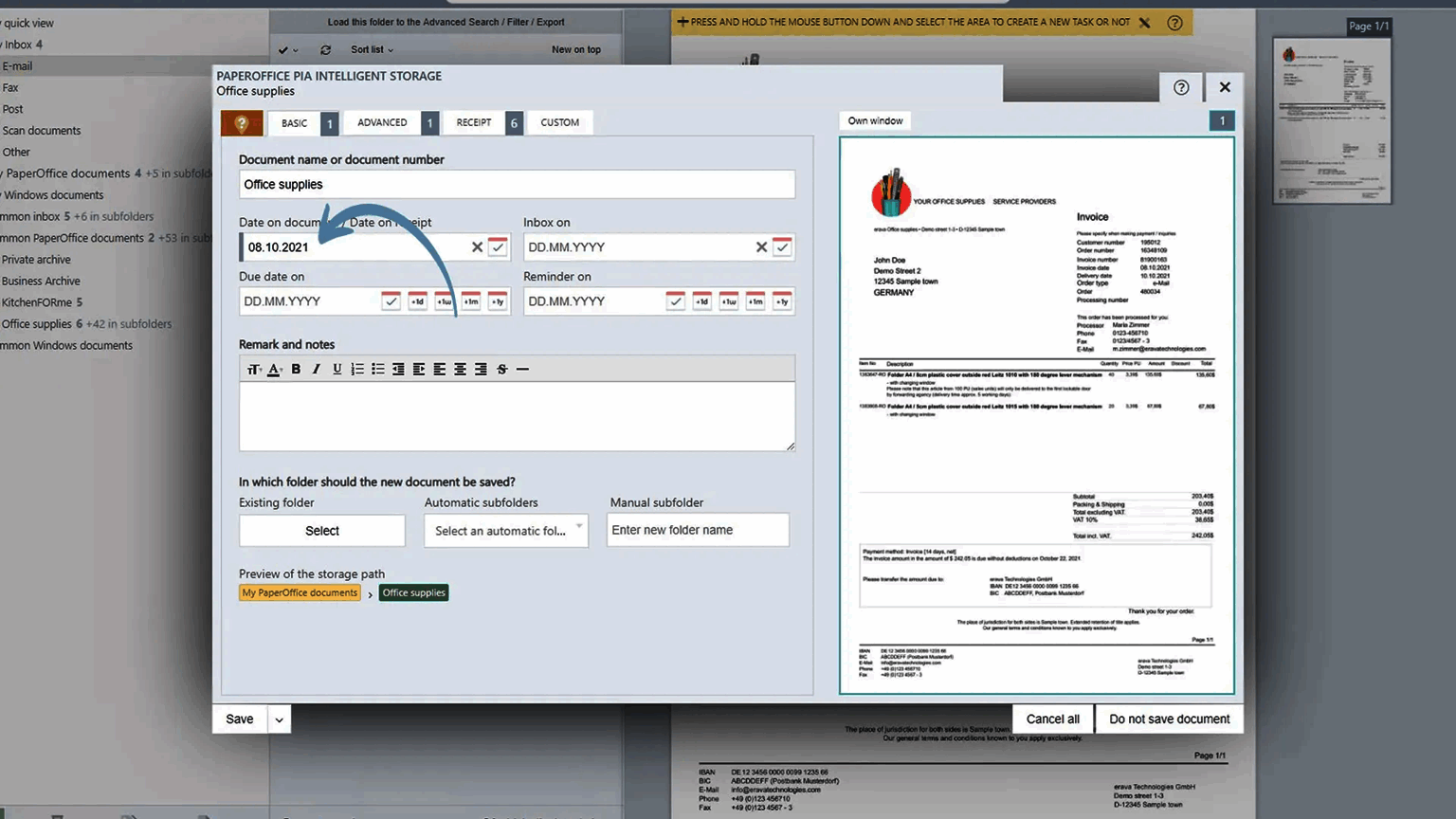
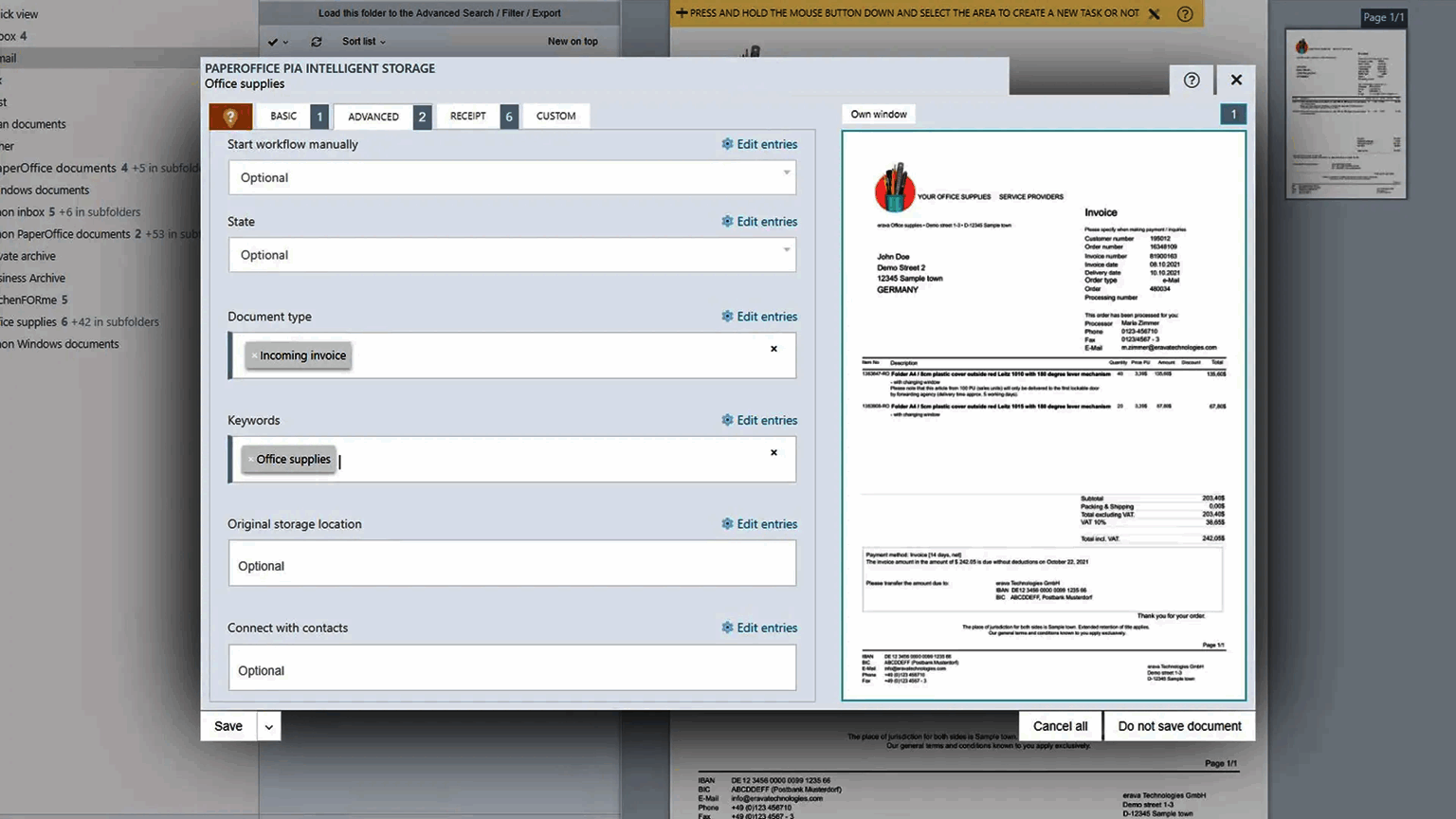
AI automatic classification and OCR eliminates manual document filing entirely. PaperOffice's AI classifies incoming documents (invoices, contracts, letters, delivery notes, emails) and assigns them to the correct folder structure based on trained document types , without requiring staff to manually file or categorize each document. OCR makes scanned documents fully text-searchable. For businesses processing hundreds of incoming paper documents per month, the AI automation reduces the manual document filing time to near zero after the initial training period. For accounting teams handling invoices and delivery notes, this eliminates the document organization overhead that slows AP workflows.
Audit-proof archiving meets German GoBD and EU regulatory standards. PaperOffice's archiving feature stores documents in a tamper-evident audit trail format that meets German GoBD (principles for proper accounting) and EU data retention regulatory requirements. For European businesses that must retain financial and operational documents in an audit-proof format for 10-plus years, PaperOffice's on-premise archiving with documented change history satisfies these requirements without sending archived documents to a third-party cloud.
Where PaperOffice Falls Short
Windows-only installation for the core platform. PaperOffice's on-premises software requires Windows for the primary installation. Mac users access PaperOffice via browser or through a Windows virtual machine. For organizations with primarily Mac-based workforces, this Windows dependency adds infrastructure complexity. The NAS-based deployment mitigates this by allowing browser access from any device, but the initial setup still requires Windows for configuration.
No dedicated mobile app. PaperOffice does not have an iOS or Android app. Mobile document capture uses the DropPage feature (email documents to a dedicated address or upload via browser). For field workers or executives who need to file documents from mobile routinely, the lack of a native scanning and upload app creates friction compared to cloud DMS tools with dedicated mobile apps.
Thin peer review base. 9 Capterra reviews (4.3/5) provide limited aggregator-based procurement validation. For buyers requiring large review samples, direct reference calls with PaperOffice clients in similar industries are recommended alongside the trial period evaluation.
Vendor website has accessibility issues from some regions. The main paperoffice.com domain has experienced timeout issues from certain network environments. Access via the subdomains en.paperoffice.com or start.paperoffice.com may be more reliable for evaluating the product before purchase.
Who Should Use PaperOffice?
PaperOffice is built for European SMBs, law firms, medical practices, local government offices, and regulated businesses that need on-premise or NAS-based document management with AI-powered classification, OCR, and GDPR-compliant archiving , and that want to own the software outright rather than pay recurring subscription fees. In the document management category, it is the strongest pick when data residency requirements prevent using cloud-only DMS tools, when an existing Synology or QNAP NAS is already in the IT infrastructure, and when the lifetime license economics are more favorable than a multi-year SaaS subscription for a stable operation.
It is also a fit for accounting and finance teams that receive high volumes of physical invoices and delivery notes that need OCR processing, automatic classification into accounting categories, and audit-proof retention for compliance purposes, and for organizations in the HR category that need employee document management (contracts, certifications, training records) with version control and access audit trails.
It is the wrong fit for organizations that need real-time cloud access from any location without on-premise infrastructure, for businesses with primarily Mac workforces where Windows dependency is a constraint, and for organizations that need a native mobile app for routine document capture and filing from the field. For these cases, cloud-first DMS tools with browser and mobile access are more practical than PaperOffice's on-premise architecture.
How Much Does PaperOffice Cost in 2026?
PaperOffice uses a one-time lifetime license model (perpetual license, not a recurring subscription). Prices below are in EUR , verify current pricing at en.paperoffice.com/pricing as exchange rates and pricing may have changed:
- Home , €124.50 one-time (~$133 USD): Single user/home office use. Core DMS with AI classification, OCR, workflow automation, and archiving.
- Team , €349.30 one-time (~$374 USD): Multi-user for small teams. Full NAS integration, shared document library, team workflows, email archiving.
- Custom , Contact Sales: Unlimited pages and users, full custom configuration for enterprise deployments.
Optional PaperOffice PLUS add-on extends the included update and priority support period after the standard coverage. Verify Team Complete and Custom pricing at en.paperoffice.com or start.paperoffice.com before purchase.
What Real Buyers Report About PaperOffice
On Capterra (4.3/5 across 9 reviews), the consistent praise covers the on-premise data control that keeps documents off third-party servers, the AI automatic classification that eliminates manual filing, and the value of a lifetime license versus recurring SaaS fees. A notable case study on the vendor site involves a fintech managing regulatory documents from 33 African countries using PaperOffice , validating the platform's capacity for compliance-critical document management at meaningful scale. The consistent critiques from reviews are the initial setup complexity for the NAS integration, the Windows-only core installation, and the lack of a mobile app for document capture outside the office.
Bottom Line: Is PaperOffice Right for You?
PaperOffice is the right choice when your organization needs GDPR-compliant, on-premise or NAS-based document management with AI classification and audit-proof archiving , and when a one-time lifetime license is more economically attractive than recurring SaaS fees for a multi-year deployment. The NAS integration with Synology and QNAP makes it a natural fit for organizations that already have NAS infrastructure for file storage. Access the product via en.paperoffice.com (the main domain may timeout from some network environments) to evaluate the current version and pricing before purchase. For the document management category, PaperOffice is one of the few lifetime-license options worth evaluating alongside cloud-first alternatives.
For organizations evaluating PaperOffice alongside complementary tools, SaaSRat covers the accounting software category for invoice processing, the HR software category for employee document management, and the billing software category for accounts payable workflows that require document archiving alongside financial processing.
Verified on 2026-06-05 by the SaaSRat Editorial Team. Vendor facts cross-checked against the vendor's own website, G2 and Capterra public listings, and current 2025-2026 press cycles. About our methodology.
Frequently Asked Questions
How much does PaperOffice cost?
Does PaperOffice store documents in the cloud?
Is PaperOffice GDPR-compliant?
What NAS devices does PaperOffice support?
Does PaperOffice have a mobile app?
What is AI document classification in PaperOffice?
What is GoBD compliance in PaperOffice?
Is PaperOffice only for Windows?
Who uses PaperOffice?
What is PaperOffice PLUS?
Find Your Perfect Software
See how it can transform your workflow
- Personalized for your needs Tailored recommendations based on your unique requirements.
- Save time & resources Streamline your workflow and boost team productivity.
- Trusted by thousands Join 10,000+ businesses already growing with SaaSrat.
You're all set! 🎉
A specialist for will reach out within 1 business day with tailored recommendations for your needs.