

Mailbird
by Mailbird
What is Mailbird?
Get Best Quote for Mailbird
Connect with SaaSrat experts to get the best quote for your business.
You're all set!
A specialist for Mailbird will reach out within 1 business day.
Mailbird Features
Unified inbox
Customizable layouts
Speed reader
Attachment search
App integration
Snooze emails
View All 24 Features
Mailbird Resources
Mailbird Screenshots
Description
Mailbird at a Glance
| Category | Desktop email client + Unified inbox + Productivity app integrations |
|---|---|
| Best for | Windows and macOS professionals managing multiple email accounts alongside Slack, Asana, Trello, WhatsApp, Google Calendar workflows |
| Deployment | Native Windows and macOS desktop application; no iOS or iPad version currently |
| Protocols | IMAP, POP3 (Windows only), Microsoft Exchange |
| Integrations | Slack, Asana, Trello, WhatsApp, Google Calendar, Todoist, Evernote, Dropbox, plus custom apps |
| AI features | ChatGPT integration for AI-composed drafts and reply suggestions on Premium tier |
| User base | Over 4 million users and 200,000 businesses including Shutterstock, Samsung, University of Chicago |
| Platform requirements | Windows 10 and later; macOS Ventura and later |
| Licensing model | Free tier plus Premium (yearly subscription or lifetime pay-once) |
| HQ | Sacramento, California, USA |
Mailbird Overview
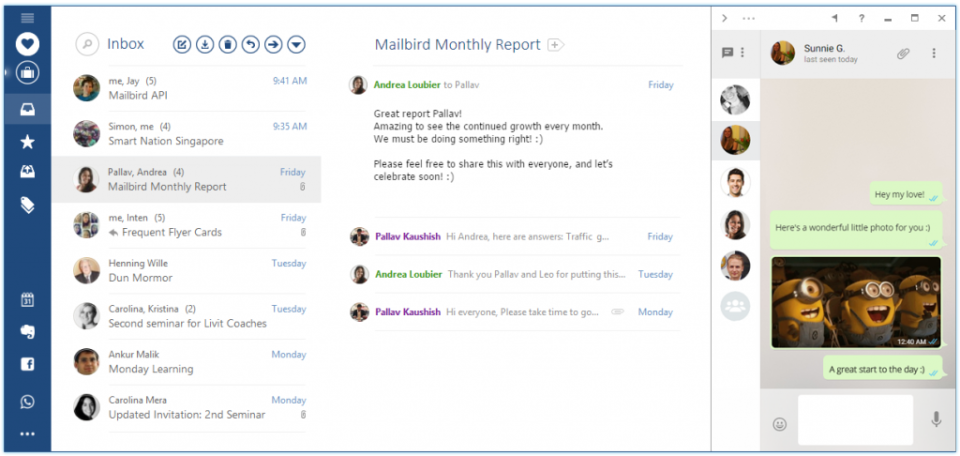
Mailbird is a Sacramento-headquartered Windows and macOS email client that consolidates multiple email accounts into one unified inbox with productivity-app integration panels running inside the mail window. Unlike a browser-based mail client (Gmail web, Outlook web) that lives inside the browser tab, Mailbird is a native desktop application that keeps mail, calendar, and productivity tool interactions in one always-open workspace. The company development team is based in Bali, Indonesia with the corporate entity in Sacramento.
The core value proposition is unified workflow: employees who use Gmail plus Outlook plus a support inbox plus a project email plus Slack plus Asana can pull all of that into one Mailbird window with per-account tabs, per-account signatures, and per-account send-as identities. The app-integration panels dock alongside the message list so a mail thread and its related Asana task, Slack conversation, or Google Calendar event stay side-by-side without alt-tabbing across separate apps.
Mailbird supports IMAP and POP3 (POP3 is Windows only) plus Microsoft Exchange. Premium features include unlimited email accounts, advanced search, email tracking, message scheduling and snoozing, templates and snippets, ChatGPT integration for AI-composed drafts, custom app integrations, undo send, dark mode, and advanced filtering. Named users include Shutterstock, Samsung, and University of Chicago across the 4 million user and 200,000 business customer base.
Capabilities and Named Features
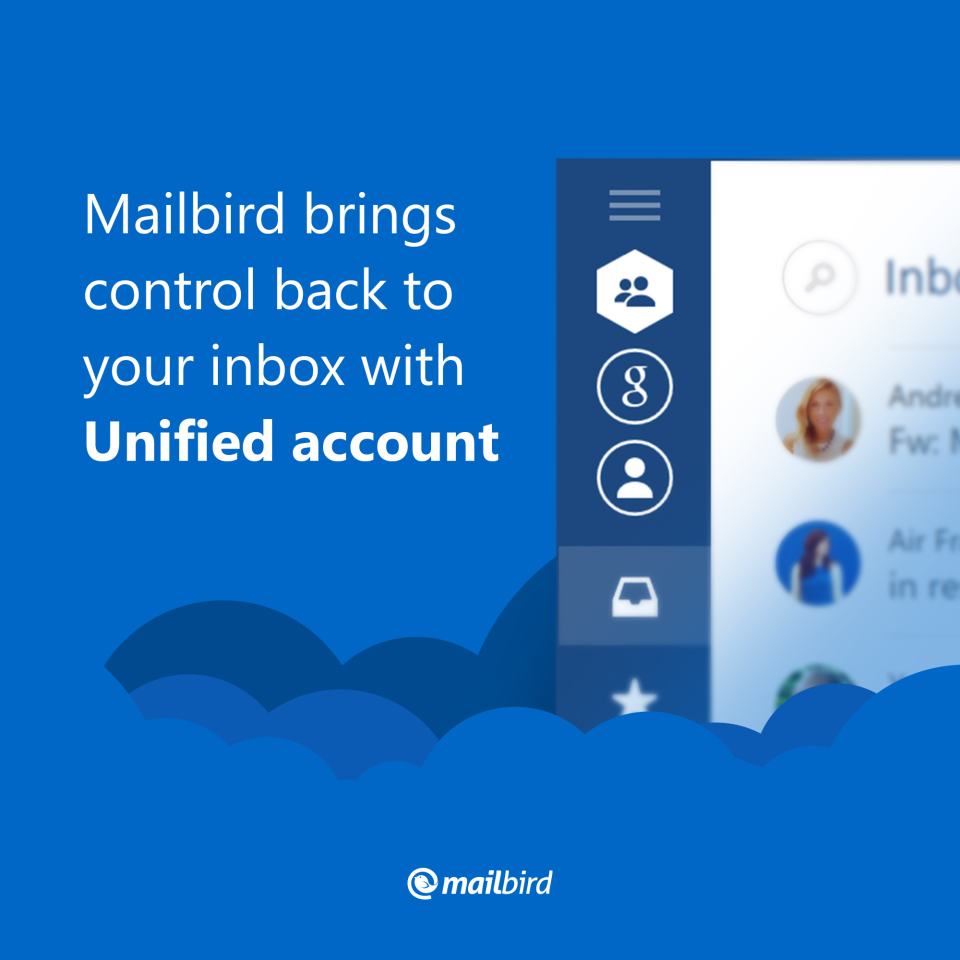
Mailbird is built as a native desktop workspace that combines email, calendar, and productivity app integrations in one window. The unified inbox brings mail from IMAP, Exchange, and POP3 accounts into a single list with per-account filtering, per-account signatures, and per-account send-as identities. The productivity panel docks alongside the message list so a mail thread and its related Slack conversation, Asana task, or Google Calendar event stay side-by-side, which is the pattern most desktop email users cite as the primary reason to leave Gmail web or Outlook web for a native client.
Named feature list
- Unified inbox across multiple IMAP, Exchange, and POP3 (Windows only) email accounts
- Native Windows 10 and later and macOS Ventura and later desktop applications
- Per-account signatures, send-as identities, and account color coding
- Productivity app integration panel with Slack, Asana, Trello, WhatsApp, Google Calendar, Todoist, Evernote, Dropbox
- Custom app integration support for adding third-party tools to the productivity panel (Premium)
- ChatGPT integration for AI-composed drafts and reply suggestions (Premium)
- Email tracking with open and click notifications (Premium)
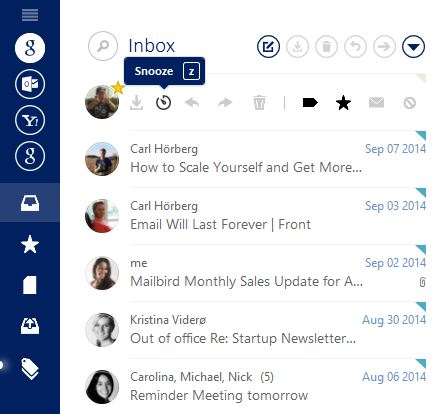
- Message scheduling (send later) and snoozing to defer inbox items to a future time
- Email templates and snippets for repeated response patterns
- Undo send with configurable delay window before actual send commit
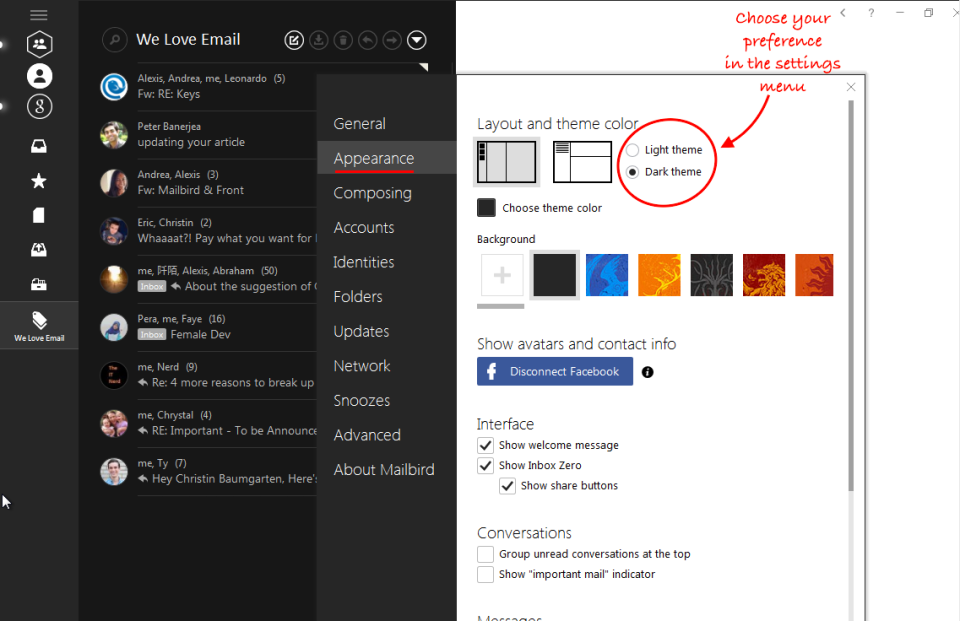
- Dark mode and multiple color themes for visual customization
- Advanced search with filter operators, attachment search, and date-range queries
- Advanced filtering and rule engine for automatic message routing and labeling
- Signature designer with rich text formatting, logos, and dynamic fields
- Speed reader mode for one-line-at-a-time inbox scanning
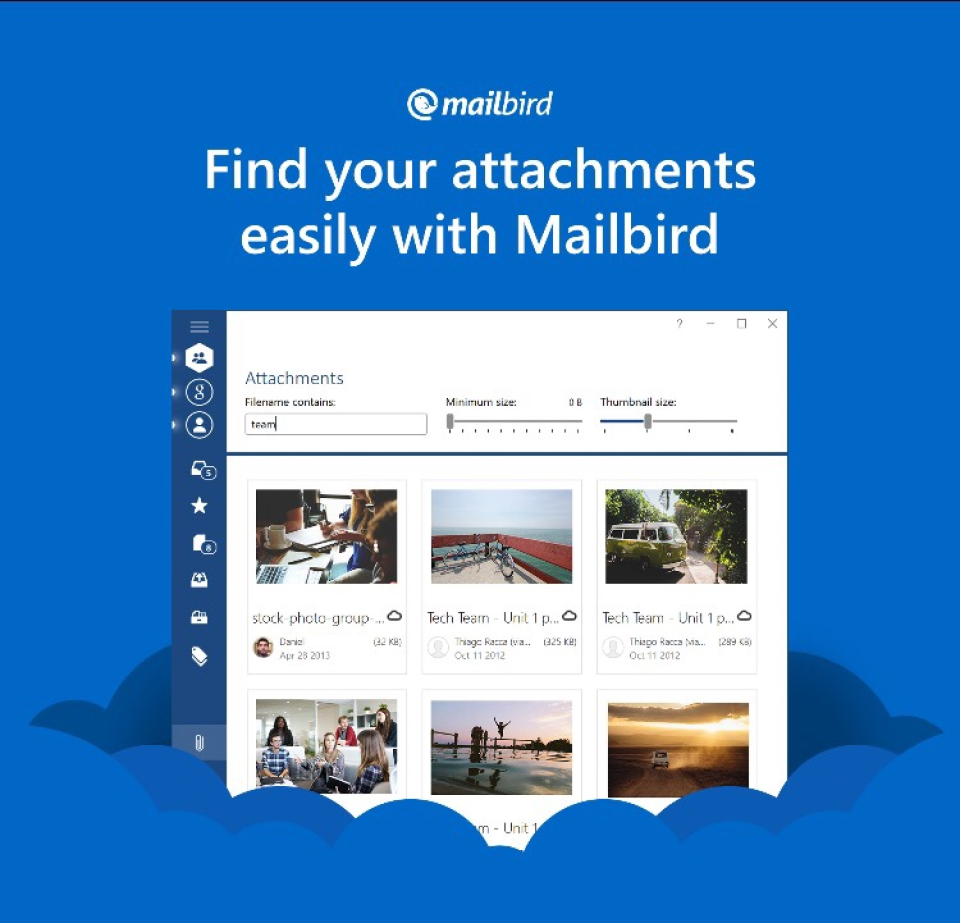
- Unified attachment browser across all connected accounts
- Multi-language interface support
- Local device storage with configurable cache and sync options
Pricing and Plans
Mailbird publishes a free tier plus Premium with two purchase options: yearly subscription and lifetime pay-once. The yearly Premium subscription costs approximately 3.25 USD per month (billed annually with a 50 percent discount from the monthly rate) and includes all Premium features including unlimited accounts and ChatGPT integration. The lifetime Premium license is a one-time payment of approximately 79 USD (with a 75 percent discount versus the standard price) providing lifetime access without renewal.
The free tier limits users to one email account and knowledge base support only; the Premium tier open ups unlimited accounts, advanced search, email tracking, scheduling, snoozing, templates, ChatGPT integration, custom app integrations, Microsoft Exchange support, undo send, dark mode, and advanced filtering. Optional add-ons include Leave Me Alone (bulk unsubscribe automation) and Lifetime Updates (long-term update guarantee).
The lifetime pay-once option is unusual for the SaaS email client category because most competitors force recurring subscription revenue. Mailbird offers lifetime as a viable path for professionals who prefer capital-expenditure treatment or want to avoid future subscription price increases. Currency-localized pricing (INR, EUR, GBP, and other regional rates) applies based on the buyer country of purchase.
| Tier | Price | What is included |
|---|---|---|
| Free | $0 | One account, knowledge base support only |
| Premium Yearly | ~$3.25 per month (billed annually) | Unlimited accounts, all Premium features including ChatGPT |
| Premium Lifetime | ~$79 one-time | Unlimited accounts and lifetime access without renewal |
| Leave Me Alone add-on | ~$79 | Bulk unsubscribe automation for inbox cleanup |
| Lifetime Updates add-on | ~$66 | Long-term update guarantee for the lifetime license |
| Business | Custom quote | Volume licensing for 200,000+ business customer deployments |
Pros
- Native Windows and macOS desktop applications versus browser-based Gmail or Outlook web experience
- Unified inbox across multiple IMAP, Exchange, and POP3 accounts with per-account send-as and signatures
- Productivity app integration panel keeps Slack, Asana, Trello, WhatsApp, Google Calendar alongside mail workflow
- ChatGPT integration for AI-composed drafts and reply suggestions built into the Premium tier
- Lifetime pay-once license option (approximately 79 USD) is unusual for SaaS email clients and gives capital-expenditure treatment path
- Free tier with one account is a viable long-term option for single-account casual use
- Over 4 million users and 200,000 businesses including Shutterstock, Samsung, University of Chicago demonstrate proven adoption
- Custom app integration support lets Premium users add tools beyond the pre-built integration list
Cons and Trade-offs
- No iOS, iPad, or Android mobile applications; mobile users must fall back to the native provider mail app on their phone
- macOS Ventura minimum requirement excludes older Mac hardware and older macOS releases
- POP3 protocol support is Windows only; Mac users are IMAP or Exchange only
- Reddit r/mailbird threads note that occasional stability issues on very large inboxes (100,000+ messages per account) require cache management and periodic restart
- ChatGPT integration adds AI features but requires the user OpenAI account credentials for API access at extra cost
- Email tracking may be perceived as invasive by recipients and can be blocked by privacy-focused mail clients like Apple Mail Privacy Protection
- Development team is based in Bali, Indonesia which can affect support response timezones for US enterprise buyers
- Advanced enterprise features (SSO, MDM deployment, admin console) are less mature than Microsoft Outlook Desktop or Apple Mail
Mailbird vs Alternatives
| Vendor | Best for | Platforms | Integrations | Notable strength |
|---|---|---|---|---|
| Mailbird | Windows and Mac desktop professionals with multiple email accounts | Windows 10+, macOS Ventura+ (no iOS/Android) | Slack, Asana, Trello, WhatsApp, Google Calendar, custom apps | Unified inbox plus productivity panel plus lifetime pay-once option |
| Microsoft Outlook | Enterprise Microsoft 365 organizations | Windows, macOS, iOS, Android, web | Microsoft 365 ecosystem, Teams, Office | Deep Microsoft 365 integration and enterprise MDM |
| Apple Mail | Apple ecosystem users | macOS, iOS, iPadOS | Apple Reminders, Calendar, Notes | Native Apple ecosystem integration at no cost |
| Thunderbird | Open-source desktop mail users | Windows, macOS, Linux (no mobile) | Add-on ecosystem for community integrations | Open-source with strong customization and extension model |
| Spike | Chat-style email personal and team use | Windows, macOS, iOS, Android, web | Team collaboration and chat features | Conversational email UX with team channels |
| Airmail | Mac and iOS professionals | macOS, iOS, iPadOS | Todoist, Evernote, Dropbox, Slack | Mac and iOS native with unified inbox |
Who Should Choose Mailbird
Windows and Mac desktop professionals managing multiple email accounts (Gmail plus Outlook plus support inbox plus project email) who want them consolidated into one unified inbox with per-account send-as identities.
Knowledge workers running Slack, Asana, Trello, WhatsApp, Google Calendar, or Todoist alongside their email workflow who want productivity app panels docked next to the mail list.
Small business owners and freelancers wanting a lightweight desktop email client with ChatGPT-assisted reply drafting at either an affordable yearly subscription or lifetime pay-once price.
Teams migrating away from browser-based Gmail web or Outlook web because notification management, deep search, and multi-account handling are stronger in a native desktop application.
IMAP-based mail account users (Yahoo, iCloud, custom domain hosting) who want a modern desktop client with more polish than open-source alternatives.
Users who prefer capital-expenditure lifetime licenses over recurring SaaS subscriptions and want to avoid future subscription price increases.
Named Alternatives to Mailbird
- Microsoft Outlook. Enterprise Microsoft 365 with deep Microsoft ecosystem integration
- Apple Mail. Apple ecosystem native with iOS, iPadOS, and macOS coverage at no extra cost
- Thunderbird. Open-source desktop mail with strong customization and extension model
- Spike. Chat-style email with conversational UX and team channels
- Airmail. Mac and iOS professionals with unified inbox and productivity integrations
- Postbox. Mac and Windows power-user email client with account management
- Superhuman. Executive Gmail and Outlook workflow at premium subscription pricing
- Newton Mail. Desktop and mobile mail with productivity integrations
Implementation and Deployment
Individual signup and download takes 5 to 15 minutes: download the installer for Windows or macOS, launch, add the first email account via IMAP, POP3, or Exchange, and start using.
Multi-account setup (5 to 10 accounts) commonly takes 30 to 60 minutes on the Premium tier including per-account signature configuration and productivity app integration authorization.
Enterprise deployment (200,000+ business users profile) uses volume licensing with custom quote; IT admin setup depends on Windows Group Policy or macOS Mobile Device Management for centralized configuration.
Productivity app integration authorization (Slack, Asana, Trello, WhatsApp, Google Calendar) takes 5 to 10 minutes per app through OAuth-based grant flows in the Mailbird productivity panel.
ChatGPT integration setup requires an OpenAI account and API key; users pay OpenAI directly for API usage at extra cost beyond the Mailbird Premium subscription.
Migration from another desktop client (Thunderbird, Outlook) is straightforward via IMAP account re-add; historical messages sync down from the server rather than importing from local files.
What Real Buyers Say About Mailbird
A Reddit r/mailbird thread from mid-2025 titled 'Mailbird vs Outlook vs Thunderbird for a Windows freelancer' captured the recurring desktop mail buyer trade-off: Mailbird wins on unified inbox UX, productivity app integrations, and lifetime pay-once license option; Outlook wins on deep Microsoft 365 integration and enterprise features; Thunderbird wins on open-source and no-cost licensing. Additional context: r/mailbird community threads, Mailbird on LinkedIn, r/windows threads on desktop email clients.
LinkedIn posts by consultants and freelancers highlight the productivity app integration panel as the reason to stay in Mailbird all day rather than alt-tab between Gmail plus Slack plus Asana; the panel keeps the entire workflow in one always-open window.
SoftwareAdvice and Product Hunt reviews consistently rank Mailbird in the top three Windows email clients alongside Outlook and Thunderbird, with the strongest positioning for users on Windows who want a modern UX beyond the built-in Windows Mail app.
Reddit r/mailbird and r/gmail threads warn buyers that no iOS, iPad, or Android mobile applications exist; mobile users must fall back to the native provider mail app on their phone. This is the single most common piece of feedback for professionals evaluating whether to standardize on Mailbird as the primary desktop mail client.
Vendor references: Mailbird product overview and named user references, Mailbird pricing tiers including yearly and lifetime, Mailbird productivity app integration list.
The Bottom Line on Mailbird
Mailbird is the default short-list candidate for Windows and Mac desktop professionals managing multiple email accounts alongside Slack, Asana, Trello, WhatsApp, or Google Calendar workflows. The unified inbox UX, productivity app integration panel, and lifetime pay-once license option are the strongest differentiators versus Microsoft Outlook Desktop, Apple Mail, and Thunderbird.
Named users include Shutterstock, Samsung, and University of Chicago across the 4 million user and 200,000 business customer base. Small business owners and freelancers wanting ChatGPT-assisted reply drafting at either an affordable yearly subscription or lifetime pay-once price fit particularly well.
Watch the mobile gap carefully: no iOS, iPad, or Android application exists. Mobile users must fall back to the native provider mail app on their phone. Evaluate whether the desktop-only footprint fits the actual usage pattern before committing.
Alternatives to shortlist alongside Mailbird: Microsoft Outlook for deep Microsoft 365 integration and enterprise features, Apple Mail for Apple ecosystem native integration, Thunderbird for open-source no-cost licensing, Spike for chat-style conversational email, Airmail for Mac and iOS professionals, and Postbox for power-user desktop email.
Verified on 2026-08-04 against vendor website.
Frequently Asked Questions
How much does Mailbird cost in 2026?
Does Mailbird have a mobile app?
Who is Mailbird a fit for?
How does Mailbird compare to Outlook, Apple Mail, and Thunderbird?
What integrations does Mailbird support?
Does Mailbird include AI features?
How long does Mailbird setup take?
What are the biggest complaints about Mailbird?
Does Mailbird support Microsoft Exchange?
Is the lifetime license a one-time payment forever?
Find Your Perfect Software
See how it can transform your workflow
- Personalized for your needs Tailored recommendations based on your unique requirements.
- Save time & resources Streamline your workflow and boost team productivity.
- Trusted by thousands Join 10,000+ businesses already growing with SaaSrat.
You're all set! 🎉
A specialist for will reach out within 1 business day with tailored recommendations for your needs.