

Karbon
by Karbon
What is Karbon?
Get Best Quote for Karbon
Connect with SaaSrat experts to get the best quote for your business.
You're all set!
A specialist for Karbon will reach out within 1 business day.
Karbon Features
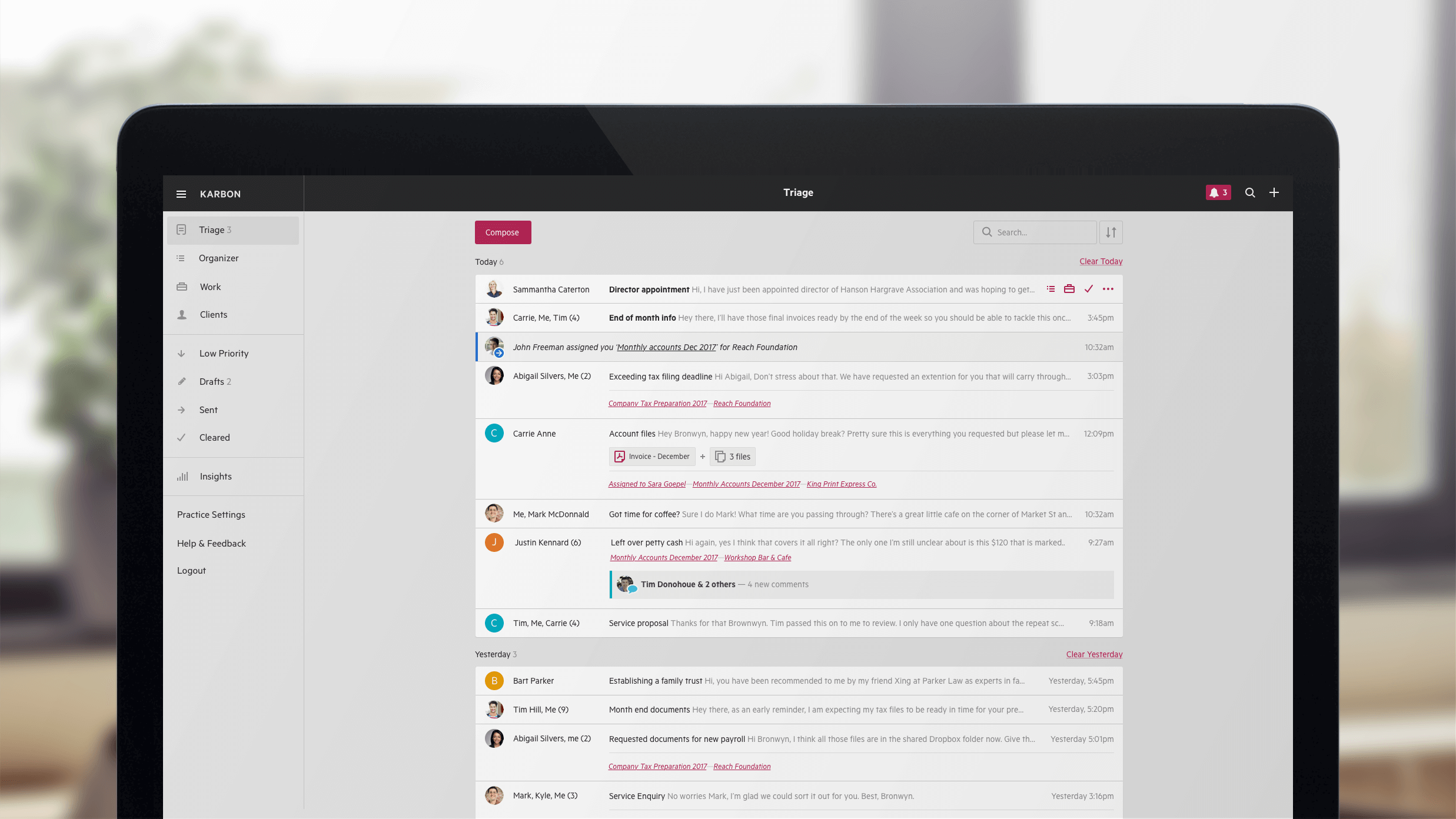
Email management with shared firm inboxes
Workflow automation by service type and client
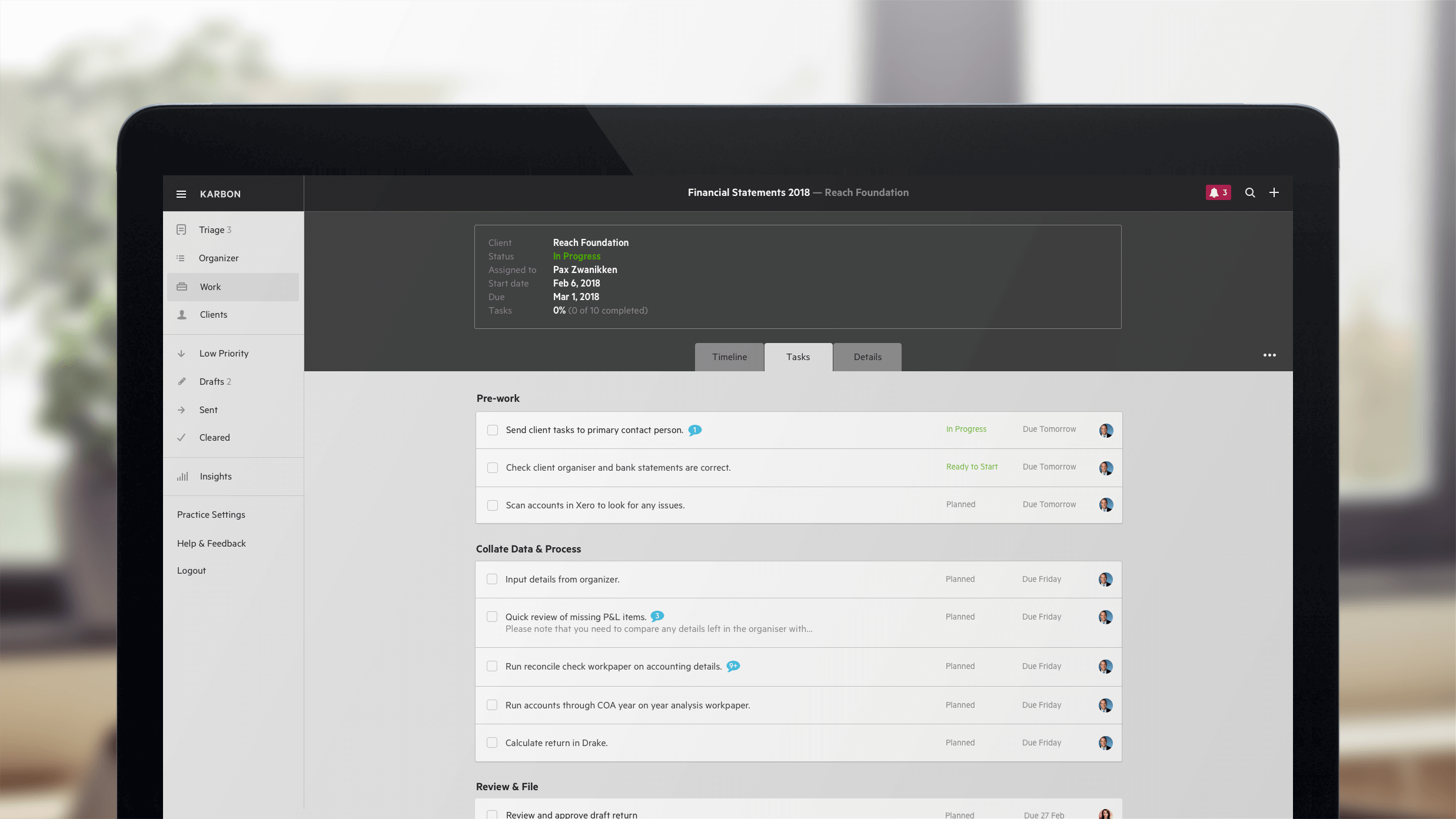
Task management linked to client work
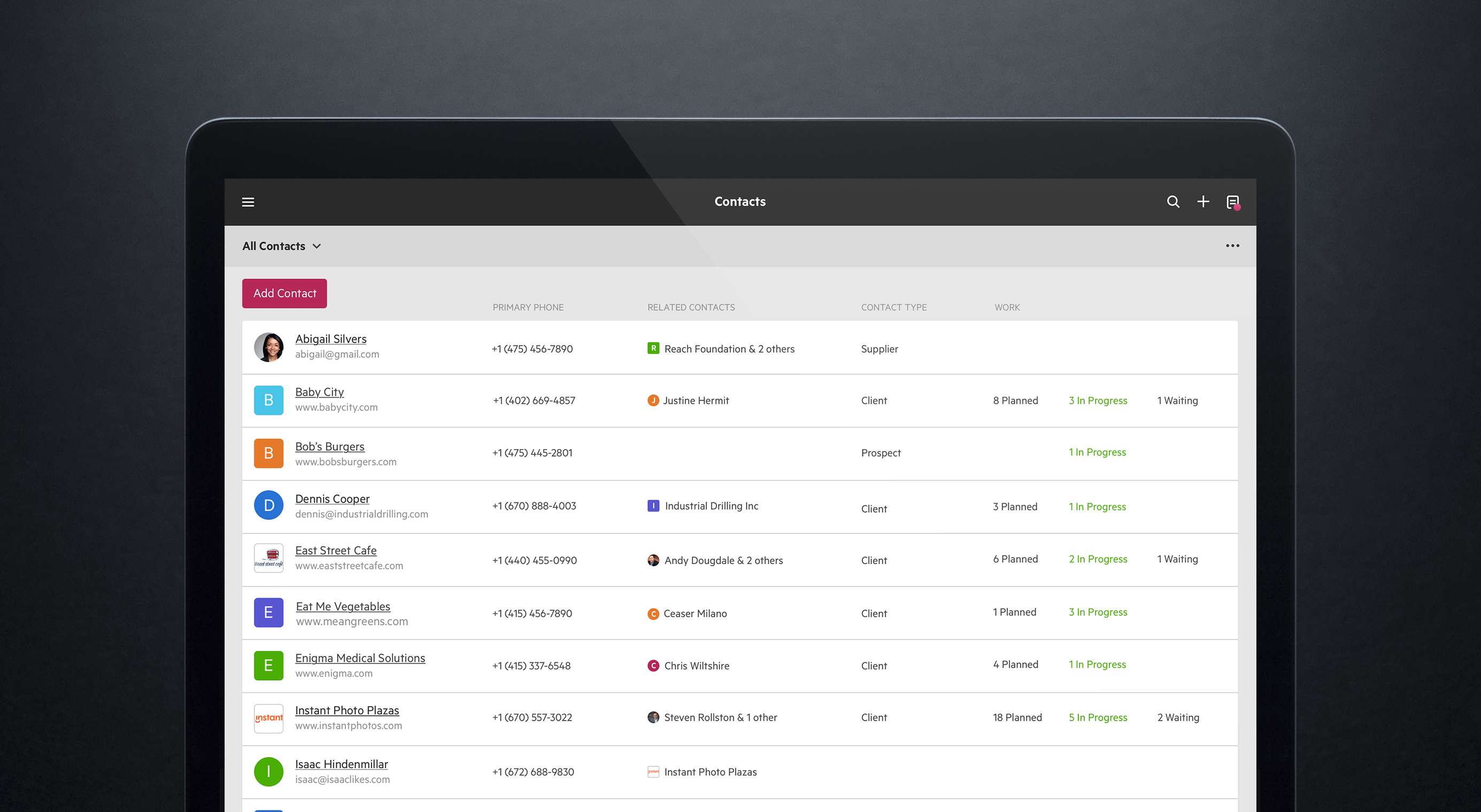
Client management with engagement history
Billing and payments integrated
Document management with version history
View All 15 Features
Karbon Pricing Plans
Team (annual)
- $59/user/month paid annually ($79 monthly). Essential workflow and collaboration tools for small accounting firms: email management with shared firm inboxes, basic task management, client database, document management, and core integrations with Xero, QuickBooks Online, Microsoft 365, Google Workspace.
Business (annual)
- $89/user/month paid annually ($99 monthly). Everything in Team plus workflow automation by service type, automatic client reminders, time tracking, advanced reporting, Karbon AI features, expanded integrations. Most paying customers land on Business.
Enterprise
- Custom pricing for large accounting firms. Collaboration, security, and reporting tools at scale. Enterprise Platform, dedicated support, customization options, unlimited usage limits across features, custom report builder, advanced AI capabilities. Typical pricing $60-$80/user/month at 100+ users per independent buyer estimates.
10-person firm TCO
- 10-person accounting firm on Business annual: 10 × $89 × 12 = $10,680/year. Replaces approximately $4,000-$8,000/year in stacked Microsoft 365 + QuickBooks Online Accountant + standalone practice management subscriptions. Karbon costs more but eliminates manual sync between email, workflow, and client management.
50-person firm TCO
- 50-person mid-size accounting firm on Business annual: 50 × $89 × 12 = $53,400/year. Breakeven calculation typically saves 1-2 hours per partner per week from email-plus-workflow integration. Pricing is roughly 2-5% of typical firm revenue at this size.
Karbon Screenshots
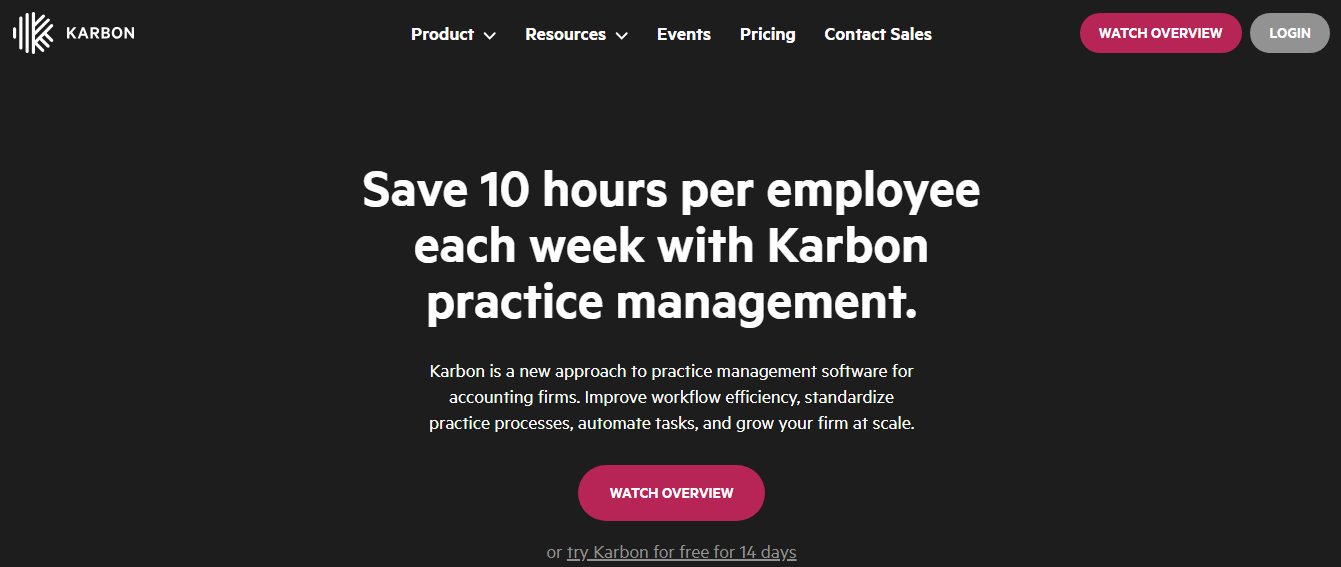
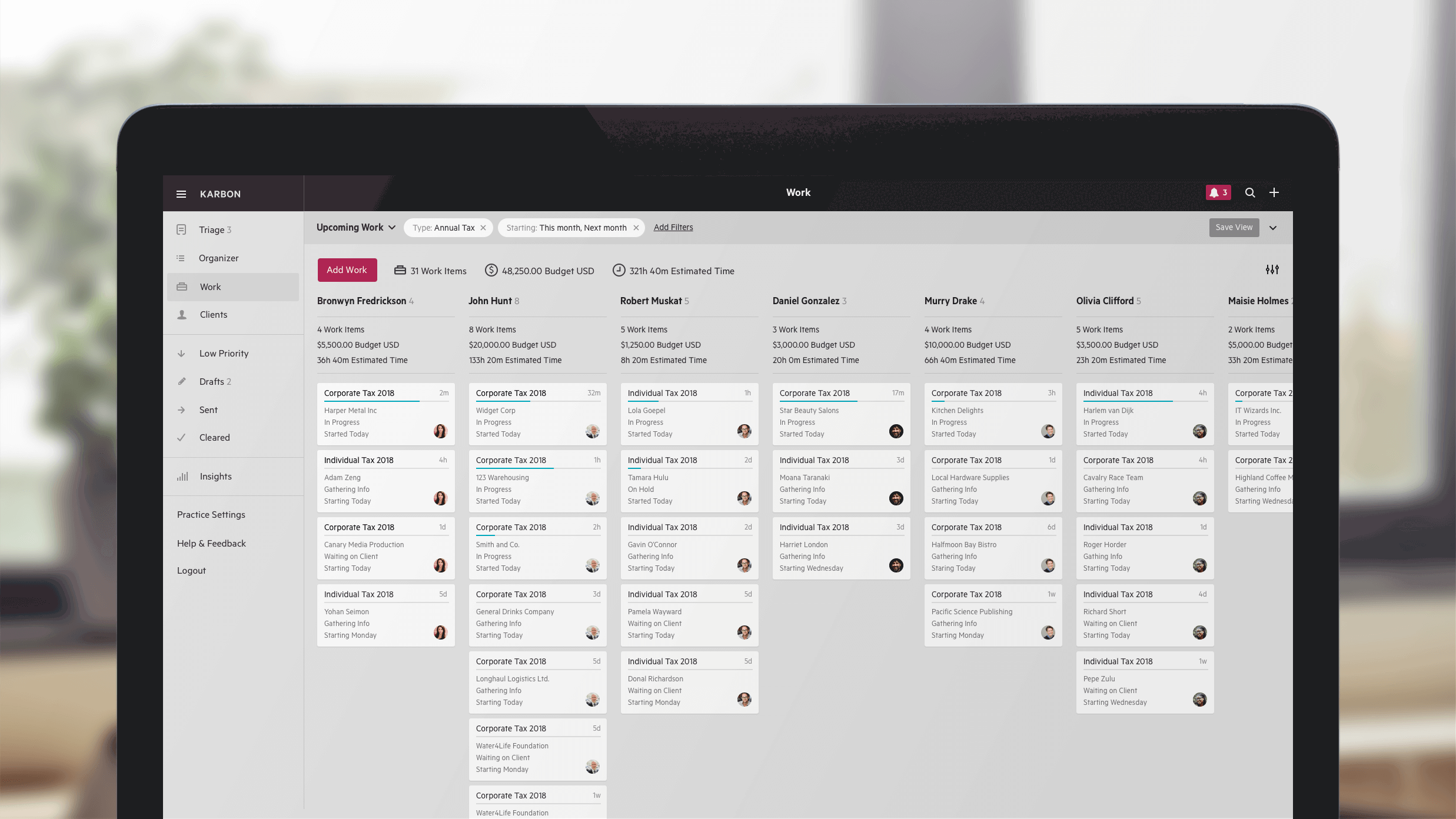
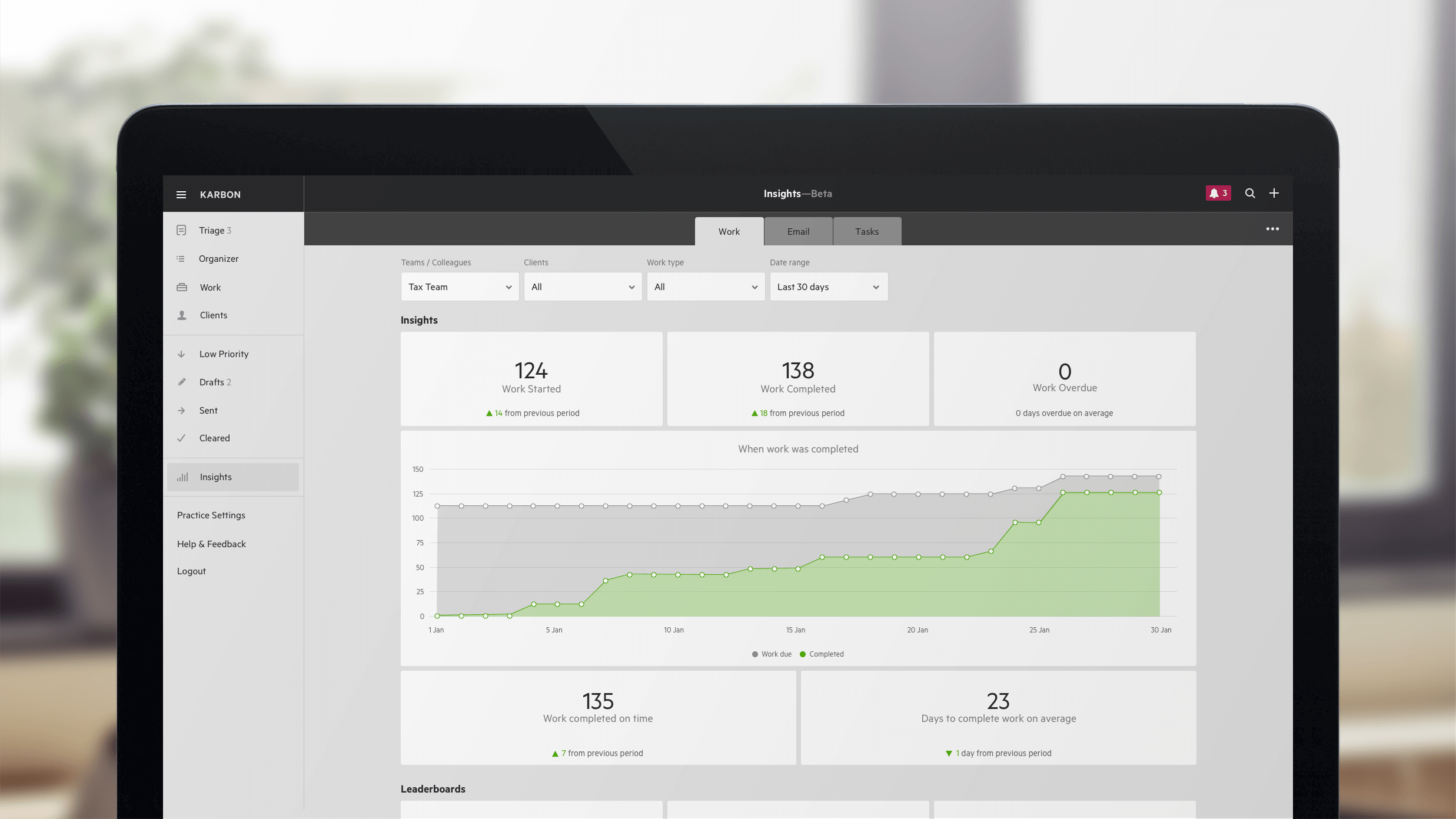
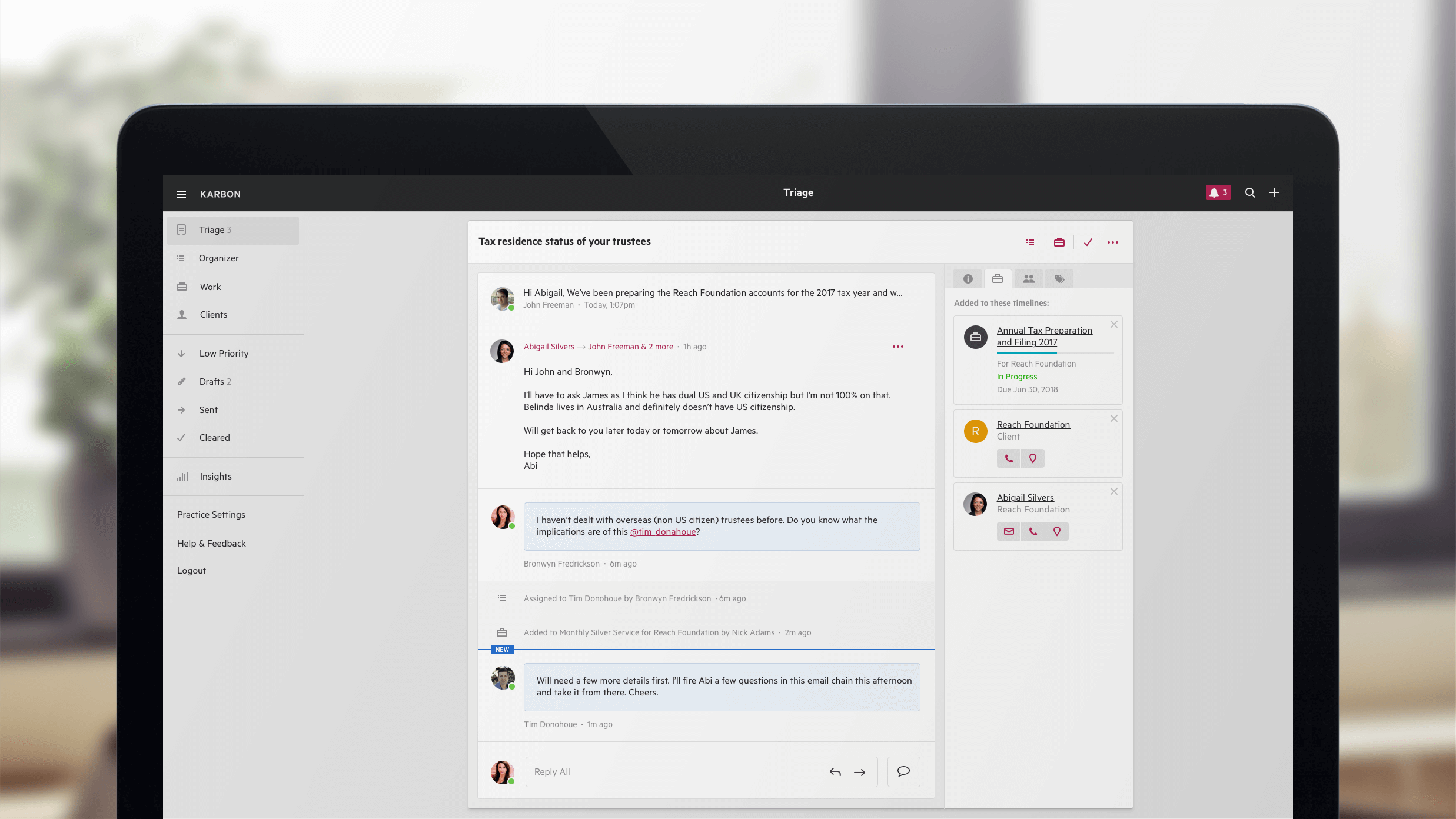
Description
What Karbon actually is
Karbon is a US-built practice management platform built by Karbon Inc., founded in 2014 in San Francisco. The product targets accounting firms, bookkeeping practices, tax firms, and CFO services with a focus on email-centric workflow that other practice management tools (CCH, Thomson Reuters CS Professional Suite) struggle with.
The strongest positioning is email-as-workflow. Most accounting work moves through email , clients send documents, request engagements, respond to queries, and approve deliverables via email. Karbon treats firm-wide email as the central workflow surface rather than as a separate inbox that staff manually sync to a separate practice management tool.
Who actually buys Karbon
Karbon fits three buyer profiles. First, modern accounting firms (5-200 staff) running cloud-first practices on Xero, QuickBooks Online, or Sage Intacct who find legacy practice management tools (CCH, ATB, Thomson Reuters) too heavy for their workflow. Second, bookkeeping practices serving multiple SMB clients across multiple cloud accounting platforms. Third, CFO services and fractional CFO practices managing many simultaneous client engagements.
The strongest fit is accounting firms whose staff spend 30%+ of their day in email and whose current pain is `I cannot see what work is committed across the firm without asking each partner individually.` Karbon's email-plus-workflow integration solves this with shared firm inboxes and email-triggered task creation.
Not for you if: you're a solo accountant or 2-person bookkeeping practice (Karbon's pricing assumes team-based collaboration), you're already deep into CCH Axcess or Thomson Reuters CS Professional Suite where migration cost is prohibitive, or your firm primarily handles complex tax compliance work where vertical-specific tools (Drake, Lacerte) integrate more deeply with tax preparation than Karbon's general practice management.
Karbon pricing
| Plan | Annual (user/mo) | Monthly (user/mo) |
|---|---|---|
| Team | $59 | $79 |
| Business | $89 | $99 |
| Enterprise | Custom Pricing | Custom |
Team at $59/user/month annual ($79 monthly) covers essential workflow and collaboration tools for small accounting firms: email management, basic task management, client database, document management, and core integrations.
Business at $89/user/month annual ($99 monthly) adds workflow automation, automatic client reminders, time tracking, advanced reporting, expanded integrations, and Karbon AI features. Enterprise is custom-quoted with dedicated support, customization options, unlimited usage limits, and advanced reporting.
Annual TCO benchmarks
A 10-person accounting firm on Business annual: 10 × $89 × 12 = $10,680/year. Compare to a stacked alternative (Microsoft 365 plus QuickBooks Online Accountant plus a separate practice management tool like Aero Workflow or Jetpack Workflow): roughly $4,000-$8,000/year in stacked subscriptions for the same team , Karbon costs more but eliminates the manual sync work between email, workflow, and client management.
A 25-person mid-size firm on Business annual: 25 × $89 × 12 = $26,700/year. A 50-person firm: 50 × $89 × 12 = $53,400/year. Enterprise tier negotiates volume discounts at 100+ users with typical pricing $60-$80/user/month based on independent buyer aggregator estimates.
For accounting firms generating $500K-$5M annual revenue, Karbon's TCO is typically 2-5% of firm revenue. The economic argument depends on whether the email-plus-workflow integration saves enough partner and senior staff time to justify the spend. Firms typically calculate breakeven at saving 1-2 hours per week per partner.
Email management as the core surface
Karbon connects to firm Gmail or Microsoft 365 accounts and presents email as shared firm inboxes by service type, client, or team. A partner sees their own inbox, the firm-wide bookkeeping inbox, the tax inbox, and the audit inbox , with assignment, status, and conversation history visible to assigned team members.
When a client emails the firm requesting a document or asking a question, the email shows in the relevant shared inbox. Staff can assign the email to a team member, create a task from the email, attach the email to a client record, or reply directly within Karbon. The original email thread continues in the customer's inbox; staff see the unified Karbon view.
This is the strongest reason firms pick Karbon over generic practice management. Aero Workflow, Jetpack Workflow, and other competitors treat email as a separate tool requiring manual sync.
Workflow automation by service type
Business tier and up include workflow automation: define standard workflows per service (monthly bookkeeping, annual tax return, quarterly review) with required tasks, due dates, dependencies, and approval gates. Workflows trigger automatically based on client engagement type and recur on schedule.
For repetitive engagements (monthly bookkeeping clients, quarterly review clients), automated workflow creation eliminates the manual setup that practice managers otherwise do for every cycle. A 50-client monthly bookkeeping practice saves 5-10 hours per month in setup time alone.
Karbon AI features
Karbon AI (Business tier and up, with expanded capabilities on Enterprise) handles email triage (suggesting which client an email belongs to, what task to create, which team member to assign), auto-drafted email replies, conversation summarization, and task creation from email content. The AI is conservative compared to general LLM tools but trained specifically on accounting firm workflow patterns.
For partners spending 1-2 hours daily on email, AI triage saves 30-60 minutes daily even with conservative accuracy. Firms reporting strongest AI value: large bookkeeping practices with high volumes of client emails containing similar requests (document uploads, status questions, deliverable approvals).
Client management and engagement history
Each client record holds contacts, engagement history (which services delivered when), document history, billing history, and full email correspondence. New staff onboarding to a client see complete context without asking the prior partner for handoff briefings.
For firms with high partner turnover or large client books, this institutional memory is meaningful. The alternative is partner-specific email folders that disappear when partners leave the firm.
Billing and payments
Billing creates invoices from time entries and engagement work, sends them to clients with online payment links (ACH and credit card via Stripe integration), and tracks aged receivables. The billing depth is sufficient for SMB accounting practices; larger practices with complex multi-entity billing sometimes integrate with QuickBooks Online or Sage Intacct for the AR side.
Document management
Document management stores client documents with version history, request workflows (request specific documents from clients with reminders), and integration with Microsoft 365 OneDrive and Google Workspace Drive. Documents tie to client records, engagements, and tasks rather than living in separate folder structures.
Practice analytics
Analytics dashboards show capacity utilization across the firm: which partners are over-committed, which staff have spare capacity, what's the firm's overall billable utilization rate, and projection of workload across the next quarter. For partners running practice operations, this replaces spreadsheet-based capacity tracking with real-time data.
What real firms say
From G2 reviews and r/Accounting discussions, the consistent praise: email-plus-workflow integration is genuinely differentiated from competitors, Karbon AI saves real time on email triage, integrations with Xero and QuickBooks Online are deep and reliable, and the user community is highly engaged with active practitioner forums.
The consistent complaints: setup complexity is significant (full firm deployment takes 6-12 weeks typically), pricing per user adds up for larger firms (a 50-person firm at $53K/year is meaningful overhead), and the mobile app is less polished than the web app , partners who try to run their practice from mobile find limitations.
A specific recurring observation from accounting firm owners: Karbon's value compounds over 6-12 months. Firms expecting immediate productivity gains in week 1 are often disappointed; firms that commit to full deployment with email integration, workflow setup, and AI training see substantial gains by month 6 and significant gains by month 12.
Karbon vs CCH Axcess and Thomson Reuters CS
CCH Axcess and Thomson Reuters CS Professional Suite are the legacy enterprise accounting practice management leaders with deep tax preparation integration and broad firm management features. Karbon is the cloud-first modern alternative with email-plus-workflow focus. Choose CCH or Thomson Reuters for established firms with deep tax compliance work and existing investments. Choose Karbon for modern firms wanting email-first workflow without legacy tool overhead.
Karbon vs Aero Workflow and Jetpack Workflow
Aero Workflow and Jetpack Workflow are SMB accounting firm workflow tools with similar positioning at lower price points ($29-$49/user/month). Karbon has deeper email integration and broader feature set; Aero and Jetpack are simpler and cheaper. Choose Aero or Jetpack for small firms wanting workflow only without email integration. Choose Karbon when email is the workflow driver.
Karbon vs Practice Ignition
Practice Ignition focuses on proposal management and client engagement onboarding for accounting firms. Karbon covers ongoing workflow management after onboarding. Many firms run both: Practice Ignition for proposals and engagement letters, Karbon for ongoing work delivery.
Karbon vs Mango Practice Management
Mango (formerly TimeRewards) is an Australian-built accounting practice management tool with strong APAC presence. Karbon has stronger US and UK market presence and deeper email integration. Choose Mango for APAC-focused firms. Choose Karbon for US/UK-focused practices.
Common rollout mistakes
The first common Karbon rollout mistake is partial deployment. Firms that adopt Karbon as a task management tool without using email integration, workflow automation, and AI features get 30% of the platform value. The strongest deployments commit to email migration to Karbon as the central inbox.
The second common mistake is underestimating training time. Karbon requires 2-4 weeks of active training per staff member for full productivity. Firms that skip training and assume self-serve learning suffer extended productivity dips.
The third common mistake is over-customizing workflows in week 1. New deployments should run standard Karbon workflows for 30-60 days before customizing , the customization without baseline experience often creates workflows that don't match how the firm actually operates.
Implementation timeline
Small firm (5-15 staff): 6-10 weeks for email integration setup, workflow design, client data migration, document management organization, and team training. Mid-size firm (25-100 staff): 12-20 weeks adding practice analytics setup, AI training, custom integration with Xero or QuickBooks Online Accountant, and role-based training across staff levels. Enterprise (100+ staff): 20-40 weeks with multi-office rollout, custom workflow design, and dedicated implementation manager.
Customer support
Team and Business plans include email and chat support during US business hours. Enterprise adds dedicated customer success management with priority response. The Karbon Community is highly engaged with practitioner-led discussions. Karbon also publishes `Accounting Today` content and hosts annual Karbon X conference for customers.
The honest assessment of Karbon
Karbon is the right call for modern accounting firms, bookkeeping practices, and CFO services (5-200 staff) running cloud-first practices on Xero or QuickBooks Online who want email-centric workflow rather than the legacy practice management tools dominating the space.
What Karbon does well: email as the central workflow surface (unique among practice management tools), workflow automation by service type, Karbon AI for email triage and task creation, deep Xero and QuickBooks Online integration, practice analytics for capacity tracking, document management tied to client records and engagements, strong active practitioner community.
Pricing reality: Team $59/user/mo annual ($79 monthly), Business $89/user/mo annual ($99 monthly), Enterprise custom. 10-person firm annual: $10,680. 25-person: $26,700. 50-person: $53,400. Pricing is 2-5% of firm revenue typically , breakeven calculation is saving 1-2 hours per partner per week from email-plus-workflow integration.
Where Karbon falls short: 6-12 month value-compounding timeline (immediate productivity gains rare in week 1), per-user pricing adds up meaningfully for larger firms (50-person firm at $53K/year), mobile app less polished than web app, partial deployments (task-only without email integration) deliver minimal value, customization in week 1 typically creates workflow mismatches with actual firm operations.
Worth comparing: CCH Axcess and Thomson Reuters CS Professional Suite for legacy enterprise tax-integrated practice management, Aero Workflow and Jetpack Workflow for simpler SMB workflow tools at lower price, Practice Ignition for proposal and engagement letter management (pair with Karbon for full lifecycle), Mango Practice Management for APAC firms, Iris Practice Engine for UK accounting practice management, Canopy for tax practice with workflow integration. Pricing verified on karbonhq.com/pricing on 2026-06-27.
Frequently Asked Questions
Is there a free plan or free trial for Karbon?
How much does Karbon cost?
What does Karbon integrate with?
Who is Karbon best for?
What are the best alternatives to Karbon?
Is Karbon GDPR / SOC 2 compliant?
Does Karbon have a mobile app?
What do real users say about Karbon?
How does Karbon compare to its top competitor?
Does Karbon offer customer support?
Find Your Perfect Software
See how it can transform your workflow
- Personalized for your needs Tailored recommendations based on your unique requirements.
- Save time & resources Streamline your workflow and boost team productivity.
- Trusted by thousands Join 10,000+ businesses already growing with SaaSrat.
You're all set! 🎉
A specialist for will reach out within 1 business day with tailored recommendations for your needs.