

GMass
by Wordzen, Inc
What is GMass?
Get Best Quote for GMass
Connect with SaaSrat experts to get the best quote for your business.
You're all set!
A specialist for GMass will reach out within 1 business day.
GMass Features
Mass email sending inside Gmail with unlimited contacts
Mail merge personalization with custom variables
Sequences and automated follow-ups
A/B testing of subject lines and content
Triggered emails based on opens clicks or replies
Inbox rotation MultiSend for deliverability
View All 15 Features
GMass Pricing Plans
Individual Standard (annual)
- INR 921/month annual (INR 11,060/year). USD-equivalent roughly $10-$15/month at current rates. Unlimited emails (subject to Gmail's daily limits), unlimited contacts, unlimited campaigns, mail merge, sequences, API, Zapier integration.
Individual Premium (annual)
- INR 1,256/month annual (INR 15,080/year). Adds advanced sequences, more A/B testing variants, expanded automation triggers. USD-equivalent roughly $15-$22/month.
Individual Professional (annual)
- INR 2,008/month annual (INR 24,100/year). Top individual tier with MultiSend inbox rotation, custom tracking subdomain, and priority support. USD-equivalent roughly $25-$33/month.
Team Plans
- Team pricing starts at INR 6,437/month scaling with user count (5, 10, 25, 50, 100 user tiers). Team plans include centralized billing, shared template libraries, and admin user controls. INR 23,500-35,000/month for 25 users depending on feature tier.
5-user Team annual benchmark
- 5-user recruiting team or sales pod on Team annual: INR 77,000+/year (~$920+/year USD-equivalent). Compare to Outreach at $100+/user/month ($6,000+/year for 5 users) , GMass meaningfully cheaper for email-only outreach use cases.
GMass Screenshots
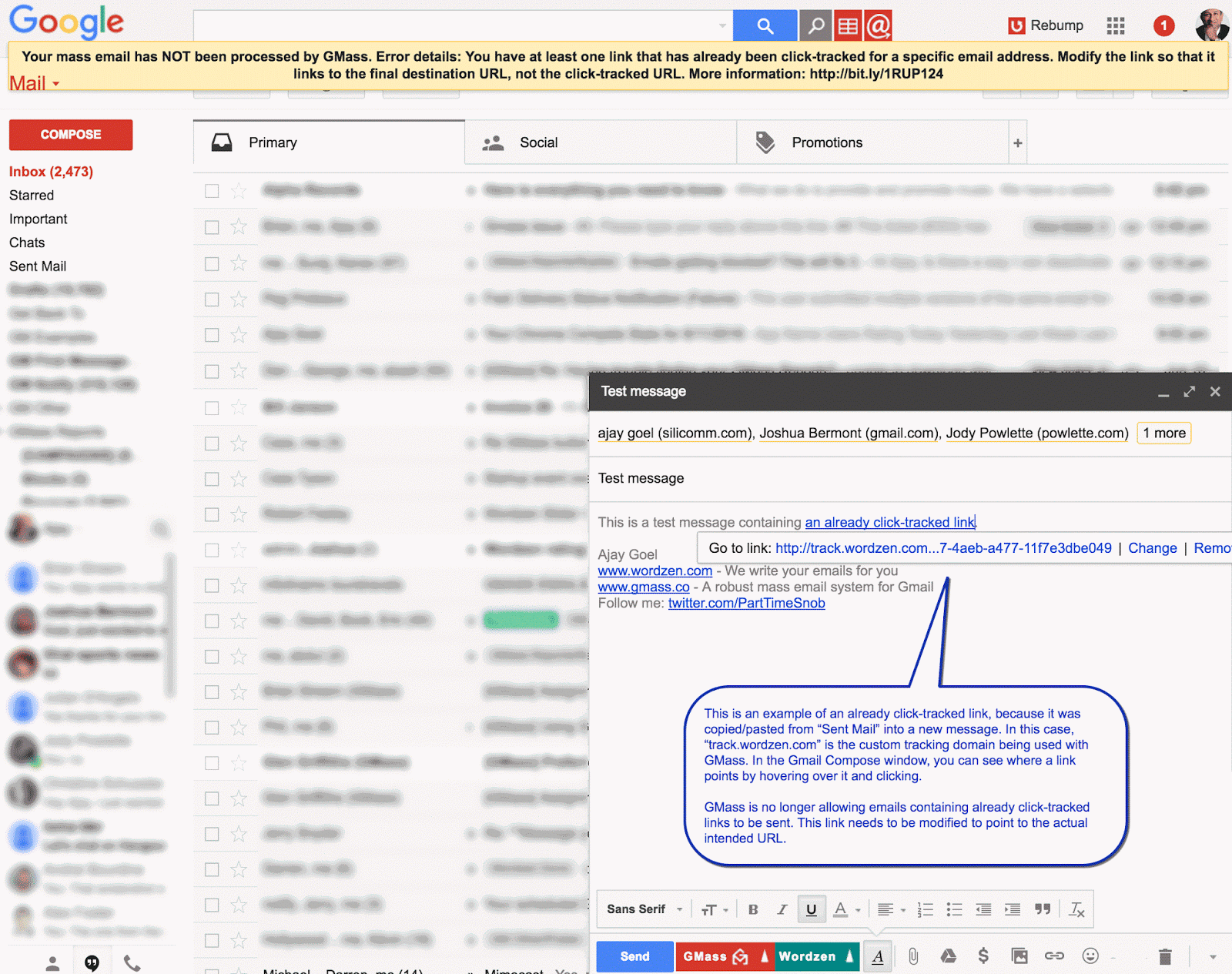
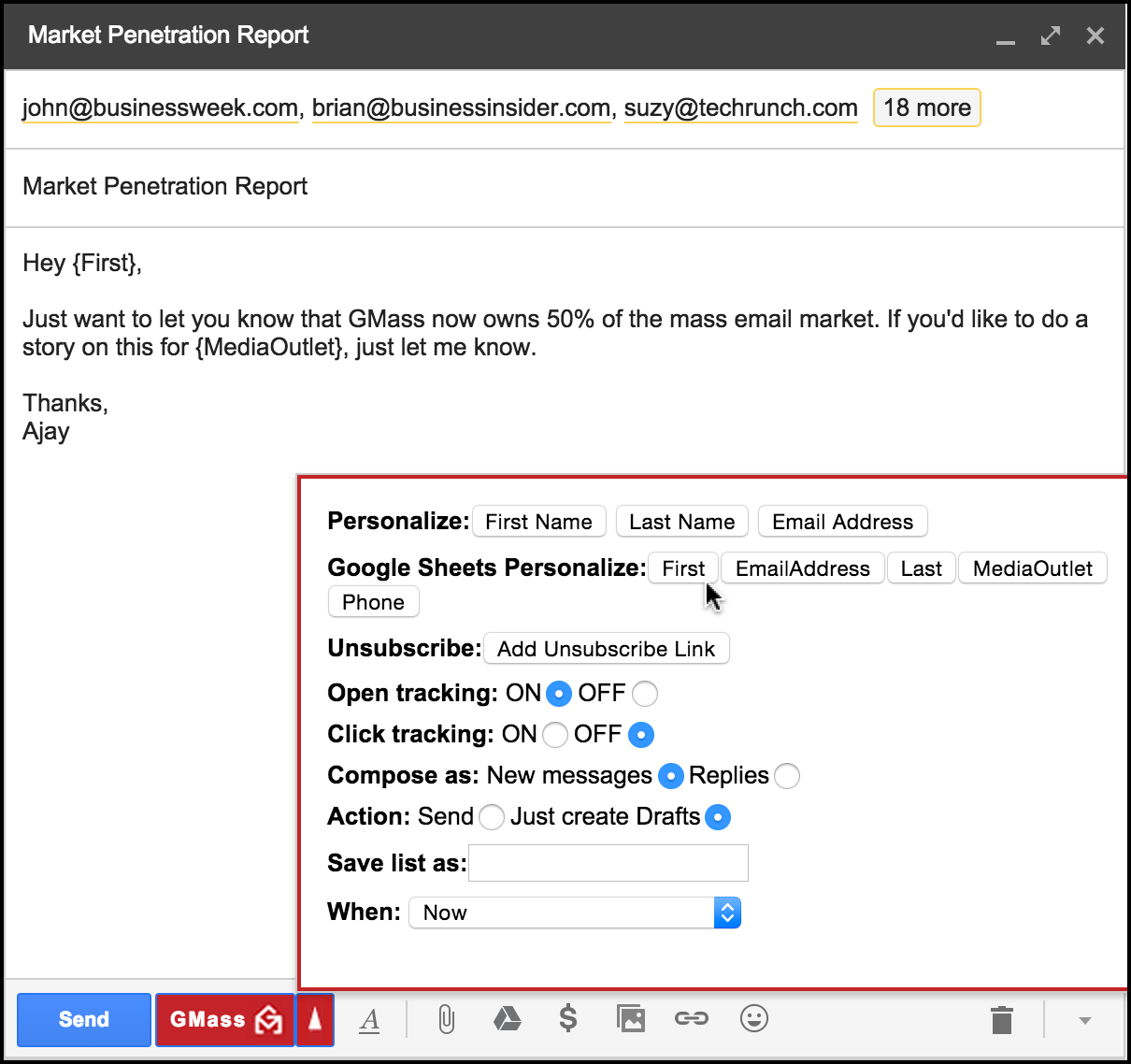
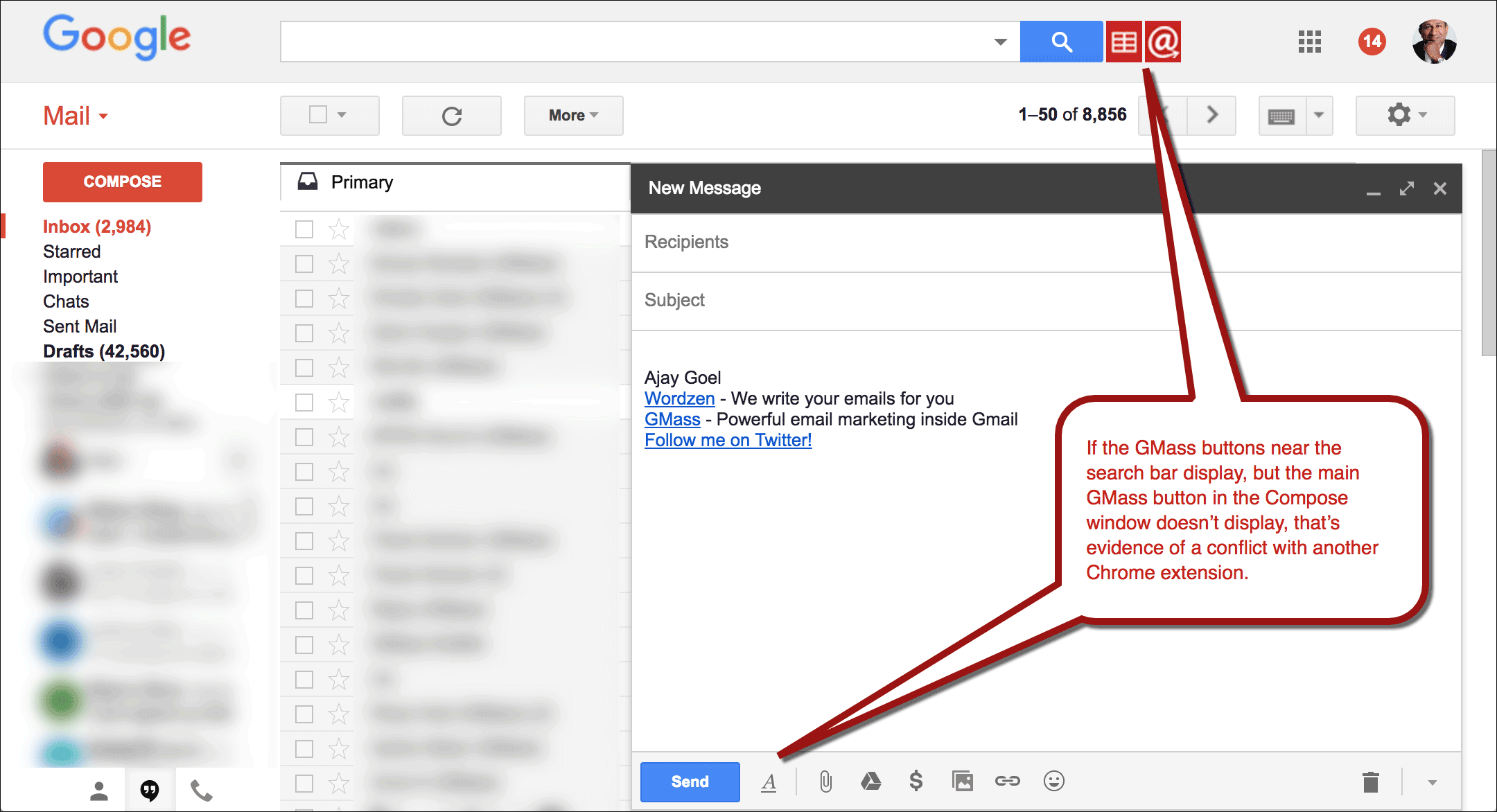
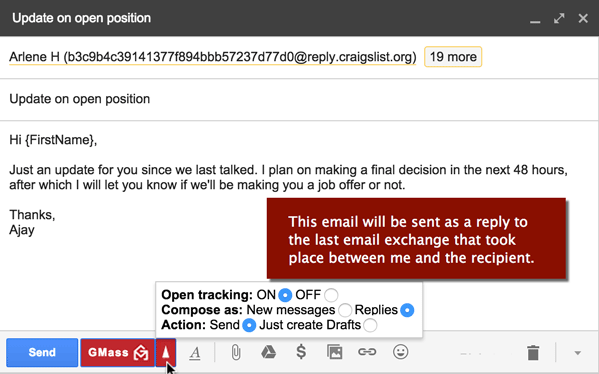
Description
What GMass actually is
GMass is a Gmail-based mass email tool built by Wordzen Inc., founded in 2015 in Los Angeles, California. The product installs as a Chrome extension and works directly inside Gmail to send personalized mass email, mail merge campaigns, cold email sequences, and newsletters. GMass is the most-installed Gmail mass email extension on the Chrome Web Store with millions of users globally.
The positioning is squarely as the Gmail-native alternative to Mailchimp, Constant Contact, and Outreach. While dedicated email tools require switching between Gmail and a separate platform, GMass keeps composition, sending, and tracking entirely in the Gmail interface. For users who already live in Gmail, this eliminates the context-switching that separate ESPs require.
Who actually buys GMass
GMass fits four buyer profiles. First, individual sales professionals running cold outreach campaigns to prospect lists (typically 50-5,000 contacts per campaign). Second, recruiters reaching out to candidate pools sourced from LinkedIn or job boards. Third, small business owners and marketing teams sending newsletters and customer communications without buying Mailchimp. Fourth, academic researchers and journalists sending mass communications to research subjects, source lists, or press contacts.
The strongest fit is users who send 100-10,000 personalized emails per month and need mail merge depth that Gmail's native compose lacks. GMass's strength is the personalization-plus-deliverability combination , emails sent through GMass route through the user's own Gmail account (or Google Workspace), inheriting that account's sender reputation rather than the shared-IP reputation that lower-tier Mailchimp accounts share.
Not for you if: you use Outlook or Microsoft 365 (GMass is Gmail-only), you send 50,000+ emails per month (Gmail account sending limits hit hard at this volume), or you need the deep automation that dedicated marketing tools like Klaviyo, HubSpot, or ActiveCampaign provide.
GMass pricing (2026 India-adjusted)
| Individual Plan | Monthly | Annual |
|---|---|---|
| Standard | INR 1,200/mo | INR 921/mo (INR 11,060/yr) |
| Premium | INR 1,830/mo | INR 1,256/mo (INR 15,080/yr) |
| Professional | INR 2,730/mo | INR 2,008/mo (INR 24,100/yr) |
| Team (5-100 users) | INR 6,437+/mo | Scales by user count |
Pricing has been adjusted for India regionally as of January 1, 2026. The INR rates above apply for Indian customers; US and other markets see USD-equivalent pricing in the range Standard ~$10-$15/month, Premium ~$15-$22/month, Professional ~$25-$33/month based on current exchange rates and historical USD GMass pricing.
All plans include unlimited emails sent (subject to Gmail's own sending limits), unlimited contacts, unlimited campaigns, mail merge, email verification, custom tracking links, Spam Solver, sequences and follow-ups, API access, Zapier integration, A/B testing, triggered emails, and MultiSend inbox rotation.
Annual TCO benchmarks
A solo salesperson on Standard annual: INR 11,060/year (roughly $130-$145/year at current rates). For 1,000 cold outreach emails per month with personalization, A/B testing, and follow-up sequences, the cost compares favorably to Mailchimp's equivalent tier (Mailchimp Essentials at $13-$20/month starts at 500-2,500 contacts).
A 5-person recruiting team on Team annual: INR 6,437+/month (~$77+/month, scaling by user count). For recruiters running parallel candidate outreach sequences, team plans provide centralized billing and shared template libraries.
A 25-user team on Team plan: INR 23,500-35,000/month depending on tier and features (~$280-$420/month). Compare to ActiveCampaign Plus at $79/user/month for similar feature depth ($1,975/month for 25 users) , GMass is meaningfully cheaper at this team size for organizations whose primary need is Gmail-based cold outreach versus full marketing automation.
Mass email sending inside Gmail
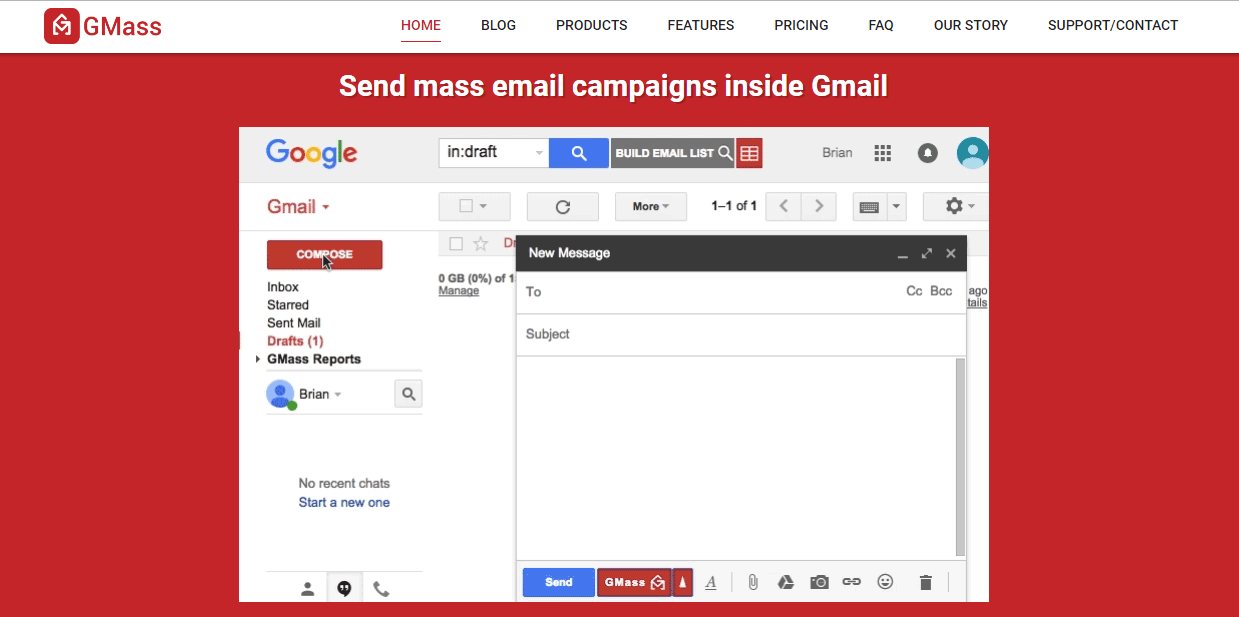
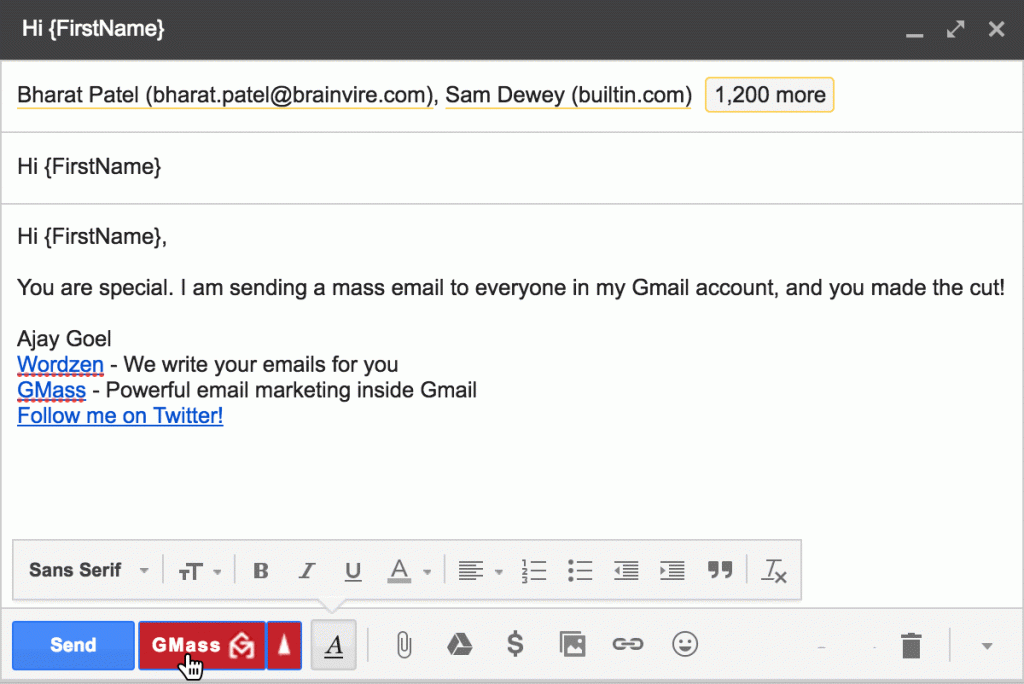
The core workflow: install GMass as a Chrome extension, compose a new email in Gmail, click the GMass button to attach a Google Sheets contact list, write the email using mail merge variables ({FirstName}, {Company}, {CustomField1}), preview personalized versions, and send. Each recipient receives an individualized email with their personal data filled in, sent from the user's own Gmail address.
This direct-from-Gmail sending model is the differentiator. Compared to Mailchimp's shared-IP infrastructure (where any one bad sender on the shared IP can damage all senders' deliverability), GMass emails inherit the user's own Gmail account reputation. Established Gmail accounts with positive engagement history achieve significantly higher inbox placement than fresh Mailchimp accounts.
Sequences and automated follow-ups
Sequences define multi-step email cadences: send email Day 1, follow-up Day 3 to non-openers, second follow-up Day 7, final follow-up Day 14. Sequences pause when a recipient replies, opens, or clicks (configurable per stop condition). For cold outreach campaigns where 1-3 follow-ups multiply response rates 2-3x versus single-touch sends, sequences are essential.
Trigger emails fire based on recipient behavior: send Email B if recipient opened Email A but didn't click, send Email C if recipient clicked but didn't reply, etc. This automates the manual follow-up decision-making that sales reps otherwise do in spreadsheets.
Spam Solver and deliverability
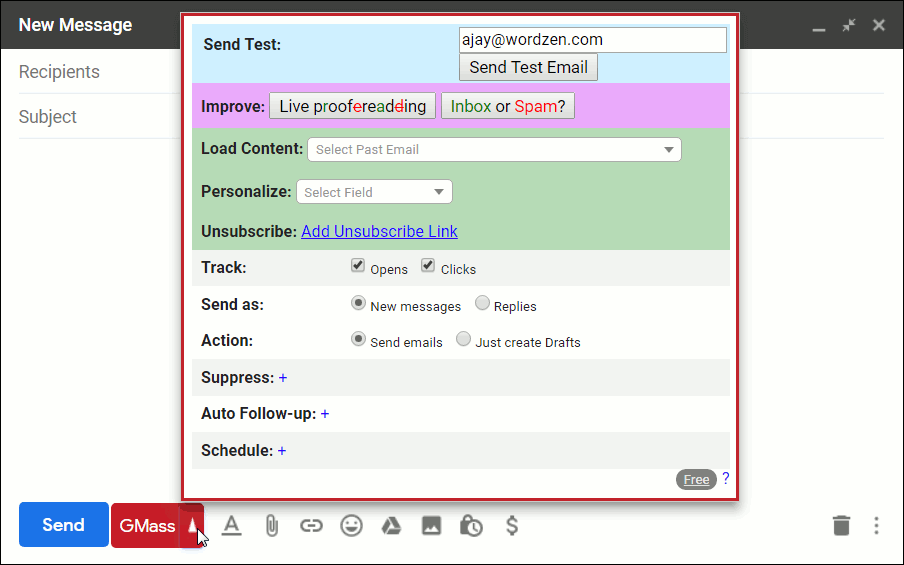
Spam Solver is GMass's built-in deliverability diagnostic that scans email content against common spam triggers and tests inbox placement across major email providers (Gmail, Outlook, Yahoo, AOL). For users running cold outreach where spam folder placement kills response rates, Spam Solver flags issues before sending.
MultiSend (Inbox Rotation) lets users send through multiple Gmail accounts simultaneously, distributing the daily sending limit across multiple senders. For users sending 5,000+ emails per day where a single Gmail account hits the 500-2,000 daily limit, MultiSend extends reach without losing personalization.
Email verification
Built-in email verification scans contact lists before sending, removing invalid, role-based (info@, sales@), and disposable addresses. For lists scraped from LinkedIn, ZoomInfo, or other prospect data sources, verification accuracy directly impacts deliverability. Sending to invalid addresses damages sender reputation; GMass's pre-send verification reduces this risk.
Mail merge depth
Mail merge supports custom variables, conditional content (show paragraph A if recipient's industry is Tech, show paragraph B if Finance), date formatting, currency formatting, and image personalization. For sales teams sending highly personalized cold outreach, this depth eliminates the manual editing that Gmail's native compose requires.
Campaigns merge from Google Sheets directly , no separate database setup. Updates to the Sheet propagate to active campaigns, useful when re-running campaigns with updated prospect data.
Integrations
Native Zapier integration connects GMass to 1,000+ apps including Salesforce, HubSpot, Pipedrive, Airtable, Slack, and custom workflows. REST API provides programmatic access for developers. Native integrations with Google Sheets (mail merge source), Google Drive (attachment storage), and Google Calendar (scheduled sending).
Mobile experience
GMass is desktop-first via Chrome extension. Mobile Gmail apps cannot run Chrome extensions, so mobile users can view GMass campaign results in the web dashboard but cannot compose new campaigns from mobile. For traveling sales users, this is a workflow limitation versus mobile-friendly competitors like Mailchimp.
What real users say
From G2 reviews and r/sales discussions, the consistent praise: Gmail-native workflow eliminates ESP context-switching, personalization depth via Google Sheets merge is genuinely useful, Spam Solver catches real deliverability issues before they damage campaigns, and pricing is meaningfully cheaper than Outreach or Salesloft for sales teams doing primarily email outreach without dialer needs.
The consistent complaints: Gmail-only constraint excludes Outlook users, Gmail's own daily sending limits hit hard at high volume (500/day on free Gmail, 2,000/day on Google Workspace), Chrome extension occasionally breaks after Gmail interface updates requiring extension updates, and the India pricing transition created confusion for non-Indian customers about which rates apply.
A specific recurring observation from sales operations practitioners: GMass is positioned as the budget alternative to Outreach and Salesloft, but the deliverability through own-Gmail-account is meaningfully better than Outreach's shared-IP infrastructure for low-volume senders. Teams sending under 5,000 emails per month often see better response rates from GMass than from much more expensive sales engagement tools.
GMass vs Mailchimp
Mailchimp is the SMB email marketing leader with broad audience management, automation, and template libraries at $13-$350+/month tiers. GMass is Gmail-native with mail merge depth and own-IP deliverability advantage. Choose Mailchimp for newsletter and broadcast marketing with sophisticated automation. Choose GMass for cold outreach and personalized mass email where Gmail account reputation matters.
GMass vs Outreach and Salesloft
Outreach and Salesloft are enterprise sales engagement platforms with deep CRM integration, dialer, conversation intelligence, and team analytics at $100-$200+/user/month. GMass is the lighter alternative focused on email outreach without the full sales engagement orchestration. Choose Outreach/Salesloft for enterprise sales operations with dedicated sales engineers. Choose GMass for SMB sales teams whose primary need is personalized email outreach at low cost.
GMass vs Mailshake
Mailshake is a similar Gmail-and-Outlook cold email tool with sequences and follow-ups. GMass is Gmail-exclusive with deeper mail merge. Mailshake supports both Gmail and Outlook. Choose Mailshake for Outlook users. Choose GMass for Gmail-only users wanting deeper personalization.
GMass vs Apollo and Reply.io
Apollo and Reply.io combine contact database with sales engagement. GMass is engagement-only without contact database (users supply their own contact lists). Choose Apollo or Reply.io when contact data is bundled. Choose GMass when contact lists come from other sources (LinkedIn export, ZoomInfo, internal CRM).
Common rollout mistakes
The first common GMass rollout mistake is hitting Gmail's daily sending limit. Free Gmail accounts can send 500 emails per day; Google Workspace accounts can send 2,000 per day. Users sending more than this trigger Gmail's temporary suspension for `suspicious activity`. MultiSend with multiple sending accounts is the solution but requires upfront setup.
The second common mistake is skipping email verification. Sending to unverified lists (especially scraped from LinkedIn or older databases) damages sender reputation through bounces and spam complaints. GMass's built-in verification adds 1-2 minutes per campaign but protects long-term deliverability.
The third common mistake is treating cold outreach like newsletter sending. Cold outreach requires 1:1 personalization and follow-up sequences for response rates above 2-5%. Sending generic mass-blast newsletters through GMass without personalization wastes the platform's strongest features.
Implementation timeline
Solo user: productive same-day with Chrome extension install and Google Sheets list setup. Small team (5-25 users): 1-2 days for team plan setup, shared template library, and sequence configuration training. Mid-size deployment (50+ users): 1-2 weeks adding role-based permissions, integration with CRM via Zapier or API, and team-wide best-practice training.
Support model
All paid plans include email support during US business hours. Higher tiers add priority response. GMass has an active user community on the wordzen.com forum and YouTube channel with tutorials. Documentation is in English with growing localization.
Should you pick GMass
GMass is the right call for Gmail users running personalized mass email , cold outreach campaigns, newsletters, recruiter sourcing, journalistic and academic mass communications , who want Gmail-native workflow and own-account deliverability without paying enterprise sales engagement prices.
What GMass does well: Gmail-native workflow eliminating ESP context-switching, own-Gmail-account sender reputation (meaningfully better than shared-IP deliverability at low volume), deep mail merge via Google Sheets, sequences and automated follow-ups, Spam Solver deliverability diagnostics, MultiSend inbox rotation for high-volume sending, built-in email verification, broad Zapier integration.
Pricing reality (2026 India-adjusted): Standard INR 921/mo annual (INR 11,060/yr), Premium INR 1,256/mo (INR 15,080/yr), Professional INR 2,008/mo (INR 24,100/yr). USD-equivalent ~$10-$33/month range. Team plans for 5-100 users scale by count. All plans include unlimited emails (subject to Gmail's sending limits), unlimited contacts, unlimited campaigns, full feature set.
Where it falls short: Gmail-only constraint excludes Outlook users entirely, Gmail's daily sending limits hit at high volume (500/day free, 2,000/day Workspace), Chrome extension occasionally breaks after Gmail interface updates, mobile workflow limited (compose requires desktop), India pricing transition created confusion for non-Indian customers.
Worth comparing: Mailchimp for SMB email marketing with newsletter and automation focus, Outreach and Salesloft for enterprise sales engagement at $100-$200/user/month, Mailshake for Outlook users wanting similar cold email tool, Apollo and Reply.io for sales engagement with bundled contact database, Smartlead and Instantly for AI-driven cold email focus, Lemlist for cold email with sales-engagement features, YAMM for Gmail-based mail merge at much lower price point. Pricing verified on gmass.co pricing page on 2026-06-27.
Frequently Asked Questions
Is there a free plan or free trial for GMass?
How much does GMass cost?
What does GMass integrate with?
Who is GMass best for?
What are the best alternatives to GMass?
Is GMass GDPR / SOC 2 compliant?
Does GMass have a mobile app?
What do real users say about GMass?
How does GMass compare to its top competitor?
Does GMass offer customer support?
Find Your Perfect Software
See how it can transform your workflow
- Personalized for your needs Tailored recommendations based on your unique requirements.
- Save time & resources Streamline your workflow and boost team productivity.
- Trusted by thousands Join 10,000+ businesses already growing with SaaSrat.
You're all set! 🎉
A specialist for will reach out within 1 business day with tailored recommendations for your needs.