

Fluix
by Fluix • Founded 2014
What is Fluix?
Get Best Quote for Fluix
Connect with SaaSrat experts to get the best quote for your business.
You're all set!
A specialist for Fluix will reach out within 1 business day.
Fluix Features
Document annotation
Form filling
Workflow automation
Document sharing
Offline access
E signatures
View All 85 Features
Fluix Pricing Plans
Core
- Everything in Basic
- Approval workflows
- Task scheduling
- Naming convention
- 25 reports with customisation options
Basic
- Fillable PDFs and web forms
- Form builder
- Offline mode
- Workflow automation
- Cloud file storage
- Activity status reporting
Pro
- Everything in Core
- Conditional routing
- Forms prefill
- Unlimited reports customisation
- Pre-built integrations
Custom
- Customized solutions for full-cycle field data management and automation.
Fluix Resources
Fluix Screenshots
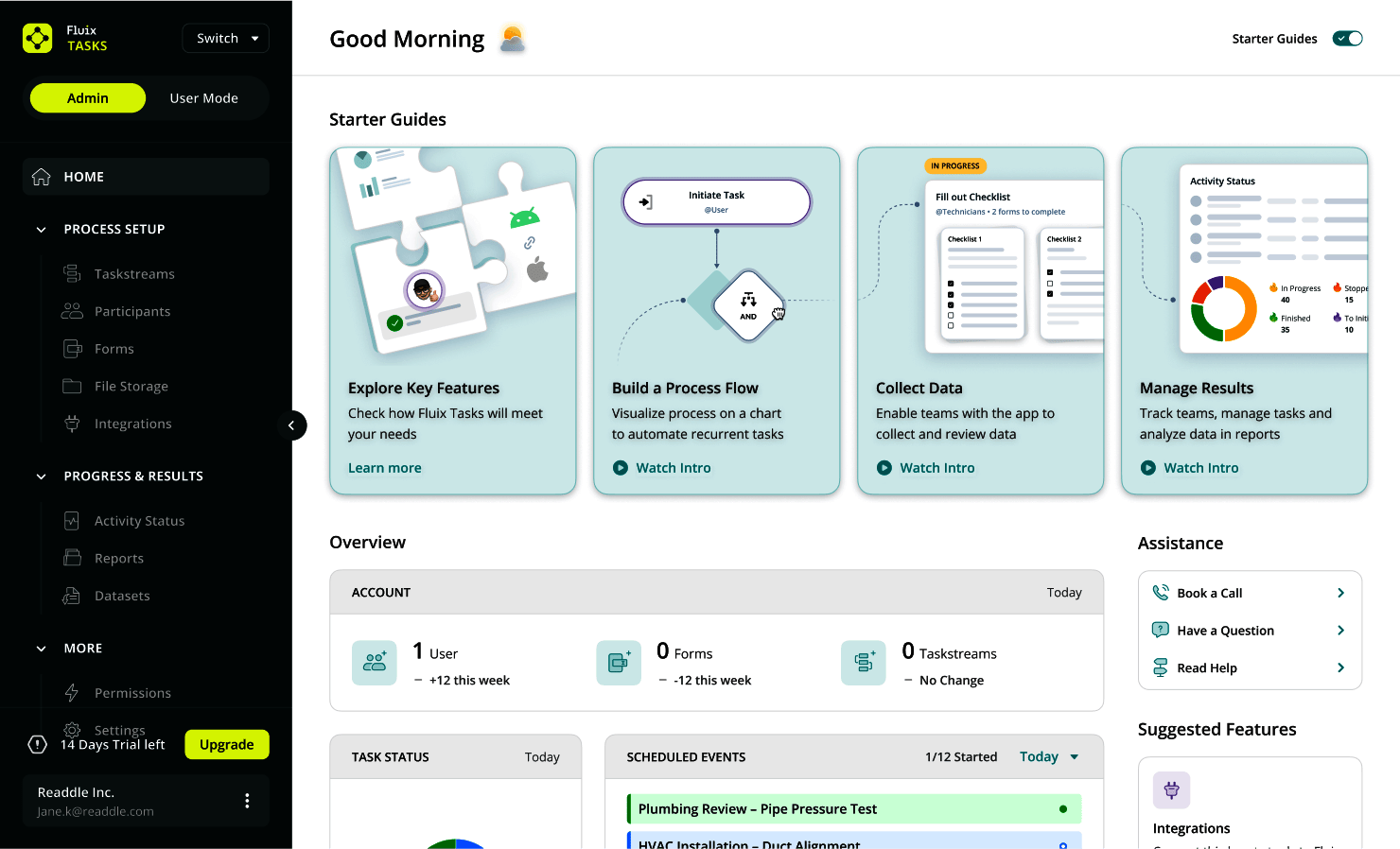
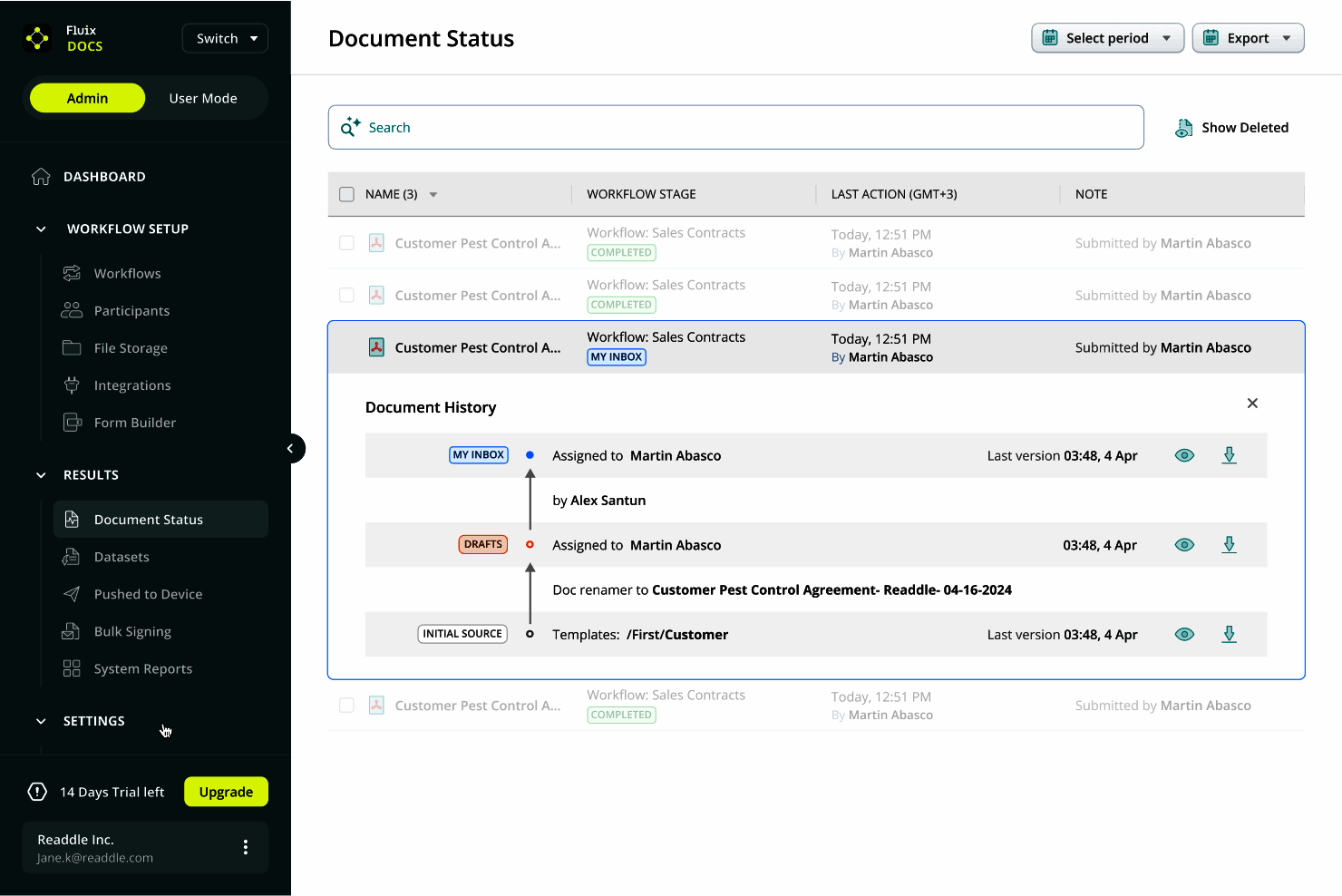
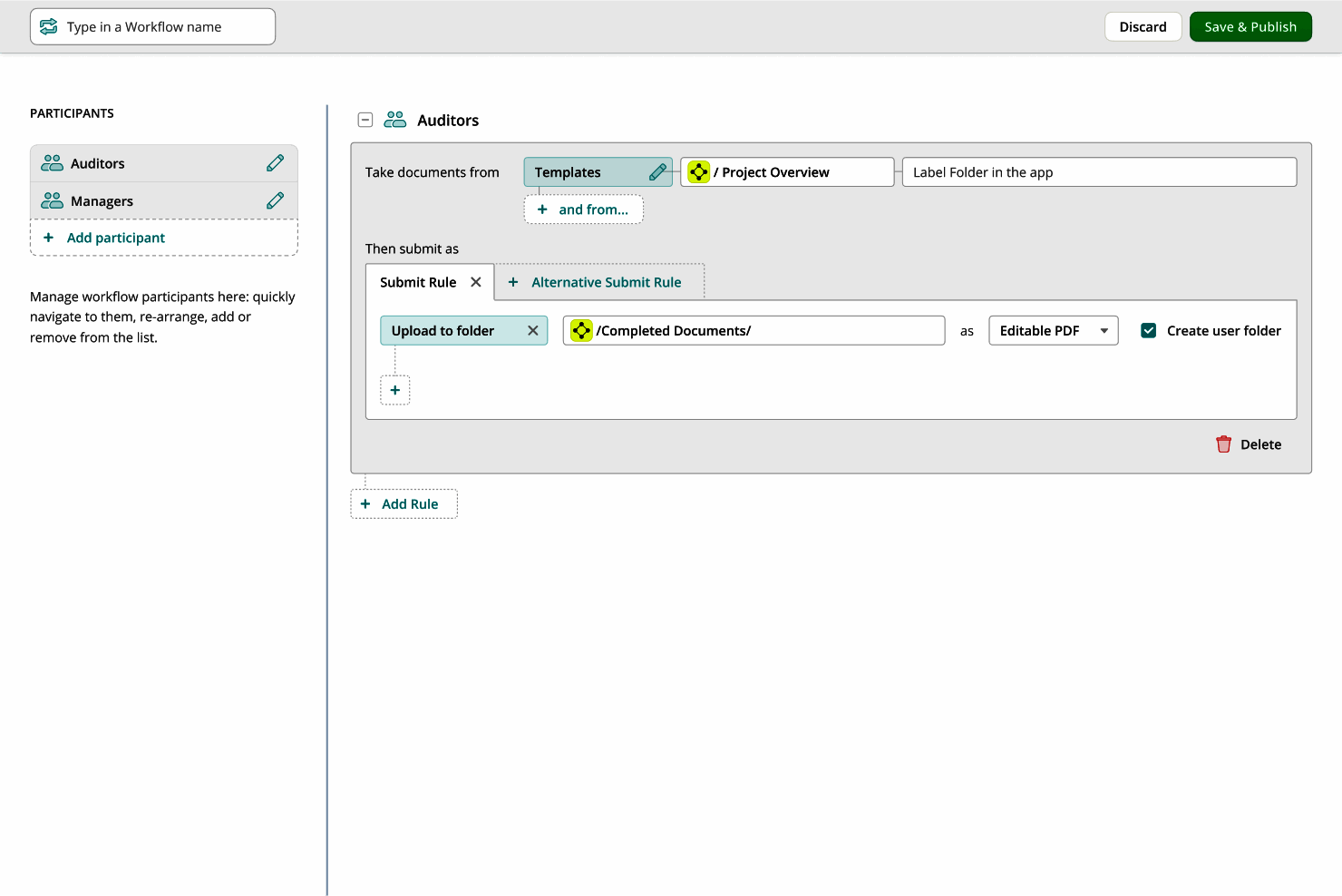
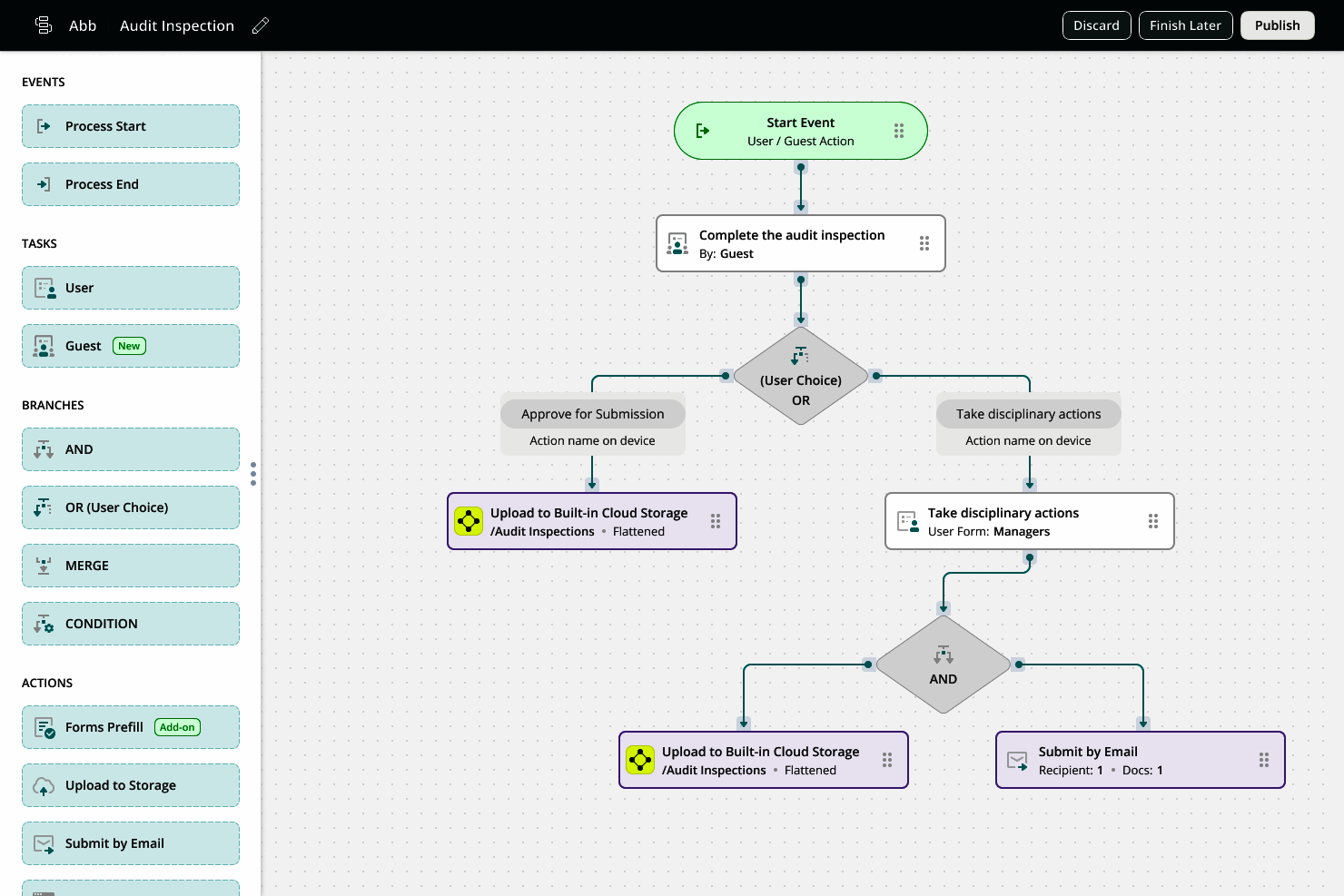
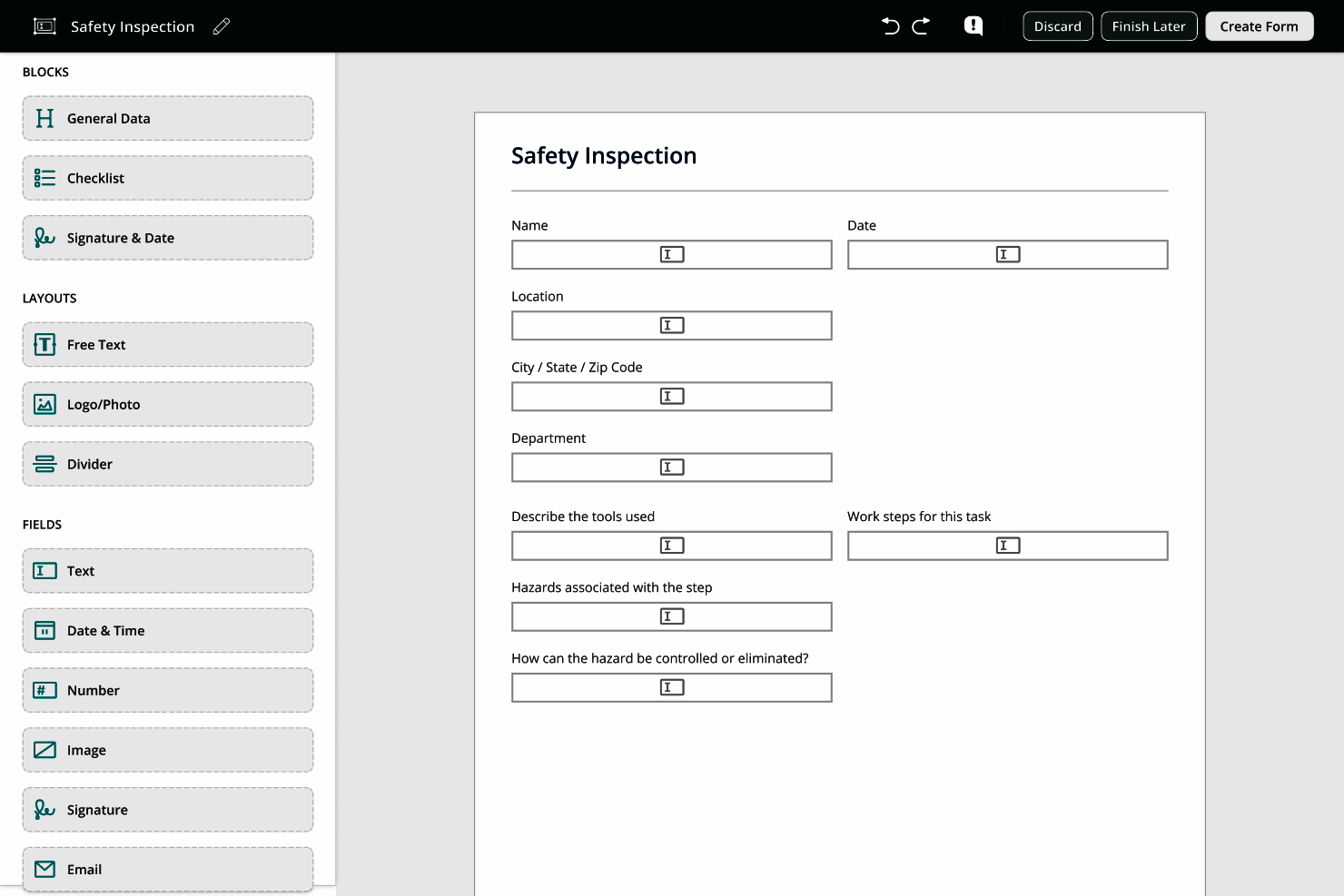
Description
Fluix at a Glance
| Best for | Field service teams in construction, energy, utilities, aviation, and other regulated industries needing inspection management with photo capture, digital signatures, and audit-ready compliance |
|---|---|
| Deployment | Cloud platform with mobile apps for iOS and Android; offline-capable inspection on any device |
| Starting price | Contact Vendor (Start a Trial or Book a demo through the vendor website; pricing scoped by team size and configuration) |
| Key strengths | From Checklist to Corrective Action end-to-end coverage, offline field data capture, industry-specific fit for construction/energy/utilities/aviation, audit-ready compliance, digital signatures |
| Not ideal for | Non-inspection field service workflows (installation, repair, HVAC service) where FSM platforms fit better, or small teams doing occasional inspections where free checklist apps cover the workflow |
Fluix Overview
Fluix is inspection management software used by field service teams across construction, energy, utilities, and aviation to run faster inspections, capture clean field data, and stay audit-ready.
The vendor operates a real global business serving thousands of field service teams. The core positioning is "From Checklist to Corrective Action" , the platform covers the entire inspection process on one system rather than fragmenting checklists, evidence capture, findings, and corrective action tracking across separate tools.
Field technicians complete inspections on any device online or offline. Checklists guide the inspection, photo capture attaches visual evidence, and digital signatures replace paper.
Nothing goes missing between the field and the office because the entire inspection lifecycle happens on the platform. This directly addresses the biggest field-inspection failure mode: paper checklists that never make it back for audit trails.
Capabilities and Named Features
The Fluix thesis is that regulated industries (construction, energy, utilities, aviation) face constant inspection burden with strict audit trail requirements, and paper-based or fragmented digital tools cannot deliver reliable audit-ready compliance at scale.
The From Checklist to Corrective Action architecture unifies the inspection lifecycle. Checklists guide the inspection. Photo capture attaches visual evidence. Signatures record accountability. Findings trigger corrective actions with follow-through tracking rather than lost paperwork.
Offline-capable inspection on any device matters for field conditions. Construction sites, remote energy facilities, and aviation operations often lack reliable connectivity, and inspections must continue regardless.
Photo capture attaches visual evidence to specific checklist items. Auditors can verify inspection findings with the original photos rather than reading text-only inspection reports.
Digital signatures replace paper signatures at inspection completion. Legal signature validity plus timestamp accuracy plus signer identity all improve audit defensibility.
Industry-specific fit for construction, energy, utilities, and aviation means the platform ships with checklist templates and workflow patterns purpose-built for those verticals rather than requiring configuration from a horizontal starting point.
The audit-ready commitment matters most for regulated industries where audits are frequent, high-stakes, and dependent on complete inspection records. Fluix directly targets the audit-preparation pain point.
Named feature list
- Inspection management platform
- From Checklist to Corrective Action lifecycle
- Offline inspection on any device
- Photo capture in the field
- Digital signature collection
- Checklist templates
- Corrective action tracking
- Audit-ready compliance
- Construction industry configuration
- Energy sector configuration
- Utilities sector configuration
- Aviation industry configuration
- Mobile apps for iOS and Android
- Web console for supervisors
- Inspection scheduling
- Photo evidence attachment
- Field data capture
- Real-time office visibility
- Report generation
- Global field service customer base
Pricing and Plans
Fluix does not publish public per-user pricing on the vendor website.
Prospective buyers Start a Trial or Book a demo through the vendor website; pricing is scoped based on team size, industry configuration, and integration scope.
The Start a Trial entry point lets teams evaluate inspection workflows on live field operations before entering pricing conversations.
| Tier | Price | What is included |
|---|---|---|
| Free Trial | Free | Start a Trial to evaluate inspection management on live field operations before committing to a paid plan |
| Team | Contact Vendor | Paid plan for field service teams with inspection templates, mobile apps, photo capture, and digital signatures |
| Growth | Contact Vendor | Higher tier with expanded checklist automation, corrective action tracking, and reporting |
| Enterprise | Contact Vendor | Enterprise plan for larger operations with custom integrations, priority support, and industry-specific configurations |
| Industry Configurations | Contact Vendor | Construction, energy, utilities, and aviation-specific checklist templates and workflow patterns |
Pros
- From Checklist to Corrective Action end-to-end coverage genuinely closes the audit trail gap that fragmented inspection tools create.
- Offline field data capture on any device matches how construction, energy, utilities, and aviation teams actually operate rather than requiring reliable connectivity.
- Industry-specific fit for regulated verticals reduces the configuration burden versus horizontal inspection tools retrofitted for construction, energy, utilities, and aviation.
Cons and Trade-offs
- Not designed for non-inspection field service workflows (installation, repair, HVAC service) where field service management platforms (ServiceTitan, FieldPulse) fit better.
- Small teams doing occasional inspections may find Fluix over-scoped versus free checklist apps that cover basic use cases.
- Quote-based pricing slows self-serve evaluation versus published-price competitors.
Fluix vs Alternatives
| Capability | Fluix | iAuditor (SafetyCulture) | Procore Field |
|---|---|---|---|
| Core focus | Inspection management for regulated field service | Safety inspection and audit platform | Construction field management |
| Offline capture | Native | Native | Native mobile field capture |
| Corrective action tracking | Native lifecycle coverage | Native | Native construction workflow |
| Industry fit | Construction, energy, utilities, aviation | Broad safety inspection industries | Construction-specific |
| Best fit | Regulated field service industries | Safety-focused inspection at scale | Construction-focused field management |
Who Should Choose Fluix
Field service teams in construction, energy, utilities, aviation, and other regulated industries needing inspection management with photo capture, digital signatures, and audit-ready compliance.
Regulated industry operators facing frequent audits benefit directly from the audit-ready platform commitment.
Not appropriate for non-inspection field service workflows or small teams doing occasional inspections where free checklist apps cover the workflow.
Named Alternatives to Fluix
- iAuditor (SafetyCulture). Safety inspection and audit platform with strong industry presence. Chosen when the buyer wants safety-focused inspection at scale.
- Procore Field. Construction field management platform. A better fit for construction-focused operations wanting deep construction workflow integration.
- GoAudits. Cloud audit and inspection platform. Preferred for teams wanting a broader audit management focus.
- Field iD. Inspection and asset management platform. Chosen when the buyer wants inspection plus asset tracking.
- Kizeo Forms. Digital form and inspection platform. A better fit for teams wanting flexible form-based inspection design.
Implementation and Deployment
Fluix deployments typically run 2-8 weeks depending on team size, industry configuration, and integration scope with existing enterprise systems.
Standard sequence: industry-specific checklist template selection (construction, energy, utilities, or aviation), team onboarding with mobile app rollout, inspection workflow configuration, corrective action tracking setup, integration with existing document management or work order systems, field technician training on offline capture, and pilot with a small subset of inspection routes.
Regulated industry deployments layer on compliance framework mapping (specific audit requirements per jurisdiction) and integration with existing quality management systems.
Offline capability configuration ensures inspections continue in low-connectivity field conditions with data syncing when connectivity returns.
What Real Buyers Say About Fluix
Operator discussions on Reddit r/construction inspection threads and LinkedIn Construction community surface the following themes.
Field service and quality managers in construction, energy, utilities, and aviation on LinkedIn industry communities discuss Fluix as a strong candidate when they want inspection management purpose-built for regulated verticals.
The From Checklist to Corrective Action end-to-end coverage is frequently cited as decisive against fragmented inspection tools that require separate corrective action tracking systems.
Operator discussions in construction and energy communities highlight the offline field data capture as the specific feature that lets inspections continue in remote sites with unreliable connectivity.
Common critique from FSM buyers: Fluix is inspection-focused; teams needing installation, repair, or HVAC service workflows should evaluate ServiceTitan or FieldPulse for appropriate FSM depth.
Aviation operators specifically highlight the audit-ready commitment as reducing the preparation burden for FAA and international aviation regulator inspections that historically consumed significant staff time.
The photo capture with checklist attachment is repeatedly praised: auditors can verify findings with original visual evidence rather than reading text-only inspection reports.
Vendor references: Fluix inspection management platform overview, Fluix features catalog, Fluix industries served.
Related Fluix Comparisons and Categories on SaaSRat
Explore related products and categories on SaaSRat to compare Fluix against alternatives.
- Inspection Software on SaaSRat
- Field Service Management on SaaSRat
- Audit Software on SaaSRat
- iAuditor by SafetyCulture: safety inspection
- Procore Field: construction field management
- GoAudits: cloud audit platform
- Field iD: inspection plus asset management
- Kizeo Forms: digital inspection forms
The Bottom Line on Fluix
Fluix is a strong fit for field service teams in construction, energy, utilities, aviation, and other regulated industries needing inspection management with photo capture, digital signatures, and audit-ready compliance.
From Checklist to Corrective Action end-to-end coverage closes the audit trail gap that fragmented inspection tools create.
Offline field data capture and industry-specific fit reduce the configuration burden versus horizontal inspection tools retrofitted for regulated verticals.
Non-inspection field service workflows should evaluate ServiceTitan or FieldPulse for FSM depth.
Small teams doing occasional inspections should evaluate free checklist apps for basic use cases.
Verified on 2026-08-04 against vendor website.
Frequently Asked Questions
What is Fluix?
Who is Fluix best for?
How does Fluix pricing work?
Does Fluix work offline?
What industries does Fluix serve?
Can Fluix capture photos during inspection?
Does Fluix support digital signatures?
What is From Checklist to Corrective Action?
Where is Fluix based?
How does Fluix compare to iAuditor?
Find Your Perfect Software
See how it can transform your workflow
- Personalized for your needs Tailored recommendations based on your unique requirements.
- Save time & resources Streamline your workflow and boost team productivity.
- Trusted by thousands Join 10,000+ businesses already growing with SaaSrat.
You're all set! 🎉
A specialist for will reach out within 1 business day with tailored recommendations for your needs.