

FilesAnywhere
by FilesAnywhere
What is FilesAnywhere?
Get Best Quote for FilesAnywhere
Connect with SaaSrat experts to get the best quote for your business.
You're all set!
A specialist for FilesAnywhere will reach out within 1 business day.
FilesAnywhere Features
Secure cloud storage
Desktop sync (Windows + Mac)
IOS + Android mobile apps
File sharing with permissions
Role-based access controls
Audit logging
View All 12 Features
FilesAnywhere Pricing Plans
FilesAnywhere Cloud Storage
- Contact FilesAnywhere Sales for quote
- Secure cloud storage + desktop sync + mobile apps
- HIPAA-aligned workflows
- Verified via Playwright screenshot at filesanywhere.com on 2026-07-05
FilesAnywhere Cloud Storage
- Contact FilesAnywhere Sales for quote
- Secure cloud storage + desktop sync + mobile apps
- HIPAA-aligned workflows
FilesAnywhere Screenshots
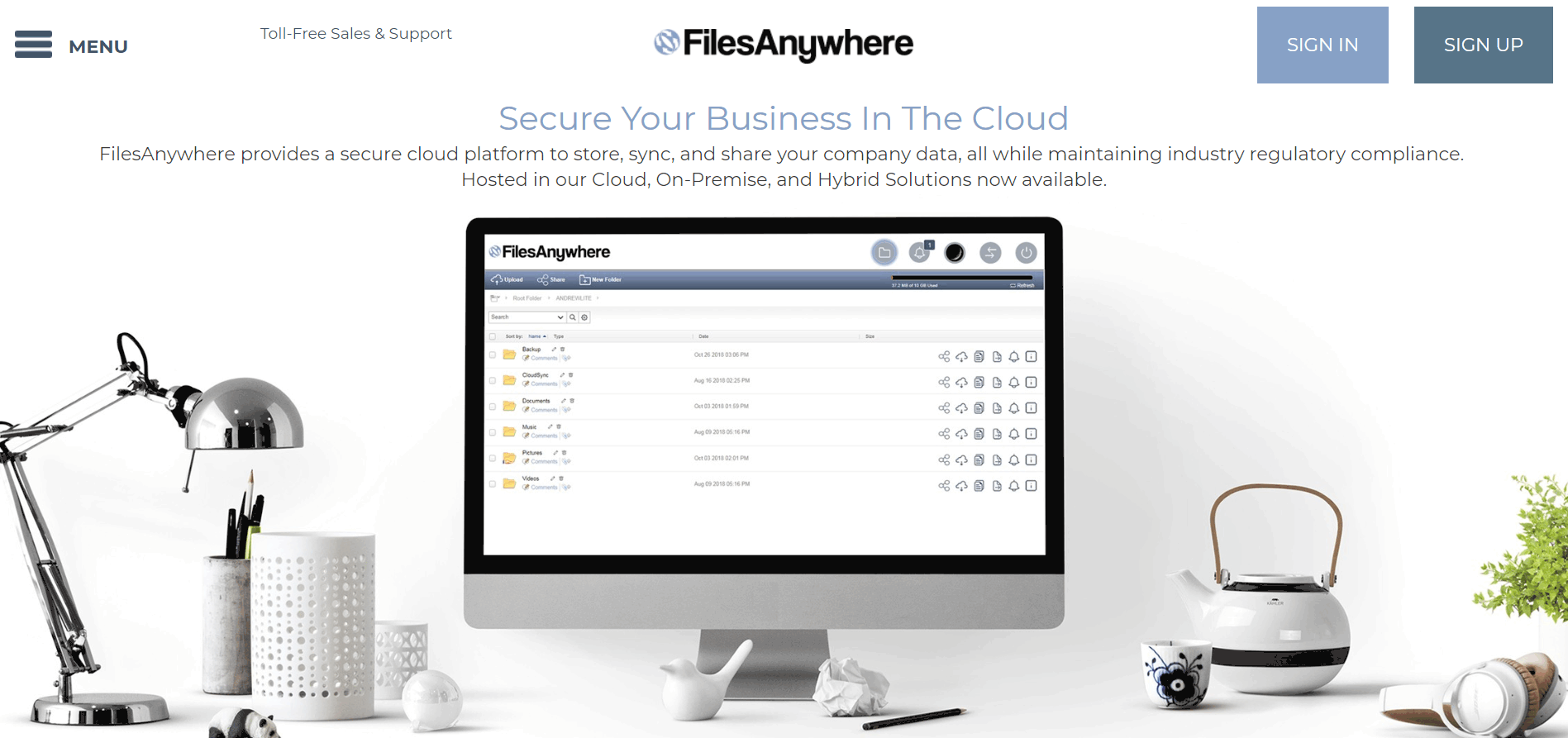
Description
What Is FilesAnywhere and How Does It Work?
FilesAnywhere is a secure cloud storage and file management platform for small business, professional services, and healthcare organizations. Buyers use FilesAnywhere to store files in a secure cloud, share files with team members and external stakeholders, sync desktop folders to the cloud, and access files from any device with role-based permissions and HIPAA-aligned workflows for regulated industries.
The typical FilesAnywhere deployment covers cloud storage, desktop sync, mobile access, file sharing with permission controls, and audit logging. Small business buyers value the simplified adoption experience combined with regulated industry compliance workflows.
FilesAnywhere competes against Dropbox Business, Box, Microsoft OneDrive for Business, and Google Drive. Its differentiator is HIPAA-aligned workflows priced for small business budgets.
FilesAnywhere at a Glance
| Best for | Small business, professional services, healthcare organizations |
|---|---|
| Deployment | Cloud, US regions |
| Pricing model | Annual subscription (Contact Sales) |
| Free trial | Demo-driven |
| Signature capability | Secure cloud storage with HIPAA-aligned workflows |
| Compliance | HIPAA-aligned data handling |
| HQ | Bedford, Texas |
| Support | US business hours |
FilesAnywhere Pros and Cons in 2026
Where FilesAnywhere Stands Out
- HIPAA-aligned data handling supports healthcare and regulated industry adoption.
- Simplified small business focus versus enterprise file collaboration platforms.
- Role-based permissions plus audit logging for regulated industry compliance.
- Cross-platform access including desktop sync, mobile apps, and browser.
Where FilesAnywhere Falls Short
- Public pricing not clearly published; requires quote from FilesAnywhere Sales.
- International non-US coverage lighter than global platforms.
- AI-driven file classification lighter than modern AI-first platforms.
- Enterprise integration ecosystem narrower than Dropbox Business or Box.
Who Should Use FilesAnywhere?
Small business, professional services, and healthcare organizations wanting HIPAA-aligned secure cloud storage should evaluate FilesAnywhere. Healthcare providers, small legal firms, and accounting practices valuing compliance workflow depth get the strongest fit.
Enterprise organizations may prefer Box or Dropbox Business for broader integration ecosystems. Non-regulated small businesses may find Google Drive or Dropbox Free tiers sufficient.
FilesAnywhere Product Suite in 2026
Cloud storage
Secure cloud repository with metadata search.
Desktop sync
Sync desktop folders to the cloud.
Mobile access
iOS and Android apps for file access.
File sharing
Share files with permission controls and expiration.
Audit logging
Access and activity audit trails for compliance.
FilesAnywhere Deep Dive: HIPAA-Aligned Workflows, Small Business Focus, and Cross-Platform Access
HIPAA-aligned workflows
Healthcare providers require HIPAA-aligned file storage with access controls, audit trails, and BAA support. FilesAnywhere models these compliance requirements as native workflow rather than requiring buyer-side configuration.
Small business simplified adoption
FilesAnywhere targets small business with simplified setup versus enterprise file collaboration platforms. Small teams can adopt without dedicated IT resource.
Cross-platform access
Desktop sync, mobile apps for iOS and Android, and browser-based access enable file retrieval from any device. Field workers and remote employees get consistent access.
Role-based permissions + audit
Role-based permissions control who can access which files. Audit logging captures access and activity for compliance oversight.
How Much Does FilesAnywhere Cost in 2026?
FilesAnywhere pricing is annual subscription negotiated during procurement. Public pricing tiers are not clearly published on filesanywhere.com; the vendor directs buyers to Contact Sales for quotes shaped by user count, storage volume, and compliance requirements.
Buyers should model FilesAnywhere against Dropbox Business, Box Business, Microsoft OneDrive for Business, and Google Workspace Drive tiers.
Hidden Costs and Contract Notes to Watch
- Storage volume beyond tier thresholds may trigger upgrade.
- BAA (Business Associate Agreement) for HIPAA may require higher tier or add-on.
- Custom integrations to legacy business systems may need scoped services.
FilesAnywhere Alternatives Worth Comparing
Dropbox Business. Enterprise cloud file collaboration with broad integration marketplace.
Box Business. Enterprise content collaboration with HIPAA and enterprise compliance.
Microsoft OneDrive for Business. Microsoft 365-native file storage for Microsoft-ecosystem shops.
Who Uses FilesAnywhere?
FilesAnywhere supports small business, professional services, and healthcare organizations. Customer references live on filesanywhere.com. Healthcare buyers valuing HIPAA-aligned workflows make up a significant portion of the customer base.
How FilesAnywhere Compares to Dropbox Business
| Dimension | FilesAnywhere | Dropbox Business |
|---|---|---|
| Primary market | US small business + healthcare | Global enterprise file collaboration |
| HIPAA-aligned workflows | Native | Available with Enterprise plan + BAA |
| Simplified adoption | Yes, small business focus | Enterprise-scale features |
| Integration ecosystem | Focused | Broad, extensive |
| Pricing transparency | Contact Sales | Published tier pricing |
Buyers evaluating FilesAnywhere versus Dropbox Business typically weigh these dimensions during procurement. Neither is universally better; the fit depends on document volume, industry regulatory requirements, existing enterprise stack, and whether the primary constraint is capture speed, retrieval accuracy, records-retention compliance, or workflow automation.
Points to Verify Before Buying FilesAnywhere
Independent software review threads consistently flag a similar set of due-diligence questions buyers wish they had asked earlier. Cover these during your evaluation.
- Confirm BAA (Business Associate Agreement) availability if you need HIPAA compliance.
- Ask about storage volume tier thresholds and overage costs.
- Verify integration depth with your existing business systems.
- Test mobile app UX during pilot for your field workflow needs.
- Ask about migration services scope from legacy file storage systems.
What Real Buyers Report About FilesAnywhere
Small business IT and compliance leaders on r/sysadmin evaluate FilesAnywhere primarily on HIPAA workflow depth and simplified small business adoption. Trade-offs mentioned include integration ecosystem narrower than Dropbox Business or Box.
Bottom Line: Is FilesAnywhere Right for You?
FilesAnywhere is a legitimate pick for small business, professional services, and healthcare organizations wanting HIPAA-aligned secure cloud storage.
HIPAA workflow depth plus simplified small business adoption plus cross-platform access cover regulated small business needs cleanly.
Trade-off: public pricing not clearly published; integration ecosystem narrower than enterprise cloud file platforms.
Alternatives worth pricing against FilesAnywhere: Dropbox Business for broader marketplace and Box Business for enterprise compliance.
Verified on 2026-07-05 by the SaaSRat Editorial Team (Chirantan). Vendor facts cross-checked against the filesanywhere vendor website, LinkedIn showcase pages, and community discussions on Reddit and industry LinkedIn groups. About our methodology.
Frequently Asked Questions
What does FilesAnywhere do?
Does FilesAnywhere support HIPAA compliance?
Does FilesAnywhere publish pricing?
Is a free trial available?
Which industries does FilesAnywhere serve?
Where is data hosted?
Does FilesAnywhere sync with my desktop?
Which mobile platforms does FilesAnywhere support?
How does FilesAnywhere compare to Dropbox Business?
Does FilesAnywhere include audit logging?
Find Your Perfect Software
See how it can transform your workflow
- Personalized for your needs Tailored recommendations based on your unique requirements.
- Save time & resources Streamline your workflow and boost team productivity.
- Trusted by thousands Join 10,000+ businesses already growing with SaaSrat.
You're all set! 🎉
A specialist for will reach out within 1 business day with tailored recommendations for your needs.