

FileInvite
by FileFixUtility
What is FileInvite?
Get Best Quote for FileInvite
Connect with SaaSrat experts to get the best quote for your business.
You're all set!
A specialist for FileInvite will reach out within 1 business day.
FileInvite Features
Secure client portal with branded experience
PDF form-fill and digital signing
Persistent document storage with version history
In-portal direct messaging with clients
Free view-only users for collaborators
OneDrive Google Drive Box and SharePoint integrations
View All 15 Features
FileInvite Pricing Plans
Standard
- Up to 100 typical commercial loans annually. PDF form-fill, digital signing (single and multi-signer), persistent document portal, in-portal direct messaging, free view-only users, OneDrive Google Drive Box integrations, reporting and audit trails, SOC 2 Type II, MFA.
Enterprise
- More than 100 loans annually or loan servicing teams. Everything in Standard plus AI-powered email document intake, automatic PDF conversion and file renaming, custom branded portal with custom domain, custom automated messaging, Teams and Assignees collaboration, SharePoint integration, FileInvite API access, SSO and Active Directory.
FileInvite Screenshots
Description
What is FileInvite?
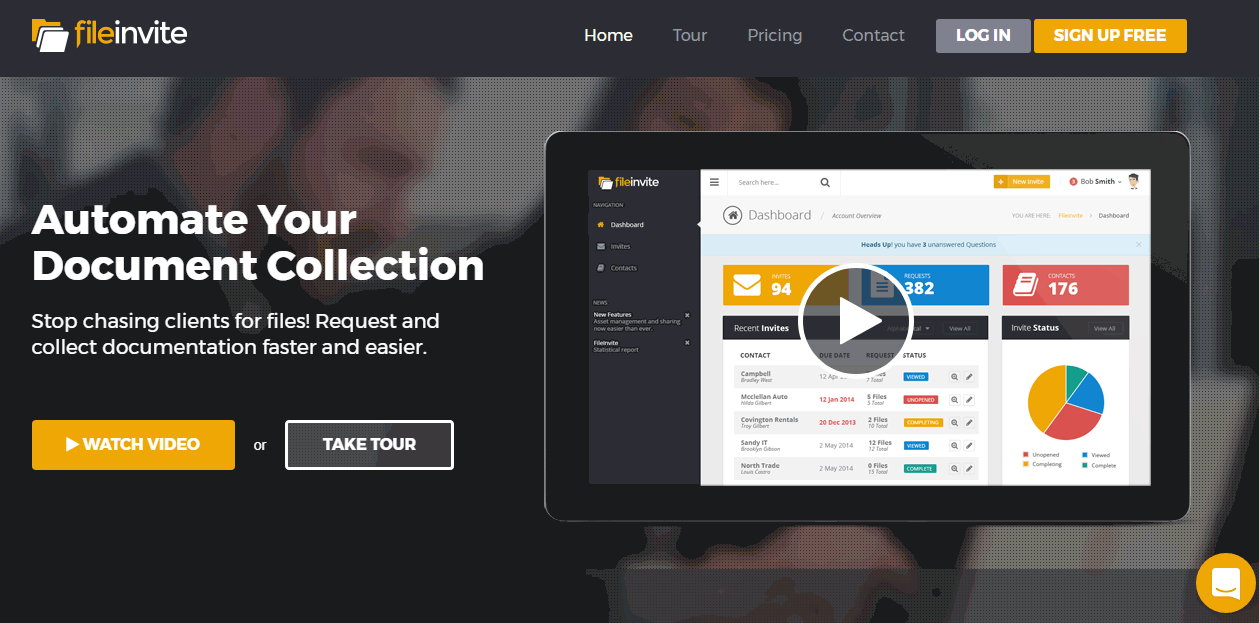
FileInvite is a secure document collection platform built in Auckland, New Zealand. The product replaces the email-and-attachment workflow that mortgage brokers, accountants, lenders, and other professional services firms use to gather signed forms, financial statements, identity documents, and other paperwork from clients.
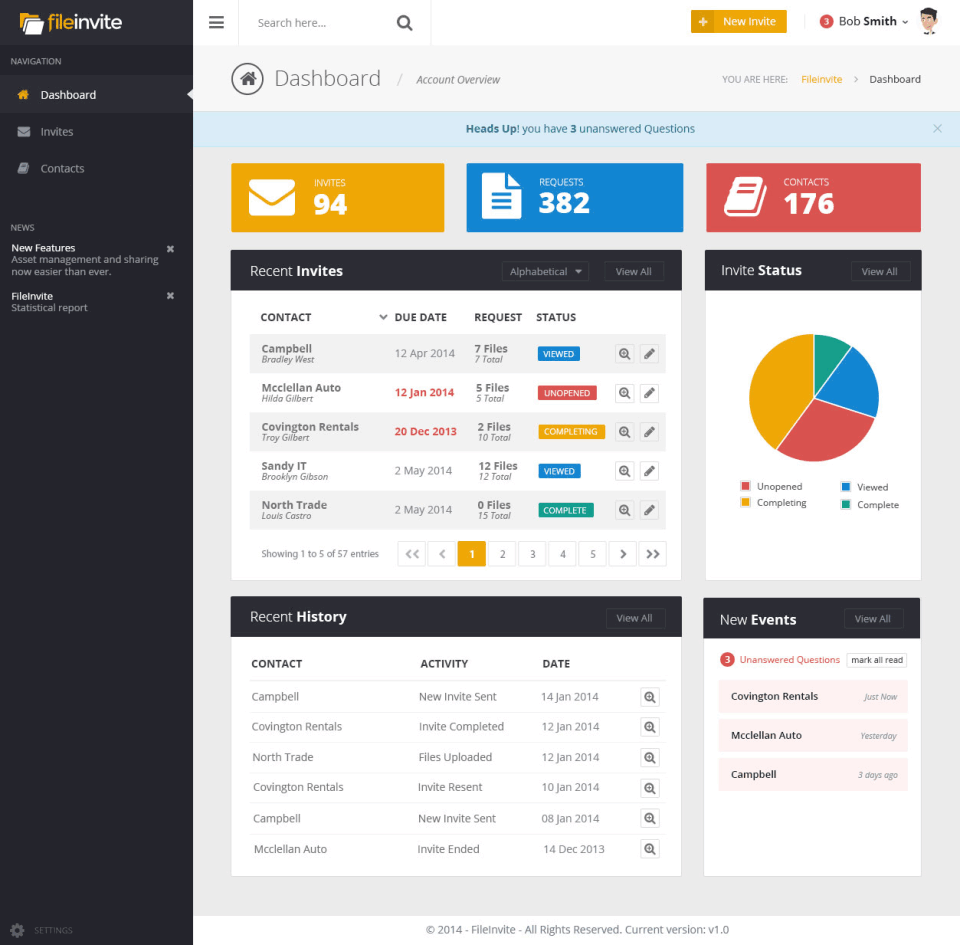
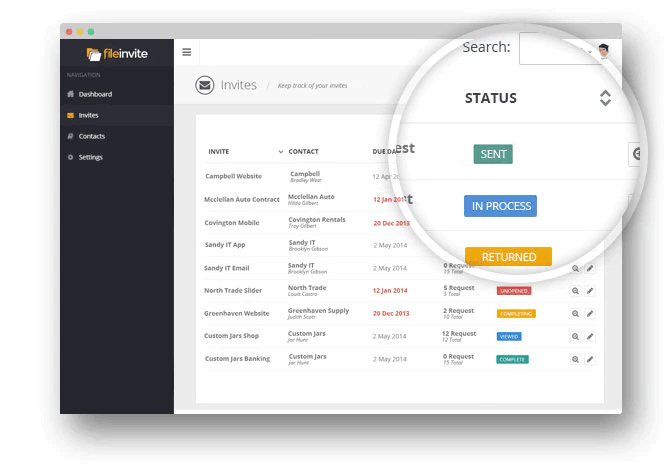
The product creates a branded client portal where the firm sends a structured request ("please upload these 12 documents"), clients drop files or fill PDF forms inside the portal, and the firm sees status updates in real time. Outstanding items are visible to both sides without manual chasing.
Who FileInvite is built for
FileInvite fits document-heavy professional services firms processing 10 to 5,000+ client cases per month. Mortgage brokers and lenders (the largest customer segment), commercial loan originators, accounting firms, immigration lawyers, insurance brokers, and government agencies are typical buyers.
The strongest fit is firms that currently chase clients by email for documents and lose hours per case to follow-up emails, lost attachments, and security concerns about sensitive PII in inboxes. FileInvite collapses that workflow into one branded portal experience for clients with full audit trail.
It is less of a fit for organizations needing full case management (Clio for legal, Daylite for general professional services), for simple e-signature use cases (DocuSign or PandaDoc are more appropriate), or for transactional document handling without ongoing client interaction.
FileInvite pricing plans
| Plan | Price | Best for |
|---|---|---|
| Standard | $9,900/year | Up to 100 typical commercial loans annually |
| Enterprise | Quote-based | 100+ loans annually or loan servicing teams |
FileInvite uses volume-based pricing rather than per-user seats. Standard at $9,900/year is positioned for small-to-medium firms processing up to 100 commercial loans annually. Free view-only users are included on every plan, so collaborators do not count toward the bill.
Enterprise pricing is quote-based and scales with case volume. Buyers needing more than 100 cases per year, loan servicing collaboration, multi-party signing workflows, or API access for system integration land on Enterprise. AI-powered email document intake, custom branded domain, and SSO are also Enterprise-only.
FileInvite core capabilities
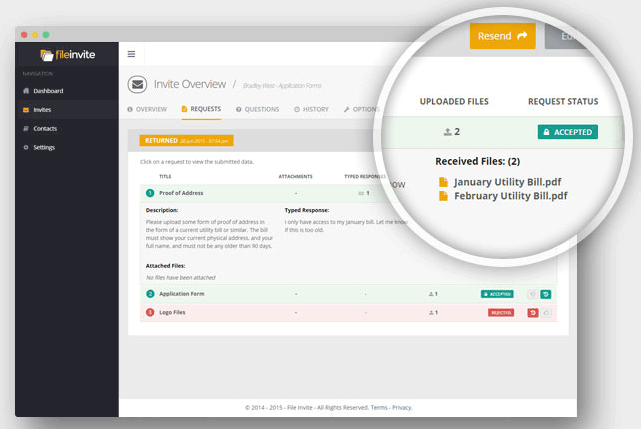
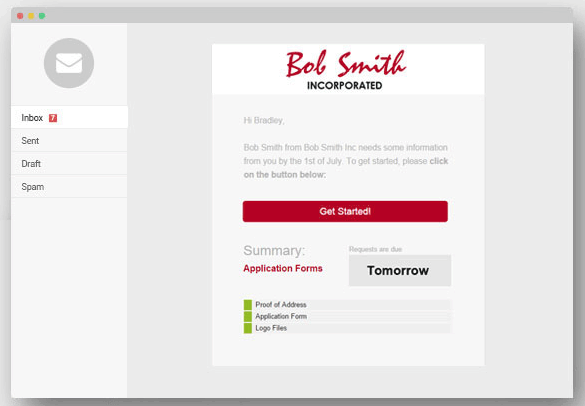
Document requests are the spine. A user creates a request with a checklist of required documents (passport, tax returns, bank statements, signed application forms), then sends it to the client by email. The email links to the client portal where the client uploads each file or fills required PDF forms.
The portal tracks status: which documents are uploaded, which are still pending, which need re-submission (rejected for quality), which need signature. Both the client and the firm see the same status, eliminating the "did you receive this?" email exchanges.
PDF form-fill and digital signing
PDF form-fill lets the firm pre-populate fields the firm knows (client name, account number, loan reference) and leave blanks for the client to complete. Clients fill the PDF directly in the portal without downloading and re-uploading.
Digital signing supports single signer (the client signs) and multi-signer (multiple parties sign in sequence). Audit trail records signature timestamp, IP address, and user actions, supporting compliance with e-signature regulations (US ESIGN Act, UK eIDAS, AU Electronic Transactions Act).
AI-powered email intake
Email Document Intake (Enterprise) uses AI to match incoming email attachments to the right open case. When a client emails a tax return directly to the broker's inbox instead of uploading to the portal, the AI reads the email, identifies the relevant case, and files the attachment correctly. This handles the inevitable cases where clients revert to email despite the portal being available.
Custom branding
The Enterprise tier supports custom branded portal at the firm's own domain (e.g., documents.acmebrokers.com instead of generic FileInvite). Email templates, portal colors, logos, and footer information all match the firm's brand. Clients see the firm's brand throughout the document collection process, not FileInvite's.
Workflow and automation
Workflow automation routes cases through stages (initial documents, underwriting review, signing, closing) with automatic reminders, escalations to managers when items stall, and assignment to the right team member. Custom automated reminders nudge clients on outstanding items at configurable cadences (3 days, 7 days, 14 days after request).
Integrations
Native integrations cover OneDrive, Google Drive, Box, SharePoint (Enterprise), and Salesforce. The FileInvite API on Enterprise lets organizations connect to their core systems: loan origination systems (Encompass, Mortgage Cadence), case management (Clio for legal), accounting tools, and custom-built systems.
The integration model is push-and-pull: FileInvite pushes completed documents to the system of record once collection is complete, and pulls case data from the system of record to populate FileInvite requests.
Mobile and offline
Clients access the portal through any modern browser on phone, tablet, or desktop. There is no dedicated mobile app for clients (the responsive web portal works on mobile). The firm-facing dashboard is web-based and works on mobile browsers but the desktop is the primary work surface.
Security and compliance
FileInvite holds SOC 2 Type II certification with multi-factor authentication on all plans. Enterprise adds SSO via SAML and Active Directory integration. Bank-grade encryption (AES-256 at rest, TLS in transit) covers sensitive documents.
The compliance posture aligns with mortgage and lending regulatory requirements: audit trails for every document and action, role-based access controls, and data retention policies configurable to regulatory minimums. For US, UK, AU, and EU regulated industries, the posture is generally adequate.
FileInvite vs DocuSign
DocuSign is the e-signature category leader with strong document signing and basic envelope management. FileInvite is broader document collection plus signing. Pick DocuSign for signature-first workflows where document collection is incidental. Pick FileInvite for document-collection-first workflows where signing is one step among many.
FileInvite vs Encompass and other LOS
Loan origination systems (Encompass, Mortgage Cadence, Calyx, LendingPad) include document collection as part of the broader loan workflow. FileInvite specializes in the document collection step and integrates with these LOSes via API. Many mortgage brokers run both: LOS for the core loan workflow, FileInvite for client-facing document collection.
FileInvite vs Dropbox / Google Drive
Cloud storage tools like Dropbox and Google Drive offer document sharing but lack the structured request, status tracking, and audit trail that document collection workflows require. FileInvite uses these as storage backends while adding the workflow layer.
FileInvite vs ContentSnare
ContentSnare is a direct competitor for document collection workflows, targeting agencies and freelancers more than mortgage brokers. FileInvite has stronger mortgage and lending features (multi-party signing, AI email intake, LOS integrations). ContentSnare is simpler and cheaper for agencies. Pick ContentSnare for SMB agency document collection. Pick FileInvite for mortgage, legal, and accounting professional services.
Buyer pitfalls to avoid
Three patterns hurt FileInvite rollouts. First, expecting Standard to handle all use cases: features like AI email intake, custom domain branding, SSO, and API access are Enterprise-only. Map your must-have features against the tier before signing.
Second, treating it as e-signature: FileInvite signs documents but it is not as deep as DocuSign on signature-specific features. If signature is the primary need, DocuSign or PandaDoc fits better.
Third, skipping integration setup: the API-driven integration with LOS or CRM is where the real time savings come from. Teams that buy FileInvite and use it as a standalone portal miss the workflow automation benefit.
Implementation and time to value
Standard deployments: 1-2 weeks including template setup, branding configuration, and team training. Enterprise rollouts: 4-8 weeks including SSO setup, API integration with LOS or case management, custom branded domain, and AI email intake configuration. FileInvite Customer Success provides direct onboarding on Enterprise.
Customer support
Standard plans include email support during business hours across NZ, AU, US, and UK time zones. Enterprise adds priority response SLAs and named customer success. The FileInvite Help Center is published in English. The user community is moderately active and the support team has a strong response track record.
The Bottom Line on FileInvite
FileInvite is the right call for mortgage brokers, lenders, accountants, immigration lawyers, and other document-heavy professional services firms that want to replace email-based document collection with a branded client portal, structured request workflow, and full audit trail.
Standout strengths: branded client portal experience, PDF form-fill and digital signing in one tool, AI-powered email document intake on Enterprise, persistent document portal so clients can come back later, OneDrive Google Drive Box and SharePoint integration, SOC 2 Type II compliance, custom branded domain on Enterprise.
Pricing is volume-based: Standard at $9,900/year for up to 100 commercial loans annually. Enterprise is quote-based, scaling with case volume and adding AI email intake, custom branding, SSO, API access, and workflow integrations. Free view-only users are included on every plan.
Trade-offs to weigh: per-user pricing is not disclosed, making team-size cost modeling harder. Standard tier has feature gaps that push many serious buyers to Enterprise. Signature-only use cases are better served by DocuSign or PandaDoc. No dedicated mobile app for clients (responsive web only). Public pricing transparency is limited beyond the Standard headline.
Alternatives worth comparing: DocuSign for e-signature-first workflows, ContentSnare for SMB agency document collection, Adobe Acrobat Sign for Adobe Acrobat shops, Encompass and Mortgage Cadence for full mortgage loan origination, PandaDoc for sales document workflow, HelloSign (now Dropbox Sign) for simpler e-signature. Pricing and capabilities verified on fileinvite.com/pricing on 2026-06-27.
Frequently Asked Questions
Is there a free plan or free trial for FileInvite?
How much does FileInvite cost?
What does FileInvite integrate with?
Who is FileInvite best for?
What are the best alternatives to FileInvite?
Is FileInvite GDPR / SOC 2 compliant?
Does FileInvite have a mobile app?
What do real users say about FileInvite?
How does FileInvite compare to its top competitor?
Does FileInvite offer customer support?
Find Your Perfect Software
See how it can transform your workflow
- Personalized for your needs Tailored recommendations based on your unique requirements.
- Save time & resources Streamline your workflow and boost team productivity.
- Trusted by thousands Join 10,000+ businesses already growing with SaaSrat.
You're all set! 🎉
A specialist for will reach out within 1 business day with tailored recommendations for your needs.