

Fergus
by Fergus Software
What is Fergus?
Get Best Quote for Fergus
Connect with SaaSrat experts to get the best quote for your business.
You're all set!
A specialist for Fergus will reach out within 1 business day.
Fergus Features
Quoting with supplier catalog line items
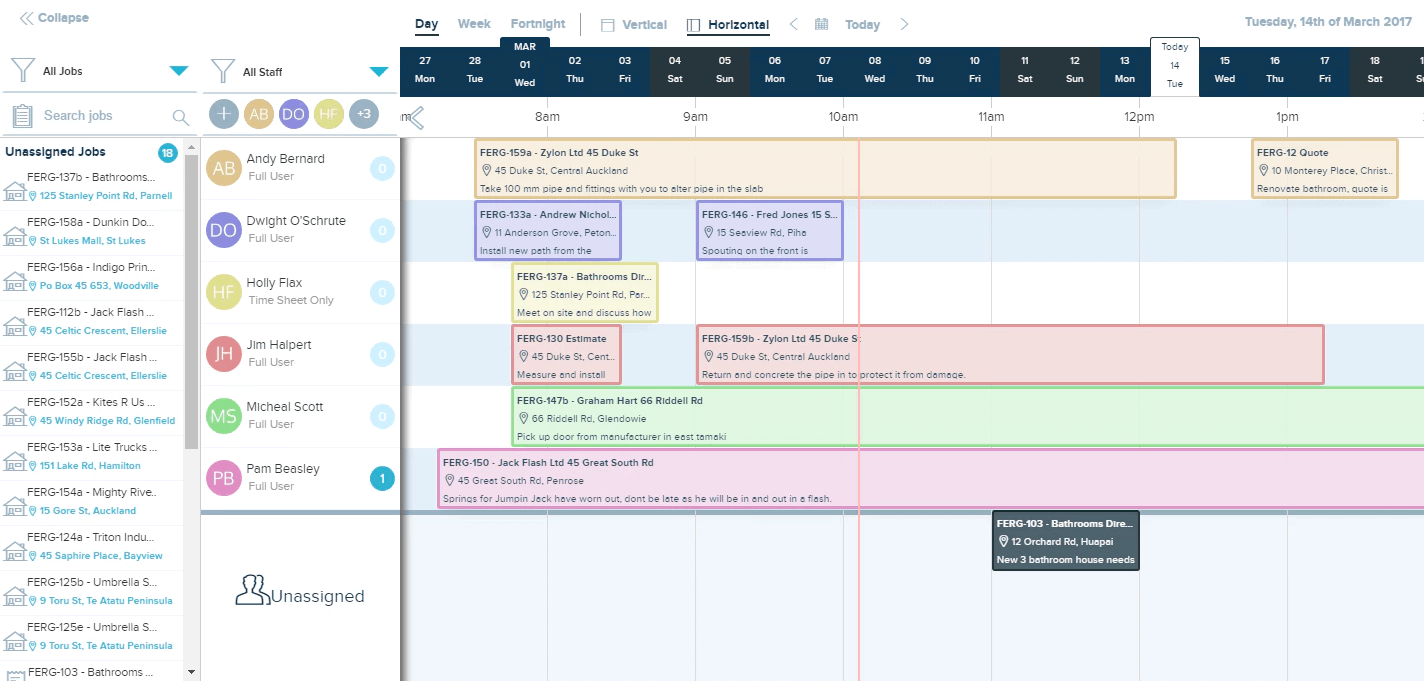
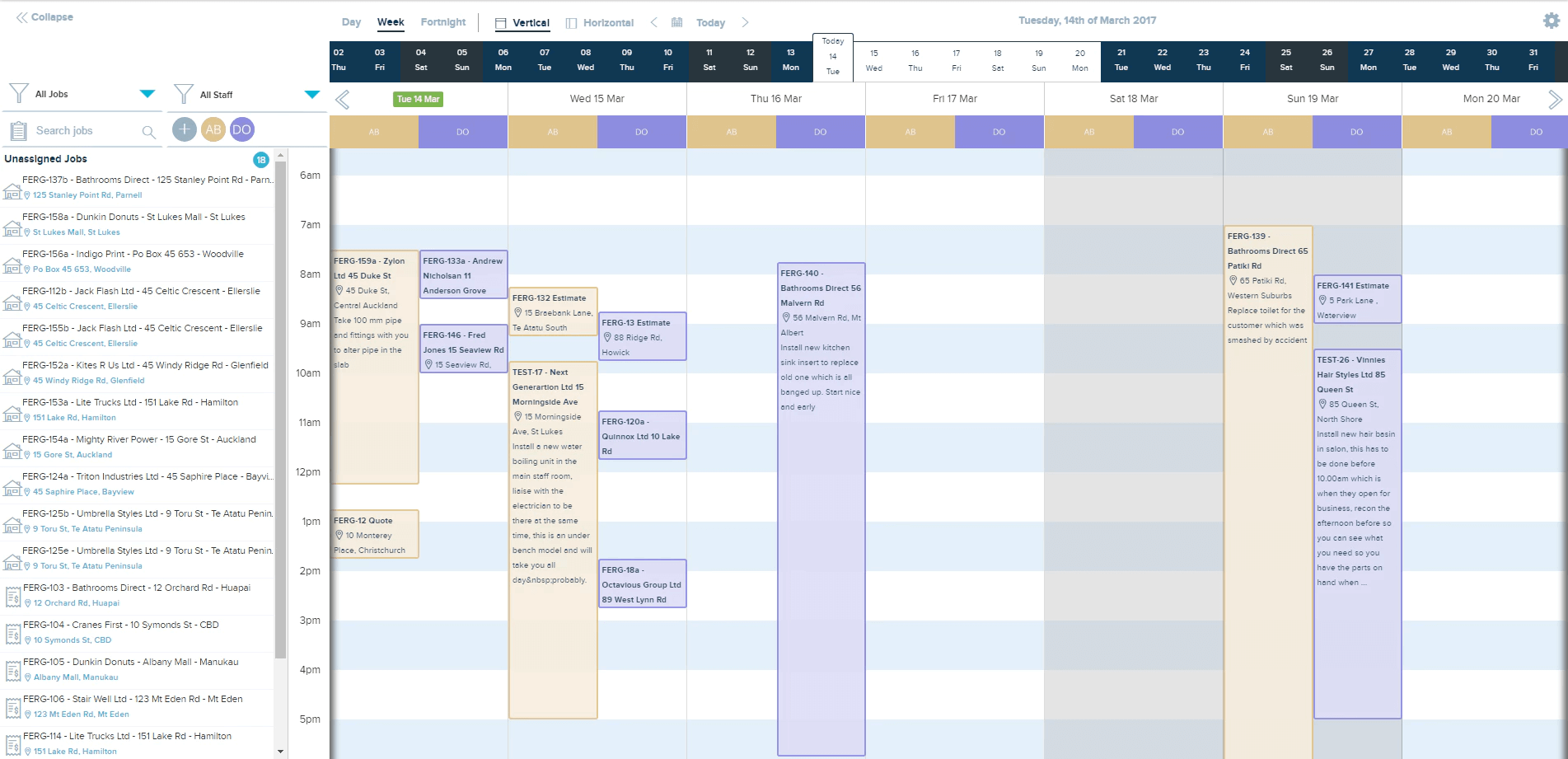
Visual scheduling and dispatch
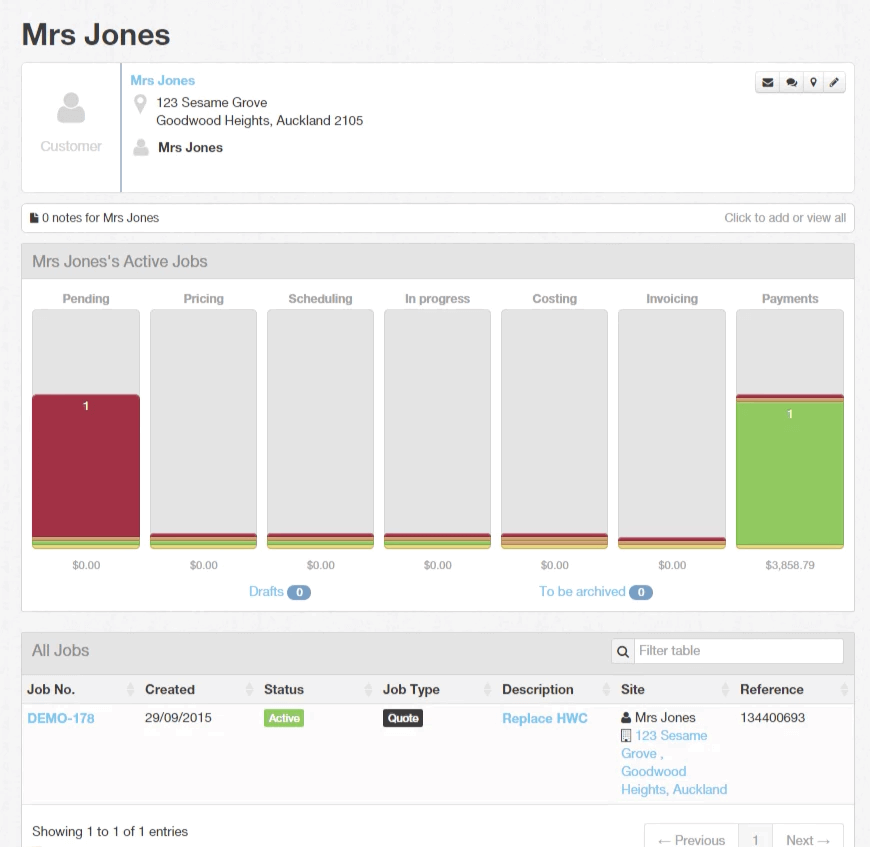
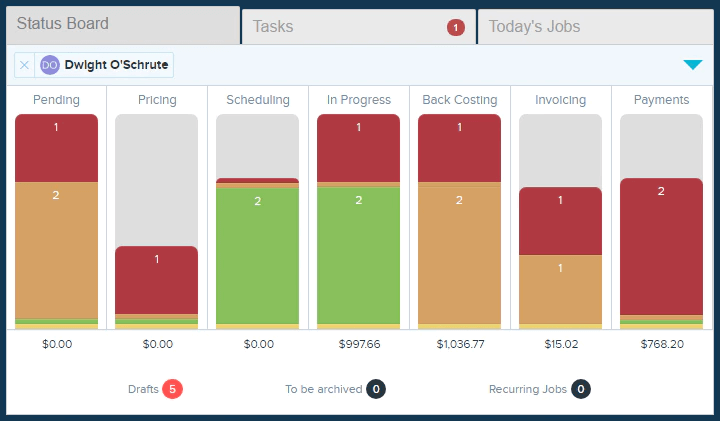
Job tracking with time and materials capture
Auto-generated invoicing from quotes
Tap to Pay on iOS and Android
100+ supplier integrations (Reece Plumbing World)
View All 12 Features
Fergus Pricing Plans
Basic
- Core job management for solo and small teams
- Quoting scheduling and invoicing
- Tap to Pay on iOS and Android
- Mobile apps with offline mode
- Month-to-month billing flexibility
- Verified at fergus.com/pricing on 2026-06-30
Pro
- Everything in Basic plus advanced reporting
- 100+ supplier integrations and auto cost matching
- Multi-user dispatch and team coordination
- Multi-day jobs with sub-tasks
- Customer portal customization
- Verified at fergus.com/pricing on 2026-06-30
Volume
- Volume pricing for 10+ users
- Onboarding services and training
- Multi-branch consolidation reporting
- Priority support and named onboarding lead
- Annual commitment carries 10-15% discount
- Verified at fergus.com on 2026-06-30
Fergus Resources
Fergus Screenshots
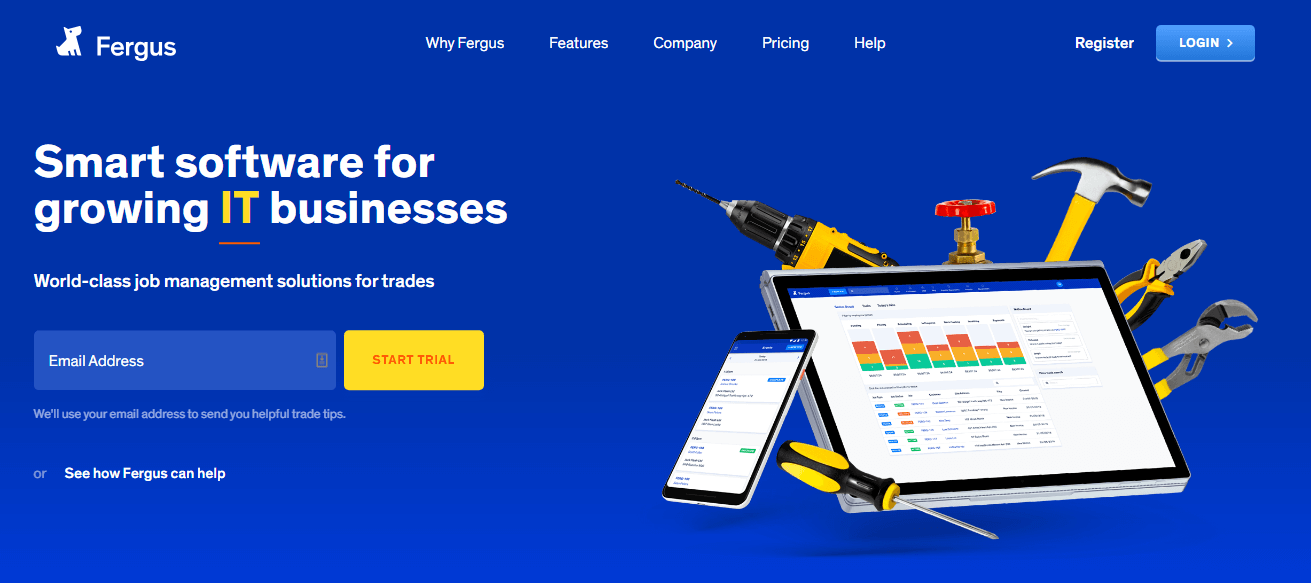
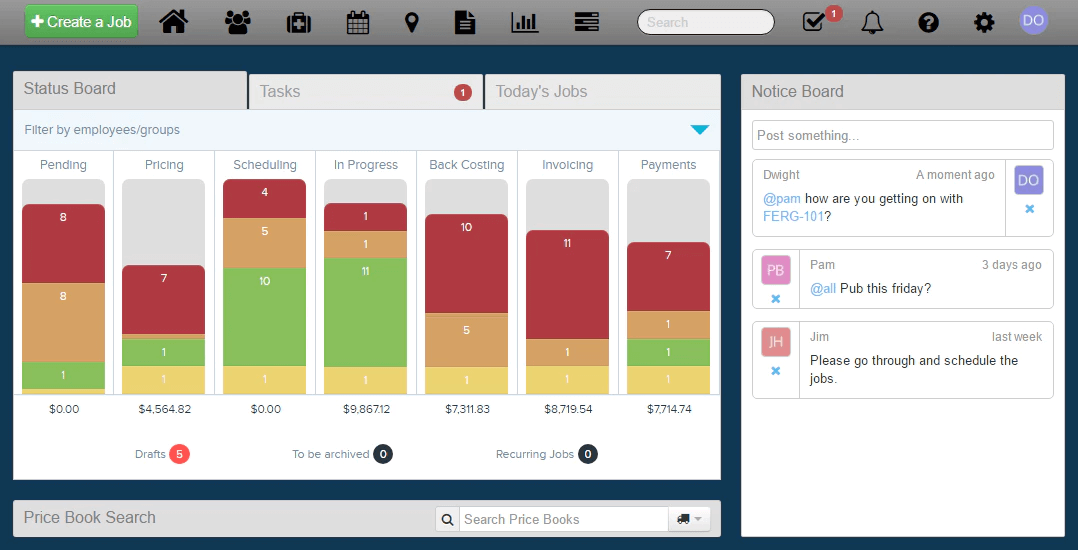
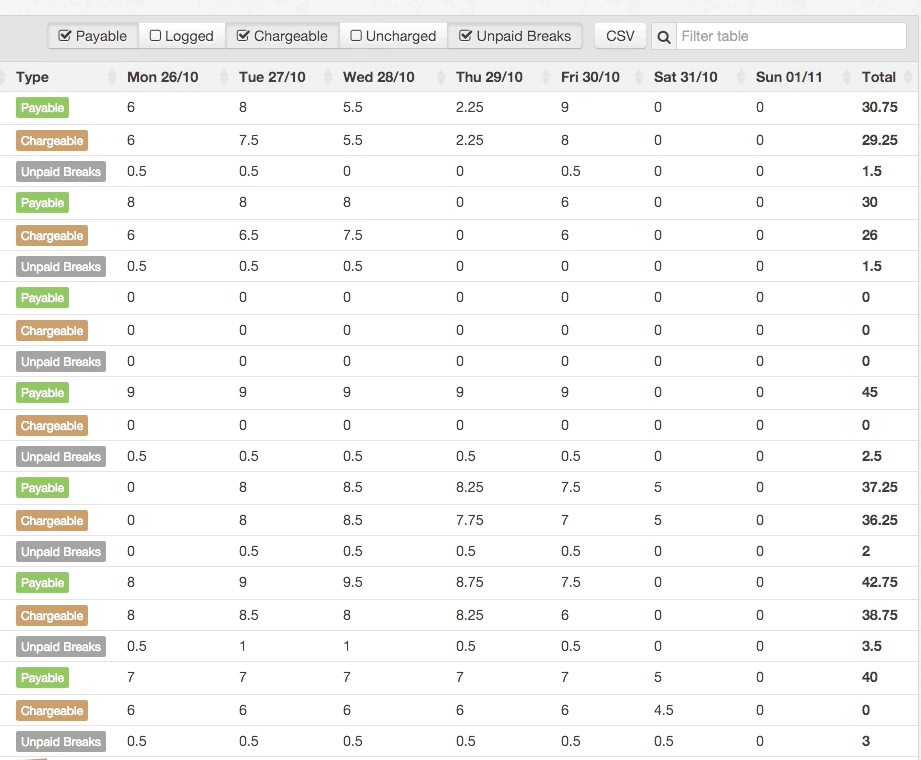
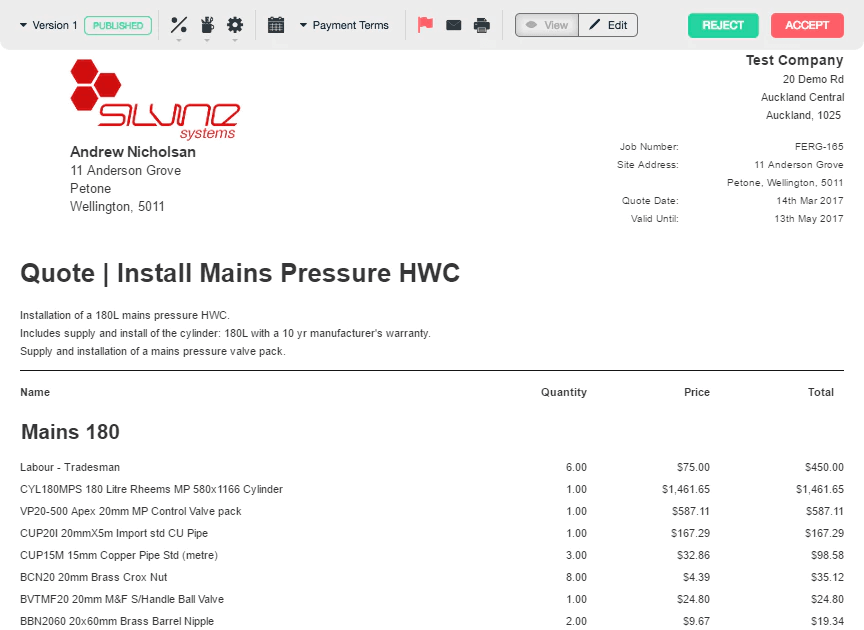
Description
Fergus at a Glance
| Best fit for | Trades businesses (plumbing, electrical, HVAC, building, painting) with 1 to 50 employees |
|---|---|
| Industries | Plumbing, electrical, HVAC, building, painting, landscaping, locksmithing, appliance repair |
| Core platform | Quoting, Scheduling and dispatch, Job tracking, Invoicing, Tap to Pay, Supplier integrations, Time and materials capture |
| Pricing model | Per-user monthly (Basic from $53, Pro from $75; month-to-month flexibility) |
| Mobile apps | iOS and Android (Fergus Mobile) |
| Compliance | SOC 2 Type II, GDPR, ISO 27001 (in progress) |
| Named customers | 25,000+ tradies; New Zealand, Australia, UK markets (shown on fergus.com) |
| Parent company | Fergus Software (independently held) |
| Headquarters | Auckland, New Zealand |
Fergus Pros and Cons in 2026
Where Fergus Stands Out
Tradie-first design beats generic field-service software. Fergus product team is rooted in plumbing and electrical, so the workflows fit how tradies actually quote, schedule, and invoice rather than how SaaS vendors think they should.
Tap to Pay built into mobile. iOS and Android apps accept contactless card payments on-site without separate card readers, which collapses payment friction at job completion.
100+ supplier integrations cover trade-specific parts catalogs. Automated cost matching from suppliers like Reece, Plumbing World, and others removes the manual line-item entry that competitors require.
Month-to-month billing flexibility. No annual lock-in; trades businesses with seasonal volume can scale users up and down without contract penalty.
Where Fergus Falls Short
Enterprise field-service features lighter than ServiceTitan. Multi-branch reporting, complex dispatch rules, and large-fleet management run thinner than enterprise FSM platforms.
Market concentration in NZ, AU, UK. US merchants get full functionality but the supplier integrations and tax features skew toward home markets.
Pricing is mid-tier per user, not the cheapest. Basic at $53 and Pro at $75 sit above ServiceM8 or Jobber for small operations.
Customer-facing portal is functional but lighter than competitors. Job updates and quote acceptance work; brand customization is limited.
Who Should Use Fergus?
Fergus is the right pick for plumbing, electrical, HVAC, and building contractors with 1 to 50 employees, multi-job dispatch teams needing scheduling and tracking, trades businesses in NZ, AU, and UK markets, and operators wanting Tap to Pay at job completion. In the field service and job management categories, Fergus lands as the best fit for tradie-first small business operations.
It is the wrong fit for enterprise multi-branch FSM (ServiceTitan fits), US-centric tax/supplier integration needs, and very small solo trades (ServiceM8 fits). Those buyers should compare Jobber, ServiceTitan, or ServiceM8.
Fergus Product Suite in 2026
Quoting
Professional quote templates with line items pulled from supplier catalogs. Mobile quote creation from job site. Quote acceptance with electronic signature.
Scheduling and Dispatch
Visual calendar with drag-and-drop assignment. Job allocation by trade, location, and availability. Mobile dispatch for office and field coordination.
Job Tracking
Time and materials capture on mobile. Photos, notes, and signatures attached to jobs. Multi-day jobs with sub-tasks.
Invoicing
Invoices auto-generate from quoted line items plus on-job additions. Recurring invoices for retainer clients. Native QuickBooks Online, Xero, MYOB integration.
Tap to Pay and Payments
iOS and Android contactless card payments at job completion. Native integration with Stripe and Tyro. ACH and card-on-file options.
Supplier Integrations
100+ trade-specific suppliers (Reece, Plumbing World, regional hardware chains). Automated cost matching from supplier invoices to job line items.
How Much Does Fergus Cost in 2026?
Two tiers, month-to-month billing flexibility. Basic at $53 per month covers core job management for solo operators and small teams. Pro at $75 per month adds advanced reporting, supplier integrations, and multi-user dispatch. Pricing is per-user with volume rates available above 10 users. Annual commitments unlock 10-15% discount.
What Drives the Cost
- User count: Per-user pricing scales linearly; volume rates above 10 users.
- Tier upgrade triggers: Basic to Pro typically when supplier integrations or multi-user dispatch needed.
- Payment processing fees: Stripe and Tyro fees apply on Tap to Pay separate from Fergus subscription.
- Accounting integration: QuickBooks/Xero/MYOB subscriptions billed separately.
How to Get a Useful Quote
Self-serve on the Fergus website for under 10 users. For larger operations, contact sales for volume pricing. Benchmark Fergus against Jobber, ServiceM8, and ServiceTitan before signing. 14-day free trial available with no credit card.
Hidden Costs and Contract Gotchas to Watch For
- Stripe and Tyro payment fees on top. Tap to Pay convenience comes with processor fees.
- Pro tier required for supplier integrations. Basic users wanting automated cost matching must upgrade.
- NZ/AU/UK-focused supplier catalog. US merchants get fewer native supplier integrations.
- Multi-day job management requires Pro. Single-visit jobs work on Basic; complex jobs need Pro.
- Onboarding services for larger teams bill separately. Self-service works for under 10 users; bigger teams benefit from paid onboarding.
Fergus Alternatives Worth Comparing
Jobber wins for broad SMB field service across more verticals (landscaping, cleaning). Lighter trade-specific supplier integration than Fergus.
ServiceTitan wins for enterprise multi-branch FSM with deep dispatch rules. Pricier and heavier than Fergus for small operations.
ServiceM8 wins for solo trades and very small teams. Lighter quoting and supplier features than Fergus.
simPRO wins for larger commercial trades businesses with project tracking. Heavier than Fergus for small operators.
Tradify wins for very small NZ/AU trades. Smaller feature set than Fergus.
FieldEdge wins for HVAC and plumbing in the US market. Better US tax/supplier coverage than Fergus.
What Real Buyers Report About Fergus
Reviewers on independent platforms (SoftwareAdvice, SelectHub) and trade communities (Facebook trades groups, Reddit r/Plumbing, NZ/AU trade forums) consistently call out three patterns. Tradie-first product design is the lock-in factor; plumbers and electricians cite it as the reason they stay through competitor pitches. Tap to Pay on iOS and Android collapses payment friction at job completion. 100+ supplier integrations remove the manual line-item entry burden that competitors require.
The common critiques cluster around three points. Enterprise multi-branch features lighter than ServiceTitan. Market concentration in NZ/AU/UK limits US supplier breadth. Pricing not the cheapest for solo trades. For plumbing, electrical, HVAC, and building contractors in NZ/AU/UK markets, Fergus consistently rates as the architectural default for tradie-first job management.
Bottom Line: Is Fergus Right for You?
Fergus is the right call for trades businesses (plumbing, electrical, HVAC, building) under 50 employees in NZ/AU/UK markets that want a tradie-first tool with Tap to Pay and 100+ supplier integrations. The product team's roots in plumbing and electrical produce workflows that fit tradies better than generic FSM software.
For enterprise multi-branch FSM, ServiceTitan fits better. For US-centric trades with deep US supplier integration, FieldEdge or ServiceTitan are the safer picks. For solo operators wanting cheapest entry, ServiceM8 is the lower-friction option.
Verified on 2026-06-30 by the SaaSRat Editorial Team. Vendor facts cross-checked against fergus.com (pricing, features, integrations pages), independent review aggregators, trade community threads, and current 2025-2026 press cycles. About our methodology.
Frequently Asked Questions
What is Fergus used for?
How much does Fergus cost?
Is Fergus only for plumbers?
Does Fergus accept payments?
Does Fergus integrate with accounting software?
Is Fergus better than Jobber?
Does Fergus offer a free trial?
Can Fergus handle multi-day jobs?
Does Fergus have an API?
What support does Fergus offer?
Find Your Perfect Software
See how it can transform your workflow
- Personalized for your needs Tailored recommendations based on your unique requirements.
- Save time & resources Streamline your workflow and boost team productivity.
- Trusted by thousands Join 10,000+ businesses already growing with SaaSrat.
You're all set! 🎉
A specialist for will reach out within 1 business day with tailored recommendations for your needs.