

eDoc Organizer
by eDoc LLC
What is eDoc Organizer?
Get Best Quote for eDoc Organizer
Connect with SaaSrat experts to get the best quote for your business.
You're all set!
A specialist for eDoc Organizer will reach out within 1 business day.
eDoc Organizer Features
Windows desktop DMS
Scanner support
OCR for scanned documents
Tag-based organization
Folder structures
Full-text search
View All 12 Features
eDoc Organizer Pricing Plans
eDoc Organizer
- Visit edocorganizer.com for current pricing
- Windows desktop DMS
- Scanner + OCR + tag + folder organization
- Verified via Playwright screenshot at edocorganizer.com on 2026-07-06 (pricing page load issue; homepage cited)
eDoc Organizer
- Visit edocorganizer.com for current pricing
- Windows desktop DMS
- Scanner + OCR + tag + folder organization
eDoc Organizer Resources
eDoc Organizer Screenshots
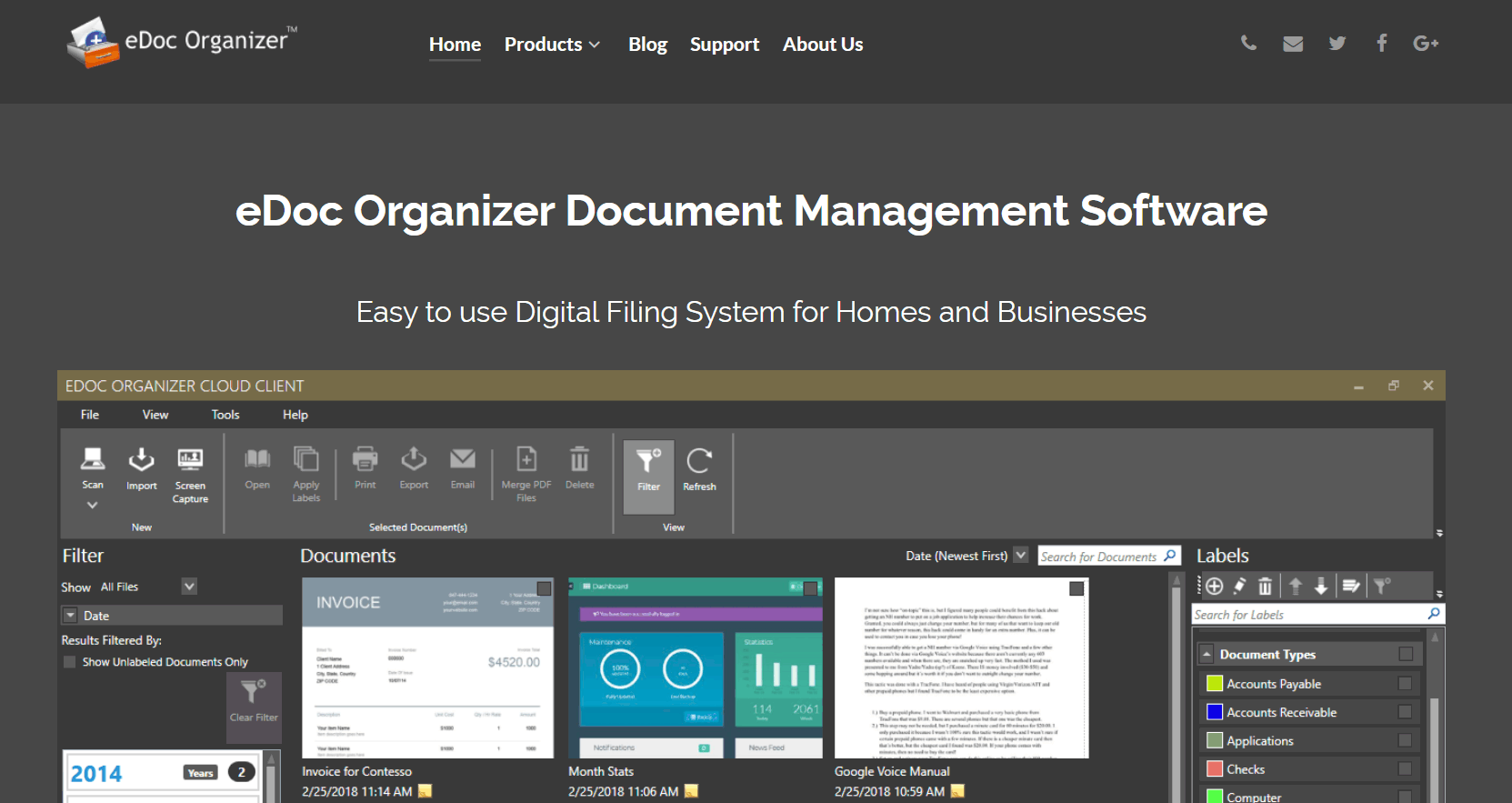
Description
What Is eDoc Organizer and How Does It Work?
eDoc Organizer is a Windows desktop document management software used by home users and small businesses to scan, tag, and organize personal and business documents with folder structures, tags, and full-text search.
The typical eDoc Organizer deployment covers home users and small businesses needing simple desktop DMS.
eDoc Organizer competes against FileCenter and other alternatives in this category.
eDoc Organizer at a Glance
| Best for | home users and small businesses needing simple desktop DMS |
|---|---|
| Deployment | Cloud |
| Pricing model | eDoc Organizer publishes pricing at edocorganizer |
| Free trial | Demo-driven |
| Signature capability | a Windows desktop document management software used by home users and small businesses to scan, tag, |
| Compliance | Standard |
| HQ | eDoc Organizer |
| Support | Standard |
eDoc Organizer Pros and Cons in 2026
Where eDoc Organizer Stands Out
- Windows desktop DMS for personal and small business use.
- Scanner support for paper document capture.
- Tag-based organization plus folder structures.
- Full-text search across documents.
- One-time license option available.
Where eDoc Organizer Falls Short
- Windows-only desktop; no Mac or Linux.
- Not a cloud SaaS platform.
- Modern SaaS UX polish trails newer cloud DMS.
- Public tier pricing not fully public.
Who Should Use eDoc Organizer?
Home users and small businesses needing simple Windows desktop document management with scanning, tags, and full-text search should evaluate eDoc Organizer.
Alternative-fit teams may consider FileCenter or similar.
eDoc Organizer Product Suite in 2026
Desktop DMS
Windows desktop document management.
Scanner support
Paper document capture via scanner.
Tag + folder organization
Tag-based plus folder structure organization.
Full-text search
Cross-document text search.
OCR
OCR for scanned documents.
eDoc Organizer Deep Dive: eDoc Organizer Deep Dive
Windows desktop focus
eDoc Organizer is Windows desktop DMS. Home users and small businesses avoid cloud subscription costs.
Scanner + OCR
Direct scanner support plus OCR for scanned documents makes paper-to-digital simple.
Tag + folder
Both tag-based and folder-based organization for flexible personal DMS workflows.
One-time license
One-time license option avoids ongoing subscription costs.
How Much Does eDoc Organizer Cost in 2026?
eDoc Organizer publishes pricing at edocorganizer.com. Contact eDoc Organizer for current tier and license pricing.
Hidden Costs and Contract Notes to Watch
- Higher tiers open up advanced features.
- Enterprise deployment may need Contact Sales.
- Custom scope handled via services.
eDoc Organizer Alternatives Worth Comparing
FileCenter. Windows desktop DMS alternative.
Paperless-ngx. Self-hosted open-source DMS.
Doxie. Document scanning + organization.
Who Uses eDoc Organizer?
eDoc Organizer supports customers across the target segment. Customer references live on www.edocorganizer.com.
How eDoc Organizer Compares to FileCenter
| Dimension | eDoc Organizer | FileCenter |
|---|---|---|
| Platform | Windows desktop only | Windows desktop |
| Deployment | Desktop | Desktop |
| Best-fit buyer | Home + small business | Home + small business + accounting |
Buyers evaluating eDoc Organizer versus FileCenter typically weigh these dimensions during procurement. Neither is universally better; the fit depends on document volume, industry regulatory requirements, existing enterprise stack, and whether the primary constraint is capture speed, retrieval accuracy, records-retention compliance, or workflow automation.
Points to Verify Before Buying eDoc Organizer
Independent software review threads consistently flag a similar set of due-diligence questions buyers wish they had asked earlier. Cover these during your evaluation.
- Confirm Windows version compatibility.
- Ask about one-time license vs subscription pricing.
- Verify scanner compatibility.
- Test OCR quality on your document types.
- Ask about backup and export options.
What Real Buyers Report About eDoc Organizer
Buyers on software communities evaluate eDoc Organizer on the trade-offs described above.
Bottom Line: Is eDoc Organizer Right for You?
eDoc Organizer is a legitimate pick for teams needing home users and small businesses needing simple desktop DMS.
Core value: a Windows desktop document management software used by home users and small businesses to scan, tag, and organize person.
Trade-off: Windows-only desktop; no Mac or Linux..
Alternatives worth pricing: FileCenter and similar platforms.
Verified on 2026-07-06 by the SaaSRat Editorial Team (Chirantan). Vendor facts cross-checked against the edoc-organizer vendor website, LinkedIn showcase pages, and community discussions on Reddit and industry LinkedIn groups. About our methodology.
Frequently Asked Questions
What is eDoc Organizer?
Does eDoc Organizer support Mac?
Does eDoc Organizer include OCR?
Is a free trial available?
Does eDoc Organizer publish pricing?
Can I use eDoc Organizer commercially?
Does eDoc Organizer support scanning?
How does eDoc Organizer compare to FileCenter?
Is eDoc Organizer cloud?
Does eDoc Organizer support tags?
Find Your Perfect Software
See how it can transform your workflow
- Personalized for your needs Tailored recommendations based on your unique requirements.
- Save time & resources Streamline your workflow and boost team productivity.
- Trusted by thousands Join 10,000+ businesses already growing with SaaSrat.
You're all set! 🎉
A specialist for will reach out within 1 business day with tailored recommendations for your needs.