

DWService
by DWSNET s.r.l.
What is DWService?
Get Best Quote for DWService
Connect with SaaSrat experts to get the best quote for your business.
You're all set!
A specialist for DWService will reach out within 1 business day.
DWService Features
Cross platform support
Web based access
File transfer
Session recording
Multi monitor support
Clipboard sharing
View All 20 Features
DWService Resources
DWService Screenshots
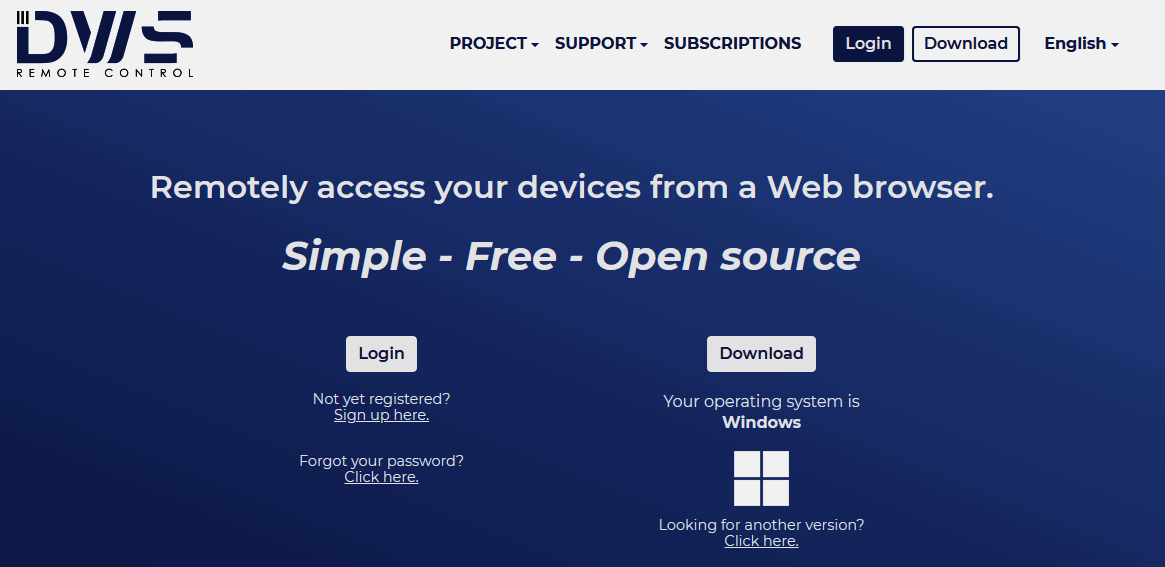
Description
What is DWService?
DWService is a free, open-source remote desktop software that enables secure remote access and control of devices through a web browser as a web-based remote access tool designed to offer users a simple way to connect to and control devices remotely.
The tool supports various operating systems including Windows, macOS, and Linux with users able to access files, run commands, monitor system resources, and control the screen remotely. Additional file transfer capabilities allow users to upload and download files between the remote device and their local machine. DWService provides web-based access to remote systems directly through any web browser eliminating the client-side software installation friction common in traditional remote desktop solutions and uses SSL encryption over port 443 for secure remote sessions.
Independent third-party reviewer summaries describe DWService as praised for its ease of use, cross-platform compatibility, and feature-rich interface with the web interface and clipboard transfer highly appreciated along with remote file management capabilities. Reviewer criticisms include occasional connectivity issues and limited bandwidth without subscription addressing scenarios where free-tier users may experience performance limitations that paid subscription tiers may resolve.
DWService at a Glance
| Category | Free, open-source remote desktop software |
|---|---|
| Access method | Web browser |
| Client-side software | Not required |
| Operating system support | Windows, macOS, Linux |
| Screen control | Remote screen control |
| File access | Files on remote device |
| Command execution | Run commands on remote device |
| System monitoring | Monitor system resources |
| File transfer | Upload and download between remote and local |
| Clipboard transfer | Highly appreciated per reviewers |
| Encryption | SSL over port 443 |
| Cost | Entirely free |
| Open source | Yes |
| Reviewer-cited strengths | Ease of use, cross-platform, feature-rich interface, web interface, clipboard transfer, remote file management |
| Reviewer-cited friction | Occasional connectivity issues, limited bandwidth without subscription |
| Best fit | Individuals and businesses wanting free browser-based remote desktop access across Windows, macOS, and Linux |
Features That Matter to Buyers
DWService delivers free open-source remote desktop functionality through a web browser addressing scenarios where users need secure remote access to their own devices (accessing home computer from work), IT support scenarios (technicians providing remote support to end users), and cross-platform scenarios (accessing a Linux server from a Windows client, macOS from Linux, or any cross-platform combination). Web browser access eliminates the client-side software installation friction common in traditional remote desktop solutions like TeamViewer or AnyDesk where both parties typically install client software. DWService requires only agent software on the remote device being accessed; the accessing user only needs a web browser. SSL encryption over port 443 for secure remote sessions provides transport security and matches standard HTTPS traffic patterns letting DWService traverse most corporate firewalls and network policies without special configuration. Cross-platform support for Windows, macOS, and Linux addresses diverse operating system environments. Screen control lets users see and interact with the remote device desktop as if seated at the machine. Command execution supports scenarios where users need to run terminal or command-line commands on the remote device for system administration workflows. System monitoring lets users see remote CPU, memory, disk, and network utilization for troubleshooting or performance monitoring. File transfer supporting upload and download between remote device and local machine addresses common scenarios where users need to move files between machines. Reviewer-highly-appreciated clipboard transfer lets users copy text on one machine and paste on the other simplifying workflow. Remote file management enables browsing, moving, and organizing files on the remote device. Reviewer-cited free-tier friction includes occasional connectivity issues and limited bandwidth without subscription meaning users experiencing frequent connectivity issues or bandwidth constraints should evaluate DWService paid subscription tiers or alternative remote desktop solutions.
DWService Pricing (Verified 2026-09-02)
DWService is entirely free. Reviewer criticisms include limited bandwidth without subscription addressing scenarios where free-tier users may experience performance limitations that paid subscription tiers may resolve. Specific paid subscription tier pricing is not extensively detailed in independent third-party reviewer summaries.
| Tier | Reported price | Fit |
|---|---|---|
| Free tier | Free | Full-feature remote desktop access with occasional connectivity issues and limited bandwidth per reviewers |
| Client-side software | Not required | Web browser access only |
| SSL encryption | Included | Secure remote sessions over port 443 |
| Cross-platform support | Included | Windows, macOS, Linux |
| Subscription (higher bandwidth) | Contact DWService | Higher bandwidth than free tier per reviewer citations |
DWService Strengths and Trade-offs
Strengths cited in reviewer summaries
- Entirely free open-source remote desktop software
- Web browser-based access eliminates client-side software installation friction
- Cross-platform support for Windows, macOS, and Linux
- SSL encryption over port 443 traverses corporate firewalls without special configuration
- Reviewer-cited ease of use, feature-rich interface, and highly appreciated web interface
- Clipboard transfer and remote file management reviewer-cited as decisive features
- Command execution and system monitoring support IT administration scenarios
- File transfer supports upload and download between remote and local
Trade-offs and friction points
- Reviewer-cited occasional connectivity issues in free tier
- Reviewer-cited limited bandwidth without subscription
- Free tier performance may not match paid enterprise remote desktop alternatives (TeamViewer, AnyDesk paid tiers)
- Open-source dependency creates ongoing project maintenance uncertainty versus commercial-backed alternatives
- Web browser access model may not fit scenarios requiring performance-optimized native client
How DWService Compares to Alternatives
| Vendor | Free tier | Web browser access | Cross-platform |
|---|---|---|---|
| DWService | Yes (entirely free) | Yes (no client software) | Windows, macOS, Linux |
| TeamViewer | Free for personal use | Both native + web | Yes |
| AnyDesk | Free for personal use | Both native + web | Yes |
| Chrome Remote Desktop | Free | Chrome browser | Cross-platform via Chrome |
| RustDesk (open source) | Free (self-hostable) | Both native + web | Yes |
Buyer Personas Who Should Shortlist DWService
DWService fits individuals and businesses wanting free browser-based remote desktop access across Windows, macOS, and Linux with cross-platform compatibility, ease of use, and reviewer-highly-appreciated web interface plus clipboard transfer and remote file management accepting reviewer-cited occasional connectivity issues and limited bandwidth without subscription. TeamViewer fits users wanting mature commercial remote desktop with free-for-personal-use tier and paid business tiers. AnyDesk fits users wanting fast native client remote desktop. Chrome Remote Desktop fits Chrome browser users wanting free simple remote desktop. RustDesk fits open-source-preferring users wanting self-hostable remote desktop.
Implementation Considerations
DWService deploys in minutes for individual users: install DWAgent software on the remote device being accessed, sign up for a free DWService account, associate the remote device with the account, and access the remote device from any web browser via dwservice.net. Standard phases include DWAgent installation on remote device (Windows, macOS, or Linux), DWService free account signup, remote device association with account, web browser access to dwservice.net, remote device selection from account dashboard, and remote screen control, file transfer, clipboard transfer, command execution, and system monitoring operations.
What Buyers Say About DWService
Remote desktop users on independent reviewer publications describe DWService as an entirely free open-source alternative to TeamViewer, AnyDesk, Chrome Remote Desktop, and RustDesk with reviewer-cited praise for ease of use, cross-platform compatibility, feature-rich interface, and highly appreciated web interface and clipboard transfer along with remote file management capabilities. Reviewers cite the entirely free positioning as decisive versus commercial remote desktop alternatives requiring paid tiers for business use. Common friction cited includes occasional connectivity issues and limited bandwidth without subscription warranting evaluation of paid subscription tiers for scenarios requiring higher performance or reliability.
Verified Source Citations
- DWService corporate homepage
- DWService downloads
- DWSERVICE: The Free and Open-Source Solution for Remote Access (Medium)
- DWService Price, Features and Reviews (Techjockey US)
- HOWTO setup and use DWService (GitHub AG7GN/dwservice)
- DWService (AlternativeTo)
The Bottom Line on DWService
DWService delivers entirely free open-source remote desktop through a web browser with SSL encryption over port 443 for secure remote sessions supporting Windows, macOS, and Linux cross-platform with screen control, file access, command execution, system monitoring, upload and download file transfer, clipboard transfer, and remote file management with no client-side software required for accessing users while reviewers cite ease of use, cross-platform compatibility, feature-rich interface, and highly appreciated web interface and clipboard transfer alongside criticisms of occasional connectivity issues and limited bandwidth without subscription.
Choose DWService if you are an individual or business wanting free browser-based remote desktop access across Windows, macOS, and Linux with no client-side software installation requirement and you accept reviewer-cited occasional connectivity issues and limited bandwidth without subscription.
Skip it if you want mature commercial remote desktop with free-for-personal-use tier and paid business tiers (TeamViewer fits better), fast native client remote desktop (AnyDesk fits better), free simple Chrome browser remote desktop (Chrome Remote Desktop fits better), or self-hostable open-source remote desktop (RustDesk fits better).
Verified on 2026-09-02. Pricing figures cited are drawn from vendor pricing pages and independent third-party pricing benchmarks accessed on that date; contact the vendor for organization-specific quotes.
Frequently Asked Questions
What is DWService?
Is DWService free?
What operating systems does DWService support?
Do I need to install client software to access remote devices?
Is DWService secure?
What can I do with DWService?
What are reviewer-cited concerns?
How does DWService compare to TeamViewer?
Is DWService open source?
Where is DWService headquartered?
Find Your Perfect Software
See how it can transform your workflow
- Personalized for your needs Tailored recommendations based on your unique requirements.
- Save time & resources Streamline your workflow and boost team productivity.
- Trusted by thousands Join 10,000+ businesses already growing with SaaSrat.
You're all set! 🎉
A specialist for will reach out within 1 business day with tailored recommendations for your needs.