

Document Locator
by ColumbiaSoft Corporation
What is Document Locator?
Get Best Quote for Document Locator
Connect with SaaSrat experts to get the best quote for your business.
You're all set!
A specialist for Document Locator will reach out within 1 business day.
Document Locator Features
Document control with workflow and versioning
Search and indexing across mixed document types
Cloud deployment on Microsoft Azure with SOC 2 Type II
On-premise deployment on Windows Server with SQL
Hybrid deployment option
Flexible licensing by number of users
View All 12 Features
Document Locator Pricing Plans
Document Locator Platform (Custom Quote)
- Custom-quoted by ColumbiaSoft Corporation sales
- Phone 800.298.1172
- Scales by user count deployment type and integration needs
- Cloud or on-premise deployment
- Workflow automation and versioning
- Flexible licensing
Cloud Deployment (Microsoft Azure)
- Subscription pricing custom-quoted
- SOC 2 Type II compliance on Microsoft Azure
- OPEX deployment model
- Workflow automation and versioning
- Web browser access
- Expert support included
On-Premise Deployment (Windows Server + SQL)
- License plus annual support
- On-premise on Windows Server with SQL
- Data-residency or air-gap requirements
- Full DMS feature set
- Workflow automation
- Customer-controlled compliance posture
Professional Services and Training
- Configuration integration and migration projects
- Training options: Boot Camp Masters Series custom onsite
- Billed separately or bundled with deployment
- Expert support and training
- Quick deployment and configuration
Document Locator Screenshots
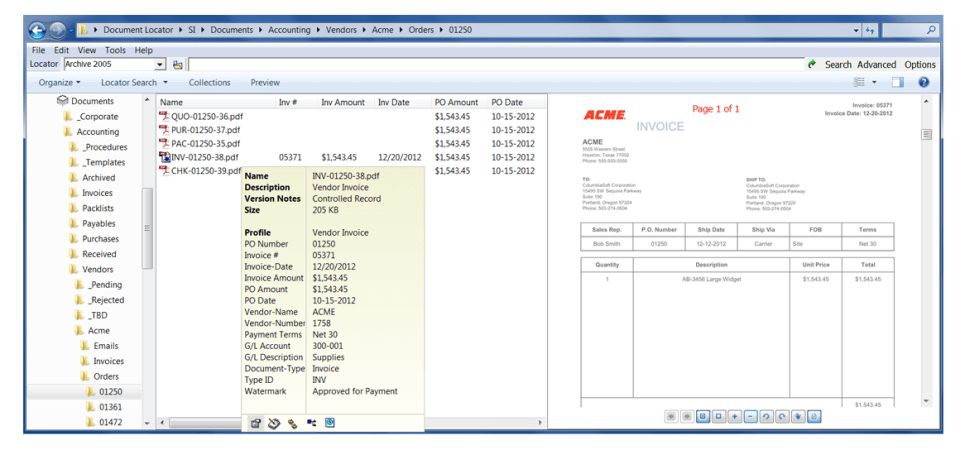
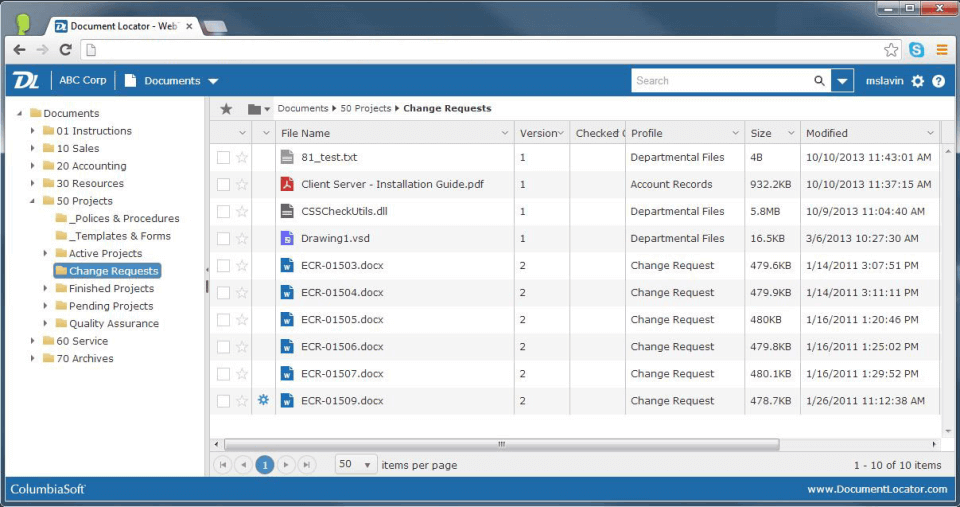
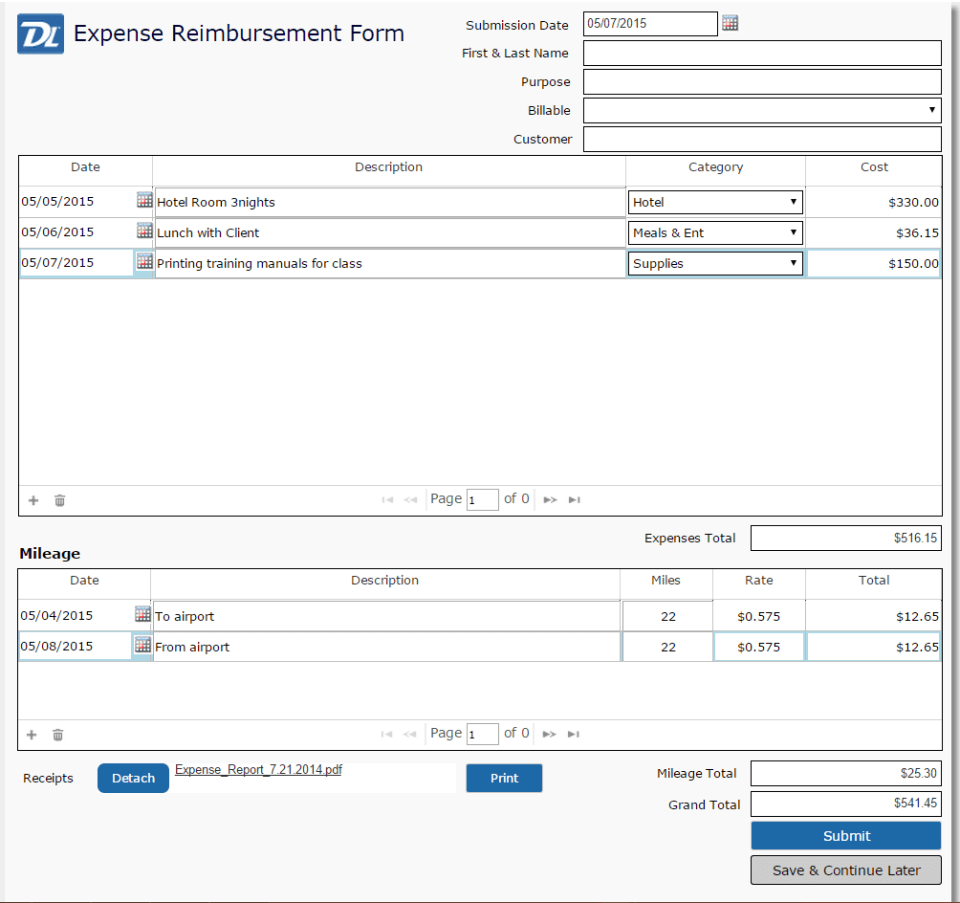
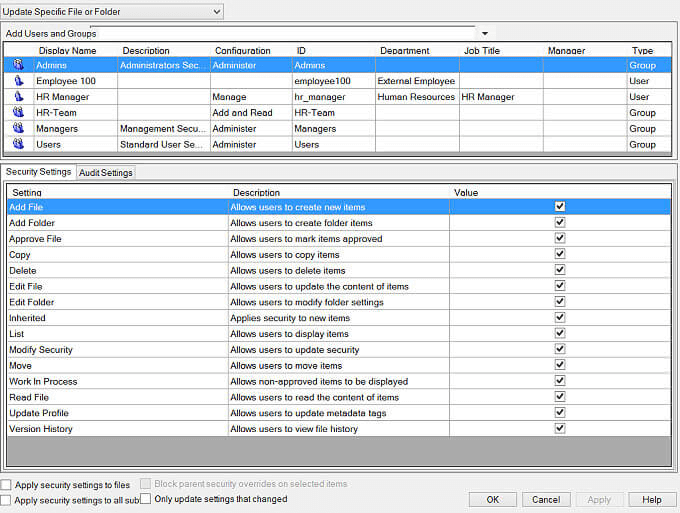
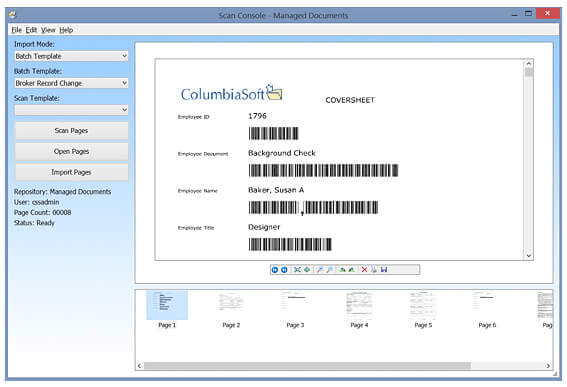
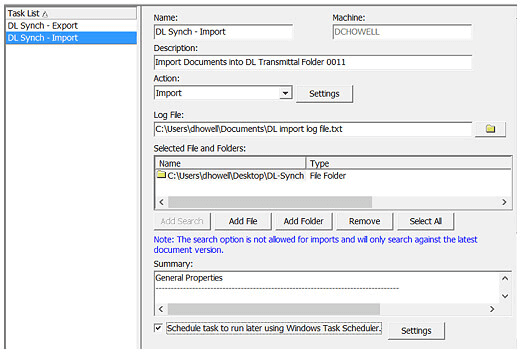
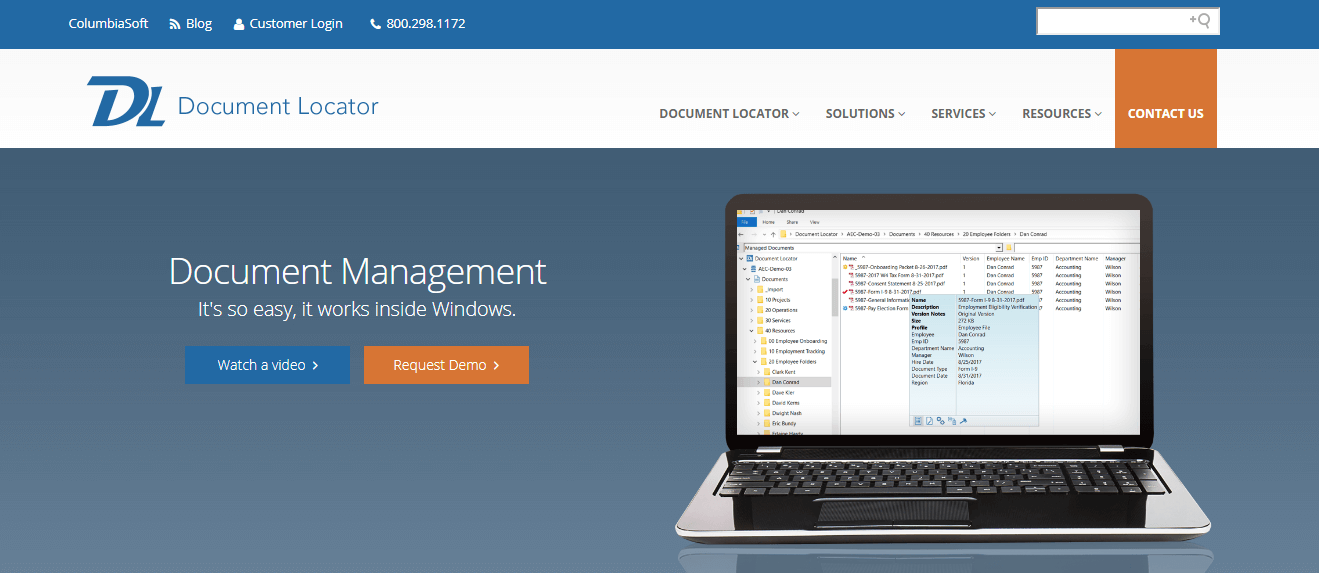
Description
Who Document Locator Is Right For
Document Locator suits US mid-market organisations, regulated industries, finance, healthcare, manufacturing, government, and accounting firms that want a document management system with SOC 2 Type II cloud (Microsoft Azure) or on-premise (Windows Server with SQL) deployment.
The ideal buyer is a 50-500 user organisation handling regulated documents with audit-trail and compliance requirements. Core flow covers document control, workflow automation, versioning, search, and indexing with professional services for configuration and integration.
It is overkill for solo professionals or sub-10 user teams (use Google Drive or Dropbox Business) and underbuilt-by-comparison for global enterprise content services platforms requiring deep ECM and BPM integration at OpenText, Hyland, or M-Files Enterprise scale.
Document Locator vs M-Files, Docuware, and SharePoint
M-Files wins on metadata-driven document management and Microsoft 365 integration depth. Docuware wins on broader workflow automation and ECM features. SharePoint wins on Microsoft 365 ecosystem-native collaboration.
Document Locator wins on US Portland-based ColumbiaSoft Corporation with SOC 2 Type II cloud on Microsoft Azure, cross-deployment choice (cloud, on-premise, or hybrid), flexible licensing by user count, and professional services for configuration, integration, migration, and training (Boot Camp, Masters Series, custom onsite).
Document Locator 2026 Pricing
| Item | Pricing Model | Best For |
|---|---|---|
| Document Locator Platform (Custom Quote) | Custom-quoted by ColumbiaSoft sales | Mid-market and regulated-industry deployments |
| Cloud Deployment (Microsoft Azure) | Subscription pricing | SOC 2 Type II compliance, OPEX cloud deployment |
| On-Premise Deployment | License + annual support | Data-residency or air-gap requirements on Windows Server + SQL |
| Hybrid Deployment | Custom quote | Buyers blending cloud and on-premise |
| Professional Services | Billed separately or bundled | Configuration, integration, and migration projects |
Document Locator does not publish list pricing. Quotes are flexible by number of licenses (users), deployment type (cloud or on-premise), and integration needs. Contact ColumbiaSoft Corporation at 800.298.1172 for a custom-built quote.
Fees and Limits to Watch For
- Custom-quoted pricing: every deployment sized by user count, deployment type, and integration needs.
- Cloud vs on-premise: cloud subscription on Microsoft Azure with SOC 2 Type II; on-premise typically license + annual support on Windows Server + SQL.
- Professional services: configuration, integration, and migration billed separately or bundled.
- Training: Boot Camp, Masters Series, and custom onsite training available.
- Implementation: quick deployment and configuration available with expert support.
Integrations
- Microsoft: Windows Server, SQL Server, Microsoft 365, Office.
- Cloud infrastructure: Microsoft Azure (SOC 2 Type II).
- ERP and CRM: integration via REST API and professional services.
- E-signature: DocuSign, Adobe Sign via REST API.
- Email: Outlook, document attachment indexing.
- Developer: REST API and webhooks via professional services configuration.
Security and Compliance Posture
Document Locator ships SSL/TLS encryption in transit, AES-256 at rest, role-based access control, SOC 2 Type II attestation on cloud deployment (Microsoft Azure), GDPR-compliant data handling, HIPAA-readiness for healthcare deployments, two-factor authentication, audit logs and version control, and US data hosting on cloud variant.
On-premise deployments inherit customer-controlled compliance posture on Windows Server + SQL.
Customer Support and SLA
Expert support and training included across deployments. Phone: 800.298.1172. Portland-based ColumbiaSoft Corporation with US support coverage.
Training options include Boot Camp, Masters Series, and custom onsite training. Professional services for configuration, integration, and migration billed separately or bundled.
Eligibility and Sign-up
Document Locator is available globally with primary focus on US mid-market and regulated industries. Cloud deployment on Microsoft Azure (SOC 2 Type II) for OPEX subscription model.
On-premise deployment on Windows Server + SQL for data-residency requirements. Hybrid configurations available. Sign-up via sales consultation with ColumbiaSoft Corporation.
Mobile App and Customer Portal
Web admin fully responsive across desktop and mobile devices. No native creator mobile app. Document access via web browser on Microsoft Azure cloud deployment.
Pros and Cons
- Pros: US Portland-based ColumbiaSoft Corporation with SOC 2 Type II cloud on Microsoft Azure, cross-deployment choice (cloud, on-premise, hybrid), flexible licensing by user count, professional services for configuration/integration/migration, training programs (Boot Camp, Masters Series, custom onsite), HIPAA-readiness for healthcare, GDPR-compliant data handling, expert support included.
- Cons: pricing not published publicly (custom-quoted), no native creator mobile app, on-premise requires Windows Server + SQL infrastructure, professional services billed separately or bundled, learning curve for workflow automation and advanced features, integration depth narrower than M-Files for Microsoft 365 ecosystem.
2026 Updates
The 2026 roadmap continued cross-deployment flexibility (cloud, on-premise, hybrid), refreshed SOC 2 Type II cloud on Microsoft Azure, expanded professional services and training programs (Boot Camp, Masters Series, custom onsite), and maintained workflow automation and versioning capabilities.
What Real Buyers Say
US mid-market and regulated-industry operations managers on the r/sysadmin subreddit describe Document Locator as the credible US DMS choice when the buyer needs SOC 2 Type II cloud on Microsoft Azure or on-premise deployment on Windows Server with SQL.
Praised: SOC 2 Type II compliance and professional services. Friction: pricing not published publicly and on-premise infrastructure requirements.
Document Locator Alternatives
| Product | Best Fit | Starting Price |
|---|---|---|
| M-Files | Metadata-driven DMS with Microsoft 365 | From $40/user/month (estimate) |
| Docuware | Mid-market DMS with workflow automation | Custom quote |
| Microsoft SharePoint | Microsoft 365 ecosystem collaboration | From $5/user/month annual |
| Globodox | Cross-deployment DMS with Indian-rupee pricing | Custom quote |
| EisenVault | Multi-cloud DMS with AI search | Custom quote |
Field Guide
| Vendor | ColumbiaSoft Corporation |
| Headquarters | 16760 SW Upper Boones Ferry Road, Suite 103, Portland, Oregon 97224, United States |
| Phone | 800.298.1172 |
| Cloud | Microsoft Azure with SOC 2 Type II |
| On-premise | Windows Server + SQL |
| Compliance | SOC 2 Type II (cloud), GDPR-compliant, HIPAA-readiness |
How to Get Started With Document Locator
- Open the official Document Locator website and contact sales for a custom-built quote.
- Discuss user count, deployment model (cloud, on-premise, or hybrid), and integration needs with ColumbiaSoft Corporation.
- Pick Microsoft Azure SOC 2 Type II cloud subscription or Windows Server + SQL on-premise license + annual support.
- Engage ColumbiaSoft professional services for configuration, integration, and migration.
- Train users with Boot Camp, Masters Series, or custom onsite training.
How to Cancel or Pause
Cloud subscription cancellable per signed agreement at renewal. On-premise licences owned post-purchase with optional annual support contract. Data export covers documents, version history, audit logs, and workflow configurations.
Eligibility Checklist
- You are a US mid-market organisation, regulated industry, finance, healthcare, manufacturing, government, or accounting firm.
- You have 50-500 users handling regulated documents with audit-trail and compliance requirements.
- You need SOC 2 Type II cloud (Microsoft Azure) or on-premise (Windows Server + SQL) deployment.
- You can engage professional services for configuration, integration, and migration.
- You do not need M-Files-depth Microsoft 365 integration or SharePoint-scale ECM.
Pricing FAQ
- What does Document Locator cost? Custom-quoted by ColumbiaSoft Corporation sales. Pricing scales by user count (number of licenses), deployment type (cloud or on-premise), and integration needs. Contact 800.298.1172 for custom-built quote.
- Is there a free trial? Free trial details via direct contact with sales team.
- Cloud or on-premise? Both. Cloud on Microsoft Azure with SOC 2 Type II for OPEX subscription. On-premise on Windows Server + SQL for data-residency requirements.
- What's included in professional services? Configuration, integration, and migration projects, plus training (Boot Camp, Masters Series, custom onsite).
Bottom Line
Document Locator is a credible 2026 shortlist option for US mid-market organisations, regulated industries, finance, healthcare, manufacturing, government, and accounting firms that want a document management system with cross-deployment choice.
Highlights: Portland-based ColumbiaSoft Corporation with SOC 2 Type II cloud on Microsoft Azure. On-premise deployment on Windows Server with SQL for data-residency requirements. Hybrid configurations available. Flexible licensing by number of users.
Services: Professional services for configuration, integration, and migration billed separately or bundled. Training programs include Boot Camp, Masters Series, and custom onsite. Expert support included across deployments. Phone: 800.298.1172.
Trade-offs: Pricing not published publicly (custom-quoted). No native creator mobile app. On-premise requires Windows Server plus SQL infrastructure. Professional services billed separately or bundled. Integration depth narrower than M-Files for Microsoft 365 ecosystem.
Shortlist alternatives: M-Files for metadata-driven DMS with Microsoft 365, Docuware for mid-market DMS with workflow automation, Microsoft SharePoint for Microsoft 365 ecosystem, Globodox for cross-deployment DMS with Indian-rupee pricing, and EisenVault for multi-cloud DMS with AI search. For broader market context, see the related SaaSRat blog guide.
Verified on 2026-06-26. Vendor information verified from the official Document Locator website.
Frequently Asked Questions
Is there a free plan or free trial for Document Locator?
How much does Document Locator cost?
What does Document Locator integrate with?
Who is Document Locator best for?
What are the best alternatives to Document Locator?
Is Document Locator GDPR / SOC 2 compliant?
Does Document Locator have a mobile app?
What do real users say about Document Locator?
How does Document Locator compare to its top competitor?
Does Document Locator offer customer support?
Find Your Perfect Software
See how it can transform your workflow
- Personalized for your needs Tailored recommendations based on your unique requirements.
- Save time & resources Streamline your workflow and boost team productivity.
- Trusted by thousands Join 10,000+ businesses already growing with SaaSrat.
You're all set! 🎉
A specialist for will reach out within 1 business day with tailored recommendations for your needs.