

Coupa
by Coupa Software Inc
What is Coupa?
Get Best Quote for Coupa
Connect with SaaSrat experts to get the best quote for your business.
You're all set!
A specialist for Coupa will reach out within 1 business day.
Coupa Features
Procurement (requisitions purchase orders catalog)
Invoicing and accounts payable automation
Expense management
Payments (B2B and supplier payment)
Spend analytics and reporting
Treasury management
View All 12 Features
Coupa Pricing Plans
Coupa Platform (Custom Quote)
- Custom-quoted by Coupa sales
- From $499/year entry-level offering
- Mid-market and enterprise typically $50K-$1M+ annually
- Modular licensing across procurement invoicing expense payments treasury contracts sourcing
- 3-year enterprise contracts typical
Coupa Network: Registered (Free)
- Free Coupa Network supplier tier
- Business profile orders e-invoices catalogs sourcing events
- Discoverable by Coupa buyers
- No verification badge or priority search
- Sign up via Coupa Network registration
Coupa Network: Verified
- $549/year supplier tier
- Verified badge and priority search ranking
- Amplifies brand on Coupa Network
- Trust with Coupa community of buyers
- All Registered tier features
Coupa Network: Advanced
- $4,800/year top supplier tier
- Premium brand placement on Coupa Network
- Advanced supplier capabilities
- Maximum visibility with Coupa buyers
- All Verified tier features
Coupa Screenshots
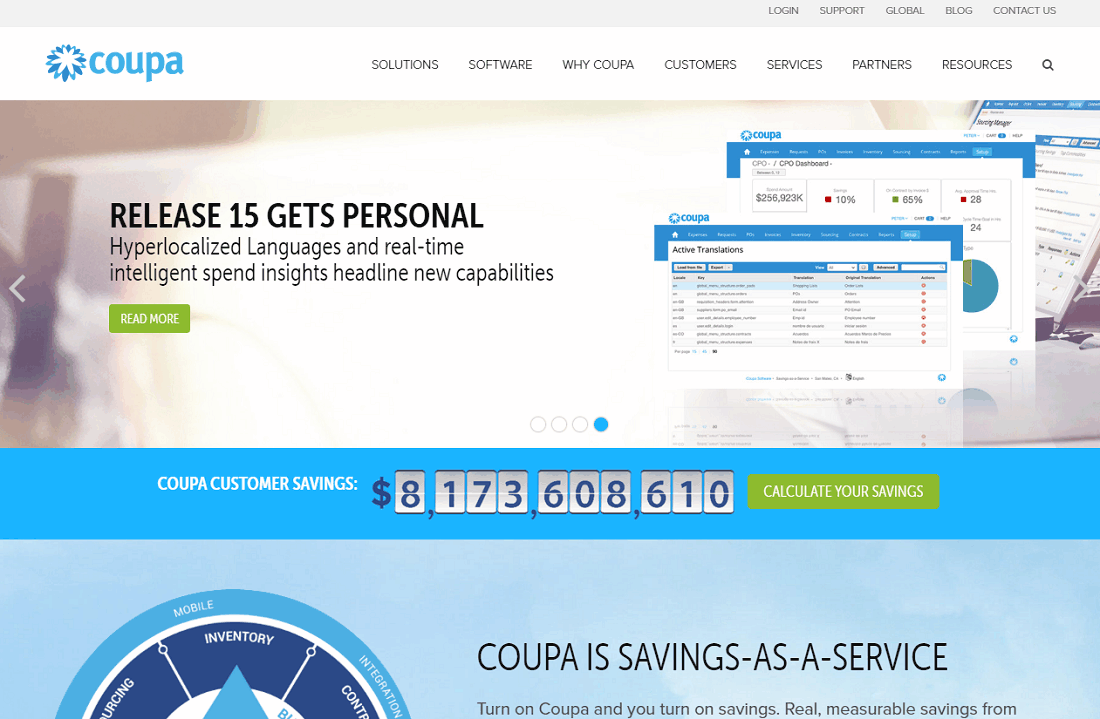
Description
Who Coupa Is Right For
Coupa suits mid-market and enterprise organisations, Fortune-500 buyers, manufacturers, retailers, healthcare systems, government bodies, and financial-services firms that want a unified AI-native business spend management platform spanning procurement, invoicing, expense, payments, treasury, contracts, sourcing, and supplier collaboration.
The ideal buyer has $50M to $50B+ annual spend, 500-50,000+ employees, and an existing ERP (SAP, Oracle, Microsoft Dynamics, NetSuite, or Workday Financial). Core flow covers requisition, purchase order, supplier matching, invoice three-way match, expense reimbursement, and analytics dashboards.
It is overkill for SMB organisations with under 100 employees (use SAP Concur, Expensify, or Brex) and underbuilt-by-comparison for niche commodity-trading or capital-projects management requiring deep specialty solutions like Trayport or Procore.
Coupa vs SAP Ariba, Oracle Procurement Cloud, and Ivalua
SAP Ariba wins on Fortune-500 enterprise depth and SAP ERP-native integration. Oracle Procurement Cloud wins on Oracle ERP-native integration. Ivalua wins on configurable supplier-data management for complex sourcing scenarios.
Coupa wins on AI-native total spend management (procure-to-pay plus source-to-pay plus treasury plus payments on one platform), Coupa Network of verified suppliers, value-as-a-service implementation methodology, and 3,000+ customers including notable Fortune-500 buyers across manufacturing, retail, healthcare, and financial services.
Coupa 2026 Pricing
| Item | Pricing Model | Best For |
|---|---|---|
| Coupa Platform (Custom Quote) | Custom-quoted; from $499/year entry | Mid-market and enterprise spend management |
| Module Bundle (Procure-to-Pay) | Custom quote scaling with modules | Buyers wanting procurement plus invoicing plus payments |
| Source-to-Pay Bundle | Custom quote | Buyers adding sourcing plus contracts plus supplier management |
| Coupa Network (Verified Supplier) | Free / $549/yr / $4,800/yr | Suppliers wanting to amplify brand on Coupa Network |
Coupa does not publish standard list pricing. Quotes are custom-built by organisational size, user count, modules licensed, transaction volume, and deployment complexity. The Value Metric is based on the volume of spend managed through the platform. Coupa Network supplier tiers: Registered (Free), Verified ($549/year), Advanced ($4,800/year).
Fees and Limits to Watch For
- Custom-quoted enterprise pricing: typically $50K-$1M+ annually depending on modules and spend volume.
- Modular licensing: procurement, invoicing, expense, payments, treasury, contracts, sourcing all separately licensed.
- Implementation services: $100K-$1M+ for mid-market to enterprise deployment.
- Coupa Network supplier fees: Free / $549/year (Verified) / $4,800/year (Advanced).
- Value-as-a-service: performance-based pricing tied to realised spend savings on some contracts.
Integrations
- ERP: SAP, Oracle, Microsoft Dynamics 365, NetSuite, Workday Financial via native connectors.
- HRIS: Workday HCM, SAP SuccessFactors, BambooHR for employee data sync.
- Banking: major banks for B2B payments and treasury workflows.
- Tax compliance: Avalara, Vertex, Sovos for tax calculation.
- Coupa Network: native supplier and buyer collaboration.
- Developer: REST API, Coupa Open API, and webhooks.
- Coupa Marketplace: pre-built integrations and certified partners.
Security and Compliance Posture
Coupa ships SSL/TLS encryption in transit, AES-256 at rest, role-based access control, GDPR-compliant data handling, SOC 1/2 Type II attestation, ISO 27001 and ISO 27018 certification, PCI DSS compliance for payment processing, HITRUST and HIPAA-compliant tier for healthcare, FedRAMP Moderate Authorized for US public-sector, two-factor authentication, SAML SSO, audit logs, and multi-region data hosting (US, EU, Australia).
Coupa Trust Center provides ongoing compliance documentation across modules.
Customer Support and SLA
24/7 support across paid tiers with dedicated customer success manager on enterprise contracts. Coupa Community for peer support and best practices.
San Mateo-headquartered Coupa with global support across US, EU, APAC, and Latin America. Knowledge base, Coupa University training, and certified Coupa partners for implementation.
Eligibility and Sign-up
Coupa is available globally across 100+ countries. Sign-up via sales consultation.
No self-serve free trial; demos and proof-of-concepts via Coupa sales team. Typical contracts are 3-year enterprise with implementation services bundled.
Mobile App and Customer Portal
iOS and Android Coupa Mobile app for expense submission, requisition approval, and notifications. Web admin fully responsive. Supplier-facing Coupa Network portal mobile-responsive.
Pros and Cons
- Pros: AI-native total spend management across procure-to-pay plus source-to-pay plus treasury, Coupa Network of verified suppliers, deep ERP integration (SAP, Oracle, Microsoft Dynamics, NetSuite, Workday Financial), SOC 1/2 Type II + ISO 27001/27018 + HITRUST + HIPAA + FedRAMP Moderate, multi-region data hosting (US, EU, Australia), 3,000+ customers including Fortune-500 buyers, value-as-a-service implementation methodology, Coupa University training.
- Cons: custom-quoted pricing not publicly published ($50K-$1M+ annually typical), $100K-$1M+ implementation services, 3-year enterprise contracts typical, no self-serve free trial, modular licensing requires careful scoping, overkill for SMB organisations under 100 employees, learning curve for full platform breadth.
2026 Updates
The 2026 roadmap deepened AI-native spend intelligence across all modules, refreshed Coupa Network supplier verification, expanded treasury management for B2B payments, added more FedRAMP coverage for US public-sector, and improved Coupa Mobile app for iOS and Android.
What Real Buyers Say
Mid-market and enterprise procurement and finance leaders on the r/procurement subreddit describe Coupa as the credible AI-native total spend management default for buyers wanting unified procure-to-pay plus source-to-pay plus treasury plus payments without piecing together SAP Ariba, Coupa, and standalone treasury.
Praised: AI-native intelligence and Coupa Network of verified suppliers. Friction: custom-quoted pricing opacity, 3-year contracts, and $100K-$1M+ implementation services.
Coupa Alternatives
| Product | Best Fit | Starting Price |
|---|---|---|
| SAP Ariba | Fortune-500 enterprise with SAP ERP | Custom quote |
| Oracle Procurement Cloud | Oracle ERP-native enterprise | Custom quote |
| Ivalua | Configurable supplier-data management | Custom quote |
| SAP Concur | Enterprise T&E with corporate-card program | Custom quote |
| Ramp | SMB corporate card plus spend management | Free corporate card; transactional fees |
Field Guide
| Vendor | Coupa Software, Inc. |
| Headquarters | San Mateo, California, United States |
| Certifications | SOC 1/2 Type II, ISO 27001, ISO 27018, PCI DSS, HITRUST, HIPAA tier, FedRAMP Moderate, GDPR-compliant |
| Data hosting | US, EU, Australia |
| Scale | 3,000+ customers including Fortune-500 buyers |
| Coupa Network supplier tiers | Registered (Free), Verified ($549/yr), Advanced ($4,800/yr) |
How to Get Started With Coupa
- Open the official Coupa website and request a demo via sales.
- Discuss organisational size, annual spend volume, existing ERP (SAP, Oracle, Microsoft Dynamics, NetSuite, Workday Financial), and modules required (procurement, invoicing, expense, payments, treasury, contracts, sourcing).
- Receive custom quote custom-built to your business spend management programme.
- Engage Coupa implementation services or a certified Coupa partner for configuration, ERP integration, training, and change management.
- Roll out Coupa Mobile app to employees for expense submission and approval.
How to Cancel or Pause
Typical 3-year enterprise contracts per signed agreement. Cancellation terms negotiated at renewal. Data export covers all transaction data, suppliers, contracts, and reports via Coupa Open API.
Eligibility Checklist
- You are a mid-market or enterprise organisation, Fortune-500 buyer, manufacturer, retailer, healthcare system, government body, or financial-services firm.
- You have $50M to $50B+ annual spend and 500-50,000+ employees.
- You operate an existing ERP (SAP, Oracle, Microsoft Dynamics, NetSuite, or Workday Financial).
- You can engage Coupa implementation services or a certified Coupa partner.
- You do not need niche commodity-trading or capital-projects management at Trayport or Procore scale.
Pricing FAQ
- What does Coupa cost? Custom-quoted by Coupa sales. Pricing scales with organisational size, user count, modules licensed, transaction volume, and deployment complexity. Entry from approximately $499/year for limited use; mid-market and enterprise deployments typically $50K-$1M+ annually plus $100K-$1M+ implementation services.
- Is there a free trial? No self-serve free trial. Demos and proof-of-concepts via Coupa sales.
- What does Coupa Network cost? Registered tier free. Verified tier $549/year. Advanced tier $4,800/year for supplier brand and priority search ranking.
- What's value-as-a-service pricing? Performance-based pricing tied to realised spend savings on some contracts.
Bottom Line
Coupa is a credible 2026 shortlist option for mid-market and enterprise organisations, Fortune-500 buyers, manufacturers, retailers, healthcare systems, government bodies, and financial-services firms that want a unified AI-native business spend management platform spanning procurement, invoicing, expense, payments, treasury, contracts, sourcing, and supplier collaboration.
Highlights: San Mateo-built Coupa Software with global support across US, EU, APAC, and Latin America. AI-native total spend management on one platform. Coupa Network of verified suppliers (Registered Free / Verified $549/year / Advanced $4,800/year). 3,000+ customers including Fortune-500 buyers across manufacturing, retail, healthcare, and financial services.
Pricing: Custom-quoted by Coupa sales. Entry from approximately $499/year for limited use. Mid-market and enterprise deployments typically $50K-$1M+ annually plus $100K-$1M+ implementation services. Modular licensing across procurement, invoicing, expense, payments, treasury, contracts, and sourcing. 3-year enterprise contracts typical with value-as-a-service performance-based pricing on some deals.
Compliance: SOC 1/2 Type II, ISO 27001, ISO 27018, PCI DSS, HITRUST, HIPAA tier, FedRAMP Moderate Authorized, GDPR-compliant data handling. Multi-region data hosting (US, EU, Australia). Coupa Trust Center provides ongoing compliance documentation.
Trade-offs: Custom-quoted pricing not publicly published ($50K-$1M+ annually typical). $100K-$1M+ implementation services. 3-year enterprise contracts typical. No self-serve free trial. Modular licensing requires careful scoping. Overkill for SMB organisations under 100 employees.
Shortlist alternatives: SAP Ariba for Fortune-500 enterprise with SAP ERP, Oracle Procurement Cloud for Oracle ERP-native enterprise, Ivalua for configurable supplier-data management, SAP Concur for enterprise T&E with corporate-card program, and Ramp for SMB corporate card plus spend management. For broader market context, see the related SaaSRat blog guide.
Verified on 2026-06-27. Vendor information verified from the official Coupa website.
Frequently Asked Questions
Is there a free plan or free trial for Coupa?
How much does Coupa cost?
What does Coupa integrate with?
Who is Coupa best for?
What are the best alternatives to Coupa?
Is Coupa GDPR / SOC 2 compliant?
Does Coupa have a mobile app?
What do real users say about Coupa?
How does Coupa compare to its top competitor?
Does Coupa offer customer support?
Find Your Perfect Software
See how it can transform your workflow
- Personalized for your needs Tailored recommendations based on your unique requirements.
- Save time & resources Streamline your workflow and boost team productivity.
- Trusted by thousands Join 10,000+ businesses already growing with SaaSrat.
You're all set! 🎉
A specialist for will reach out within 1 business day with tailored recommendations for your needs.