

Checkvist
by Trirt Software
What is Checkvist?
Checkvist is a keyboard-centric task and outline manager for power users. It supports nested checklists, due dates, tags, and team sharing with a command-line-style interface that lets users capture and organize tasks without leaving the keyboard.
Get Best Quote for Checkvist
Connect with SaaSrat experts to get the best quote for your business.
What's driving this search?
Help us understand your situation
Purchasing New
No current solution
Replacing Existing
Looking to switch
Step 1 of 5
Organization Size?
Select the range that applies
Step 2 of 5
Implementation Timeframe
When do you expect to implement?
Step 3 of 5
What's your role?
Select your title
Step 4 of 5
You're all set!
A specialist for Checkvist will reach out within 1 business day.
Checkvist Features
Task hierarchies
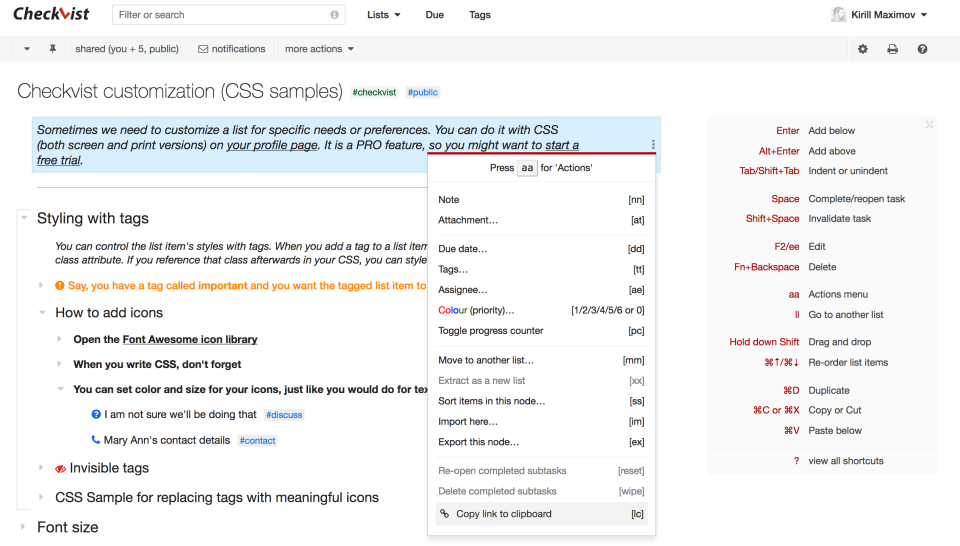
Keyboard shortcuts
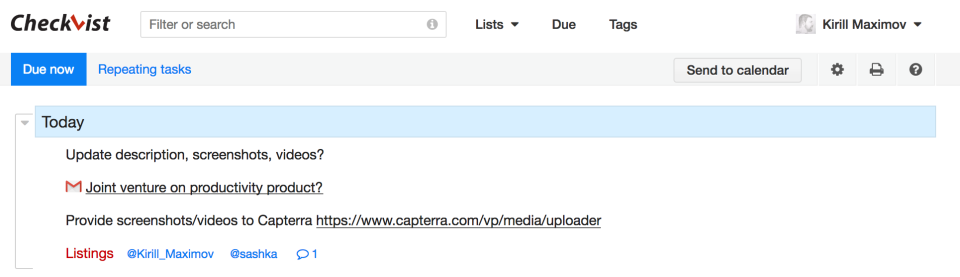
Due dates
Tags
Notes
Collaboration
View All 24 Features
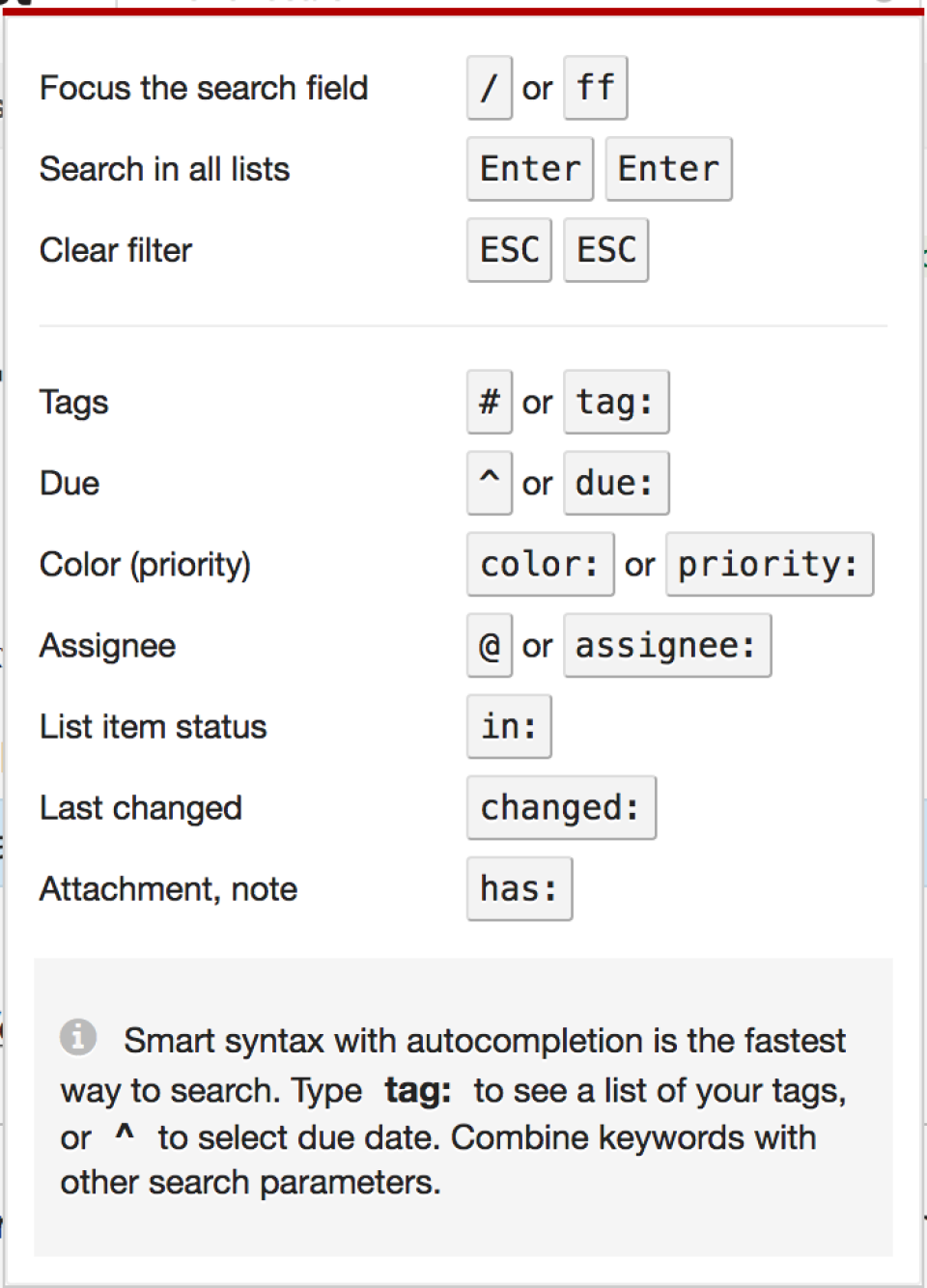
Search
Filters
Priorities
Recurring tasks
Attachments
Export options
Import options
Custom views
Notifications
Subtasks
Markdown support
Api access
Themes
Mobile access
Collaboration tools
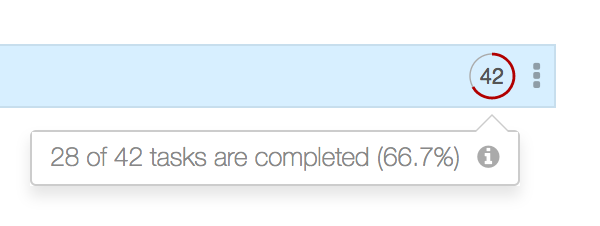
Percent complete tracking
Create subtasks
Recurring task management
Checkvist Resources
Checkvist Screenshots
Frequently Asked Questions
Is there a free plan or free trial for Checkvist?
Checkvist may offer a free plan or trial for new users. You can sign up to explore available options.
How much does Checkvist cost?
Checkvist offers flexible pricing plans depending on your business needs. Check their official website for the most current pricing details.
What does Checkvist integrate with?
Checkvist integrates with popular tools like Zapier, Slack, Google Workspace, Dropbox, Microsoft Teams, and email services, plus it has an API for custom integrations.
Who is Checkvist best for?
Checkvist is ideal for fast thinkers, freelancers, small teams, and professionals in creative fields like writing or development who need quick, keyboard-driven checklists and task management.
What are the best alternatives to Checkvist?
Great alternatives include Todoist for natural language input and reminders, Trello for visual Kanban boards, Asana for team project tracking, and TickTick for cross-platform syncing with built-in Pomodoro timers.
Is Checkvist GDPR / SOC 2 compliant?
For specific compliance certifications, it's recommended to contact Checkvist directly or check their security documentation.
Does Checkvist have a mobile app?
Checkvist may offer mobile access through a responsive web app or dedicated mobile applications. Check their website for the latest mobile options.
What do real users say about Checkvist?
Users love Checkvist for its lightning-fast keyboard shortcuts, infinite nesting of checklists, and simplicity for outlining ideas. Some mention it shines for personal productivity but may feel basic for complex enterprise workflows.
How does Checkvist compare to its top competitor?
Compared to Todoist, Checkvist stands out with its pure keyboard-first approach and unlimited checklist nesting, making it faster for power users, while Todoist offers more polished natural language parsing and cross-device reminders.
Does Checkvist offer customer support?
Checkvist provides customer support via email, a comprehensive knowledge base, and community forums, with quick responses for paid users.
Software
Find Your Perfect Software
Answer a few quick questions to get matched
What's driving this search?
Help us understand your current situation
Purchasing New Software
No current solution in place
Replacing Existing Software
Looking to switch providers
Step 1 of 5
What is the size of your organization?
Select the range that best applies
Step 2 of 5
Implementation Timeframe
When do you expect to implement?
Step 3 of 5
What's your role?
Select the title that best describes you
Step 4 of 5
Almost there — let's connect you
Your details are kept private and never shared without consent
By signing up, you agree to our Terms & Privacy Policy
You're all set!
A specialist for will reach out within 1 business day with tailored recommendations for your needs.