Capsule CRM

Capsule CRM

What is Capsule CRM?

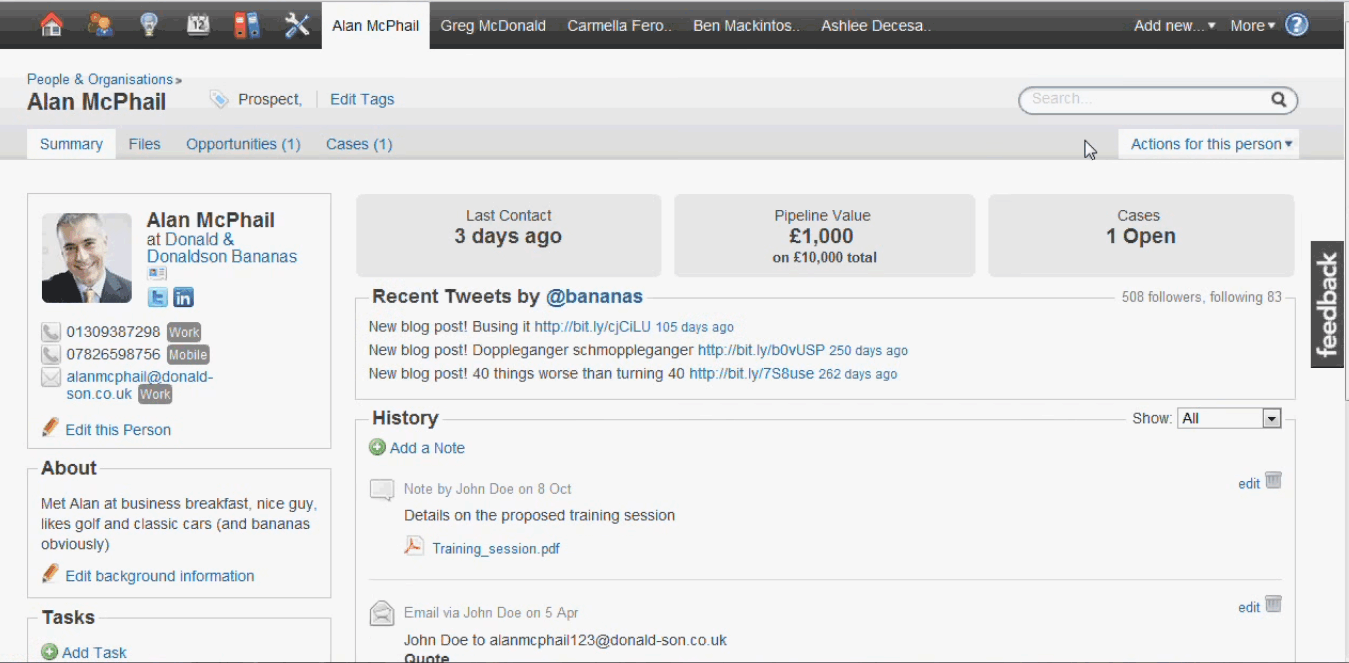
Capsule is a simple-and-clean SMB CRM built for small teams that want pipeline visibility contact management and workflow automation without the marketing-platform complexity of HubSpot or Salesforce. Five tiers from a permanent Free plan (2 users) through Ultimate scale by contact volume and feature set rather than per-user complexity.

Get Best Quote for Capsule CRM

Connect with SaaSrat experts to get the best quote for your business.

What's driving this search?
Help us understand your situation
Purchasing New
No current solution
Replacing Existing
Looking to switch
Step 1 of 5
Organization Size?
Select the range that applies
Step 2 of 5
Implementation Timeframe
When do you expect to implement?
Step 3 of 5
What's your role?
Select your title
Step 4 of 5
Almost there!
Your details are kept private
    By signing up, you agree to our Terms & Privacy Policy

    You're all set!

    A specialist for Capsule CRM will reach out within 1 business day.

    Capsule CRM Features

    Permanent Free plan for 2 users with 250 contacts and 1 sales pipeline

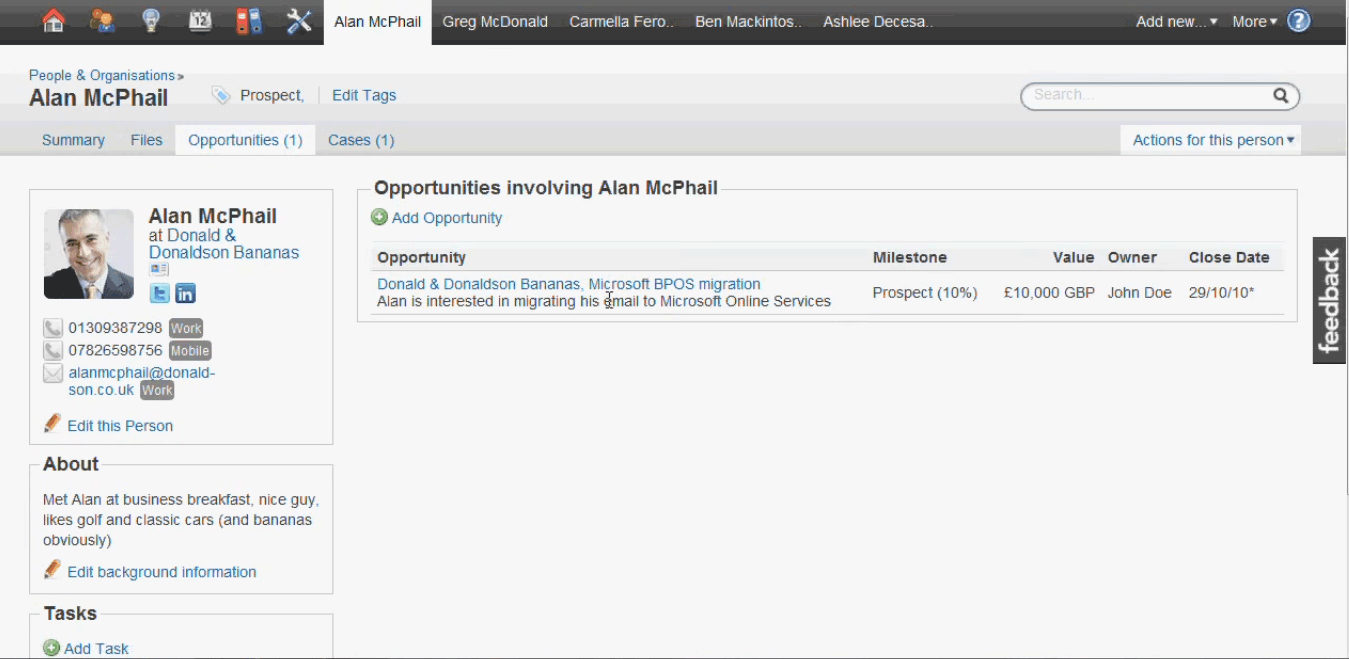
    Contact and pipeline management across all tiers

    Workflow automation on Growth tier and above

    AI features on Growth tier (Recommended)

    Project boards and sales pipelines on Advanced (50 boards)

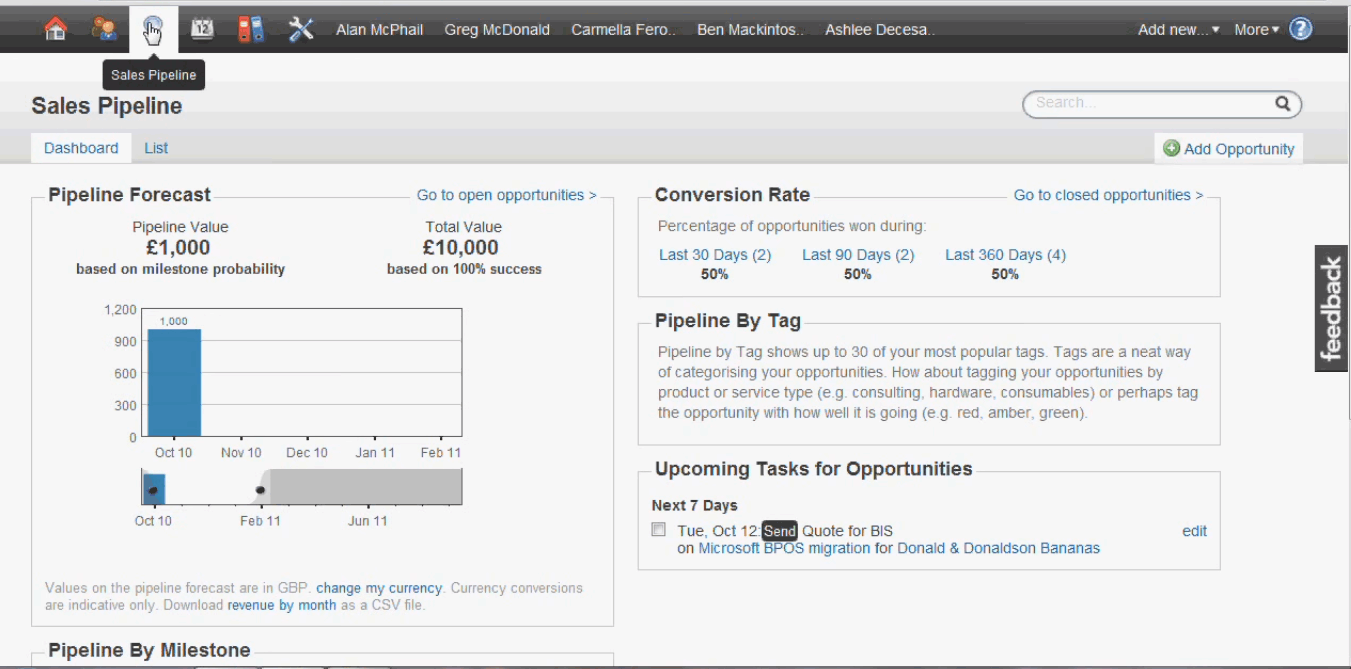
    Multi-pipeline support

    View All 15 Features
    Email integration with Gmail and Outlook
    Mobile apps for iOS and Android
    Marketing add-on starting from $11/month
    REST API for custom integrations
    Ultimate tier with custom pricing and dedicated account manager
    14-day free trial with no credit card on paid tiers
    Up to 14% savings on annual billing
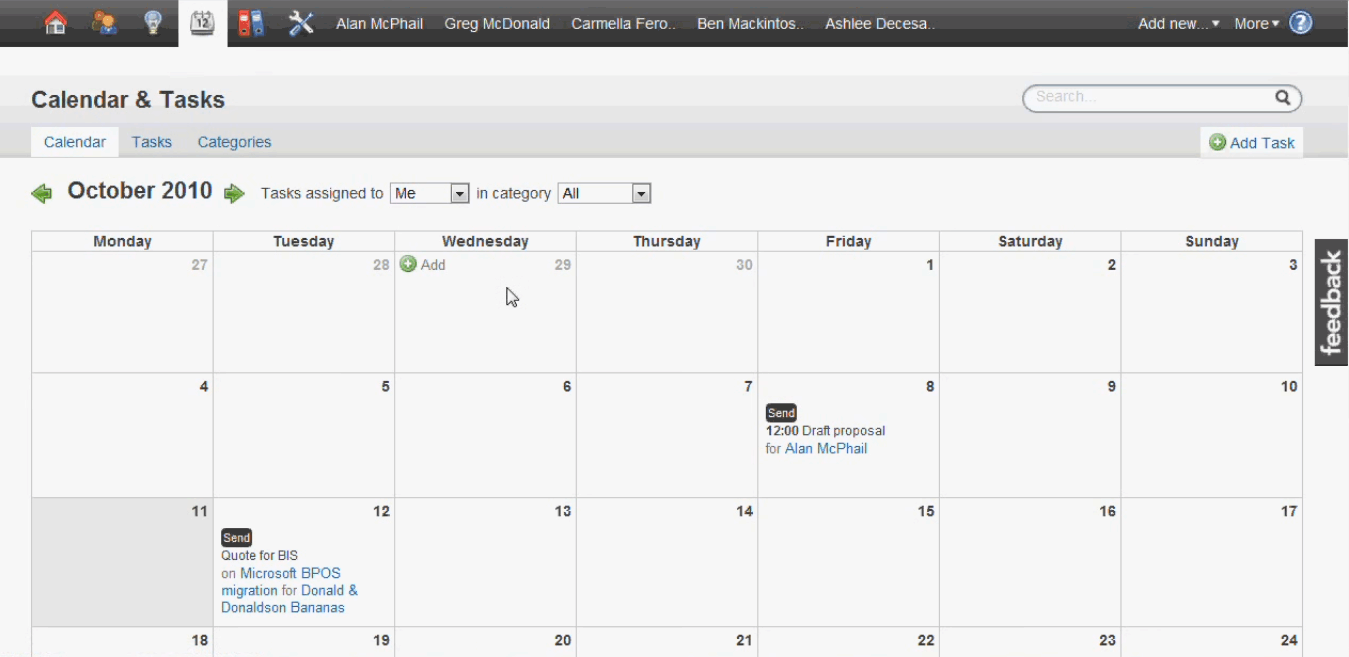
    Calendar sync and task management
    Custom fields and tags

    Capsule CRM Pricing Plans

    Free

    Free
    • Permanent Free plan
    • Up to 2 users 250 contacts 1 sales pipeline
    • Includes the basics for managing contacts and opportunities
    • Verified on 2026-06-19
    POPULAR

    Starter Annual

    $18 /user/month
    • $18/user/month annual ($21 monthly)
    • Supports 1-5 employees
    • 30,000 contacts
    • Verified on 2026-06-19

    Growth Annual (Recommended)

    $36 /user/month
    • $36/user/month annual ($38 monthly)
    • 60,000 contacts
    • Includes workflow automations and AI features
    • Marked as Recommended tier
    • Verified on 2026-06-19

    Advanced Annual

    $54 /user/month
    • $54/user/month annual ($60 monthly)
    • 120,000 contacts
    • 50 project boards and sales pipelines
    • Verified on 2026-06-19

    Ultimate Annual

    $75 /user/month
    • $75/user/month annual
    • For teams with 5+ users
    • Custom pricing available
    • Includes dedicated account manager
    • Sales team will be in touch
    • Marketing add-on from $11/month separate
    • Verified on 2026-06-19

    Capsule CRM Resources

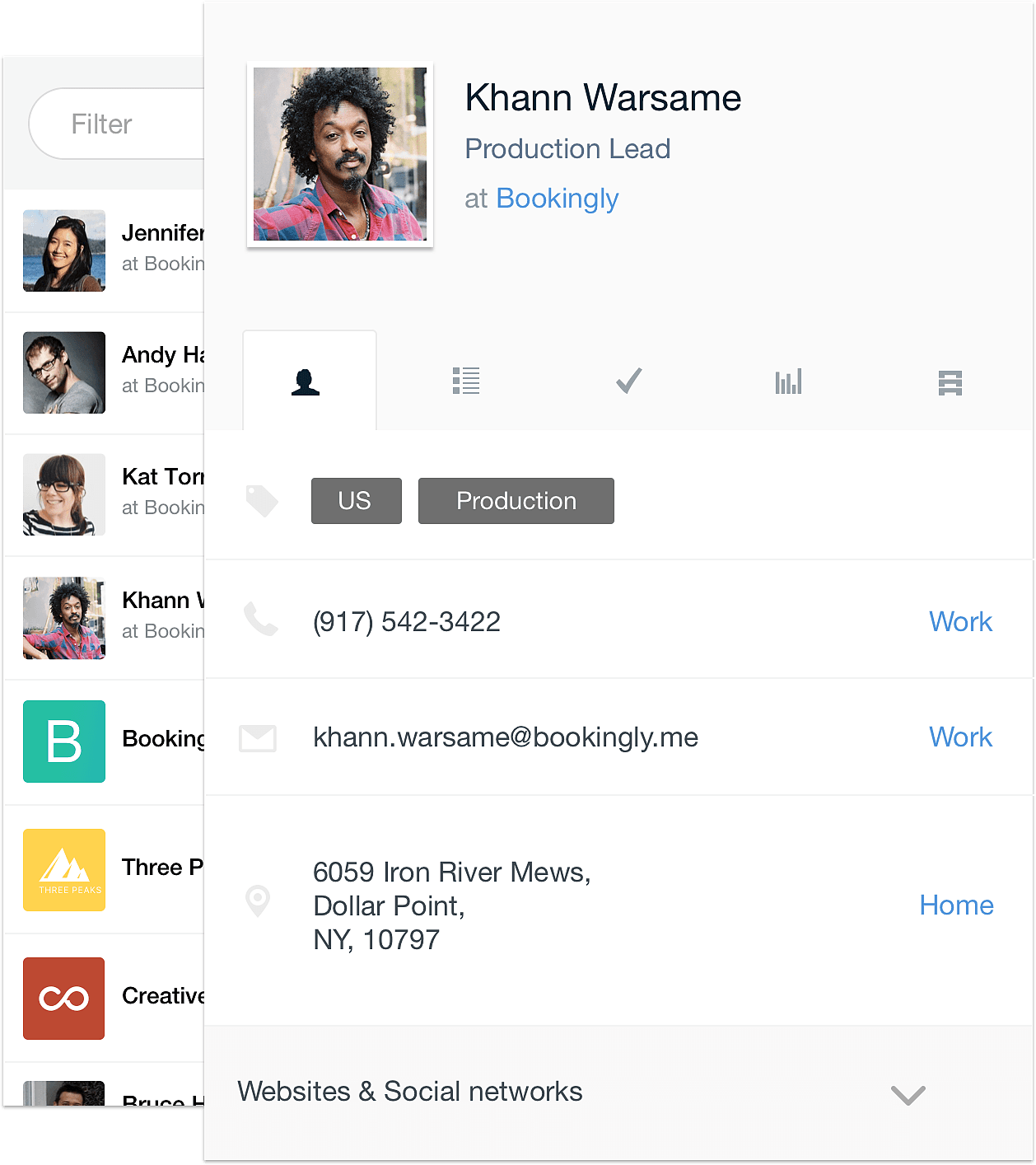
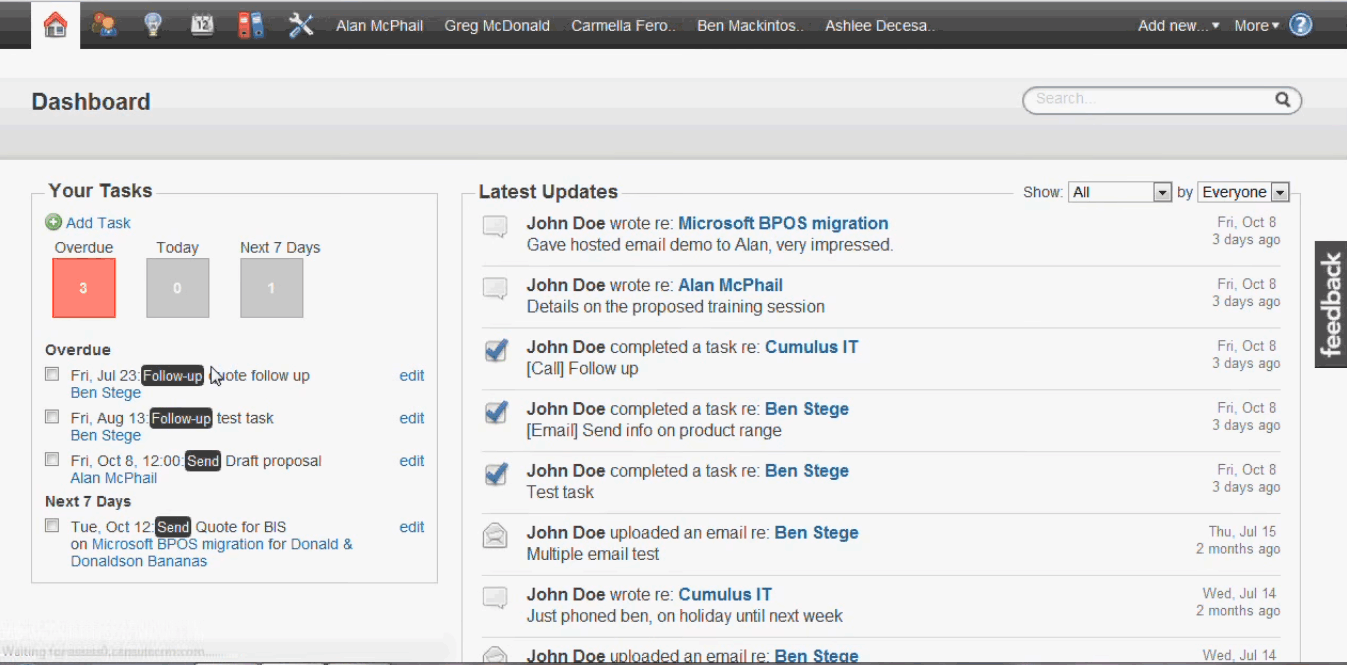
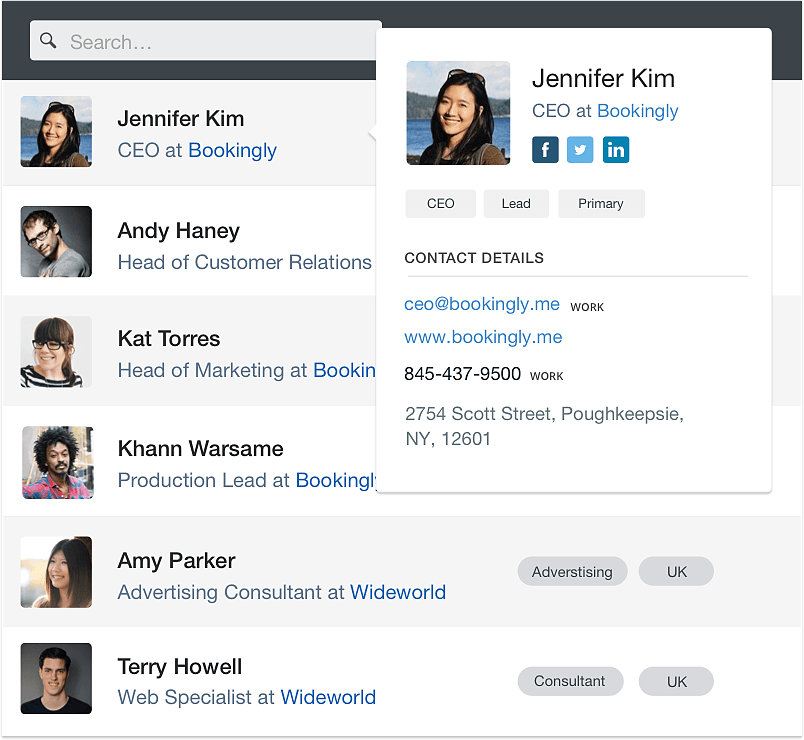
    Capsule CRM Screenshots
    Description

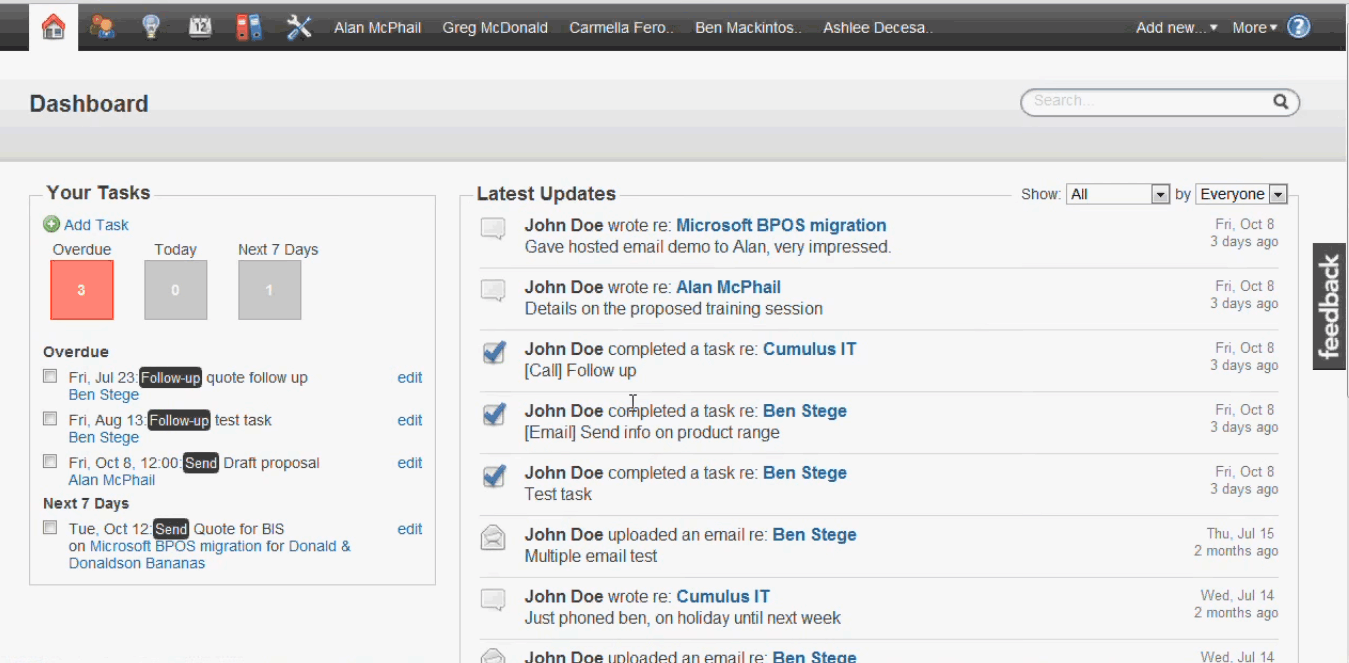
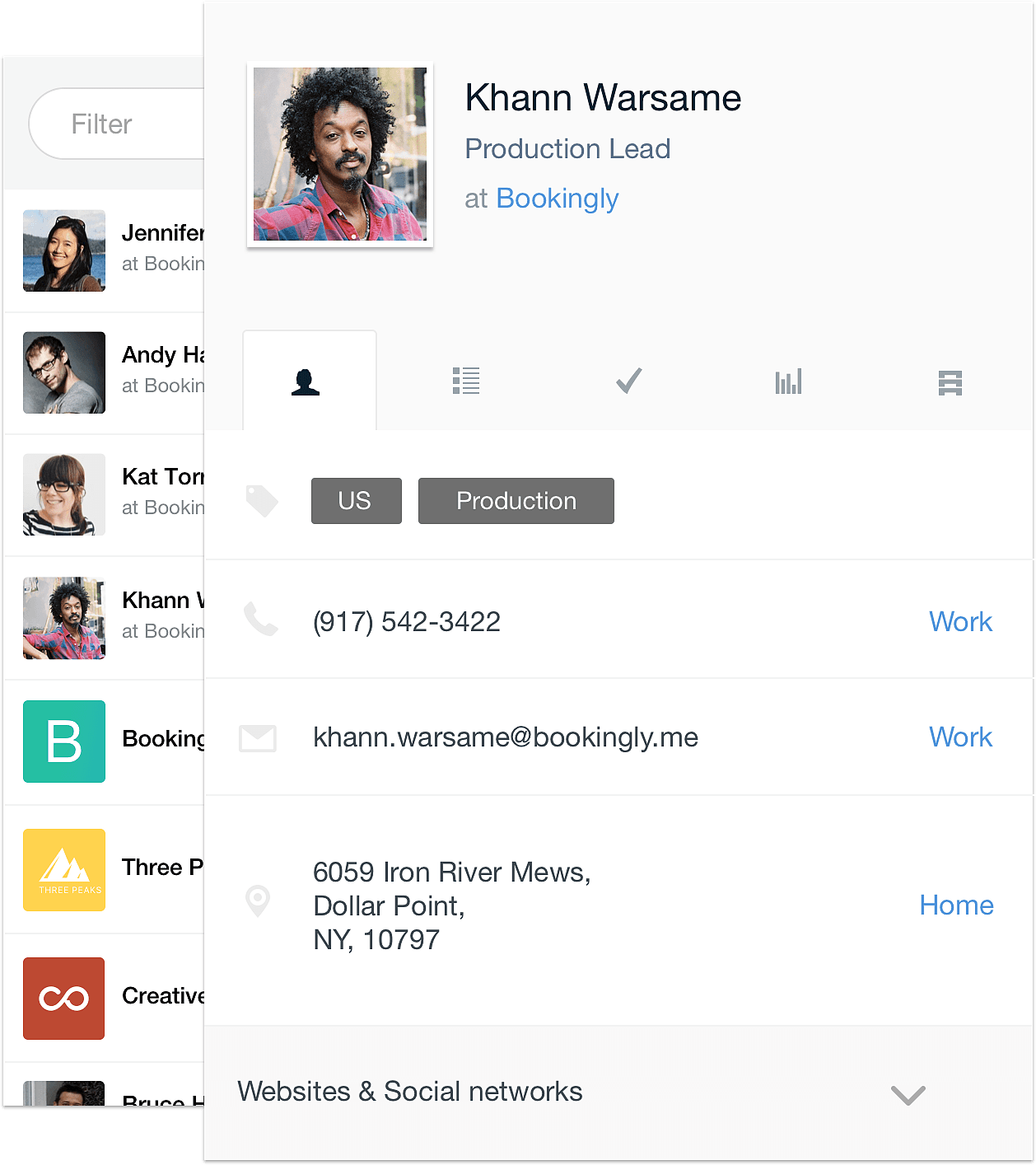
    Capsule launched in 2009 in Manchester, UK with a focused proposition: build the simple-and-clean SMB CRM that small teams actually want without the complexity that HubSpot, Salesforce, or even Pipedrive bring. By 2026 Capsule serves tens of thousands of small businesses with five tiers spanning a permanent Free plan through Ultimate, AI features on the Growth tier, and project management on Advanced.

    Who Capsule CRM is right for

    This is a vertical product by company size and simplicity preference. The clearest fit in 2026 is SMB teams (1 to 50 employees) that want simple-and-clean CRM without marketing automation overhead or enterprise customization complexity. Strongest fits are small consulting firms, design and marketing agencies, service businesses, freelancers managing client pipelines, and small B2B sales teams. Capsule is the wrong choice for marketing-aligned teams (HubSpot fits), enterprises needing maximum customization (Salesforce fits), or all-in-one small business platforms (Keap fits).

    Capsule pricing in 2026

    TierAnnual per userContactsWhat you get
    Free$02502 users, 1 sales pipeline, basics for contact and opportunity management
    Starter$1830,000Supports 1-5 employees
    Growth (Recommended)$3660,000+ Workflow automation, AI features
    Advanced$54120,000+ 50 project boards and sales pipelines
    Ultimate$75CustomFor 5+ users, dedicated account manager, custom pricing

    Verified on 2026-06-19 against the official Capsule pricing page. Marketing add-on from $11/month separate. Annual billing offers up to 14 percent savings. All paid plans include 14-day free trial with no credit card required.

    Hidden costs to know about

    Three watch-outs. First, Marketing add-on for email marketing automation is a separate paid product starting from $11/month, not included in any CRM tier. Second, contact tier limits scale pricing as the database grows; budget for tier upgrades as contacts accumulate past 30,000, 60,000, or 120,000. Third, AI features and project management gated to specific tiers; plan for Growth (AI) or Advanced (projects) based on actual feature needs.

    Capsule vs alternatives at a glance

    ToolBest forAnnual startingWhy pick it
    Capsule CRMSimple-and-clean SMB$0 free / $18 paidPermanent 2-user free, AI on Growth, simple UI
    HubSpot CRMMarketing-aligned SMB$0 free / $15+Free unlimited users, broader marketing
    PipedriveSales-led pipeline$14/user/moCheaper pipeline-first, no free plan
    Bigin by ZohoVery small teams (1-20)$0 free / $7+Cheapest paid with built-in calling
    InsightlyCRM + project management$29/user/moNative project management included

    Integrations

    Native integrations cover Gmail, Outlook, Microsoft 365, Google Workspace, Mailchimp, Stripe, QuickBooks, Xero, Zapier (extensive), and major productivity tools. Calendar sync with Google and Microsoft. REST API for custom integrations. Capsule's integration approach is intentionally focused rather than broad; Zapier handles long-tail needs.

    Pros and cons

    What works: Permanent Free plan for 2 users is genuinely usable. AI features on Growth tier ($36) rather than gated to enterprise. Simple-and-clean UI drives fast adoption. Project management on Advanced tier eliminates separate Asana subscription for services teams. Mobile apps are clean and functional. UK-headquartered with EU data residency.

    Where it strains: Marketing automation as separate paid add-on. Contact-volume-tiered pricing surprises growing businesses. Project management limited to Advanced tier ($54). Smaller third-party app ecosystem than HubSpot. Limited customization compared to Salesforce. AI features less prominent than newer modern CRM platforms.

    What real buyers say

    Operator reviews on SoftwareAdvice, SelectHub, and the r/CRM subreddit cluster around three wins: simple-and-clean UI is the fastest CRM adoption experience among small business teams, permanent Free plan removes evaluation friction, and AI on Growth tier delivers value without enterprise pricing. Common pushback is on Marketing automation as separate paid product, contact-volume tier surprises during growth, and project management gating to Advanced tier.

    Field guide

    FieldDetail
    HeadquartersManchester, United Kingdom
    Founded2009
    Target usersSMB teams 1 to 50 employees
    MobileNative iOS and Android
    Free planYes, permanent (2 users, 250 contacts)
    Free trial14 days on paid tiers
    AI featuresGrowth tier ($36/user) and above
    Project managementAdvanced tier ($54/user) and above

    Buyer action plan

    Start with the permanent Free plan if you are solo or 2-person. Add real contacts. Build one sales pipeline. Run real workflow for two weeks. If you grow past 250 contacts or 2 users, upgrade to Starter ($18). For AI features and workflow automation, upgrade to Growth ($36, recommended tier). For project management plus CRM, upgrade to Advanced ($54). Plan Marketing add-on cost separately if email marketing automation is needed.

    2026 updates

    Capsule continued AI investment on the Growth tier with deeper suggestion and summary capabilities. Workflow automation expanded. Mobile apps received continued investment. The Marketing add-on (separate paid product) deepened its email automation capabilities. UK headquarters and EU data residency continue to differentiate Capsule for European SMB buyers.

    Security and compliance

    Cloud platform with TLS in transit, encryption at rest, SOC 2 Type II, GDPR-native (UK-headquartered), role-based access controls, audit logging on higher tiers, two-factor authentication. EU data residency. UK-headquartered company provides post-Brexit UK data handling clarity for UK-based buyers.

    Customer support

    Email, in-app live chat, knowledge base. Response times during UK and US business hours are fast. r/CRM and small business LinkedIn communities have active Capsule peer support discussions. The Capsule blog publishes customer case studies and best practices.

    Who can use Capsule CRM

    Best fit: SMB teams 1 to 50 employees wanting simple-and-clean CRM without marketing automation overhead. Reasonable fit: any small team that values UI cleanliness and AI without enterprise complexity. Not a fit: marketing-aligned teams (HubSpot fits), enterprises needing maximum customization (Salesforce fits), or all-in-one small business platforms (Keap fits).

    Mobile app

    Native iOS and Android apps support pipeline visibility, contact management, activity logging, and email integration from mobile. The mobile experience reflects Capsule's overall design philosophy of simplicity over feature complexity. Clean and functional rather than feature-loaded.

    How to get started with Capsule CRM

    Sign up for the permanent Free plan at the official Capsule pricing page. Add up to 2 users. Import contacts (up to 250 on Free). Build one pipeline. Run real workflow for two weeks. Upgrade to Starter, Growth, Advanced, or Ultimate based on user count, contact volume, AI feature needs, and project management requirements. Plan Marketing add-on cost separately if email marketing automation is needed.

    Top alternatives to Capsule CRM

    HubSpot CRM is the marketing-aligned alternative with free unlimited users. Pipedrive is the pipeline-first sales-only alternative. Bigin by Zoho CRM is the cheaper alternative for very small teams with built-in calling. Insightly is the CRM-plus-project-management alternative. Folk CRM is the modern design-focused alternative at similar price. Less Annoying CRM is the cheapest pure simple alternative at $15/user/month.

    How to cancel Capsule CRM

    Cancellation is self-serve from account settings. Monthly subscriptions cancel at end of billing period. Annual subscriptions cancel at renewal with prorated refund where applicable. Free plan persists after paid cancellation. Data export available via CSV and REST API. No cancellation fee.

    Bottom line

    Capsule CRM is the right pick for an SMB team 1 to 50 employees that wants simple-and-clean CRM without marketing automation overhead, with AI features on the Growth tier and project management on Advanced. The permanent Free plan for 2 users is generous evaluation path. Growth tier at $36/user/month annual is the recommended starting point with AI features included. For services businesses needing CRM plus project management, Advanced tier ($54) eliminates the separate Asana subscription. For marketing-aligned or enterprise teams, alternatives fit better.

    Verified on 2026-06-19. Pricing verified from the official Capsule pricing page.

    Frequently Asked Questions

    What is Capsule CRM used for?
    Capsule is a simple-and-clean SMB CRM that small teams use for contact management, sales pipeline tracking, project management on higher tiers, and workflow automation. The product targets businesses that want pipeline visibility without the complexity of marketing-platform CRMs like HubSpot or enterprise CRMs like Salesforce. The free tier for 2 users is genuinely usable for solo founders evaluating the platform.
    How much does Capsule CRM cost in 2026?
    Capsule has five tiers, all per-user. Free is permanent for 2 users with 250 contacts. Starter is $18/user/month annual ($21 monthly) for 30,000 contacts. Growth is $36/user/month annual ($38 monthly) for 60,000 contacts with AI and workflow automation. Advanced is $54/user/month annual ($60 monthly) for 120,000 contacts and 50 project boards. Ultimate is $75/user/month with custom pricing for 5+ user teams.
    Is the free plan really free?
    Yes. The Capsule Free plan is permanent at $0 with 2 users, 250 contacts, and 1 sales pipeline. Includes the basics for contact and opportunity management. For solo founders or 2-person teams evaluating CRM options, the free plan is genuinely usable until growth past 250 contacts or 2 users forces an upgrade.
    Who is Capsule best for?
    Capsule is built for SMB teams (1 to 50 employees) that want a simple-and-clean CRM without marketing automation overhead. Strongest fits are small consulting firms, agencies, service businesses, freelancers managing client pipelines, and small B2B sales teams. Less of a fit for marketing-aligned teams (HubSpot fits), enterprises needing maximum customization (Salesforce fits), or all-in-one small business platforms (Keap fits).
    Does Capsule have AI features?
    Yes, on the Growth tier ($36/user/month annual) and above. AI features include intelligent suggestions, summary generation, and workflow recommendations. The Growth tier is marked as Recommended specifically because it includes AI features that the Starter tier lacks. Heavy AI users should plan for Growth tier minimum.
    How does Capsule compare to HubSpot or Pipedrive?
    HubSpot has broader marketing automation and a free CRM tier with unlimited users. Pipedrive is sales-pipeline-first at a slightly cheaper entry tier ($14/user). Capsule sits between them with a simple-and-clean UI, permanent 2-user free tier, AI on Growth tier, and native project management on Advanced. For small teams wanting cleaner UI than HubSpot and AI without per-seat scaling, Capsule is competitive.
    Does Capsule include project management?
    Yes, on the Advanced tier ($54/user/month) and above. Project boards are available with up to 50 boards on Advanced. Smaller teams on Starter or Growth do not get the project management capability. For services businesses wanting CRM plus project management combined, Advanced tier minimum is required.
    Does Capsule have a mobile app?
    Yes. Native iOS and Android apps support pipeline visibility, contact management, activity logging, and email integration from mobile. The mobile experience is clean and functional, reflecting Capsule's overall design philosophy of simplicity over feature complexity.
    What is the Marketing add-on?
    Capsule offers a separate Marketing add-on starting from $11/month for buyers wanting email marketing automation alongside CRM. The Marketing add-on is purchased separately from the CRM subscription and integrates natively with Capsule contacts. For teams wanting CRM plus light email marketing without HubSpot complexity, the Marketing add-on is a reasonable path.
    What are the contact tier limits?
    Capsule scales pricing partly by contact volume: Free at 250 contacts, Starter at 30,000, Growth at 60,000, Advanced at 120,000, and Ultimate with custom limits. Teams should budget for tier upgrades as contact lists grow. The contact-volume-tiered model is unusual versus pure per-user pricing and may surprise growing businesses if not factored in upfront.
    Free Demo

    Find Your Perfect Software

    See how it can transform your workflow


    • Personalized for your needs Tailored recommendations based on your unique requirements.
    • Save time & resources Streamline your workflow and boost team productivity.
    • Trusted by thousands Join 10,000+ businesses already growing with SaaSrat.
    No thanks, I want to keep researching it
    What's driving this search?
    Help us understand your current situation
    Purchasing New Software
    No current solution in place
    Replacing Existing Software
    Looking to switch providers
    Step 1 of 5
    No spam. Just the best matches for you.
    What is the size of your organization?
    Select the range that best applies
    Step 2 of 5
    Implementation Timeframe
    When do you expect to implement?
    Step 3 of 5
    What's your role?
    Select the title that best describes you
    Step 4 of 5
    Almost there — let's connect you
    Your details are kept private and never shared without consent
      By signing up, you agree to our Terms & Privacy Policy

      You're all set! 🎉

      A specialist for will reach out within 1 business day with tailored recommendations for your needs.